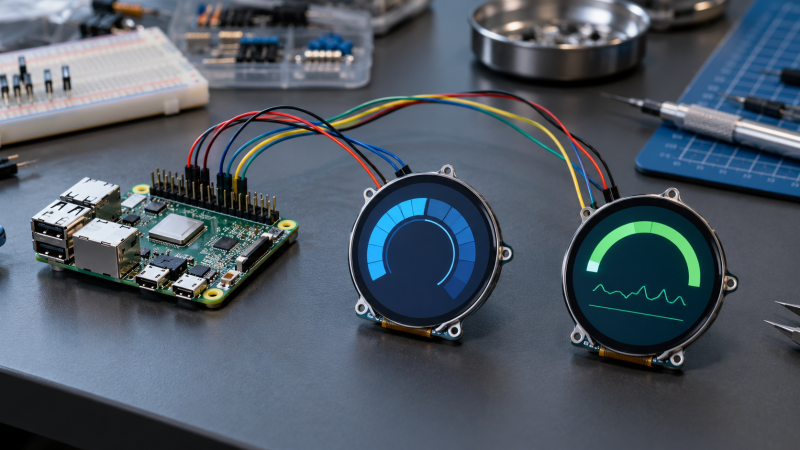
Round LCD modules fit gauges, clocks, compact status panels, instrument dials, wearable controls, and small SBC interfaces where a rectangular display wastes space. The specifications to check are diameter, resolution, color depth, controller, SPI or I2C connection, touch support, operating voltage, and whether the listing supplies one display or a matched pair.
Each of the six modules here explicitly states a round LCD form. Most use SPI and small controllers such as GC9A01, while the Waveshare 1.69-inch module adds capacitive touch and I2C communication. Pick physical size and interface before color claims or a two-pack, because pin use and layout determine whether the display can fit the project.
Choose display diameter and controller interface first, then decide whether touch, a second matched screen, higher color depth, or voltage flexibility fits the SBC project.Best Round LCD Display Modules for SBC Projects Compared
| Image | Product | Details | Check Price |
|---|---|---|---|
 | Waveshare 1.28-inch LCD | Best fit: Standard compact round status display Size: 1.28 inch Resolution: 240 by 240 Interface: SPI, GC9A01 Colors: 65K RGB | Check Price on Amazon |
 | Waveshare 1.69-inch Touch LCD | Best fit: Round touch control project Size: 1.69 inch Resolution: 240 by 280 Interface: SPI and I2C Touch: CST816T capacitive | Check Price on Amazon |
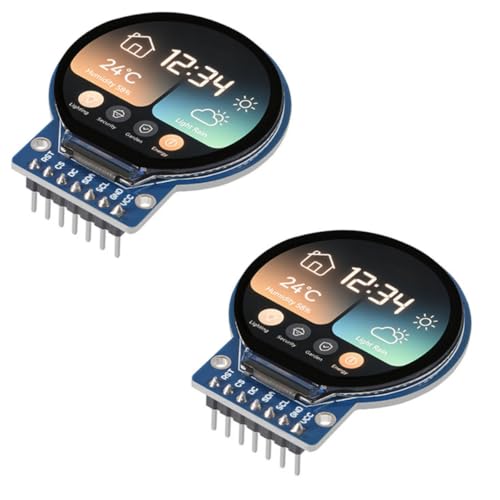 | ACEIRMC 1.28-inch TFT 2-pack | Best fit: Two matching small round displays Quantity: 2 modules Resolution: 240 by 240 each Interface: Four-wire SPI, GC9A01 | Check Price on Amazon |
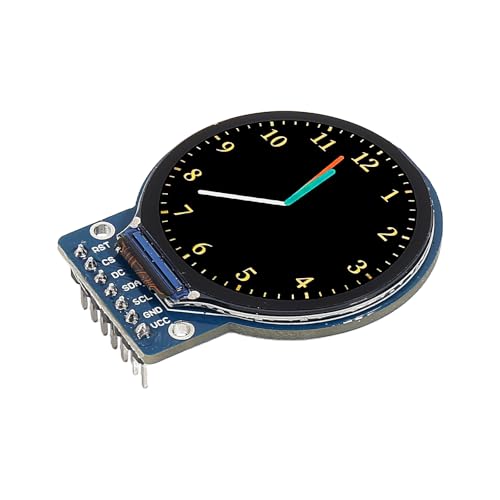 | DORHEA 1.28-inch LCD | Best fit: High-brightness 1.28-inch module Size: 1.28 inch Resolution: 240 by 240 Interface: Four-wire SPI, GC9A01 | Check Price on Amazon |
 | Bicool 1.28-inch IPS LCD | Best fit: IPS round SBC display Size: 1.28 inch Resolution: 240 by 240 Interface: SPI Colors: 65K RGB | Check Price on Amazon |
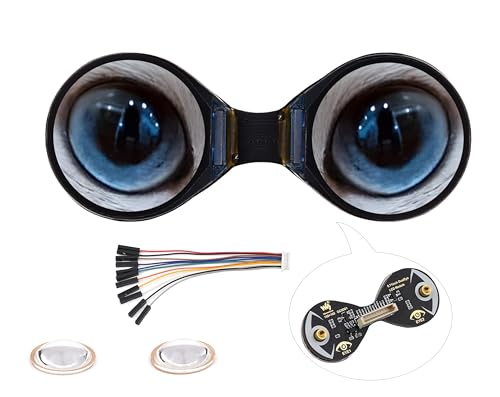 | UeeKKoo Double Eye | Best fit: Paired miniature round displays Quantity: 2 displays Resolution: 160 by 160 each Interface: SPI, GC9D01 | Check Price on Amazon |
For building and debugging a small display project, these guides cover a Raspberry Pi NVMe case, DIN-rail Pi case, USB-C breakout board, logic analyzer, bench power supply, digital microscope, precision tweezers, and soldering mat.
1. Waveshare 1.28-inch LCD — Best Standard Compact Round Status Display
A gauge or small status screen on a Pi or microcontroller needs a compact, standard canvas, and the Waveshare 1.28-inch LCD supplies one. It is a 240 by 240 round display with 65K RGB colors, an embedded GC9A01 driver, and SPI interface. The square pixel count inside a circular panel suits gauges, small dials, and status screens. According to the listing, SPI minimizes required I/O pins, which leaves more pins free on a small SBC or microcontroller project.
The listing states it is compatible with Raspberry Pi, Jetson Nano, Arduino, and STM32. It does not state capacitive touch, a second display, or I2C. Choose this module when one round display with a well-defined 240 by 240 GC9A01 SPI configuration is more important than interactive input.
Decision point: A 1.28-inch 240-by-240 round panel, 65K colors, GC9A01 driver, and SPI interface suit compact single-display status projects. Our TakeChoose Waveshare 1.28-inch LCD when a compact round status display needs a familiar 240 by 240 SPI configuration. It is the default choice for a one-screen Pi, Jetson, Arduino, or STM32 project without a touchscreen requirement.
- The 1.28-inch round panel gives compact dashboards a stated circular footprint for gauges and status output.
- The 240-by-240 resolution gives small graphics a square pixel canvas inside the circular module.
- The stated 65K RGB colors suit color-coded indicators and icons.
- The embedded GC9A01 driver names the controller your SBC software must support.
- SPI minimizes required I/O pins according to the listing, helping preserve pins for other project hardware.
- The listing does not state touch input, so it cannot replace a capacitive control panel without another input device.
- One 1.28-inch display provides less physical screen area than the 1.69-inch Waveshare touch module.
2. Waveshare 1.69-inch Touch LCD — Best Round Touch Control Project
A small control panel with menus or parameter selection needs a screen that takes taps, and the Waveshare 1.69-inch Touch LCD combines a 240 by 280 round IPS display with a CST816T capacitive touch screen. It supports SPI and I2C communication and lists Raspberry Pi 5 compatibility. The touch layer makes it a better fit for small local controls, menus, or parameter selection than a display that only shows sensor or system state.
The 262K color claim and IPS panel suit a more visual interface, and its 240 by 280 resolution has a different shape from the 1.28-inch 240 by 240 modules. Choose it after planning for touch wiring and controller support. Do not assume it uses exactly the same software setup as GC9A01 SPI-only screens.
Decision point: A 1.69-inch 240-by-280 IPS panel, CST816T capacitive touch, SPI and I2C, and 262K colors favor local interactive SBC controls. Our TakeChoose Waveshare 1.69-inch Touch LCD when the project needs a round screen that can also accept local taps. It fits a small control interface better than a passive gauge or a simple paired visual display.
- The 1.69-inch round IPS panel gives controls and menus more stated display area than the 1.28-inch modules.
- CST816T capacitive touch adds local multi-point input instead of separate buttons for every command.
- A 240-by-280 resolution gives the project a taller graphics area than the standard 240-by-240 round module.
- SPI and I2C give two stated interface paths for planning display and touch wiring.
- The listed 262K display colors give the IPS module a higher color-depth figure for visual interfaces.
- Touch adds controller and wiring decisions that a simple GC9A01 SPI status display does not need.
- The 240-by-280 display shape differs from the 240-by-240 GC9A01 layouts used by several other modules.
3. ACEIRMC 1.28-inch TFT 2-pack — Best for Two Matching Small Round Displays
ACEIRMC includes two 1.28-inch round TFT modules rather than one panel. Each stated module uses a 240 by 240 display, a GC9A01 driver, and a four-wire SPI interface. Getting two modules changes the buying decision. The pack fits a project with two repeated gauges, two enclosure faces, or a separate readout and control visual.
The listing gives a 32.4 by 32.4 mm display size, 38 by 45.5 by 3.2 mm overall dimensions, and 3 to 5 V operation. It also states IPS viewing and a minus 20 to 70 C operating range. Pick this pack when two identical round panels simplify the physical design. A per-module price that may look attractive is not a reason on its own.
[greenunderline]Decision point: Two stated 1.28-inch 240-by-240 GC9A01 SPI modules suit a project needing matched round outputs rather than a single panel.[/greenunderline] Our TakeChoose ACEIRMC when the enclosure needs two matched display zones. The listed pair, dimensions, voltage range, and 240-by-240 GC9A01 layout make it a practical choice for repeated displays.
- Two 1.28-inch modules support matched readouts without sourcing a second separate display.
- Each 240-by-240 panel provides the same stated graphics layout for mirrored interface work.
- The GC9A01 driver gives both modules a named controller for library selection and testing.
- Four-wire SPI keeps each module on a clearly identified serial display connection.
- The stated 3 to 5 V range supports projects designed around either common logic supply.
- Two modules consume more enclosure space and connections than one 1.69-inch touch display.
- The listing states visual modules only, so it adds no capacitive touch input.
4. DORHEA 1.28-inch LCD — Best for High-Brightness Embedded Readouts
A dashboard that sits in bright light needs a readable screen, and DORHEA’s round panel is a 1.28-inch GC9A01 display with four-wire SPI, a stated full-view angle, and 3 to 5 V operation. Its distinguishing listing claim is a high-brightness backlight for readability in bright outdoor conditions. The claim gives you a more specific reason to choose it than another nominally similar 240 by 240 display.
The module measures 45.5 by 48 by 11.5 mm according to the listing, so reserve room for the module depth as well as the round screen opening. It lists compatibility with Arduino, ESP32, and Raspberry Pi. Choose it for a dashboard or embedded display where lighting and a stated compact module size are more important than touch input.
Decision point: A high-brightness 1.28-inch GC9A01 round screen with four-wire SPI favors a readable embedded dashboard in brighter locations. Our TakeChoose DORHEA when a small round dashboard may face stronger ambient light. Its stated high-brightness backlight, 3 to 5 V range, and familiar GC9A01 SPI arrangement suit embedded readouts.
- The high-brightness backlight targets readability when a 1.28-inch dashboard faces brighter ambient conditions.
- A full-view angle supports legibility from different positions around the stated round display.
- The 45.5 by 48 mm footprint gives enclosure planning a concrete module-width figure.
- GC9A01 and four-wire SPI provide a named controller and connection path for software planning.
- Its stated 3 to 5 V operation suits designs using either listed supply range.
- The 11.5 mm stated depth may limit fit in shallow wearable or flush-panel housings.
- No touch layer is listed, so interactions need separate buttons, encoders, or another input method.
5. Bicool 1.28-inch IPS LCD — Best for a 3.3 V or 5 V SBC Display
Bicool’s 1.28-inch IPS round panel suits a build where the board is not chosen yet. It uses a 240 by 240 resolution, 65K RGB colors, SPI, and the GC9A01 driver. The listing explicitly states 3.3 V and 5 V operation, plus support for Raspberry Pi, Jetson Nano, Arduino, and STM32. The broad list of named boards makes it a sensible single-display option when the hardware stack is still flexible.
Its listed pixel size is 0.135 by 0.135 mm. The pixel size is more useful for physical display planning than a generic color claim, because it shows how dense the 240 by 240 canvas is. It does not list touch, a second display, or a taller aspect ratio. Pick it when an IPS GC9A01 round display must work within the specified voltage range.
Decision point: A 1.28-inch IPS GC9A01 screen with 240-by-240 pixels and stated 3.3 V or 5 V operation fits flexible SBC builds. Our TakeChoose Bicool when the project needs a conventional 1.28-inch circular display but the stated 3.3 V or 5 V operating range affects board selection. It is a straightforward display module.
- The 1.28-inch IPS panel gives compact projects a stated full-color round visual interface.
- A 240-by-240 resolution matches common GC9A01 circular layouts for compact graphical readouts.
- 65K RGB colors provide a stated color figure for icons, state indicators, and gauges.
- Its 3.3 V or 5 V operation supports the two listed logic-voltage design paths.
- Raspberry Pi, Jetson Nano, Arduino, and STM32 are all named compatible controller families.
- The listing does not include touch, limiting this module to display output without separate input hardware.
- Its 0.135-by-0.135-mm pixels offer a different physical specification than the larger touch panel.
6. UeeKKoo Double Eye — Best for Paired Miniature Round Displays
A project that needs two tiny circular outputs, e.g., separate status indicators, eyes, or independent gauges, fits UeeKKoo Double Eye. The manufacturer states it consists of two 0.71-inch round IPS displays, each with 160 by 160 resolution, 65K colors, SPI, and a GC9D01 driver. The set is a pair of miniature display modules, not a larger round screen split into zones.
The listing names Raspberry Pi Pico, Pico W, Pico 2, ESP32, and Arduino compatibility, with rated 3.3 V or 5 V operation. Its online development resources can help a buyer start, but they do not eliminate the need to plan two screens and their controller support. Choose it only when the unusual paired 0.71-inch format is the visual requirement.
[greenunderline]Decision point: Two 0.71-inch 160-by-160 GC9D01 IPS panels solve paired miniature-display designs, not general full-size dashboard requirements.[/greenunderline] Our TakeChoose UeeKKoo Double Eye for a deliberately small dual-display design. The listed pair of 0.71-inch panels gives a niche format that a single 1.28-inch module cannot replicate.
- Two 0.71-inch modules create matching miniature outputs for paired indicators, eyes, or compact instrument faces.
- Each 160-by-160 IPS display gives the dual design a specified independent pixel canvas.
- The GC9D01 driver distinguishes this pair from the common GC9A01 1.28-inch modules.
- 65K colors provide a stated color specification despite the very small 0.71-inch panel size.
- Listed 3.3 V or 5 V operation supports projects across the two stated voltage paths.
- A 160-by-160 canvas gives much less graphical area than the 240-by-280 Waveshare touchscreen.
- Two miniature screens add display-routing and physical-layout work compared with a single standard module.
Buying Guide: Choosing a Round LCD Module for an SBC Project
Choose diameter and resolution together
Diameter alone does not describe a round module. A 1.28-inch 240-by-240 panel gives a familiar square pixel canvas within a circular viewing area, while the 1.69-inch Waveshare touch module uses 240 by 280 pixels. Start with the information that must stay visible, then size the enclosure opening to the specified screen geometry.
A very small pair has a different job from a general dashboard. The UeeKKoo design supplies two 0.71-inch 160-by-160 panels, which can show two simple independent indicators but cannot replace a 1.69-inch control surface. Decide whether you need one rich visual area, two matching small outputs, or a tall readout before comparing color counts.
Match SPI and I2C to the available pins
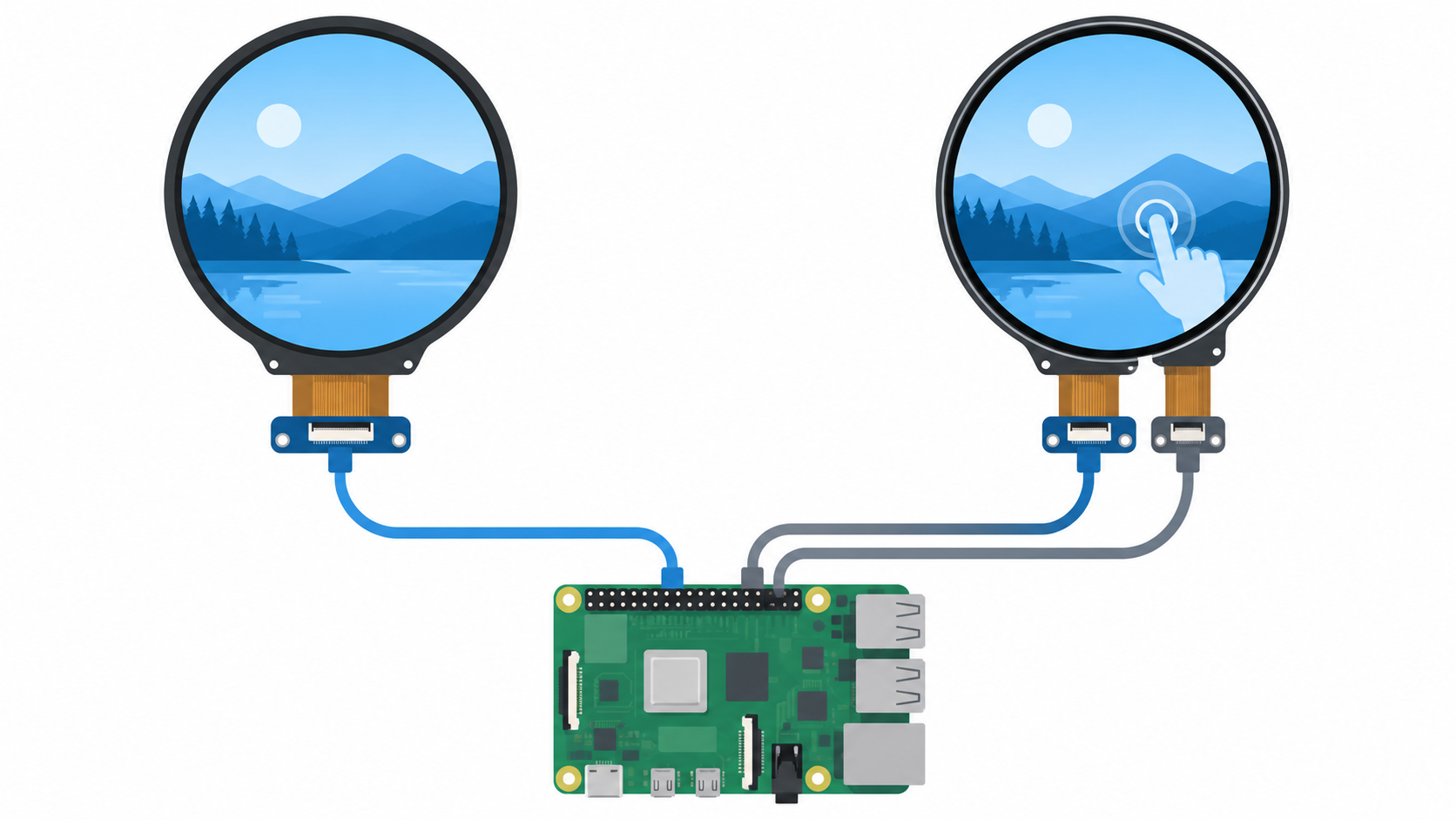
Most of these modules list SPI for the display, and several say it minimizes required I/O pins. SPI is a reasonable starting point for a compact Pi, Pico, ESP32, Arduino, Jetson, or STM32 build, but you also need to allocate the physical lines and identify the correct driver in software. The named controller, such as GC9A01 or GC9D01, is part of the compatibility decision.
The Waveshare touch model also lists I2C and a CST816T touch controller. That extra interface is useful only when local touch input changes the project. A passive circular gauge can use a simple SPI display and separate controls, while a menu-driven device should reserve pins and software effort for both display and touch.
Decide whether local touch changes the interface
The Waveshare 1.69-inch module is the only one of the six modules that explicitly supplies CST816T capacitive touch. Use it when a user must tap menus, select modes, or adjust values on the round panel. Touch is not an upgrade for a status-only display by default. It adds a controller, a wiring plan, and a user-interface design requirement.
For a sensor gauge or a small system monitor, a listed 240-by-240 SPI GC9A01 module may be the cleaner choice. The project can use buttons, an encoder, a keyboard, or remote control without covering the screen with interaction targets. Choose touch when the user flow needs it. More listed colors are not a reason to choose it.
Use paired modules only when two visual zones are needed
The ACEIRMC pack gives two 1.28-inch 240-by-240 modules, while UeeKKoo provides two 0.71-inch 160-by-160 modules. Both can make sourcing easier when a product truly needs matched visual zones, such as separate status faces or a compact character-like display. They do not create one larger contiguous screen, and they require an enclosure and wiring plan for two modules.
For a single dashboard, one larger display usually makes the software layout more direct. The 1.69-inch 240-by-280 touch display offers one interaction surface, while a 1.28-inch 240-by-240 module keeps a compact square pixel canvas in a circular face. Buy a pair only when the separate locations or separated information have a clear value to you.
Confirm controller and logic voltage before wiring
Several products use the GC9A01 controller, but the miniature UeeKKoo uses GC9D01. The controller determines the library and initialization path, so test them before mounting the module. Similar dimensions or a similar circular face do not make their software setup interchangeable.
Check the voltage claims as well. ACEIRMC, DORHEA, Bicool, and UeeKKoo list 3 to 5 V or 3.3 V and 5 V operation. Confirm the board’s logic levels, the listed module requirements, and any level shifting before you make the wiring permanent.
Frequently Asked Questions
What makes an LCD module round?
A module counts as round here only when its listing explicitly says it is a round LCD display or describes a round panel. The 1.28-inch GC9A01 modules, the 1.69-inch Waveshare touch panel, and the UeeKKoo paired 0.71-inch displays meet that stated form-factor requirement.
Size or SBC use alone does not make a display qualify. This guide leaves out rectangular 1.69-inch 240-by-280 and 1.47-inch 172-by-320 Waveshare listings, because the guide answers a buying question about circular enclosures and circular interfaces.
Is SPI enough for a round LCD module?
SPI is enough for the display side when the project needs a visual output and the selected module supports its named driver. The GC9A01 and GC9D01 listings state SPI, so you also need matching software support and enough allocated connections.
SPI does not automatically cover every function. The Waveshare touch module lists SPI and I2C, because its CST816T capacitive touch panel is a separate input consideration. Plan the display, touch, power, and any other controls together rather than treating an interface label as complete integration.
When is a capacitive touchscreen worth choosing?
Choose capacitive touch when the local user must make selections, change settings, or navigate a small interface on the device. The touch option combines a 1.69-inch 240-by-280 IPS panel with CST816T capacitive touch, which gives a stated visual and input pairing for that style of use.
For an always-on gauge, clock, or system-state panel, touch can add unnecessary design work. A 1.28-inch 240-by-240 visual-only module lets you keep the display job separate from buttons, an encoder, or remote control. Let the way people will use the device decide, not the product category.
Why do controller names matter?
The controller name identifies the display software path that must work before the product is installed. Several selected panels use GC9A01, while the small paired UeeKKoo module uses GC9D01. Do not assume all round screens share one initialization method.
The controller choice also relates to the resolution and layout you want. A 240-by-240 GC9A01 project and a 160-by-160 GC9D01 project have different graphics layouts, so do not copy configuration values from one to the other blindly. Test the exact panel and driver combination on the intended board first.
Can one project use two round LCD modules?
Yes, when the selected product actually contains two modules and the hardware layout makes two outputs useful. ACEIRMC lists two 1.28-inch 240-by-240 modules, while UeeKKoo lists two 0.71-inch 160-by-160 modules. Each pair supports separate visual zones rather than one joined display area.
You must also plan the necessary connections, software addressing, physical mounting, and power. Two displays can improve a paired-gauge or character-like project, but they require more integration than one panel. Choose the pair because the design benefits from separation, not simply because two modules are supplied.
Bottom Line
Choose Waveshare 1.28-inch LCD for a conventional 240-by-240 GC9A01 SPI round status display. Pick Waveshare 1.69-inch Touch LCD when a local CST816T touch interface is part of the product. Go with ACEIRMC 1.28-inch TFT 2-pack or UeeKKoo Double Eye only when two separate matching round outputs solve the project.