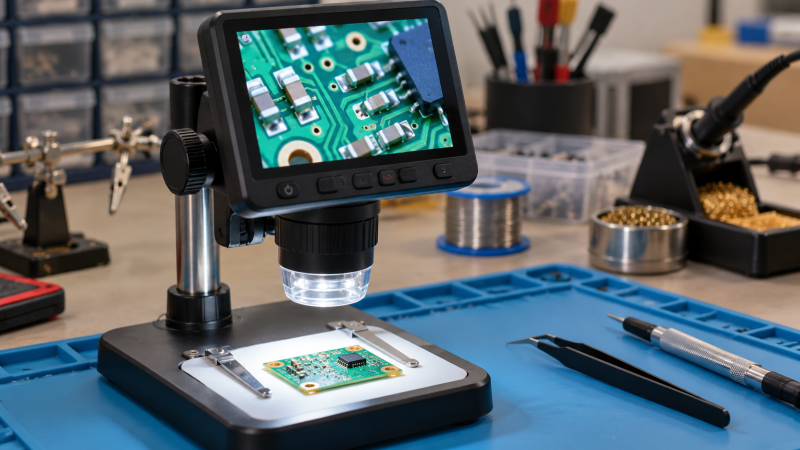
An LCD digital microscope gives a repair bench a shared view of solder joints, pads, connectors, and component markings without requiring the operator to look through eyepieces. The biggest magnification number should not drive the decision. Screen size, working space beneath the lens, focus method, output route, lighting, and stand arrangement decide whether hands can work safely under the camera.
Before committing to a model, place a board holder, soldering iron, tweezers, and fume nozzle beneath a mock lens position. The usable hand room determines whether the displayed view helps or interrupts repair work.
Choose the working distance and stand first, then compare screen size, focus method, output, lighting, storage, and included bench accessories.Best Digital Microscopes with LCD Screens for Electronics Repair Compared
| Image | Product | Details | Check Price |
|---|---|---|---|
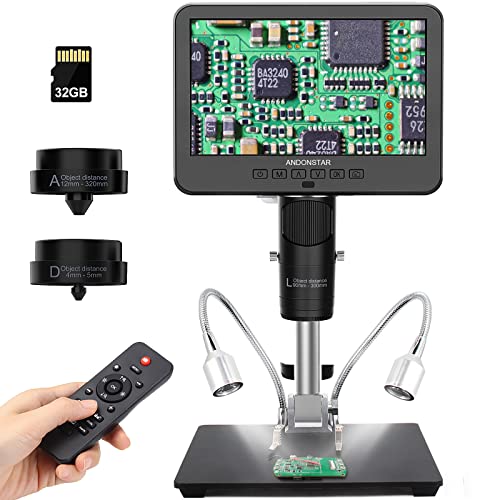 | Andonstar AD246S-M | Best fit: Three-lens electronics and hobby use Screen: 7 inches stated Video: 2160P HDMI | Check Price on Amazon |
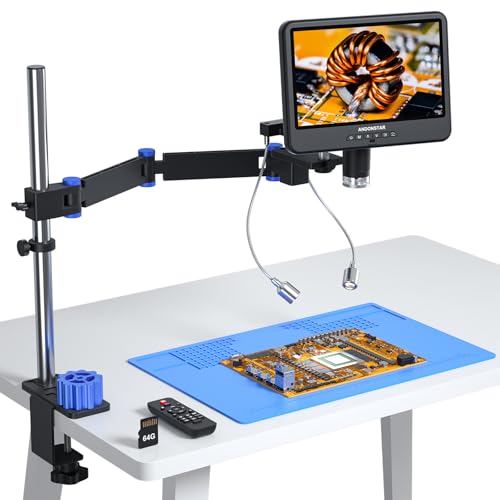 | Andonstar AD208S-FA | Best fit: Wide clamped repair bench Screen: 10.1 inches stated Arm: 16.4-inch stated reach | Check Price on Amazon |
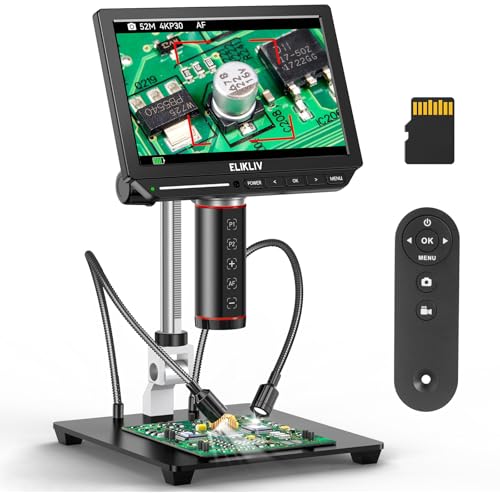 | Elikliv EM4K-AF | Best fit: Autofocus inspection Screen: 8-inch IPS; 1280 by 800 stated Imaging: 4K video; 52MP images stated | Check Price on Amazon |
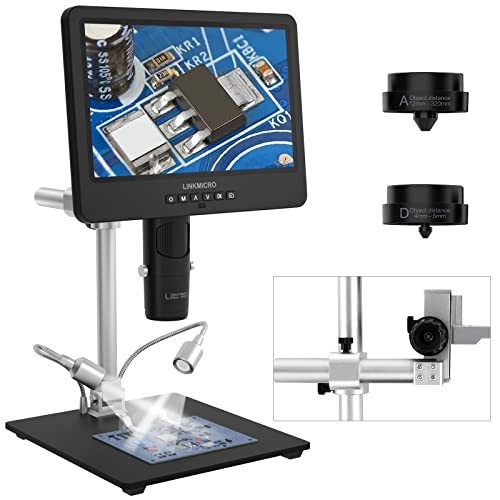 | LINKMICRO LM249MS | Best fit: Long working distance Screen: 10.1-inch IPS stated Working distance: 13 inches stated for Lens L | Check Price on Amazon |
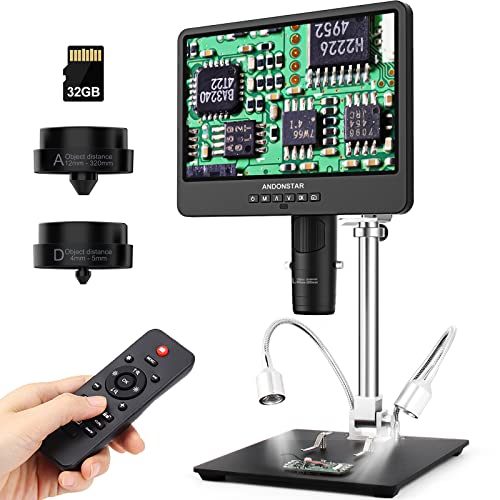 | Andonstar AD249S-M | Best fit: 10.1-inch three-lens kit Screen: 10.1 inches stated Video: 2160P HDMI | Check Price on Amazon |
 | TOMLOV DM602 Flex | Best fit: Included soldering mat Screen: 10.1-inch IPS stated Mat: 932F / 500C stated | Check Price on Amazon |
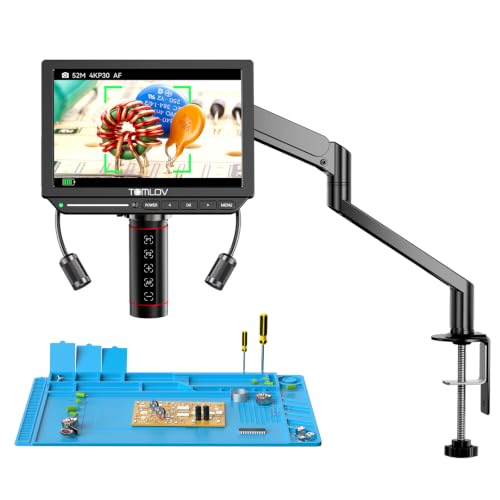 | TOMLOV TM4K-AF Flex | Best fit: Autofocus with focus presets Screen: 8 inches stated Imaging: 4K; 52MP stated | Check Price on Amazon |
Set up the bench around the microscope: PCB holders, soldering mats, tip cleaners, fume extractors, digital multimeters, desk lamps, USB microscopes, and camera clamps all affect the usable inspection area.
1. Andonstar AD246S-M — Best Three-Lens Repair Kit
Andonstar states that the AD246S-M is a three-lens kit with a 7-inch LCD, 2160P recording, HDMI output, and a metal boom stand. The listing assigns Lens L to soldering and repair, Lens A to whole coins and parts, and Lens D to biological slides. The three lenses make it a flexible choice for a mixed bench where PCB work is only one of several inspection jobs.
The manufacturer lists the stand at 7 by 7.8 by 13 inches with front-to-rear, left-to-right, and angle adjustment. The stand’s working envelope counts for more than the advertised 2000X figure when hands must place a board under the lens. Choose AD246S-M for interchangeable viewing roles, not when a larger 10.1-inch screen is the first priority.
Decision point: A 7-inch LCD, three assigned lenses, 2160P video, HDMI output, and adjustable 13-inch boom stand fit mixed inspection tasks. Our TakeChoose AD246S-M when one bench needs soldering, parts, and slide viewing from interchangeable lenses. Its seven-inch display is smaller than several alternatives, but the three-lens approach gives the buyer wider stated use cases.
- A stated 7-inch LCD provides a dedicated local view without relying on a computer monitor.
- Three lenses separate soldering, whole-object, and slide observation jobs within one stated kit.
- 2160P recording and HDMI output support local viewing and a larger external-screen route.
- The 7-by-7.8-by-13-inch boom stand provides a defined adjustable bench footprint.
- Metal stand construction is listed as suitable for high-temperature soldering work areas.
- The 7-inch screen is smaller than the 10.1-inch displays offered by several alternatives.
- Changing lenses adds a setup step when a repair session needs only one viewing role.
2. Andonstar AD208S-FA — Best for a Wide Clamped Repair Bench
Andonstar AD208S-FA pairs a 10.1-inch screen with stated 4K 30FPS HDMI output and a flexible metal arm. The arm has a stated 41 cm or 16.4-inch reach, full 360-degree rotation, and a clamp base for desks up to 3.15 inches thick. The arm reach and clamp allowance make it useful when a fixed vertical stand would crowd board fixtures or tool trays.
The listing also includes an anti-static mat, 64GB storage, tool storage, audio recording, and a retractable arm. Its combination of screen size and clamped range is more significant than the 4K headline for a working repair desk. Choose it when the bench has a suitable thick edge and needs the microscope to swing around a large board.
Choose AD208S-FA for a spacious bench where a clamp can support a long flexible arm. Its 3.15-inch clamp allowance and 16.4-inch reach provide clear physical checks before purchase.
- A 10.1-inch screen gives repair work a larger local display than seven-inch alternatives.
- The stated 16.4-inch arm reach creates extra room around fixtures, tools, and larger boards.
- A 3.15-inch clamp capacity fits thick bench edges that reject many small clamps.
- 4K 30FPS HDMI output supports detailed observation on the built-in display or external monitor.
- Included 64GB storage, anti-static mat, and tool tray add stated bench-ready accessories.
- A clamp-mounted arm requires a usable desk edge rather than a completely enclosed work surface.
- The larger arm and screen take more room than a small fixed digital microscope kit.
3. Elikliv EM4K-AF — Best for Autofocus Inspection
Elikliv EM4K-AF is an autofocus model with a stated 8-inch IPS screen, 1280-by-800 screen resolution, 4K video, and 52MP images. The listing says its TOF sensor adjusts focus in two seconds, a useful stated behavior when the object height changes during inspection. It also lists HDMI and USB outputs for a larger view.
The device has a 10-inch stand, side lights, grid line, and 16GB storage. Autofocus can reduce routine refocusing, but it does not remove the need to position a board within the working area. Choose EM4K-AF when changing object height or moving parts make manual focus interruptions more important than a 10.1-inch display.
Decision point: An 8-inch IPS display, two-second stated focus adjustment, 4K video, 52MP images, HDMI, and USB fit changing inspection work. Our TakeChoose EM4K-AF when focus changes interrupt inspection of different-height components. Its eight-inch screen is not the largest, but the stated focus sensor and external outputs give it a distinct repair workflow.
- The stated two-second focus adjustment can reduce manual refocusing between changing component heights.
- An 8-inch IPS display with 1280-by-800 resolution provides a defined local viewing surface.
- 4K video and 52MP images give buyers stated capture figures for documentation work.
- HDMI and USB outputs create a larger-screen path for shared inspection or demonstrations.
- A 10-inch stand, side lights, grid line, and 16GB storage support a bench setup.
- The 8-inch screen provides less local viewing area than 10.1-inch digital microscope alternatives.
- Autofocus does not replace positioning the board and tools within the available stand clearance.
4. LINKMICRO LM249MS — Best for Long Working Distance
LINKMICRO LM249MS has a stated 10.1-inch IPS screen, 2160P video, HDMI and USB output, plus three lenses. Its Lens L is listed for PCB soldering with 240X magnification and a 13-inch working distance, while the boom stand is also listed as 13 inches. The stated clearance is the reason to consider it when tools must work below the camera.
The listing includes a 32GB card and describes 178-degree screen viewing. The extra lens choices cover coins and slides, but the repair buyer should concentrate on Lens L and the stated working distance. Choose LM249MS when clearance around the soldering iron and board holder is a higher priority than autofocus.
Choose LM249MS when the repair task needs a larger working area beneath the lens. Its stated 13-inch working distance makes the physical arrangement easier to assess than a generic magnification claim.
- A stated 13-inch Lens L working distance creates room for soldering tools and fixtures.
- The 10.1-inch IPS display gives operators a large local view of repair work.
- 2160P video and HDMI output support a larger shared screen for inspection or teaching.
- USB output provides a computer connection path without treating the LCD as the only view.
- The included 32GB card gives captured images and video a stated local-storage option.
- The three-lens kit requires selecting the appropriate Lens L path for electronics repair work.
- No autofocus claim means users should expect manual focus control during changing board-height work.
5. Andonstar AD249S-M — Best 10.1-Inch Three-Lens Kit
Andonstar AD249S-M expands the three-lens design to a stated 10.1-inch LCD. It lists 2160P HDMI recording, a 32GB card, and the same lens roles for soldering, whole objects, and biological slides. The larger display makes the repair-oriented Lens L more comfortable for a shared bench than a seven-inch version.
Its pro boom stand is listed at 7 by 7.8 by 13 inches with adjustable front-to-rear, left-to-right, and angle positioning. Choose AD249S-M when a bigger built-in screen is preferable to autofocus and the three-lens roles are useful. Do not assume all three lenses create the same working distance for PCB rework.
Decision point: A 10.1-inch LCD, 2160P HDMI video, 32GB card, three lenses, and adjustable 13-inch boom stand fit shared mixed-use benches. Our TakeChoose AD249S-M for a larger local screen with the same three-lens flexibility as smaller kits. It is the practical middle ground for a bench that does repair but also documents or inspects other small objects.
- The stated 10.1-inch LCD offers more local viewing area than a seven-inch three-lens kit.
- Three assigned lenses cover stated soldering, whole-object, and slide-observation roles in one system.
- 2160P HDMI recording provides a clear external-display and capture route for demonstrations or documentation.
- An included 32GB card offers a stated destination for recorded images and videos.
- The 13-inch adjustable boom stand gives the buyer defined bench dimensions before planning placement.
- Interchangeable lenses add handling complexity compared with a single-purpose repair microscope configuration.
- The listing does not state autofocus, so focus adjustments remain part of the repair workflow.
6. TOMLOV DM602 Flex — Best with an Included Soldering Mat
TOMLOV DM602 Flex combines a stated 10.1-inch IPS screen with a flexible arm, ring light, three lenses, and an included silicone mat. The listing rates the mat to 932F or 500C and gives it a 13.8-by-9.8-inch size with a ruler and part boxes. The bundled mat layout can simplify a new repair station where the microscope and work surface must begin together.
The flexible arm lists 360-degree base rotation, 135-degree horizontal extension, and 180-degree vertical movement. Lens L is listed at 60X to 200X for microsoldering. Choose DM602 Flex when the supplied mat and arm movement have direct value, while remembering that its bundle is not a substitute for a board holder or source-capture plan.
Choose DM602 Flex when an included heat-resistant mat makes the first repair-bench setup simpler. Its stated arm movements and Lens L range make the microscope more repair-specific than a general display magnifier.
- The stated 932F silicone mat provides a heat-resistant surface alongside the microscope station.
- A 13.8-by-9.8-inch mat includes a ruler and parts boxes for small repair organization.
- The 10.1-inch IPS screen gives a broad local view for shared electronics inspection.
- 360-degree base rotation, 135-degree extension, and 180-degree movement support flexible microscope placement.
- The 60X-to-200X Lens L is explicitly listed for microsoldering work rather than whole-coin viewing.
- The bundled mat does not replace a secure board holder or a separate fume-capture plan.
- Three interchangeable lenses require selecting the repair lens before beginning fine soldering work.
7. TOMLOV TM4K-AF Flex — Best for Autofocus Presets
TOMLOV TM4K-AF Flex adds autofocus and two preset focus points to an 8-inch microscope with 4K video and 52MP images. The listing gives the screen a 1280-by-800 resolution, 100 percent sRGB, and 99 percent NTSC color figures. The stated display details help compare it with other eight-inch autofocus models.
The flexible arm rotates 360 degrees, and the P1 and P2 focus points are meant for switching between uneven surfaces. Choose this model when the work repeatedly moves between two board heights or components. It offers less local screen area than 10.1-inch choices, so the autofocus preset workflow should be the actual reason to choose it.
Decision point: An 8-inch 1280-by-800 screen, 4K video, 52MP images, P1/P2 focus points, and 360-degree arm fit changing-height inspection work. Our TakeChoose TM4K-AF Flex when repeat focus points save time during varied inspection. The smaller screen trades local viewing size for a stated autofocus and preset-focus workflow.
- Two preset focus points provide a stated shortcut for switching between uneven inspection surfaces.
- 4K video and 52MP images offer defined capture specifications for repair documentation.
- The 8-inch screen lists 1280-by-800 resolution, 100 percent sRGB, and 99 percent NTSC figures.
- A 360-degree articulating arm supports multiple viewing angles over boards and small components.
- Autofocus can reduce repeated manual adjustments when object height changes through a repair task.
- The 8-inch local screen is smaller than 10.1-inch alternatives intended for shared bench viewing.
- Focus presets help repeated positions but do not guarantee every board fixture fits the arm path.
Buying Guide: Choosing an LCD Digital Microscope for Electronics Repair
Start with hands and tool clearance beneath the lens
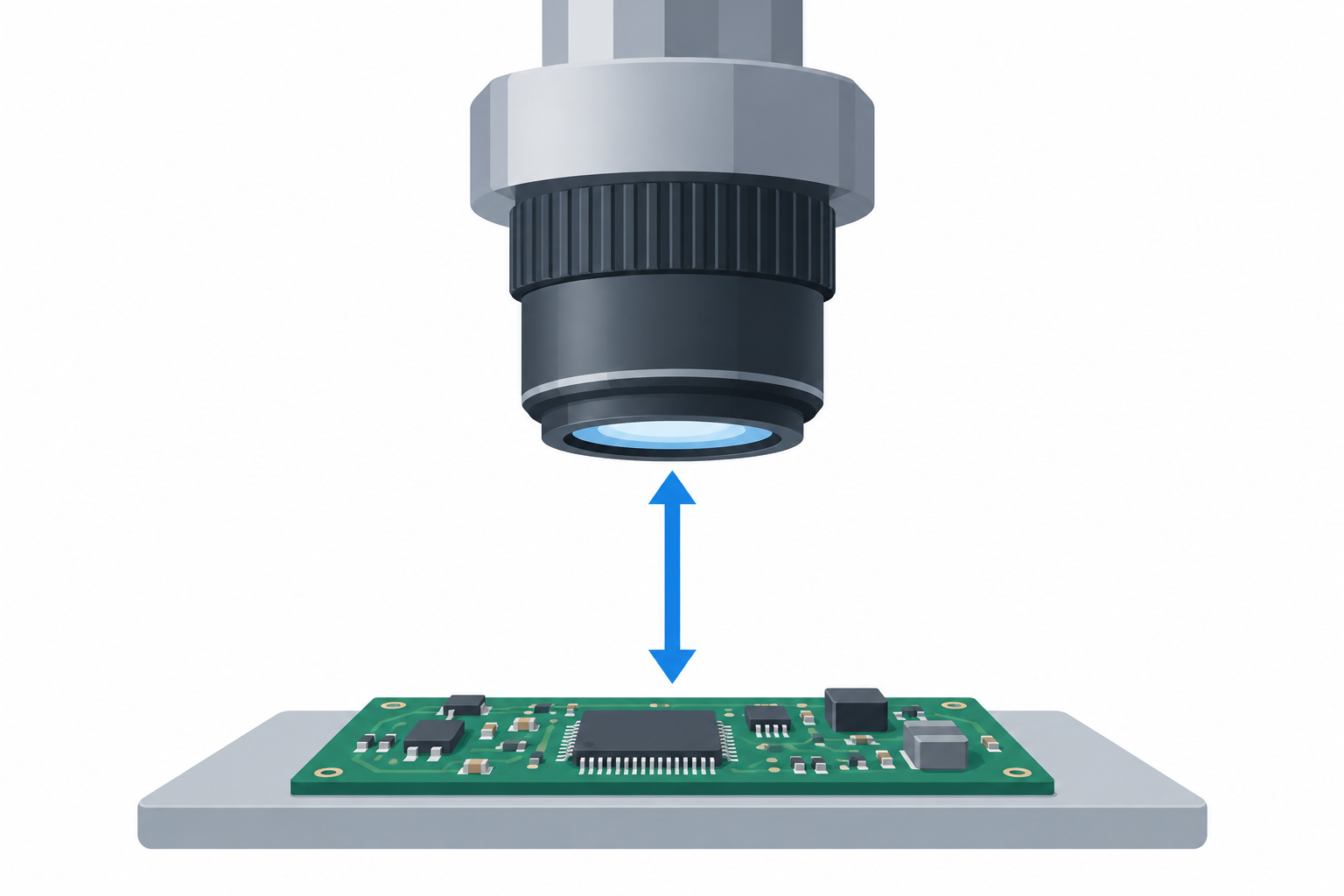
The critical space is the distance between lens and base after a PCB holder, iron, tweezers, and hands arrive, rather than the screen diagonal. LINKMICRO LM249MS lists a 13-inch Lens L working distance, while TOMLOV DM202 lists 6.3 inches from lens to base. Both figures are more useful for planning than a maximum magnification headline.
Mock up the repair area with the board holder you already use. Working distance decides whether tools can reach the joint safely, while screen resolution decides how the joint appears. A microscope that produces a sharp image but leaves no room for the iron is the wrong bench tool.
Choose display size for solo work or shared viewing
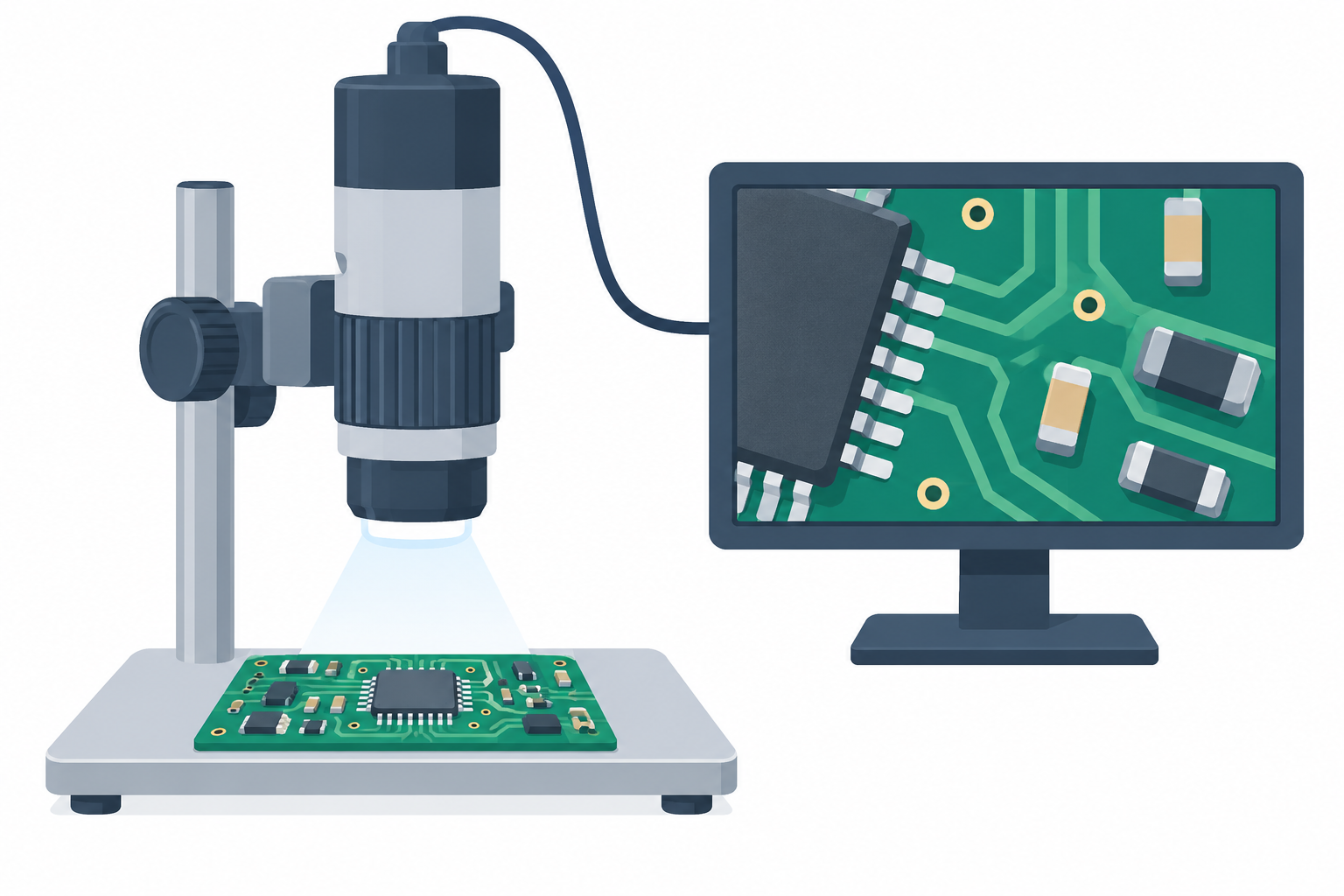
Seven-inch, eight-inch, and 10.1-inch screens suit different benches. A 10.1-inch LCD gives a wider local view for a trainer or assistant, while an eight-inch model can keep the camera package more compact. Consider viewing angle and whether an external monitor will be used.
HDMI and USB outputs provide a second viewing route. External output is useful when another person needs the image or when the built-in screen must stay out of the tool path. Verify the connection type and monitor placement before assuming a larger display will improve the repair process.
Treat focus method as a repair-workflow decision
Manual focus works when the board stays at one height. Autofocus models such as EM4K-AF and TM4K-AF Flex suit work where objects change height or a bench moves between components. Focus speed and repeatability affect interruptions, not merely image sharpness.
Preset focus points can be useful for repeated heights, but they do not change the physical work envelope. A focus feature cannot correct poor board placement or an arm that does not clear the fixture. Choose it after the stand and working distance already fit the bench.
Use lens roles rather than headline magnification to compare kits
Several kits include three lenses for different objects. The repair lens is the relevant lens for PCB work, while a coin or biological lens may serve a separate task. LINKMICRO specifically lists Lens L for electronics repair and a 13-inch working distance.
Do not treat a 2000X label as a universal repair setting. High magnification can narrow the view and reduce usable working room. The right lens and magnification are the ones that show the joint while leaving room for the operator to work.
Build safety and organization around the viewing station
An included mat or tool tray can simplify a new station, but it does not replace the rest of the bench. TOMLOV DM602 Flex lists a 932F silicone mat, while AD208S-FA lists a tool tray and anti-static mat. These accessories are useful only when their size suits the repair job.
Plan source capture, stable board holding, lighting, and cable routing separately. The microscope image is one part of a repair workflow, not a complete safe workbench. Avoid placing a screen or clamp where it interferes with a fume hood, iron holder, or board fixture.
Frequently Asked Questions
Is an LCD digital microscope better than an optical microscope for repair?
An LCD digital microscope gives multiple people a shared view and can record or output the image. A shared view can simplify demonstrations, documentation, and training at a bench.
It does not automatically replace the depth perception of an optical stereo microscope. Choose the viewing system around the repair task, working distance, posture, and the need to share the image with another person.
How much working distance do I need for soldering?
You need enough clearance for the board holder, soldering iron, tweezers, and hand position. A listing that states a working distance or lens-to-base measurement gives a more practical starting point than one that only states magnification.
Measure the height of your existing fixture first. The required clearance changes with the board holder and tool angle, so no single distance suits every repair bench.
Should I choose autofocus for electronics repair?
Autofocus can help when the object height changes frequently or a repair moves between boards, connectors, and components. The EM4K-AF and TM4K-AF Flex listings present autofocus as part of their inspection workflow.
For a single fixed-height board, manual focus can be sufficient. Autofocus is a convenience feature, not a substitute for stable positioning or a suitable working distance.
Why does HDMI output matter on a microscope?
HDMI can place the microscope image on a larger monitor for shared inspection, training, or a more comfortable viewing position. It can also let the built-in LCD remain secondary to an external display.
Check the monitor position and cable route before buying. A larger screen helps only when it remains visible without forcing an awkward soldering posture.
Are included mats and storage cards important?
Included mats and storage cards can reduce the initial accessory list for a new repair station. A mat can protect the work surface, while local storage can provide a direct capture destination for images or recordings.
Bundled extras should not decide the purchase before stand geometry and focus workflow. The core microscope must fit the repair task first, then bundled accessories can break a close comparison.
Bottom Line
Choose Andonstar AD208S-FA for a 16.4-inch flexible arm and 3.15-inch clamp, LINKMICRO LM249MS for a stated 13-inch repair-lens working distance, and TOMLOV DM602 Flex for a 10.1-inch screen with a 932F included mat. Measure tool clearance first, then choose the LCD, focus, and output workflow that fits the bench.