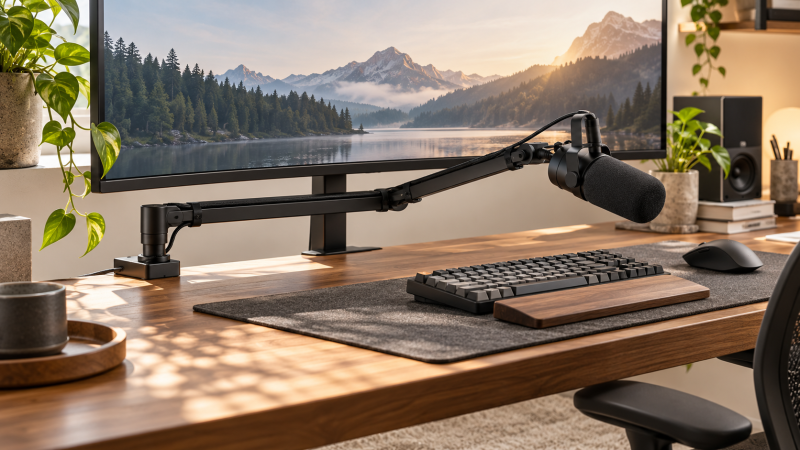
A low-profile microphone arm keeps a microphone below the display line instead of hanging it in front of a camera or monitor. The useful buying decisions are load capacity, reach, desk-clamp thickness, cable routing, and the adjustment range that lets the microphone arrive near the speaker without blocking the desk.
Measure the microphone package and desk edge first, then choose reach, load rating, clamp range, cable routing, and adjustment hardware.Best Low-Profile Microphone Boom Arms for Creator Desks Compared
| Image | Product | Details | Check Price |
|---|---|---|---|
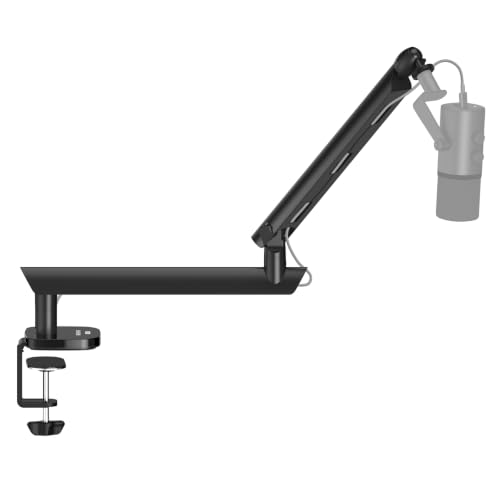 | NEEWER MS007 | Best fit: Precise overhead positioning Reach: 26.5 inches stated Load: 3.3 pounds stated | Check Price on Amazon |
 | FIFINE BM88 | Best fit: Long low-profile reach Reach: 29 inches stated Movement: 220-degree vertical; 360-degree horizontal | Check Price on Amazon |
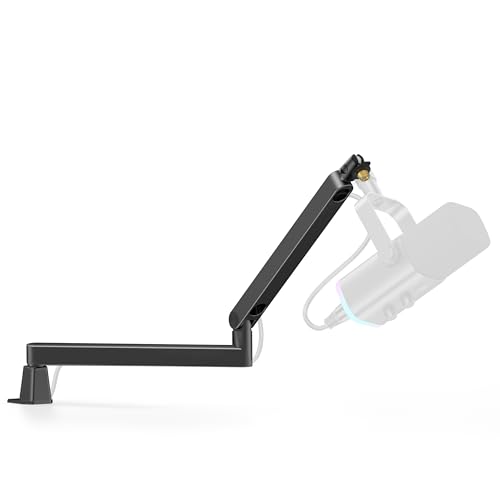 | InnoGear LP98 | Best fit: Very low desk clearance Clearance: 3.35 inches stated Load: 3.3 pounds stated | Check Price on Amazon |
 | InnoGear MU-LP26 | Best fit: Thicker desks Reach: 25.6 inches stated Clamp: Up to 2.75 inches stated | Check Price on Amazon |
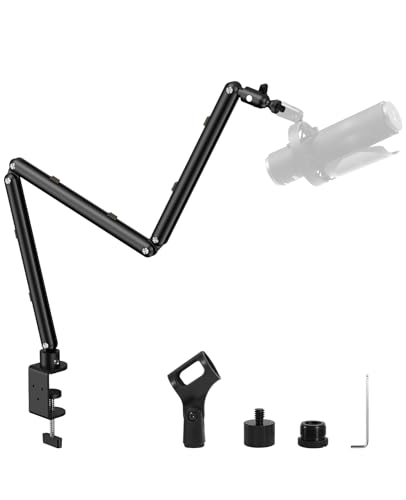 | KRISKUL KR-LP01 | Best fit: Lightweight microphones Reach: 27.1 inches stated Load: 2.8 pounds stated | Check Price on Amazon |
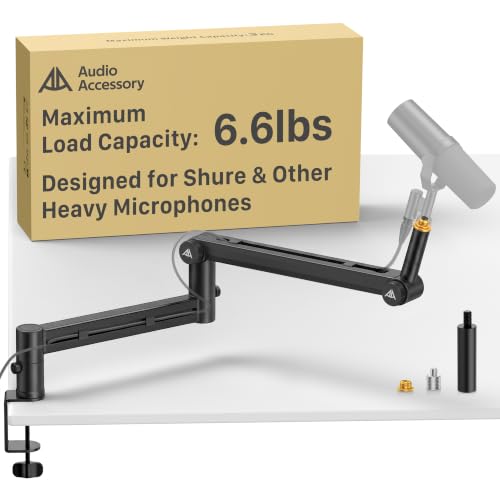 | AA Audio ABA01 | Best fit: Heavy broadcast microphones Reach: 780 mm stated Load: 6.6 pounds stated | Check Price on Amazon |
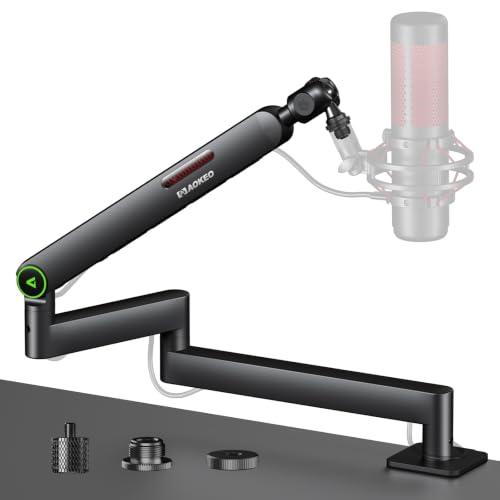 | Aokeo AK-59i | Best fit: Spring-supported adjustment Clamp: Up to 2.6 inches stated Mount: 3/8-to-5/8 and 3/8-to-1/4 adapters | Check Price on Amazon |
 | Elgato Wave Mic Arm LP | Best fit: Large premium creator desks Reach: 740 mm stated Movement: 360-degree horizontal; 90-degree upper vertical | Check Price on Amazon |
Before mounting an arm, plan the rest of the desk route: camera clamps, desktop cable clips, cable sleeves, microphone shock mounts, weighted desktop stands, pop filters, XLR cables, and clamp-on headphone hooks each affect the usable desk layout.
1. NEEWER MS007 — Best for Precise Overhead Positioning
NEEWER MS007 combines two 14.8-inch arms for a stated 26.5-inch reach and adds a 5.9-inch heightening pole. The listing rates its aluminum arm for 3.3 pounds and its C-clamp for desks from 0.4 to 2.4 inches thick. The long reach makes it useful when the mic must travel around a large display without placing the base far from the speaker.
Its 360-degree horizontal rotation, 100-degree tilt, ball-head rotation, and cable channels give the buyer several ways to route a microphone, webcam, or small light. The listed 1/4, 3/8, and 5/8-inch mounting options reduce adapter uncertainty. It is a flexible creator-desk arm, but the 3.3-pound stated limit should be compared with the microphone, shock mount, and cable together.
Decision point: A 26.5-inch reach, 3.3-pound rating, 0.4-to-2.4-inch clamp, and cable channels fit adjustable creator desks. Our TakeChoose MS007 when positioning range and cable routing matter more than maximum load. Its extra pole and articulated sections help move a normal podcast microphone around monitor stands and camera gear.
- Two 14.8-inch arms produce a stated 26.5-inch reach for flexible desk placement.
- The 3.3-pound rating supports many microphone, shock-mount, and cable combinations without assuming heavier setups.
- A 0.4-to-2.4-inch C-clamp range helps buyers check their desk edge before ordering.
- Built-in channels organize USB and XLR cables, reducing exposed cable loops around the monitor.
- Three listed thread options accommodate microphones, shock mounts, phones, lights, and small cameras.
- The 3.3-pound rating requires careful total-weight calculation for large broadcast microphones and accessories.
- A 2.4-inch clamp limit excludes desks with thicker edges or deeply recessed undersides.
2. FIFINE BM88 — Best for Long Low-Profile Reach
FIFINE BM88 is a low-profile arm built to extend from beneath a computer screen rather than above it. The listing states 29 inches of extension, 220 degrees of vertical adjustment, and 360 degrees of horizontal adjustment. The long extension helps when the microphone needs to arrive from a side edge on a long desk.
The all-metal arm uses a C-clamp and hidden cable management, while its listed 1/4, 3/8, and 5/8-inch thread options cover common microphone hardware. FIFINE says the section near the clamp does not move vertically, so the desk position still determines the final working range. Choose it when long reach is the priority and the static base geometry suits the desk.
Choose BM88 for a wide creator desk where the clamp can remain at one side. Its 29-inch reach is useful for a microphone that must clear a monitor without switching to a tall scissor arm.
- The stated 29-inch extension covers a wider desk span than shorter low-profile arms.
- 220 degrees of vertical adjustment helps position a microphone below or beside a display.
- 360-degree horizontal movement supports side-mounted microphone placement on shared creator desks.
- Hidden cable management keeps microphone cables from crossing the visible desk surface.
- Three thread sizes reduce the need to buy a separate microphone-mount adapter.
- The clamp-adjacent section cannot move vertically, making initial clamp position especially important.
- The listing does not state a maximum payload, so heavy microphone packages need extra verification.
3. InnoGear LP98 — Best for Very Low Desk Clearance
InnoGear LP98 is aimed at a desk where low clearance is the defining requirement. Its lower arm sits 3.35 inches above the desk according to the listing, while the steel construction carries a stated 3.3-pound payload. The clamp works on flat desk edges up to 2.36 inches thick and includes rubber padding for the contact surface.
The listed adjustment range includes 360-degree base rotation, 180-degree swivel, 170-degree tilt, and 360-degree shaft rotation. A snap-on magnetic cable channel provides an accessible route for wiring. Choose LP98 when the microphone should stay visibly low across the desk, but confirm the fixed lower-arm clearance works with keyboards, displays, and desk shelves.
Decision point: A 3.35-inch lower-arm height, 3.3-pound payload, and 2.36-inch clamp fit especially low desk routing. Our TakeChoose LP98 when visual clearance below a monitor is more important than a maximum-reach number. The low listed arm height and magnetic cable cover make it a tidy option for compact setups.
- A 3.35-inch lower-arm height keeps the microphone route unusually close to the desktop.
- The 3.3-pound payload provides a concrete boundary for normal microphones and shock mounts.
- 360-degree base and shaft rotation offer multiple routes around keyboard and monitor positions.
- A magnetic cable channel gives owners quick cable access without exposed external hooks.
- Rubber-padded clamping protects eligible flat desk edges up to 2.36 inches thick.
- The 2.36-inch clamp limit excludes many thick butcher-block or built-up desk edges.
- The very low 3.35-inch arm path may conflict with raised keyboards or desk-shelf legs.
4. InnoGear MU-LP26 — Best for Thicker Desks
InnoGear MU-LP26 is the better fit when clamp thickness is a concern. The listing states a C-clamp for desks up to 2.75 inches thick, a stated 25.6-inch reach, and a 3.3-pound maximum payload. That extra clamp allowance can be more important than a small reach difference on a solid desktop or desk with a thick front edge.
The arm has 250 degrees of vertical adjustment, 360-degree horizontal rotation, and 3/8-to-5/8 plus 3/8-to-1/4 adapters. InnoGear also says the clamp doubles as a headphone hook. Choose it when the desk is thicker than common clamp limits, while checking whether the stated 25.6-inch reach can bring the microphone close enough.
Choose MU-LP26 when a thick desktop rules out narrower clamps. Its reach and 3.3-pound limit suit mainstream creator microphones, provided the complete mounted load stays within the stated rating.
- The 2.75-inch clamp limit accommodates thicker desks than 2.36-inch and 2.4-inch alternatives.
- A 25.6-inch reach gives the microphone a usable path around monitors and keyboard trays.
- The 3.3-pound rating gives shoppers a stated limit for the complete mounted package.
- 250 degrees of vertical movement offers more elevation options around tall desk displays.
- The clamp’s listed headphone hook can free a small accessory from the desk surface.
- A 25.6-inch reach is shorter than the 29-inch BM88 and may not span wide desks.
- The 3.3-pound stated limit is not intended for heavy microphones with substantial accessories.
5. KRISKUL KR-LP01 — Best for Lightweight Microphones
KRISKUL KR-LP01 is explicitly positioned for lighter microphone packages. It extends up to 27.1 inches, supports listed equipment up to 2.8 pounds, and clamps to desks from 0.4 to 2.36 inches thick. The stated limit is a helpful guardrail for a small dynamic microphone, phone holder, light, or webcam rather than a heavy broadcast assembly.
The listing includes 360-degree rotation, a metal ball head, a 26-to-35mm microphone clip, and 1/4, 3/8, and 5/8-inch adapters. It also says the arm folds away with cable management. Choose it when the load is light and stowability matters, but do not treat the 2.8-pound rating as suitable for an SM7B-class package without checking the full weight.
Decision point: A 27.1-inch reach, 2.8-pound stated limit, 2.36-inch clamp, and fold-away design fit lightweight creator microphones. Our TakeChoose KR-LP01 for a light microphone setup that should fold away after recording. The stated 2.8-pound maximum is the key buying limit, not a number to stretch with accessories.
- The stated 27.1-inch reach covers many small creator desks without a tall arm.
- A 2.8-pound limit clearly frames the arm for lightweight microphones and small accessories.
- A 0.4-to-2.36-inch clamp range helps buyers verify basic desk compatibility before purchase.
- The listed 26-to-35mm clip can hold compatible dynamic microphones without a separate shock mount.
- Fold-away storage and cable management suit a desk that changes between work and recording.
- The 2.8-pound rating is lower than 3.3-pound alternatives and far below heavy-duty arms.
- Its 2.36-inch clamp limit will not fit some thicker solid-wood desktop edges.
6. AA Audio ABA01 — Best for Heavy Broadcast Microphones
AA Audio ABA01 is the load-focused choice in this group. The listing rates it for 6.6 pounds or 3 kg, with a 780 mm stated reach and reinforced 40-by-25mm arms. The load and reach figures count when a heavy broadcast microphone, shock mount, cable, and perhaps a pop filter together exceed normal lightweight-arm limits.
Its gear-lock design is presented as an alternative to spring-loaded arms, while tool-free knobs control adjustment. The listing says the 780 mm reach is 40 mm longer than standard mic arms. Choose it when the total package is heavy enough to make a lower rating inappropriate, and measure the desk position before relying on that reach figure.
Choose ABA01 when microphone weight is the deciding constraint. Its 6.6-pound stated capacity offers more margin for a heavy microphone, mount, cable, and accessories than the lighter arms here.
- The 6.6-pound stated capacity gives heavy broadcast microphones substantially more headroom than lightweight arms.
- A 780 mm reach supports microphone placement across a wider desk working area.
- Reinforced 40-by-25mm arms address the buyer concern about flex under heavier packages.
- The gear-lock design is listed for stable positioning rather than relying on a spring mechanism.
- Tool-free knobs allow position changes without locating a wrench during a recording setup.
- Its heavy-duty emphasis can be unnecessary for a small USB microphone with minimal accessories.
- The listing’s 780 mm reach still requires clamp placement that suits the speaker’s seated position.
7. Aokeo AK-59i — Best for Spring-Supported Adjustment
Aokeo AK-59i emphasizes internal springs and a broad clamp contact base instead of publishing a numeric load rating. The listing says its rubber-padded clamp fits desks up to 2.6 inches thick and includes both 3/8-to-5/8 and 3/8-to-1/4 adapters. It also lists full base rotation, multi-angle joints, cable clips, and a foldable steel structure.
The spring-supported approach can suit someone who changes microphone position frequently during calls and recordings. However, no stated payload means the buyer should verify the listing for a particular heavy microphone package. Choose it for its clamp range and spring-assisted adjustment only after comparing the actual microphone system to the available product guidance.
Decision point: A 2.6-inch clamp limit, internal springs, full rotation, cable clips, and two adapter paths suit frequently adjusted desks. Our TakeChoose AK-59i when easy adjustments and a wide clamp contact area matter more than a published payload figure. It is best treated as a flexibility option, not a verified heavy-microphone recommendation.
- The stated 2.6-inch clamp limit fits many desks that exceed common 2.36-inch ranges.
- Internal support springs are intended to help maintain microphone position during frequent adjustments.
- Full base rotation and multi-angle joints provide several approaches around displays and keyboards.
- Included 3/8-to-5/8 and 3/8-to-1/4 adapters support common microphone and accessory mounts.
- Cable clips and a foldable steel structure help keep a shared creator desk organized.
- No stated payload requires buyers to verify suitability for any heavy microphone and shock mount.
- The listing does not provide a published reach figure for direct comparison with other arms.
8. Elgato Wave Mic Arm LP — Best for Large Premium Creator Desks
Elgato Wave Mic Arm LP is a low-profile arm with a stated 740 mm horizontal reach and an all-metal anti-torsion construction. Elgato says it sits below shoulder level, has magnetic cable channels, and offers 360-degree horizontal plus 90-degree upper vertical rotation. The stated reach and low position fit a microphone that has to cross a large desk without entering the camera frame.
The published reach is close to AA Audio’s 780 mm figure, but the listing does not state a maximum payload. Buyers should therefore evaluate microphone weight independently rather than treating all long arms as interchangeable. Choose this model for long reach, visible cable access, and a low visual profile across a larger creator setup.
Choose Elgato Wave Mic Arm LP for a premium low-profile route across a large desk. Its long stated reach and magnetic channels help keep a camera-facing workspace visually clear.
- A 740 mm horizontal reach covers large desks while keeping the arm below shoulder level.
- All-metal anti-torsion construction targets rigidity for a frequently adjusted creator-desk arm.
- Magnetic cable channels hide wiring while keeping it accessible for changes or replacement.
- 360-degree horizontal rotation supports multiple microphone approaches from a single desk clamp position.
- 90-degree upper vertical rotation adds final microphone-height adjustment without raising the entire arm.
- No stated maximum payload means buyers must verify compatibility for a heavy microphone package.
- The premium long-reach design can be excessive for a small desk with a lightweight USB microphone.
Buying Guide: Choosing a Low-Profile Microphone Boom Arm for a Creator Desk
Add the microphone package before comparing arm ratings
A microphone arm supports more than the microphone body. Include the shock mount, pop filter, cable, and any adapter in the expected load. The stated payload is a system limit, so a 2.8-pound arm such as KR-LP01 serves a different setup from the 6.6-pound AA Audio ABA01.
Leave margin rather than aiming exactly at a listed figure. A lower-rated arm may sag or become harder to position when the complete package approaches its limit. If a listing does not state a payload, treat that missing comparison point as a reason to verify before buying.
Measure clamp thickness and desk geometry before selecting reach
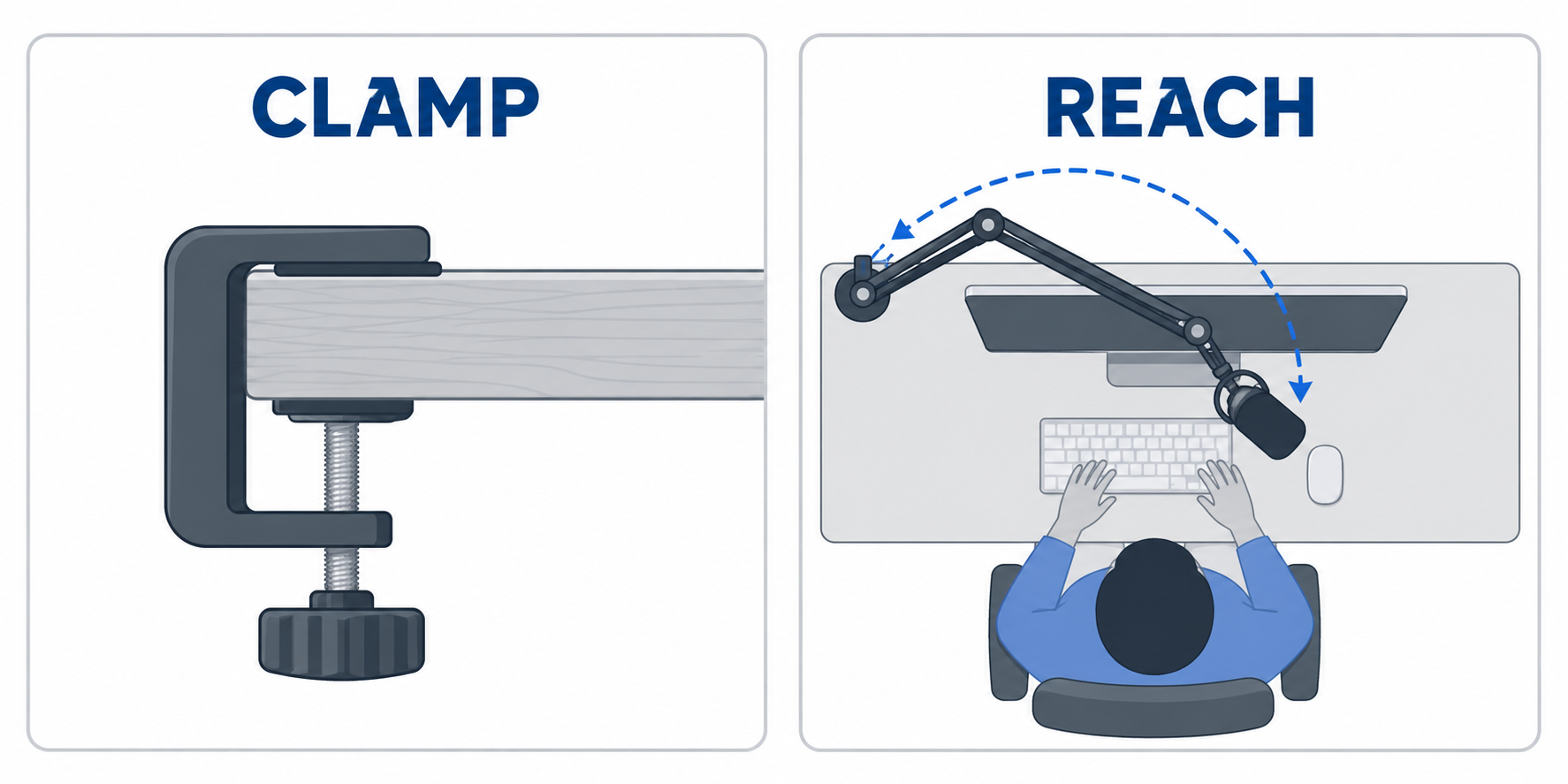
Clamp thickness is a fixed limit. MU-LP26 lists a 2.75-inch maximum, Aokeo lists 2.6 inches, and LP98 lists 2.36 inches. Measure the actual desk edge, including lips, cable trays, and any obstruction beneath the clamp point.
Then map the clamp point to the speaker’s position. Reach is useful only from a workable base position. A 29-inch arm may still fail to arrive comfortably if it begins behind a monitor shelf or on the wrong desk corner.
Keep the arm below the display line without blocking keyboard work
Low-profile does not mean every arm follows the same path. LP98 lists a 3.35-inch lower-arm height, while Elgato says its arm sits below shoulder level. Those descriptions help a buyer decide how the microphone route will appear in a webcam or streaming frame.
Check clearance around keyboards, laptop stands, monitor legs, and desk shelves. The lowest arm path can conflict with desk accessories even though it improves camera visibility. A quick cardboard mockup of the route can prevent an awkward clamp placement.
Choose cable management for the cable you actually use
USB and XLR leads differ in diameter and flexibility. NEEWER lists channels for USB and XLR wiring, while Elgato lists magnetic cable covers. Cable routing protects the working movement of the arm as much as it improves appearance.
Avoid routing a tight cable around the hinge path. A cable needs slack through the full movement range so that repositioning does not pull a connector or change the microphone angle. Check whether the arm provides channels, clips, or enough open space for the cable route.
Match adjustment hardware to how often the microphone moves
A fixed recording desk can favor a stiff gear lock, while a shared desk may benefit from spring-assisted movement or tool-free knobs. AA Audio lists a gear-lock design, and Aokeo lists internal support springs. These mechanisms suit different habits, so neither is a universal winner.
Think about who changes the microphone and when. Frequent movement rewards simple repeatable adjustment, while a once-set heavy microphone rewards a load-focused structure. The best choice is the arm that stays stable with the adjustment style you actually use.
Frequently Asked Questions
What makes a microphone arm low profile?
A low-profile arm runs near the desk and under the monitor rather than rising high in front of the screen. Keeping the arm low can preserve a clearer camera view and leave the upper screen area open for work.
The exact route still depends on the desk, display, and microphone. Low profile is a layout approach, not a universal clearance measurement, so compare the stated arm height, reach, and hinge path with your own setup.
Can a low-profile arm hold a heavy broadcast microphone?
Only when the complete microphone package stays within the arm’s stated capacity. AA Audio ABA01 lists 6.6 pounds, while several other products list 3.3 pounds or less.
Do not compare microphone bodies alone. A shock mount, pop filter, cable, and adapter all count toward the effective load. A published rating is a limit to stay under, not a target to exceed.
How do I know whether the clamp will fit my desk?
Measure the desk edge where the arm will attach, including any under-desk lip or support. Compare that measurement with the listing’s clamp range, such as MU-LP26’s stated 2.75-inch maximum.
Also inspect whether the desk edge is flat enough for the clamp pads. Thickness is not the only fit condition when a cable tray, beveled edge, or drawer rail occupies the clamp location.
Is reach or rotation more important?
Reach determines whether the microphone can physically arrive near the speaker from the clamp location. Rotation determines whether it can approach around a monitor, camera, or keyboard without an awkward cable path.
Weigh reach and rotation together. A long arm with poor movement may be harder to use than a slightly shorter arm with useful hinge range. Mapping the desk route before ordering is more reliable than comparing only one number.
Do cable channels matter on a microphone arm?
They help when a visible USB or XLR lead would otherwise cross the desk or snag during movement. NEEWER and Elgato both list integrated cable-routing approaches, though their cover designs differ.
Cable channels do not remove the need for slack. The cable must still move through every expected arm position without pulling the microphone connector or tightening against a hinge.
Bottom Line
Choose NEEWER MS007 for a 26.5-inch articulated route, AA Audio ABA01 for its 6.6-pound stated capacity, and Elgato Wave Mic Arm LP for a 740 mm premium low-profile reach. Start with total mounted weight and clamp thickness, then select the arm whose movement path actually fits the desk.