Battery-powered portable printers print documents and photos away from a desk, but their output formats and consumables differ. This comparison separates full-page inkjet documents, inkless thermal pages, and 4-by-6 dye-sublimation photos.
Choose the needed output format first, then choose the battery printer with the right connection and consumables.Best Battery-Powered Portable Printers Compared
| Image | Product | Details | Check Price |
|---|---|---|---|
 | HP OfficeJet 250 | Best fit: Print, scan, and copy travel printer Battery: Included; 90-minute off-state fast charge Functions: Wireless print, scan, copy | Check Price on Amazon |
 | HP OfficeJet 200 | Best fit: Print-only document travel printer Battery: Included; 90-minute off-state fast charge Functions: Wireless color printing | Check Price on Amazon |
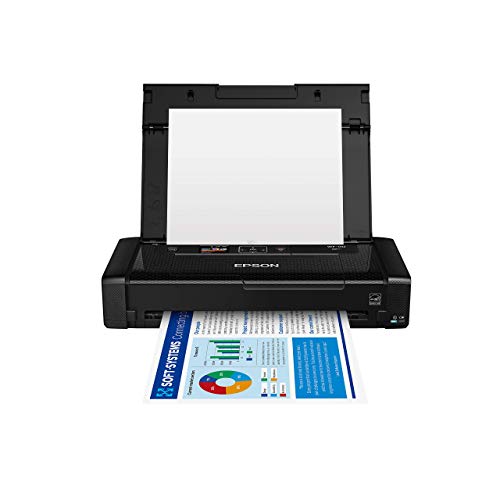 | Epson WorkForce WF-110 | Best fit: USB and AC rechargeable mobile printer Battery: Built-in lithium-ion; optional external battery Functions: Wireless color printing; up to 6.7 ppm | Check Price on Amazon |
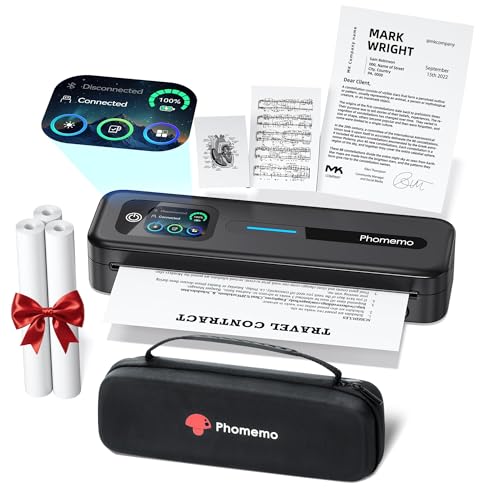 | Phomemo M832D | Best fit: Inkless letter-size thermal printer Battery: 2600mAh; up to 200 pages stated Functions: 300dpi thermal; Letter, A4, and smaller sizes | Check Price on Amazon |
 | Liene M200 | Best fit: 4-by-6 battery photo printer Battery: Rechargeable; 40 prints per charge stated Functions: Dye-sublimation 4-by-6 photos | Check Price on Amazon |
1. HP OfficeJet 250 — Best Print, Scan, and Copy Travel Printer
When field paperwork has to move between a physical page and a digital file, HP OfficeJet 250 is the full-function portable document option. Wireless print, scan, and copy functions are listed for laptops, tablets, and smartphones, and the battery is included in the compact all-in-one body.
HP states the battery charges within 90 minutes while the printer is off, using AC power at home, in a car, or in an office. You still need to pack compatible ink and paper for the document work.
Decision point: Print, scan, copy, an included battery, and 90-minute off-state charging fit a complete mobile document workflow. Our TakeBuy HP OfficeJet 250 when scanning and copying are as important as printing. Choose a print-only model if the field workflow starts and ends with digital documents.
- Print, scan, and copy functions handle a complete battery-powered paperwork workflow in one portable device.
- The included battery supports output away from a wall outlet at a vehicle, client site, or event.
- Wireless setup works with laptops, tablets, and smartphones, with or without a router according to HP.
- A 90-minute off-state charge claim helps replenish the printer between remote appointments and travel legs.
- The compact form is designed to fit a car, backpack, or briefcase with necessary paper supplies.
- Ink remains a required consumable, unlike the inkless thermal printing approach used by Phomemo.
- The all-in-one functions can be unnecessary when a buyer only needs occasional print-only document output.
2. HP OfficeJet 200 — Best Print-Only Document Travel Printer
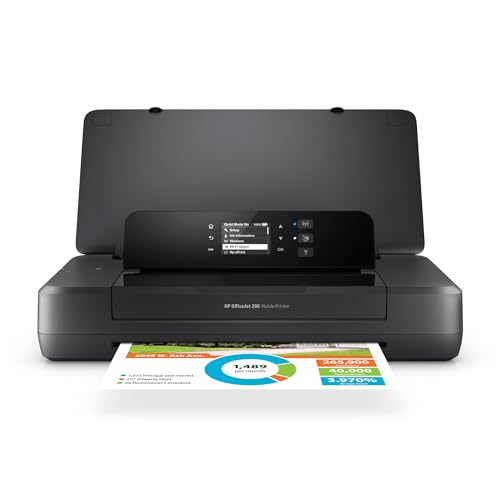
HP OfficeJet 200 is a portable wireless color printer without the OfficeJet 250’s scan and copy functions. With the included battery and mobile device setup, it suits a traveler who prints documents from a laptop, tablet, or phone and wants a dedicated print-only device.
HP states a 90-minute fast charge while the printer is off, through AC power at home, in a car, or in an office. It is the better fit when the work starts with a ready digital file and no physical page needs to be scanned or copied.
Buy HP OfficeJet 200 when portable color document printing matters but scanning and copying do not. Move to OfficeJet 250 if field paperwork must move in both directions between paper and digital files.
For a travel-ready workstation, see our business laptop guide.
- A print-only design keeps the mobile workflow focused on color documents from ready digital files.
- The included battery enables document printing away from a wall outlet during travel or remote appointments.
- Wireless setup supports laptops and mobile devices with or without a router according to HP.
- HP states a 90-minute charge while off, supporting recharging at home, in a car, or office.
- The compact design is intended for a car, backpack, or briefcase instead of a fixed desk.
- It cannot scan or copy, requiring a separate device when paper documents enter the workflow.
- Ink and document paper remain necessary consumables for each portable printing trip.
3. Epson WorkForce WF-110 — Best USB and AC Rechargeable Mobile Printer
Epson WorkForce WF-110 is a color document printer with Wi-Fi 5 and Wi-Fi Direct, a built-in rechargeable lithium-ion battery, and USB and AC charging. The listing specifies up to 6.7 pages per minute and an optional external accessory battery for extended printing on a business trip.
Its stated 12.2 by 8.5 by 9.1-inch size fits a portable work bag or a small office. It is built for document output rather than scanning or copying, and it offers flexible recharging between remote work stops.
Decision point: Built-in lithium-ion battery, USB and AC charging, Wi-Fi Direct, and up to 6.7 ppm fit a rechargeable mobile document printer.For laptop connectivity, see our USB-C hub guide.
Our TakeBuy Epson WorkForce WF-110 when USB or AC charging flexibility and an optional external battery matter for portable color documents. Choose an all-in-one HP model when scanning and copying are also required.
- The built-in lithium-ion battery enables cordless color printing during travel, remote work, and small-office use.
- USB and AC charging provide two stated ways to replenish the rechargeable printer battery.
- Wi-Fi 5 and Wi-Fi Direct support laptop, tablet, and smartphone printing without a network connection.
- Up to 6.7 ppm provides a stated speed reference for portable business document output.
- An optional external battery offers an expansion path for extended business-trip print volume.
- The listed function is printing, so scanning or copying paperwork requires a separate device.
- Genuine Epson cartridges are required, creating an ink consumable dependency for continued color printing.
4. Phomemo M832D — Best Inkless Letter-Size Thermal Printer
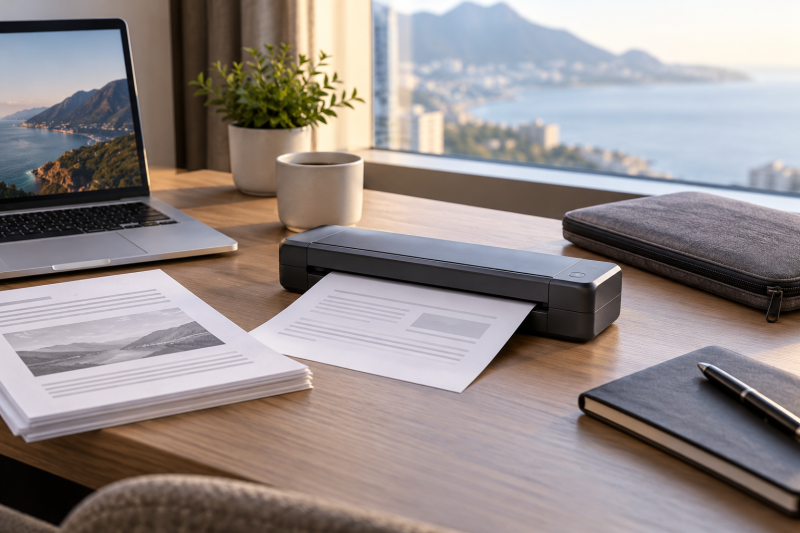
Phomemo lists M832D as an inkless 300dpi thermal printer for US Letter, A4, and smaller thermal-paper sizes. Its built-in 2600mAh battery has a stated capacity of up to 200 continuous pages. Bluetooth connects phones and tablets, and USB-C connects laptops or computers.
At a stated 1.5lb, it is aimed at a compact backpack, briefcase, or car workflow. You skip ink, toner, and ribbons, but you must choose compatible thermal roll, folded, or single-sheet paper for the document size you print.
Buy Phomemo M832D when inkless Letter or A4 thermal output and a 1.5lb body fit the job. Confirm thermal-paper appearance and compatibility before replacing an inkjet document printer.
- A 2600mAh built-in battery is rated for up to 200 continuous pages of portable thermal printing.
- Inkless thermal technology avoids ink, toner, and ribbon supplies for compatible document and note output.
- US Letter, A4, and three smaller paper sizes cover several stated document and quick-note formats.
- Bluetooth works with phones and tablets, while USB-C connects laptops and computers according to the listing.
- The 1.5lb stated weight supports backpack, briefcase, and vehicle printing with less carry burden.
- It requires compatible thermal paper, which differs from standard inkjet document-paper workflows.
- Bluetooth is listed for phones and tablets only, leaving laptops and computers to use USB-C.
5. Liene M200 — Best 4-by-6 Battery Photo Printer
Liene M200 is the specialized photo pick. It makes 4-by-6 dye-sublimation prints, not full-page documents. Its rechargeable battery is stated for up to 40 prints per charge, and its built-in Wi-Fi hotspot connects iOS, Android, laptop, and PC users without a home network.
The printer includes 20 photo sheets, one ink cartridge, and a power adapter. It suits event, travel, or client photos, but the fixed 4-by-6 format means it can’t replace the Letter and A4 document options above.
Decision point: 4-by-6 dye-sublimation, 40 prints per charge, built-in Wi-Fi hotspot, and five-user connection fit portable photo output. Our TakeBuy Liene M200 when portable 4-by-6 color photos are the output requirement. Choose any full-page model when the trip involves contracts, invoices, or ordinary office documents.
- A rechargeable battery supports up to 40 stated 4-by-6 photo prints per charge away from a wall outlet.
- Dye-sublimation layers and a protective final layer target color photos with water, scratch, and fade resistance.
- The built-in Wi-Fi hotspot connects without relying on a home network for portable photo printing.
- Up to five users can connect at once, which suits a small travel group or event photo station.
- The package includes 20 photo sheets and one ink cartridge for an initial portable printing supply.
- The fixed 4-by-6 photo format cannot replace Letter or A4 printing for contracts and invoices.
- Photo paper and ink cartridges remain required consumables despite the printer’s rechargeable battery.
Buying Guide: Choosing a Battery-Powered Portable Printer
Start with the required output format
Full-page documents and 4-by-6 photos need different printers and media. US Letter and A4 support on Phomemo M832D suits paperwork, while Liene M200 is intentionally limited to photos.
Do not choose by portability alone. Print, scan, and copy on HP OfficeJet 250 can replace several paper-handling tasks, but print-only devices work when every source document is already digital.
Choose the printing technology and consumables
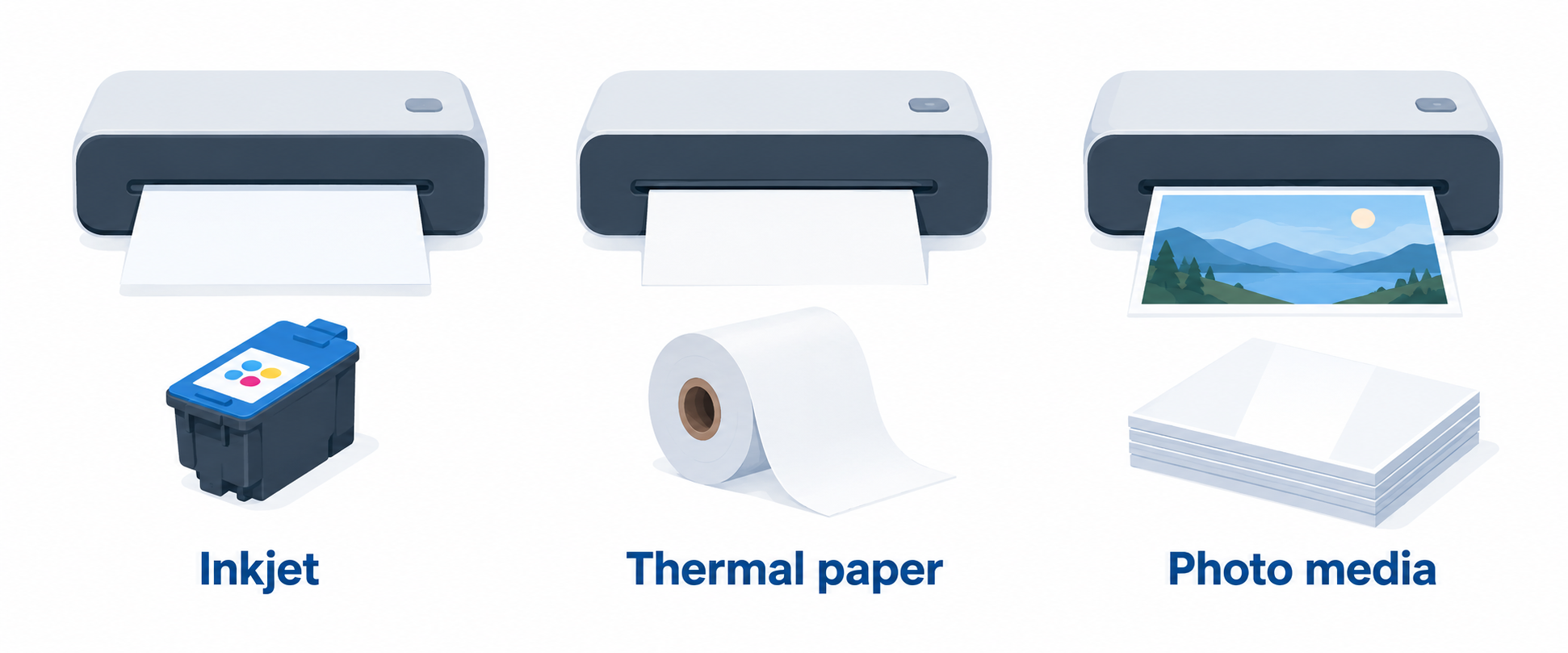
Inkjet models need compatible ink and paper, while thermal models need thermal stock. Phomemo specifies Phomemo M832D uses a 300dpi thermal system, which avoids ink and toner but changes the paper workflow.
Dye-sublimation is made for photos, not invoices. The 20 photo sheets included by Liene with Liene M200 get you started, but refills need the correct photo media.
Plan charging around the workday
A battery printer still needs a charging plan. USB and AC charging on Epson WorkForce WF-110 give two listed ways to recharge between jobs.
The HP models state a 90-minute charge while powered off. Match that downtime to how much you expect to print, and don’t assume a battery removes the need to charge.
Verify the mobile connection path
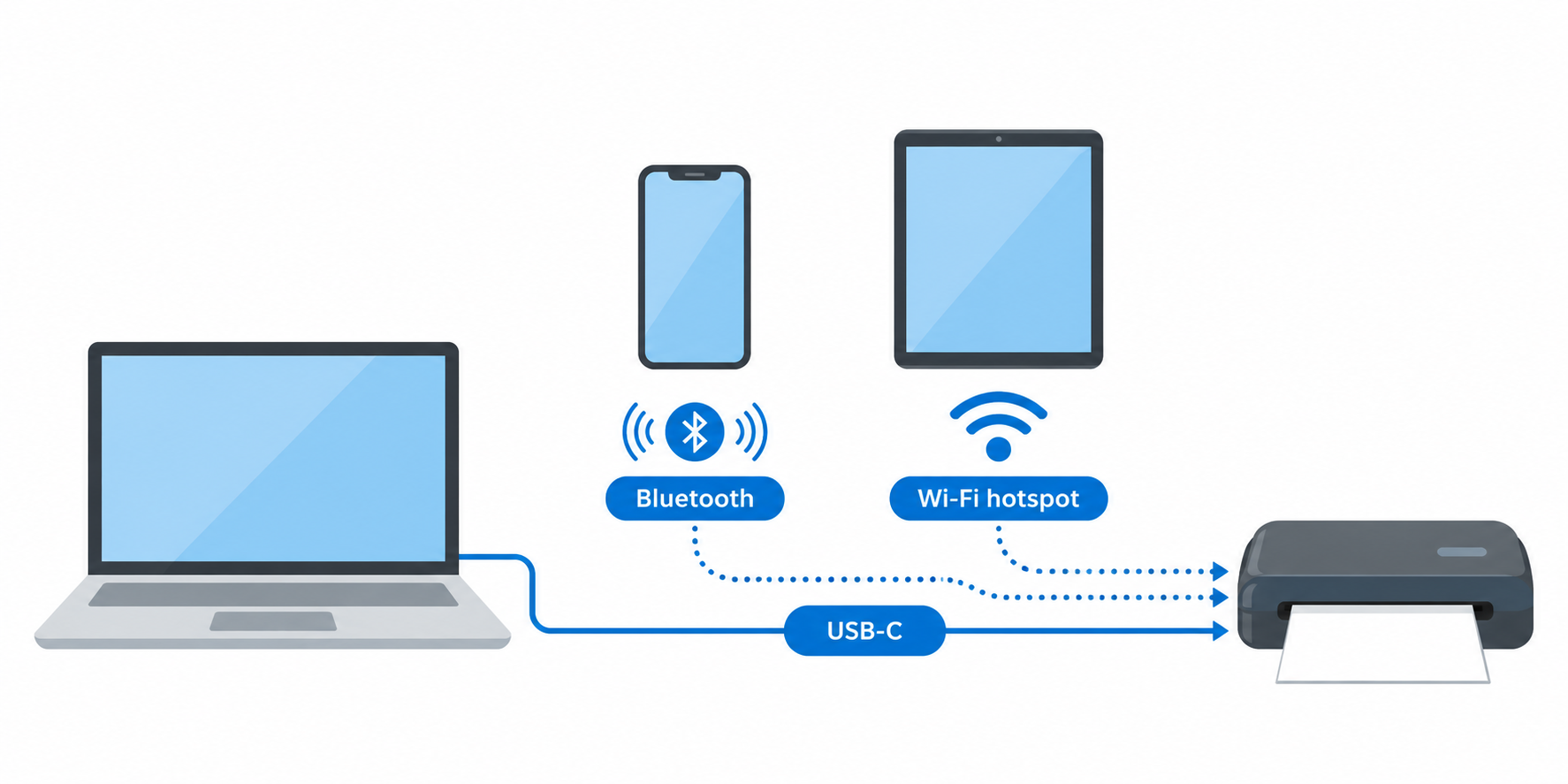
Wi-Fi Direct, Bluetooth, and USB-C each suit different devices. Phomemo lists Bluetooth for phones and tablets but USB-C for laptops, so a laptop-only kit needs the cable.
Liene M200 uses a built-in Wi-Fi hotspot and, according to the manufacturer, supports up to five users. Confirm the operating system and connection method before leaving for a trip.
Keep the carry kit complete
A portable printer also needs media, consumables, and charging access. HP OfficeJet 200 has an included battery, but it still needs ink and suitable document paper.
Pack thermal stock for Phomemo, inkjet supplies for HP or Epson, and photo sheets plus cartridge support for Liene. Whether the lightest printer can finish the job depends on the required media and charging access.
Frequently Asked Questions
Can a battery-powered printer print from a laptop?
Yes, when the listed connection method matches the laptop. Epson WorkForce WF-110 lists Wi-Fi and Wi-Fi Direct, while Phomemo specifies USB-C for laptops and computers.
Confirm the setup before you travel. Battery power does not guarantee that the connection works the same way on every operating system or device type.
Which portable printer can scan and copy?
HP OfficeJet 250 is the listed all-in-one model, with mobile print, scan, and copy. It fits a workflow that starts with a signed or physical document and needs a digital version.
HP OfficeJet 200 is print-only, so it is the simpler choice when scanning and copying never come up in the field workflow.
Do thermal portable printers need ink?
No ink, toner, or ribbon is required for Phomemo M832D. It instead requires compatible thermal roll, folded, or single-sheet media for the selected format.
Skipping ink can simplify supplies, but check whether thermal-paper output meets the document’s presentation and retention needs before you switch.
Is Liene M200 a document printer?
No. Liene M200 is a battery-powered portable printer for 4-by-6 photo output, not Letter or A4 documents.
Choose HP, Epson, or Phomemo for paperwork. Choose Liene only when the job specifically requires portable physical photos.
How many pages can a battery printer produce?
The answer depends on model, media, and job. Phomemo states up to 200 continuous pages from its 2600mAh battery, while Liene states 40 photo prints per charge.
Treat both figures as listing claims for those models. Carry a charging option and enough media when you expect heavy printing on the trip.
Bottom Line
HP OfficeJet 250 is the balanced choice for portable documents that need scanning and copying. Choose Phomemo M832D for inkless Letter or A4 thermal output, or Liene M200 only for 4-by-6 travel photos.