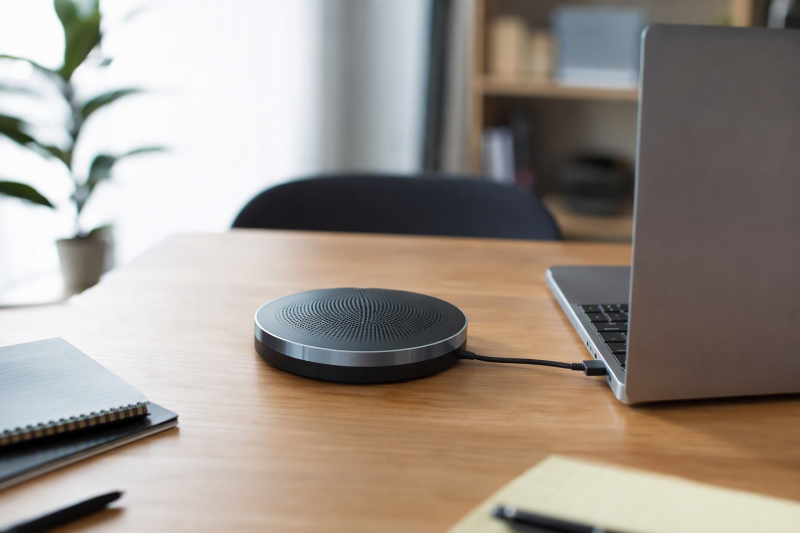
A laptop’s built-in microphone and speakers work for one person sitting directly in front of the screen. Put four people around a table and the problems start. Distant voices sound thin and participants talk over each other. Keyboard noise enters the call, and remote attendees hear echo from the laptop speakers. A conference speakerphone puts one shared microphone and speaker in the center of the group.
The best choice depends on pickup radius, group size, full-duplex performance, echo and noise processing, wired versus Bluetooth connection, mute controls, and operating-system support. A larger claimed radius is not automatically better, because room acoustics and where people sit affect how clearly they can be understood. For an important call, use the smallest practical room and keep everyone inside the stated pickup area.
[blueblock]A shared speakerphone is designed for a small group, not a large untreated room. Test it from every seat in the actual meeting space, confirm the correct microphone and speaker inside the call app, and keep a headset available for confidential or echo-prone calls.[/blueblock]Quick Picks
- Best overall hybrid speakerphone: Yealink SP92 combines a 13-foot stated radius, full duplex, Teams certification, USB-C, Bluetooth 5.3, and 20-hour battery life.
- Best simple wired value: EMEET OfficeCore M1A uses two omnidirectional microphones, full duplex, echo cancellation, a built-in USB-C cable, and an included USB-A adapter.
- Best dual-device travel pick: AIRHUG 01 supports simultaneous Bluetooth and USB connections with a six-foot stated pickup radius for four to six people.
- Best wired model with USB hub: PolaTab Q95 mini combines a long USB cable, three-meter stated pickup radius, and downstream USB connections for desk peripherals.
- Best compact basic wired choice: CofunKool M6 offers 360-degree pickup, full duplex, noise and echo processing, and driver-free Windows, macOS, and Linux operation.
- Best slim wireless value: Cykvis Speakerphone pairs Bluetooth 5.0 and USB-C with a 3-to-5-meter stated range, dual speakers, and a headphone jack.
- Best palm-size wired pick: CMOCIIY 2103 provides a built-in six-foot USB-C cable, six-foot group coverage, and simple call controls for four to six people.
- Best stable always-connected USB pick: NUROUM A05U offers USB-C and USB-A, full duplex, automatic gain control, and a 10-foot stated pickup range.
USB Conference Speakerphone Comparison
| Image | Product | Details | Check Price |
|---|---|---|---|
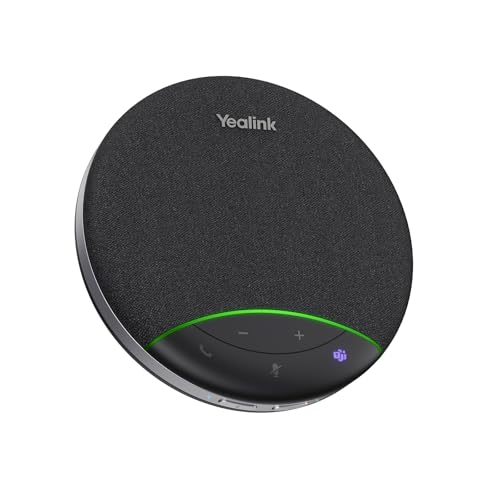 | Yealink SP92 | Pickup: 360 degrees; 13-foot radius stated Group size: 4 to 8 people stated Connection: USB-C, Bluetooth 5.3; USB-A adapter included Audio: Full duplex, echo and AI noise cancellation Battery: Up to 20 hours of calls | Check Price on Amazon |
 | EMEET OfficeCore M1A | Pickup: 2 omnidirectional microphones; 360 degrees Connection: Built-in USB-C cable; USB-A adapter included Audio: Full duplex, echo cancellation, noise reduction Controls: 9 volume levels; speaker and microphone mute Platforms: Wide conferencing-app compatibility stated | Check Price on Amazon |
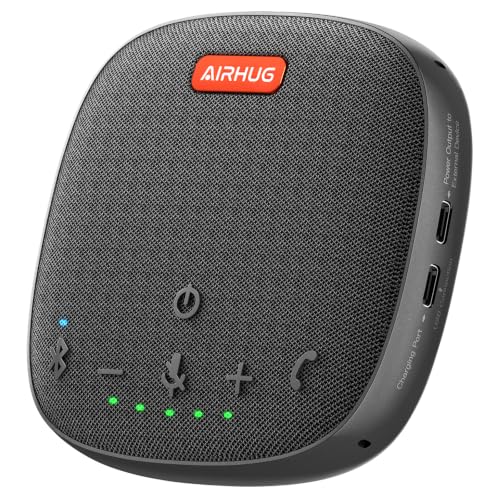 | AIRHUG 01 | Pickup: 360 degrees; 6-foot radius stated Group size: 4 to 6 people stated Connection: Simultaneous Bluetooth and USB-C Audio: Full duplex, DSP echo and noise processing Platforms: Windows, macOS, Android, Linux | Check Price on Amazon |
 | PolaTab Q95 mini | Pickup: 360 degrees; up to 3-meter radius stated Connection: Wired USB; 9.8-foot cable Audio: Echo cancellation and automatic noise suppression Extra: Built-in USB hub Mute: Microphone only | Check Price on Amazon |
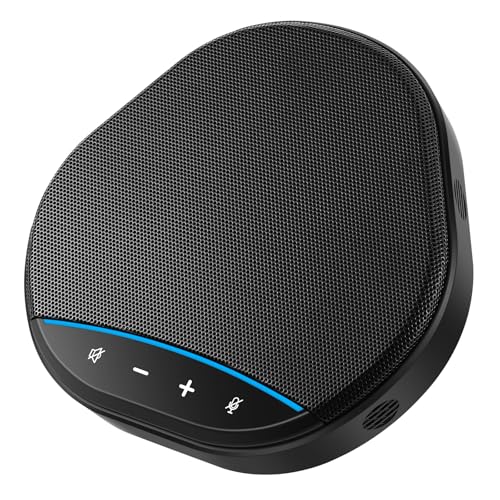 | CofunKool M6 | Pickup: 360 degrees Connection: Wired USB plug-and-play Audio: Full duplex, noise reduction, echo processing Controls: Speaker volume, playback mute, microphone mute Platforms: Windows, macOS, Linux | Check Price on Amazon |
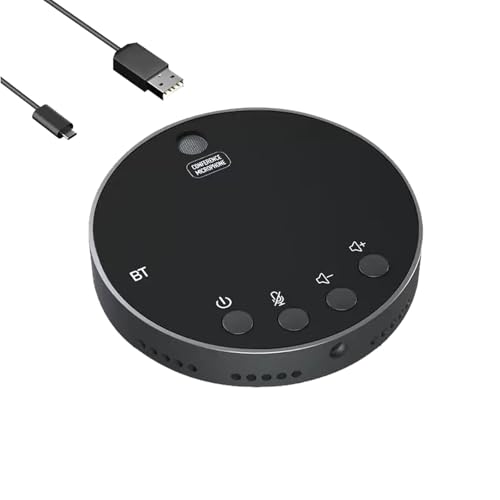 | Cykvis Conference Speakerphone | Pickup: 360 degrees; 3-to-5-meter range stated Group size: Up to 8 people stated Connection: Bluetooth 5.0 and USB-C Speaker: Dual 3W drivers Extra: 3.5mm headphone jack | Check Price on Amazon |
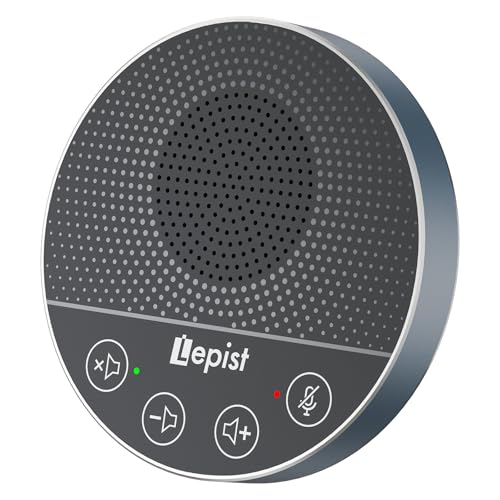 | CMOCIIY 2103 | Pickup: 360 degrees; up to 6 feet stated Group size: 4 to 6 people stated Connection: Built-in USB-C cable Cable: 180cm / 6 feet Controls: Mute and call controls | Check Price on Amazon |
 | NUROUM A05U | Pickup: 360 degrees; 10-foot radius stated Connection: USB-C and USB-A Audio: Full duplex, automatic gain control, AI noise cancellation Controls: Power, mute, and volume touch buttons Platforms: Windows, macOS, Linux | Check Price on Amazon |
1. Yealink SP92 — Best Overall Hybrid Speakerphone
The Yealink SP92 has the most complete feature set for a small laptop meeting. Its omnidirectional microphone states a 13-foot or 4-meter pickup radius for four to eight participants. A 50mm speaker, echo cancellation, and full-duplex processing support natural two-way conversation when several people speak in quick succession.
Real-time AI noise cancellation is described as filtering more than 1,000 noise types, including keyboard and air-conditioning sounds. Treat the claim as a description of the processing, not as permission to use a noisy room. Speech still benefits from closing doors, moving away from fans, and placing the unit near the center of the table.
Connectivity covers USB-C, Bluetooth 5.3, and an optional BT51C dongle. A USB-C-to-A adapter is included, so older laptops can connect by wire. Bluetooth range is stated at 30 meters, though walls and radio congestion can shorten it. Microsoft Teams certification and compatibility with Zoom, Google Meet, Cisco Webex, Windows, macOS, and Android are listed.
Yealink rates the battery for up to 20 hours of calls or music, a 2.5-hour recharge from a 5V/2A source, and up to 20 days of standby. At a specified 276g with an included case, it suits shared offices and travel. Its wireless flexibility and larger coverage make it the best overall choice when meetings move among rooms.
- 13-foot stated pickup radius
- USB-C and Bluetooth 5.3
- Full duplex and echo cancellation
- Teams certified
- Up to 20 hours of calls
- Wireless dongle is optional
- Largest feature set may be unnecessary for fixed desks
- Noise reduction cannot fix poor room acoustics
2. EMEET OfficeCore M1A — Best Simple Wired Value
The EMEET M1A is the straightforward wired choice. EMEET states two omnidirectional microphones provide 360-degree voice pickup. According to the manufacturer, VoiceIA processing includes noise reduction, echo cancellation, voice amplification, and full-duplex audio. You don’t need to charge a battery or pair Bluetooth.
The built-in USB-C cable plugs straight into a compatible laptop, and the included USB-C-to-A adapter lets older computers connect. Wired USB is a stable, predictable audio route for permanent meeting desks. Because the cable is fixed, a damaged cable is harder to replace than a detachable one, so store it without tight bends.
Blue LEDs show the speaker’s nine volume levels. A physical control can mute both the speaker and microphones, which covers more than microphone-only mute on some models. Learn the LED and mute behavior before a confidential discussion, and don’t assume that a call application’s icon matches the hardware state.
Compatibility includes mainstream office platforms plus Skype for Business, Microsoft Lync, Google Hangouts, FaceTime, GoToMeeting, BlueJeans, and Webex. Amazon lists the speakerphone for five to eight people but gives no pickup radius, so use it at a compact table and test every seat before relying on it in a larger room.
- Two omnidirectional microphones
- Full-duplex processing
- USB-C cable and USB-A adapter
- Nine hardware volume levels
- No Bluetooth
- No pickup radius stated
- Built-in cable is not easily replaced
3. AIRHUG 01 — Best Dual-Device Travel Pick
The AIRHUG 01 is designed for flexible travel and dual-device use. It can maintain Bluetooth and USB-C connections at the same time, so a laptop and another compatible device stay attached. Having both attached is useful when you switch between a computer meeting and a phone call, though you should test the handoff before a live session.
Its full-duplex digital microphone states a six-foot pickup radius for four to six people. A 48kHz sampling rate, DSP, linear and nonlinear echo suppression, and intelligent noise reduction are described. The claimed echo handling reaches 400ms, while signal-to-noise ratio is stated above 25dB.
Windows 7 through 11, macOS, Android, and Linux are listed, along with Zoom, Skype, Teams, Google Meet, Webex, and FaceTime. The box includes USB-C and USB-A cables plus a carry bag. Voice prompts announce power and connection changes. When the unit is not in call mode, you can turn the announcements off by holding the answer/end button.
The pocket-size design suits hotel rooms and borrowed meeting spaces. A note says the unit may automatically turn off after a full charge and recommends restarting it. Check that behavior during the return period. For critical long calls, a wired USB connection is the safer default even though Bluetooth is convenient.
- Simultaneous Bluetooth and USB
- Six-foot pickup for four to six people stated
- Full duplex, echo and noise processing
- Broad OS and app compatibility
- Automatic shutoff note warrants testing
- Voice prompts may be distracting
- Bluetooth is less predictable than wired USB
4. PolaTab Q95 mini — Best Wired Model with USB Hub
The PolaTab Q95 mini combines a wired speakerphone with a built-in USB hub. The hub can help a laptop with limited ports connect a keyboard, mouse, flash drive, handset, or another conferencing accessory while the speakerphone uses the host connection. High-bandwidth or power-hungry devices should still use a dedicated port or powered hub.
Its omnidirectional microphone states a pickup radius up to three meters. DSP supplies acoustic echo cancellation and automatic noise suppression. The description does not explicitly state full-duplex behavior, so buyers whose meetings often have overlapping conversation should not assume it matches models that document full duplex.
The 3-meter or 9.8-foot cable lets you place the unit at the center of a table while the laptop sits at one end. USB is driver-free and needs no battery or pairing. The physical mute button mutes the microphone only, not the speaker, an important distinction during side conversations.
Windows 7 through 10 and macOS support are stated, with Zoom, Skype, Lync, Teams, Webex, GoToMeeting, FaceTime, Google Voice, and e-learning platforms listed. Windows 11 is not specified. The hub is the deciding feature, but don’t connect every desk peripheral through one unpowered path.
- Built-in USB hub
- Three-meter stated pickup radius
- Long 9.8-foot cable
- Echo cancellation and noise suppression
- Full duplex is not explicitly stated
- Mute affects microphone, not speaker
- Windows 11 support not stated
5. CofunKool M6 — Best Compact Basic Wired Choice
The CofunKool M6 is a compact USB-only model for everyday meetings. It states 360-degree pickup, noise reduction, echo control, and full-duplex audio. That core set supports natural group conversation without the battery and pairing management of a wireless unit.
Touch controls adjust volume, mute or restore speaker playback, and disable or enable microphone pickup. Separate control over output and input is useful, but touch panels can be easier to activate accidentally than raised buttons. Confirm the visual state of both speaker and microphone before discussing anything private.
USB plug-and-play operation is listed for Windows, macOS, Linux, and major conferencing platforms. No driver installation is required. The listing does not specify connector type, cable length, pickup radius, recommended participant count, speaker size, or power figures.
Those missing measurements make the M6 best for a small desk rather than a room chosen around a claimed range. Place it centrally, run a test recording from each chair, and confirm that quiet speakers can still be understood. The space-saving design is attractive when you want a simple upgrade over laptop audio.
- Full duplex stated
- Noise and echo processing
- Separate speaker and microphone controls
- Windows, macOS, and Linux support
- No pickup radius stated
- No recommended group size stated
- Connector and cable length not specified
6. Cykvis Speakerphone — Best Slim Wireless Value
The Cykvis speakerphone offers wireless and wired operation in a 1.7cm-thick body. Bluetooth 5.0 supports cable-free use, while a two-meter USB-C cable provides driver-free connection. A 3.5mm headphone jack can switch playback to private listening when the group call becomes an individual session.
The manufacturer states a pickup range of three to five meters for meetings with up to eight people. AI noise reduction and echo cancellation are intended to suppress keyboard, HVAC, and background noise. A large range claim should be tested in the actual room because reflections and soft-spoken participants can reduce clarity at the edges.
Cykvis specifies dual 3W drivers and 48kHz sampling tuned for speech rather than general media playback. Touch controls cover volume and one-touch microphone mute. Full-duplex operation is not explicitly stated, so fast overlapping discussion may not be handled as clearly as on models that document full duplex.
Windows XP through 10 and macOS support are listed, along with Zoom, Teams, Skype, Webex, and Google Meet. Windows 11 and Linux are not specified. The Cykvis is a flexible value option for home offices and travel, but its unusually broad range should not be used to size a room without testing from every seat.
- Bluetooth 5.0 and USB-C
- Three-to-five-meter range stated
- Dual 3W voice-tuned speakers
- 3.5mm headphone jack
- Full duplex not explicitly stated
- Windows 11 and Linux not stated
- Large pickup claim needs room testing
7. CMOCIIY 2103 — Best Palm-Size Wired Pick
The CMOCIIY 2103 is a compact wired model for four to six participants. Its omnidirectional microphone states a six-foot group coverage area, with the clearest natural pickup described at six to twelve inches. Because the clearest pickup is at short range, central placement is important. People at the edge should face the device and avoid speaking away from the table.
The built-in USB-C cable is 180cm or six feet long, enough to separate laptop and speakerphone on a small table. Plug-and-play operation requires no additional software or sound card. A permanently attached cable means fewer pieces to set up, but protect it from tight wrapping and repeated strain.
The control panel includes mute and a “projection” control whose function is described ambiguously. Confirm the actual button behavior from the unit and manual before a meeting. The listing does not clearly specify noise cancellation, echo cancellation, full-duplex operation, supported operating systems, or exact speaker output.
Zoom, Teams, Skype, and other common applications are listed. The palm-size body suits mobile professionals who prefer wired reliability over Bluetooth. It is best for a close, compact group rather than a long boardroom table, despite the six-foot maximum coverage claim.
- Six-foot group coverage stated
- Built-in six-foot USB-C cable
- Driver-free USB setup
- Compact palm-size design
- Full duplex not stated
- OS compatibility is not detailed
- One control description is ambiguous
8. NUROUM A05U — Best Stable Always-Connected USB Pick
The NUROUM A05U is built for stable wired use at a desk that stays connected. Its omnidirectional microphone, automatic gain control, and 10-foot or 3-meter stated pickup range are meant to balance voices from participants sitting at different distances. Full-duplex processing lets both sides of a call speak at the same time.
The ProperClean ENC algorithm is described as reducing echo, reverberation, keyboard clicks, background voices, and ambient noise. Automatic gain control can make quiet speakers easier to hear, though it may also raise room sound when nobody is speaking. Room treatment and central placement remain important.
USB offers rapid plug-and-play setup for PCs, laptops, desktops, and compatible tablets. Both USB-C and USB-A connections are listed, along with Windows, macOS, and Linux. Four touch buttons handle power, mute, and volume. The wired design avoids battery aging and wireless dropouts for an always-connected meeting station.
Zoom, Teams, Google Meet, Webex, and other programs are supported. The A05U is the most suitable fixed-desk alternative to Yealink when you don’t need Bluetooth or battery operation but do want full duplex, gain control, and a documented range.
- 10-foot pickup range stated
- Full duplex and automatic gain control
- USB-C and USB-A support
- Windows, macOS, and Linux compatibility
- No Bluetooth
- Touch controls need clear status checking
Buying Guide: Choosing a USB Conference Speakerphone
Match pickup radius to table size, not room size
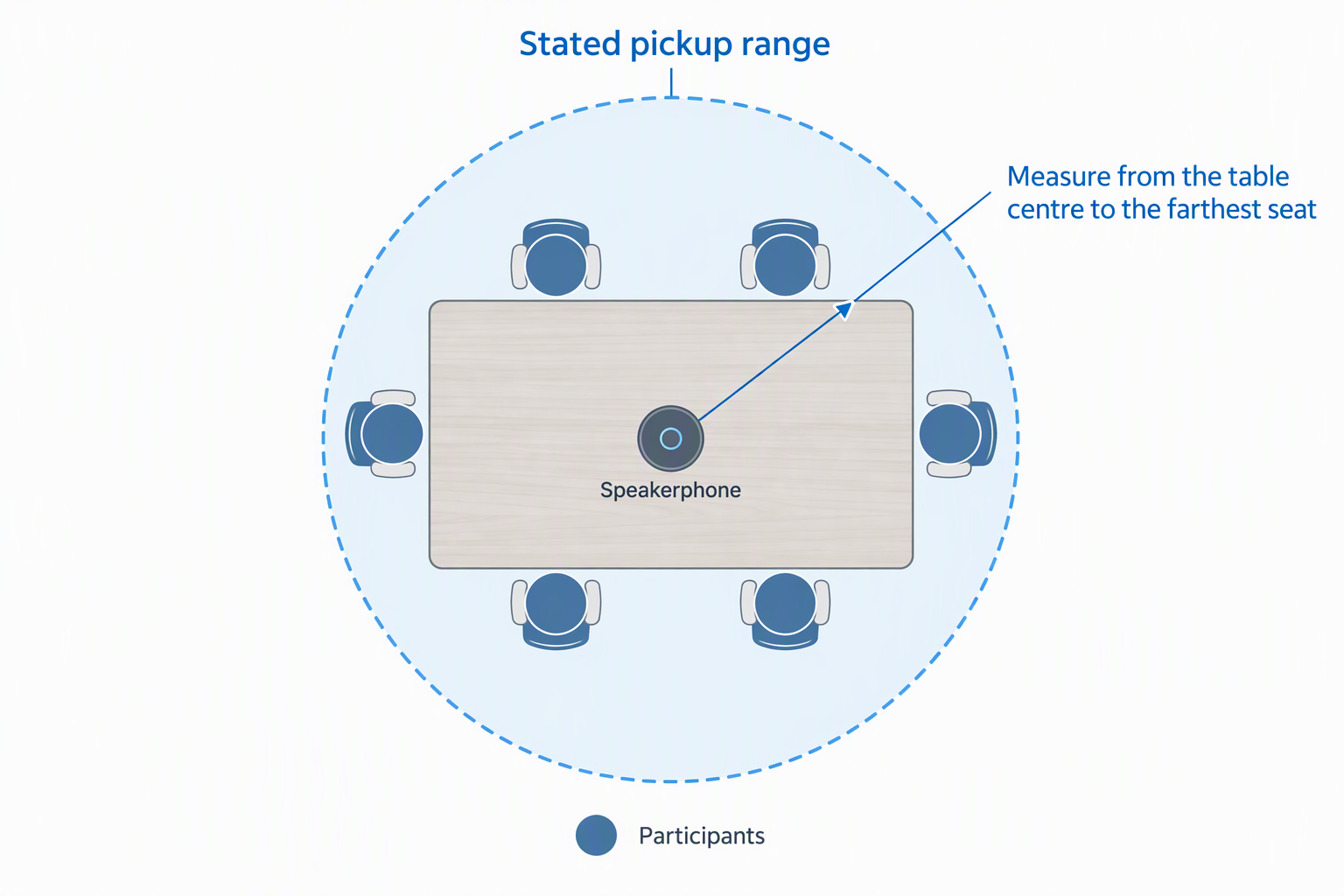
Pickup radius is the maximum distance from the microphone that the maker states, not guaranteed clarity in every room. Yealink states 13 feet, NUROUM 10 feet, PolaTab three meters, AIRHUG and CMOCIIY six feet, and Cykvis three to five meters. CofunKool and EMEET do not give a radius.
Measure from the center of the table to the farthest participant, not from wall to wall. Keep everyone inside the stated range and test soft speech from each seat. Central placement is usually more effective than choosing the largest advertised number and placing the device at one end.
Prioritize full duplex for active discussion
Full duplex lets local and remote participants speak simultaneously without one side cutting out. Yealink, EMEET, AIRHUG, CofunKool, and NUROUM explicitly state full-duplex audio. Full duplex is useful for brainstorming, negotiation, and natural conversation with frequent acknowledgments.
PolaTab, Cykvis, and CMOCIIY do not explicitly state full duplex in their listings. They may still support overlapping speech, but the behavior is less certain. For a lecture or mostly one-way update, full duplex is less important than for a fast group discussion.
Choose wired USB, Bluetooth, or both
A wired USB connection is usually the simplest and most stable path. It avoids pairing, battery charge, and radio interference. EMEET, PolaTab, CofunKool, CMOCIIY, and NUROUM focus on wired use, while Yealink, AIRHUG, and Cykvis add Bluetooth.
Bluetooth is useful when the speakerphone serves phones and several laptops or moves between rooms. Yealink offers Bluetooth 5.3, AIRHUG can hold Bluetooth and USB simultaneously, and Cykvis provides Bluetooth 5.0. For a critical call, keep the USB cable available as a wired fallback.
Understand noise cancellation and room acoustics
Noise processing can reduce steady fans, keyboard clicks, and some background sounds. It cannot remove strong reverberation, multiple nearby conversations, or a participant speaking far outside the pickup area. Echo cancellation also works best when the device controls both microphone and speaker paths.
Use a smaller room with soft furnishings, close doors, move the speakerphone away from HVAC vents, and avoid placing it beside a laptop fan. Test while someone types and while two people speak. Processing should make voices clearer without making them swell and fade, clip, or sound unnatural.
Check mute behavior and visible status
Hardware mute provides a fast privacy control, but products handle it differently. EMEET can mute both speaker and microphones, while PolaTab explicitly mutes the microphone but not speaker output. CofunKool describes separate controls for playback and microphone pickup.
Touch panels and software icons can fall out of sync or be misread. Learn the LED and voice prompt meanings, test mute with a remote participant, and do not rely on a single icon for a confidential side conversation. Disconnect the USB cable for the strongest physical assurance when appropriate.
Verify ports, cables, and operating systems
Modern thin laptops may have only USB-C, while older conference-room PCs may offer only USB-A. Yealink and EMEET include or state adapters, and NUROUM lists both connection types. PolaTab uses a long wired USB connection, while CMOCIIY specifies a built-in USB-C cable.
Operating-system lists differ. Windows and macOS are common, but Linux is explicitly stated only on several models. Check the exact laptop and call application, then select the device as both microphone and speaker. A port adapter must support data, not charging alone.
Decide whether portability or fixed-desk stability matters more
Battery-powered Bluetooth models suit travel and rooms without convenient cable routing. Yealink weighs 276g, includes a case, and states 20 hours of call time. AIRHUG also includes a carry bag, while Cykvis is only 1.7cm thick.
Wired models are better for a permanent room because they are always powered and avoid battery wear. Long or built-in cables can improve placement, but fixed cables must be stored gently. Choose the physical workflow that reduces setup mistakes for the people who actually run meetings.
Set realistic expectations for music and large rooms
Conference speakerphones are tuned for speech, both the microphones and the speakers. Yealink offers virtual bass, Cykvis has dual 3W drivers, and several products mention music, but none should be treated as a full-room music system. Voice clarity is the primary design goal.
For more than eight people, a long table, or a reflective boardroom, move to an expandable conference system with distributed microphones. One portable unit cannot overcome distance and room acoustics indefinitely, regardless of noise-cancellation claims.
Frequently Asked Questions
Is a USB speakerphone better than a laptop microphone?
For a small group, usually yes. Central placement reduces the distance to each participant, while echo cancellation and omnidirectional pickup are designed for shared conversation.
For one person, a headset often gives cleaner voice isolation and more privacy. A speakerphone is primarily a group-call device.
How many people can use one speakerphone?
The products with explicit guidance range from four to eight people. Yealink and Cykvis state up to eight, while AIRHUG and CMOCIIY target four to six.
Participant count is only a shorthand. Table shape, room echo, speaking volume, and actual distance from the unit determine whether every seat sounds clear.
Does noise cancellation remove all background sound?
No. It can reduce common sounds such as keyboard clicks, fans, and steady HVAC noise, but strong voices, reverberation, and sudden nearby noise may remain.
Improve the room first, then use processing as support. A close, quiet group will sound better than a distant group in a hard reflective room.
Should the meeting use Bluetooth or USB?
USB is the more predictable choice for a fixed laptop because it avoids pairing, battery, and wireless interference. Bluetooth is more convenient for phones and room-to-room travel.
Models with both allow the workflow to change. Keep the cable nearby so a wireless problem does not delay an important call.
Can a speakerphone make a private call?
Not while playing into the room. Anyone nearby can hear the remote side, and the omnidirectional microphone can capture nearby conversation.
Use a headset for confidential calls. The Cykvis headphone jack can provide private listening, but microphone privacy still depends on the selected input and mute state.
Related Remote Work and Meeting Guides
- USB document cameras for remote teaching
- Laptop briefcases for daily office commutes
- USB-C port locks for shared laptop fleets
- XLR-to-USB adapters for dynamic microphones
- XLR phantom power supplies for condenser microphones
- Light stands for portable creator video kits
- LED video light panels for small creator studios
- Overhead camera mounts for desk tutorials
Bottom Line
The Yealink SP92 is the most complete option for a laptop meeting of four to eight people, while the EMEET OfficeCore M1A is the simpler wired value. For an always-connected cross-platform desk, the NUROUM A05U provides full duplex, automatic gain control, and a documented 10-foot range without battery maintenance.