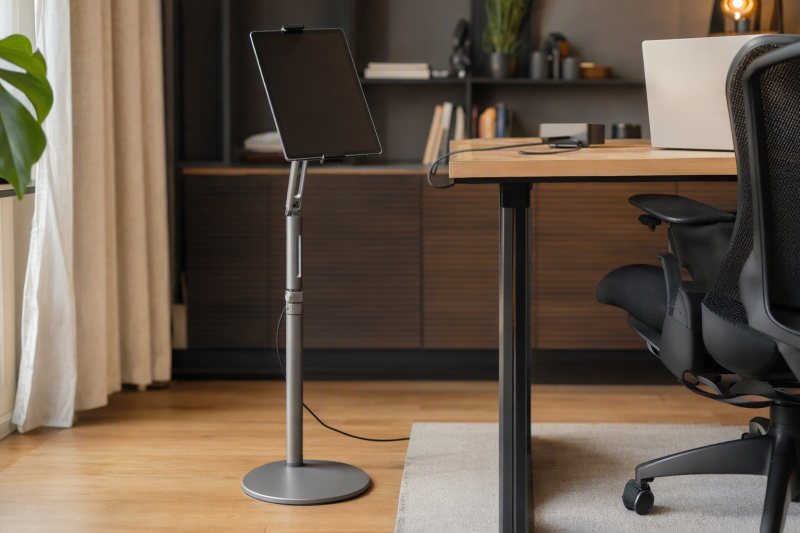
A tablet can be a reference screen, video-call window or control panel beside a laptop, but it does not have to take up precious desk space. A floor stand solves the placement problem only if its base fits beside the chair, its arm reaches the useful position and the clamp accepts the tablet with its case on.
These six exact Amazon US stands cover different tablet positions beside a laptop. None was independently assembled or load-tested. Many are marketed for beds and watching video, so do not assume that a flexible gooseneck will stay still under frequent tapping or typing. If a desk-mounted screen is what you need, see our home-office monitor guide instead.
Measure tablet width and thickness with the case attached, then map base clearance and arm reach around your actual chair and desk legs.Tablet Floor Stands Compared
| Image | Product | Details | Check Price |
|---|---|---|---|
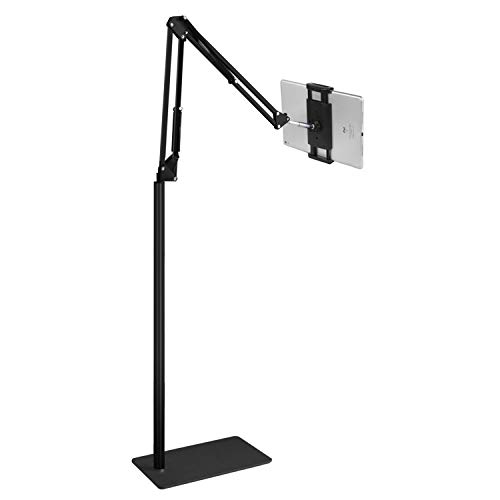 | Elekpopu floor stand | Height: 27.5-55 in claimed Tablet fit: 4.7-11 in; under 1.5 lb Base: 5 lb seller claim Best fit: Light tablet at varied work height | Check Price on Amazon |
 | BluuSuuk double-weight base | Height: 12-57 in claimed Tablet fit: Under 1.5 lb Base: 6.6 lb seller claim Best fit: Extended light-tablet reach | Check Price on Amazon |
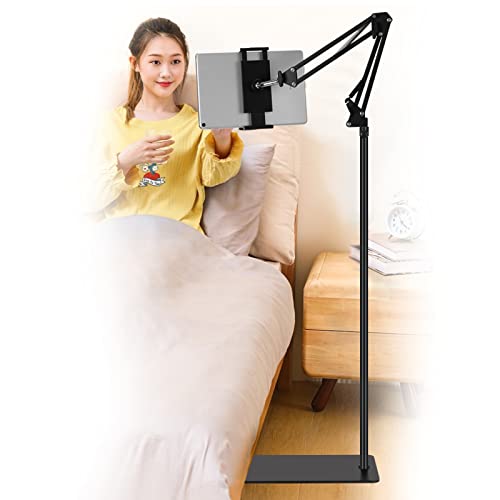 | SAMHOUSING floor stand | Height: 27.5-53 in claimed Tablet fit: 4.3-9.8 in width; <=0.63 in thick Base: Flat reinforced steel Best fit: Measured tablet/case opening | Check Price on Amazon |
 | LanPavilion gooseneck | Height: Not stated in checked bullets Tablet fit: 4.7-13 in claimed Base: 1.8 kg seller claim Best fit: View-only flexible positioning | Check Price on Amazon |
 | Lamicall tall gooseneck | Height: 51.2-63 in claimed Tablet fit: 4.7-12.9 in claimed Base: Heavy duty; weight unstated Best fit: Tall standing or seated viewing | Check Price on Amazon |
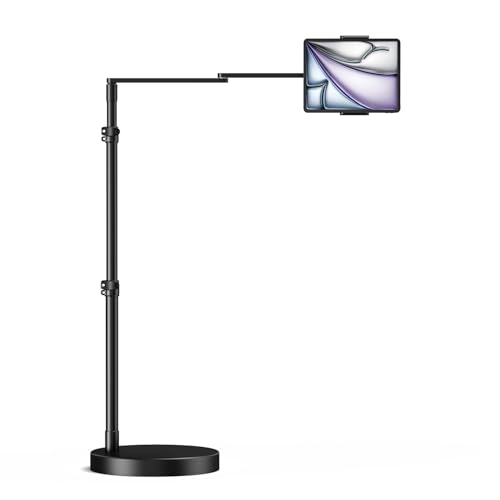 | elitehood rigid swing arm | Height: 22-49 in claimed Tablet fit: 4.6-9.7 in clamp width Base: 14 lb seller claim Best fit: Long rigid arm beside desk | Check Price on Amazon |
1. Elekpopu Floor Stand — Best Light-Tablet Adjustable Start
Amazon identifies Elekpopu as the brand for this stand, while its listing mentions ELEKPARTS for support. The listing gives 27.5-55 inches of height adjustment and rotation at the tablet holder. That span can place a small reference tablet beside a seated laptop user or raise it for standing review. The seller limits the device to 4.7-11 inches and under 1.5 pounds. It recommends extra weight on the base for heavier tablets or cases. Treat the recommendation as a warning to test the complete tablet, not an invitation to exceed the stated load.
The listing claims a 5-pound metal base and advises keeping arm and base in the same direction. Reaching far beyond the base raises tipping risk even with a light screen. Floor stability and assembly time were not independently tested. Place the base where chair casters and feet cannot strike it, then check if the arm reaches the desk without blocking a drawer. Our shared-desk docking guide helps plan the other laptop hardware, but cannot fix floor clearance.
Our Take The Elekpopu stand is a candidate for a light device when the workstation has room for its base. Stay below the listed 1.5-pound tablet limit and keep the arm over the supported footprint.
- Wide height range is stated.
- Device weight boundary is explicit.
- Rotating holder helps with portrait reference work.
- Under-1.5-pound tablet limit excludes some cased devices.
- Seller warns about balance when the arm and base diverge.
2. BluuSuuk Double-Weight Base — Best Extended Light-Tablet Reach
BluuSuuk claims a 6.6-pound base and holder height from 12 to 57 inches, with an extendable arm. The height range and extendable arm could let a small tablet sit beside the laptop without clamping onto the desk edge. However, the seller still says devices should weigh less than 1.5 pounds. Base mass and tablet limit are different numbers. The heavier base does not automatically permit a heavy tablet.
The listing emphasizes bed and reclining use, so check the arm position for a desk rather than copying a marketing photo. A base tucked too far under the desk may make screen placement awkward. A base outside may become a trip hazard. Stability at full extension and during taps remains unverified. For a laptop workstation with a separate display, our USB-C docking guide can organize cables, but the floor arm must be tested independently.
A heavier base may help balance, but the seller’s under-1.5-pound device limit still governs this model.Our Take Consider BluuSuuk when a light tablet needs an arm reaching into the workspace and the floor can accommodate its base. Do not treat the 6.6-pound base figure as a tablet capacity.
- 6.6-pound base and broad height range are listed.
- Extendable arm supports different desk positions.
- Tablet remains limited to under 1.5 pounds.
- Reach and tapping stability remain unverified.
- Base needs clear floor space.
3. SAMHOUSING Floor Stand — Best Measured Clamp Fit
SAMHOUSING gives an unusually useful 4.3-9.8-inch clamp-width range and 0.63-inch thickness limit. Those measurements help with a tablet in a protective case. The diagonal alone cannot tell whether the jaws can open. The listing also claims 27.5-53 inches of stand height and a rotating holder. Measure the tablet at its widest clamp point with the case attached and leave room for buttons.
Its flat metal base may slide partly under a bed or desk, according to the seller. At a laptop workstation, check that chair wheels do not run over it and that the arm remains aligned over the support area. The listing recommends adding weight if balance is poor. That remedy and the stand’s capacity with larger tablets remain unverified. Our best USB-C hubs guide can handle desk ports, but a separate tablet may need its own charging cable route.
The 0.63-inch thickness limit can rule out a folio-covered tablet even when the screen diagonal fits.Our Take Start with SAMHOUSING if your main uncertainty is whether a cased tablet physically fits the clamp. After that, test base clearance and actual reach beside the chair.
- Clamp width and thickness are clearly listed.
- Flat base may tuck under suitable furniture.
- Height adjustment and rotation are described.
- Thick protective cases may exceed 0.63 inches.
- Balance still needs checking with the arm extended.
4. LanPavilion Gooseneck — Best View-Only Flexibility
LanPavilion describes a 15.7-inch flexible gooseneck and a 1.8 kg base for tablets and phones from 4.7 to 13 inches. A bendable neck can put a reference screen near the laptop without adjusting several hinges. But the seller explicitly says this product is for reading and watching, not typing. The seller’s limit makes it better for a video-call view or static instructions than for a tablet used as an active touch control panel.
The checked bullets do not give a precise clamp opening or tablet load, so verify both for a heavy 13-inch device. A gooseneck can also move under repeated taps. Wobble was not independently measured. Place the stand where the tablet will not obscure the laptop screen or hit a monitor arm. Our home-office monitor guide helps evaluate whether a conventional screen would be more stable for full-day reference work.
Our Take Choose LanPavilion for a lightly used reference tablet that needs flexible placement. Skip it if you plan to type, draw or tap rapidly on the tablet throughout the day.
- Flexible 15.7-inch neck is clearly described.
- Seller’s view-only limitation is useful before purchase.
- 1.8 kg base weight is stated.
- Not intended for typing or heavy touch use.
- Clamp opening and load are unclear in checked bullets.
5. Lamicall Tall Gooseneck — Best High Viewing Position
Lamicall lists a 51.2-63-inch height range, taller than several stands here, and a gooseneck with a rotating tablet holder. The height may suit a person standing near a laptop workstation or placing a video-call tablet above a seated display. The seller says it fits devices from 4.7 to 12.9 inches and warns that it is for reading and watching, not typing. Do not treat the height as a reason to put a heavy tablet at full reach without checking stability.
The listing does not state a base weight in the checked bullets, so compare the base footprint and tablet load with current maker details. A 63-inch top position can intersect shelves or lighting near the desk. Route charging cable slack down the pole and keep it clear of chair wheels. For a laptop workstation with multiple screens, our DisplayLink hot-desk guide covers display connections, but this holder is only for the tablet.
This tall viewing stand is not designed for typing on the tablet, according to its listing.Our Take Lamicall is the candidate when a compatible light tablet needs a high viewing position. Check the actual base and floor clearance before placing it beside a standing desk.
- 51.2-63-inch height range is distinctive.
- Flexible neck and rotating holder allow positioning.
- Not suitable for typing on the mounted tablet.
- Base weight and loaded stability are not established here.
- Tall position may conflict with nearby furniture.
6. elitehood Rigid Swing Arm — Best Long Rigid Reach
elitehood describes a 24-inch rigid swing arm with a 14-pound circular base and height adjustment from 22 to 49 inches. The rigid swing arm is a different proposition from flexible goosenecks. It may place a tablet beside or partly over a laptop work surface while holding its position better. The listing gives a clamp-width range of 4.6-9.7 inches. Measure the tablet with its case and check where the clamp grips relative to buttons.
The seller claims it can handle taps on heavier tablets, but its load capacity and wobble were not independently tested. A 14-pound base is also a significant floor object. Make sure it does not block chair movement or a desk drawer. Long arm reach increases torque, so extend only as far as the setup needs. The stated swivel and tilt may help share a document on the tablet during a call. Our USB-C docking guide handles the laptop display side of that workstation.
Our Take Choose elitehood when the tablet must sit within reach over the desk and you have floor space for a heavy base. Verify load and movement with the actual tablet before relying on the seller’s wording on wobble.
- 24-inch arm and 14-pound base are stated.
- 4.6-9.7-inch clamp range helps check tablet fit.
- 22-49-inch height range covers seated placement.
- Heavy circular base needs clear floor space.
- Long extension still demands a real stability test.
Buying Guide
1. Measure the Tablet With Its Case
Do not buy by diagonal alone. Measure tablet width, thickness and total weight with any folio, rugged shell or keyboard attached. SAMHOUSING lists both width and thickness, and elitehood lists width. Elekpopu and BluuSuuk give an under-1.5-pound device limit. A larger tablet can fall within the diagonal range yet exceed a clamp opening or load ceiling.
Check where the holder contacts the tablet. Avoid pressing power buttons, speakers or charging ports. If the case has a flap, test whether it folds clear of the jaws. Ask the maker for exact clamp and load figures when the listing omits them, rather than assuming an iPad photo proves your configuration.
2. Map Base Footprint and Arm Reach
Draw the actual floor area beside the desk, chair and drawers. A heavy base is still a trip or caster obstacle if placed in a walkway. Several sellers advise keeping the arm aligned with the base or testing balance when extended. Measure the horizontal reach needed from a safe base position to the tablet’s intended viewing point.
Then raise the stand to normal working height and test with your tablet. Maximum extension is not necessarily the best position. A long arm increases tipping force and can bounce under taps. Route a charging cable so it has slack but cannot be snagged by a chair wheel or a passing person.
3. Decide Whether the Tablet Is for Viewing or Touch
LanPavilion and Lamicall explicitly warn that their goosenecks are for watching or reading, not typing. If you use a tablet as a touch control panel beside your laptop, repeated taps may reveal wobble or move the screen out of position. A rigid arm or desk-mounted solution might be more suitable, but must still pass a load test.
For occasional reference, a flexible neck may be enough. Do not substitute a floor stand for a full monitor if you need a large stable second screen all day. Our home-office monitor guide covers that decision, while the tablet stand is for floor placement and reach.
FAQ
Can a tablet floor stand replace a second computer monitor?
It can position a separate tablet for notes, calls or a reference app, but it does not turn that tablet into a supported video display for the laptop. Screen-sharing and second-display functions depend on the devices and software, not the floor stand. A tablet may also be smaller or less stable for long typing sessions.
Choose a conventional monitor when you need a bigger fixed display. If the tablet already provides the right information, measure the stand’s fit and place it where it does not interfere with the laptop’s own screen and keyboard.
Can I type or draw on a tablet while it is on a gooseneck stand?
The LanPavilion and Lamicall listings specifically say not for typing. Flexible necks can move under repeated taps or pen strokes, so even if the clamp holds the tablet, the interaction may be awkward. Drawing and forceful touch were not independently tested on these models.
For frequent input, check a rigid arm or a tabletop stand rated for the tablet, then test the posture you will use. Do not infer touch stability solely from a heavy base or a photo of someone using a screen.
Does a heavier base guarantee the stand cannot tip?
No. Base weight, arm reach, tablet mass and direction of extension all interact. BluuSuuk claims a 6.6-pound base but still limits tablets to under 1.5 pounds, and elitehood claims a 14-pound base, yet its long arm still needs a stability check.
Place the stand on a flat floor, keep it clear of the chair, and test the desired angle and extension with your actual tablet. If the maker’s instructions call for counterweights or a particular arm direction, follow them rather than assuming the base alone solves every position.
Bottom Line
Measure the cased tablet, plan a safe base location and choose the needed reach. SAMHOUSING offers precise clamp dimensions, Lamicall reaches high for view-only use, and elitehood gives a longer rigid arm with a heavier listed base. None should be trusted with a heavy tablet or forceful touch without a fit and stability test.