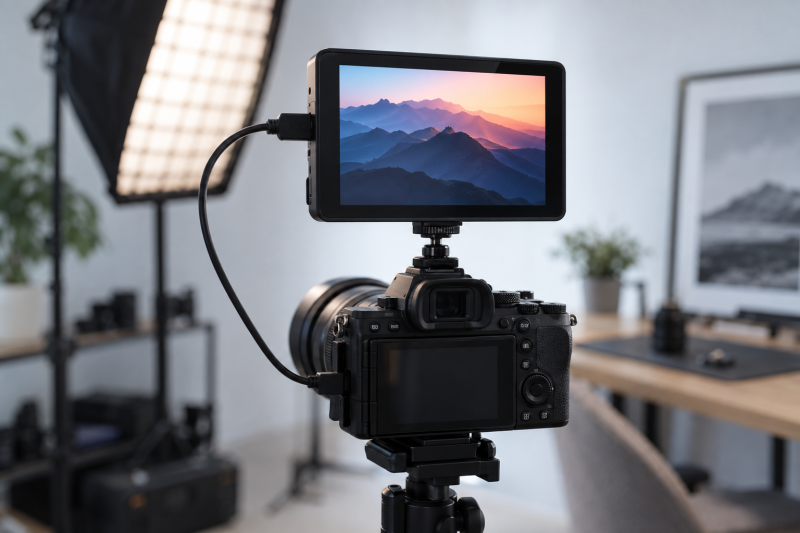
A field monitor gives the camera operator, a second person or a small crew a clearer view of framing and exposure than the camera’s built-in screen. Start with the signal your camera actually sends over HDMI. A bright display or long feature list will not help if the output resolution, frame rate, cable or mounting setup does not match your shoot.
These five monitors were selected from Amazon US listings with active New offers; availability can change. They cover camera controls, limited USB capture, a bright listed panel and two different battery arrangements. The specifications below come from the product listings, not our own brightness, color or runtime tests. A field monitor is not automatically an external recorder, calibrated reference display or wireless video link.
Choose the monitor for the job you can verify: camera signal, screen visibility, power and physical placement.Camera Field Monitors Compared
| Image | Product | Details | Check Price |
|---|---|---|---|
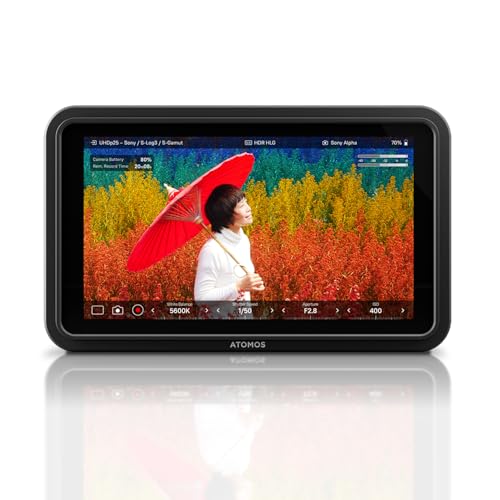 | Atomos Shinobi II | Screen: HDR touchscreen Listed role: Monitor with conditional camera controls Recording: No recorder claim in listing Buyer fit: Check camera-control compatibility | Check Price on Amazon |
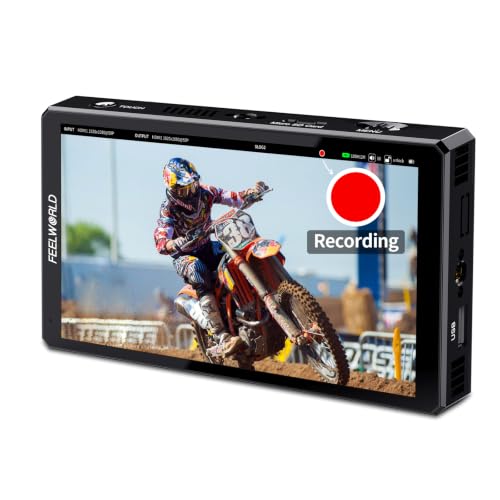 | FEELWORLD CUT6 | Screen: 6 in, 1920 x 1080, 450 nit listed Listed role: Monitor with limited USB capture Recording: Up to 1080p30 from compatible HDMI camera Buyer fit: Small-studio reference copy | Check Price on Amazon |
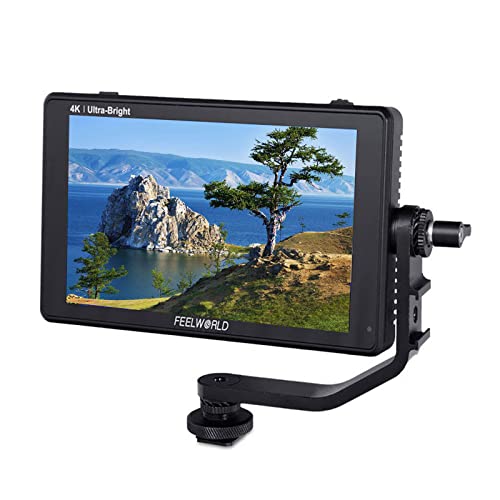 | FEELWORLD LUT6 | Screen: 6 in, 1920 x 1080, 2600 nit listed Listed role: High-brightness monitor Power: Battery not included in listed package Buyer fit: Daylight monitoring | Check Price on Amazon |
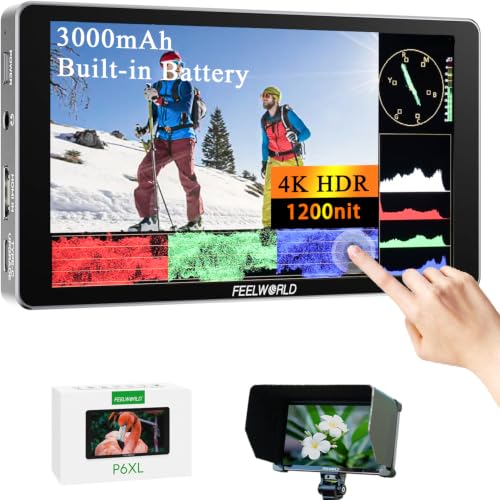 | FEELWORLD P6XL | Screen: 6 in, 1920 x 1080, 1200 nit listed Listed role: Built-in-battery monitor Power: 3000 mAh battery listed Buyer fit: Short mobile setup | Check Price on Amazon |
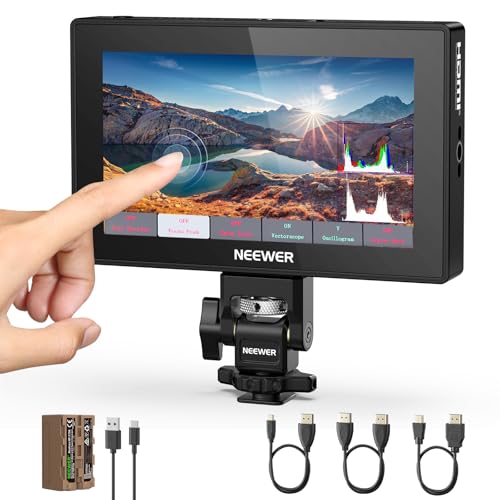 | NEEWER F500 PRO | Screen: 5.5 in, 1920 x 1080, 2000 nit listed Listed role: Monitor and included NP-F kit Power: 5200 mAh F750 battery listed Buyer fit: Ready-to-power field kit | Check Price on Amazon |
1. Atomos Shinobi II — Best for Camera Control
The Shinobi II listing describes an HDMI 4K HDR touchscreen monitor with on-screen controls for white balance, aperture, shutter and ISO. It also names USB-C as the route for camera-control compatibility. On-screen controls can make a small camera station easier to operate when the camera body is high, crowded by accessories or facing the presenter rather than the operator. The useful promise is conditional because Atomos does not make every USB-C camera respond to every control.
Before buying for control, find the exact camera model and firmware in Atomos’s compatibility information. Confirm the separate HDMI video connection and any control cable the chosen camera needs. If the camera is unsupported, treat the Shinobi II as a monitor, not a remote-control panel. For an off-camera viewing position, a wireless video transmitter kit is a different purchase with its own compatibility and latency limits.
The product title does not promise internal recording. A studio that needs capture should design that path separately, perhaps with a hardware streaming encoder when the goal is a live feed. Check power, mounting, cables and return policy for the delivered kit instead of assuming the display alone is a complete rig.
Our Take Shinobi II suits an operator who has verified its control path with a particular camera. Without that match, compare it as a capable external screen and budget separately for mounting and power.
- HDMI 4K monitor named in the listing.
- Touch controls can reduce trips to a supported camera body.
- Clear role as an external view for a compact rig.
- Camera controls require exact compatibility.
- Listing does not establish a recording workflow.
2. FEELWORLD CUT6 — Best for a Limited USB Recording Backup
The CUT6 has a listed 6-inch 1920 by 1080 touch screen at 450 nits. Its distinguishing feature is USB recording. The seller describes MP4 capture of an image from compatible HDMI cameras up to 1080p30 on a FAT32 USB flash drive. USB capture is narrower than the 4K input signal and should be treated as a convenience copy, not a guarantee that every camera output, codec or long session will record cleanly.
The listing specifies HDMI 2.0 input up to 4K60 and output up to 1080p60, with a LUT applied on output when that mode is selected. Input and output are separate signal paths. Draw the intended chain before the shoot, especially if another monitor, switcher or capture device follows the CUT6. A hardware video switcher has its own input requirements, so do not assume the CUT6 passes the same signal it receives.
For a small studio, the recorder feature is useful only after a rehearsal with the exact camera, drive format and recording duration. Keep the camera’s primary recording path. The CUT6’s listed waveform, false color and peaking can help an operator review exposure and focus, but the Amazon listing is not an independent accuracy test. If a presenter reads a script, a teleprompter is for a different need than this monitor.
CUT6 accepts a listed 4K60 HDMI input, but its USB capture claim stops at 1080p30 from compatible cameras.Our Take CUT6 is for a crew that wants a monitoring screen plus a modest backup or reference file after testing the exact HDMI source. It is not a substitute for a dedicated production recorder.
- 6-inch Full HD touch display.
- Seller lists USB MP4 capture from compatible cameras.
- Waveform and focus aids are listed.
- 450-nit claim is lower than the brighter picks here.
- USB capture is capped at listed 1080p30 and needs a tested drive.
- HDMI output specification differs from input.
3. FEELWORLD LUT6 — Best for Bright Outdoor Monitoring
The LUT6 is the daylight option here. Its seller lists a 6-inch 1920 by 1080 screen at 2600 nits, plus HDMI 4K input and loop-out, scopes and custom LUT loading. A high listed brightness helps explain the product’s intended use, but it is not a measurement of this unit in our hands. Viewability still depends on reflections, screen angle and the source image.
Brightness has a power and noise cost. The listing says a fan switches on automatically when the backlight exceeds 80, and the stated package does not include a battery. Plan an NP-F-compatible power option and hear the fan in the microphone position before placing the screen there. A compact V-mount battery may help a larger rig, but verify connector, voltage and mounting rather than assuming direct compatibility.
The LUT6’s scopes and LUT preview can support a consistent viewing routine, yet a LUT applied to a monitor does not change what the camera records unless the signal chain explicitly does so. If the shot moves on a fluid-head tripod, check that the monitor and battery remain balanced throughout the tilt range. For a fixed indoor set, the listed brightness may be more than the crew needs.
The listed 2600-nit screen is the attraction, and an external battery and possible high-backlight fan noise are the setup costs.Our Take LUT6 fits shoots where daylight visibility is the main constraint and power can be arranged. In a quiet interior studio, test fan behavior before paying chiefly for peak brightness.
- Highest listed brightness here.
- HDMI loop-out and scopes listed.
- Six-inch Full HD touch screen.
- Battery not included in the listed package.
- Fan can start at high backlight settings.
4. FEELWORLD P6XL — Best Built-In Battery Choice
The P6XL listing combines a 6-inch 1920 by 1080 touch panel, 1200-nit stated brightness and built-in 3000 mAh battery. It describes about two hours at full brightness under the seller’s conditions. We have not verified that runtime. The built-in battery can reduce loose parts for a brief interview or desk demonstration, especially when the camera station changes rooms during the day.
Think about the charge cycle rather than the headline battery number. A fixed cell is convenient until the monitor runs out in the middle of a longer shoot. The listing names USB-C charging, so check whether charging while monitoring is supported in the setup you intend to use and carry a suitable supply. A UPS for a desktop editing workstation protects a different, stationary part of the workflow. It is not a substitute for field-monitor power planning.
The seller also lists waveform tools, custom LUT loading and still-image overlay. An overlay can help repeat a product framing, but it is not a mechanical stop. For repeatable product B-roll, align the camera, lens and subject as carefully as the on-screen reference. Verify file format and image import on the delivered monitor before planning a take around that feature.
Our Take P6XL is practical for short sessions when fewer external power parts count for more than the brightest specification. Plan a charging break or supported external supply for a longer day.
- Built-in battery is named in the exact listing.
- 6-inch touch panel with listed 1200-nit brightness.
- Still-image overlay and scopes are listed.
- Seller runtime is not an independent test.
- Long shoots need a charging plan.
5. NEEWER F500 PRO — Best Included Battery Kit
The F500 PRO offer lists a 5.5-inch 1920 by 1080 IPS touch screen at 2000 nits and includes a 5200 mAh NP-F750-style battery. Unlike the P6XL’s built-in cell, its battery is a removable pack. The listed HDMI input accepts 4K UHD at 30 frames per second and several lower formats. Do not infer 4K60 from a generic “4K HDMI” label. Check the camera’s actual output menu first.
The seller lists 3D LUTs, peaking, waveform, false color, a headphone jack and a fan. Those features make it a flexible small operator screen on paper, but neither color accuracy nor quietness has been measured here. If the screen sits beside a dialogue mic, listen for fan noise before a paid recording session. Verify the included battery and its charger in the delivered box, because accessories and seller bundles can change.
This model may appeal to a crew moving between a camera and PTZ lecture setup, provided the chosen video output and mount fit. Its 5.5-inch screen is smaller than the six-inch alternatives, which may be preferable on a compact rig but less comfortable for a second viewer across the table. Test the mounting arm’s hold with the battery attached.
Our Take F500 PRO is for a small crew that wants a bright listed screen with a removable battery included. Verify the HDMI frame rate and supplied accessories before the first shoot.
- Included NP-F750-style battery is named in the offer.
- Listed 2000-nit 5.5-inch touch screen.
- Waveform and focus aids are listed.
- Specified 4K input stops at 30 fps.
- Fan noise and color accuracy are untested here.
- Smaller screen than the six-inch picks.
Buying Guide
1. Trace the signal before choosing a screen
Match HDMI format and connector shape. Note the camera’s clean output resolution and frame rate, whether overlays are sent, and whether the monitor passes a signal downstream. The CUT6’s listed 4K60 input and 1080p60 output are not interchangeable. The F500 PRO’s specified 4K UHD input stops at 30 fps. A simple test with the actual camera and cable is a better check than matching two “4K” labels.
Decide whether the monitor is the end of the chain. An operator screen may need no output. A second display, SDI multiviewer or switcher changes the routing problem. The five exact listings cover HDMI monitoring, not native SDI production infrastructure. Where the camera sends a different signal, budget for a verified converter rather than treating the monitor as one.
2. Balance brightness against power and sound
Use the shooting location to set the brightness requirement. The LUT6 has the highest listed brightness here, while CUT6 is much lower on paper. No listed nit figure guarantees a reflection-free picture at a particular window or outdoor angle. Shade, placement and viewing direction are part of the setup. Test exposure aids and screen visibility in the lighting your production will use.
Plan the whole power path. LUT6’s listed package omits a battery. P6XL contains a fixed cell, and F500 PRO lists a removable pack. For a long session, count spare batteries, charging time, cable strain and fan noise near microphones. A camera gimbal adds weight and balance limits that a static studio stand may not reveal.
3. Buy tools for the operator, not for a spec sheet
Choose focus and exposure aids that the crew will actually use. Peaking, waveform and false color appear on several listings, but the value depends on an operator who knows the camera’s log profile and exposure routine. A LUT preview can make a flat image easier to judge. It does not establish that the monitor is calibrated or that the camera recorded the same look.
Separate monitoring, control and capture. Shinobi II’s camera controls need exact compatibility. CUT6’s USB MP4 capture is limited to compatible sources and specified recording conditions. Neither feature should be assumed from every monitor on the list. For a live desk demonstration, check whether the producer needs a field monitor at all or a USB camera feed into the laptop instead.
FAQ
Will these monitors make my camera record better video?
No. A monitor can help a person judge focus, framing and exposure, but it does not by itself change the camera’s sensor, codec or recorded file. A LUT shown only on the monitor is a viewing transform. What is saved depends on the camera’s recording settings and output routing.
Use the monitor as a decision aid, then confirm the camera file in the edit. CUT6’s separate USB recording claim is a limited extra function from compatible HDMI sources, not a general promise that the other four record video.
Can I connect a 4K60 camera to every monitor here?
Not safely from these listings alone. CUT6 names 4K60 HDMI input, while the F500 PRO lists 4K UHD input at up to 30 fps. Other titles using “4K” do not state every timing, cable or loop-out condition. Choose the exact output mode first.
If the camera cannot be set to a supported mode, use a known-compatible monitor or converter. Test the complete cable run and any downstream switcher before a live production, not only the monitor in isolation.
Is a high listed nit rating enough for outdoor shooting?
No. A higher listed brightness can help, but reflections, viewing angle, source exposure and battery behavior also count. The LUT6 has the highest brightness claim here, and its listing warns that the fan can run at high backlight settings.
Look at a scene in the light you expect, then check whether the image is readable without pushing the backlight and power system beyond your practical limits. We have not measured the listed ratings on these exact units.
Bottom Line
Atomos Shinobi II is the camera-control candidate only after an exact compatibility check. FEELWORLD LUT6 is the option for brightness, with a battery and fan plan. FEELWORLD CUT6 has a narrow capture path, while FEELWORLD P6XL and NEEWER F500 PRO simplify power in different ways. Pick the setup that supports your camera signal and the operator’s actual viewing position.