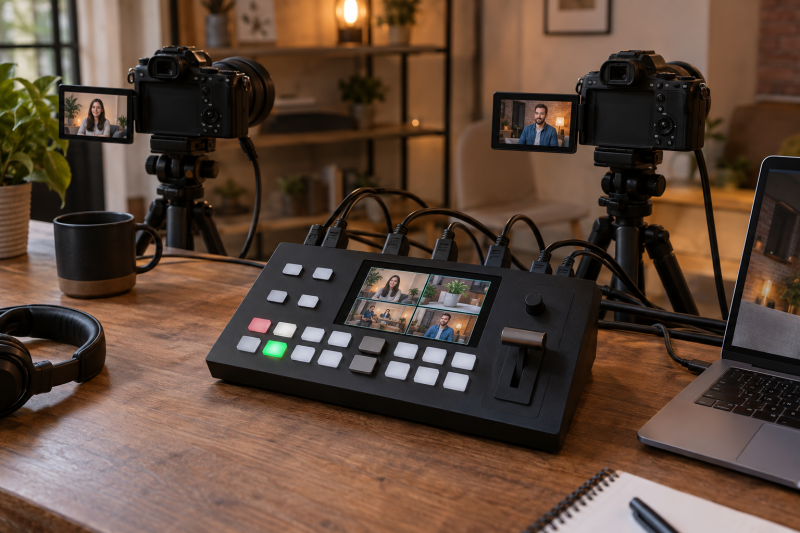
One operator uses a hardware switcher to choose among camera feeds without rebuilding the show in a laptop app. The first purchase decision is the route from your cameras to the audience, ahead of the number of buttons. Count the HDMI, SDI, USB and network sources, then decide whether the final program must leave over Ethernet, a USB webcam connection or another device.
These six switchers were selected from Amazon US listings with active New offers; availability can change. The six fit different jobs, namely portable production, ISO recording, physical controls, mixed cabling, a large preview and network cameras. Specifications are seller claims, not our own stability or latency tests. Confirm signal formats with your cameras before an important event.
Draw the entire path from each camera to the stream before choosing the switcher.Hardware Video Switchers Compared
| Image | Product | Details | Check Price |
|---|---|---|---|
 | YoloLiv YoloBox Ultra | Inputs: 4 HDMI plus listed USB/network sources Delivery: Built-in stream encoder Recording: ISO recording claimed Buyer fit: Portable standalone production | Check Price on Amazon |
 | Blackmagic ATEM Mini Pro ISO | Inputs: 4 HDMI Delivery: USB webcam output or Ethernet Recording: Up to 5 H.264 streams listed Buyer fit: Edit after a live HDMI show | Check Price on Amazon |
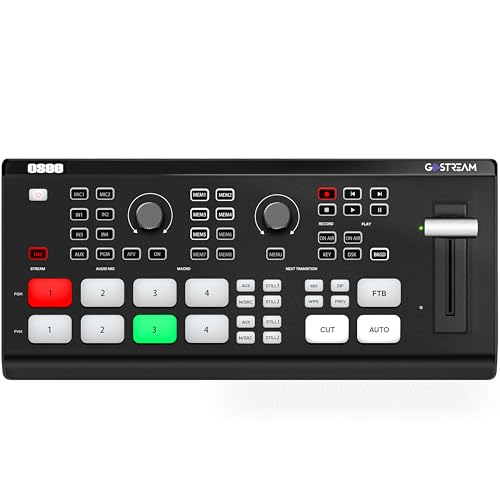 | Osee GoStream Deck HDMI Pro | Inputs: 4 HDMI Delivery: Ethernet stream or USB to computer Recording: Program to SD card or USB SSD listed Buyer fit: Physical controls at a desk | Check Price on Amazon |
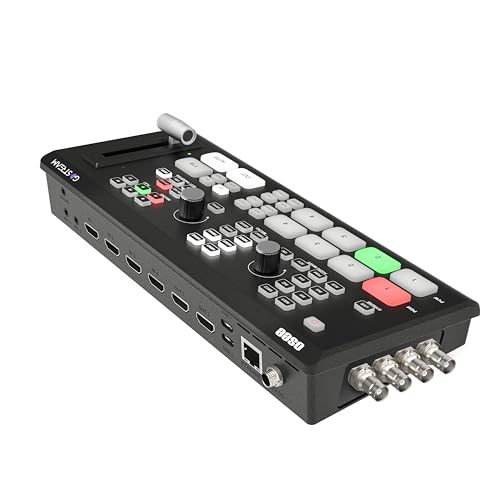 | Osee GoStream Duet | Inputs: SDI and HDMI connectors listed Delivery: Ethernet or computer workflow Control: Panel, computer or Companion listed Buyer fit: Mixed camera cabling | Check Price on Amazon |
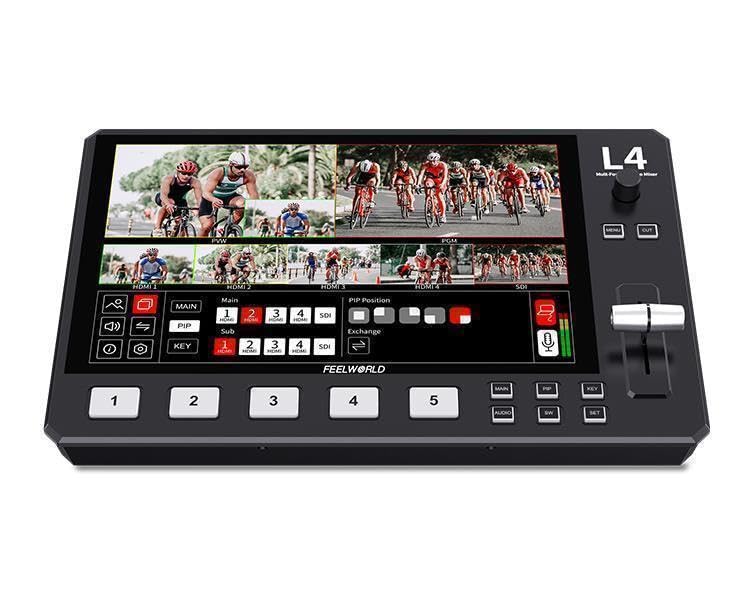 | FEELWORLD L4 | Inputs: 4 HDMI and 1 SDI listed Preview: 10.1-inch touchscreen Delivery: USB 3.0 to streaming computer Buyer fit: Large local preview | Check Price on Amazon |
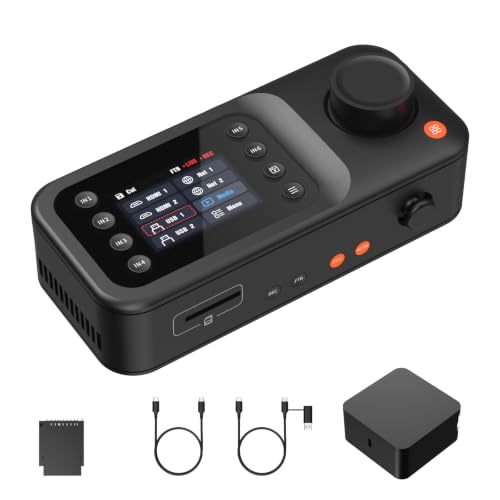 | NearStream Producer | Sources: HDMI, USB, network and Wi-Fi listed Delivery: RTMP/RTMPS or USB UVC Output: Up to 1080p30 listed Buyer fit: Network/PTZ camera sources | Check Price on Amazon |
1. YoloLiv YoloBox Ultra — Best Portable Standalone Switcher
The YoloBox Ultra listing combines a touchscreen, four HDMI inputs, an onboard encoder and local recording in one portable unit. It also names USB and network sources, horizontal and vertical output workflows, and cellular bonding. With the encoder and recording built in, a traveling production can skip a separate laptop and capture card setup. You need to verify each camera’s output format, data connection and power plan regardless.
The seller lists ISO recording and several simultaneous delivery options, but recording and delivery are different jobs. A separate camera file is useful for editing mistakes out later, but it is not a substitute for a reliable live program feed. Some network features may carry additional charges. Before relying on cellular bonding or NDI/SRT, check the current service terms, firmware and the network at the venue. A wireless video transmitter kit is for the distance between camera and operator and does not address venue internet quality.
Our Take YoloBox Ultra suits a small crew that needs to build and stream a show away from a permanent desk. Verify the exact network features and fees before treating it as a complete mobile transmission plan.
- Four HDMI inputs are listed for camera switching.
- Built-in screen and stream encoder reduce separate boxes.
- Seller lists ISO recording for later edits.
- Network-dependent options need a venue and service check.
- Listed features do not prove stability through a long live event.
2. Blackmagic ATEM Mini Pro ISO — Best for Post-Show Editing
The ATEM Mini Pro ISO listing names four HDMI inputs, USB webcam output, Ethernet streaming and recording of up to five separate H.264 streams. That set of functions is valuable when a live cut is only the first deliverable. An editor can revisit an angle after the event instead of being limited to the program recording. The listing also names a four-camera multiview and built-in audio mixing.
Plan the storage path before calling ISO recording a safety net. Separate files use more space than one finished stream, and the USB connection has multiple possible jobs. Verify the external drive, file handling and exact recording mode with a complete rehearsal. A USB-C capture card is a different way to bring a camera into software, and it does not provide the same four-camera switching or isolated recordings.
ISO files help the edit after the event. Test the external storage and live delivery paths separately.Our Take ATEM Mini Pro ISO is strongest when a four-HDMI livestream must also become a revised video later. Isolated recording is useful only when storage and file workflow are rehearsed.
- Four HDMI sources and multiview are listed.
- Separate H.264 recordings support a later edit.
- USB webcam and Ethernet delivery paths are named.
- No native SDI input in this exact listing.
- ISO recording adds an external storage and file-management job.
3. Osee GoStream Deck HDMI Pro — Best for Physical Desk Controls
Osee lists four HDMI inputs, two HDMI outputs, a physical preview/program panel and a T-bar for this GoStream Deck. A producer who must cut cameras while speaking to talent may prefer tangible controls over a touchscreen menu. The listing also names Ethernet streaming and a USB route into computer software. Ethernet and USB are alternative delivery paths, so choose one primary path and test the backup separately.
The seller describes program recording to an SD card or USB SSD, media playback, graphics and audio controls. Those additions can simplify a modest desk show, but each needs rehearsal. Check which output carries multiview and which carries the clean program before plugging in a camera field monitor or capture device. A connector count alone does not say which signal each port carries in every mode.
Our Take GoStream Deck HDMI Pro fits a repeatable four-camera desk setup where the operator wants a dedicated panel and direct streaming. Test the program, preview and USB outputs with the exact receiving devices.
- Four HDMI inputs and two outputs are listed.
- Physical controls support fast, deliberate cuts.
- Seller names Ethernet streaming and local program recording.
- No SDI input is listed for existing broadcast cabling.
- Program recording is not a stated per-camera ISO workflow.
- Output roles still need a rehearsal.
4. Osee GoStream Duet — Best for Mixed SDI and HDMI Sources
The GoStream Duet listing names SDI and HDMI connectors, USB-C, network sources and SD/SSD playback. The GoStream Duet makes more sense than an HDMI-only desk when the production already owns cameras with different outputs. The seller describes four SDI and four HDMI connectors, but its wording about source selection is broad. Confirm how many simultaneous live inputs the exact firmware and mode support before planning an eight-camera show.
The listing offers several control routes: the built-in interface, computer software and Bitfocus Companion. Pick the control surface that will be available at the venue. Ethernet streaming is also listed, along with a route through a phone hotspot. Having either route does not show that the venue has enough stable upload bandwidth. A PTZ joystick controller may control cameras in a separate system, so do not assume this switcher replaces every camera control function.
SDI cabling can suit a longer production run, but you have more questions about frame rate, scaling and audio when connectors are mixed. Sketch which camera uses which physical input and check the multiview and program outputs. If the system needs several feeds visible to an engineer at once, a dedicated SDI multiviewer is for a different monitoring role.
Our Take GoStream Duet is the practical candidate for mixed cabling, especially when HDMI-only hardware would require several converters. Buy it for the connectors you can verify, not for an assumed eight-source operating mode.
- Both SDI and HDMI source connections are listed.
- Multiple panel and computer control options.
- Direct network streaming is described.
- Seller wording does not settle simultaneous source count.
- Mixed-format camera feeds need careful setup.
5. FEELWORLD L4 — Best Large Built-In Preview
The L4 listing highlights a 10.1-inch touchscreen, four HDMI inputs and one SDI input. An operator who does not have room for a separate preview display may value that large local screen. The listing also mentions a T-bar and physical buttons, which can be easier to reach than a laptop interface during a live cut.
The documented streaming route is USB 3.0 to a computer. Do not confuse a switcher with a stand-alone internet encoder merely because the title says livestreaming. Confirm that the receiving laptop and streaming software see the expected video and audio device, then rehearse an entire show. A hardware streaming encoder is a separate choice when the laptop itself must leave the signal chain.
Our Take FEELWORLD L4 is for a desk where one large integrated preview is more valuable than a separate monitor. Keep a computer in the delivery plan unless an exact, tested alternative is available.
- Large listed touchscreen for local multiview.
- Four HDMI inputs plus one SDI input.
- USB 3.0 output supports a computer-based stream.
- Documented delivery path depends on a computer.
- Only one SDI input is listed.
6. NearStream Producer — Best for Network Camera Sources
NearStream’s listing mixes two HDMI, two USB-C/UVC, two PoE/network and two Wi-Fi source paths, plus media playback. It says up to six sources are available simultaneously, rather than all named source paths at once. The mix of source types could suit a small venue combining local cameras with compatible IP or PoE cameras. The listing names specific NearStream camera models, so treat broader network camera compatibility as a question to test, not a universal promise.
The seller specifies up to 1080p30 for sources and output, RTMP/RTMPS delivery over Ethernet or Wi-Fi, and USB video/audio to a computer. The listed maximum is a clear limit to check against a 4K or 60 fps camera plan. The small screen and joystick are meant for settings and compatible PTZ control, and they are not a replacement for a comfortable multiview monitor in every room. A PTZ lecture camera also needs an exact video and control protocol match.
Mixed network and local sources are the attraction. Exact camera compatibility and the listed 1080p30 ceiling are the boundaries.Our Take NearStream Producer is the specialized choice when compatible network or PoE cameras are central to the show. It is a poor fit if you need unverified 4K/60 output or assume every IP camera will work.
- HDMI, USB and network-source options are listed.
- PoE and compatible PTZ control may simplify certain camera setups.
- Ethernet/Wi-Fi streaming and USB output are described.
- Listed video ceiling is 1080p30.
- Network-camera compatibility needs exact verification.
- Six simultaneous sources is less than the number of named paths.
Buying Guide
1. Count usable camera feeds, not advertised sockets
Write down the camera output from every position. Record connector type, resolution, frame rate, embedded audio and cable length. Four HDMI cameras suit several picks here, but an SDI camera changes the comparison. A converter can bridge a connector mismatch, but it adds power and another failure point.
Confirm simultaneous sources in the exact mode. A spec sheet may list many connectors without promising all of them live together. Check which inputs are available during recording and multiview. Buy for today’s show, not a hypothetical eighth camera.
2. Choose the live delivery route
Separate switching from streaming. YoloBox Ultra, GoStream Deck, GoStream Duet and NearStream list direct network delivery. ATEM Mini Pro ISO names Ethernet and USB webcam routes. FEELWORLD L4 names USB into computer software in its exact listing. Before paying, decide where stream keys, overlays and monitoring will live and who will restart the stream if the connection drops.
Budget for the network you will use. Wired, venue Wi-Fi and cellular connections are not interchangeable. Confirm upload headroom under event conditions. A backup recording does not keep an interrupted live audience connected.
3. Decide whether the edit needs isolated files
Distinguish program recording from ISO recording. A program file is a record of the cuts that went live. Separate camera files are what an editor uses to change an angle later. ATEM Mini Pro ISO and YoloBox Ultra list isolated recording, while GoStream Deck describes program capture. Do not infer ISO from a generic record button or the presence of an SD card slot.
Test media and workflow, not only the record indicator. Record a full-length rehearsal, inspect the files and check sync. Storage capacity and transfer time are part of the job.
4. Give the operator a workable control position
Match the controls to the crew. A one-person traveling producer may appreciate the YoloBox touchscreen, while a fixed desk is better matched to the GoStream Deck panel. The L4’s larger local preview can reduce display clutter. Physical buttons are hard to use if cables, labels or the screen that shows stream status are out of reach.
Rehearse failures as well as transitions. Unplug a camera, lose the primary network for a moment and verify the operator can see what happened. Confirm program versus preview output and headphone monitoring. A teleprompter may keep talent on script, but someone needs to watch the live program and audio regardless.
FAQ
Does a hardware video switcher remove the need for a laptop?
Sometimes. YoloBox Ultra, GoStream Deck, GoStream Duet and NearStream describe direct network streaming. Their setup may still use a computer for graphics, firmware, control or file transfer. FEELWORLD L4’s exact listing describes USB output to computer streaming software.
Decide where the final stream is encoded and controlled, then test that route with your platform. A box with HDMI inputs is not automatically an independent internet encoder.
Can I mix HDMI, SDI and network cameras in one show?
Yes, but only with a switcher and settings that support those exact sources simultaneously. GoStream Duet lists both SDI and HDMI connectors. L4 lists four HDMI and one SDI input. NearStream lists network paths alongside HDMI and USB, with a six-source simultaneous ceiling in the seller description.
Connector labels do not prove camera format, control protocol or timing compatibility. Build a source map, update firmware only before rehearsal, then test every camera at the same time.
Is ISO recording essential for a livestream?
No. A reliable program recording may be enough if the live cut is the only final video. ISO becomes valuable when a client expects an edit with alternate angles after the show. ATEM Mini Pro ISO and YoloBox Ultra list that capability. Storage and export still need testing.
Determine who will edit the footage, how many camera files the job needs and where they will be kept. For an event with no post-production plan, operator visibility and a dependable stream count for more.
Bottom Line
YoloLiv YoloBox Ultra is the portable integrated choice. Blackmagic ATEM Mini Pro ISO suits four-HDMI shows with later edits. Osee GoStream Deck HDMI Pro is for physical controls, and Osee GoStream Duet is for mixed cabling. FEELWORLD L4 is for a big preview and computer delivery. NearStream Producer is for a verified ecosystem of network cameras. Buy for the source map and delivery path you can prove in rehearsal.