Running a model locally means more than copying a weight file onto a laptop. The runtime also needs memory for context, cache, buffers and sometimes additional models. Measure the peak GPU-memory use of the exact model and settings you plan to run. A 24 GB laptop GPU is a meaningful step up from 16 GB, but it is still a ceiling, not a promise that a named parameter count will fit.
These five laptops were selected from Amazon US listings with active New offers; availability can change. All list an RTX 5090 Laptop GPU, which NVIDIA specifies with 24 GB of dedicated GDDR7. Dedicated GPU memory differs from system RAM and from the desktop RTX 5090’s capacity. We have not loaded a local model on these exact units, measured response speed or checked every runtime version. If the measured job needs more than 24 GB device memory, choose a larger-GPU desktop or a suitable remote system.
Start with the measured memory footprint of your runtime, model and context, and choose the laptop only after that number fits with margin.High-VRAM Local AI Laptops Compared
| Image | Product | Details | Check Price |
|---|---|---|---|
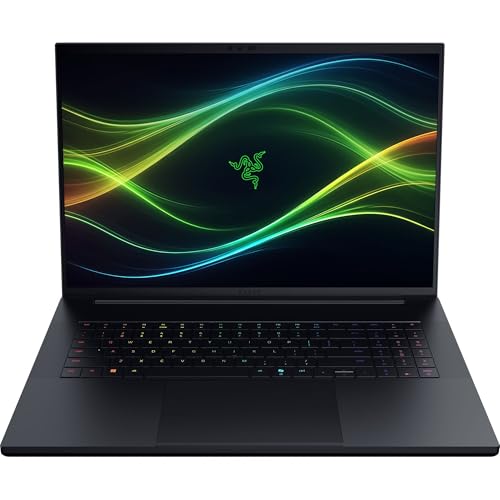 | Razer Blade 18 (2026) | GPU memory: 24 GB GDDR7 System RAM: 64 GB DDR5 listed Storage: 2 TB listed Buyer fit: Expandable 18-inch setup | Check Price on Amazon |
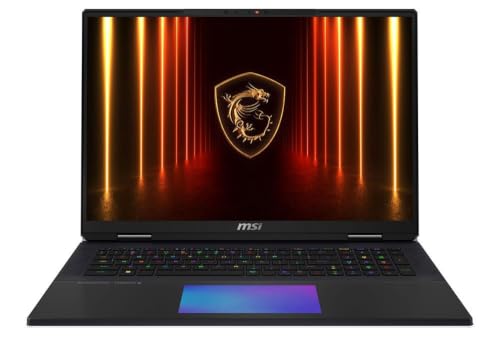 | MSI Titan 18 HX | GPU memory: 24 GB GDDR7 System RAM: 64 GB DDR5 listed Storage: 2 TB Gen5 listed Buyer fit: Plugged-in local lab | Check Price on Amazon |
 | ASUS ROG Strix SCAR 18 (2025) | GPU memory: 24 GB GDDR7 System RAM: 32 GB DDR5 listed Storage: 2 TB listed Buyer fit: Tool-free RAM/SSD access | Check Price on Amazon |
 | Lenovo Legion 9i Gen 10 | GPU memory: 24 GB GDDR7 System RAM: 64 GB DDR5 listed Storage: 1 TB listed Buyer fit: 18-inch model-testing desk | Check Price on Amazon |
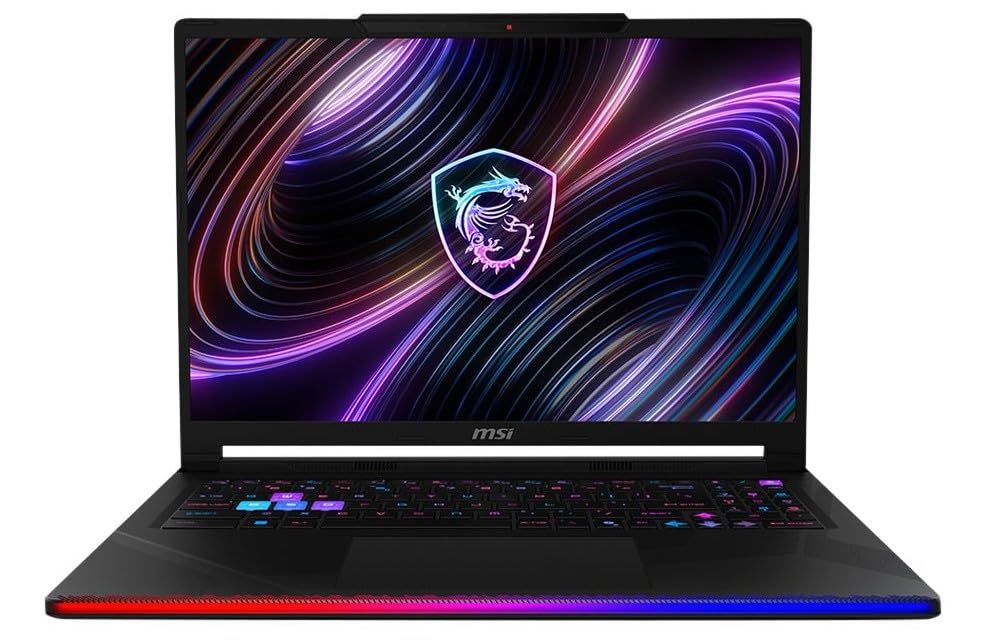 | MSI Raider 16 Max HX | GPU memory: 24 GB GDDR7 System RAM: 32 GB DDR5 listed Storage: 1 TB listed Buyer fit: Smaller high-VRAM option | Check Price on Amazon |
1. Razer Blade 18 (2026) — Best for an Expandable 18-Inch Setup
The exact Blade 18 offer lists an RTX 5090 Laptop GPU, 64 GB DDR5 system RAM and a 2 TB SSD. Razer describes the 2026 Blade 18 RTX 5090 family with 24 GB VRAM and a 175W GPU power design. The large screen suits a local evaluation desk where the prompt, responses, logs and memory graph must all stay visible. It is less appealing if the work happens mostly on a lap or in a cramped seat.
Razer’s support page lists replaceable memory and storage for the 2026 Blade 18 family. Replaceable parts can extend host-side life, not the GPU’s fixed 24 GB. If inference offloads to RAM, measure the response-time cost. Keep the shipped configuration separate from the platform’s maximum.
The 2 TB SSD can hold several model versions and caches. Check Razer’s terms before opening the chassis. Upgrade damage is not covered. Test the delivered machine with the intended model and context length. Response speed is not stated in the offer.
Our Take Blade 18 makes sense as a large-screen workstation for running local models, and can also travel between desks. Its expandable host components are useful, but the 24 GB GPU-memory limit stays fixed.
- 24 GB RTX 5090 Laptop GPU.
- 64 GB system RAM and 2 TB SSD listed.
- Manufacturer documents host memory/storage service path.
- 18-inch chassis needs desk space.
- Host upgrades cannot expand GPU VRAM.
2. MSI Titan 18 HX — Best for a Plugged-In Local Lab
This exact Titan offer names a 24 GB RTX 5090 Laptop GPU, 64 GB DDR5 RAM and a 2 TB PCIe Gen 5 SSD. MSI’s Titan 18 HX family page describes a high-power 18-inch design with vapor-chamber cooling and a dedicated SSD heat pipe. It is aimed at a desk that sometimes moves, not a light commuter workflow. The high-power design can be useful for long local inference or evaluation sessions when an outlet and space are guaranteed.
MSI’s family page and Amazon offer differ on display details. Use the exact offer’s GPU, RAM and storage. The family power figure is not measured model throughput. Repeat the same prompt set on wall power and watch memory and response time as the chassis heats.
The large screen can keep a model UI and monitoring tools side by side. You need to offload fewer model files right away with a 2 TB SSD, but storage does not reduce the runtime’s VRAM requirement. Use an external SSD for archives if needed. Check its actual port and enclosure path. Secure any local datasets, prompts or outputs according to their sensitivity.
Our Take Titan 18 is for a plugged-in local lab that values 64 GB host RAM and 2 TB storage alongside 24 GB VRAM. Measure the actual model run before paying for the high-power design.
- 24 GB RTX 5090 Laptop GPU.
- 64 GB RAM and 2 TB Gen 5 SSD listed.
- Large cooling-oriented chassis.
- Desk and wall power are practical requirements.
- Family-page display specs may not match this offer.
3. ASUS ROG Strix SCAR 18 (2025) — Best for Tool-Free Storage Access
The exact G835LX-XS97 offer has an RTX 5090 Laptop GPU, 32 GB DDR5 RAM and a 2 TB SSD. ASUS documents 24 GB GPU memory and a 175W max GPU configuration for this SCAR 18 family. Its tool-free access design for RAM, SSDs and fans is the differentiator when model downloads, experiment outputs and host memory may grow over time. The GPU itself is not replaceable like RAM or an SSD.
Do not choose a model by SSD capacity alone. A downloaded quantized file can fit on disk while the run, with its live context and cache, goes over 24 GB VRAM. Test the runtime with the same quantization, context window and concurrent requests you will actually use. If offloading to system RAM is part of the plan, measure the latency change rather than citing a theoretical combined memory total.
The exact offer’s 32 GB RAM is below the 64 GB Blade and Titan listings. It may suffice for one model or constrain several tools running together. Check ASUS’s upgrade path and warranty before changing parts. Display and lighting specs do not predict model speed.
The SCAR’s tool-free access helps RAM and SSD service. It cannot upgrade the RTX 5090 Laptop GPU’s 24 GB VRAM.Our Take SCAR 18 suits a buyer who wants high VRAM and expects host RAM or storage changes later. Verify the exact upgraded parts. Use a model test to decide whether 24 GB device memory is enough.
- 24 GB RTX 5090 Laptop GPU.
- 2 TB SSD in the exact listing.
- Tool-free RAM and SSD access described.
- 32 GB listed system RAM may need upgrade.
- 18-inch chassis is not light-travel friendly.
4. Lenovo Legion 9i Gen 10 — Best for a Large Evaluation Desk
The exact Legion 9i Gen 10 offer lists an 18-inch display, RTX 5090 Laptop GPU with 24 GB GDDR7 and 64 GB DDR5 system RAM. Lenovo’s model-family documentation specifies a 175W RTX 5090 option. A big built-in display can keep a local chat interface, logs and memory monitor visible at once. The laptop is movable between work areas, though it still needs the space and power of a large workstation.
The exact offer’s 1 TB SSD is smaller than the 2 TB Blade, Titan and SCAR configurations. Budget space for models, caches and outputs. A USB4 external SSD can store archives, but cannot raise the model’s GPU-memory budget.
The 64 GB host RAM supports surrounding tools but does not add to the 24 GB GPU pool. If the runtime offloads to RAM, test latency at the intended context and concurrency. A wide screen does not prove a larger model will run.
Our Take Legion 9i suits an operator who moves a local AI setup between fixed locations. Its 1 TB storage requires more planning than the other 18-inch listings.
- 24 GB RTX 5090 Laptop GPU.
- 64 GB listed system RAM.
- Large screen for model UI and diagnostics.
- 1 TB listed SSD needs an archive plan.
- 18-inch size limits easy travel.
5. MSI Raider 16 Max HX — Best Smaller 24 GB Option
The exact Raider 16 Max HX offer identifies a 24 GB RTX 5090 Laptop GPU in a 16-inch chassis, with 32 GB DDR5 and a 1 TB SSD. MSI describes a high-power Raider 16 Max HX family aimed at long demanding sessions. The Raider is the more compact 24 GB choice among the five, but a 16-inch body should not be confused with an ultralight notebook built for battery life. Carry the supplied charger for meaningful GPU work.
A smaller screen works for terminal or browser testing, but gives up the 18-inch screen space. This configuration’s 32 GB RAM and 1 TB SSD are less host headroom than the 64 GB/2 TB listings. Count the files and background tools the setup needs.
MSI’s power claims are a design envelope, not response speed for a particular quantized model. Run the same model and prompt length repeatedly while plugged in and check peak VRAM, response timing and fan behavior. If 24 GB is already too small, the smaller chassis is not the issue. The task needs a different memory plan.
Raider keeps 24 GB GPU memory in a 16-inch body. Its listed 32 GB RAM and 1 TB SSD are separate limits to plan around.Our Take Raider 16 is the pick when 24 GB GPU memory is necessary but an 18-inch machine is too cumbersome. Treat its host memory and storage as independent buying decisions.
- 24 GB RTX 5090 Laptop GPU.
- 16-inch body is easier to move than 18-inch options.
- High-power design documented by MSI.
- 32 GB RAM and 1 TB SSD are the smaller host configuration here.
- No measured model speed for this exact offer.
Buying Guide
1. Measure the whole runtime, not the weight file
A model’s download size is only one part of GPU memory use. Runtime buffers, the context/KV cache, vision inputs, parallel sessions and other allocations can raise the peak. Quantization changes the weight size and sometimes the memory/performance tradeoff, so a parameter count alone is a poor shopping number. Record the exact file, quantization, runtime version, context length and concurrency you intend to use.
Test peak VRAM and leave margin below 24 GB. Run the heaviest realistic request, not just a one-line demo. If the job fails or becomes unusably slow when offloaded, do not count host RAM as equivalent device memory. Use a smaller model or context, or move that workload to hardware with more dedicated memory. These laptops are good mobile candidates for high VRAM, not substitutes for every desktop task.
2. Separate system RAM, storage and GPU memory
The 24 GB GDDR7 belongs to the RTX 5090 Laptop GPU. The listed 32 or 64 GB DDR5 is host memory. The 1 or 2 TB SSD stores files. Each resource can become a different bottleneck. Host RAM helps when the UI, browser and other processes stay open. Storage is needed for several model versions and outputs. Neither adds to the GPU’s dedicated pool.
Plan an orderly model library. Keep the exact model version and settings with each test result, delete unused downloads intentionally, and protect private prompts or datasets. An external drive is useful for archives, but measure the load path if models are launched directly from it. The same high-speed SSD guide can help with portable storage decisions. The guide is not an upgrade for inference speed or VRAM.
3. Test the experience on wall power
Long local inference is a sustained workload. Manufacturers describe cooling and power designs, but those figures are not the response speed of your exact model. Repeat a prompt set for long enough to reveal heat and power behavior. Note peak memory, latency, fan noise and whether the machine stays comfortable at its intended desk.
Choose the chassis for where the model will live. An 18-inch Blade, Titan, SCAR or Legion has room for monitoring and large cooling assemblies, but travels like a small workstation. The 16-inch Raider is easier to move, still with a charger. If the actual workload runs mostly on a fixed desk and exceeds 24 GB VRAM, a desktop or remote GPU may serve better than forcing it onto a laptop.
FAQ
Will a 24 GB laptop run a particular large model?
The GPU-memory number alone cannot say whether a given model will run. A model’s quantization, runtime, context length, KV cache, multimodal inputs and concurrent users all change the answer. A published model size or one person’s demo does not prove your configuration will fit or be responsive.
Check the exact runtime’s measured peak on a comparable 24 GB GPU, then test the delivered laptop with the actual prompt set. If memory use crowds the limit, reduce the workload or choose a system with more device memory. Do not publish a guaranteed model-size ceiling from this product list.
Can I combine GPU VRAM and system RAM into one pool?
Some software can place or offload data in host memory, but placing data in host memory is not the same as having the whole workload in fast dedicated GPU memory. The behavior and speed depend on the runtime and transfer pattern. A 64 GB RAM laptop still has a 24 GB discrete GPU in this list.
Test the intended offload setting with the actual model and context. Compare latency and memory peaks against a run that fits completely on the GPU. If the fallback is too slow, a larger GPU is the fix, not a higher host-RAM number on the comparison table.
Why are most of these laptops 18 inches?
The exact active New 24 GB offers we found are mostly large, high-power machines. More chassis space can allow larger screens and cooling systems, though a listed power ceiling does not by itself prove higher model throughput. The 16-inch Raider is the smaller selected option.
Decide whether the machine will mostly sit at a desk or travel daily. Compare the full carried setup, including charger, and test fan noise at the place the model will run. If mobility dominates and the task fits less VRAM, a different GPU class may be a better tradeoff.
Bottom Line
Razer Blade 18, MSI Titan 18 HX, ASUS SCAR 18 and Lenovo Legion 9i are different 18-inch versions of a desk built around a 24 GB laptop GPU. MSI Raider 16 has that GPU-memory capacity in a smaller body. Measure the exact runtime first, then choose the laptop whose host memory, storage, power and size support that tested workload.