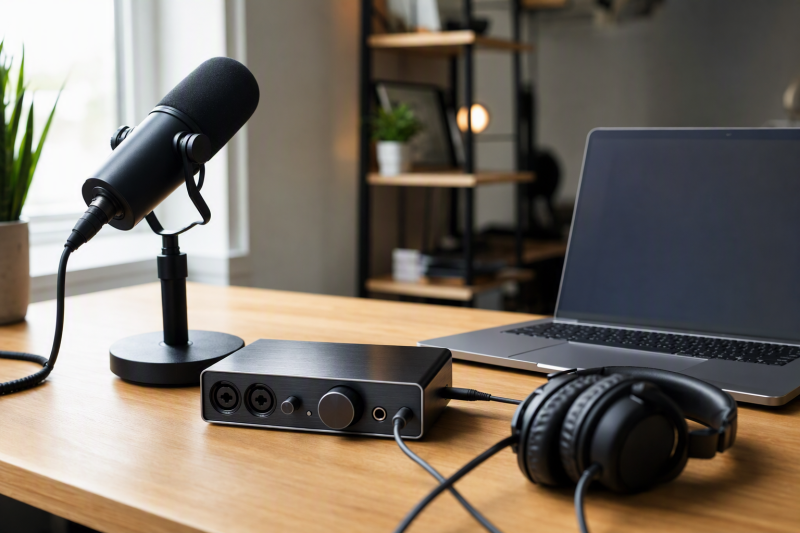
The best USB-C audio interface for most podcasting setups is the Focusrite Scarlett 2i2 4th Gen. Focusrite gives it two microphone preamps, a headphone output, loopback inputs, Auto Gain, and Clip Safe. That combination suits a host and guest who each use an XLR microphone, plus a computer connection for recording or remote audio. Clip Safe is unavailable above the settings Focusrite documents, so it is a safeguard for a qualified recording setup, not an automatic fix for every level problem.
The right interface depends on the number of microphones, whether you need computer-audio routing, and how you want to hear yourself. The MAONO PS22 Lite is the Windows-routing choice. M-Audio’s M-Track Solo is the compact one-mic option. Focusrite’s two Solo versions suit a straightforward microphone path, but their different generations should not be treated as the same device. For a broader studio selection, see our Thunderbolt audio interface guide.
Quick picks
- Focusrite Scarlett 2i2 4th Gen: Best for two XLR microphones and a podcasting setup that can use stated loopback features.
- MAONO PS22 Lite: Best for a Windows computer where software routing and loopback are part of the plan.
- M-Audio M-Track Solo: Best for a compact, single-microphone recording path with direct monitoring.
- Focusrite Scarlett Solo 4th Gen: Best for one mic when app input behavior is checked before recording.
- Focusrite Scarlett Solo 3rd Gen: Best only when the exact previous-generation model and its documented specifications fit the setup.
| Image | Product | Details | Check Price |
|---|---|---|---|
 | Focusrite Scarlett 2i2 4th Gen | Podcast fit: Two microphone preamps and stated loopback Connection: USB Type-C Monitoring: Headphone output, Auto Gain, and Clip Safe | Check Price on Amazon |
 | MAONO PS22 Lite | Podcast fit: Windows routing and loopback option Connection: USB-C cable included Monitoring: Headphone monitoring with software-dependent routing | Check Price on Amazon |
 | M-Audio M-Track Solo | Podcast fit: One microphone-focused compact setup Connection: USB powered Monitoring: USB/Direct control and 1/8-inch headphone output | Check Price on Amazon |
 | Focusrite Scarlett Solo 4th Gen | Podcast fit: Single-microphone setup with app compatibility option Connection: USB-C to A cable included Monitoring: Dedicated headphone level control | Check Price on Amazon |
 | Focusrite Scarlett Solo 3rd Gen | Podcast fit: Previous-generation single-microphone interface Connection: USB audio interface Monitoring: Headphone output and two balanced outputs | Check Price on Amazon |
1. Focusrite Scarlett 2i2 4th Gen
Focusrite’s Scarlett 2i2 4th Gen is the clear first choice for a podcast with two microphones. Focusrite lists two microphone preamps, two front-panel line or instrument inputs, phantom power, a headphone output, and USB Type-C connectivity. The two preamps give a host and guest separate microphone paths instead of asking one person to share a microphone or record through a splitter. Focusrite also lists loopback inputs, which is useful when the recording plan needs computer audio in addition to microphone audio.
The 2i2 also has Auto Gain and Clip Safe. Auto Gain sets a level from a short signal check. Clip Safe can adjust preamp gain when the input approaches clipping, but Focusrite says Clip Safe is available only up to 96 kHz. Use those controls after setting up the microphone and recording app, not instead of listening for noise, distance, or room problems. The stated 24-bit/192 kHz conversion is a product capability. A podcast recording does not need to use the highest available setting to be useful.
Our Take
Choose the 2i2 when two people need their own XLR microphones or when a computer-audio route is part of the recording plan. A single-host setup can use a simpler interface, but it cannot add the second microphone preamp later.
- Focusrite lists two microphone preamps, which gives a host and guest separate microphone connections.
- Focusrite lists loopback inputs for a recording plan that includes microphone audio and computer audio.
- Auto Gain and Clip Safe provide documented level-management controls for supported settings.
- Clip Safe is unavailable above 96 kHz according to Focusrite, so it is not a control for every sample-rate choice.
- Two microphone paths add setup work when a simple solo recording is the only job.
2. MAONO PS22 Lite
The MAONO PS22 Lite is the routing-first option for a Windows podcasting computer. MAONO describes a compact 2-in/2-out interface with a microphone preamp offering up to 56 dB of gain and 24-bit/192 kHz recording. Its documentation also describes four virtual channels and two loopback channels through the MAONO Routing Center software. That stated software path makes the PS22 Lite a better fit than a basic interface when the plan includes a call, music bed, or other computer sound that must be managed inside a Windows workflow.
The software condition is the important limit. MAONO identifies the Routing Center as Windows software, so do not buy the PS22 Lite for a Mac routing plan without checking the specific software and recording-app support first. The interface has a microphone or line combo input and a dedicated instrument input, but the podcasting reason to choose it is the documented Windows routing path, not the guitar input.
Our Take
Pick the PS22 Lite when Windows software routing is a stated requirement and you will confirm the app setup before a recording session. If the recording is only one microphone into one computer track, the M-Track Solo gives a simpler path.
- MAONO documents four virtual channels and two loopback channels through its Windows Routing Center software.
- MAONO lists a 2-in/2-out configuration for a compact desktop recording setup.
- The manufacturer lists up to 56 dB of microphone-preamp gain and 48V phantom power.
- MAONO identifies the Routing Center as Windows software, so the described routing feature does not establish a Mac workflow.
- The routing controls add choices that a one-mic local recording may not need.
3. M-Audio M-Track Solo
M-Audio’s M-Track Solo is for a one-microphone podcast that needs a direct, compact connection to a Mac or PC. M-Audio lists one combo input with its Crystal Preamp, phantom power, and a separate line or instrument input. It also lists a 1/8-inch headphone output, RCA outputs, and a USB/Direct switch for monitoring the input signal or computer playback. The interface is USB powered, so its documented setup does not need a separate power supply.
The simpler layout is useful when the job is a local voice recording and you want to hear the microphone without building a routing system first. M-Audio rates the interface at 48 kHz. That rate is a stated limit compared with the 192 kHz products in this list, but sample rate alone does not describe microphone placement, room sound, or recording quality. Choose the M-Track Solo for the connections and monitoring controls you will use, not for a number you will never select.
Our Take
Choose M-Audio when one microphone, direct monitoring, and a compact desk setup are the whole job. Move to the 2i2 when a second XLR microphone or stated loopback path is required.
- M-Audio lists a combo microphone input with phantom power for an XLR microphone setup.
- The USB/Direct switch gives a documented way to balance input monitoring and computer playback.
- M-Audio lists USB-powered operation, which keeps the local recording setup compact.
- M-Audio rates the interface at 48 kHz, not the higher sample-rate ceiling listed for several other picks.
- One microphone preamp does not provide separate XLR paths for a host and guest.
4. Focusrite Scarlett Solo 4th Gen
The Scarlett Solo 4th Gen is a focused one-microphone choice for a host who records alone. Focusrite lists up to 57 dB of gain on each input, Air modes, a dedicated headphone level control, and the included USB-C to A cable. Those items are practical for a voice setup where the microphone, headphones, and computer stay in one place. It is not the choice for a two-mic interview, because the product’s two input channels are a microphone channel and a line or instrument channel rather than two microphone preamps.
Check the recording app before treating the Solo as a simple plug-and-record choice. Focusrite says that some apps accept only the first input from an interface. Focusrite provides a setting that combines the Solo’s microphone and line or instrument inputs for those apps. The setting is an app-compatibility option. It does not turn the Solo into a two-microphone interface, and Focusrite advises disabling it for DAW recording where separate input selection is available.
Our Take
Pick the Solo 4th Gen for a one-mic podcasting desk where the recording app has been checked. The 2i2 is the safer choice when a second XLR microphone may be needed later.
- Focusrite lists up to 57 dB of gain on each input for the Scarlett Solo 4th Gen.
- The manufacturer documents a dedicated headphone level control for local monitoring.
- Focusrite provides an input-combine setting for some apps that otherwise accept only one interface input.
- The input-combine setting is an app-compatibility option, not a second microphone preamp.
- Focusrite recommends disabling that setting for DAW recording when separate input selection is available.
5. Focusrite Scarlett Solo 3rd Gen
The Scarlett Solo 3rd Gen is the previous-generation option in this list. The Amazon listing for this exact ASIN had an active New offer when the source snapshot was compiled. Focusrite’s support specifications identify one microphone input, one line input, one instrument input, two balanced outputs, and up to 56 dB of gain. Focusrite also lists supported sample rates up to 24-bit/192 kHz. Those details make the Solo 3rd Gen usable for a straightforward one-microphone recording route when the exact previous-generation model is what you are comparing.
The generation label is not cosmetic. Do not copy a Solo 4th Gen feature into a Solo 3rd Gen shopping decision. The 3rd Gen support page is the source for this pick, while the 4th Gen has different documentation and app behavior. Buy it only after confirming that the listing title, generation, included items, and support page all describe the same model.
Our Take
Choose the Solo 3rd Gen only when the exact older model is the one you have confirmed. The Solo 4th Gen is the clearer comparison when its documented app-compatibility controls are important.
- Focusrite’s support specifications document one microphone input for a simple XLR microphone path.
- Focusrite lists two balanced outputs and a headphone output for monitoring and speaker connections.
- The exact Amazon listing had an active New offer when this guide’s source snapshot was compiled.
- The older generation needs careful title and support-page matching before purchase.
- One documented microphone input does not replace a separate second microphone path for a guest.
How to choose a USB-C audio interface for podcasting
Count microphone paths before looking at sample rates
The first question is how many people will speak into separate microphones at the same time. A host and in-person guest usually need two microphone preamps. A single-person show can use one. A line or instrument input is useful for a different source, but it is not automatically another XLR microphone connection. Match the input layout to the people and microphones in the room.
Use this check before ordering:
- Microphone connection: Confirm whether the microphone needs an XLR input and whether it needs phantom power.
- Guest plan: Confirm that the interface has separate microphone preamps when two microphones will record together.
- Computer connection: Confirm the host port, cable, and recording app can use the interface as an input device.
Decide how you will hear the recording
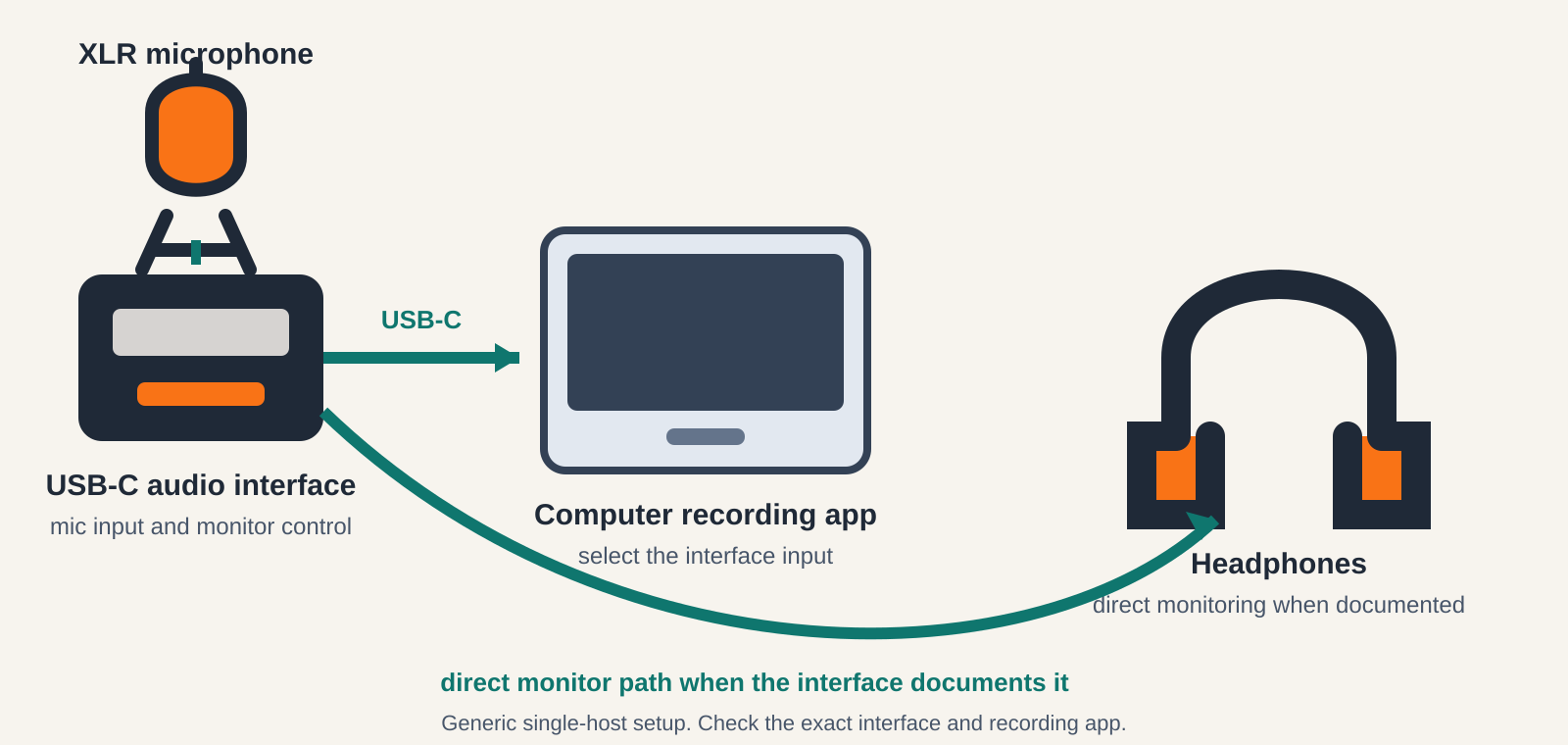
Headphones help you hear microphone level, room noise, and computer playback before the file is finished. Direct monitoring can route the input signal to headphones without waiting for the recording app’s return path. An interface may also provide a control that balances the microphone and computer playback. Check the exact control, headphone connection, and app setup instead of assuming every USB-C interface handles monitoring in the same way.
Treat loopback as a separate computer-audio decision
Loopback is useful when the recording includes a remote guest, playback, or another sound source from the computer. It is not the same as direct headphone monitoring. The Scarlett 2i2 4th Gen lists loopback inputs, and MAONO documents loopback channels through its Windows Routing Center software. Those product-specific routes have their own host and app conditions. Do not assume a feature named in one product section applies to every interface in the table.
Before using computer audio in a recording, check:
- Which app produces the computer audio and which app records it
- Whether the exact interface lists a loopback or routing path for that operating system
- Whether the recording app can select the required input channels
Keep app behavior in the buying decision
An interface can appear in the computer’s audio settings and still need a specific input choice inside the recording app. Focusrite’s Solo 4th Gen documentation is a useful example. Focusrite says some apps accept only the first interface input, then documents a combine-input setting for that situation. That setting has a specific purpose and should be disabled when a DAW needs separate input selection. Choose the interface after checking the app you will actually use.
For a related listening-focused purchase, our portable USB-C DAC guide covers a different job. A DAC does not replace a microphone interface. If the decision is about headphones at a fixed desk, see our USB-C headphone amp guide instead.
Frequently asked questions
Can one USB-C audio interface record two podcast microphones?
Yes, if the exact interface has two microphone preamps. Focusrite lists two microphone preamps for the Scarlett 2i2 4th Gen. The one-microphone products in this guide are better suited to a solo recording path unless the product documentation establishes another microphone route.
Does direct monitoring record my voice automatically?
No. Direct monitoring is for listening to the input through the interface’s monitoring path. You still need to select the interface in the recording app and confirm that the app receives the microphone signal before starting an episode.
Do I need loopback for a podcast?
Only when the plan includes computer audio that needs to enter the recording, such as a remote call or playback source. Check the exact interface and operating-system documentation. MAONO’s documented routing and loopback path is Windows software, while Focusrite lists loopback inputs for the Scarlett 2i2 4th Gen.
Is a USB-C audio interface the same as a USB-C DAC?
No. A podcasting interface is selected for microphone inputs, recording, and monitoring. A portable DAC is selected for playback to headphones or speakers. The two product families can share a USB-C connection while serving different jobs.