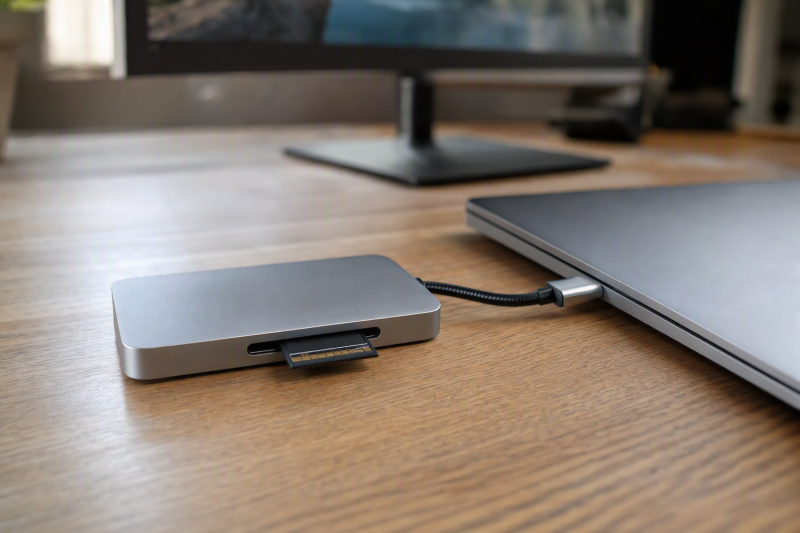
Our best USB-C dock with a full-size UHS-II SD reader is the CalDigit TS4, which CalDigit rates for Thunderbolt 4, numerous 10Gbps USB ports, 2.5GbE, downstream Thunderbolt expansion, and 98W host charging alongside that documented reader class. Add an internal M.2 bay to the requirements and the Sonnet Echo 20 moves ahead. At the high end, a qualifying Thunderbolt 5 host and a 10GbE network point to the CalDigit TS5 Plus. Where the exact card-reader class is not central to the purchase, our broader USB-C docking station guide covers more general desks.
One rule shapes this ranking: manufacturer-documented full-size UHS-II SD support is the price of entry. What that label cannot do is name a copy time. The card, file workload, operating system, reader implementation, concurrent devices, and shared host link can all change results. Having both SD and microSD slots is a genuine convenience, but it is a separate question and it does not replace the full-size UHS-II qualification that owns this page.
Quick picks
- CalDigit TS4: Best overall UHS-II desktop dock for a Thunderbolt 4 workstation.
- Sonnet Echo 20: Best when full-size UHS-II and internal NVMe expansion both matter.
- Razer Thunderbolt 5 Dock Chroma: Best Thunderbolt 5 pick with UHS-II SD and an empty M.2 slot.
- OWC 11-Port Thunderbolt 5 Dock: Best for a clearly documented SD 4.0 UHS-II path and downstream TB5 branches.
- CalDigit TS5 Plus: Best Thunderbolt 5 choice for 10GbE and a dense USB setup.
Compare USB-C docks with UHS-II SD card readers
| Image | Product | Details | Check Price |
|---|---|---|---|
 | CalDigit TS4 | Full-size reader: UHS-II SD Required host path: Thunderbolt 4 Creator-side expansion: 2.5GbE and numerous 10Gbps USB ports Laptop charging: 98W Buyer check: No HDMI; host controls displays | Check Price on Amazon |
 | Sonnet Echo 20 Thunderbolt 4 SuperDock | Full-size reader: UHS-II SD Required host path: Thunderbolt 4 Creator-side expansion: Internal NVMe slot and 2.5GbE Laptop charging: Unknown in frozen evidence Buyer check: One full-size slot; SSD supplied by buyer | Check Price on Amazon |
 | Razer Thunderbolt 5 Dock Chroma | Full-size reader: UHS-II SD Required host path: Qualifying Thunderbolt 5 host Creator-side expansion: Empty M.2 slot and downstream TB5 Laptop charging: Up to 140W Buyer check: No retained microSD slot; SSD supplied by buyer | Check Price on Amazon |
 | OWC 11-Port Thunderbolt 5 Dock | Full-size reader: SD 4.0 UHS-II Required host path: Qualifying Thunderbolt 5 host Creator-side expansion: Separate microSD UHS-II and 2.5GbE Laptop charging: Up to 140W Buyer check: Bus ceilings are not measured transfers | Check Price on Amazon |
 | CalDigit TS5 Plus | Full-size reader: SD 4.0 UHS-II Required host path: Qualifying Thunderbolt 5 host Creator-side expansion: microSD UHS-II, ten 10Gbps USB, 10GbE Laptop charging: Up to 140W Buyer check: Ports share the upstream connection | Check Price on Amazon |
1. CalDigit TS4 — best overall UHS-II desktop dock
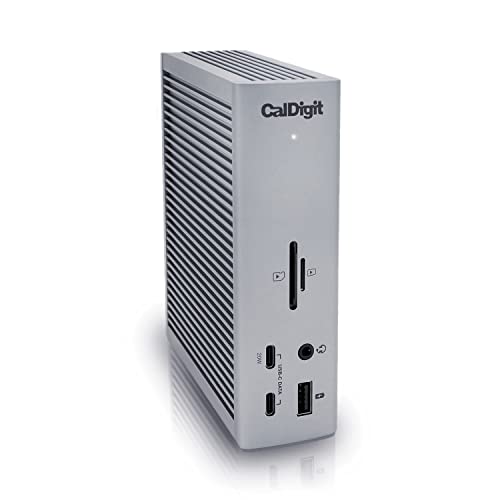
CalDigit documents a full-size UHS-II SD reader as part of an 18-port Thunderbolt 4 dock. Around it, the retained layout adds numerous 10Gbps USB ports, downstream Thunderbolt connections, 2.5GbE, DisplayPort 1.4, front and rear audio routes, a microSD reader, and 98W host charging. When card ingestion matters but the dock also has to run a busy desktop setup, that balance is hard to beat.
Check your monitors first. CalDigit’s retained specification has no native HDMI output, so HDMI-only displays need an appropriate adapter or another dock, and display count and resolution still depend on the host, GPU, operating system, downstream route, adapter, cable, and monitor. On the reader side, UHS-II names the documented interface. It is not evidence of measured performance with a particular card, nor of simultaneous maximum activity across storage, network, and displays.
Our Take
For a Thunderbolt 4 desk that needs a qualified full-size UHS-II reader and broad peripheral I/O, buy the TS4. Its 98W charging and 2.5GbE make it a more complete desk anchor than a reader-first hub.
- Documented full-size UHS-II SD reader
- Numerous 10Gbps USB ports and 2.5GbE
- 98W host charging
- No native HDMI output
- Reader class is not a measured transfer result
2. Sonnet Echo 20 Thunderbolt 4 SuperDock — best UHS-II dock with internal M.2
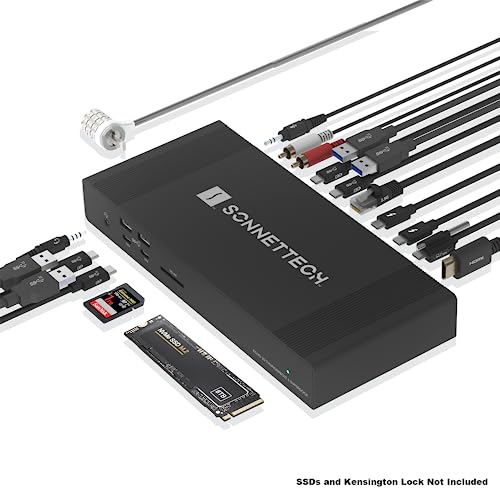
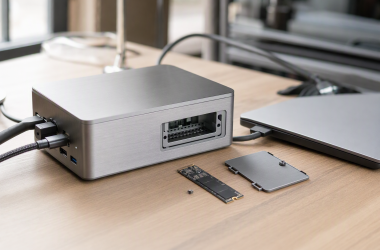
Sonnet calls out a fast full-size UHS-II SD slot alongside a user-accessible internal M.2 NVMe bay, and the Echo 20 surrounds both with HDMI, two downstream Thunderbolt 4 paths, 2.5GbE, four USB-A and four USB-C 10Gbps ports, and several analog-audio connections. Cards go in the front, working storage lives inside the same box, and the rest of the desk plugs into one dock.
Two qualifications ride along with that. The buyer supplies the M.2 SSD, and Sonnet’s retained record identifies a PCIe x1 path for that internal drive, so do not assume the SD reader and internal storage can both deliver their interface ceilings while other traffic saturates the host link. The frozen package also lacks a laptop-charging figure. Where one-cable power is essential, close that field against Sonnet’s exact current specification before ordering.
Our Take
Choose the Echo 20 when UHS-II ingestion and an internal NVMe bay both earn their keep. With no need for storage inside the dock, the TS4 remains the safer general recommendation.
- Full-size UHS-II reader and internal M.2 slot
- Eight documented 10Gbps USB ports
- 2.5GbE and downstream Thunderbolt 4
- Buyer supplies the SSD
- Charging figure is unknown in retained evidence
3. Razer Thunderbolt 5 Dock Chroma — best TB5 UHS-II and M.2 combination

Razer documents a full-size UHS-II SD reader, an empty M.2 2280 PCIe Gen4x4 slot, three downstream Thunderbolt 5 paths, 10Gbps USB, audio, and up to 140W host charging. If the shortlist reads one fast full-size card slot, internal user-selected storage, and Thunderbolt 5 expansion, with a separate microSD reader nowhere on it, this is the direct answer.
Several conditions come attached. Full capability requires a qualifying Thunderbolt 5 host, and display modes remain host dependent. The SSD is supplied by the buyer, while the dock itself uses active cooling. Razer’s 8TB capacity ceiling for the M.2 bay is not a claim about included capacity or measured storage speed. And despite the documented charging ceiling, a demanding laptop may still need its normal adapter.
Our Take
Pick the Razer for the TB5, full-size UHS-II, and internal-M.2 combination. Require a second microSD slot and it is not the right page winner.
- Full-size UHS-II SD reader
- Empty M.2 2280 slot
- Downstream Thunderbolt 5 and up to 140W charging
- No retained microSD slot
- Active cooling and TB5 host conditions apply
4. OWC 11-Port Thunderbolt 5 Dock — best documented SD 4.0 path
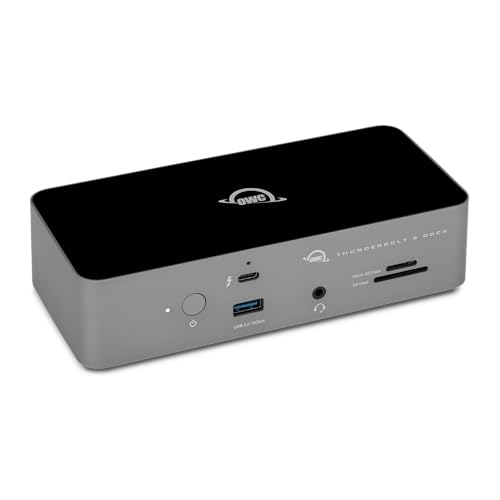
Nobody else in this group spells out the reader in as much detail. OWC’s manual identifies SD 4.0 UHS-II and states interface ceilings of up to 156MB/s full duplex or 312MB/s half duplex. Alongside it sit a separate microSD UHS-II reader, three downstream Thunderbolt 5 branches, 2.5GbE, audio, and up to 140W host charging.
Read those figures for what they are: bus modes, not measured transfers from a particular SD card, and no proof of simultaneous full-speed use of the SD and microSD readers. Windows users have two more items to note, since OWC records an SDXC re-recognition caveat after safe removal and says Windows Ethernet requires a Realtek driver. Display ceilings vary by host, so the exact computer remains part of the purchase decision.
Our Take
Choose OWC when explicit SD 4.0 UHS-II documentation and multiple TB5 branches are what you are shopping for. Keep the Windows setup caveats in view instead of treating it as a plug-in result for every system.
- Explicit SD 4.0 UHS-II documentation
- Separate microSD reader
- Three downstream TB5 branches and 2.5GbE
- Bus figures are not measured transfers
- Windows driver and SDXC caveats apply
5. CalDigit TS5 Plus — best TB5 UHS-II dock with 10GbE
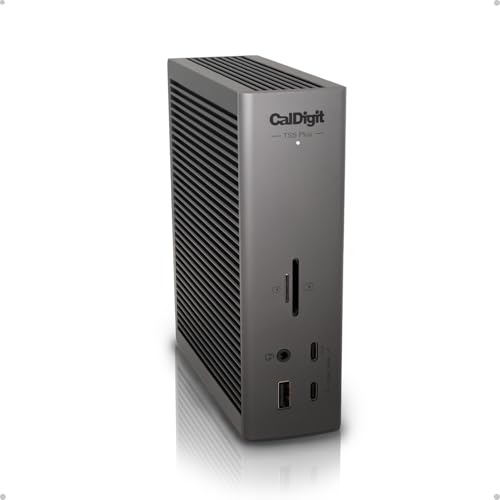
CalDigit documents full-size SD 4.0 UHS-II and microSD UHS-II readers in a 20-port Thunderbolt 5 dock. The TS5 Plus adds ten 10Gbps USB ports, 10GbE, DisplayPort 2.1, downstream Thunderbolt expansion, and up to 140W host charging. Where card ingestion sits beside a fast wired storage network and a large peripheral collection, nothing here fits better.
That 10GbE port only pays off when the rest of the network supports it. Thunderbolt 5 modes, high display ceilings, and charging behavior all remain conditional on the host and connected equipment, and every port shares the upstream link. CalDigit warns that demanding laptops may still require direct proprietary power. As with the rest of this list, no retained source establishes a card-specific copy speed or simultaneous reader result.
Our Take
Buy the TS5 Plus when a qualifying Thunderbolt 5 system can genuinely use 10GbE and the larger I/O layout. On a Thunderbolt 4 host, the TS4 delivers this page’s core UHS-II qualification without paying for unused TB5 capability.
- Full-size SD 4.0 UHS-II reader
- Ten 10Gbps USB ports and 10GbE
- Up to 140W host charging
- Full feature set needs a qualifying TB5 host
- Shared upstream path limits simultaneous demands
What to verify before choosing a UHS-II dock
Require full-size UHS-II in the manufacturer record
Plenty of docks say only SD or card reader, and for this purchase that is not enough. The exact model page or manual has to identify the full-size reader as UHS-II. That single rule is why all five frozen products qualify and why a generic SD-slot dock never enters the list.
Match the card as well as the reader
A UHS-II reader will accept the card, but the card itself and its operating mode still decide a great deal. The retained evidence describes dock interfaces, not card-specific results. Tie your expectations to the full path, and treat OWC’s published figures as interface ceilings rather than converting them into a promised import time.
Budget the shared host link
Card ingestion can run beside displays, Ethernet, USB storage, and an internal SSD, and all of those routes eventually meet the same upstream host connection. More fast ports buy you options, not a private full-rate link for each one. Work out which tasks genuinely need to run at the same time before reaching for the largest connector count.
Check displays and power as separate branches
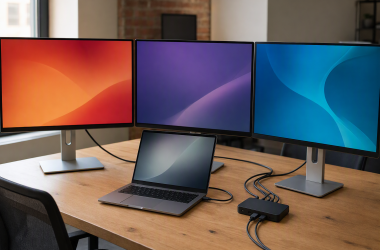
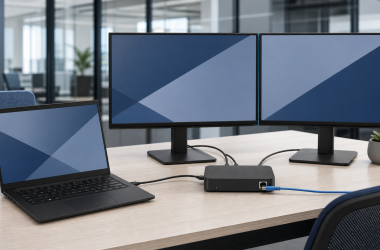
CalDigit TS4 has no native HDMI, and the TB5 products depend on qualifying hosts for their higher modes. Seeing a downstream port on the chassis guarantees no extra display stream. When displays decide the desk, work from our dual-monitor docking guide.
Power splits along similar lines, from a retained 98W on TS4 to ceilings up to 140W on the three TB5 models, with Sonnet’s figure unknown in this frozen package. Even then, a demanding laptop can still require direct power. Compare the computer’s requirement rather than the dock adapter label alone.
Choose the network class you can use
CalDigit TS5 Plus documents 10GbE, while TS4, Sonnet, and OWC document 2.5GbE. Network speed earns its money once media starts moving to network storage, though the switch, server, cabling, and storage pool all stay part of that path. See our 2.5GbE USB-C dock guide for that narrower comparison.
Final recommendation
For a Thunderbolt 4 desk that needs a documented full-size UHS-II reader, broad USB expansion, 2.5GbE, and 98W charging, the CalDigit TS4 is the best overall purchase. From there, each alternative answers one specific need: Sonnet when internal NVMe belongs in the dock, Razer for TB5 plus M.2 without a retained microSD slot, OWC for its explicit SD 4.0 documentation, the TS5 Plus for TB5 and 10GbE. What none of them carries is a measured card-transfer promise.