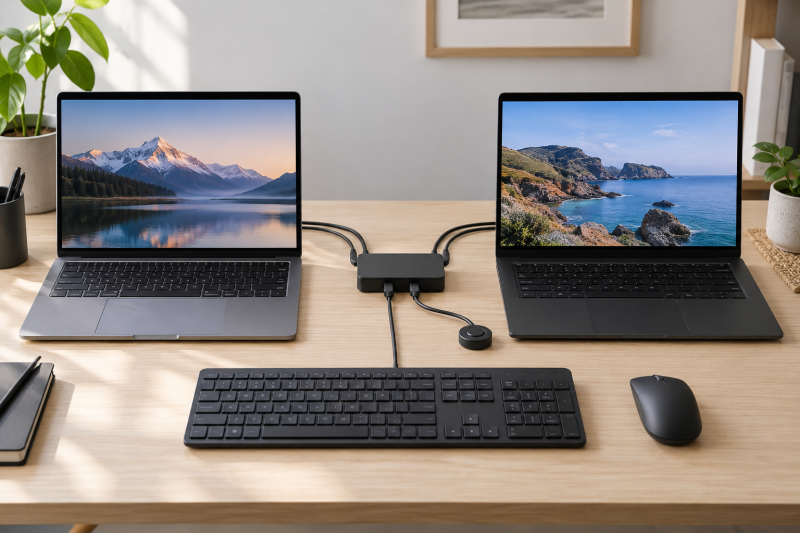
Two laptops can share a keyboard, mouse, webcam, scanner, or other USB gear without building a full dock around each machine. With a USB sharing switch, you hand the peripherals off with one physical control, which is useful when one desk alternates between a work laptop and a personal machine.
The key distinction is that the products here are USB peripheral selectors, not video KVMs. They can move supported USB devices from one computer to another, but they do not switch the monitor signal unless the product explicitly says it does.
A USB switch is a clean answer for shared peripherals, not a substitute for a full video dock.USB Sharing Switches Compared
| Image | Product | Details | Check Price |
|---|---|---|---|
 | UGREEN 4-port USB switch | Best fit: Mixed USB-C and USB-A switch Shared ports: 4 Host computers: 2 Connections: USB-C and USB-A | Check Price on Amazon |
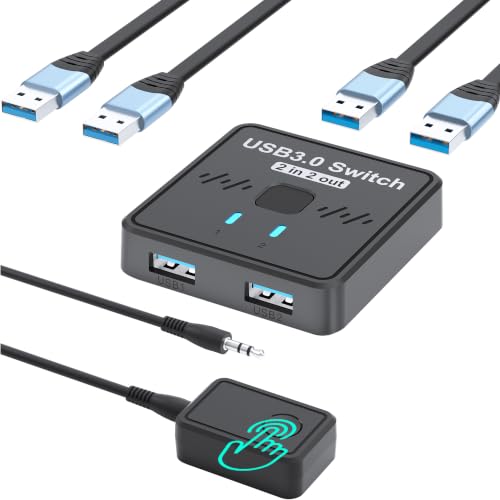 | 2-in-2-out USB 3.0 switcher | Best fit: Minimal two-computer selector Shared ports: 2 Host computers: 2 Connections: USB 3.0 | Check Price on Amazon |
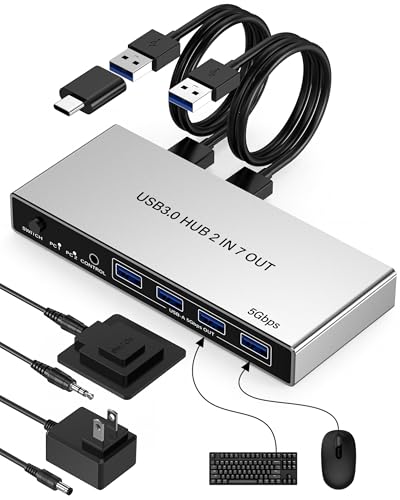 | 7-port USB 3.0 switch | Best fit: More shared devices Shared ports: 7 Host computers: 2 Connections: 4 USB-A, 3 USB-C | Check Price on Amazon |
 | 2-in-2-out USB 3.0 switch | Best fit: Plug-and-play basic switch Shared ports: 2 Host computers: 2 Connections: USB 3.0 | Check Price on Amazon |
 | BENFEI 4-port USB switch | Best fit: Known-brand basic switch Shared ports: 4 Host computers: 2 Connections: USB 3.0 | Check Price on Amazon |
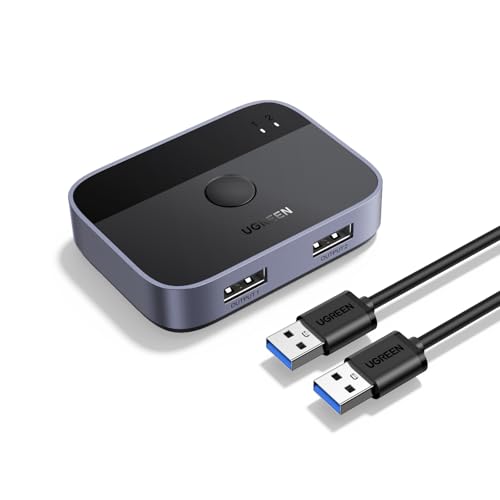 | UGREEN 2-in-2-out USB switch | Best fit: Compact UGREEN alternative Shared ports: 2 Host computers: 2 Connections: USB 3.0 | Check Price on Amazon |
1. UGREEN USB 3.0 Switch with USB-C and USB-A Devices — Best Mixed USB-C and USB-A Switch
UGREEN lists a four-port USB switch for two computers sharing USB-C and USB-A devices, with two USB 3.0 cables and a controller. The mixed connector layout suits a desk where newer USB-C accessories sit alongside a conventional keyboard, mouse, or scanner.
The UGREEN is a peripheral switch, so treat high-power devices and video hardware cautiously. Check the exact device’s power needs and whether any USB-C connection is data-only before assuming a single box can replace every hub and dock on the desk.
Our Take Buy the UGREEN if your desk mixes USB-C and USB-A accessories. It makes the most sense when USB-C accessories are a regular part of the shared setup rather than an occasional adapter use.
- Lists USB-C and USB-A peripheral support.
- Four ports suit a modest shared desk.
- Not a monitor video switch.
- Confirm power needs for attached devices.
2. 2-in-2-out USB 3.0 Switcher — Best Minimal Two-Computer Selector
This listing describes a 2-in-2-out USB 3.0 switch for two computers sharing a keyboard and mouse. It takes a minimal approach, with fewer stated ports than the larger units, a clear job of switching between two computers, and no attempt to be a complicated desk hub.
The two-port layout is useful when only two peripherals need to move between laptops. If you want to add a webcam, card reader, audio interface, or several USB storage devices, compare it against a four- or seven-port unit before buying around a low port count.
Our Take Buy this switcher if a keyboard and mouse are the only shared tools on a tiny desk. It is a simple option, but its small scope is also the limitation.
- Simple two-computer switching role.
- Appropriate for a keyboard-and-mouse pair.
- Limited stated peripheral capacity.
- Does not address display switching.
3. 7-port USB 3.0 Switch for Two Computers — Best for More Shared Devices
This switch lists four USB-A and three USB-C device ports for sharing devices between two computers, plus two USB 3.0 cables and a controller. The stated seven-port layout suits a desk that shares more than just keyboard and mouse hardware.
More ports do not eliminate bandwidth or power limits. A collection of external drives, webcams, capture devices, and audio interfaces can have different host expectations, so use the port count to simplify a known set of low-risk peripherals rather than connect everything blindly.
Our Take Buy the seven-port switch if several ordinary USB accessories need to move together. It is the capacity pick, but it calls for a careful device plan.
- Lists seven shared peripheral ports.
- Mixes USB-A and USB-C connections.
- More devices create more compatibility variables.
- Not a replacement for a powered dock.
4. 2-in-2-out USB 3.0 Switch — Best Plug-and-Play Basic Switch
The manufacturer identifies this as a two-port USB 3.0 selector for two computers sharing a keyboard, mouse, printer, and other USB gear, with stated Windows, Mac, and Linux compatibility and two included USB 3.0 cables. Its clear focus is a conventional desktop accessory handoff.
Consider it when you want a one-button switch and do not need USB-C device ports. The narrow port count means it works best with a compact set of peripherals that remain connected at both desks.
Our Take Buy this switch if you want a plain pick for a familiar keyboard-and-mouse setup. It suits a stable two-device desk better than an expanding collection of accessories.
- Lists Windows, Mac, and Linux support.
- Includes two USB 3.0 cables in the listing.
- Only two stated shared ports.
- No stated USB-C device ports.
5. BENFEI USB 3.0 Switch for Two Computers — Best Known-Brand Basic Switch
BENFEI lists a four-port USB 3.0 switch for two computers sharing a PC, mouse, keyboard, printer, or scanner, with Windows, Mac, and Linux compatibility. With four ports, it has more room than a minimal two-device selector, and the core job is the same.
The four-port layout is a basic fit for a desk with a keyboard, mouse, webcam, and one extra accessory. Keep display, charging, and devices that need a lot of bandwidth on their own planned connections unless the exact hardware documentation says otherwise.
Our Take Buy the BENFEI if a standard two-laptop desk has several familiar USB accessories. Its four ports suit a desk where two feels cramped and seven feels unnecessary.
- Four ports suit common desk peripherals.
- Lists Windows, Mac, and Linux compatibility.
- USB-A-centric layout may need adapters.
- Not intended for display routing.
6. UGREEN 2-in-2-out USB 3.0 Switch — Best Compact UGREEN Alternative
UGREEN lists a 2-in-2-out USB 3.0 switcher for two computers sharing a keyboard, mouse, printer, scanner, or webcam, with two USB 3.0 cables. It is the compact UGREEN option for someone who wants only a small number of devices to follow the active laptop.
Its benefit over a switch with more features is physical and operational simplicity. The cost is expansion room, so choose it for a stable desk rather than a collection that grows every few months.
Our Take Buy the compact UGREEN switch if your shared kit is small. It is best when the desk has a defined, static set of USB accessories.
- Simple two-computer switching arrangement.
- Listing includes USB 3.0 cables.
- Two shared ports limit expansion.
- No video output switching stated.
Buying Guide
Decide whether you need USB switching or a full KVM
USB switching and video switching are separate functions. You use a USB selector to move peripherals such as keyboards, mice, scanners, and webcams between computers. It does not normally move a monitor image, so a desk that needs one display for two laptops requires a KVM or a separate plan for display inputs.
Buy for the actual handoff you repeat. If you only move a keyboard and mouse, a compact two-port box is easier to understand. If you regularly move four or more peripherals, the UGREEN 4-port switch gives a more flexible starting layout.
Count ports and connector types honestly
USB-A and USB-C accessories need different physical ports. A modern desk can mix both, so a switch with the right connector types may save adapters and strain on cables. Do not choose based only on the number printed on the box if the ports do not match the devices you own.
Leave a port free when the desk changes often. A four-port model is often enough for keyboard, mouse, webcam, and one rotating device. The seven-port option only makes sense when you can name the devices it will support and understand their power and bandwidth needs.
Keep demanding hardware on a separate path
External drives, audio interfaces, and capture hardware can have stricter requirements than a keyboard or mouse. A simple USB sharing switch may work for them, but test the exact device rather than making it part of a critical workflow on assumption.
Powered docks are built for a different desk problem. If each laptop needs charging, display output, Ethernet, and peripheral expansion, look at our Thunderbolt dock guide first. A USB switch can still sit beside that dock for one intentional handoff of shared peripherals. Our USB-C cable guide can help when a data cable is the weak link.
Frequently Asked Questions
Can a USB switch share one keyboard and mouse between two laptops?
Yes, sharing a keyboard and mouse is the core job of these products. The devices stay connected to the switch, while the selected host changes. The setup is useful when you move between two laptops but want one familiar input set.
The change is not necessarily instant inside every application, so save work before swapping an active peripheral in a time-sensitive task. Keep the switch where you can reach it without moving both laptops.
Will a USB sharing switch switch my monitor too?
Usually no. USB peripheral switching does not imply HDMI, DisplayPort, or USB-C video switching. A monitor needs its own input selection or a KVM that explicitly includes video support.
For a single-screen desk, decide whether you need a USB switch plus manual monitor input selection, or one KVM with video support. The answer depends on whether frequent monitor switching is part of your daily routine.
Can I connect external drives to a USB switch?
Possibly, but use care. Storage devices can need more power and stable bandwidth than a keyboard or mouse, and disconnecting during a transfer can corrupt work. Check the switch documentation and test any important drive before relying on it.
For backup or editing storage, a direct connection or a properly powered dock is often safer. A sharing switch is most predictable when it moves low-risk desk accessories.
Bottom Line
The UGREEN 4-port switch is the flexible pick for a mixed USB-C and USB-A desk. Choose the 7-port USB switch when several accessories must move together, or the BENFEI 4-port switch for a conventional USB-A setup. In every case, treat the switch as a peripheral handoff and plan display, charging, and high-power devices separately.