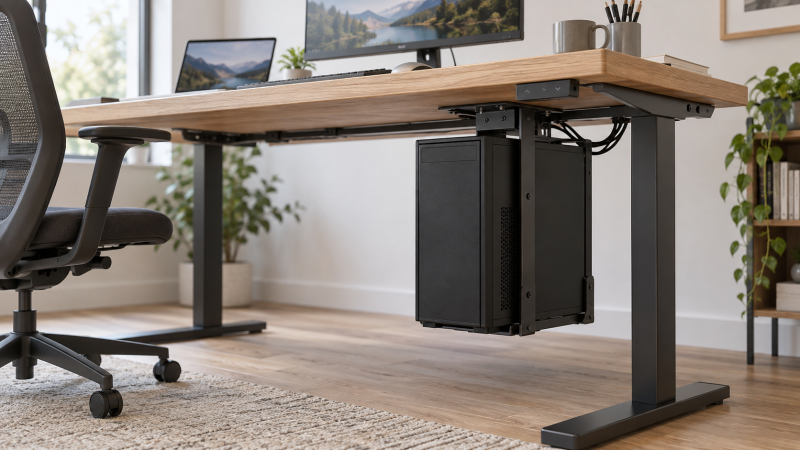
An under-desk PC mount moves a desktop tower off both the desktop and the floor. Moving the tower can free space around a laptop, monitor and chair, but a loaded case is a serious weight to suspend from a tabletop or desk leg. Choose by case width, loaded weight, attachment method and desk construction before you worry about swivel convenience.
These five exact mounts had active New Amazon US offers when checked. They include drilled under-surface brackets, a desk-leg clamp and lighter swiveling holders. We have not installed or load-tested them. Treat capacity and fit ranges as seller claims. The desk itself must also be strong enough for the mounting method and added moving load.
A mount can be rated for the tower while the desktop is not. Check the desk maker’s drilling and load guidance before installing anything underneath it.Under-Desk PC Mounts Compared
All fit ranges and load limits in this table are seller-stated, not independently measured.
| Image | Product | Details | Check Price |
|---|---|---|---|
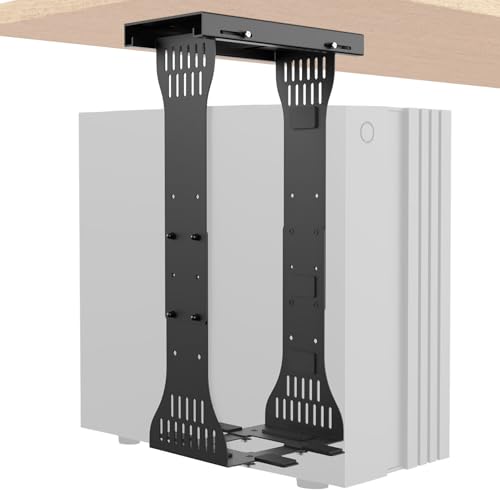 | KEEGH Heavy-Duty | Best fit: Heavier desk-mounted case Case width: 7.8–11.6 in Case height: 15–23 in Load: 90 lb stated Attachment: Drilled rail | Check Price on Amazon |
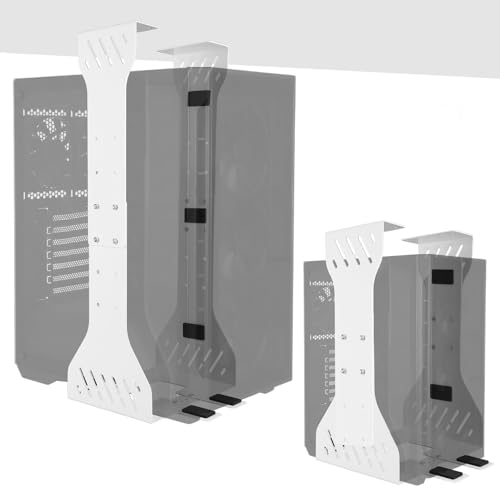 | Saysurey Wide-Fit | Best fit: Wider heavy case Case width: 7.5–12 in Case height: 15–23.2 in Load: 80 lb stated Attachment: Drilled bracket | Check Price on Amazon |
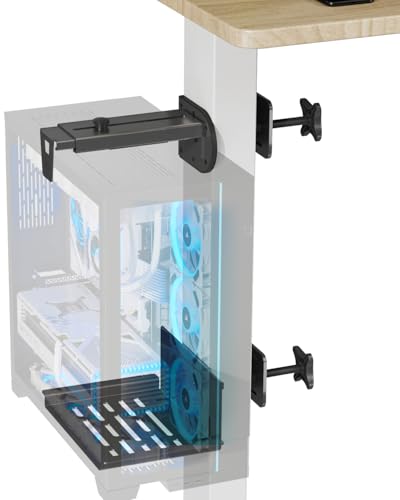 | JOY worker Leg Clamp | Best fit: Compatible standing-desk leg Case width: 5.9–9.8 in Case height: Confirm listing Load: 44 lb stated Attachment: No-drill leg clamp | Check Price on Amazon |
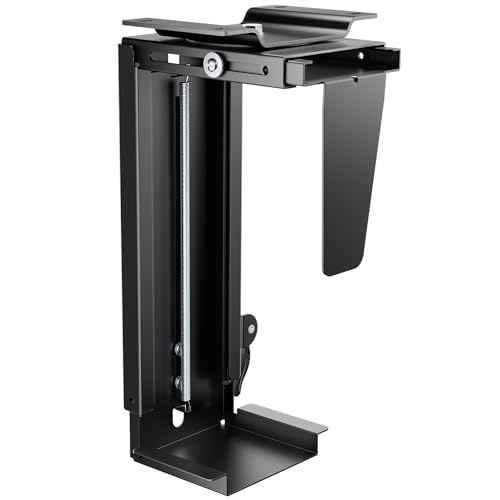 | PEGZONE Rotating | Best fit: Narrow light case; broad swivel Case width: 3.5–8 in Case height: 11.8–20 in Load: 22 lb stated Attachment: Drilled swivel | Check Price on Amazon |
 | VIVO Swivel | Best fit: Light case; clear rear ports Case width: 3.5–7.8 in Case height: 11.5–20.5 in Load: 22 lb stated Attachment: Under-desk or wall | Check Price on Amazon |
1. KEEGH Heavy-Duty — Best Stated Load Headroom
KEEGH states a 90-pound support limit, the highest numerical load claim among these five exact mounts. Its adjustable frame lists 15-to-23-inch case height and 7.8-to-11.6-inch width. Those ranges make it easier to screen a mid-size or heavier workstation, but measure the fully built case with feet and side-panel protrusions, not only the chassis model’s nominal width.
The seller describes a slide-in rail installation with dual support pillars, locking panels and protective pads. The rails still fasten to the desk. The term “slide-in” does not mean no drilling. Check the underside material and support locations before placing holes. The open frame may leave vents exposed, but the listing’s cooling and dust claims are not test results for your specific case. Confirm that a desk leg or cable tray will not block the rail path.
A heavy PC and a sturdy bracket still depend on the desk top and fasteners that carry both while the desk moves.Our Take Choose KEEGH for a heavy case that fits its published ranges and a desk approved for drilled mounting. Use a lighter holder only if its lower load limit covers the complete build.
- 90-pound stated support limit.
- Published height and width ranges.
- Rail design can simplify case removal.
- Requires a suitable drilled desk underside.
- Wide bracket needs clear space from desk frame parts.
2. Saysurey Wide-Fit — Best Wider Heavy-Case Range
Saysurey gives a 7.5-to-12-inch adjustable width and 15-to-23.2-inch case-height range. The wider published opening may fit cases just beyond KEEGH’s stated width maximum. The listing also claims 80 pounds of capacity. Compare those numbers with the tower’s feet, case panels and loaded weight. Neither width nor weight alone is enough to establish secure fit.
This mount describes solid steel, two support pillars, protective pads and a drilling template. It is presented for under-desk use and wall mounting, so confirm the supplied instructions for the exact configuration you intend. The listing says ventilation slots improve airflow, but an open bracket cannot guarantee a cooling result if a desk rail blocks the case’s intake or exhaust.
Our Take Pick Saysurey if the case needs the widest documented bracket range in this group. Choose KEEGH when its fit range works and the higher published capacity is the bigger concern.
- Width adjustment reaches a listed 12 inches.
- 80-pound stated support limit.
- Drilling template and protective pads described.
- Mounting demands a sound desk underside.
- Desk structure still governs safe loading.
3. JOY worker Leg Clamp — Best No-Drill Standing-Desk Fit
JOY worker uses a clamp around a standing-desk leg, rather than fastening through the underside of the desktop. A clamp can suit a desk whose top should not be drilled. The listing gives 5.9-to-9.8-inch case width and a 44-pound support claim. It also says the clamp works best with inverted legs and does not fit round legs. Check your desk’s exact leg shape, moving sections and manufacturer instructions before assuming compatibility.
The seller describes steel construction and silicone gaskets between the clamp and desk. Unlike a floor cart, a leg-mounted case can travel with the sit-stand desk, but mounting it at the wrong location may interfere with telescoping leg movement. Route power, display, USB and network cables for the full travel. We have not verified its grip on any particular desk, so the no-drill convenience is conditional on a proper fit.
Never clamp a case where a desk leg telescopes, a motor housing moves or the desk maker forbids added side loads.Our Take Choose JOY worker only if your compatible desk leg and loaded PC fall within its limits. Its no-drill design does not make it universal.
- No tabletop drilling described.
- Case can move with a compatible standing desk.
- Published case-width and load limits.
- Not compatible with round legs.
- Desk-leg shape and movement must be checked closely.
4. PEGZONE Rotating — Best Narrow-Case Swivel
PEGZONE’s bracket fits a 3.5-to-8-inch case width and 11.8-to-20-inch height according to its listing. Those numbers point toward slimmer cases rather than large workstation towers. It also claims a 22-pound load limit. Weigh a fully built PC with its installed drives and cooling hardware. Many full-size systems will not be appropriate for a holder with that stated ceiling.
The seller describes a rotating design that swings 180 degrees left and right, a locking handle and protective contact pads. Rotation can bring rear ports into reach without lifting the case, but the turning sweep needs space clear of chair arms, desk legs and hanging cables. The bracket attaches beneath the desk with hardware, so verify top thickness and fastening guidance rather than treating swivel as the primary installation fact.
Our Take Pick PEGZONE for a narrow, light case when broad rear-port rotation is the priority. Avoid it for a large or heavy workstation tower.
- Fits cases as narrow as 3.5 inches, per listing.
- Broad claimed left/right rotation.
- Locking handle and protective pads.
- 22-pound stated load is restrictive.
- Swivel requires clear room around the case.
5. VIVO Swivel — Best Light-Case Port Access
VIVO states 3.5-to-7.8-inch case width, 11.5-to-20.5-inch height and a 22-pound support limit. The tight width and low stated load make it a candidate for a compact, light tower, not a heavy editing PC. Its listing says the desktop must be at least one inch thick and have overhang at least as wide as the PC case from frame supports to edge. Verify both before drilling.
The bracket offers a 135-degree swivel for back-port access and can mount beneath a surface or on a wall according to the seller. Protective pads are described inside the holder. Wall installation has its own fastener and structural requirements, so follow the appropriate instructions for whichever surface you use. Compared with PEGZONE’s claimed wider swing, VIVO publishes a more restricted rotation but clearer tabletop-thickness guidance.
Our Take Choose VIVO for a light, narrow tower when you can verify desk overhang and thickness. For a heavier case, use a higher-rated mount and check the desk structure too.
- Published tabletop-thickness and overhang requirements.
- 135-degree swivel for port access.
- Under-desk or wall mounting described.
- 22-pound stated limit excludes many towers.
- 7.8-inch maximum width is narrow.
Buying Guide
1. Check the desk before checking the bracket
Look up the desktop material, thickness and fastening rules for the exact desk. A screw bracket depends on the top holding its fasteners under load. A clamp depends on the leg shape and the place where it grips. A seller’s bracket rating does not establish that your particular desk can carry the same suspended weight. If the desk is height-adjustable, check what may be attached to its moving parts.
Measure desk frame supports and available overhang before drilling. A bracket may fit the case but collide with a crossbar, motor or cable tray. The under-desk cable-management guide can help route wires, but trays also compete for the same underside area. Lay out the mount footprint with a paper template and sit in the chair to check knee clearance.
2. Weigh the loaded case and measure the contact points
Use the fully assembled PC’s weight, not the empty chassis specification. Graphics cards, power supply, drives and cooling can change the total substantially. The product table keeps each seller’s stated bracket limit beside its case-fit range. Leave a margin rather than choosing a mount that only just equals the measured tower weight, and confirm the desk’s own instructions separately.
Measure case width at the actual clamp points, including feet or side panels that protrude. A very narrow holder may fit the main shell but not its rubber base. For a creator workstation tower, rear-port access and top/bottom ventilation should remain possible after suspension. Do not block an intake just to move the PC off the floor.
3. Plan cables through every movement
A swivel mount changes the cable path when rotated. Leave a safe bend radius for display, network, USB, power and audio leads, then test the full arc before tightening cable ties. The PC should never hang from its ports. A USB-C dock for video editors can consolidate some connections, but its upstream and display leads still need slack.
For a standing desk, move the top from its lowest to highest position with the suspended case in place and every cable attached. A desk-leg clamp must not interfere with telescoping segments. If suspension is unsuitable, a rolling tower stand keeps the case on the floor instead. The stand is a different space and cable tradeoff, not an equivalent mounting method.
FAQ
Can I drill any standing-desk top for a PC mount?
No. Desktop construction varies, and a hollow or thin top may not hold screws the way a solid surface does. Even a thick surface can contain embedded frame hardware where the bracket would go. Follow the desk maker’s load and drilling guidance, along with the exact mount’s installation instructions.
If the desk top should not be drilled, a compatible desk-leg clamp or floor stand may be an option. A no-drill clamp still needs a known fit and load path. It is not permission to grip a moving telescoping section.
Does suspending a tower guarantee better cooling?
Suspending a tower changes where the case sits relative to the floor, which can free a bottom intake from carpet. But cooling depends on the case’s actual vents, fan direction, filters and clearance. The seller descriptions of open frames or ventilation slots are not temperature measurements for your workstation.
Check for blocked side, top and bottom openings after installation. A mount that crowds a desk crossbar or wall can be worse for access even if the floor below is clear.
Which mount is safest for a heavy tower?
Start with a known fully loaded weight and the desk’s structural limits, then compare exact seller-rated brackets. A higher listed capacity is still a seller claim, not proof that the desk can carry it. The table distinguishes heavier brackets from the two options rated by sellers at 22 pounds for lighter cases.
If desk construction, fastener location or case weight is uncertain, do not suspend the computer on a guess. A suitable floor cart may be the safer way to reclaim desktop space without placing that load under the tabletop.
Bottom Line
Choose an under-desk mount only after confirming the desk, the loaded case and the cable path together. KEEGH and Saysurey cover heavier and wider cases. JOY worker offers a conditional no-drill desk-leg route. PEGZONE and VIVO add swivel access for lighter, narrower towers. The mount is a poor bargain if it frees floor space by making the PC unsafe or inaccessible.