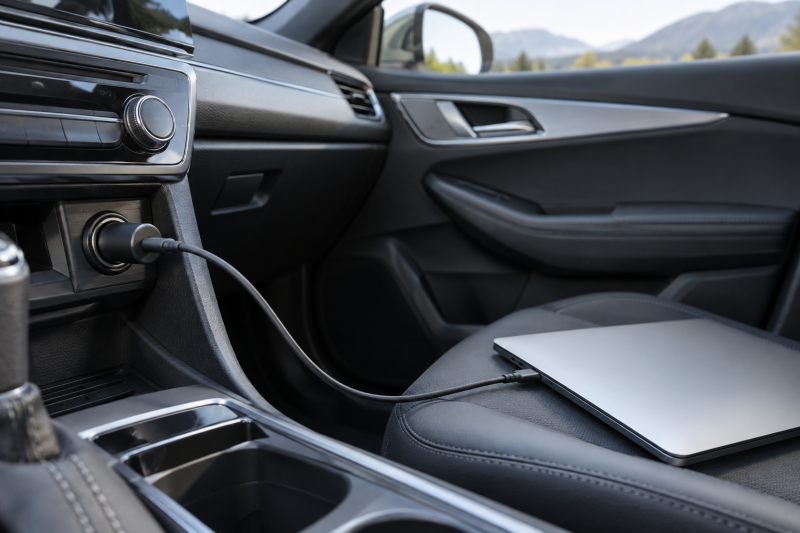
A USB-C car charger can keep a laptop powered between meetings, shoots, and site visits, but the vehicle socket and the charger both need to support the power your laptop expects. These seven listings range from dedicated 100W laptop chargers with attached cables to multi-port adapters with a stated 130W total shared across several devices.
Start with the laptop’s required USB-C power, then decide whether you need an attached cable, a second port for a phone, or three ports for a vehicle shared by several people. The stated compatibility lists are useful starting points, but the laptop’s own power requirement is the final check.
For laptop road work, match the stated USB-C output to your laptop first, then choose the port layout that fits everyone riding in the vehicle.Best USB-C Car Chargers for Laptop Road Work Compared
| Image | Product | Details | Check Price |
|---|---|---|---|
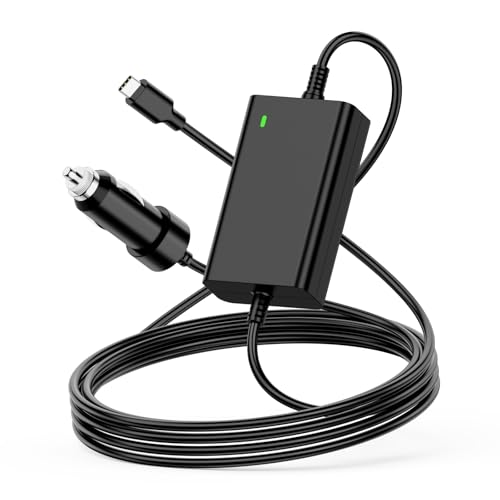 | NENASEW 100W USB-C Laptop Car Charger | Best fit: Direct laptop cable Stated output: Up to 100W Cable: 1.8m USB-C power cord Stated input: 12V to 24V, 12A max | Check Price on Amazon |
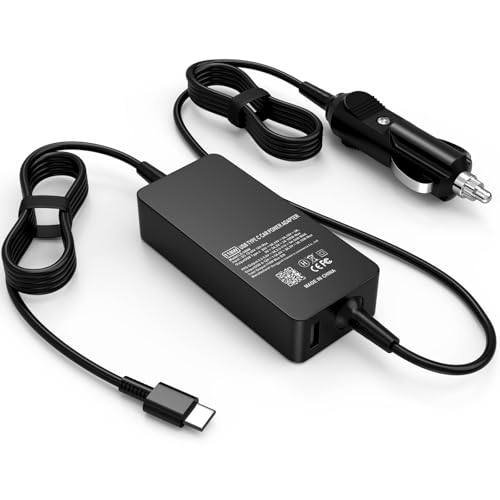 | Nivjuky LX-100W USB-C Laptop Car Charger | Best fit: Laptop and USB-C phone Stated output: 100W laptop output plus 18W USB-C port Ports: USB-C laptop connection and USB-C port Stated input: 12V to 24V, 12A | Check Price on Amazon |
 | UGREEN 130W USB-C Car Charger with Cable | Best fit: Included cable Stated output: 130W total Cable: 3.3-foot USB-C cable stated at 100W Stated input: 12V to 24V cigarette socket | Check Price on Amazon |
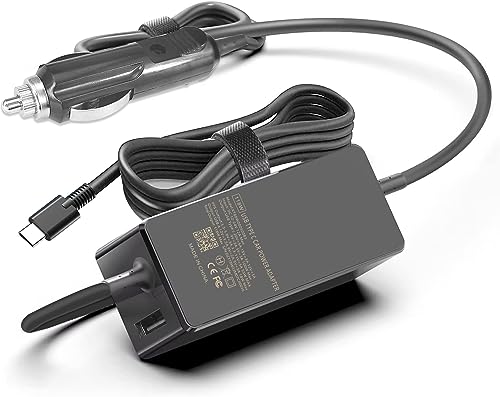 | Fepprry 100W USB-C Laptop Car Charger | Best fit: USB-A backup device Stated output: Up to 100W plus 18W Ports: USB-C and USB-A Stated input: 12V cars and 24V trucks named | Check Price on Amazon |
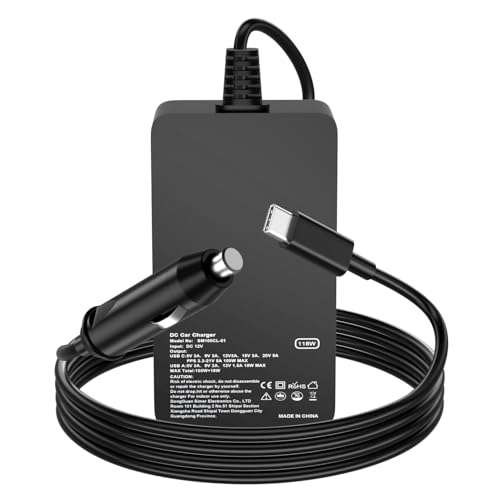 | Yenyoh 118W USB-C Car Charger | Best fit: Dual-port convenience Stated output: 100W USB-C PD plus 18W USB-A Ports: USB-C and USB-A Use: Simultaneous charging stated | Check Price on Amazon |
 | UGREEN 130W 3-Port USB-C Car Charger | Best fit: Three-device road work Stated output: 130W total Ports: Three ports, USB-C2 up to 45W PPS Cable: No cable included | Check Price on Amazon |
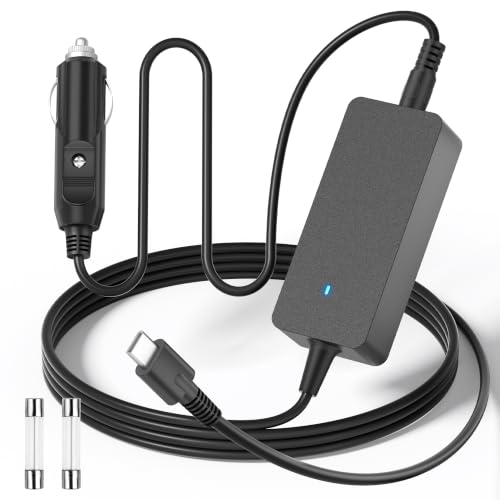 | ALITOVE A96 USB-C Laptop Car Charger | Best fit: Long-cable setup Stated output: Up to 100W Cable: 1.5-foot input and 5.6-foot output Stated input: 12V to 30V, 12A max | Check Price on Amazon |
1. NENASEW 100W USB-C Laptop Car Charger — Best Direct Laptop Cable
NENASEW takes the direct-cable approach, which suits one laptop in the vehicle. Its listing states a 1.8-meter USB-C laptop car power cord, so there is no separate USB-C cable to choose for the laptop connection. The stated input is 12V to 24V at 12A maximum, which matches the vehicle range named on the listing.
The listing gives output steps from 5V through 20.5V and calls out 100W maximum power. It also names Dell Latitude, XPS, and Precision models alongside MacBook, HP, Lenovo, Samsung, Acer, Asus, Google, and Toshiba compatibility lists. Treat those lists as a reason to check the exact laptop rather than proof for every configuration.
The attached 1.8-meter USB-C cable is the reason to choose this model when you want a dedicated laptop connection instead of a separate cable. Our TakeBuy the NENASEW when your priority is a stated 100W direct USB-C laptop cable in the vehicle. Its listing names a 1.8-meter cord and multiple output steps, which keeps the setup simple for one laptop. Choose a multi-port option below if a second device needs its own charging port.
- States up to 100W through an attached USB-C laptop cable.
- Names a 1.8-meter power cord for vehicle use.
- Lists 12V to 24V input and several USB-C output steps.
- The listing names one USB-C laptop connection, not a separate phone port.
- Check the exact laptop requirement against the stated output before buying.
2. Nivjuky LX-100W USB-C Laptop Car Charger — Best for a Laptop and Phone
A laptop and a phone in the same vehicle need two separate connections. The Nivjuky LX-100W listing states 100W maximum output from its laptop charging connection, with output steps that include 20V at 5A. It separately names an 18W maximum QC PD 3.0 USB-C fast charging port and says the charger can charge a laptop and phone at the same time.
Its stated input is DC 12V to 24V at 12A. The compatibility list includes USB-C laptops under 100W and names Surface, MSI, Lenovo, Dell, HP, Acer, Razer, Huawei, Google, Samsung, and LG families.
This is the pick for a laptop plus phone only if the laptop stays within the listing’s stated 100W maximum and the phone can use the separate 18W port. Our TakeBuy the Nivjuky when road work means one laptop and one phone in the same vehicle. The listing separates a 100W laptop connection from an 18W USB-C port, so each device has a stated place to connect. Skip it if you need three ports rather than two.
- States a 100W laptop output plus an 18W USB-C port.
- Names simultaneous laptop and phone charging.
- Lists 12V to 24V input at 12A.
- Only two charging connections are named.
- The compatibility list is broad, so confirm the laptop’s own power needs.
3. UGREEN 130W USB-C Car Charger with Cable — Best Included Cable Pick
UGREEN’s CD293 listing states a 130W total output and includes a 3.3-foot 100W USB-C cable. The cable is described as having an E-Marker chip, and the box contents name both the charger and the cable, which helps when the car kit needs to be ready without adding a cable separately.
The listing says the adapter works with 12V to 24V cigarette sockets and names MacBook, Lenovo, Dell, HP, iPad, Galaxy, Steam Deck, Switch, drone, and dash-cam compatibility. It also names a blue LED light for finding the ports in the dark and a PC body with a scratch-resistant finish.
Buy the UGREEN 130W with Cable when an included 100W USB-C cable is as important as the stated 130W total output. The listing gives a clear cable length and rating, which makes it a practical kit for a laptop bag or glove box. Check how its total output is allocated if you plan to power several devices that draw a lot of power together.
- States 130W total output.
- Includes a 3.3-foot USB-C cable stated at 100W.
- Names 12V to 24V socket compatibility.
- The listing gives a total output, not a per-port allocation in the listing.
- Confirm the laptop’s charging requirement before relying on a shared total.
4. Fepprry 100W USB-C Laptop Car Charger — Best with USB-A Backup
Fepprry states a USB-C port with DC 5V to 20V at 5A maximum, plus a USB-A port stated at up to 18W. The listing describes up to 100W plus 18W power delivery and says the additional USB-A port can charge another device while the laptop uses the USB-C connection.
The product page names use with 12V cars, 24V trucks, travel trailers, RVs, buses, SUVs, vans, boats, portable power stations, bikes, campers, and motorcycles. It also names Dell, Lenovo, MacBook, Surface, Razer, Huawei, Google, Samsung, Asus, Acer, Toshiba, LG, MSI, and DJI compatibility examples.
Choose the Fepprry when the second device uses USB-A, because its listing states a dedicated USB-A port at up to 18W alongside the USB-C laptop output. Our TakeBuy the Fepprry when your laptop uses USB-C and your second device still uses USB-A. Its stated 100W plus 18W layout makes the connection plan easy to understand for a laptop and a legacy cable. Choose the Nivjuky above when the second device needs USB-C rather than USB-A.
- States USB-C output up to 20V at 5A maximum.
- Adds a USB-A port stated at up to 18W.
- Names 12V and 24V vehicle environments.
- The second port is USB-A, not USB-C.
- Check whether the stated compatibility example matches your exact laptop.
5. Yenyoh 118W USB-C Car Charger — Best Dual-Port Convenience
Yenyoh describes its unit as a 118W USB-C car charger with a 100W USB-C PD port and an 18W USB-A port. The listing says both ports support simultaneous charging and names laptops, tablets, phones, and earbuds as connection examples. It also states output levels of 20V for laptops, 15V for tablets, and 5V for smartphones.
The compatibility list names MacBook Pro and Air, iPad Pro and Air, ThinkPad, Yoga, Dell XPS, Latitude, Precision, Surface Book and Pro, Razer Blade Stealth, Asus, Acer, HP Spectre, and Chromebook. The listing also names cars, trucks, RVs, travel trailers, buses, vans, motorcycles, boats, and portable power stations as use environments.
The stated 100W USB-C PD port plus 18W USB-A port is the draw here when you need a laptop and smaller device connected at once. Our TakeBuy the Yenyoh when a simple two-port arrangement suits your road kit, with a stated 100W USB-C PD port for the laptop and 18W USB-A for another device. The listing names simultaneous charging, so the intended setup is clear. Choose UGREEN’s three-port model below if two ports are not enough.
- States a 100W USB-C PD port and an 18W USB-A port.
- Names simultaneous charging on both ports.
- Lists several laptop and vehicle use examples.
- The second port is USB-A.
- Confirm that the laptop stays within the stated 100W USB-C PD output.
6. UGREEN 130W 3-Port USB-C Car Charger — Best for Three-Device Road Work
For a passenger or a camera crew sharing a socket, three connections can be more useful than an attached cable. This UGREEN CD293 listing states 130W total output and a three-port layout. It names MacBook, iPad, Galaxy, iPhone, Steam Deck, and Switch among its device examples.
The listing specifically says the USB-C2 port supports up to 45W PPS charging for compatible Samsung Galaxy devices. It also names 12V to 24V cigarette lighter socket compatibility, a PC body, and a soft blue LED light. No cable is included according to the listing, so plan on bringing the laptop’s USB-C cable.
Buy the UGREEN 130W 3-Port when three devices need a place to plug in during road work. Its listing gives a 130W total and identifies a USB-C2 port with up to 45W PPS for compatible devices. Bring your own cable, and check output sharing before assigning the total to one laptop.
- States a three-port layout with 130W total output.
- Names USB-C2 at up to 45W PPS for compatible devices.
- Lists 12V to 24V cigarette lighter socket compatibility.
- You need your own USB-C cable, because no cable is included according to the listing.
- A stated total output does not by itself state the allocation for every port.
7. ALITOVE A96 USB-C Laptop Car Charger — Best Long-Cable Setup
ALITOVE’s A96 listing states 12V to 30V input at 12A maximum and output steps through 20V at 5A, with 100W maximum power. It names a 1.5-foot input cable and a 5.6-foot output cable, nearly as long as the NENASEW’s 1.8-meter cord above.
The listing says the detachable input power cord uses a 5.5 x 2.5mm interface and can be powered by a 12V 120W or 24V 120W power supply adapter. Its compatibility examples cover Dell, HP, Lenovo, MacBook, iPad, and Chromebook families. The detachable input cord and the stated power supply options make it a flexible choice for cable layout, though it is not a substitute for matching the laptop’s own USB-C requirement.
The 5.6-foot output cable is the distinguishing spec here when the vehicle socket is farther from the laptop position. Our TakeBuy the ALITOVE A96 when cable reach is more important than having several separate device ports. Its listing gives a 5.6-foot output cable, 12V to 30V input, and up to 100W output. Check the intended vehicle power source and laptop requirement before choosing it for a fixed setup.
- States a 5.6-foot output cable and 1.5-foot input cable.
- Lists 12V to 30V input at 12A maximum.
- States up to 100W output with several voltage steps.
- ALITOVE’s listing names a direct cable setup, not separate device ports.
- The detachable input uses a stated 5.5 x 2.5mm interface.
Buying Guide
1. Start with laptop power, not the total number
The first check is whether the charger states enough USB-C laptop output for your machine. A 100W maximum is the common laptop figure here, named by NENASEW, Nivjuky, Fepprry, Yenyoh, and ALITOVE. A charger can still be a poor fit if its stated total has to be shared across several ports.
UGREEN’s two listings state 130W total output, which is useful but not a per-port promise in the listings. The 3-port version separately identifies USB-C2 at up to 45W PPS, while the cable bundle includes a USB-C cable rated at 100W. Keep the distinction clear when deciding whether one laptop gets most of the capacity or several devices share it.
The laptop’s included wall charger is a useful reference point, but do not assume a similar connector means identical needs. Check the laptop’s specified USB-C input and compare it with the charger listing before buying. For more background on laptop charging equipment, see our guides to USB-C chargers and USB-C cables.
2. Choose the port layout for the people in the vehicle
A single direct cable is uncomplicated when one laptop occupies the vehicle socket. NENASEW states a 1.8-meter attached cable, while ALITOVE names a 5.6-foot output cable. Both designs put the cable choice in the charger itself and suit a driver or passenger working alone.
For a laptop and one small device, decide which connector the smaller device uses. Nivjuky states an 18W USB-C port, whereas Fepprry and Yenyoh name USB-A ports up to 18W. You choose by the second device’s connector as well as by wattage.
The UGREEN 3-Port listing is the place to start when a passenger also needs power. Three ports are three separate connection points, but the listing’s 130W figure is still total output. Pair it with a cable from our USB-C to USB-C cable guide and confirm how your exact devices divide power.
3. Check vehicle input and socket access
The vehicle’s power setup is as important as the laptop’s. 12V to 24V input is stated by NENASEW, Nivjuky, and both UGREEN listings, while ALITOVE states 12V to 30V at 12A maximum. Fepprry also names 12V cars and 24V trucks among its stated environments.
Do not turn a broad compatibility list into a guarantee for every car, truck, RV, or boat. The socket must physically provide the required connection and power, and the listings do not all give the same input details.
Cable placement can change which model is practical. A 5.6-foot output cable reaches farther than a short cable at the socket, which can help when the laptop is on a rear seat or a passenger’s lap. If you need a charging kit that also works away from the vehicle, our USB-C power banks for Macs cover a different power path.
4. Bring the right cable or choose one included
An included cable reduces one compatibility choice, but it does not eliminate the laptop power check. UGREEN includes a 3.3-foot cable stated at 100W with its 130W charger, and NENASEW and ALITOVE each use their own attached cable designs. These three designs are the most direct options when you do not want a loose cable in the car.
The UGREEN 3-Port listing names no included cable. Bring a cable rated for the laptop’s charging need, rather than relying on a phone cable of unknown capability. The cable itself is part of the charging path, especially when a laptop expects high USB-C power.
Keep a spare in the vehicle if the charger will move between cars or bags. A short cable can be easier to manage near the socket, while a longer one can suit a rear-seat work position. Our guide to heavy-duty braided USB-C cables is useful when the cable will spend time in a console or laptop bag.
5. Read compatibility lists as starting points
Compatibility lists on a listing can narrow the field, but a model family can include machines with different power requirements. Nivjuky names USB-C laptops under 100W, which helps direct the check but does not replace the laptop label or manufacturer specifications.
The seven listings name many of the same brands, including Dell, Lenovo, MacBook, HP, Surface, Acer, Asus, Samsung, and Chromebook. Exact model names are more useful than brand names when selecting a car charger. Compare the device’s wattage requirement and USB-C charging support with the listing’s stated output.
For a second opinion on what a live cable connection is delivering, a meter can be useful. A USB-C power meter shows the negotiated power at the cable, which is different from the maximum printed on a charger listing. Our guide to USB-C power meter testers explains the tool category.
6. Plan the vehicle kit around the job
Road work often involves more than a laptop. Yenyoh states simultaneous charging for its USB-C and USB-A ports, and UGREEN’s 3-Port model gives three devices places to connect. Several ports can fit a laptop, phone, and tablet better than a dedicated direct-cable charger.
For one laptop at a time, a direct cable can be more orderly. NENASEW names a 1.8-meter cord and ALITOVE names a 5.6-foot output cable, so choose based on where the socket and laptop will sit. An attached cable also prevents the vehicle kit from depending on a cable left at a desk.
Build the kit around your usual route, not the largest stated number. The useful charger is the one whose ports and cable reach fit the actual seats and devices. For other road-power tools, see our guides to USB-C car accessories and portable laptop monitors.
FAQ
What wattage USB-C car charger do I need for a laptop?
Choose a charger whose stated USB-C output meets the laptop’s required USB-C charging power. Several listings here state up to 100W, including NENASEW, Nivjuky, Fepprry, Yenyoh, and ALITOVE.
Do not treat a multi-port charger’s total number as an automatic single-port result. UGREEN states 130W total output on two listings, so check the port behavior for the devices you will use together.
Can I charge a laptop and phone from one car charger?
Yes, if the charger has the required ports and supports the intended simultaneous use. Nivjuky states a 100W laptop connection plus an 18W USB-C port, while Fepprry and Yenyoh add USB-A ports stated up to 18W.
Check the connector as well as the number. A USB-A accessory needs a USB-A port or adapter, while newer phones may use USB-C. Match the second device cable before you choose the charger.
Is a 12V to 24V car charger suitable for a truck?
It can be, when the listing states a 12V to 24V input range and the vehicle socket matches. NENASEW, Nivjuky, and both UGREEN listings state 12V to 24V compatibility on their listings.
ALITOVE states a wider 12V to 30V input range, and Fepprry names 24V trucks among its listed environments. Check the exact vehicle and charger documentation rather than assuming every listing covers the same range.
Do I need a special USB-C cable for laptop car charging?
You need a cable that suits the laptop’s charging requirement when the charger does not include or attach one. UGREEN includes a cable stated at 100W with one CD293 listing, while its three-port version names no included cable.
NENASEW and ALITOVE use attached cable layouts, so the decision is built into the charger. Bring a cable intended for the laptop’s power level if you choose a port-only adapter.
Which charger has the longest stated cable?
NENASEW’s 1.8-meter power cord is the longest stated laptop cable in this group, a little ahead of ALITOVE’s 5.6-foot output cable. ALITOVE’s listing also names a 1.5-foot input cable, which describes both sides of the setup.
UGREEN’s included cable is 3.3 feet. Measure the path from socket to laptop before assuming any stated length fits your vehicle.
Are these chargers only for laptops?
No, the listings name phones, tablets, and other USB devices alongside laptop examples. Yenyoh names phones and earbuds, while the UGREEN listings name iPad, Galaxy, Steam Deck, and Switch among their compatible device examples.
The laptop-focused output is the key decision for road work. A smaller device may use a separate lower-power port, and the main USB-C connection is available for the computer.
Bottom Line
For a ready-to-use cable kit, the UGREEN 130W with Cable is the straightforward pick because it includes a 3.3-foot cable stated at 100W. Pick Nivjuky for a laptop and USB-C phone, Fepprry or Yenyoh for a laptop and USB-A device, UGREEN 3-Port for three connected devices, or ALITOVE when stated cable reach is the deciding factor. In every case, match the laptop’s own USB-C charging requirement and the vehicle’s power setup before buying.