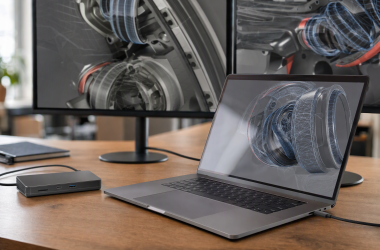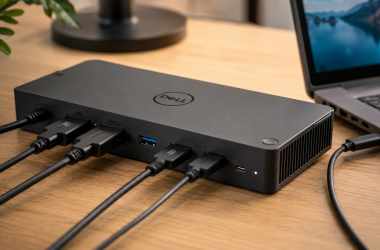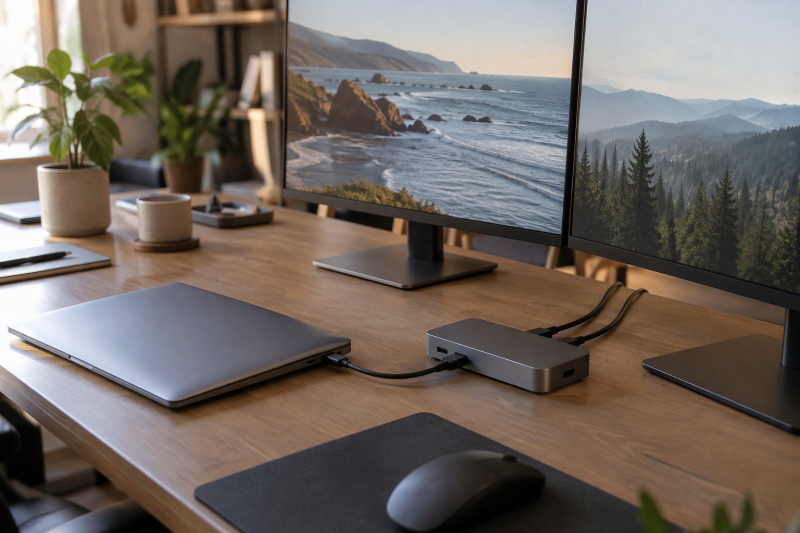
Targus uses similar names for docks that send video to monitors in different ways. The Quad 4K QV4K drives its screens with DisplayLink chips and software. The DOCK316USZ and DOCK192USZ list DisplayPort Alt Mode hosts, and the USB4 mobile dock expects a USB4 or Thunderbolt laptop. A buyer should match the laptop connection, the monitor count and the operating system before comparing port totals.
The five models here cover a four-screen workstation, a dual-HDMI mobile dock, a two-monitor desk dock with HDMI and DisplayPort, a USB4 mobile dock and a DisplayPort-only desk dock. A dock cannot add a video mode or a charging input that the laptop does not support. Targus states Mac limits for the two mobile docks, and the Buying Guide covers them.
Targus Docking Stations Compared
| Image | Product | Details | Check Price |
|---|---|---|---|
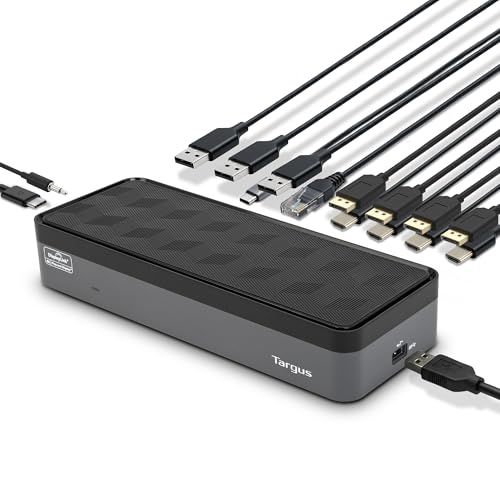 | Targus QV4K DOCK570USZ | Best fit: Four external displays Video: Four 4K or single 5K Host link: USB-C, DisplayLink video Ports: 8 video out, 5 USB, Ethernet Power: Up to 100W PD 2.0 | Check Price on Amazon |
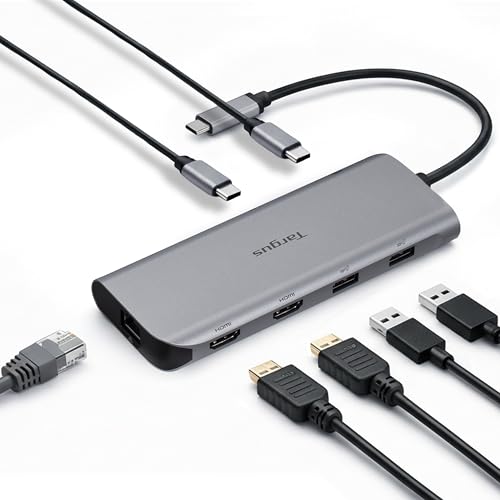 | Targus DOCK427GL | Best fit: Portable dual HDMI Video: 2 HDMI 2.0, 4K 60Hz; Mac mirrors Host link: USB-C, MST for dual extended Ports: 2 USB-C, 2 USB-A, Ethernet Power: 140W EPR pass-through; 100W PD 3.0 | Check Price on Amazon |
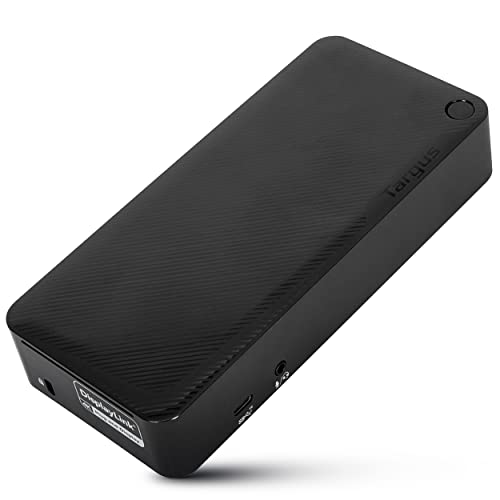 | Targus DOCK192USZ | Best fit: HDMI and DisplayPort desk Video: Up to two 4K screens Host link: USB-C or USB-A host Ports: 2 HDMI and 2 DisplayPort in one Targus description, 2 video ports in another; 5 USB Power: 100W USB-C; 90W USB-A host | Check Price on Amazon |
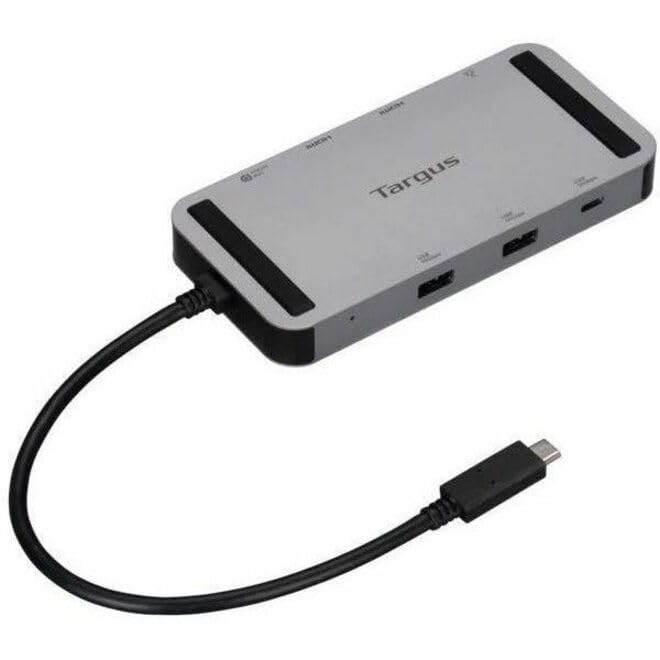 | Targus DOCK429GL | Best fit: USB4 mobile dock Video: Single 8K 30Hz or dual 4K 60Hz Host link: USB4, Thunderbolt, DP Alt Mode Ports: 2 HDMI 2.0, USB-C DisplayPort Power: Up to 140W EPR pass-through | Check Price on Amazon |
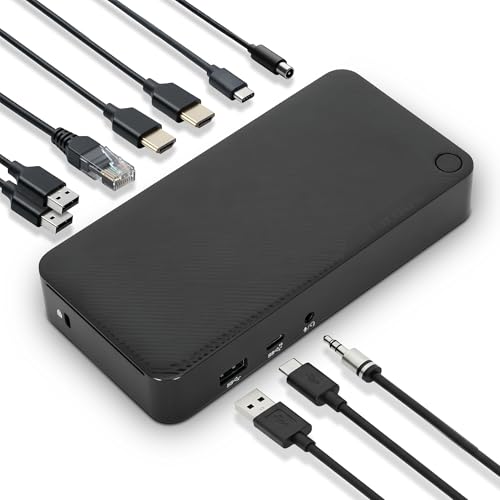 | Targus DOCK316USZ | Best fit: DisplayPort-only desk dock Video: Dual 4K 60Hz or single 5K 60Hz Host link: USB-C, DP Alt Mode Ports: 2 DisplayPort, 4 USB, Ethernet Power: 100W PD 3.0 | Check Price on Amazon |
1. Targus USB-C Universal Quad 4K QV4K Docking Station — Best for four external displays
The QV4K is the dock here for four displays. Targus says dual DisplayLink DL-6910 chips drive up to four DisplayPort displays at 3840 by 2160 and 60Hz, or four HDMI displays at 3840 by 2160 and 50Hz. Targus also lists a single 5K display. The dock has eight video connectors, four DisplayPort and four HDMI, and Targus says you can combine them. It also has one USB 3.2 Gen 1 Type-C port, four USB-A ports, Gigabit Ethernet and a 3.5mm audio jack.
Targus lists PD 2.0 charging up to 100W, with 90W for older laptops through the included power tips. The box holds a 180W adapter plus a USB-C to USB-A host adapter. Targus lists Windows, Mac, Android, Chrome and Ubuntu and does not state a Mac display limit. Because DisplayLink needs a driver, install the software before judging the screens. The offer is from Amazon.com. Targus lists a 3-year warranty, and the dock weighs 1.5 pounds.
Choose the QV4K for four external displays, Ethernet, audio and five USB ports at one workstation.Our Take Pick it for a desk that needs all four screens and has a laptop that runs the DisplayLink driver. For two screens, a smaller dock takes less desk space.
- Targus lists four 4K displays over DisplayPort or HDMI from the QV4K, enough for a four-screen workstation.
- Targus includes power tips and a 180W adapter in the box for older laptops.
- Targus lists Gigabit Ethernet, an audio jack and five USB ports on the QV4K.
- Targus lists the four HDMI displays at 50Hz, below the 60Hz of the four DisplayPort displays.
- Targus names DisplayLink chips on the QV4K, and the video path depends on a driver installed on the laptop.
2. Targus Dual Video Mobile Dock DOCK427GL — Best portable dual-HDMI dock with fast data
The DOCK427GL is a compact dock that Targus lists at 5.6 by 2.06 by 0.69 inches. It has two HDMI 2.0 ports at up to 4K and 60Hz, two USB-C 3.2 Gen 2 ports and two USB-A 3.2 Gen 2 ports at up to 10Gbps, and Gigabit Ethernet. Targus says one of the USB-C ports serves either as a 10Gbps data port or as the power pass-through port, so a charging laptop leaves three fast data ports. Targus says the aluminum and plastic body uses up to 75 percent post-consumer recycled material.
Targus says dual extended video works on MST devices only, and non-MST devices such as a Mac or iPad only mirror. Charging is pass-through, so the dock supplies no power. Targus lists up to 140W with a host that supports PD 3.1 EPR and up to 100W under PD 3.0. Targus lists Windows, macOS, iPadOS, ChromeOS, Linux and DeX, with a 3-year limited warranty.
Our Take The DOCK427GL is a good bag dock for a laptop that supports MST and needs two monitors and a wired network. A Mac owner who wants two separate screens should read the Targus note first and look at the DOCK429GL or QV4K.
- Targus lists two HDMI 2.0 outputs at up to 4K 60Hz for a two-monitor setup.
- Targus says the four USB ports, two USB-C and two USB-A, run at up to 10Gbps.
- Targus lists Gigabit Ethernet on a dock under an inch thick.
- Targus lists up to 140W pass-through when the laptop supports PD 3.1 EPR.
- Targus says a Mac or iPad only mirrors on the DOCK427GL and does not extend two separate screens.
- Targus lists one USB-C port as either a data port or the power pass-through port, and a charging laptop uses it for power.
3. Targus Universal USB-C DV4K Docking Station DOCK192USZ — Best for HDMI and DisplayPort desk flexibility
The DOCK192USZ is the Universal DV4K. Targus’s page names two HDMI and two DisplayPort connections in one description and two DisplayPort or HDMI ports in another, so confirm the video port count with the seller. The dock supports up to two monitors, and Targus says you can use two DisplayPort, two HDMI or one of each at 4K and 60Hz. It adds one USB-C 3.2 Gen 2 port at 10Gbps and four USB-A 3.2 Gen 1 ports, one of them fast-charging. It also has Gigabit Ethernet, combo audio and a 1-meter detachable USB-C host cable.
The main difference is the host list. Targus lists USB-C and USB-A hosts, DisplayPort Alt Mode and Thunderbolt 3 compatibility. A legacy power kit gives 100W to a USB-C host and 90W to a USB-A host, and the box holds a 150W adapter with five power tips. Targus’s download page for the DOCK192 offers DisplayLink drivers for Windows, macOS and Ubuntu, while the product page does not say whether video needs them, so check whether video needs them before relying on a Mac. Targus gives a 3-year limited warranty, and the Amazon offer is from SuperDeal Store.
The DOCK192USZ suits a desk that mixes HDMI and DisplayPort monitors but needs two screens, not four.Our Take Choose it for an older office laptop that charges through a power tip or connects over USB-A, or for a desk with one HDMI and one DisplayPort monitor. A laptop with a newer USB-C port and a travel habit is better served by a mobile dock.
- Targus says the two monitors can be two DisplayPort, two HDMI or one of each, so a mixed pair works.
- Targus lists USB-C and USB-A hosts, and its legacy power kit covers both.
- Targus lists a detachable 1-meter USB-C host cable and a 10Gbps USB-C port.
- A USB-A host gets 90W from the Targus legacy power kit, against 100W for a USB-C host.
- Targus lists support for up to two monitors, fewer than the four on the QV4K.
4. Targus USB4 Dual Video Mobile Dock DOCK429GL — Best USB4 mobile dock
The DOCK429GL has a USB4 connector, and the Amazon listing says it works with USB4, Thunderbolt 3, Thunderbolt 4 and USB-C DisplayPort Alt Mode hosts. The listing gives single 8K at 30Hz or dual 4K at 60Hz through two HDMI 2.0 ports and USB-C DisplayPort. Targus Canada’s page for the DOCK429PUSZ bundle, which shares this listing’s UPC, describes USB4 at up to 20Gbps, three USB-A and two USB-C ports at 10Gbps, Gigabit Ethernet and a 3-year warranty. The Targus Canada page also says no software is needed.
Targus Canada also says MacBook multi-monitor support varies by model, that some need clamshell mode or a macOS update, and that only newer models support full native multi-display setups. The bundle page lists a 140W adapter and 140W EPR pass-through with a compatible host, but the Amazon listing does not mention an adapter. The seller is Provantage LLC.
Our Take Pick it for a USB4 or Thunderbolt laptop when one 8K screen or two 4K screens must fit in a bag. Before buying for a MacBook, confirm the model’s multi-display support in the Targus Canada note.
- Amazon lists single 8K at 30Hz or dual 4K at 60Hz through two HDMI 2.0 ports and USB-C DisplayPort.
- Amazon names USB4, Thunderbolt 3, Thunderbolt 4 and DisplayPort Alt Mode hosts.
- Targus Canada lists three USB-A and two USB-C ports at 10Gbps on the DOCK429PUSZ bundle page.
- Targus Canada says MacBook multi-monitor support varies by model, and some models need clamshell mode or a macOS update.
- Amazon does not say whether a 140W adapter comes with this listing, while the Targus Canada bundle page lists one.
5. Targus Universal USB-C Docking Station DOCK316USZ — Best DisplayPort-only dual-4K desk dock
The DOCK316USZ has two DisplayPort connections and no HDMI port, and Targus lists zero HDMI. Targus lists dual 4K at 4096 by 2160 and 60Hz or a single 5K display at 60Hz, and describes the connection as DisplayPort Alt Mode with Thunderbolt 4 and Thunderbolt 3 compatibility. It also lists Windows, macOS, Android, Chrome OS and Ubuntu.
The dock measures 6.5 by 3.25 by 1.13 inches and weighs 1 pound by Targus’s listing, and a VESA bracket sold separately mounts it behind a monitor. The box holds a 100W adapter and a 1-meter USB-C host cable with a tethered USB-A adapter. Targus lists Power Delivery 3.0 up to 100W, three USB-A ports, a 10Gbps USB-C port, Gigabit Ethernet and combo audio. Targus lists a 5-year warranty, longer than the 3 years on the other Targus docks here. Provantage LLC is the seller on Amazon.
Our Take Choose it for two DisplayPort monitors and a laptop with a USB-C video port. An HDMI monitor needs an adapter or a different dock.
- Targus lists this dock at dual 4K and 60Hz or a single 5K display at 60Hz.
- Targus lists a 5-year warranty, the longest among the Targus docks here, and a 100W adapter in the box.
- Targus lists a 1-meter USB-C host cable and a VESA bracket, sold separately, for mounting the dock behind a monitor.
- Targus lists zero HDMI ports, so HDMI monitors need a separate adapter.
- Targus lists three USB-A ports on this dock, one fewer than the four on the DOCK192USZ and QV4K.
Buying Guide
Identify the host connection before choosing a dock
The DOCK429GL lists USB4, Thunderbolt 3, Thunderbolt 4 and USB-C DisplayPort Alt Mode hosts, and the DOCK316USZ lists DisplayPort Alt Mode with Thunderbolt compatibility. A USB-C socket can carry charging or data without the display mode these docks use.
Check the laptop’s documentation and the Thunderbolt port guide before choosing by monitor count. The QV4K and DOCK192USZ add a driver question. Targus names DisplayLink chips on the QV4K and offers DisplayLink drivers on the DOCK192 download page, so an office laptop that blocks driver installs may need an Alt Mode dock instead.
Match the display connector to the monitor
The QV4K has DisplayPort and HDMI paths, the DOCK192USZ is described as having two of each in one Targus description and two video ports in another, and the DOCK316USZ lists two DisplayPort outputs and no HDMI. If the monitor cables on the desk are DisplayPort, the DOCK316USZ saves an adapter. If one monitor is HDMI, the DOCK192USZ or QV4K takes both.
The DOCK427GL and DOCK429GL list dual HDMI. Check that each monitor accepts HDMI and that the laptop supports the 4K or 8K mode you want. The best USB-C docking stations guide compares docks from other brands if none of these ports fit.
Read display figures with their conditions
The QV4K lists four DisplayPort 4K 60Hz or four HDMI 4K 50Hz paths, while the DOCK429GL lists one 8K 30Hz or dual 4K 60Hz. The two figures describe different output arrangements, so a larger number does not always mean a better match.
Count the monitors and note their connectors and refresh needs. A buyer with two HDMI 4K monitors can carry a mobile dock instead of the four-screen QV4K.
Plan for a Mac separately
Targus states two Mac limits. For the DOCK427GL, dual extended video works on MST devices only, and a Mac or iPad only mirrors. For the DOCK429GL, MacBook multi-monitor support varies by model, with clamshell mode or a macOS update needed on some.
Targus’s pages for the QV4K, DOCK192USZ and DOCK316USZ list macOS and do not state a display limit. For a MacBook with two or more extended screens, confirm the model against Targus’s note and read the DisplayLink driver notes for the QV4K and DOCK192.
Understand pass-through charging and where the dock sits
The mobile docks list up to 140W PD 3.1 EPR pass-through for a compatible host, and the DOCK427GL also lists 100W under PD 3.0. Power comes from an external charger through the dock, so the dock does not produce 140W itself.
The QV4K, DOCK192USZ and DOCK316USZ each come with a power adapter in Targus’s box list, which suits a desk where the dock stays. The mobile docks are smaller, but a travel setup needs its own charger, monitor cables and compatible host.
FAQ
Can every USB-C laptop use these docks for two monitors?
No. The Targus models list specific host modes such as USB-C DisplayPort Alt Mode, USB4 and Thunderbolt, and the QV4K uses DisplayLink software. A USB-C connector without the required video path may not drive the stated display arrangement.
Read the laptop’s own specifications before ordering. The monitor count, resolution and refresh rate also depend on the host graphics and the operating system.
What does 140W pass-through mean?
It means the dock passes up to 140W PD 3.1 EPR from an external charger to a compatible laptop. Targus’s bundle page for the DOCK429PUSZ lists a 140W adapter, and the DOCK427GL page lists none.
The DOCK427GL page also lists 100W under PD 3.0. Match the charger, cable and laptop to the mode your laptop accepts.
Which model works with HDMI monitors?
The QV4K lists four HDMI connections, the DOCK192USZ lists two in one Targus description and two video ports in total in another, and the DOCK427GL and DOCK429GL each list two HDMI 2.0 ports. The DOCK316USZ lists DisplayPort only.
An HDMI-only monitor needs another dock or an adapter with the DOCK316USZ.
Does the QV4K run four 4K 60Hz HDMI screens?
No. Targus lists four DisplayPort displays at 4K 60Hz and four HDMI displays at 4K 50Hz. Targus says you can mix the two connectors.
Treat the connector and the refresh rate as part of the claim. The laptop, the monitor inputs and the DisplayLink driver all have to fit the layout.
Can a Mac drive two extended monitors from the mobile docks?
Targus says a Mac only mirrors on the DOCK427GL. For the DOCK429GL, Targus Canada says MacBook multi-monitor support varies by model, and only newer models support full native multi-display setups.
A MacBook buyer who wants two extended screens should confirm the specific model before ordering.
Is the DOCK429GL better than the DOCK427GL for every laptop?
No. The DOCK429GL needs a USB4, Thunderbolt or Alt Mode host and lists a single 8K mode, while the DOCK427GL lists a USB-C host and two USB-C and two USB-A 10Gbps ports plus DeX support.
Choose by the host port, the operating system and the peripherals. Both need compatible equipment for 140W EPR pass-through.
Bottom Line
The QV4K fits a four-display workstation, and the DOCK427GL is the dual-HDMI mobile dock for hosts that support MST. The DOCK192USZ combines HDMI and DisplayPort for a two-monitor desk, the DOCK429GL is the USB4 mobile dock with a single-8K mode, and the DOCK316USZ is the DisplayPort-only dual-4K desk dock with the longest warranty. Start from the laptop’s host mode and the monitor connectors, then pick the dock whose video path matches.