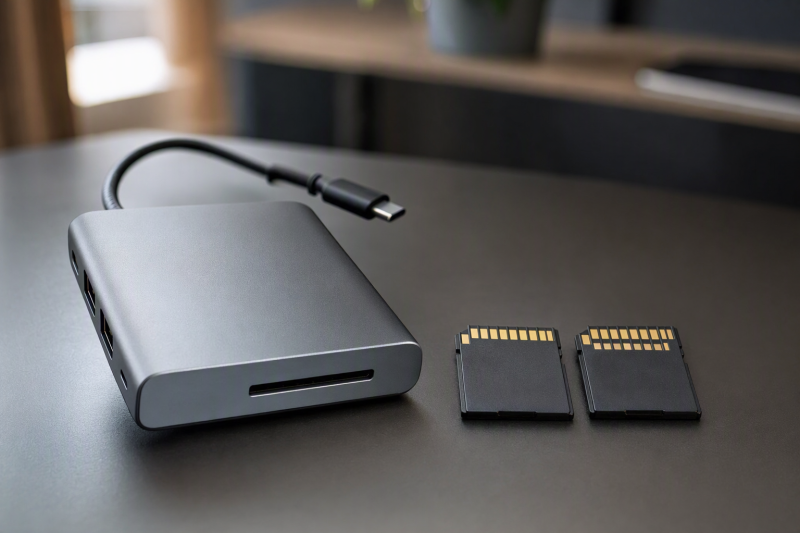
Write down your exact card model, the amount of data in one offload, how often you ingest it, and the longest copy time you can accept. Those facts decide whether the reader inside a dock needs UHS-II. An SD-shaped slot alone does not.
Match the bus on both sides first. A UHS-II card in a documented UHS-I reader can work, but the reader does not gain a UHS-II path from the card. A UHS-II reader becomes useful only when the card can use that bus and the rest of the copy path can sustain the rate your workflow needs.
The SD Association lists 104MB/s as the fastest UHS-I bus mode and 312MB/s as the UHS-II half-duplex bus mode. Both figures describe an interface, and neither promises what your card, dock, destination drive, or full file-copy job will sustain.
Match the card bus to the reader bus
Start with the exact bus given in the card maker’s record, then find the integrated reader specification for the exact dock model. Keep those two facts in separate columns.
| Card bus | Integrated reader bus | Usable workflow result |
|---|---|---|
| UHS-I | UHS-I | The interfaces match at UHS-I. Confirm that the sustained copy job meets your time limit. |
| UHS-I | UHS-II | The reader accepts the slower card interface. The UHS-I card remains the bus limit. |
| UHS-II | UHS-I | The card can be compatible, but the integrated reader remains a UHS-I path. Do not credit it with UHS-II speed. |
| UHS-II | UHS-II | The bus pair can use UHS-II when both exact records support it. The card, dock path, destination, and copy workload can still set a lower limit. |
The SD Association’s bus record says UHS-I uses one row of pins. UHS-II adds a second row and uses Low Voltage Differential Signaling on that row. In UHS-II half-duplex mode, both lanes carry data in one direction for the listed 312MB/s bus figure.
The second contact row tells you about the card interface, not about the electronics behind a dock’s slot. A dock page or manual must call the exact integrated reader UHS-II or SD 4.0 UHS-II before you treat that bus as available.
Keep the bus and speed class separate
A card can show a UHS bus mark and a recording speed class at the same time. The marks answer different questions.
The SD Association says Speed Class, UHS Speed Class, and Video Speed Class numbers state minimum writing speed under defined conditions. Its Speed Class record places V60 and V90 on UHS-II or UHS-III product families. A V90 mark describes a recording write floor under its defined conditions. It does not promise that an offload will read at 90MB/s, and it does not prove that the dock reader is UHS-II.
Take both claims from the exact card record. For example, the SanDisk Extreme PRO SDXC UHS-II data sheet identifies the card as SD UHS-II. SanDisk lists up to 300MB/s read and write, plus a 90MB/s minimum sustained write rate. SanDisk also says the up-to performance can vary with the host, use, and other factors, and that full performance requires its UHS-II reader. The read headline, recording write floor, and actual ingest result remain three separate values.
Exact dock records settle the reader bus
Two current dock records show why slot shape is not enough. Anker lists the SD and microSD slots in its Anker 675 USB-C Docking Station as UHS-I with a 104MB/s figure. The retained Anker text does not establish that both slots can operate together, so simultaneous use remains unknown for that exact record.
CalDigit lists the SD and microSD readers in its TS5 Thunderbolt 5 Dock as SD 4.0 UHS-II, and says both readers can be used at the same time. Being usable at the same time is not the same as running at full rate at the same time. CalDigit does not state that each reader sustains 312MB/s together, so an aggregate full-rate claim would go beyond the record.
Do the same for your dock. Record the model, reader bus, and any simultaneous-use or sharing condition the maker states. If the manual says nothing about sharing, write unknown. Missing documentation is not evidence of a dedicated path.
Find the first limit in a bounded order
Define the workflow before comparing interface labels.
- Calculate the rate your job needs. Divide the data set in MB by the maximum acceptable time in seconds.
- Read the exact card record. Keep its UHS bus and maker-attributed read condition separate from its recording write class.
- Read the exact dock record. Require an explicit UHS-I or UHS-II reader statement and retain any simultaneous-use or shared-path condition.
- Check the dock under the activity you normally use. A card reader may coexist with displays, networking, or storage, but only the dock maker’s record or your sustained job can establish the result for that setup.
- Check the destination’s write record and its conditions. The connected port, cable, capacity, and host mode must support the retained claim.
- Run the representative file set long enough to observe sustained behavior. Keep file-system work, file count, and other dock activity in the workflow result instead of folding them into the bus rating.
Hold every other part still while you check one layer. Keep the same card, the same file set, the integrated reader, and a destination already shown to support the required rate. Run the first sustained copy with heavy dock traffic idle, then run a second with your normal storage, network, and display activity and nothing else changed. A lower second result points to a workload condition around the dock path, but it does not prove which internal controller is responsible. Record each observation with its exact setup instead of turning one short peak or one copy into a universal rate.
A destination headline also needs its exact conditions. Samsung lists its Portable SSD T9 with USB 3.2 Gen 2×2 and capacity-specific sequential write figures of up to 1,950MB/s or 2,000MB/s. Samsung’s exact T9 record requires a matching host and cable plus UASP for the maximum, and says performance can vary with the host, cable, and system environment. A different dock port or connection cannot inherit the headline.
One hypothetical ingest-time example
The following inputs are examples. They are not measurements, specifications, or predictions for any named card, dock, or drive.
- Example data set: 128 GB, which is 128,000 MB in the decimal units used in the retained SanDisk record.
- Example sustained source read rate: 220 MB/s.
- Example sustained integrated reader path: 90 MB/s.
- Example sustained destination write rate: 160 MB/s.
The lowest example rate is min(220, 90, 160) = 90 MB/s. The illustrative formula is:
128,000 MB / 90 MB/s = 1,422.2 seconds = 23.7 minutes
The 23.7-minute result is a no-overhead illustration. File-system work, file count, other dock traffic, and changes in sustained device behavior can add time. Use the formula to compare a required rate with a proved path, not as a benchmark or ETA.
Decide whether UHS-II changes the job
UHS-I can be enough when the exact card is UHS-I or when a proved sustained UHS-I workflow completes inside your time limit. A UHS-II reader does not speed up a UHS-I card beyond the card’s interface, and a faster destination does not raise a slower reader path.
UHS-II is relevant when the exact card supports it and your required sustained rate exceeds what the complete UHS-I workflow can provide. A requirement above the SD Association’s 104MB/s UHS-I bus ceiling cannot be met by a documented UHS-I reader even before overhead. If an exact integrated reader fails that requirement, use the USB-C docking station guide to compare docks whose own records state UHS-II. Keep the final choice conditional on the dock path and destination.
The UHS-II label alone still does not complete the decision. If the destination writes more slowly, the dock shares the active path under your workload, or the representative file set sustains less than required, fix or accept that limit before paying for a faster reader bus.
All of this assumes the integrated reader and card appear and can be opened. If the reader or inserted card is missing, use the separate Windows 11 card-reader detection procedure before returning to the speed decision.
Complete the card, reader, destination, and workflow match
Write the completed match in four lines:
- Card: exact model, capacity, UHS bus, and maker-attributed read condition.
- Reader: exact dock model, integrated reader bus, and documented sharing or simultaneous-use condition.
- Destination: exact drive and capacity, connected port, cable or mode condition, and maker-attributed write limit.
- Workflow: data set, required MB/s, observed sustained rate, other active dock traffic, and acceptable completion time.
Choose the integrated reader only when all four lines describe the same copy job and the observed sustained workflow finishes inside your time limit.