You open your laptop at the hotel, connect to the Wi-Fi, hit connect on your VPN, and it spins. And spins. It worked at home this morning, so the VPN isn’t broken. The network is doing this to you.
Hotel and public Wi-Fi breaks VPNs in a handful of predictable ways, from captive portals you haven’t clicked through yet to networks that actively detect and drop VPN traffic. The same failure shows up on school Wi-Fi, campus networks, airport lounges, coworking spaces, and office guest networks. The fixes below run from the trivial to the nuclear, in the order you should try them.
Fix 1: Complete the captive portal first
This is the cause more than half the time. Hotel Wi-Fi wants you to see a login page (room number, voucher code, or just an Accept button) before it gives you real internet. Until you do that, everything is blocked, including your VPN, and some VPN apps block the portal page itself, so you’re stuck in a loop.
- Disconnect the VPN completely (and pause its kill switch if it has one).
- Open a browser and go to
neverssl.com, a plain HTTP site that forces the portal to appear. - Log in on the portal page, confirm you have internet, then connect the VPN.
Fix 2: Forget the network and rejoin
Hotel networks hand out short DHCP leases and flaky DNS. Forget the Wi-Fi network, reconnect, redo the portal, then try the VPN again. On Windows, also flush the DNS cache from an admin terminal:
ipconfig /flushdns
Fix 3: Switch protocol, aim for TCP 443
Many hotel firewalls block the ports classic VPN protocols use. IKEv2 needs UDP 500 and 4500, and plenty of guest networks simply drop those. If your VPN app lets you choose protocols, pick anything that runs over TCP port 443, the same port HTTPS uses, because no hotel can block 443 without breaking the entire web.
Fix 4: Try a different server
Sometimes the network null-routes the specific IP you’re connecting to (VPN server IP lists get shared between filtering vendors). Pick a different city and try again. Closer isn’t always better here; a less popular location is more likely to be off the blocklists.
Fix 5: Check Windows firewall and antivirus
Third-party antivirus suites love to “protect” you on public networks by blocking tunnel adapters. If the VPN worked at home and fails everywhere else, temporarily disable the AV’s network shield and retry. Also make sure Windows marked the hotel network as Public, and if the VPN adapter shows a yellow triangle in Device Manager, reinstall the VPN app.
Fix 6: Diagnose with your phone’s hotspot
Tether your laptop to your phone for a minute and connect the VPN. If it connects instantly over mobile data, congratulations: the VPN, your laptop and your account are all fine, and the hotel network is the problem. That means the remaining fixes are about getting past the network, not fixing your setup.
Fix 7: The real fix for blocking networks, stealth protocols
Here’s the part most guides won’t tell you: some networks run deep packet inspection (DPI) that recognizes VPN traffic by its shape, no matter the port. OpenVPN on 443 can still look like OpenVPN to DPI. Against these networks, fixes 1 through 6 may not be enough, because the network is identifying and dropping the tunnel itself.
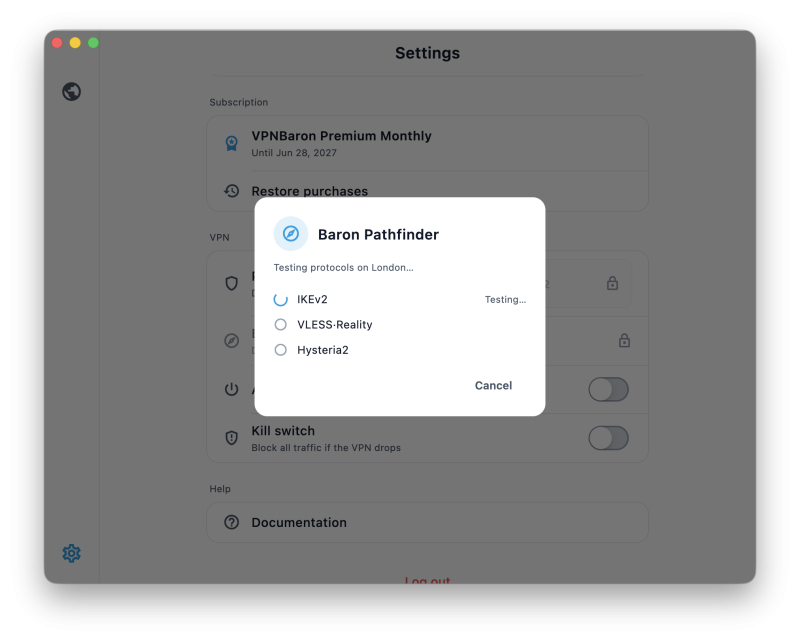
The practical answer is a VPN mode designed to blend in with ordinary HTTPS traffic, not just a normal VPN moved to port 443. VPNBaron is built around that use case: VLESS Reality and Hysteria2 routes, plus Baron Pathfinder to test the available options against the network you’re on and pick the path most likely to connect.
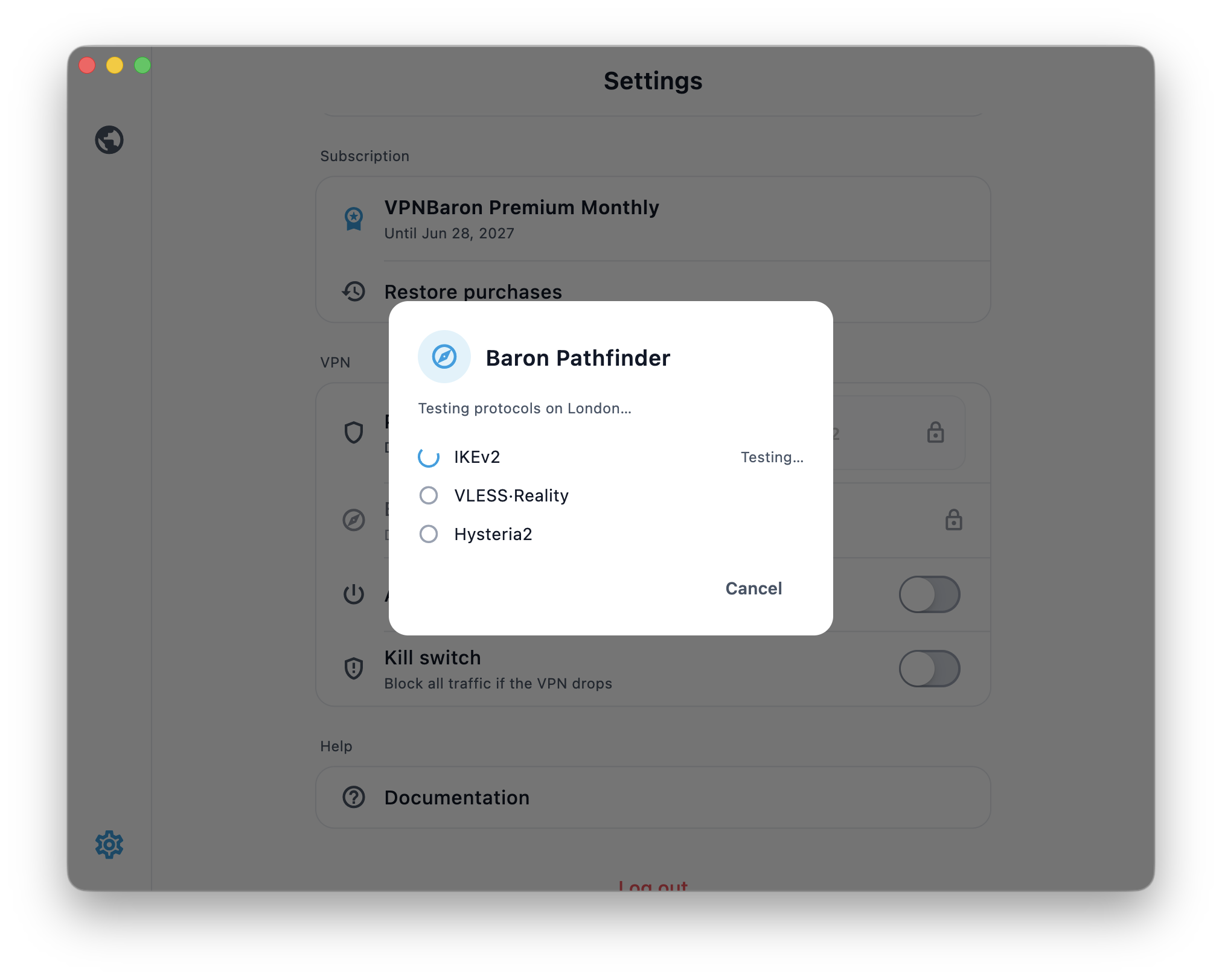
If hotel Wi-Fi loads websites but kills every normal VPN protocol, VPNBaron is the fallback I’d try before wasting another hour changing random laptop settings. It does not guarantee every hostile network will allow a tunnel, but it targets the exact problem standard VPN apps often fail at.
Get a VPN that connects on hostile Wi-Fi →
Fix 8: Mind the kill switch and sleep-wake cycle
Two laptop-specific gotchas. First, a kill switch blocks all traffic when the VPN is down, which includes the captive portal, so pause it when you first join a hotel network, then re-enable it. Second, when your laptop sleeps and wakes, it often reconnects to Wi-Fi before the VPN is back up; a kill switch is what stops your traffic leaking in that gap. One toggle in the settings of any decent VPN app.
School or work laptop? The VPN is not the privacy layer you think it is
A VPN protects network traffic. It does not make a managed laptop private.
If the laptop belongs to your school or employer, it may have monitoring software installed directly on the operating system. That software can still log apps, browser activity, installed extensions, screenshots, device inventory, or policy violations. A VPN cannot hide activity from software running on the laptop itself.
If you need personal privacy, use your own phone on cellular data instead of a managed school or work laptop.
Fix 9: Last resorts
- Tether to your phone for the session; mobile data rarely blocks VPNs.
- Use the ethernet jack if your room has one (with a USB-C adapter); wired guest networks are often less filtered than the Wi-Fi.
- Ask the front desk, seriously. Business hotels frequently have a second SSID for conference guests with fewer restrictions.
FAQ
Why do hotels block VPNs at all?
Usually not malice. Cheap filtering appliances block “unknown tunnels” by default, some hotels throttle everything that isn’t web browsing, and a few want you on their network for analytics or paid upgrades. The effect is the same: standard VPN protocols don’t connect.
Is it legal to use a VPN on hotel Wi-Fi?
In almost every country, yes. It’s your traffic and a hotel terms-of-service page is not law. The exceptions are the handful of countries that restrict VPNs generally; know the local rules when you travel there.
Can school Wi-Fi see that I use a VPN?
Often, yes. The VPN hides the websites inside the tunnel, but the network may still see that your laptop is connecting to a VPN server. On managed school laptops, device-level monitoring can see much more than the Wi-Fi network can.
Will a free VPN get through hotel Wi-Fi?
Almost never. Free tiers use the most widely blocklisted servers and none of them ship stealth protocols. This is the one situation where the paid-versus-free difference is not subtle.
I need this for streaming, does the same trick work?
Yes. Once you’re connected through a stealth protocol, streaming works normally, home catalogs and all. If you’re traveling during the World Cup, I wrote a step-by-step guide for watching it abroad.