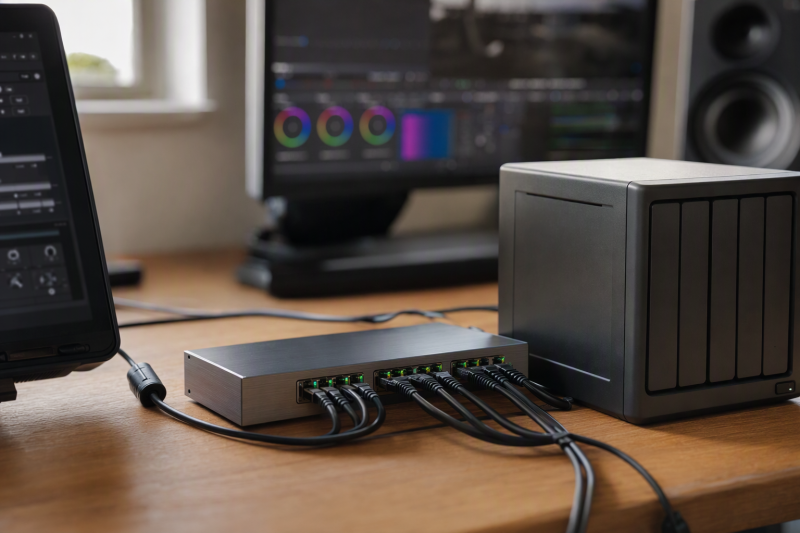
“10GbE switch” can mean a box with one fast uplink and eight ordinary Gigabit ports, a mixed two-fast-port desk switch, or five to eight 10GbE ports for editors and storage. The three layouts are different purchases. For a shared editing NAS, count how many devices need a 10GbE connection at once, then match the port media. Copper RJ45 and SFP+ are not interchangeable without suitable hardware.
These seven unmanaged switches each have at least one 10GbE copper port. Their 10G port counts range from one to eight. File-transfer speed, fan noise, power draw, and heat were not independently measured. A 10Gbps link is only one part of the path from an editor to NAS disks, so no switch here is promised to make a timeline smooth by itself.
Plan ports on paper. You need one 10G NAS link, one for each editor that truly needs 10G, and any 10G uplink. A lone 10G port cannot serve both a 10G NAS and a 10G editor.Shared-Storage 10GbE Switches Compared
| Image | Product | Details | Check Price |
|---|---|---|---|
 | TP-Link TL-SX1008 | 10G ports: 8 RJ45 Other ports: None Cooling: Smart fan Best fit: Multi-editor 10G room | Check Price on Amazon |
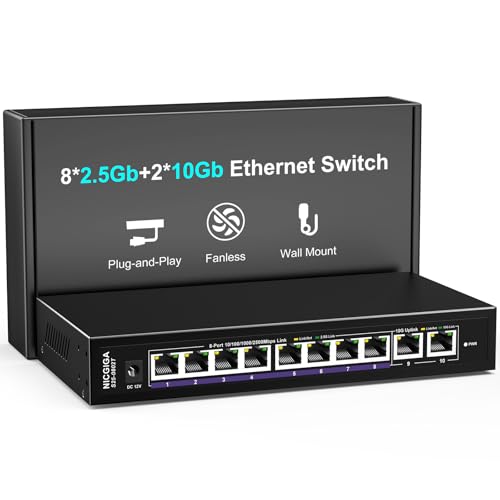 | NICGIGA 10-port mixed | 10G ports: 2 RJ45 Other ports: 8 x 2.5G Cooling: Fanless listing Best fit: Two 10G plus many 2.5G | Check Price on Amazon |
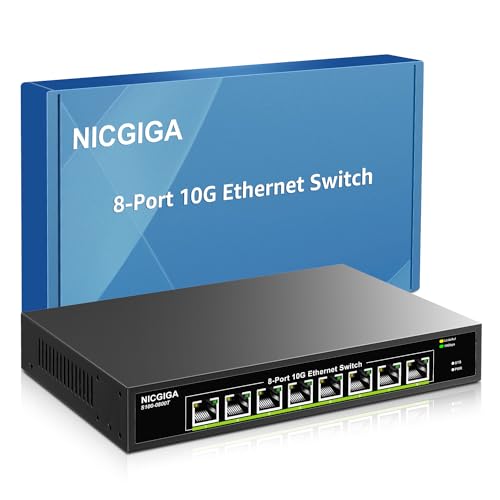 | NICGIGA 8-port 10G | 10G ports: 8 RJ45 Other ports: None Cooling: Fan listed Best fit: Rackable copper room | Check Price on Amazon |
 | NETGEAR GS108MX | 10G ports: 1 RJ45 Other ports: 8 x 1G Cooling: Fanless Best fit: Fast NAS to 1G clients | Check Price on Amazon |
| TRENDnet TEG-S750 | 10G ports: 5 RJ45 Other ports: None Cooling: Fanless Best fit: Quiet five-port copper | Check Price on Amazon |
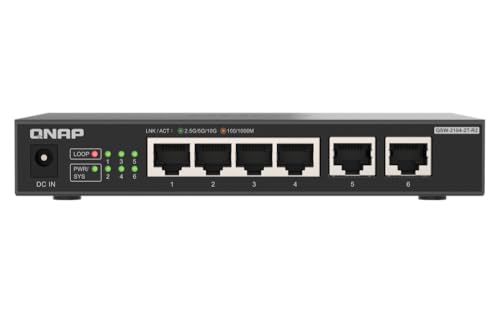 | QNAP QSW-2104-2T-R2 | 10G ports: 2 RJ45 Other ports: 4 x 2.5G Cooling: Fanless Best fit: One editor and NAS | Check Price on Amazon |
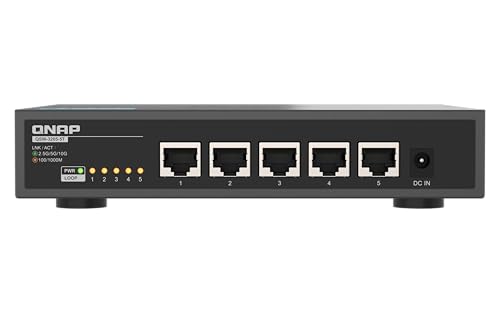 | QNAP QSW-3205-5T | 10G ports: 5 RJ45 Other ports: None Cooling: Fanless Best fit: Quiet shared 10G desk | Check Price on Amazon |
1. TP-Link TL-SX1008 — Best Eight-Port 10G Room
The TL-SX1008 offers eight RJ45 ports that negotiate up to 10Gbps, with intermediate 5G and 2.5G rates for mixed devices. TP-Link documents desktop or rack placement and a 160-Gbps aggregate switching capacity. The eight ports can serve a 10G NAS, several editing workstations, and an upstream 10G link without immediately adding a second switch.
Unlike the fanless compact options, it has one temperature-controlled smart fan. TP-Link calls it low-noise, but its sound in a microphone-equipped edit room was not independently measured. The maker lists up to 31.2 W consumption for a documented version. Cabling, endpoints, and workload still shape the actual operating result. It is more switch than one editor and one NAS need.
Our Take Choose the TL-SX1008 if several editors and a NAS all need 10G. Budget desk or rack space and check fan tolerance before placing it beside a recording position.
- Eight 10G-capable copper ports.
- 2.5G and 5G negotiation for mixed gear.
- Desktop or rack mounting.
- Fan may matter in a quiet suite.
- Unneeded bulk for two endpoints.
2. NICGIGA Ten-Port Mixed-Speed — Best Many 2.5G Clients
This NICGIGA model has two 10GBASE-T RJ45 ports and eight 2.5GbE ports, according to its checked title and bullets. It suits an editor and NAS that need the two 10G connections while other workstations, backup boxes, or Wi-Fi access points use 2.5G. The listing describes a metal, fanless body with desktop or wall mounting. The layout fits a small post-production room with only two truly fast endpoints.
The two 10G ports are not enough for a 10G NAS plus two 10G editors. A 2.5G workstation can still reach the NAS but will negotiate its own port at 2.5G. The seller’s 80-Gbps switching-capacity figure is aggregate, not a measured client transfer rate. Thermal performance and protection claims were not independently verified. If several editors require full 10G copper, choose a model with more 10G ports instead.
Our Take Choose the ten-port NICGIGA if an editor and a NAS need the fast ports and the other devices are slower. Its 2+8 speed split is not ten 10G ports, so count the two 10G roles precisely.
- Two 10G plus eight 2.5G copper ports.
- Fanless listing suits a quiet desk.
- Only two full-speed 10G endpoints.
- No hands-on thermal or transfer test here.
3. NICGIGA Eight-Port 10G — Best Rackable Copper Alternative
This separate NICGIGA model lists eight copper ports supporting 10G, 5G, 2.5G, 1G, and 100M, plus desktop or 19-inch rack-ear installation. In a room where every editor and the NAS already use RJ45 10GBASE-T, that layout avoids combining unlike port speeds. The 160-Gbps published switching capacity again describes aggregate full-duplex switching, not a single client result.
Its listing specifies an industrial fan and claims 24 dB without a verified measurement distance. Do not assume it is silent beside a voice-over station. The maker’s “lightning protection” phrase is also untested and not a reason to ignore proper electrical protection. It fits best when the plan is fixed at eight copper ports and a fan is acceptable.
Our Take Choose this NICGIGA if you want eight 10G copper ports for a rack. Its fan and listing-only noise claim warrant a placement check before purchase.
- Eight 10G-capable copper ports.
- Rack ears listed.
- Fan noise unverified.
- Protection claims not tested here.
4. NETGEAR GS108MX — Best One-10G Uplink
NETGEAR describes the GS108MX as eight 1GbE RJ45 ports plus one 10G multi-gig RJ45 port. The retail title’s “8-Port” wording is easy to misread. There are nine physical Ethernet sockets, but only one reaches 10Gbps. The lone fast port can feed a fast NAS or backbone while several ordinary 1G workstations share it. NETGEAR lists a compact fanless metal enclosure and wall or desktop placement.
It is not the right path for one 10G editor and one 10G NAS on the same switch, because the second endpoint would land on a 1G port. The 10G uplink can reduce contention for multiple 1G clients accessing storage, but each client stays capped by its own 1G link. Buy this only when a single fast shared uplink is the actual requirement.
Our Take Choose the GS108MX if eight Gigabit clients share one fast uplink to the NAS. It is not for a multi-editor 10G desk, and its precise 8+1 port layout is the deciding fact.
- One 10G port for shared uplink.
- Eight ordinary Gigabit client ports.
- Fanless manufacturer-documented design.
- Only one endpoint can connect at 10G.
5. TRENDnet TEG-S750 — Best Fanless Five-Port Copper
The TEG-S750 lists five 10GBASE-T RJ45 ports with multigig 2.5G support and a fanless design. For an editor, NAS, and a few other high-speed devices, it offers more full-speed ports than a two-10G mixed switch without the fan of the eight-port units. TRENDnet recommends Cat6A or better for the full 10G cable run it advertises. The metal case still needs ventilation even though no fan is installed.
The listing says a 10G Internet service is needed for “maximum performance.” That statement is not true for local editor-to-NAS traffic. A local 10G file transfer does not depend on ISP speed. The endpoints, their adapters, cables, NAS storage, and protocol setup decide the result instead. The 100-Gbps switching-capacity claim is aggregate. Regional warranty terms vary. Check them separately from performance decisions.
Our Take Choose the TEG-S750 if you want a quiet five-port switch with all copper ports. Ignore the listing’s implication that you need fast Internet when planning local shared storage.
- Five 10G copper ports.
- Fanless for noise-sensitive rooms.
- Only four spare ports after a copper uplink.
- Seller’s Internet claim can mislead local-LAN buyers.
6. QNAP QSW-2104-2T-R2 — Best Two-10G Desk Bridge
QNAP’s R2 model has two RJ45 10G ports and four RJ45 2.5G ports, all within an unmanaged fanless switch. The port mix exactly fits one 10G editor and one 10G NAS, with four additional 2.5G connections for review workstations or an upstream router. QNAP documents loop detection and a 60-Gbps aggregate capacity. It is a focused speed mix for a small desk, not a six-port all-10G switch.
The 10G ports negotiate slower rates where supported, but plugging a second editor into a 2.5G port does not give it 10G. If the NAS will serve two editors at full 10G, count another fast port or consider a different layout. The manufacturer publishes details for the QSW-2104-2T-R2, not every older QSW-2104-2T variant. Buy the exact model. The quiet design still needs open air around its case.
Our Take Choose the QNAP R2 if a single editor and a single NAS need the fast ports. It is especially useful when most other devices already run at 2.5G.
- Two 10G plus four 2.5G RJ45 ports.
- Fanless with loop detection.
- Only one editor can use 10G alongside a 10G NAS.
7. QNAP QSW-3205-5T — Best Fanless Five-Port 10G
The QSW-3205-5T gives five 10GBASE-T copper ports with 5G, 2.5G, and 1G fallback. QNAP’s hardware specification confirms unmanaged operation, a fanless body, 100-Gbps aggregate switching capacity, and a 12-V/3-A external adapter. QNAP describes the case at about 180 by 145 by 34 mm. It is a compact but substantial desk box, not a pocket switch.
It is a good match when a quiet editing desk needs several 10G RJ45 links and a separate SFP+ infrastructure is not planned. QNAP lists 36 W maximum power consumption for the switch, which does not equal measured use on a given desk. Check that the NAS and workstations actually have 10G adapters and suitable cable. Five fast ports do not fix slow disks, saturated RAID rebuilds, or an overworked shared-storage server.
Our Take Choose the QSW-3205-5T if you want a documented fanless switch with five 10G ports. It makes the most sense when all five copper ports have planned jobs.
- Five 10G RJ45 ports with multigig fallback.
- Fanless and maker-documented power details.
- Five ports may be tight after NAS and uplink.
- Storage may limit gains long before the switch.
Buying Guide: Build a Real 10G Storage Path
Count real 10G ports and the direction of traffic
Draw the network before comparing boxes. A 10G NAS plus one 10G editor consumes two 10G ports. Add another editor and you need at least three, unless some traffic goes through another high-speed switch. The NETGEAR GS108MX has only one 10G port despite nine physical RJ45 sockets, while the QNAP R2 and the mixed NICGIGA offer two. TRENDnet, QNAP’s five-port unit, TP-Link’s eight-port unit, and NICGIGA’s eight-port unit give more full-speed copper connections.
An uplink also consumes a port unless the switch has a separate uplink interface. Two 10G editors sharing one 10G NAS link do not each get a dedicated 10G feed from that NAS at the same moment. Consider the NAS’s number of ports, disk array throughput, and workload concurrency. A switch’s large “switching capacity” figure is full-duplex aggregate hardware capacity, not proof of any particular file-copy speed. For laptop-side expansion, our USB-C hub guide helps with port planning, though its Ethernet speed still needs a separate check.
Match RJ45, adapters, cable, and storage
Every selected switch uses 10GBASE-T RJ45 for its 10G ports, so it is aimed at copper cable. A NAS with 10G SFP+ needs suitable media conversion or a switch with matching SFP+. A bare fiber or DAC port does not accept a copper Ethernet plug. A laptop often needs a USB-C or Thunderbolt Ethernet adapter, and its actual 10G capability must be confirmed. Our USB-C docking station guide covers desk connectivity, but do not infer 10G networking from a dock’s USB-C connector.
For long 10G copper runs, follow the switch maker’s cable guidance and check the installed cable quality and termination. TRENDnet recommends Cat6A or better for its advertised full 10G distance, while multigig fallback can use suitable existing cabling at lower negotiated rates. A link lamp at 10G does not prove that NAS disks can sustain 10Gbps data delivery. Test with a known-good cable and inspect endpoint link rates and storage performance before blaming the switch.
Account for noise, heat, and management needs
The TP-Link TL-SX1008 and the eight-port NICGIGA have fans, whereas the QNAP and TRENDnet five-port options are listed as fanless. A fanless switch suits a spot near microphones, but it needs unobstructed vents, and fanless does not mean cold. The maker’s maximum power draw is not a measured acoustic or heat result. Sound and temperature were not independently measured for these units. Place a switch with a fan away from the recording position if noise is critical.
These switches are unmanaged. Plug-and-play is useful for a flat editing LAN, but it does not provide configurable VLAN policy, port mirroring, or traffic logs. Some models offer loop detection, but plan the cabling so accidental loops do not occur. If the studio needs network segregation or centrally managed monitoring, choose a managed switch. If PoE endpoints are part of the room, separately specify the required PoE standard and power budget. These listings do not establish one.
Frequently Asked Questions
Do I need 10Gbps Internet to edit from a 10GbE NAS?
No. Editor-to-NAS traffic on the local network does not traverse the Internet when both are on the same LAN. TRENDnet’s listing suggests a 10G Internet service for maximum performance, but that applies only to Internet use cases, not local file copies. Your ISP connection can be much slower without limiting a local 10G link.
Local speed still depends on the workstation and NAS NICs, cable, switch ports, disks, software, and simultaneous users. A 10Gbps negotiated link is a starting condition, not a guaranteed 10Gbps payload rate or smooth editing experience.
Is one 10GbE port enough for shared editing storage?
Yes, but only for a topology where that single fast port is the NAS or upstream link feeding slower clients. The NETGEAR GS108MX can serve eight 1G workstations from one 10G connection, but none of those workstations gets 10G at its own port. The shared uplink can still reduce contention if many 1G clients access the NAS at once.
For one 10G editor and one 10G NAS, you need at least two 10G ports. For two 10G editors plus that NAS, count at least three.
Do I need a managed switch for a small editing team?
Not necessarily. An unmanaged switch can link a small flat LAN without configuration. If the team only needs high-speed copper between workstations and shared storage, a correctly sized unmanaged model may be sufficient. Its simplicity also means fewer settings to misconfigure.
If the team needs isolated clients, VLANs, monitored ports, access controls, or special multicast handling, plan a managed switch. The seven products here should not be bought with the expectation of a hidden management console.
Bottom Line
Choose QNAP QSW-2104-2T-R2 for one editor and one NAS with four slower clients, QNAP QSW-3205-5T for several quiet 10G copper links, or TP-Link TL-SX1008 for a larger team if a fan is acceptable. Count actual 10G ports, cables, and endpoint speeds, and do not treat aggregate capacity numbers as a substitute for a measured storage workflow.