9 Best M.2 WiFi and Bluetooth Cards

Best M.2 WiFi and Bluetooth Cards
This post includes affiliate links, for which we may earn a commission at no extra cost to you should you make a purchase using our links. As an Amazon Associate, we can earn from qualifying purchases. Learn more.

An internal Wi-Fi card upgrade is only simple after you identify the electrical interface behind the M.2 socket. A standard PCIe and USB wireless slot can take an AX210, BE200, BE202, or AX200 class card, while Intel CNVio and CNVio2 slots need their matching families. The M.2 2230 label describes the card’s dimensions, not the signals your laptop supplies.

The list below separates those paths before speed enters the decision. Choose a Wi-Fi 7 card only when the laptop, router, operating system, antennas, and firmware can use it. Choose a CNVio or CNVio2 replacement only when the original card and the laptop manual confirm that interface. If opening the laptop or matching its slot is out of reach, a Wi-Fi 7 USB adapter avoids the internal compatibility question altogether.

The card must match the laptop’s electrical wireless interface before its Wi-Fi generation can help.

M.2 WiFi and Bluetooth Cards Compared

ImageProductDetailsCheck Price
Intel BE200NGW Wi-Fi 7 M.2 Card on Amazon
Intel BE200NGW Wi-Fi 7 M.2 CardBest fit: Wi-Fi 7 on a confirmed PCIe/USB M.2 socket
Wi-Fi and bands: Wi-Fi 7; 2.4, 5, and 6 GHz
Bluetooth: 5.4
Size and interface: M.2 2230; PCIe for Wi-Fi and USB for Bluetooth
Check Price on Amazon
Intel Killer Wi-Fi 7 BE1750x on Amazon
Intel Killer Wi-Fi 7 BE1750xBest fit: A compatible Killer-equipped laptop needing Wi-Fi 7
Wi-Fi and bands: Wi-Fi 7; 2.4, 5, and 6 GHz
Bluetooth: 5.4
Size and interface: M.2 2230; PCIe for Wi-Fi and USB for Bluetooth
Check Price on Amazon
Intel BE202NGW Wi-Fi 7 M.2 Card on Amazon
Intel BE202NGW Wi-Fi 7 M.2 CardBest fit: A lower-ceiling Wi-Fi 7 PCIe/USB upgrade
Wi-Fi and bands: Wi-Fi 7; 2.4, 5, and 6 GHz
Bluetooth: 5.4
Size and interface: M.2 2230; PCIe for Wi-Fi and USB for Bluetooth
Check Price on Amazon
OKN AX210NGW Wi-Fi 6E Card on Amazon
OKN AX210NGW Wi-Fi 6E CardBest fit: A standard-interface Wi-Fi 6E laptop upgrade
Wi-Fi and bands: Wi-Fi 6E; 2.4, 5, and 6 GHz
Bluetooth: Intel lists 5.4; Amazon title names 5.3
Size and interface: M.2 2230; PCIe for Wi-Fi and USB for Bluetooth
Check Price on Amazon
Intel Killer Wi-Fi 6E AX1690 on Amazon
Intel Killer Wi-Fi 6E AX1690Best fit: A confirmed CNVio2 laptop with Killer AX1690 support
Wi-Fi and bands: Wi-Fi 6E; 2.4, 5, and 6 GHz
Bluetooth: 5.3
Size and interface: M.2 2230; CNVio2
Check Price on Amazon
HighZer0 AX203NGW Wi-Fi 6 Card on Amazon
HighZer0 AX203NGW Wi-Fi 6 CardBest fit: A confirmed AX203 CNVio2 replacement
Wi-Fi and bands: Wi-Fi 6; 2.4 and 5 GHz
Bluetooth: 5.2
Size and interface: M.2 2230; CNVio2
Check Price on Amazon
EDUP AX201NGW Wi-Fi 6 Card on Amazon
EDUP AX201NGW Wi-Fi 6 CardBest fit: An existing AX201-class CNVio2 laptop
Wi-Fi and bands: Wi-Fi 6; 2.4 and 5 GHz
Bluetooth: 5.2
Size and interface: M.2 2230; CNVio2
Check Price on Amazon
AX200NGW Wi-Fi 6 Card on Amazon
AX200NGW Wi-Fi 6 CardBest fit: A standard PCIe/USB laptop without 6 GHz needs
Wi-Fi and bands: Wi-Fi 6; 2.4 and 5 GHz
Bluetooth: 5.2
Size and interface: M.2 2230; PCIe for Wi-Fi and USB for Bluetooth
Check Price on Amazon
Intel Wireless-AC 9560 on Amazon
Intel Wireless-AC 9560Best fit: A like-for-like 9560 CNVio replacement
Wi-Fi and bands: Wi-Fi 5; 2.4 and 5 GHz
Bluetooth: 5.1
Size and interface: M.2 2230; CNVio
Check Price on Amazon

1. Intel BE200NGW Wi-Fi 7 M.2 Card — Best Wi-Fi 7 Upgrade for a Standard Slot

The BE200 is the first card to consider when the laptop has a replaceable M.2 2230 wireless socket that carries conventional PCIe for Wi-Fi and USB for Bluetooth. Intel rates this Wi-Fi 7 family at 5.8 Gbps with 2×2 streams, 320 MHz operation, and 4096-QAM, across the 2.4, 5, and 6 GHz bands. That ceiling is a capability of the module, not a promise that the laptop will negotiate it on every router.

Intel lists Bluetooth 5.4 and both M.2 2230 and M.2 1216 package options. The Amazon listing identifies a BE200NGW card and says it needs an Intel 12th-generation-or-newer system, while Intel’s own module page establishes the PCIe and USB interface rather than a universal laptop guarantee. Check the service manual and the original wireless card before treating any M.2 2230 slot as compatible.

Our Take Choose the BE200 when the original module uses a standard PCIe and USB wireless connection and the rest of the network can benefit from Wi-Fi 7. Pick the AX210 below if Wi-Fi 6E is enough, or choose a matching CNVio-family model when the laptop does not expose the standard interface.

PROS
  • Wi-Fi 7 across 2.4, 5, and 6 GHz with a stated 5.8 Gbps maximum.
  • Intel lists M.2 2230 and the conventional PCIe plus USB interface.
  • Bluetooth 5.4 is part of Intel’s published module specification.
CONS
  • Its 5.8 Gbps figure needs compatible router, channel, driver, and laptop support.
  • The Amazon listing limits this card to particular Intel systems, so a physical fit is not enough.

2. Intel Killer Wi-Fi 7 BE1750x — Best Killer Wi-Fi 7 Replacement

The Killer BE1750x is the Wi-Fi 7 option for a laptop that documents that exact Killer family rather than merely an M.2 socket. Intel assigns the BE1750 M.2 2230 ordering variant the code BE200.NGWG.NVX, while the Amazon title calls it BE1750x. Both identify the Killer product family, and Intel lists 2×2, 320 MHz, 4K QAM, 2.4, 5, and 6 GHz operation with a 5.8 Gbps maximum.

Its interface is PCIe for Wi-Fi and USB for Bluetooth, so it is a module for the standard interface, not a CNVio substitute. The listing says Windows 11, a Key E PCIe slot, and no AMD support. Treat those as limits stated by the listing, then use the laptop maker’s manual as the final answer about its slot and BIOS policy.

Buy this as a documented Killer replacement, not as a way to bypass a laptop that only supports Intel CNVio or CNVio2.

Our Take Choose the BE1750x when the laptop maker lists Killer Wi-Fi 7 hardware or its documentation confirms the same standard PCIe and USB path. The BE200 is the simpler choice for a conventional M.2 replacement when software features specific to Killer are not part of the purchase.

PROS
  • Intel lists Wi-Fi 7, 320 MHz operation, 4K QAM, and a 5.8 Gbps maximum.
  • Three bands cover 2.4, 5, and 6 GHz networks from one M.2 2230 module.
  • Bluetooth 5.4 and a PCIe plus USB interface are documented by Intel.
  • The listing explicitly calls for an M.2 Key E PCIe slot.
CONS
  • The listing says it does not support AMD-based systems.
  • A Wi-Fi 7 name does not override a laptop BIOS or antenna restriction.
  • Intel’s 5.8 Gbps maximum is not a measured transfer result for this Amazon listing.

3. Intel BE202NGW Wi-Fi 7 M.2 Card — Best Lower-Ceiling Wi-Fi 7 Option

The BE202 is a different Wi-Fi 7 card from the BE200, not a cheaper version of the same card. Intel rates it at 2.4 Gbps, with 2×2 streams, 160 MHz, and 1024-QAM, while keeping Wi-Fi 7, Bluetooth 5.4, and 2.4, 5, and 6 GHz support. Its M.2 2230 form and PCIe plus USB interface place it with the cards for the standard slot.

The listing identifies BE202NGW, and Intel’s M.2 2230 ordering code is BE202.NGWG.NV. It says Windows 10 or 11, a Key E PCIe slot, and limited AMD support. The BE202 is useful when the laptop’s compatibility is confirmed but the buyer does not need the BE200’s 320 MHz and 5.8 Gbps ceiling.

Do not buy the BE202 expecting the BE200’s 320 MHz performance, because Intel gives the two cards different speed and channel specifications.

Our Take Choose the BE202 for a compatible standard M.2 slot when Wi-Fi 7 is the goal but the BE200’s higher ceiling is not the deciding feature. Skip it for a CNVio or CNVio2 laptop, where matching the interface comes before the generation label.

PROS
  • Wi-Fi 7, Bluetooth 5.4, and three bands in a documented M.2 2230 package.
  • Its 2.4 Gbps maximum gives a clear lower ceiling than the BE200.
  • Intel documents PCIe for Wi-Fi and USB for Bluetooth.
CONS
  • 160 MHz and 1024-QAM are lower than the BE200’s stated 320 MHz and 4K QAM.
  • The listing describes limited AMD support, so platform confirmation comes first.
  • Router and operating-system support decide which Wi-Fi 7 features are usable.
  • It is not a CNVio replacement despite the matching M.2 2230 size.

4. OKN AX210NGW Wi-Fi 6E Card — Best General Wi-Fi 6E Upgrade

The AX210 is the general upgrade path when a laptop has a conventional PCIe and USB wireless connection but the network does not call for Wi-Fi 7. Intel lists Wi-Fi 6E, 2×2 operation, 160 MHz channels, the 2.4, 5, and 6 GHz bands, and a 2.4 Gbps maximum. It also lists the card in M.2 2230 and M.2 1216 forms with Wi-Fi over PCIe and Bluetooth over USB.

This Amazon listing calls the module AX210NGW and claims Bluetooth 5.3. Intel’s AX210 page lists Bluetooth 5.4, so treat the Bluetooth version in this generic listing as a variant detail to confirm with the seller rather than a reason to change Intel’s chipset specification. The listing’s AX210NGW matches Intel’s AX210.NGWG M.2 2230 code by model family.

AX210 is for a standard PCIe and USB wireless slot. It is not a substitute for an AX201, AX203, AX1690, or 9560 CNVio-family module.

Our Take Choose the AX210 when you have verified a standard interface and want 6 GHz access without making Wi-Fi 7 the purchase criterion. It is the safer choice than the BE200 for a Wi-Fi 6E router or a laptop whose exact Wi-Fi 7 readiness is unknown.

PROS
  • Wi-Fi 6E adds 6 GHz alongside the 2.4 and 5 GHz bands.
  • Intel lists 160 MHz, 2×2 operation, and a 2.4 Gbps maximum.
  • M.2 2230 and PCIe plus USB details make the interface test concrete.
  • The listing names Windows 10 and 11 support for this generic AX210 card.
  • It is a more focused choice than paying for Wi-Fi 7 features the network cannot use.
CONS
  • The Amazon title says Bluetooth 5.3 while Intel’s AX210 page says 5.4.
  • It cannot replace a laptop that requires a CNVio or CNVio2 module.

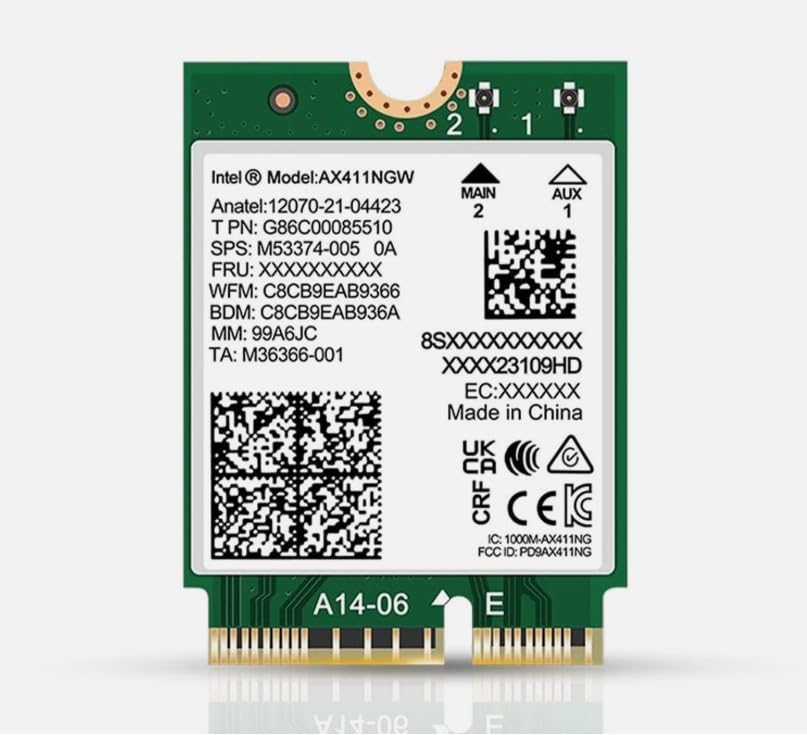
5. Intel Killer Wi-Fi 6E AX1690 — Best Exact CNVio2 Killer Replacement

This card is useful because the Amazon title contains the full code AX411.NGWG.NVX, not just a broad chipset family. Intel assigns that exact ordering code to the Killer Wi-Fi 6E AX1690 i M.2 2230 module. Intel lists Wi-Fi 6E, 2.4, 5, and 6 GHz bands, Bluetooth 5.3, a maximum near 3.0 Gbps, and CNVio2 as its system interface.

CNVio2 is the limitation to respect. It is not standard M.2 PCIe and USB even though the card is physically M.2 2230. This one belongs on a laptop whose original card, manual, or approved-parts list names the compatible Killer or AX411-family CNVio2 hardware. A generic AX210 may fit the socket but will not supply the same electrical interface.

Our Take Choose the AX1690 when the laptop calls for this exact Killer CNVio2 family and you want Wi-Fi 6E plus Bluetooth 5.3. Do not choose it as a general desktop or AMD upgrade. The CNVio2 connection is specific to a supported Intel platform.

PROS
  • Exact AX411.NGWG.NVX model-code correspondence with Intel’s Killer AX1690 page.
  • Wi-Fi 6E across 2.4, 5, and 6 GHz with a stated maximum near 3.0 Gbps.
  • Intel lists Bluetooth 5.3 and M.2 2230 for this module.
CONS
  • CNVio2 rules out ordinary PCIe and USB M.2 wireless slots.
  • The Amazon title’s server wording does not prove compatibility with a particular laptop.
  • Its Wi-Fi 6E ceiling is below the two Wi-Fi 7 leaders above.

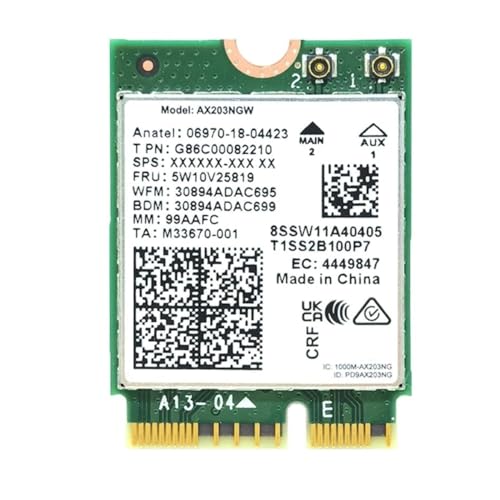
6. HighZer0 AX203NGW Wi-Fi 6 Card — Best AX203 CNVio2 Replacement

The AX203 is for an owner who has confirmed an AX203-class CNVio2 laptop, not for someone shopping by the word Wi-Fi 6 alone. Intel lists Wi-Fi 6 on 2.4 and 5 GHz, 2×2 streams, 80 MHz channels, Bluetooth 5.2, and a 1.2 Gbps maximum. The listing identifies AX203NGW, while Intel’s M.2 2230 ordering code is AX203.NGWG.NV.

The listing says it requires an Intel CPU from the 10th generation or newer and an M.2 Key E CNVio2 interface, and warns against treating it as PCIe or older CNVio. The card’s role is a documented CNVio2 replacement with lower bandwidth, for a laptop that expects the AX203 family.

Our Take Choose the AX203 only for a laptop whose removed module or service manual identifies AX203 or a compatible CNVio2 design. The AX210 or AX200 belongs in a machine with the standard interface, while the 9560 below belongs in the earlier CNVio group.

PROS
  • Intel specifies a 1.2 Gbps Wi-Fi 6 module with Bluetooth 5.2.
  • The listing directly names CNVio2 and warns against ordinary PCIe replacement.
  • AX203NGW maps to Intel’s AX203 M.2 2230 family.
  • 2.4 and 5 GHz support suits a laptop without a 6 GHz requirement.
CONS
  • No 6 GHz band or Wi-Fi 7 capability.
  • Its 80 MHz specification is lower than the AX200 and AX201 160 MHz figures.

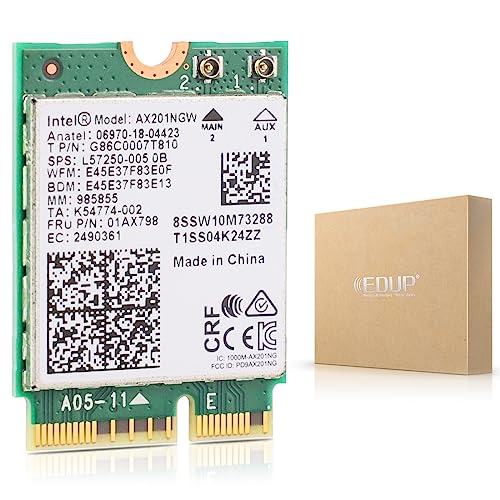
7. EDUP AX201NGW Wi-Fi 6 Card — Best Existing AX201 Replacement

The AX201 is a dual-band Wi-Fi 6 option whose main value is matching a laptop already built for that family. Intel lists 2.4 and 5 GHz at 160 MHz, 2×2 streams, a 2.4 Gbps maximum, Bluetooth 5.2, and CNVio2. The Amazon listing says AX201NGW, and Intel’s ordering page lists AX201.NGWG.W and AX201.NGWG.NVW for M.2 2230 versions.

The seller calls it suitable for selected Intel systems from the 10th generation or newer and labels the connection CNVio2. Treat that as a starting point, not an upgrade recipe for every 10th-generation laptop. A laptop service manual that names AX201 or CNVio2 is the proof that makes this card useful.

An AX201 can be the right repair part for its own platform while being the wrong purchase for a standard PCIe laptop.

Our Take Choose the AX201 when the removed wireless module or computer documentation already identifies AX201-compatible CNVio2 hardware. Choose AX210 for a conventional interface and AX203 only when that separate family is explicitly documented.

PROS
  • Intel lists 2×2 Wi-Fi 6 at 160 MHz with a 2.4 Gbps maximum.
  • Bluetooth 5.2 is documented alongside the M.2 2230 module.
  • The listing’s AX201NGW name matches Intel’s AX201 M.2 2230 family.
CONS
  • CNVio2 prevents it from serving as a normal PCIe and USB upgrade.
  • It has no 6 GHz band, unlike the AX210 and AX1690.
  • The listing’s processor guidance does not replace a laptop-model compatibility check.

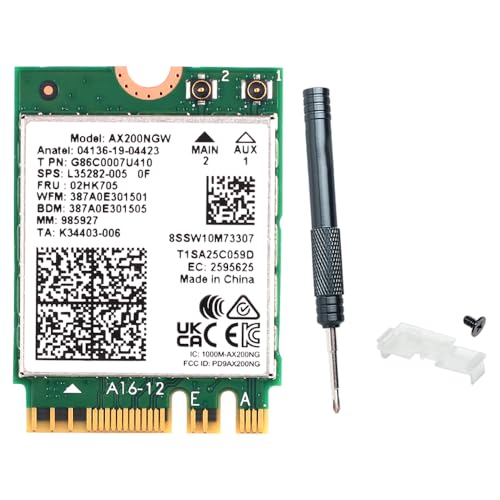
8. AX200NGW Wi-Fi 6 Card — Best Standard Wi-Fi 6 Replacement

The AX200 is the Wi-Fi 6 alternative for a laptop that has the standard interface, does not need 6 GHz, and cannot use CNVio family hardware. Intel lists 2.4 and 5 GHz with 160 MHz channels, 2×2 streams, a 2.4 Gbps maximum, Bluetooth 5.2, and M.2 2230 or 1216 forms. Its wireless connection uses PCIe and its Bluetooth connection uses USB.

The Amazon title identifies AX200NGW, calls out M.2 2230 and Key A or E, and names Bluetooth 5.2. The title’s details agree with Intel’s specification for the AX200 family. This card has a narrower, clearer job than the AX210. It is for a confirmed standard slot where dual-band Wi-Fi 6 meets the network need.

AX200 lacks the AX210’s 6 GHz band, so do not buy it when Wi-Fi 6E access is the reason for opening the laptop.

Our Take Choose the AX200 for a confirmed standard PCIe and USB slot that needs Wi-Fi 6 on 2.4 and 5 GHz. Move to AX210 when 6 GHz is useful, or stop and match the original module if the laptop instead uses CNVio or CNVio2.

PROS
  • Intel specifies 2×2 Wi-Fi 6, 160 MHz, and a 2.4 Gbps maximum.
  • Bluetooth 5.2 and PCIe plus USB are documented for the AX200 module.
  • The listing names M.2 2230 and Key A or E for a practical fit check.
  • Dual-band operation avoids paying for a 6 GHz capability a router cannot use.
CONS
  • No 6 GHz band and no Wi-Fi 7 capability.
  • It does not work in an electrical CNVio or CNVio2-only socket.

9. Intel Wireless-AC 9560 — Best Like-for-Like CNVio Replacement

The Wireless-AC 9560 is a replacement part, not a path to a modern Wi-Fi generation. Intel lists Wi-Fi 5, 2.4 and 5 GHz bands with 160 MHz support, a 1.73 Gbps maximum, Bluetooth 5.1, M.2 2230, and a CNVio interface. The listing provides the exact 9560.NGWG.NV no-vPro ordering code that Intel publishes for an M.2 2230 version.

That exact code makes the card appropriate when a laptop originally shipped with the same CNVio family and needs a repair. It does not make it interchangeable with AX201, AX203, AX1690, AX210, or AX200 cards. If the machine is a ThinkPad, see the ThinkPad docking guide only for its model-specific documentation links, not as proof that any internal card will fit.

A 9560 belongs in a confirmed CNVio laptop. It cannot become a PCIe module because the connector shares M.2 dimensions.

Our Take Choose the Wireless-AC 9560 when the existing card is the exact 9560.NGWG.NV family and restoring that laptop is the goal. For a new capability upgrade, first determine whether the platform offers standard PCIe and USB wireless wiring or a later CNVio2 path.

PROS
  • Exact 9560.NGWG.NV code correspondence with Intel’s M.2 2230 no-vPro entry.
  • Intel lists Wi-Fi 5, Bluetooth 5.1, and a 1.73 Gbps maximum.
  • Intel explicitly documents CNVio as the interface.
CONS
  • It has neither 6 GHz nor Wi-Fi 6 or Wi-Fi 7 support.
  • CNVio is different from both standard PCIe and the later CNVio2 interface.
  • The Amazon listing is a replacement part, not proof of support in another laptop model.

Buying Guide

1. Identify the original card before ordering

Start by reading the label on the removed module or the laptop service manual. M.2 2230 is only a physical size, and Intel publishes it for standard PCIe and USB cards, CNVio cards, and CNVio2 cards. The same 22 by 30 mm outline therefore cannot establish electrical compatibility.

If the old card says AX210, AX200, BE200, or BE202, look for a standard PCIe Wi-Fi and USB Bluetooth path before choosing a replacement. If it says 9560, remain in the CNVio family. If it says AX201, AX203, AX211, AX411, or Killer AX1690, read the manual for CNVio2 rather than assuming that the newest-looking card will work.

For a desktop that has only a PCIe x1 slot, an internal module is not a drop-in card by itself. A PCIe M.2 adapter card solves a different physical problem and does not prove that Bluetooth wiring or antennas are present.

2. Choose the wireless generation your network can use

Wi-Fi 7 is not an automatic win over Wi-Fi 6E. Intel rates the BE200 and BE1750 at up to 5.8 Gbps, but those figures depend on a compatible router, allowed channels, drivers, operating system, signal conditions, and the host platform. The BE202 is Wi-Fi 7 too, yet Intel states a 2.4 Gbps maximum and 160 MHz operation instead.

The AX210 and AX1690 are Wi-Fi 6E choices with 2.4, 5, and 6 GHz support. They suit a usable 6 GHz network only after the interface match is settled. AX200, AX201, and AX203 are Wi-Fi 6 dual-band cards, while the 9560 is Wi-Fi 5 for an exact older-machine repair.

If disassembling the laptop is not justified by the network change, compare an external option in the Wi-Fi 7 USB adapter guide. That route trades an internal fit problem for a USB port and an adapter outside the chassis.

3. Treat Bluetooth wiring as a separate compatibility check

For standard Intel modules, Wi-Fi uses PCIe and Bluetooth uses USB. Because the two paths are separate, a card can appear partly functional if a machine supplies the Wi-Fi connection but lacks the expected Bluetooth path or driver support. Do not diagnose that situation by changing the Wi-Fi generation alone.

Intel lists Bluetooth 5.4 for BE200, BE1750, BE202, and AX210, 5.3 for the exact Killer AX1690 code, and 5.2 for AX203, AX201, and AX200. The generic AX210 listing says 5.3 while Intel’s family page says 5.4, so confirm the retailer variant when Bluetooth version is the deciding requirement.

Bluetooth accessories add another reason to keep the interface decision precise. A headset guide cannot make an unsupported internal card show up in the system. The wireless headset guide helps with headset selection after the card is supported.

4. Check antennas, BIOS policy, and the laptop manual together

Two antenna connectors are part of the 2×2 design Intel documents for these modules. A card cannot add a missing antenna lead, and a laptop manual may specify approved wireless parts or firmware limits that an Amazon title cannot reveal. Inspect the old module, the antenna count, and the service guide before taking the bottom cover off.

For a workstation or docked laptop, internal Wi-Fi is not a replacement for every network job. A 10GbE switch and a wireless card solve different connection problems. A 10GbE switch and a wired connection serve a different workload, while a Wi-Fi card provides the local radio link.

ThinkPad owners should use the machine’s own parts list as the final answer. Only a service manual establishes the correct internal wireless replacement. The ThinkPad P-series dock guide can help identify ports and docking needs.

5. Decide whether an internal card is the right repair

An internal replacement is useful when the original card has failed, the laptop exposes a removable and supported slot, and the router can use the selected wireless generation. A like-for-like model code is often safer than a nominal upgrade for CNVio and CNVio2 systems. The 9560, AX201, AX203, and AX1690 examples above show that limit.

If your task is storage, not networking, do not use a Wi-Fi M.2 socket as evidence that an SSD will fit. The M.2 SATA enclosure guide and the USB-C docks with M.2 SSD slots guide cover storage connections that use different keys, protocols, and physical expectations.

For a machine with a soldered radio, a blocked BIOS, uncertain antenna wiring, or no approved replacement, an external adapter or wired connection can be more appropriate. Buy the module that the exact laptop can power, detect, and connect to its antennas, not the fastest label.

FAQ

How do I tell which M.2 Wi-Fi card fits my laptop?

Read the label on the installed card and the laptop’s service manual before ordering. The electrical interface is decisive. AX210, AX200, BE200, BE202, and BE1750 use Intel’s standard PCIe and USB pattern, while the 9560 is CNVio and AX201, AX203, and AX1690 are CNVio2 examples.

Then compare the full family or ordering code, not only M.2 2230. A matching size confirms neither CNVio generation nor BIOS support, and the two antenna leads and Bluetooth USB path need to be present for the card’s full feature set.

Can I replace an AX201 with an AX210?

Not by default. AX201 uses CNVio2 on Intel’s specification page, while AX210 uses PCIe for Wi-Fi and USB for Bluetooth. They can have the same M.2 2230 dimensions yet require different host connections.

Use AX210 only after the laptop documentation confirms a conventional PCIe and USB wireless slot. If the original is AX201, a model in the AX201 or another explicitly compatible CNVio2 family is the more defensible starting point.

Is Wi-Fi 7 useful without a Wi-Fi 7 router?

The card can join older compatible networks, but a Wi-Fi 7 label does not create Wi-Fi 7 features in the router. Intel’s BE200 and BE1750 figures describe the module’s ceiling, while negotiated performance depends on the access point, channel width, drivers, operating system, signal, and local rules for 6 GHz use.

If the existing network is Wi-Fi 6E or older, an AX210 may match the actual network better. First resolve the laptop interface. Then decide whether the router upgrade and the wireless-card upgrade belong in the same purchase.

Why might Wi-Fi work but Bluetooth not work after a card swap?

Wi-Fi can work while Bluetooth fails because standard Intel modules use different host paths, PCIe for Wi-Fi and USB for Bluetooth. A missing USB connection, incompatible module, driver issue, or laptop firmware policy can affect Bluetooth separately.

Check the laptop manual, the original card’s interface family, the antenna and cable layout, and the driver support before replacing the card again. A new Bluetooth version in the product title does not repair an absent or unsupported host connection.

Should I buy a Wi-Fi card or a USB adapter for an older laptop?

Buy an internal card when the laptop has a removable documented slot, compatible antennas, and a supported interface. A USB adapter is often simpler when the radio is soldered, the internal interface is uncertain, or opening the machine would risk a wrong purchase.

External adapters use a port and remain outside the chassis, while internal cards preserve the laptop’s physical profile. The right option depends on the exact hardware boundary, not merely whether the laptop is old or new.

Bottom Line

The BE200 is the best starting point for a confirmed standard PCIe and USB M.2 wireless slot that can use Wi-Fi 7. The AX210 is the general Wi-Fi 6E choice for that same interface, while the AX1690, AX203, AX201, and 9560 only make sense after the laptop’s CNVio or CNVio2 family is confirmed.

Intel product and ordering pages supplied the chipset specifications and model-code comparisons, while Amazon supplied the exact cards named in the buy boxes. Verify the original wireless-card label, the service manual, antennas, BIOS policy, and electrical interface before opening the laptop.
1 comment
  1. FYI, just a heads up, Your OKN WiFi 6 review shows the wrong thumbnail photo. The photo shows a ax210ngw which is a much faster 6E card. I own the AX210NGW and an AX200ngw. The 210 is much faster.

Leave a Reply

Your email address will not be published. Required fields are marked *

Related Posts