A useful VM lab laptop must keep the host responsive while several guests, a browser and perhaps containers run together. Start with the memory your guests reserve, then check CPU threads, storage space and how far you will move the machine. A large GPU is not a substitute for host RAM.
These six exact Amazon US configurations had active New offers when selected. All list at least 64 GB of system memory, but they serve different jobs: a desk-bound lab, a portable workstation, or a compact machine with 128 GB. VM throughput, cooling and battery life were not measured for this comparison.
Buy the RAM capacity your simultaneous guests need, then choose the chassis and processor for how you run them.64GB VM Lab Laptops Compared
| Image | Product | Details | Check Price |
|---|---|---|---|
 | Lenovo ThinkPad P16 Gen 3 | System RAM: 64 GB DDR5 listed Processor: Core Ultra 7 255HX Storage: Check exact offer Buyer fit: Heavy desk-based lab | Check Price on Amazon |
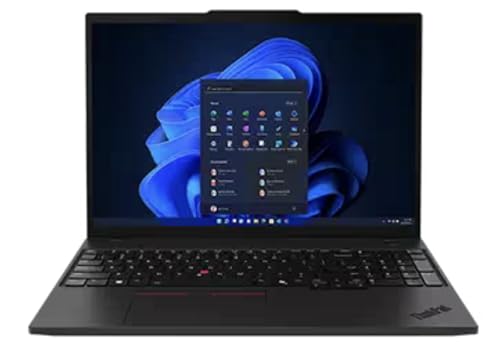 | Lenovo ThinkPad P16s Gen 4 AMD | System RAM: 64 GB DDR5 listed Processor: Ryzen AI 9 HX PRO 370 Storage: Check exact offer Buyer fit: Balanced mobile lab | Check Price on Amazon |
 | HP ZBook Ultra G1a 14 | System RAM: 128 GB unified listed Processor: Ryzen AI Max+ PRO 395 Storage: Check exact offer Buyer fit: High-memory compact lab | Check Price on Amazon |
 | HP ZBook Firefly 16 G11 | System RAM: 64 GB DDR5 listed Processor: Core Ultra 7 155U Storage: 2 TB SSD listed Buyer fit: 16-inch travel lab | Check Price on Amazon |
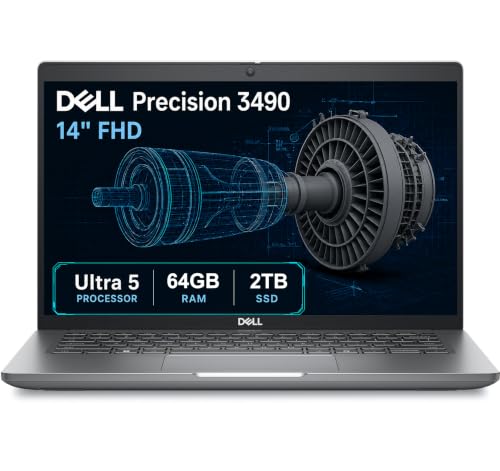 | Dell Precision 3490 | System RAM: 64 GB DDR5 listed Processor: Core Ultra 5 135H Storage: 2 TB SSD listed Buyer fit: 14-inch mobile lab | Check Price on Amazon |
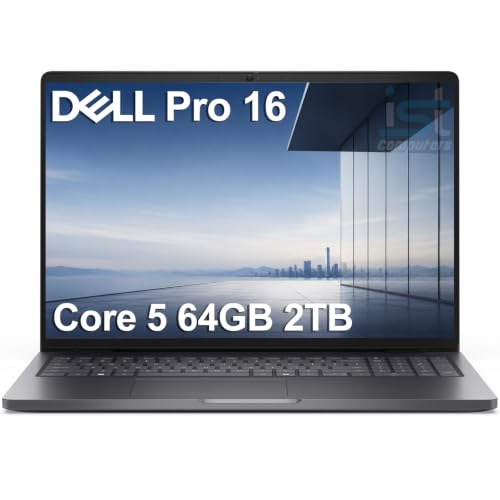 | Dell Pro 16 PC16250 | System RAM: 64 GB DDR5 listed Processor: Core 5 120U Storage: 2 TB SSD listed Buyer fit: Everyday desk lab | Check Price on Amazon |
1. Lenovo ThinkPad P16 Gen 3 — Best for a Heavy Desk Lab
When a lab stays on one desk for most of the week, a large workstation makes more sense than a thin travel notebook. This exact P16 offer has 64 GB of DDR5 memory with a Core Ultra 7 255HX. With this processor class, you have headroom to divide work between multiple active guests, though the number of vCPUs you assign is not a promise of dedicated physical cores. Lenovo’s P16 Gen 3 family documentation is the source for the model, and the marketplace offer for the configuration being sold.
Use the P16 when an IDE, a browser, a database guest and several service VMs must all remain open. Leave RAM for the host and file cache rather than allocating all 64 GB to guests. A workstation UPS may also be a good idea at a fixed desk if a long-running lab must shut down cleanly during an outage.
Our Take Choose the P16 Gen 3 if your VM lab stays mostly at a desk and you value a larger workstation over light travel. Size the guest RAM first. Memory overcommit is not free just because the laptop has workstation graphics.
- 64 GB DDR5 in the exact offer.
- HX-class processor suits several simultaneous active tasks.
- Large workstation chassis for a fixed setup.
- Full-size chassis is awkward for frequent light travel.
- Workstation graphics add cost if the lab only needs CPU and RAM.
2. Lenovo ThinkPad P16s Gen 4 AMD — Best Balanced Mobile Lab
For a lab that moves between home and office, the P16s is the more balanced ThinkPad. The exact offer lists 64 GB DDR5 and a Ryzen AI 9 HX PRO 370. Lenovo’s model-family page describes that processor as 12 cores and 24 threads. Those resources let a host schedule several guests, but workloads still compete for shared CPU time, storage and cooling. Check the suffix, because the offer is a P16s configuration, not the larger P16 above.
A 16-inch screen has room for a terminal, guest console and notes without needing an external monitor. At a second desk, a Thunderbolt dock is useful only after you verify the laptop’s port and display behavior. Don’t assume an Intel dock’s feature set from a USB-C connector alone. The 64 GB configuration is why this exact offer is on the list.
Leave the host some RAM before assigning RAM to every VM, because the total of guest reservations is not all the memory you need.Our Take The P16s Gen 4 AMD is the sensible 64 GB pick for someone who carries a VM workstation between desks. Compared with the P16, it is easier to move, but its guest capacity is not unlimited.
- 64 GB configured memory.
- 12-core, 24-thread processor documented for this model family.
- 16-inch workspace without a desk-replacement brief.
- Still larger than a 14-inch commuter laptop.
- Heavy simultaneous guests can contend for cooling and battery power.
3. HP ZBook Ultra G1a 14 — Best Compact 128 GB Lab
Some labs are memory-bound: multiple development environments, a local Kubernetes cluster and a database can make 64 GB cramped even if none of the guests is individually large. The exact ZBook Ultra G1a offer lists 128 GB of unified LPDDR5X memory with a Ryzen AI Max+ PRO 395. HP sells this 14-inch model family in 128 GB configurations. The larger memory makes it a distinct capacity choice rather than another 64 GB laptop with a faster label.
Do not buy 128 GB just because the number is impressive. Add the planned guest allocations, host overhead, browser and container use, then measure a current machine under the same mix. The unified memory is fixed rather than an ordinary removable pair of DDR5 modules, so choose the capacity before purchase. A fast external SSD can move snapshots and installers, but cannot raise RAM capacity.
This compact chassis is attractive when high memory has to travel, but it is not evidence of sustained full-load VM performance or cool operation. If a 64 GB budget is sufficient, the P16s means you don’t pay for unused memory. Verify your hypervisor and guest OS support on the delivered machine.
Our Take Choose the ZBook Ultra G1a only when a measured or well-specified VM workload needs more than 64 GB in a compact computer. Because its memory is fixed, a wrong capacity decision is expensive.
- 128 GB listed system memory gives a higher guest-capacity ceiling.
- 14-inch form factor is easier to move than a full workstation.
- Fixed memory prevents a later capacity upgrade.
- Extra memory is wasted money for a 64 GB lab.
- Compact size does not establish sustained performance.
4. HP ZBook Firefly 16 G11 — Best 16-Inch Travel Lab
The Firefly 16 G11 is for the person who wants screen room and 64 GB without buying a heavier HX-class machine. The exact offer lists Core Ultra 7 155U, 64 GB DDR5 and 2 TB SSD. HP’s model-family sheet confirms the processor class and a 64 GB memory configuration. The 2 TB SSD is useful when base images, clones and checkpoints stay local instead of moving to a server.
The U-series processor is a different choice from the P16’s 255HX. It may be fine for a mix of mostly idle test guests and development tools, but don’t infer equal compile or database performance from their shared Core Ultra branding. If all guests will be active at once, prioritize CPU headroom and sustained behavior over thinness. An external monitor can expand console space at a temporary desk.
A roomy SSD holds more VM images. It does not make several busy guests run as though each has its own CPU.Our Take Firefly 16 G11 is the 64 GB choice for a traveling lab whose guests are not all CPU-heavy at once. Its 2 TB listing is useful for local images, but the U-series processor is a deliberate tradeoff.
- 64 GB and 2 TB in the exact offer.
- 16-inch screen helps with several guest consoles.
- More portable brief than the P16.
- U-series CPU is not the heavy-lab pick.
- Local snapshots still need an independent backup.
5. Dell Precision 3490 — Best 14-Inch Mobile Lab
If a 16-inch workstation is inconvenient on trains or small desks, this exact Precision 3490 offer is a 14-inch business workstation with 64 GB DDR5, a Core Ultra 5 135H and a 2 TB SSD. Dell’s model guide documents that processor family and a 64 GB supported memory ceiling. It is a more compact lab than the P16, with enough listed storage for several guest images if you manage snapshots carefully.
You give up screen size for portability. Several guest desktops can become awkward on a 14-inch panel, so plan a second display at fixed locations or use terminal access to headless guests. A portable monitor can help on the road. A USB-C monitor suits a fixed desk. Check cabling and power before building around either.
Our Take Precision 3490 is the compact 64 GB option for VM work that must fit in a smaller bag and workspace. Plan how you will manage several consoles on the smaller screen.
- 64 GB RAM in a 14-inch configuration.
- 2 TB SSD gives room for local guests.
- H-class processor in the exact offer.
- Small built-in screen makes several guest consoles cramped.
- Seller configuration needs verification on arrival.
6. Dell Pro 16 PC16250 — Best Everyday 64 GB Desk Lab
Not every VM lab is a high-end workstation job. A few development guests, a test database and browser automation may need RAM and disk more urgently than a premium GPU. The exact Dell Pro 16 offer lists 64 GB DDR5, Core 5 120U and a 2 TB SSD. Dell’s product page supports those configuration options. It is a straightforward office laptop choice when the plan is more memory-bound than compute-bound.
The Core 5 120U’s 10-core specification is not a reason to allocate ten heavy vCPUs to each guest. VMs share the host scheduler, and sustained performance depends on cooling and the combined workload. If test runs regularly saturate CPU, the P16 is a more suitable starting point. If they mostly sit idle between builds, you can avoid paying for unused workstation hardware with this Dell.
64 GB helps keep several guests open, but a lower-power CPU still determines how quickly simultaneous busy jobs finish.Our Take Dell Pro 16 is the everyday 64 GB option for a mostly idle or moderately loaded desk lab. Choose a heavier workstation if your guests routinely run CPU-intensive jobs together.
- 64 GB RAM and 2 TB SSD in the exact offer.
- 16-inch screen suits a fixed work area.
- U-series CPU is a poor bet for many busy guests.
- Business-laptop positioning lacks the P16’s heavy-lab emphasis.
- Seller configuration must be checked on delivery.
Buying Guide
1. Reserve memory for the host before dividing the guests
Write down the memory each simultaneous guest needs. Add the operating system, IDE, browser, containers and file cache that remain on the host. A machine with 64 GB installed does not safely offer 64 GB to guests. A developer running two light test VMs may have ample headroom, but six memory-hungry servers may not. Use a measured peak from an existing lab where possible, not a theoretical maximum for every idle guest.
Choose 128 GB only when your working set needs it. The ZBook Ultra G1a is the capacity outlier, but its memory is fixed. The other five exact offers list 64 GB. Hypervisor memory overcommit can keep guests booted but cause swapping and unpredictable delays. Overcommit is not equivalent to physical RAM for a lab that must respond quickly.
2. Match CPU class to simultaneous work
Count active workloads, not merely the number of VM icons. A lab with several mostly idle services behaves differently from parallel compiles, databases and stress tests. The P16 Gen 3 has a higher-power HX-class CPU. The P16s has 12 cores and 24 threads in a more mobile design. Neither spec is a benchmark of your project.
Avoid treating assigned vCPUs as dedicated cores. The hypervisor schedules guest work on shared host hardware. Leave capacity for the host, then test the worst combined workload you expect to run. The Firefly 16 and Dell Pro 16 make more sense when portability or general office work is the priority and sustained multi-guest compute is modest.
3. Plan storage, compatibility and movement together
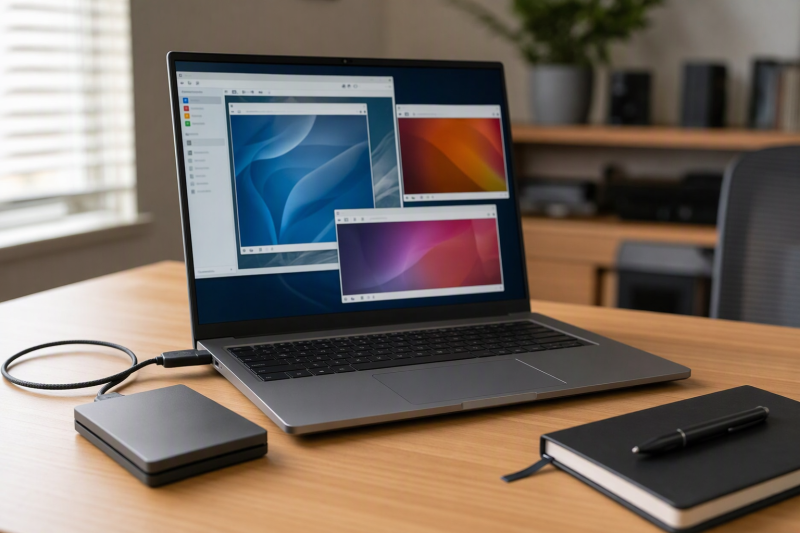
Budget disk space for clones and snapshots as well as base images. A 2 TB listing on the Firefly, Precision and Dell Pro offers is practical, but duplicate images can consume it fast. Keep backups independent of the laptop. An external SSD can carry images between desks. Check port and drive performance before running VMs on external storage.
Test the software stack you depend on. CPU virtualization support alone is not proof that a particular hypervisor, guest OS, nested-virtualization path or passthrough device works as planned. Verify BIOS options, host OS edition and vendor support for your required combination. If the machine travels, add charger size, noise limits, bag fit and offline access to your VM images to the purchase checklist. At a fixed desk, a USB-C laptop stand may help cable routing.
FAQ
Is 64 GB enough for a laptop VM lab?
Yes for many labs, but only when the combined active guest reservations plus the host fit with margin. A few modest Linux guests and development tools can be comfortable within 64 GB, but multiple large databases or Windows guests may push beyond it.
Measure peak host memory and guest allocations on your current machine. If the lab already swaps under normal work, reduce concurrent load or evaluate the 128 GB ZBook Ultra G1a. Do not assume every 64 GB configuration on this page behaves identically under CPU load.
Do I need a dedicated GPU for virtual machines?
No for ordinary development, server and browser-test guests. Their first limits are usually host RAM, CPU scheduling and storage. The P16’s workstation graphics are useful only if your specific workflow can use them.
GPU passthrough or accelerated guest desktops are a different project. Check the exact laptop GPU, firmware, hypervisor and licensing path before buying for that purpose. Passthrough was not tested on any of these six machines.
Can a laptop run several VMs on battery?
It can run VMs while unplugged, but how long and how fast depends on the active workload and the laptop’s power policy. A battery-life claim from a light office benchmark cannot be carried over to several busy guests.
If the lab must work away from power, test your guest mix and keep a clean shutdown plan. Consider pausing idle guests before travel. A larger plugged-in workstation may be the wrong answer even if its CPU specification looks strongest.
Bottom Line
The ThinkPad P16 Gen 3 is the heavy desk-lab choice. The P16s Gen 4 AMD is the choice for 64 GB with more portability. Buy the ZBook Ultra G1a only when your lab needs 128 GB. The Firefly, Precision and Dell Pro cover more specific travel, small-screen and everyday desk needs. Use the workload’s memory and CPU profile, not the longest specification sheet, to decide.