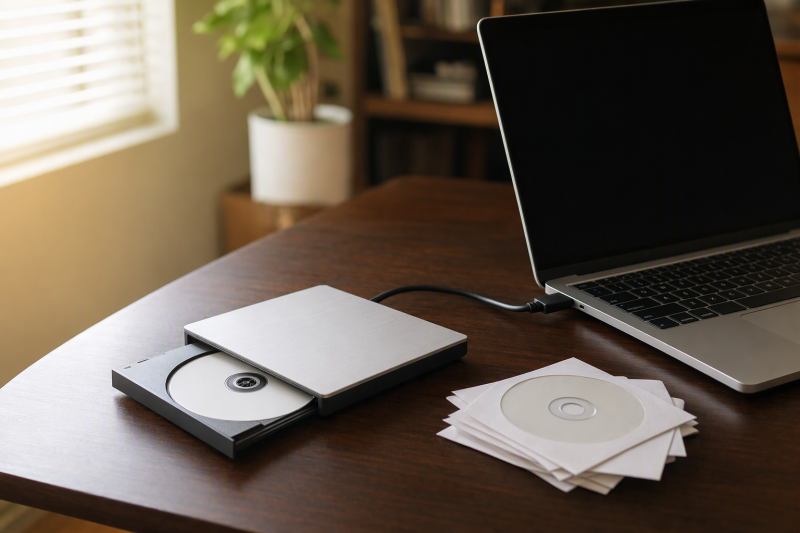
A modern laptop can have plenty of storage and no way to read the disc holding an old project, family photo folder, driver, or software installer. An external USB DVD drive restores access to CDs and DVDs, but the drive is only the hardware layer. A movie may need playback software, legacy software may need an older operating system or license, and a damaged disc may fail in any drive. Decide whether you need to read, burn, or copy a particular format before choosing one.
These six drives include USB-A and USB-C models, one that supports M-DISC, a compact drive with an extra power input, and one with built-in card and USB ports. None is presented as a Blu-ray drive. USB “5Gbps” in a listing describes the connection, not the optical disc’s read speed. Product listings do not establish performance with scratched media, a particular laptop port, or a specific operating system.
Check the label on one of your discs first, because CD, DVD, DVD-RAM, M-DISC DVD, and Blu-ray are different requirements. Then confirm the laptop port and software needed to open the files.External DVD Drives Compared
| Image | Product | Details | Check Price |
|---|---|---|---|
 | ASUS ZenDrive V1M | Connection: USB-C built-in cable Disc role: CD/DVD; M-DISC stated Extra: Named ASUS model Best fit: DVD archive writing | Check Price on Amazon |
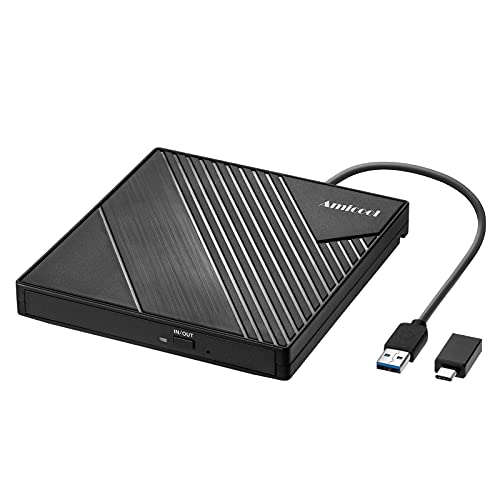 | Amicool USB-A/C | Connection: USB-A or USB-C Disc role: CD/DVD; no DVD-RAM Extra: Built-in cable Best fit: Mixed laptop ports | Check Price on Amazon |
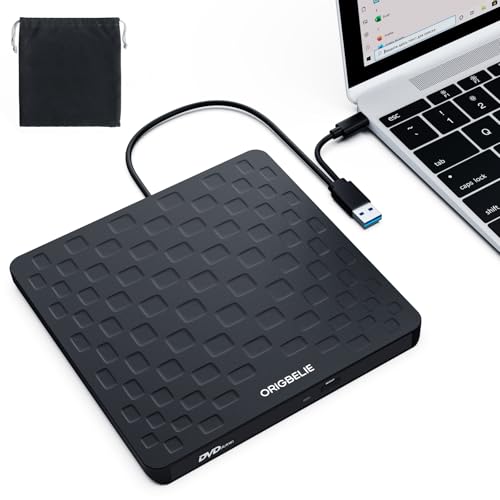 | ORIGBELIE 13mm | Connection: USB-A or USB-C Disc role: CD/DVD; DVD-RAM claimed Extra: Separate 5V power lead Best fit: Power-limited host | Check Price on Amazon |
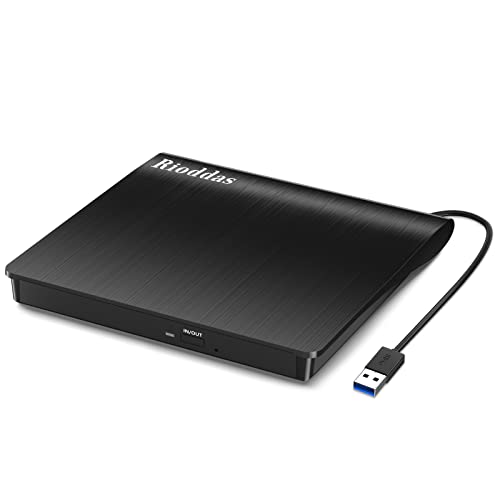 | Rioddas USB DVD | Connection: USB-A Disc role: CD/DVD Extra: Physical eject Best fit: Simple reader/writer | Check Price on Amazon |
 | ORIGBELIE Multiport | Connection: USB-A/C stated Disc role: CD/DVD; DVD-RAM claimed Extra: USB and SD/TF slots Best fit: Mixed media intake | Check Price on Amazon |
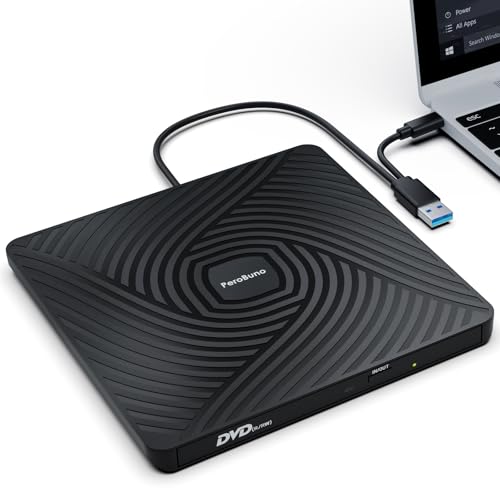 | PeroBuno 13mm | Connection: USB-A/C built-in Disc role: CD/DVD; DVD-RAM claimed Extra: Two stowed cables Best fit: Occasional travel use | Check Price on Amazon |
1. ASUS ZenDrive V1M — Best Documented M-DISC Option
ASUS’s ZenDrive V1M, model SDRW-08V1M-U, uses a USB-C connection with a short built-in storage cable. The checked listing describes DVD writing and M-DISC support. Naming the manufacturer and model gives a buyer building an archive details to check against a particular blank disc type. Its 24cm cable keeps the drive close to the laptop and reduces desk clutter, but it may be awkward if the only USB-C port is on the far side of a tall stand.
M-DISC is a media/drive compatibility feature, not a guarantee that a disc will preserve data for the marketing life claim. Verify the exact supported DVD M-DISC format and current blank-media availability. The listing says its drag-and-burn software is Windows-only, so Mac users need a compatible way to read or burn their actual files. The ZenDrive V1M is a DVD/CD-class drive, not a Blu-ray reader.
Our Take Choose the ZenDrive V1M if you do DVD or M-DISC work on a USB-C laptop. The short built-in cable and software limits should be checked before purchase.
- ASUS model identity and M-DISC support stated.
- USB-C cable stores with the drive.
- Built-in cable is only 24cm.
- Bundled burn workflow is Windows-only.
2. Amicool USB-A/C — Best Dual-Connector Starting Point
Amicool’s slim drive has USB-A and USB-C connection options in its checked listing, with a built-in cable. It names common DVD+R, DVD-R, CD-R, and CD-RW formats, with up to 8x DVD read and 24x CD read/write speeds stated. The listed formats and speeds suit many simple tasks, such as copying a disc to files on a laptop whose ports have changed across generations. Connect it directly to a computer port before assuming a passive hub can power it reliably.
The seller explicitly excludes Blu-ray and DVD-RAM, as well as phones, tablets, and Chromebooks. It also says a Mac may need compatible playback software for video discs and sometimes a powered USB path. The listing contains both direct-USB and powered-hub advice for different situations, so treat power as something to test with your exact laptop, not a universal fix. A 5Gbps USB interface does not change the stated 8x DVD speed.
Our Take Choose Amicool if your discs are ordinary CDs or DVDs and you can give it stable USB power. Because the seller names its exclusions, it is easy to rule out before you buy.
- USB-A and USB-C options in listing.
- Disc-format exclusions are clearly stated.
- No Blu-ray or DVD-RAM.
- Power and playback software depend on the laptop.
3. ORIGBELIE 13mm — Best Extra-Power Path
This ORIGBELIE offer is a 13mm slim USB-A/USB-C DVD drive with a separate USB-A-to-5V power lead listed in the box. The power lead is a useful difference if a thin laptop’s port cannot supply enough power for reliable disc spin-up or writing. The seller lists reading/writing of ordinary CD/DVD formats and DVD-RAM. Verify the exact disc subtype before relying on that claim. The cable stores with the drive, so it is suitable for occasional retrieval of archived software or photos.
Its OS compatibility bullets are broad and partly contradictory, including Linux support in one place and an Ubuntu exclusion in another. Do not assume a specific Linux distribution or old Windows release is supported without checking the maker’s current documentation and your software. The extra power lead needs an appropriate 5V source, and the listing says to use a direct computer USB port for data. Its 5Gbps USB figure does not change the stated 8x DVD/24x CD limits.
Our Take Choose the slim ORIGBELIE if a thin laptop’s port does not supply enough power on its own. Confirm your OS and disc format because the seller’s compatibility wording is inconsistent.
- Extra 5V power lead included.
- USB-A and USB-C data connector options.
- DVD-RAM appears in seller’s format list.
- OS compatibility statements conflict.
- Additional power cable adds setup.
4. Rioddas USB DVD — Best Simple Physical Eject
The Rioddas checked listing describes a USB-A external CD/DVD writer with an embedded cable and a physical eject button. The button is useful when the computer recognizes a disc poorly and you need to remove it without going through operating-system menus. Its listed formats include common CD and DVD recordable/rewriteable discs and dual-layer DVD variants. It is a basic computer drive, not a standalone movie player or disc duplicator, despite wording in the title.
The seller says Blu-ray, 4K discs, ChromeOS, phones, and TVs are unsupported. The listing gives long OS lists and USB speed claims, but neither proves that an old encrypted movie, proprietary game disc, or vintage installer will work on today’s laptop. Power it from a suitable direct USB port and check the disc in the OS’s file browser first.
Our Take Choose Rioddas if your laptop has a USB-A port and you want a physical eject control. Its title’s “duplicator” language should not be read as standalone copying hardware.
- Physical eject button stated.
- Embedded cable and common CD/DVD formats.
- USB-A connection in checked offer.
- No Blu-ray; software may be needed.
5. ORIGBELIE Multiport — Best Disc-and-Card Desk Combo
This separate ORIGBELIE model is a CD/DVD drive with USB ports and SD/TF card slots. For a desk that handles old photo discs and camera cards, it can save you one extra accessory. The listing says it reads and writes several CD/DVD variants, including DVD-RAM, and describes a mixture of USB 3.0 and USB 2.0 ports. Check the exact side-port layout before planning to connect a fast storage drive through it. Not every port is the same speed.
The seller says the SD and TF slots cannot be used simultaneously. The seller also excludes Blu-ray, phones, and certain tablet/console use. More ports put more devices on the same host connection and power budget, so a dedicated powered hub may be better if external SSDs and a DVD burn must run together. For archive intake, copy one medium at a time, verify the files, and keep a separate backup instead of treating the multiport body as data protection.
Our Take Choose the ORIGBELIE Multiport if you handle both old discs and memory cards at one desk. Mind the shared power and the limit of one card slot at a time.
- Disc drive plus USB and SD/TF ports.
- DVD-RAM appears in checked listing.
- SD and TF cannot operate together.
- Mixed USB 2.0/3.0 ports and shared power.
6. PeroBuno 13mm — Best Stowable Dual-Cable Drive
PeroBuno lists a 13mm body with USB-A and USB-C cables stored underneath. With both cables stored there, it is easy to keep in a laptop bag for occasional reading of installation discs or archived files without packing a loose adapter. The checked listing includes ordinary CD/DVD write formats and DVD-RAM, while explicitly excluding Blu-ray. The 8x DVD and 24x CD figures are the disc speed claims, and “USB 3.0 5Gbps” describes the host interface.
The compatibility wording contains exclusions for Ubuntu and certain devices even while broadly claiming Linux and older OS support. Verify the exact operating system and disc type before depending on it for a legacy project. The seller also says macOS may require an OS-level eject command rather than the tray button after use. Connect directly to a computer and check the power if the drive fails to spin a disc. Do not assume every USB-C hub delivers enough current.
Our Take Choose PeroBuno if you want both cable types stored under the drive for occasional disc access. Check its broad OS list against the exact model before an archive job.
- Both connector cables store under the drive.
- DVD-RAM stated; Blu-ray excluded.
- Broad and contradictory OS claims.
- No separate power lead listed.
Buying Guide: Rescue the Data, Not Just the Disc
Inventory media and software before choosing hardware
Read the disc label or use another known drive to identify CD, DVD, DVD-RAM, M-DISC, or Blu-ray. The six products here target CDs and DVDs. Amicool explicitly excludes DVD-RAM, while the selected ORIGBELIE and PeroBuno listings claim it. ASUS V1M lists M-DISC support, but the disc needs an exact media and format match. None is a Blu-ray recommendation. If an archive contains both DVD and Blu-ray, choose hardware specified for both rather than hoping a DVD laser will read the latter.
Old software discs are a separate problem. Reading files is not the same as running an installer written for an obsolete OS or processor architecture. A drive may show the directory while the application cannot launch. Movie discs may require licensed playback software or region handling, and damaged discs may need recovery tools. Identify the workflow before deciding a particular drive is “compatible.”
Match the USB port and power path
Check whether the laptop offers USB-A, USB-C, or both. ASUS V1M is USB-C in the listed configuration. Amicool, PeroBuno, and the selected ORIGBELIE slim model provide dual connector paths, and Rioddas is a basic USB-A setup. If an adapter or dock is necessary, verify its power delivery to the drive. The USB-C hub guide helps with portable ports, while the USB-C docking station guide covers a fixed desk. Neither guarantees optical-drive power.
Disc spin-up and burning can be sensitive to insufficient USB power. Several listings recommend a direct computer port, and ORIGBELIE’s 13mm drive includes a separate 5V power lead. A powered hub can help in some setups, but exact compatibility depends on the host and drive. Do not troubleshoot a failed read by buying faster USB alone, because DVD 8x is far below a USB 3.0 5Gbps interface ceiling.
Verify the copy and keep more than one copy
Once a disc mounts, copy the files to a working folder and verify they open. Preserve directory structure and original names if an old installer depends on them. For important photos or project files, make a second copy on another storage device and keep the original disc separately. A successful burn or import is not a verified archive. Spot-check or checksum files when the data is important.
For writeable media, check which disc subtype and software the drive supports. ASUS advertises M-DISC, but its marketing longevity number is not a measured life of your particular disc. Optical media can be scratched, unreadable, or dependent on future compatible hardware. For a sensible archive, keep the media, verified digital copies, and the software context needed to interpret old files.
Frequently Asked Questions
Will one of these drives play Blu-ray movies?
No, not with the checked products. A CD/DVD drive cannot be assumed to read Blu-ray. Amicool, Rioddas, ORIGBELIE, and PeroBuno explicitly exclude it, and ASUS V1M is a DVD model. Choose a drive whose exact listing and maker specification names Blu-ray if Blu-ray is your media.
Playback software is separate from the optical reader. Even a compatible Blu-ray drive may need licensed software and hardware/OS support for particular discs. Check the whole playback setup, not only the USB plug.
Why does the drive light up but the disc not appear?
Power, disc condition, format, and OS behavior are separate checks. Try a known-good standard CD or DVD, a direct laptop USB port, and the OS’s disc/file browser. Some Mac listings say an icon appears only after a readable disc is inserted. A drive LED does not mean the disc was successfully read.
If the drive cannot spin reliably, compare the maker’s power guidance. One ORIGBELIE model includes an extra 5V lead. Avoid endless retrying on a scratched disc that may be deteriorating. A failed read alone does not diagnose the drive or the media.
Can I install old software from a DVD on a current laptop?
You may be able to read the installer files, but reading the files does not prove the program will run. The software may need a compatible OS version, architecture, license key, old driver, or unsupported copy-protection scheme. Check the software publisher’s current support and licensing terms before buying a drive solely for one installer.
If the program is critical, keep a copy of the disc files and license information where permitted. Do not rely on an external drive to solve a software-compatibility problem.
Bottom Line
Choose ASUS ZenDrive V1M for a named USB-C DVD drive with M-DISC support, Amicool for ordinary discs with two connector options, and ORIGBELIE 13mm when you want a separate power route. Identify the disc format and software job first, then copy and verify the resulting files.