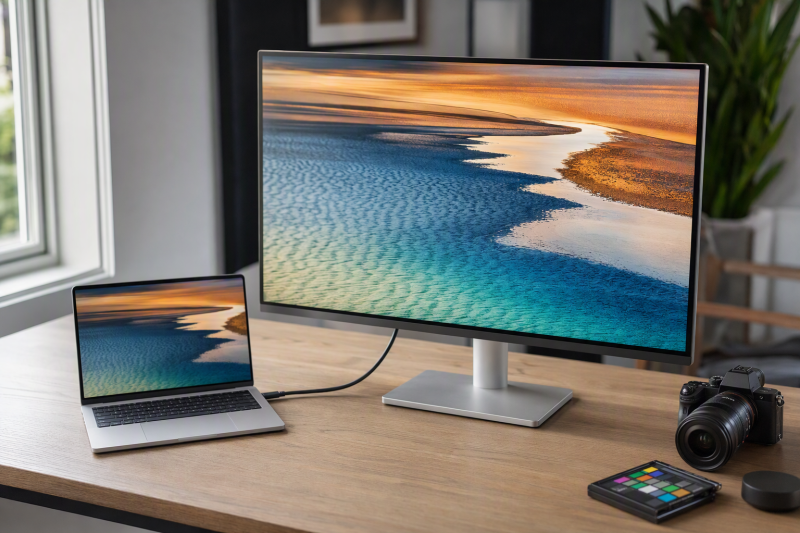
For a Mac, the Apple Studio Display MFEX4LL/A is the best 5K Thunderbolt monitor in this frozen slate. Apple specifies that this exact standard-glass, tilt-adjustable configuration combines a 27-inch 5120 x 2880 panel at 60Hz, upstream Thunderbolt 5, 96W charging, downstream Thunderbolt 5, and two USB-C ports. Each alternative answers one different need: ViewSonic VP2788-5K is the Thunderbolt 4 alternative, BenQ PD2730S adds KVM and creator workflow features, LG UltraFine 5K is the established Thunderbolt 3 option, and Dell U4025QW trades standard-5K density for a wider 5120 x 2160 workspace.
“5K” describes two different formats in this page. Apple, ViewSonic, BenQ, and LG use standard 5120 x 2880. Dell uses 5120 x 2160 5K2K and has far lower pixel density than a 27-inch standard-5K panel. Exact Mac chip, macOS release, native display count, Thunderbolt port, cable, input, DSC, scaling, charging, and daisy-chain support remain separate checks. Our broader 5K monitor guide covers the category beyond this frozen Thunderbolt slate.
Quick picks
- Apple Studio Display MFEX4LL/A: Best integrated 27-inch Mac choice.
- ViewSonic VP2788-5K: Best non-Apple Thunderbolt 4 alternative.
- BenQ PD2730S: Best 5K KVM and designer-workflow option.
- LG UltraFine 5K 27MD5KL-B: Best established Thunderbolt 3 branch.
- Dell U4025QW: Best 5K2K ultrawide workspace.
Compare 5K Thunderbolt monitors for Mac
| Image | Product | Details | Check Price |
|---|---|---|---|
 | Apple Studio Display MFEX4LL/A | Format: 27-inch 5120 x 2880 standard 5K at 60Hz Host input: Upstream Thunderbolt 5 Laptop power: 96W Mac role: Integrated camera, audio, microphones, downstream TB5 Buyer check: Standard glass and tilt-only stand configuration | Check Price on Amazon |
 | ViewSonic ColorPro VP2788-5K | Format: 27-inch 5120 x 2880 standard 5K Host input: Thunderbolt 4 Laptop power: Exact retained ceiling unknown Mac role: Non-Apple Mac-ready creator display Buyer check: Exact Mac, cable, scaling, charging, and chain | Check Price on Amazon |
 | BenQ PD2730S | Format: 27-inch 5120 x 2880 standard 5K at 60Hz Host input: Thunderbolt 4 with downstream TB4 Laptop power: Up to 90W Mac role: KVM, DP/HDMI alternatives, USB hub Buyer check: Exact Mac and daisy-chain conditions | Check Price on Amazon |
 | LG UltraFine 5K 27MD5KL-B | Format: 27-inch 5120 x 2880 standard 5K Host input: Thunderbolt 3 Laptop power: Exact retained ceiling unknown Mac role: Established macOS-oriented single-display path Buyer check: Older TB3 design and exact host compatibility | Check Price on Amazon |
 | Dell UltraSharp U4025QW | Format: 39.7-inch 5120 x 2160 5K2K ultrawide Host input: Thunderbolt 4 Laptop power: Up to 140W EPR Mac role: Wide workspace with KVM and 2.5GbE Buyer check: Not standard 5K; Mac/DSC/scaling path conditional | Check Price on Amazon |
1. Apple Studio Display MFEX4LL/A — best overall
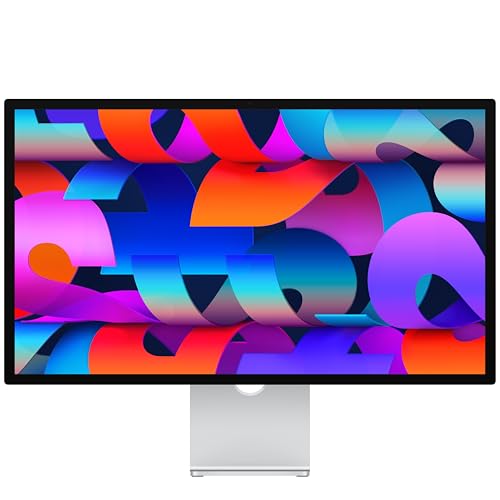
This exact Studio Display configuration uses standard glass and a tilt-adjustable stand. Apple documents a 27-inch 5120 x 2880 panel at 218 PPI and 60Hz, wide color P3, and a 600-nit brightness claim. The stand is tilt-only; height-adjustable and VESA configurations are separate products and must not be merged into this listing.
Apple lists one upstream Thunderbolt 5 port with 96W host charging, one downstream Thunderbolt 5 port, and two 10Gbps USB-C ports. Apple also documents a 12MP Center Stage camera, six-speaker system, and three-microphone array. When the exact Mac and macOS support them, those integrated functions are the reason to buy it over a panel-only alternative.
P3, brightness, and reference modes are Apple specifications, not measurements of the delivered unit. The retained page does not establish a user hardware-calibration workflow or an HDR tier. Exact Mac compatibility, feature support, scaling, charging, cable, and downstream-display behavior still need checking.
Our Take
Choose this Studio Display when an exact compatible Mac benefits from integrated camera/audio and standard 5K density. Match MFEX4LL/A, standard glass, and the tilt-only stand at checkout.
- 27-inch 5120 x 2880 at 218 PPI
- Upstream TB5 with 96W charging
- Integrated camera, speakers, and microphones
- Selected stand adjusts tilt only
- No hardware-calibration or HDR tier is inferred
2. ViewSonic ColorPro VP2788-5K — best Thunderbolt 4 alternative
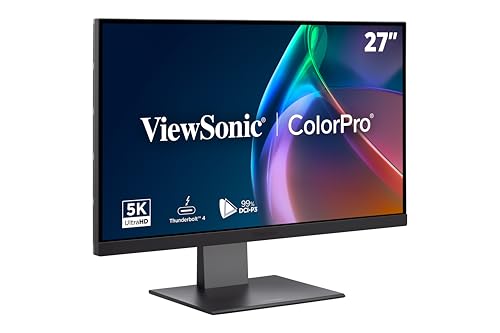
ViewSonic provides the VP2788-5K as the non-Apple branch for buyers who want a 27-inch 5120 x 2880 panel and Thunderbolt 4. ViewSonic positions the exact model as Mac-ready and publishes creator-focused color evidence for it.
That positioning does not settle the full Mac path. Confirm the exact Mac model and chip, macOS version, cable, native display count, scaling behavior, charging mode, and any downstream chain before purchase. A 5K panel and Thunderbolt 4 input do not prove that every Mac exposes every hub or display feature.
The retained gate does not preserve a complete charging and daisy-chain matrix for this exact package, so those details stay checks rather than promises. Manufacturer color claims also stay attributed and are not treated as measured accuracy of a retail unit.
Our Take
Choose VP2788-5K when a non-Apple 27-inch standard-5K Thunderbolt 4 monitor fits the workflow. Verify the complete Mac, cable, charging, and chain row rather than relying on “Mac-ready.”
- 27-inch 5120 x 2880 standard 5K
- Thunderbolt 4 host path
- Creator-focused manufacturer color evidence
- Exact Mac and chain support still require verification
- Retained charging ceiling is not promoted here
3. BenQ PD2730S — best KVM and designer workflow

BenQ PD2730S pairs standard 5K density with practical two-computer workflow features. BenQ documents a 27-inch 5120 x 2880 panel at 60Hz and 218 PPI, Thunderbolt 4 input with up-to-90W Power Delivery, downstream Thunderbolt, KVM, HDMI 2.1, DisplayPort 1.4, a 10Gbps USB hub, and an included Hotkey Puck.
BenQ also publishes P3, sRGB, Rec.709, contrast, calibration-report, and validation statements. These remain manufacturer claims. They do not prove accuracy, uniformity, or calibration state for the delivered unit, and KVM convenience does not create a color-management workflow by itself.
Daisy chaining depends on the exact Mac chip, native display limit, macOS, cable, and second monitor. Charging is likewise an up-to-90W offer rather than accepted Mac draw. The PD2730S is strongest when its KVM and alternative inputs serve a real Mac-plus-second-computer desk.
Our Take
Choose PD2730S when a standard-5K Mac desk also needs KVM routing and alternative video inputs. Keep color claims attributed and verify the Mac chain separately.
- 27-inch 5120 x 2880 at 218 PPI
- TB4, KVM, HDMI, DP, and USB hub
- Up-to-90W laptop charging
- Daisy-chain support is exact-Mac dependent
- Maker color claims are not delivered-unit measurements
4. LG UltraFine 5K 27MD5KL-B — best established Thunderbolt 3 option
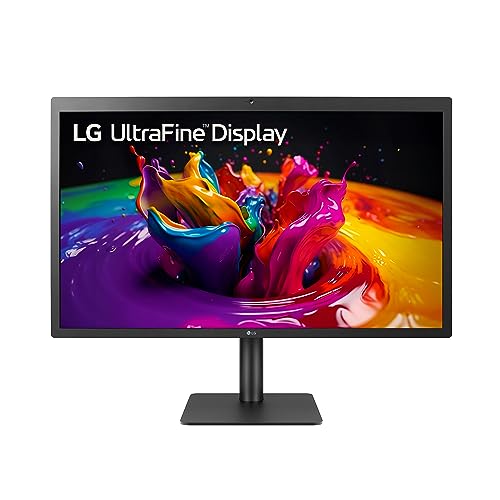
LG UltraFine 5K 27MD5KL-B is the older, simpler Mac-oriented branch. LG documents a 27-inch 5120 x 2880 display, a Thunderbolt 3 host path, macOS compatibility, three downstream USB-C ports, and manufacturer P3 and brightness claims.
Thunderbolt 3 is the central limitation and should not be relabeled as Thunderbolt 4 or 5. Confirm that the exact Mac and cable support the monitor’s native mode through the intended port. Adapter-based paths, scaling, camera or audio features, charging, and any second-display plan all remain exact-host checks.
The older interface is not automatically a problem for one standard-5K 60Hz display, but it does change hub expectations and future expansion. LG’s P3 and brightness wording also remains manufacturer evidence rather than independent measurement.
Our Take
Choose the LG when one established Thunderbolt 3 standard-5K display matches the exact Mac. Prefer newer TB4 or TB5 models when downstream expansion or a newer host path is central.
- 27-inch 5120 x 2880 standard 5K
- Mac-oriented Thunderbolt 3 path
- Three downstream USB-C ports
- Thunderbolt 3, not TB4 or TB5
- Exact charging and feature path needs verification
5. Dell UltraSharp U4025QW — best 5K2K ultrawide workspace

Dell U4025QW is admitted as the deliberate format exception. Dell documents a 39.7-inch curved 5120 x 2160 5K2K panel, a 120Hz-class path under exact input conditions, Thunderbolt 4 upstream, up-to-140W EPR, KVM, USB hub functions, and 2.5GbE.
It is not standard 5K. The 2160-pixel vertical dimension and larger panel produce far lower pixel density than a 27-inch 5120 x 2880 display. What you get in return is horizontal timeline and window space. Buyers who want high-density Mac UI should choose one of the four standard-5K models instead. Our 5K2K ultrawide guide owns the wider comparison.
Mac chip, macOS, Thunderbolt input, cable, DSC, scaling, refresh, charging, and KVM routing all remain exact-system checks. Dell’s maximum panel and charging specifications are not universal Mac results.
Our Take
Choose U4025QW for a wide Mac workspace, not for standard-5K density. Verify the exact Mac input, scaling, refresh, and EPR path before buying.
- 39.7-inch 5120 x 2160 ultrawide workspace
- Thunderbolt 4 hub with KVM and 2.5GbE
- Up-to-140W EPR ceiling
- 5K2K is not standard 5120 x 2880
- Far lower pixel density than 27-inch standard 5K
How to choose a 5K Thunderbolt monitor for Mac
Decide between standard 5K and 5K2K
Standard 5K is 5120 x 2880 in a 16:9 format, and it favors high pixel density and familiar Mac scaling on a 27-inch panel. Dell’s 5120 x 2160 5K2K is wider and favors horizontal workspace. The shared “5K” label does not make their vertical resolution, density, scaling, or ergonomics interchangeable.
Check the exact Mac chip and native display count
Mac display support changes by chip and sometimes by laptop mode, so verify the exact model’s number of native external displays, supported resolution and refresh, Thunderbolt generation, and any lid-state condition. A monitor’s downstream Thunderbolt port cannot bypass the Mac’s native display limit.
Match input, cable, DSC, and operating system
Apple uses TB5, ViewSonic and BenQ TB4, LG TB3, and Dell TB4. Use the cable the manufacturer specifies for the native mode, then confirm macOS support, DSC where required, firmware, and the exact input. A USB-C-shaped connector alone does not prove 5K. Our Thunderbolt generation guide explains the interface distinctions.
Treat scaling as a separate choice
Physical resolution does not prescribe one logical workspace. macOS scaling choices trade apparent UI size against workspace and rendering load, so standard 5K at 27 inches and 5K2K at 39.7 inches should not be expected to produce the same apparent interface.
Check charging and downstream expansion
Apple rates the Studio Display for 96W, BenQ specifies 90W, and Dell lists up to 140W EPR. ViewSonic and LG charging must be checked in their exact product records rather than inferred here. Offered power is not accepted Mac draw, and downstream TB or USB ports do not guarantee a second display, a specific data rate under display load, or universal accessory support.
Frequently asked questions
Is 5120 x 2160 the same as 5120 x 2880?
No. Both are marketed with “5K,” but 5120 x 2160 is 5K2K ultrawide and has fewer vertical pixels and lower density at Dell’s larger size.
Can every Mac run a 5K monitor at its native mode?
No. Exact Mac chip, port, macOS, cable, input, DSC, and display-count limits all have to qualify.
Can Thunderbolt daisy chaining bypass a Mac display limit?
No. A downstream port supplies a route, but the Mac’s native display support remains controlling.
Final recommendation
Apple Studio Display MFEX4LL/A is the best overall 5K Thunderbolt monitor for a compatible Mac because Apple specifies its exact 27-inch standard-5K configuration integrates TB5, 96W charging, downstream expansion, camera, audio, and microphones. After that, one requirement picks each alternative: ViewSonic for a non-Apple TB4 route, BenQ for KVM workflow, LG for an established TB3 path, Dell for a wider 5K2K workspace. Whichever you buy, keep format, Mac chip, macOS, cable, DSC, scaling, charging, and daisy-chain support separate.