For most college buyers, the choice starts with the 13-inch MacBook Air and moves up only when a larger screen, more ports, or a heavier course workload calls for it. Amazon showed an active New offer for all five MacBooks below when checked on October 31. Apple lists two Thunderbolt 4 ports on each Air and three Thunderbolt 5 ports on each Pro here.
Do not buy the most powerful MacBook by default. Match the screen, weight, ports, and the memory and SSD in the Amazon listing to the software your courses require. Check course and department requirements before choosing macOS, especially for programs that name Windows-only tools.
The 13-inch Air is the lightest of the five at 2.7 pounds, and each larger model trades carry weight for a bigger screen or more ports.MacBooks for College Compared
| Image | Product | Details | Check Price |
|---|---|---|---|
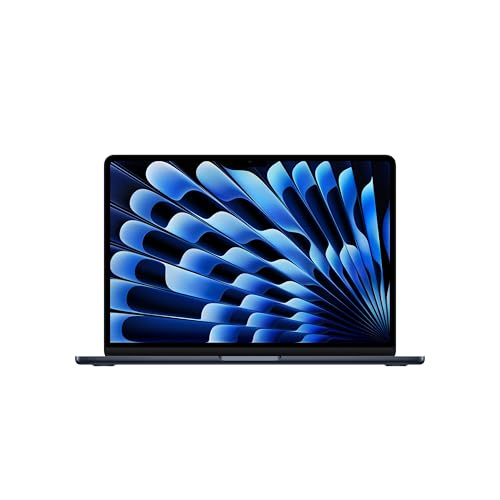 | Apple MacBook Air 13-inch with M5 | Best fit: Lightest of the five Screen: 13.6-inch Liquid Retina (Apple) Thunderbolt ports: 2 Thunderbolt 4 (Apple) Weight: 2.7 lb (Apple) Memory and SSD: 16GB, 512GB (Amazon) | Check Price on Amazon |
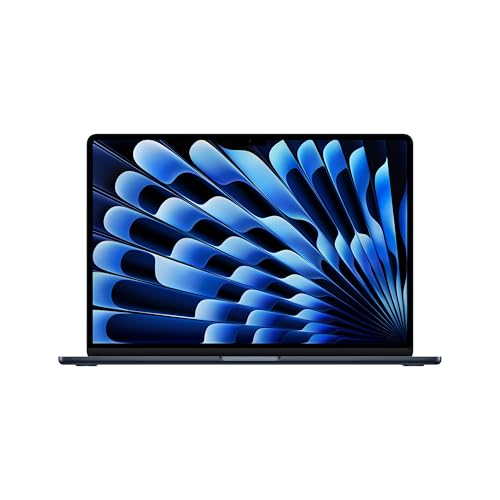 | Apple MacBook Air 15-inch with M5 | Best fit: Larger Air screen Screen: 15.3-inch Liquid Retina (Apple) Thunderbolt ports: 2 Thunderbolt 4 (Apple) Weight: 3.3 lb (Apple) Memory and SSD: 16GB, 512GB (Amazon) | Check Price on Amazon |
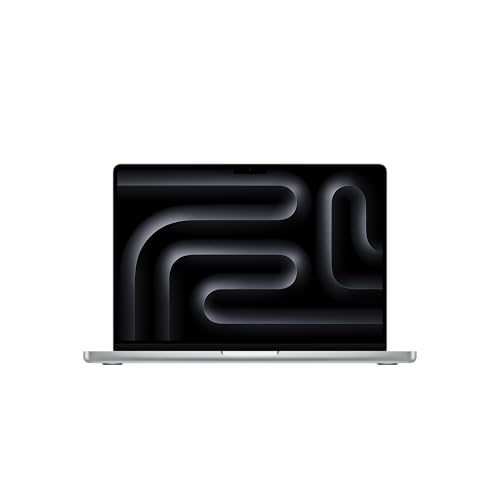 | Apple MacBook Pro 14-inch with M5 Pro | Best fit: 14-inch Pro for three displays Screen: 14.2-inch Liquid Retina XDR (Apple) Thunderbolt ports: 3 Thunderbolt 5 (Apple) Weight: 3.5 lb (Apple) Memory and SSD: 24GB, 1TB (Amazon) | Check Price on Amazon |
| Apple MacBook Pro 14-inch with M5 Max | Best fit: Four external displays Screen: 14.2-inch Liquid Retina XDR (Apple) Thunderbolt ports: 3 Thunderbolt 5 (Apple) Weight: 3.6 lb (Apple) Memory and SSD: 36GB, 2TB (Amazon) | Check Price on Amazon |
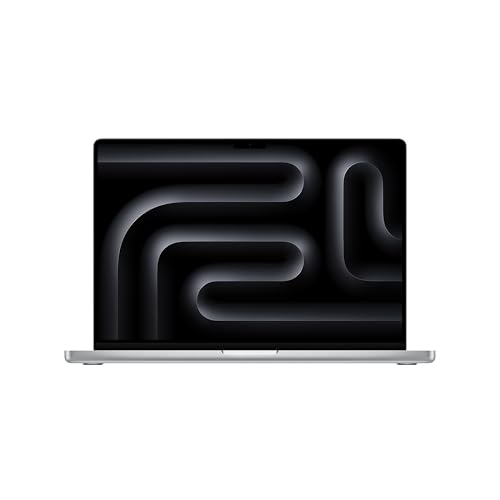 | Apple MacBook Pro 16-inch with M5 Pro | Best fit: Largest screen and battery Screen: 16.2-inch Liquid Retina XDR (Apple) Thunderbolt ports: 3 Thunderbolt 5 (Apple) Weight: 4.7 lb (Apple) Memory and SSD: 48GB, 1TB (Amazon) | Check Price on Amazon |
1. Apple MacBook Air 13-inch with M5 — Best for Most College Students
The 13-inch MacBook Air suits a student who carries a laptop every day. Apple lists a 13.6-inch Liquid Retina display, the smallest screen of the five, a weight of 2.7 pounds, and a 53.8Wh battery. Apple rates the battery for up to 18 hours of video streaming or up to 15 hours of wireless web use, and both figures come from Apple’s own test conditions.
Amazon lists the M5 chip, 16GB of unified memory, and a 512GB SSD for this model. Apple says its two Thunderbolt 4 ports support charging, DisplayPort, Thunderbolt 4 up to 40Gb/s, and USB4 up to 40Gb/s, and that the Air supports up to two external displays. Apple’s port list also has MagSafe 3 and a headphone jack, with no HDMI, USB-A, or SD card slot.
Our Take Pick this Air when light carry outranks a large built-in display. It gives a student the lightest of the five MacBooks, with two ports for a display or dock at home, provided macOS runs the course software.
- Apple lists a weight of 2.7 pounds, the lowest of the five MacBooks on this page, which suits a student who carries a laptop every day.
- Amazon lists 16GB of unified memory and a 512GB SSD for the 13-inch Air.
- Apple lists two Thunderbolt 4 ports with DisplayPort, Thunderbolt 4, and USB4 support, enough for a display or dock at home.
- Apple lists a 13.6-inch display, the smallest screen of the five MacBooks on this page.
- Apple’s port list for the 13-inch Air has no HDMI, USB-A, or SD card slot.
2. Apple MacBook Air 15-inch with M5 — Best Larger Air Screen
The 15-inch MacBook Air has the same two Thunderbolt 4 ports as the 13-inch model and a 15.3-inch Liquid Retina display. Apple lists a 66.5Wh battery and a weight of 3.3 pounds, which is 0.6 pounds more than the 13-inch Air.
Amazon lists the M5 chip, 16GB of unified memory, and a 512GB SSD. Apple gives it the same ratings as the 13-inch model, up to 18 hours of video streaming and up to 15 hours of wireless web, and says it supports up to two external displays. Check a chosen dock and monitor against the resolutions and refresh rates Apple states.
The 15-inch Air has the same two Thunderbolt 4 ports as the 13-inch model, with a 15.3-inch screen at 3.3 pounds.Our Take Choose the 15-inch Air when reading, writing, spreadsheets, or two windows side by side call for more screen than the 13-inch model gives. Choose a Pro when the course needs HDMI, an SD card slot, or an XDR display built in.
- Apple lists a 15.3-inch display, larger than the 13.6-inch display on the 13-inch Air, for reading, writing, spreadsheets, or two windows side by side.
- Apple lists the same two Thunderbolt 4 ports and two-external-display support as the 13-inch Air.
- Amazon lists 16GB of unified memory and a 512GB SSD for the 15-inch Air.
- Apple rates the 66.5Wh battery for up to 18 hours of video streaming.
- Apple lists 3.3 pounds, against 2.7 pounds for the 13-inch Air.
- Apple’s port list for the 15-inch Air has no HDMI, USB-A, or SD card slot.
3. Apple MacBook Pro 14-inch with M5 Pro — Best 14-Inch Pro for Three Displays
The 14-inch MacBook Pro with M5 Pro has more ports than either Air and an XDR display on a 14.2-inch screen. Amazon lists an M5 Pro chip, 24GB of unified memory, a 1TB SSD, and a 14.2-inch Liquid Retina XDR display, which is smaller than the 15.3-inch Air screen and the 16.2-inch Pro screen. Apple lists three Thunderbolt 5 ports, HDMI, an SDXC card slot, MagSafe 3, and a headphone jack for the 14-inch M5 Pro and M5 Max.
Apple says the three Thunderbolt 5 ports support charging, DisplayPort, Thunderbolt 5 up to 120Gb/s, and USB4 up to 120Gb/s. It lists 3.5 pounds and a 72.4Wh battery for the M5 Pro, rated for up to 22 hours of video streaming and up to 14 hours of wireless web. Apple says the M5 Pro supports up to three external displays over Thunderbolt and HDMI ports. The dock, displays, cables, and macOS version each need to match the setup you plan.
Our Take Pick this model when a course calls for a 14-inch MacBook with HDMI and an SD card slot built in, and the applications you run justify an M5 Pro. The 13-inch Air is the better fit when light carry is the main job.
- Amazon lists an M5 Pro chip, 24GB of unified memory, and a 1TB SSD.
- Apple lists three Thunderbolt 5 ports with Thunderbolt 5 and USB4 up to 120Gb/s.
- Apple lists HDMI and an SDXC card slot alongside the Thunderbolt 5 ports, built in for a course that calls for them.
- Apple lists 3.5 pounds, against 2.7 pounds for the 13-inch Air and 3.3 pounds for the 15-inch Air.
- Apple lists a 14.2-inch display, smaller than the 15.3-inch Air display and the 16.2-inch Pro display.
- Apple’s three-display statement covers the MacBook, not any particular dock or monitor.
4. Apple MacBook Pro 14-inch with M5 Max — Best for Four External Displays
The 14-inch MacBook Pro with M5 Max is a different Amazon configuration from the M5 Pro. Amazon lists an M5 Max chip, 36GB of unified memory, and a 2TB SSD with the same 14.2-inch Liquid Retina XDR display. The 36GB and 2TB figures belong to this Amazon model, not to every 14-inch MacBook Pro.
Apple lists the same ports as on the 14-inch M5 Pro: three Thunderbolt 5 ports, HDMI, SDXC, MagSafe 3, and a headphone jack. Apple says the M5 Max supports up to four external displays over Thunderbolt and HDMI ports, the most of the five MacBooks here. It lists 3.6 pounds and the same 72.4Wh battery as the M5 Pro, rated for up to 20 hours of video streaming against 22 hours for the M5 Pro.
The M5 Max is the only one of the five MacBooks that Apple lists with support for four external displays.Our Take Consider this configuration only when course software or a heavy local workload calls for an M5 Max, 36GB of memory, and 2TB of storage, or when you plan four external displays. The 13-inch Air is the lighter choice for everything else.
- Amazon lists 36GB of unified memory and a 2TB SSD for the M5 Max model.
- Apple lists three Thunderbolt 5 ports, HDMI, and an SDXC card slot.
- Apple says the M5 Max supports up to four external displays, the most of the five MacBooks here.
- Apple lists 3.6 pounds, against 2.7 pounds for the 13-inch Air.
- Apple rates the M5 Max battery for up to 20 hours of video streaming, against 22 hours for the 14-inch M5 Pro.
- Apple’s four-display statement covers the MacBook, not any particular dock or monitor.
5. Apple MacBook Pro 16-inch with M5 Pro — Best for the Largest Screen and Battery
The 16-inch MacBook Pro with M5 Pro has the largest built-in display of the five MacBooks. Amazon lists a 16.2-inch Liquid Retina XDR display, 48GB of unified memory, and a 1TB SSD. Apple specifies a 3456-by-2234 resolution at 254 pixels per inch and ProMotion refresh rates up to 120Hz.
Apple lists a 100Wh battery and rates this M5 Pro model for up to 24 hours of video streaming or up to 17 hours of wireless web. It also lists three Thunderbolt 5 ports, HDMI, SDXC, MagSafe 3, a headphone jack, and a weight of 4.7 pounds, which is 1.4 pounds more than the 15-inch Air. Apple says the M5 Pro supports up to three external displays.
Our Take Choose the 16-inch Pro when a large internal display and 48GB of memory outweigh a lighter bag. For general campus carry, start with the 13-inch or 15-inch Air.
- Amazon lists a 16.2-inch Liquid Retina XDR display, 48GB of unified memory, and a 1TB SSD.
- Apple lists a 100Wh battery rated for up to 24 hours of video streaming and up to 17 hours of wireless web.
- Apple lists three Thunderbolt 5 ports, HDMI, and an SDXC card slot.
- Apple lists 4.7 pounds, against 3.3 pounds for the 15-inch Air and 2.7 pounds for the 13-inch Air.
- Amazon showed limited New stock for the 16-inch M5 Pro when checked on October 31.
Buying Guide
1. Start with the course software and macOS support
The first decision is whether the course supports macOS. A Thunderbolt port does not change operating-system compatibility, so a MacBook cannot meet a requirement for a Windows-only application, a school virtual private network client, or a proctoring tool the school has not approved for macOS. Confirm the requirement with the course, the department, or the software publisher before comparing screens.
All five MacBooks run macOS, and they differ in hardware. Amazon lists 16GB of unified memory on both Airs, and 24GB, 36GB, or 48GB on the three Pro models. Match the memory and chip to the software’s published requirement instead of buying a Pro on memory alone.
2. Choose screen size by where the laptop will be used
Apple lists a 13.6-inch display for the smaller Air, 15.3 inches for the larger Air, 14.2 inches for the two 14-inch Pros, and 16.2 inches for the 16-inch Pro. A student who reads and writes in libraries and lecture halls may prefer the 13-inch Air at 2.7 pounds, while a student who keeps two documents or a timeline open may prefer the 15-inch Air or the 16-inch Pro.
Apple fits the Air models with Liquid Retina displays and the Pro models with Liquid Retina XDR displays. Pick the screen for the work you do away from a monitor, and check Apple’s external-display statements separately for a desk setup.
3. Understand the port difference before adding a dock
Apple lists two Thunderbolt 4 ports, MagSafe 3, and a headphone jack for each Air. For the Pro models here, Apple lists three Thunderbolt 5 ports, HDMI, SDXC, MagSafe 3, and a headphone jack. The Pro ports can cut the adapters needed for an HDMI display or an SD card, but each dock has its own host, power, cable, display, and operating-system requirements to check.
Apple lists Thunderbolt 4 at up to 40Gb/s on the Air and Thunderbolt 5 at up to 120Gb/s on the Pro models. The Thunderbolt 4 docking-station guide and MacBook Pro dock guide cover the accessory choices, and the dock’s manual sets the monitor modes it supports.
4. Treat battery figures as Apple’s test results
Apple rates both Air models for up to 18 hours of video streaming and up to 15 hours of wireless web. It rates the 14-inch M5 Pro for up to 22 hours and 14 hours, the 14-inch M5 Max for up to 20 hours and 13 hours, and the 16-inch M5 Pro for up to 24 hours and 17 hours. Each rating comes from Apple’s test conditions, not from measurements of your classes, compiles, video calls, or creative applications.
Capacity differs too. Apple lists 53.8Wh for the 13-inch Air, 66.5Wh for the 15-inch Air, 72.4Wh for both 14-inch Pros, and 100Wh for the 16-inch Pro. Plan outlets, a charger, and your carry routine around your own workload instead of treating capacity as a runtime guarantee.
5. Keep the Amazon configuration separate from the model name
Amazon lists 16GB and 512GB for each Air, 24GB and 1TB for the 14-inch M5 Pro, 36GB and 2TB for the 14-inch M5 Max, and 48GB and 1TB for the 16-inch M5 Pro. The listed memory and storage belong to these five Amazon models, not to every configuration Apple sells under the same name.
Before checking out, compare the model number, chip, memory, storage, keyboard layout, color, and return terms on the page with the configuration you intend to buy. The Thunderbolt laptop list adds port context, but the model number on the Amazon page is what you are buying.
FAQ
Is the 13-inch MacBook Air enough for college?
For many students, yes. Apple lists the 13-inch Air at 2.7 pounds, with a 13.6-inch Liquid Retina display, two Thunderbolt 4 ports, and a 53.8Wh battery. Amazon lists 16GB of unified memory and a 512GB SSD, so compare those against the course’s stated requirements.
It is the wrong choice if a course requires Windows-only software or if you need a larger built-in screen away from a monitor. Check software support before choosing a compact MacBook, then consider the 15-inch Air or a Pro when the screen or ports call for it.
Should I choose the 13-inch or 15-inch MacBook Air?
The decision is mostly carry weight against workspace. Apple lists the 13-inch Air at 2.7 pounds and the 15-inch Air at 3.3 pounds. The larger model has a 15.3-inch display rather than a 13.6-inch display, while both have two Thunderbolt 4 ports and the same up-to-18-hours video-streaming rating.
Choose the 13-inch Air for the smaller bag and the 15-inch Air when more on-screen room outweighs the additional 0.6 pounds. Neither Air has HDMI, USB-A, or SDXC built in, so plan for adapters or a dock.
When does a 14-inch MacBook Pro make more sense?
The M5 Pro model adds three Thunderbolt 5 ports, HDMI, SDXC, and a Liquid Retina XDR display, with 24GB of memory and a 1TB SSD per Amazon. It fits a course with a defined local workload, a need for built-in connections, or a plan for several external displays.
The M5 Max model adds 36GB of memory and a 2TB SSD per Amazon, plus Apple’s four-display support. Buy a Pro for a documented workload or connection need, not for the Pro label.
Can a MacBook Air run an external monitor and a dock?
Apple lists two Thunderbolt 4 ports on both Air models and support for up to two external displays at stated resolution and refresh combinations. The statement covers the MacBook only. The dock, cable, monitor, and macOS version each have their own conditions.
Use the Thunderbolt laptop list and the dock’s manual to compare the planned chain. Check the laptop, dock, cable, and display together, especially when high resolution or a high refresh rate is the goal.
Is the 16-inch MacBook Pro too large for college?
It can be, depending on how far you carry it between classes. Apple lists 4.7 pounds for the 16-inch M5 Pro, 1.4 pounds more than the 15-inch Air. Amazon lists 48GB of memory and a 1TB SSD, and Apple lists a 100Wh battery and three Thunderbolt 5 ports.
For general campus carry, the Air models are the more natural start. Choose the 16-inch Pro when the bigger screen or the 48GB configuration solves a daily requirement.
Bottom Line
Start with the 13-inch Air for the lightest carry, move to the 15-inch Air for a bigger screen, and choose a Pro only when a course needs its ports, XDR display, or external-display support. The 14-inch M5 Pro fits three displays, the 14-inch M5 Max four, and the 16-inch M5 Pro the largest screen and battery.
The model number on the Amazon page, with its memory and SSD, sets what you buy.