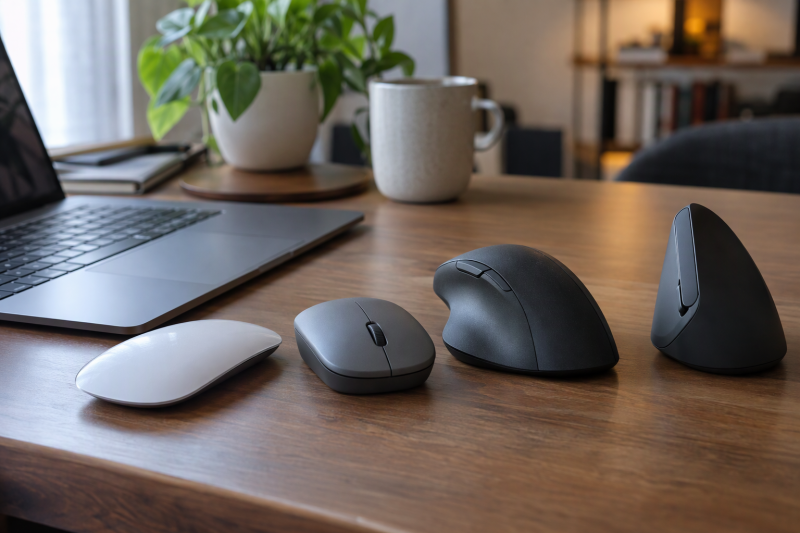
Apple builds the Magic Mouse around a Multi-Touch surface. The five Logitech mice here offer wheels, thumb controls, a vertical grip, a trackball or switching between computers. The six mice differ in required macOS version, receiver, battery and software. Check those details against your Mac before choosing by shape alone.
| Image | Product | Best fit | Connection | Power | Controls | Watch-outs | Check Price |
|---|---|---|---|---|---|---|---|
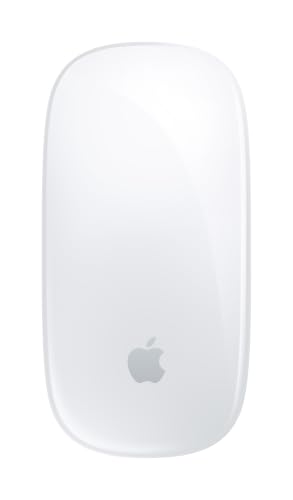 | Apple Magic Mouse USB-C | Apple gestures | Bluetooth; USB-C for charging | Rechargeable; USB-C cable included | Multi-Touch scrolling and swipes | macOS 15.1 or later | Check Price on Amazon |
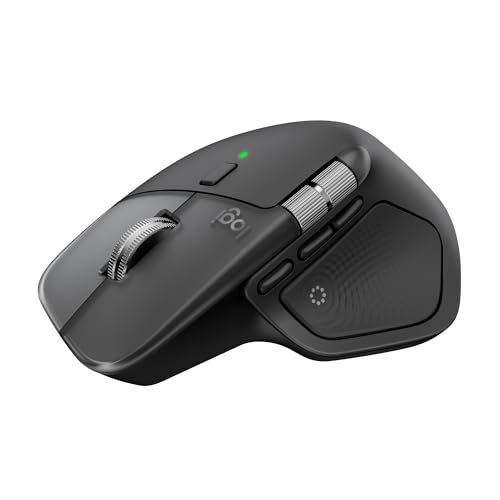 | Logitech MX Master 4 for Mac | Extra desk controls | Bluetooth; USB-C charging | Rechargeable; cable not included | MagSpeed, thumb wheel and haptics | Options+ needed for customization | Check Price on Amazon |
 | Logitech Lift for Mac | Vertical grip | Bluetooth; no receiver included | One AA battery included | SmartWheel; four customizable buttons | No USB receiver | Check Price on Amazon |
 | Logitech M240 Silent Bluetooth | Simple travel mouse | Bluetooth; no receiver included | Up to 18 months; AA pre-installed | Conventional wheel; three buttons | Buttons not customizable | Check Price on Amazon |
 | Logitech ERGO M575S Trackball | Stationary thumb control | Bluetooth or included Logi Bolt receiver | One AA battery included | Thumb trackball; Options+ buttons | Needs a USB-A port for the receiver | Check Price on Amazon |
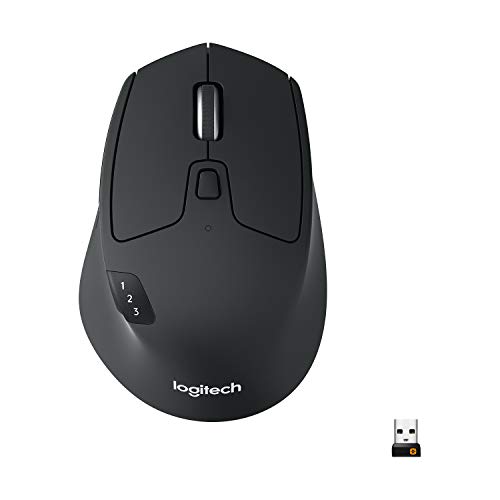 | Logitech M720 Triathlon | Switching among computers | Bluetooth or included Unifying receiver | Up to 24 months; AA included | Three-device switch; six buttons on Amazon | Right-handed; Unifying receiver | Check Price on Amazon |
1. Apple Magic Mouse USB-C — Best for Apple Multi-Touch
Apple’s Magic Mouse USB-C is wireless and rechargeable. Apple says its Multi-Touch surface handles gestures such as swiping between web pages and scrolling through documents. For connections, Apple lists Bluetooth and a USB-C port, and you use the woven USB-C charge cable in the box to pair and charge the mouse. Apple says the battery lasts about a month or more between charges. The Amazon listing is for the white model, part number MXK53AM/A.
Apple lists macOS 15.1 or later for a Mac and iPadOS 18.1 or later for an iPad. Check your Mac’s macOS version against that requirement before you order. Apple’s page lists Multi-Touch as the mouse’s other feature and does not list customizable buttons or a scroll wheel.
Limit: Apple lists macOS 15.1 or later for this USB-C model.Our Take Choose Magic Mouse if you want Apple’s touch gestures in a rechargeable Bluetooth mouse with an included cable.
- Choose Magic Mouse for the Multi-Touch gestures Apple describes, including scrolling and swiping between web pages.
- Apple includes a woven USB-C charge cable, and you pair and charge the mouse with it.
- Apple says you get about a month or more of battery power between charges.
- Check your Mac before ordering, because Apple lists macOS 15.1 or later for this model.
- Apple’s page does not list customizable buttons or a scroll wheel, a gap if you rely on either one.
2. Logitech MX Master 4 for Mac — Best for Controls and Haptic Feedback
Logitech gives the MX Master 4 for Mac a Haptic Sense Panel with customizable haptic feedback on specific actions. You also get an Actions Ring overlay for shortcuts at the cursor and a MagSpeed scroll wheel. Logitech says the wheel scrolls 1,000 lines per second in hyper-fast mode. Logitech’s page lists an 8,000 DPI sensor, and the Amazon listing names a thumb scroll wheel. To customize the haptics and Actions Ring, Logitech says you need the Logi Options+ app, which it lists for Windows and macOS.
The Amazon listing says the mouse charges over USB-C while you work, and it says the charging cable is not included. For your Mac, Logitech lists Bluetooth Low Energy with macOS 13 or later. Logitech says up to three devices can connect and that a Logi Bolt receiver is not in the box.
Limit: The Amazon listing says the USB-C charging cable is not included, and Logitech says customization needs Logi Options+.Our Take Pick MX Master 4 for Mac if you want a thumb wheel, an Actions Ring and configurable haptic feedback.
- Logitech describes a Haptic Sense Panel for buyers who want customizable feedback on specific actions.
- For shortcuts at your cursor, the Amazon listing describes an Actions Ring overlay on this Logitech mouse that adapts to each app.
- The Amazon listing says you charge this Logitech mouse over USB-C while you work.
- Have your own cable ready, as the Amazon listing says the USB-C charging cable is not included with this Logitech mouse.
- Logitech says customizing the haptic feedback and Actions Ring requires Logi Options+ on your computer.
3. Logitech Lift for Mac — Best for a Vertical Grip
Logitech sets the Lift for Mac at a 57-degree angle and describes its vertical shape as a fit for small to medium hands. The Amazon listing names quiet clicks, a silent magnetic SmartWheel and four customizable buttons. Logitech says the mouse connects natively over Bluetooth Low Energy and that Easy-Switch pairs up to three macOS or iPadOS devices.
Logitech says the Lift for Mac package does not include a Logi Bolt USB receiver, and that the mouse also works with a Bolt receiver sold separately. The Amazon title says Bluetooth only. Logitech and the Amazon title agree that no receiver is in the box.
One included AA battery powers the mouse, and Logitech lists up to 2 years of battery life that varies with use. To customize DPI, buttons and Flow, Logitech says the Logi Options+ app is required.
Limit: Logitech says the Lift for Mac package does not include a USB receiver.Our Take Choose Lift for Mac if a vertical shape and a replaceable AA battery suit your hand and desk.
- For small to medium hands, Logitech describes a vertical shape set at a 57-degree angle.
- On this Logitech mouse, the Amazon listing describes a silent magnetic SmartWheel and four customizable buttons you set to suit yourself.
- Logitech includes one AA battery and lists up to 2 years of battery life, though the figure varies with use.
- To use a receiver, buy a Bolt receiver separately, since Logitech says the Lift for Mac package does not include a USB receiver.
- For button changes, plan on one more app, because Logitech says the Logi Options+ app is required to customize the buttons.
4. Logitech M240 Silent Bluetooth — Best for a Compact Ambidextrous Mouse
Logitech describes the M240 Silent as a Bluetooth mouse with a contoured shape for both left- and right-handed users. Logitech says the mouse is small enough to fit in a laptop bag, and the Amazon listing calls it a slim, compact, ambidextrous mouse. For quieter clicking, Logitech says its SilentTouch technology reduces click sound by 90%. Logitech lists macOS 11 or later.
From one pre-installed AA battery, Logitech lists up to 18 months of battery life with auto sleep. The Amazon listing states three non-customizable buttons and no USB receiver. Logitech says no dongle or port is required. Logitech says the M240 works with a Logi Bolt receiver, which is not included, but not with other Logitech receivers.
Limit: The Amazon listing states three non-customizable buttons and no USB receiver.Our Take Pick M240 if you want a small Bluetooth mouse that Logitech designs for either hand.
- Use the M240 Silent in either hand, as Logitech designs it for left- and right-handed users.
- For quieter clicks, Logitech says SilentTouch technology reduces click sound by 90%.
- You start with a pre-installed AA battery, and Logitech lists up to 18 months of battery life with auto sleep.
- The Amazon listing states three non-customizable buttons on the M240, a limit if you want to assign your own actions.
- If you want a receiver for the M240, check the box contents with the seller, because the Amazon listing does not state that a USB receiver is included.
5. Logitech ERGO M575S Trackball — Best for Limited Desk Space
The ERGO M575S is a thumb-operated trackball. Logitech says you can move the cursor without moving your hand. Logitech also calls the trackball ideal for small or busy setups and says it works on any surface. Along with quiet clicks, Logitech describes customizable buttons through Logi Options+. For the button count, the Amazon listing and Logitech’s feature text both say three customizable buttons, while an answer in Logitech’s FAQ says five.
The trackball connects over Bluetooth Low Energy or the included Logi Bolt USB receiver, and Logitech lists a USB-A port as required for the receiver. The Amazon listing includes an AA battery and says up to 18 months of battery life. Logitech says up to 18 months with the receiver and up to 20 months over Bluetooth. Logitech lists macOS 12 or later and says the M575S is not compatible with older Unifying receivers.
Limit: Logitech lists a USB-A port as required for the Logi Bolt receiver, and the trackball uses thumb control in place of a moving mouse.Our Take Choose M575S if your desk suits a stationary pointer device with a choice of Bluetooth or receiver.
- Logitech says the M575S lets you move the cursor without moving your hand, and calls it ideal for small or busy setups.
- The Amazon listing includes the Logi Bolt receiver and an AA battery, giving the M575S a second connection option besides Bluetooth.
- Logitech lists button customization through Logi Options+ if you want to set up the buttons yourself.
- Check your Mac for a USB-A port if you plan to use the receiver, since Logitech lists one as required for the Logi Bolt receiver.
- Don’t plan on reusing a spare Unifying receiver, because Logitech says the M575S is not compatible with older Unifying receivers.
6. Logitech M720 Triathlon — Best for Switching Computers
Logitech designs the M720 Triathlon as a full-size mouse for the right hand with a soft rubber coating. The mouse pairs with up to three computers and switches between them with the Easy-Switch button. Logitech says Flow moves text, images and files across computers and operating systems with copy and paste. The wheel has a hyper-fast mode and a click-to-click mode, and Logitech lists a tilt wheel for horizontal scrolling.
Logitech lists two side buttons and a hidden thumb button, and says you can customize them on macOS and Windows with Logi Options+. The Amazon listing counts six customizable buttons.
The mouse connects over Bluetooth or the included Logitech Unifying receiver. Logitech says the receiver connects up to six compatible Logitech peripherals, and the Amazon listing calls it USB-A. Logitech lists up to 24 months of battery life and one AA battery in the box.
Limit: Logitech designs the M720 Triathlon as a full-size mouse for the right hand.Our Take Pick M720 when one mouse has to serve several computers and a conventional scroll wheel suits you.
- For work across computers, Logitech says the M720 Triathlon pairs with up to three devices.
- You get two scrolling styles from the wheel, with the fast and click-to-click modes Logitech describes.
- Logitech includes a Unifying receiver and one AA battery, and you pick between that receiver and Bluetooth.
- To set your own button actions, look to the six customizable buttons the Amazon listing counts on the M720.
- Left-handed buyers have a reason to pass, because Logitech designs the M720 Triathlon as a full-size mouse for the right hand.
- Logitech’s page does not list a minimum macOS version for the M720 Triathlon.
Buying Guide: Choosing a Mouse for Your Mac
Check the macOS version and connection
Apple lists macOS 15.1 or later for Magic Mouse. Logitech lists macOS 13 or later for MX Master 4 for Mac, macOS 12 or later for M575S and macOS 11 or later for M240. Logitech’s pages for Lift for Mac and M720 do not list a minimum macOS version, so check each page against your Mac.
Apple and Logitech list Bluetooth for all six mice. The USB-A receivers included with M575S and M720 are a Logi Bolt receiver and a Unifying receiver, in that order. Lift for Mac and M240 come without one. Check whether your Mac has a USB-A port before choosing a mouse with a receiver.
Choose the controls you actually use
Magic Mouse offers Multi-Touch gestures such as scrolling and swiping between web pages, according to Apple. The Logitech mice use wheels and buttons, and MX Master 4 adds a thumb wheel, an Actions Ring and a haptic panel, according to the Amazon listing and Logitech.
The Amazon listing counts six customizable buttons on M720 and four on Lift for Mac. For M240, the Amazon listing states three non-customizable buttons. Logitech’s page for M575S says three customizable buttons in its feature text and five in its FAQ, so confirm the button count on the product page before relying on it.
Try the shape and hand position
Logitech describes the 57-degree Lift for Mac as a fit for small to medium hands. M240 has a compact shape that Logitech designs for left- and right-handed users, while M720 is full size and built for the right hand.
The M575S thumb trackball moves the cursor without moving your hand. Logitech says the trackball suits small or busy setups and works on any surface.
Plan charging and battery replacement
Apple includes a USB-C charge cable with Magic Mouse, while the Amazon listing says the charging cable is not included with MX Master 4 for Mac. The same listing says the mouse charges over USB-C while you work, so have a USB-C cable ready if you choose it.
Logitech says Lift for Mac, M240, M575S and M720 each come with one AA battery. Logitech lists up to 24 months for Lift for Mac and M720, and up to 18 months for M240. For M575S, Logitech lists up to 18 months with its receiver and up to 20 months over Bluetooth. Logitech says battery life varies with use.
Check multi-device and software features
M720 pairs with three computers and switches between them with Logitech’s Easy-Switch button. Logitech says Flow moves text, images and files across the computers. Logitech also lists up to three devices for Lift for Mac and MX Master 4 for Mac.
M575S uses Logi Options+ for its customizable buttons. Logitech says the settings on MX Master 4 and Lift for Mac need the app too. For other shapes, compare vertical mice for small laptop desks and thumb-operated trackballs.
Frequently Asked Questions
Does the USB-C Magic Mouse work with any Mac?
No. Apple lists macOS 15.1 or later for a Mac and iPadOS 18.1 or later for an iPad. Check your Mac’s system version against that requirement before ordering.
For connections, Apple lists Bluetooth and a USB-C port. Apple includes a USB-C charge cable for pairing and charging the mouse.
Does a Bluetooth mouse need a USB receiver?
No. Logitech says M240 connects over Bluetooth with no dongle or port required. Logitech says the Lift for Mac package does not include a receiver.
M575S and M720 include USB receivers as a second connection option. The M575S comes with a Logi Bolt receiver, and the M720 comes with a Unifying receiver. Logitech says Unifying receivers do not work with the M575S, and that the M240 works with a Logi Bolt receiver but not with other Logitech receivers.
Can I use one mouse with several computers?
Yes, several of these can. Logitech lists up to three devices for M720, Lift for Mac and MX Master 4 for Mac.
Logitech says Flow on the M720 moves text, images and files across computers and operating systems with copy and paste. Logitech names Logi Options+ for Flow on Lift for Mac and MX Master 4 for Mac.
Is a trackball the same as a mouse?
A thumb trackball such as M575S moves the cursor with your thumb while the body stays in place. With a conventional mouse, you move the body across the desk.
Both handle pointer and click tasks. Logitech says the M575S suits small or busy setups and works on any surface.
Can I customize every button on these mice?
No. The Amazon listing states three non-customizable buttons on M240, and Apple’s page for Magic Mouse does not list customizable buttons.
For customization on MX Master 4 and M575S, Logitech names Logi Options+, which it lists for Windows and macOS.