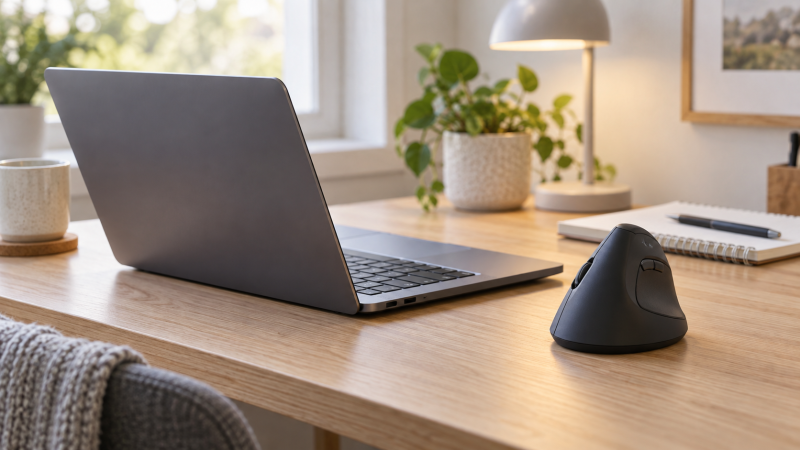
A vertical mouse turns the hand toward a handshake posture, but the upright body is usually taller and can need more deliberate finger placement than a flat travel mouse. On a small laptop desk, shape and reach count as much as the nominal footprint. A mouse that fits the desk but stretches the thumb or little finger is not a good compact option for that user.
All eight mice here are intended for right-handed use or show a right-hand shape. They range from basic USB-receiver models to three-device Bluetooth mice and premium rechargeable designs. Several target small or medium hands, but only the Anker provides complete physical dimensions in the supplied data. Measure hand length where a maker gives a limit, and leave an adjustment period for the unfamiliar grip.
The Logitech Lift is the best overall choice for small to medium hands because it combines a 57-degree shape, Bluetooth and Logi Bolt, quiet clicks, customizable buttons, and a stated battery life of up to two years. The Luhaso 57° Mouse is the lighter compact-value option with a rated weight of 86g, while the ProtoArc EM11 NL is a strong rechargeable three-device pick for hands under 7.5 inches.
| Image | Product | Details | Check Price |
|---|---|---|---|
 | Logitech Lift | Hand fit: Small-to-medium right hands Angle: 57 degrees Connection: Bluetooth LE or Logi Bolt USB-A Clicks: Quiet Power: Up to 2 years claimed | Check Price on Amazon |
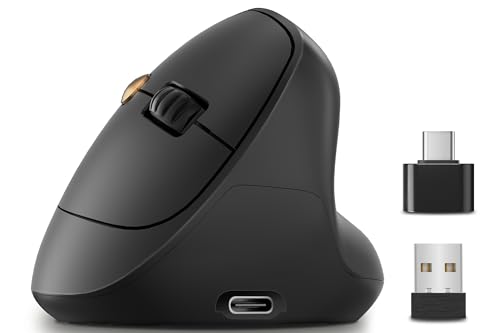 | Luhaso 57° Mouse | Hand fit: Small-to-medium right hands Weight: 86g stated Connection: 2.4GHz USB receiver DPI: 800, 1200, 1600 Power: USB-C rechargeable | Check Price on Amazon |
 | ProtoArc EM11 NL | Hand fit: Under 7.5 inches Angle: 58 degrees Connection: 2 Bluetooth plus 2.4GHz USB-A DPI: 1000, 1600, 2400 Power: 500mAh USB-C rechargeable | Check Price on Amazon |
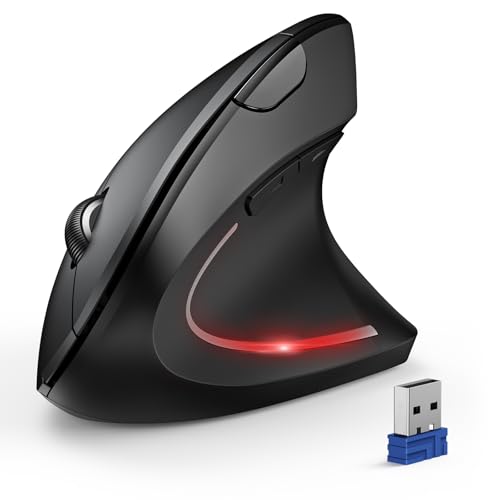 | TECKNET TK-MS007 | Hand fit: Right-handed Connection: 2 Bluetooth plus 2.4GHz USB-A DPI: 800 to 4800; 6 levels Clicks: Quiet left and right buttons Power: 2 AAA batteries | Check Price on Amazon |
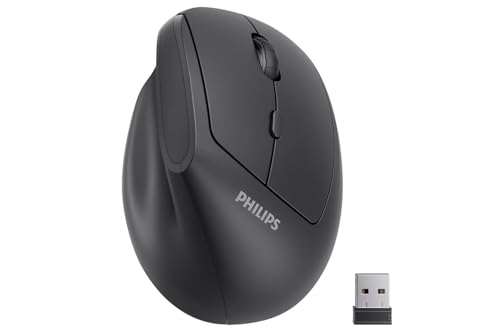 | PHILIPS SPK7628 | Hand fit: Small-to-medium; up to 7 inches Angle: 57 degrees Connection: 2.4GHz USB receiver DPI: 800, 1200, 1600 Warranty: 12 months stated | Check Price on Amazon |
 | Anker AK-98ANWVM-UBA | Size: 120 x 62.8 x 74.8mm Weight: 3.4oz stated Connection: 2.4GHz USB receiver DPI: 800, 1200, 1600 Power: 2 AAA batteries | Check Price on Amazon |
 | Logitech MX Vertical | Hand fit: Right-handed; range of sizes stated Angle: 57 degrees DPI: Up to 4000 Power: Rechargeable Workflow: Up to 3 Windows/Apple computers stated | Check Price on Amazon |
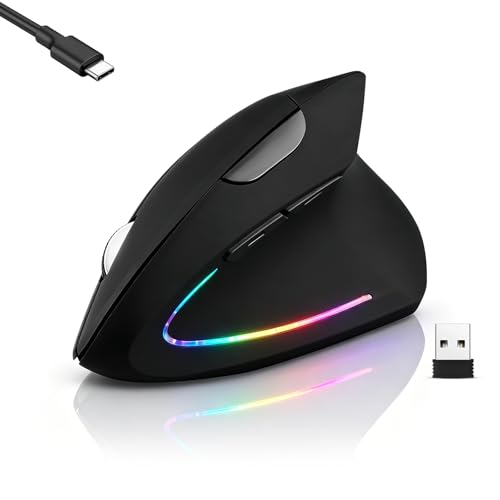 | Guiheng Dual-Mode Vertical Mouse | Hand fit: Right-handed; size not stated Connection: Bluetooth 5.2 and USB receiver DPI: 800, 1200, 1600 named Clicks: Quiet left and right buttons Power: Rechargeable internal battery | Check Price on Amazon |
Quick Picks
- Best overall: Logitech Lift for small-to-medium right hands, Bluetooth or Bolt connectivity, quiet clicks, and four customizable buttons.
- Best compact value: Luhaso 57° Mouse for a listed 86g body, rechargeable battery, quiet main clicks, and three DPI settings.
- Best rechargeable multi-device pick: ProtoArc EM11 NL for three-device support, a 500mAh battery capacity, and sizing for hands under 7.5 inches.
- Best for three devices on replaceable batteries: TECKNET TK-MS007 for dual Bluetooth, 2.4GHz, and six DPI levels up to 4800.
- Best basic receiver model: Anker AK-98ANWVM-UBA for a simple five-button design with stated dimensions and a manufacturer-backed 18-month warranty.
- Best high-DPI premium shape: Logitech MX Vertical for its 4000 DPI sensor, rechargeable power, and multi-computer workflow.
1. Logitech Lift — Best Overall
The Logitech Lift is shaped for small to medium right hands and holds the hand at a stated 57-degree angle. The grip is softly textured and the thumb rest is defined, so the hand has clear contact points without the fingers spanning a full-size performance mouse. Logitech says it was designed and approved according to ergonomist criteria, though personal fit still needs a trial on your own desk.
Connectivity includes Bluetooth Low Energy and the supplied Logi Bolt USB-A receiver. Bluetooth gives a USB-free option for a thin laptop, and the receiver covers systems where Bluetooth is restricted. Four of six buttons are customizable, and the SmartWheel switches between precise and faster scrolling. Check the customization software against the laptop’s operating system and workplace policy.
Quiet clicks make the Lift suitable for shared rooms and calls. Battery life is claimed at up to two years, but the exact result depends on use and connection. The body includes certified post-consumer recycled plastic at a color-dependent percentage, with graphite stated at 70%. Its broad feature set makes it the easiest recommendation when fit is right.
Best for: Small-to-medium right hands needing quiet, flexible laptop connectivity and useful button customization.
Pros
- 57-degree shape sized for small-to-medium hands
- Bluetooth and Logi Bolt USB-A connections
- Quiet clicks and four customizable buttons
Cons
- Amazon lists physical dimensions, but not a size recommendation for individual hands
- Customization depends on compatible software
2. Luhaso 57° Mouse — Best Compact Value
The Luhaso is explicitly designed for small and medium hands and weighs a stated 86g. Its 57-degree body is meant to keep buttons and thumb controls within reach rather than scaling a large vertical shell down only slightly. The supplied details do not include physical measurements or a maximum hand length, so the size label is less precise than ProtoArc’s.
It connects through a 2.4GHz USB receiver and does not state Bluetooth. Setup is direct, but the receiver occupies a laptop port, and USB-C-only devices need a data-capable adapter. The forward and back thumb buttons support browser navigation, though their operating-system limitations are not specified.
A built-in battery charges through USB-C. Runtime and charge time are not stated, so it cannot be compared numerically with the replaceable-battery models. The main switches are claimed to reduce sound by more than 90%, and sensitivity switches among 800, 1200, and 1600 DPI. The three levels cover typical office use without excessive tuning.
Best for: A smaller right hand that needs a light, quiet, rechargeable receiver mouse.
Pros
- 86g stated weight and small-to-medium fit
- USB-C rechargeable battery
- Quiet main clicks and three DPI levels
Cons
- No Bluetooth
- Dimensions, runtime, and charge time are not stated
3. ProtoArc EM11 NL — Best Rechargeable Multi-Device Pick
ProtoArc gives a clear fit threshold. The EM11 NL targets hands under 7.5 inches or 19.05cm long, so a buyer knows which measurement to take. Its 58-degree angle is close to the common 57-degree posture. ProtoArc also warns of a one- to two-week learning period, which people new to vertical mice should expect.
The mouse can remain paired with three devices through two Bluetooth channels and one 2.4GHz USB-A receiver. Switching across a work laptop, personal laptop, and tablet is therefore possible without pairing again each time. Compatibility is stated for recent Windows, macOS, and Android versions, but the forward and back buttons do not work on macOS.
ProtoArc includes a built-in 500mAh battery that charges over USB-C. The cable is for charging only, so it does not turn the mouse into a wired input device. The manufacturer provides sensitivity choices of 1000, 1600, and 2400 DPI. Left and right clicks are quiet, but the wheel and side buttons are not. None of the buttons is programmable.
Best for: Hands under 7.5 inches that need three-device pairing and rechargeable power.
Pros
- Clear under-7.5-inch hand target
- Two Bluetooth channels plus USB-A receiver
- 500mAh USB-C rechargeable battery
Cons
- USB-C cable charges only
- Side buttons do not work on macOS and buttons are not programmable
4. TECKNET TK-MS007 — Best for Three Devices on Replaceable Batteries
The TECKNET TK-MS007 supports two Bluetooth connections plus a 2.4GHz USB-A receiver, so it can switch among three devices. The receiver stores in the mouse base. One pointer can serve a work laptop, personal system, and tablet without three devices occupying the surface, which suits a cramped desk.
TECKNET states the six sensitivity levels range from 800 to 4800 DPI. Higher DPI can reduce the physical distance needed to cross a large display, though it does not make the sensor inherently more accurate. An indicator flashes according to the chosen level. According to the manufacturer, only the left and right buttons are quiet, while function buttons keep their normal click sound.
The mouse requires two AAA batteries, which are not included, and warns when power is low. Sleep activates after roughly 10 to 30 minutes, and a main-button press wakes it. TECKNET states broad Windows, Mac, Chrome, and Linux compatibility, but side buttons do not work in macOS. A 36-month warranty applies only after registration.
Best for: Switching across three devices without pausing to recharge an internal battery.
Pros
- Two Bluetooth channels and one receiver channel
- Six DPI settings from 800 to 4800
- Low-battery warning and registered 36-month warranty
Cons
- Requires two AAA batteries
- Side buttons lack macOS support
5. PHILIPS SPK7628 — Best Simple Small-Hand Travel Pick
The PHILIPS SPK7628 targets small and medium right hands up to 7 inches long, which is the lowest stated hand-length limit here. Its 57-degree angle, lightweight description, and receiver storage suit a laptop bag. Amazon lists a weight of about 0.33 pounds, but no dimensions, so the travel claim cannot be compared by full physical measurements.
It uses a 2.4GHz USB receiver, not Bluetooth. A USB-C-only laptop needs an adapter, which is not included. The receiver stores in the base, and the mouse is plug-and-play across Windows, macOS, ChromeOS, and Linux. The listing says batteries are included under protective film but does not specify chemistry, size, or expected runtime.
Sensitivity changes among 800, 1200, and 1600 DPI. The left and right buttons are quiet, while the sound of the other four buttons is not specified. Automatic sleep is meant to conserve power. The stated 12-month warranty is a plus, and the mouse is a straightforward option when hand size and simple receiver operation count for more than multi-device pairing.
Best for: Right hands up to 7 inches needing a quiet, simple receiver mouse for travel.
Pros
- Clear up-to-7-inch hand target
- 57-degree shape and quiet main buttons
- Receiver storage and broad stated OS support
Cons
- No Bluetooth and no USB-C adapter included
- Dimensions, battery type, and runtime are not stated; Amazon lists a weight of about 0.33 pounds
6. Anker AK-98ANWVM-UBA — Best Basic Receiver Model
Anker’s Amazon listing includes stated dimensions of 120 x 62.8 x 74.8mm. Anker rates the weight at 3.4 ounces and uses a tall right-hand shell. The figures let a buyer compare the base width and height with the desk and bag, though the 120mm length may be less suitable for very small hands than the explicitly small-hand options.
According to Anker, the mouse connects only through 2.4GHz and a USB receiver stored in the bottom. It uses two AAA batteries, which are not included, and is rated to shut down after eight minutes of inactivity. Waking requires a left- or right-button press. Replaceable batteries suit users who prefer an immediate swap instead of waiting for a recharge.
Sensitivity choices are rated at 800, 1200, and 1600 DPI. The five buttons include next and previous controls, and Anker explicitly says click sounds are unavoidable, so it is not the shared-room pick. An 18-month warranty is stated. It wins on transparent dimensions and simple operation rather than silence or device switching.
Best for: Buyers who want a measured, basic vertical mouse and prefer replaceable batteries.
Pros
- Complete stated dimensions and weight
- Three DPI settings and five buttons
- Receiver storage and 18-month warranty
Cons
- Clicks are not quiet
- USB receiver only; batteries not included
7. Logitech MX Vertical — Best High-DPI Premium Shape
The Logitech MX Vertical uses a 57-degree angle, textured rubber surface, and pronounced thumb rest. Unlike the Lift, it is described as fitting a range of hand shapes rather than specifically small-to-medium hands. Amazon lists its physical dimensions, but a small-hand buyer should not assume the premium model is the smaller one.
Its 4000 DPI sensor and cursor-speed switch can reduce how far the hand travels across a high-resolution or multi-monitor workspace. Logitech compares the sensor with a 1000 DPI traditional mouse, but usable sensitivity is personal. A high setting can feel twitchy in detailed editing, so tune operating-system pointer acceleration and mouse DPI together.
The rechargeable mouse can move content across three Windows and Apple computers according to the listing. The supplied data does not detail its exact Bluetooth, receiver, charge-time, or runtime specifications, though it notes that a USB receiver is provided. Choose it for the sensor and cross-computer workflow only after checking body fit and the connection details.
Best for: A multi-computer desk needing high sensitivity and a premium full vertical shape.
Pros
- 4000 DPI sensor with speed switch
- Rechargeable power
- Supports a three-computer content workflow
Cons
- Not specifically sized for small hands
- Amazon lists dimensions, while battery figures are not in the supplied data
8. Guiheng Dual-Mode Vertical Mouse — Best Slim Dual-Mode Budget Pick
Guiheng specifies that the mouse combines Bluetooth 5.2 and a USB receiver in a rechargeable, travel-oriented body. It is described as slim and portable, but no dimensions, weight, hand-size range, or vertical angle are stated. Without those figures it is a compact pick judged on its features rather than on a verified size.
The internal battery avoids disposable cells, and the listing warns against using a fast charger. Capacity, runtime, input voltage, and charge time are not given, so use an ordinary compatible USB source and the supplied instructions. It supports laptops, desktops, tablets, phones, and televisions, subject to their pointer support.
The listing’s sensitivity information conflicts. It says five adjustable levels but names only 800, 1200, and 1600 DPI, which are three levels. Treat three named settings as the confirmed range until the documentation clarifies otherwise. Left and right buttons are described as low noise. This model suits a buyer willing to accept sparse specifications for dual-mode flexibility.
Best for: A budget dual-mode setup where Bluetooth and receiver support count for more than documented measurements.
Pros
- Bluetooth 5.2 and USB receiver
- Rechargeable internal battery
- Quiet main buttons
Cons
- No dimensions, weight, angle, or runtime stated
- DPI count conflicts with the three levels listed
Buying Guide: Choosing a Vertical Mouse for a Small Laptop Desk
Measure hand length before desk space
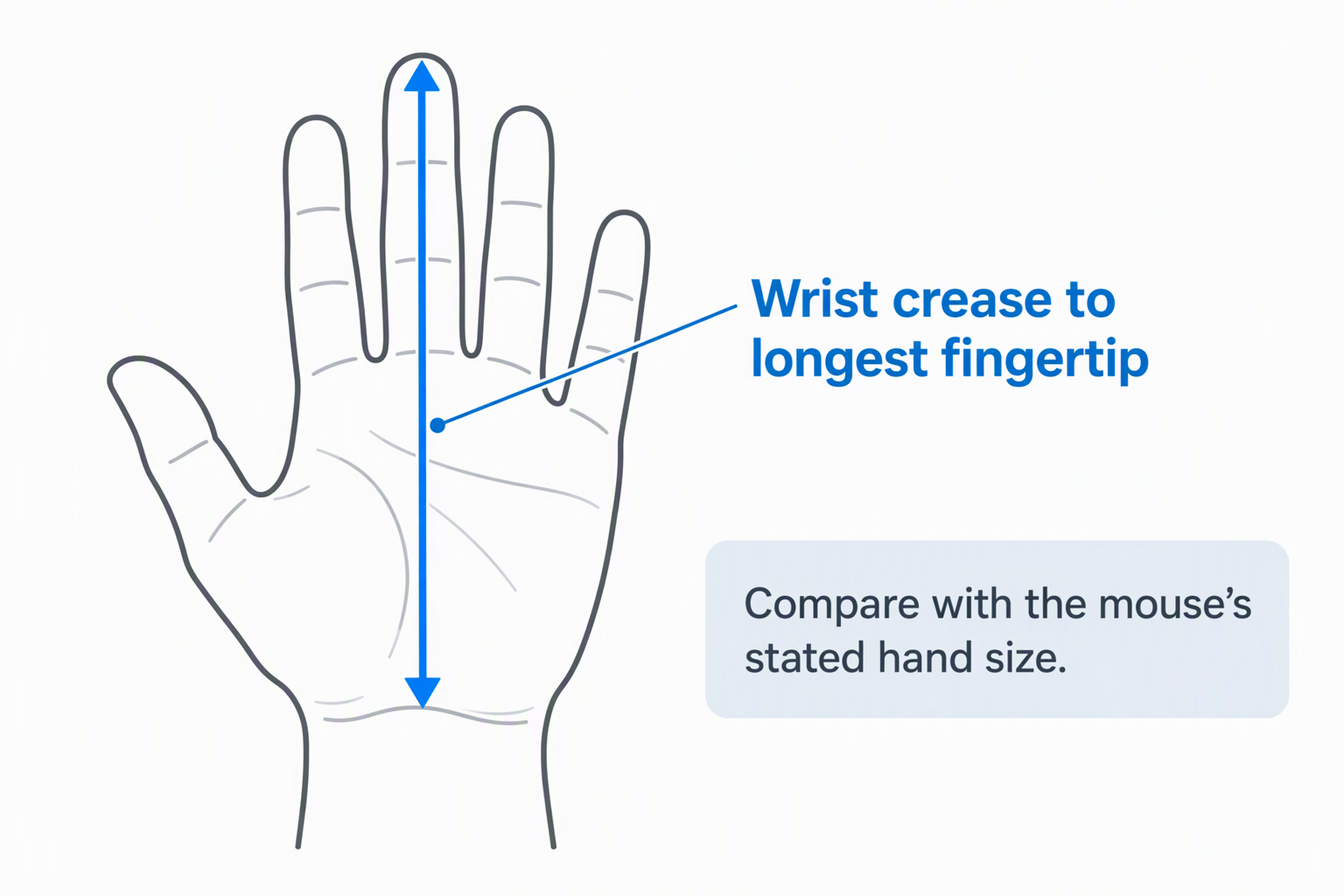
A vertical mouse that is too large can make the fingers stretch and the thumb search for side buttons. Measure from the wrist crease to the longest fingertip. PHILIPS targets hands up to 7 inches, while ProtoArc targets hands under 7.5 inches.
Small and medium labels without a threshold are less exact. Compare any available dimensions and buy from a seller with a workable return period. The hand should settle without squeezing the shell or lifting the palm to reach a main button.
Account for height and movement area
A vertical mouse does not guarantee less desk area, because it is taller and can be longer than a travel mouse. Anker measures 120 x 62.8 x 74.8mm, the only complete size here. Leave clearance from monitor stands, shelves, and laptop edges for the tilted hand.
High DPI reduces the physical sweep needed to cross a display, which can help in a tight area. It does not fix a mouse placed too far from the body. Keep the pointer close enough that the elbow stays relaxed rather than reaching forward.
Choose Bluetooth, receiver, or both
Bluetooth preserves a laptop port and suits tablets, while a 2.4GHz receiver offers predictable pairing on many computers. Lift, ProtoArc, TECKNET, and Guiheng provide Bluetooth plus a receiver; Luhaso, PHILIPS, and Anker are receiver-only in the supplied data.
Check the receiver connector. These models state USB-A where specified, so USB-C-only laptops may need an adapter. A charging USB-C port does not necessarily provide wired mouse data, as ProtoArc explicitly demonstrates.
Match the power system to the routine
Rechargeable models avoid replacement cells but must be charged before they run flat. Replaceable-battery mice can recover immediately with spare batteries. The relevant question is whether charging downtime or spare-cell storage is easier at the desk.
Logitech Lift claims up to two years, while several rechargeable products omit runtime. Do not infer long life from battery capacity alone. Sleep behavior, polling, connection, and daily use change the result.
Use DPI to manage a small tracking zone
DPI changes cursor travel for a given physical movement. Common office settings here begin at 800 and reach 1600 or 2400; TECKNET reaches 4800 and MX Vertical reaches 4000. Start near 1200 or 1600 DPI and adjust rather than selecting the maximum automatically.
Detailed photo or timeline work may benefit from a lower setting for control, while a large display in a tiny area may need a higher one. Disable or tune operating-system acceleration if movement feels inconsistent.
Check button behavior on macOS
Basic pointing and clicks often work across systems, but thumb controls can differ. TECKNET and ProtoArc explicitly say forward and back buttons do not work on macOS. Logitech customization also depends on supported software.
Confirm required buttons on the exact OS version and application. A browser back button may not perform the same action in editing software, and a corporate laptop may block button-remapping utilities.
Allow time for the grip to change
A vertical mouse changes forearm rotation, finger pressure, and pointer control. ProtoArc suggests one to two weeks of adaptation. Begin with shorter sessions and avoid gripping harder merely because the shape feels unfamiliar.
Comfort language is not a medical guarantee. Stop if symptoms worsen, and seek qualified advice for persistent pain, numbness, tingling, or weakness. Desk height, chair position, workload, and breaks also affect comfort.
Distinguish quiet main clicks from a silent mouse
Several products quiet only the left and right buttons. Wheels, DPI selectors, and thumb buttons may retain a normal click. For calls or shared rooms, identify which exact controls are quiet rather than relying on the word “silent.”
TECKNET and ProtoArc state this quiet-button limitation directly. Anker states that click sound is unavoidable. Test the scroll wheel too, since ratchet noise may be more noticeable than a softened main switch.
Related Small-Desk Guides
A vertical mouse needs a stable surface and a sensible reach. Compare ergonomic mouse pads, laptop stands, compact keyboards, and USB-C hubs when arranging the desk.
For ports and screen position, see guides to USB-C docking stations, Thunderbolt docks, monitor arms, and desk cable management. Each can free room or change where the mouse naturally sits.
Frequently Asked Questions
Is a vertical mouse better for wrist pain?
A vertical shape changes forearm rotation and may feel more comfortable for some users, but it is not a treatment and does not suit every hand. Fit, desk height, grip pressure, workload, and breaks also affect comfort.
Persistent pain, numbness, tingling, or weakness should be discussed with a qualified clinician. Do not continue using a mouse that makes symptoms worse.
How do I know whether a vertical mouse is too large?
The fingers should reach the main buttons without stretching, and the thumb should rest near side controls without squeezing. The palm should contact the intended grip area rather than hovering to reach forward.
Measure hand length and use maker thresholds where available. PHILIPS gives a 7-inch limit and ProtoArc gives a 7.5-inch limit. Generic small-to-medium labels are less precise.
Does USB-C charging mean the mouse works by cable?
No. A USB-C port may carry charging power only. ProtoArc explicitly says its included Type-C cable is for charging, while pointer data uses Bluetooth or the USB-A receiver.
Check the exact product description before assuming a rechargeable mouse has a wired fallback. Keep enough charge for important work if no data-over-cable mode is stated.
Is Bluetooth or a USB receiver better for a laptop?
Bluetooth saves a physical port and can connect to tablets, but receiver pairing may be simpler or permitted on a managed computer. Radio performance depends on hardware and interference.
A dual-mode mouse provides both choices. Confirm whether the receiver is USB-A and whether a USB-C adapter is required for the laptop.
How long does it take to adjust to a vertical mouse?
Some users adapt within days, while ProtoArc suggests allowing one to two weeks. Cursor control and button reach may initially feel less accurate because the fingers and forearm sit at a different angle.
Use short sessions, adjust DPI, and keep grip pressure light. Return to a familiar pointer if accuracy or comfort does not improve during the trial period.
Final Verdict
The Logitech Lift is the best overall vertical mouse for a small laptop desk when the right hand falls within its small-to-medium target. It combines a 57-degree shape, Bluetooth, Logi Bolt, quiet clicks, customization, and long claimed battery life without forcing a receiver-only setup.
Choose the Luhaso 57° Mouse for a rated 86g rechargeable value pick, the ProtoArc EM11 NL for measured small-hand fit and three-device rechargeable use, or the TECKNET TK-MS007 for three devices and six DPI levels on replaceable batteries. The MX Vertical has the strongest high-DPI premium feature set but needs extra scrutiny for small-hand fit. Measure first, then test reach and pointer control at the actual desk.