The right monitor depends on your desk space, the resolution your laptop can output and the refresh rate your games can use. The five monitors here run from 24-inch Full HD screens to Sceptre’s 34-inch ultrawide at 3440 x 1440. Audio and mounting options differ too, according to KOORUI’s and Sceptre’s pages and the Amazon listings. Check the model and its ports before choosing an adapter or monitor arm.
| Image | Product | Best fit | Screen | Refresh | Connections | Mount and audio | Check Price |
|---|---|---|---|---|---|---|---|
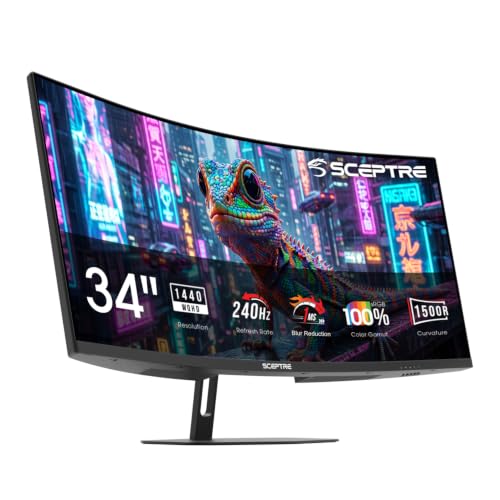 | Sceptre C345B-QU240T | Wide gaming and multitasking | 34-inch curved; 3440 x 1440 | Up to 240 Hz | 2 HDMI; 2 DisplayPort; audio out | Speakers; 75 x 75 VESA | Check Price on Amazon |
 | KOORUI 24E6CA | Compact curved gaming | 24-inch curved; 1920 x 1080 | Up to 180 Hz | 2 HDMI; 1 DisplayPort; audio out | No speakers; 100 x 100 VESA | Check Price on Amazon |
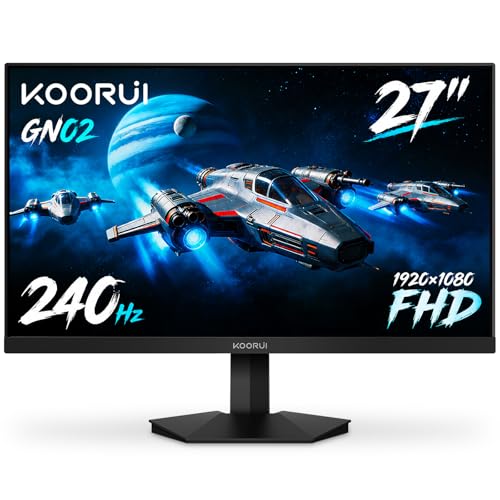 | KOORUI GN02 | High-refresh Full HD | 27-inch; 1920 x 1080 | Up to 240 Hz | HDMI; DisplayPort; headphone out | 75 x 75 VESA; headphone jack | Check Price on Amazon |
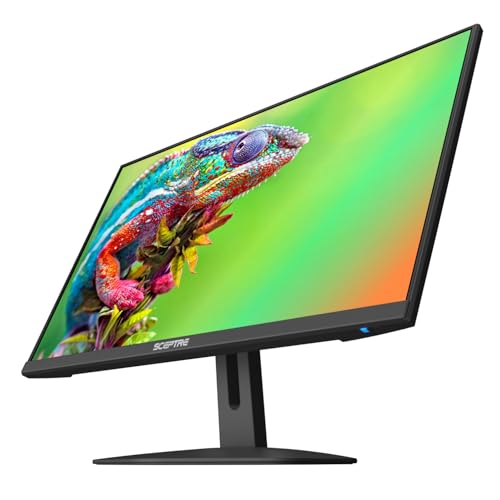 | Sceptre E248W-FW100T | Small desk with speakers | 23.8-inch viewable; 1920 x 1080 | Up to 100 Hz | 2 HDMI; 1 DisplayPort | Speakers; 75 x 75 VESA | Check Price on Amazon |
 | KOORUI 27E6CA | Larger curved Full HD | 27-inch curved; 1920 x 1080 | Up to 180 Hz | 2 HDMI; DisplayPort; audio out | No speakers; 100 x 100 VESA | Check Price on Amazon |
1. Sceptre C345B-QU240T — Best for Ultrawide Gaming
Sceptre’s C345B-QU240T is a 34-inch curved ultrawide with a VA panel, a 3440 x 1440 resolution, a 21:9 aspect ratio and a 1500R curve. Sceptre’s page gives a refresh rate of up to 240 Hz and lists Adaptive Sync, 1 ms response time with blur reduction and 100% sRGB.
The Amazon listing and Sceptre’s page both give two HDMI and two DisplayPort inputs. Sceptre rates its HDMI 2.0 and DisplayPort 1.4 ports for up to 3440 x 1440 at 240 Hz. Sceptre also lists two 3 W speakers, a headphone jack, and picture-in-picture and picture-by-picture modes. For mounting and positioning, Sceptre lists a 75 x 75 mm VESA pattern and a detachable stand with tilt from 5 degrees forward to 15 degrees back. The box holds one DisplayPort cable and no HDMI cable.
Limit: Sceptre lists the monitor on its stand at 31.8 inches wide and 8.5 inches deep, against the 21.30 inches wide Sceptre lists for the E248W-FW100T on its stand.Our Take Choose the C345B-QU240T if you want the only ultrawide on this page. Sceptre also lists two HDMI and two DisplayPort inputs and built-in speakers for it.
- For an ultrawide, Sceptre gives a 34-inch VA panel at 3440 x 1440 with up to 240 Hz.
- Sceptre lists two HDMI and two DisplayPort inputs, each rated for up to 3440 x 1440 at 240 Hz.
- Sceptre lists two 3 W speakers for built-in sound, plus a headphone jack and picture-by-picture mode.
- Sceptre lists the monitor on its stand at 31.8 inches wide and 8.5 inches deep.
- If you plan to use HDMI, Sceptre’s box holds one DisplayPort cable and no HDMI cable.
2. KOORUI 24E6CA — Best Compact Curved Gaming Screen
KOORUI’s page gives the 24E6CA a 24-inch VA panel with 1920 x 1080 resolution, a 1500R curve and a refresh rate of up to 180 Hz. The Amazon listing adds Adaptive Sync, 99% sRGB and a 1 ms MPRT figure, and both the listing and KOORUI’s page give a 3000:1 contrast ratio. MPRT is a motion-clarity measurement, not a guarantee that every pixel transition takes 1 ms.
For connections, the Amazon listing gives two HDMI 2.0 ports, one DisplayPort 1.2 and an audio-out jack. The listing also says No speakers. KOORUI’s page lists HDMI, DisplayPort and a 100 x 100 mm VESA pattern, and the listing gives tilt from -5 to 15 degrees. Neither KOORUI’s page nor the listing lists height adjustment.
Limit: The Amazon listing names an audio-out jack but no speakers, and 1 ms MPRT is a different measurement from a 1 ms grey-to-grey response time.Our Take Pick the 24E6CA if you want a 24-inch curved Full HD screen. KOORUI’s page gives a 180 Hz maximum, and the Amazon listing gives three video inputs.
- KOORUI’s page gives a compact 24-inch VA panel at 1920 x 1080, with a 1500R curve for gaming.
- You get up to 180 Hz on KOORUI’s page, and the Amazon listing adds Adaptive Sync.
- The Amazon listing gives you three video inputs, split into two HDMI 2.0 ports and one DisplayPort 1.2.
- If you want built-in sound, the Amazon listing names an audio-out jack but no speakers for the 24E6CA.
- The Amazon listing gives tilt from -5 to 15 degrees for positioning and does not list height adjustment.
3. KOORUI GN02 — Best for 240 Hz Full HD
KOORUI’s page describes the GN02 as a 27-inch VA monitor with 1920 x 1080 resolution and a refresh rate of up to 240 Hz. KOORUI’s page adds that the maximum depends on the connection, cable, graphics hardware and display settings. The Amazon listing title names FreeSync Premium, G-SYNC Compatible and a 1 ms response time, and the listing’s bullets give 100% sRGB and 95% DCI-P3 color coverage.
For connections, the Amazon listing title gives HDMI 2.0 and DisplayPort 1.4. The listing’s bullets name a 3.5 mm headphone jack and tilt from -5 to 20 degrees. Both the listing and KOORUI’s page give a 75 x 75 mm VESA pattern. Neither KOORUI’s page nor the listing gives a port count or mentions speakers.
Limit: KOORUI’s page does not list color coverage, so the 95% DCI-P3 figure comes from the Amazon listing alone.Our Take Choose the GN02 if you put the highest Full HD refresh rate on this page ahead of a higher-resolution panel. KOORUI’s page gives the GN02 up to 240 Hz.
- KOORUI’s page gives a 27-inch VA panel at 1920 x 1080 and up to 240 Hz for gaming.
- The Amazon listing title names FreeSync Premium and G-SYNC Compatible for sync support, plus HDMI 2.0 and DisplayPort 1.4.
- The Amazon listing gives a 3.5 mm headphone jack, tilt from -5 to 20 degrees and 75 x 75 mm VESA mounting.
- KOORUI’s page does not list color coverage, and the 95% DCI-P3 figure comes from the Amazon listing alone.
- Plan your connections with care, because neither KOORUI nor the Amazon listing gives a port count for the GN02.
4. Sceptre E248W-FW100T — Best for a Small Desk with Speakers
Sceptre’s E248W-FW100T page gives a 23.8-inch viewable VA panel at 1920 x 1080 and up to 100 Hz. The Amazon listing title names FreeSync, and the listing’s bullets give 1 ms with blur reduction. Sceptre’s page lists 1 ms blur reduction and 5 ms grey-to-grey with overdrive.
Sceptre’s page and the Amazon listing both give two HDMI inputs and one DisplayPort input. Sceptre rates its HDMI 2.0 and DisplayPort 1.2 ports for up to 1920 x 1080 at 100 Hz and lists two 2 W speakers and a headphone jack. Sceptre also specifies a 75 x 75 mm VESA pattern, tilt from 5 degrees forward to about 15 degrees back, a size of 21.30 inches wide and 7.66 inches deep for the monitor on its stand, and an HDMI cable but no DisplayPort cable in the box.
Limit: Sceptre’s page gives up to 100 Hz, against the 180 Hz on KOORUI’s 24E6CA and 27E6CA pages and the 240 Hz on KOORUI’s GN02 page.Our Take Choose the E248W-FW100T if you want a 23.8-inch Full HD screen. Sceptre lists two 2 W speakers and three video inputs for it.
- For a small desk, Sceptre gives a 23.8-inch viewable VA panel at 1920 x 1080 and up to 100 Hz.
- Sceptre lists two 2 W speakers for sound, plus two HDMI 2.0 inputs and one DisplayPort 1.2 input.
- Sceptre specifies tilt, a 75 x 75 mm VESA pattern for mounting and an HDMI cable in the box.
- If refresh rate comes first, Sceptre’s 100 Hz maximum is below the 180 Hz KOORUI’s page gives for the 24E6CA.
- Sceptre’s page lists tilt but no height adjustment, and its box holds no DisplayPort cable for that input.
5. KOORUI 27E6CA — Best Larger Curved Full HD Screen
KOORUI’s page gives the 27E6CA a 27-inch VA panel with 1920 x 1080 resolution, a 1500R curve and up to 180 Hz. The Amazon listing title gives a 3000:1 contrast ratio and 90% DCI-P3, while its bullets give 99% sRGB and Adaptive Sync. KOORUI’s pages give 1920 x 1080 to both the 24-inch 24E6CA and this 27-inch model.
The Amazon listing says No speakers and names two HDMI 2.0 ports, DisplayPort 1.2 and an audio-out jack. KOORUI’s page lists HDMI, DisplayPort and a 100 x 100 mm VESA pattern. Neither KOORUI’s page nor the listing lists tilt or height adjustment, while the 24E6CA listing gives tilt from -5 to 15 degrees.
Limit: The Amazon listing names an audio-out jack but no speakers, and neither KOORUI nor the listing gives tilt for the 27E6CA.Our Take Consider the 27E6CA if you want a 27-inch curved Full HD screen at the 180 Hz KOORUI’s page gives. The 24E6CA is the smaller curved choice.
- For a larger screen, KOORUI’s page gives a 27-inch curved VA panel at 1920 x 1080 with up to 180 Hz.
- The Amazon listing names two HDMI 2.0 ports and DisplayPort 1.2 for connections, plus Adaptive Sync.
- Mounting uses a 100 x 100 mm VESA pattern on KOORUI’s page, the same one it lists for the 24E6CA.
- Built-in sound is missing, since the Amazon listing names an audio-out jack but no speakers for the 27E6CA.
- Screen adjustment is unconfirmed, as neither KOORUI’s page nor the Amazon listing gives tilt or height adjustment for the 27E6CA.
Buying Guide: Choosing Between KOORUI and Sceptre Monitors
Measure the available space
Sceptre’s page gives the C345B-QU240T a 34-inch viewable diagonal and lists the monitor on its stand at 31.8 inches wide and 8.5 inches deep. Measure the desk for the stand depth, the cables and your keyboard as well as the screen width.
KOORUI’s pages give the 24E6CA as a 24-inch screen, while Sceptre’s page gives the E248W-FW100T 23.8 inches viewable and lists the monitor on its stand at 21.30 inches wide. KOORUI’s pages give whole-inch sizes without a viewable figure, so keep the difference in mind when you compare the diagonal each maker states.
Balance resolution, size and refresh rate
KOORUI’s pages and Sceptre’s E248W-FW100T page all give 1920 x 1080, on screens from 23.8 to 27 inches. The same pixel count spreads over a larger area on the 27-inch GN02 or 27E6CA than on the 24-inch 24E6CA.
Sceptre’s page gives the C345B-QU240T 3440 x 1440 in a 21:9 shape and rates its HDMI and DisplayPort inputs for up to 240 Hz at that resolution. Your laptop needs a video output that can send that mode before the maximum applies.
Check the video connections
The 24E6CA listing names two HDMI 2.0 ports and one DisplayPort 1.2, and Sceptre’s page gives the E248W-FW100T the same ports. Sceptre’s page gives the C345B-QU240T two HDMI 2.0 and two DisplayPort 1.4 ports, while the GN02 listing title gives HDMI 2.0 and DisplayPort 1.4 without a count.
A USB-C port on a laptop must support video output before a USB-C-to-HDMI or USB-C-to-DisplayPort cable can drive one of these monitors. The makers’ pages and the Amazon listings do not list a USB-C input for any of the five. An adapter or dock may also add its own resolution or refresh limit.
Treat refresh and response claims separately
A 240 Hz figure is a maximum for the panel, and KOORUI’s GN02 page says the maximum depends on the connection, cable, graphics hardware and display settings. Set the resolution and refresh rate in the operating system and in the game.
The 24E6CA listing gives 1 ms MPRT, and Sceptre’s page gives 1 ms with blur reduction for the C345B-QU240T and E248W-FW100T. Sceptre’s E248W-FW100T page also lists 5 ms grey-to-grey. The three figures use different measurements, so a 1 ms claim from one maker is not a like-for-like comparison with another.
Plan for audio and mounting
The Amazon listings for the 24E6CA and 27E6CA say No speakers and name an audio-out jack. Sceptre’s pages list two 3 W speakers for the C345B-QU240T and two 2 W speakers for the E248W-FW100T. The GN02 listing names a 3.5 mm headphone jack and does not mention speakers.
KOORUI’s pages give the 24E6CA and 27E6CA a 100 x 100 mm VESA pattern, while KOORUI’s GN02 page and both Sceptre pages give 75 x 75 mm. Check your arm’s supported pattern and load limit. For more help, read how to choose a computer monitor. If you’re looking at smaller displays, see 21.5-inch and 22-inch monitors.
Frequently Asked Questions
Do all these monitors have speakers?
No. The Amazon listings for the KOORUI 24E6CA and 27E6CA say No speakers and name an audio-out jack, which is a connection for headphones or separate speakers.
Sceptre’s pages list speakers for the C345B-QU240T and E248W-FW100T. The GN02 listing names a headphone jack and does not mention speakers, and KOORUI’s GN02 page does not mention speakers either.
Can a laptop drive a 240 Hz monitor?
The answer depends on the laptop’s video output, the resolution, the cable and any adapter or dock. Sceptre’s page rates the C345B-QU240T’s HDMI and DisplayPort inputs for up to 240 Hz at 3440 x 1440. KOORUI’s page gives the GN02 up to 240 Hz at 1920 x 1080.
Check the laptop maker’s output specifications for the mode you want. After connecting, select an available refresh rate in the operating system and confirm the game settings separately.
Is a curved monitor required for an ultrawide screen?
Sceptre’s page lists the 21:9 aspect ratio and the 1500R curvature of the C345B-QU240T as separate specifications, so check both. Curvature and screen width each change how the display fits your desk and your seat.
Sceptre’s page gives the C345B-QU240T a 34-inch viewable diagonal. Measure the available desk width and consider where you will sit, rather than choosing by the curvature number alone.
What does VESA mounting mean?
A VESA pattern identifies the spacing of mounting holes on the back of the display. The monitor arm or bracket must support the same pattern as well as the monitor’s weight and size.
KOORUI’s pages and Sceptre’s pages give either 75 x 75 mm or 100 x 100 mm patterns for these five monitors. Check the arm’s specifications and the monitor’s mounting instructions before removing the supplied stand.
Is 1 ms MPRT the same as 1 ms response time?
Not necessarily. MPRT describes perceived motion persistence under particular conditions, while grey-to-grey figures describe how fast a pixel changes from one shade to another. Marketing figures can therefore use different methods.
The 24E6CA listing says 1 ms MPRT. Sceptre’s E248W-FW100T page gives 1 ms blur reduction and 5 ms grey-to-grey as separate figures.