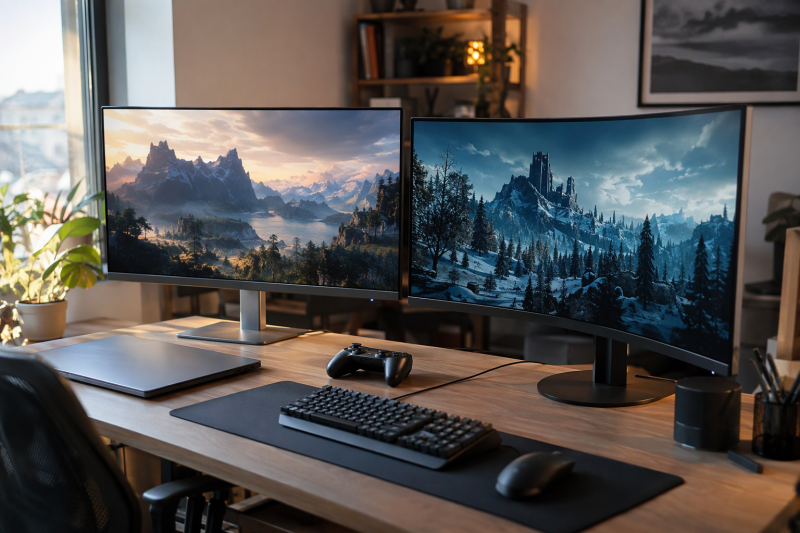
A 144Hz or 165Hz monitor can refresh more often than a conventional 60Hz display. The advertised maximum depends on the source, cable and input. Resolution, screen size and stand adjustments also affect how well the monitor fits a laptop gaming desk.
Match the resolution and refresh rate to the laptop’s video output, then check the limit of the specific monitor input.| Image | Product | Best fit | Screen | Stated refresh | Inputs | Limit | Check Price |
|---|---|---|---|---|---|---|---|
 | ASUS TUF Gaming VG277Q1A | 1080p gaming features | 27-inch 1080p | 165Hz DP; 144Hz HDMI | 1 DP, 2 HDMI 1.4 | 165Hz needs DP | Check Price on Amazon |
 | Z-Edge UG27Q | Curved 1440p gaming | 27-inch 1440p VA, 1500R | 165Hz DP; 144Hz HDMI | 2 HDMI; 1 or 2 DP by source | HDMI stops at 144Hz | Check Price on Amazon |
 | Dell S2725DSM | 1440p work and play | 27-inch 1440p IPS | 144Hz, including HDMI | 1 HDMI, 1 DP 1.4 | 144Hz maximum | Check Price on Amazon |
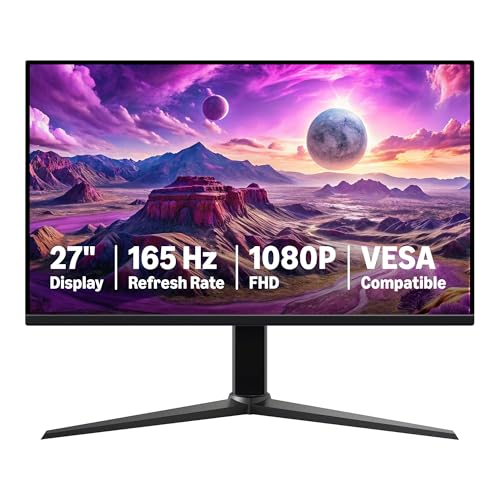 | Amazon Basics 27M2020GPNA | Basic 27-inch 1080p gaming | 27-inch 1080p IPS | 165Hz stated | Ports not listed | No per-input limit given | Check Price on Amazon |
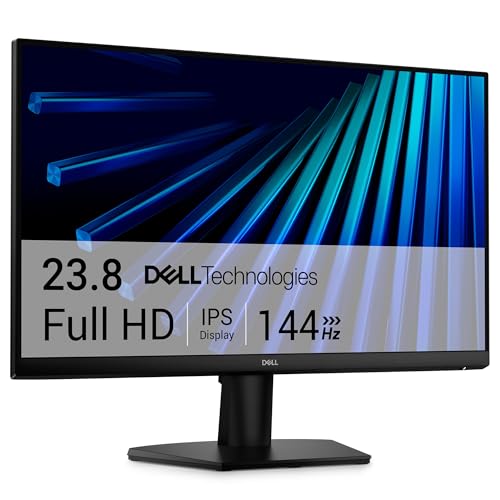 | Dell SE2426H | Small mixed-use desk | 23.8-inch 1080p IPS | 144Hz via HDMI | Two HDMI 1.4 | Tilt stand; no DP named | Check Price on Amazon |
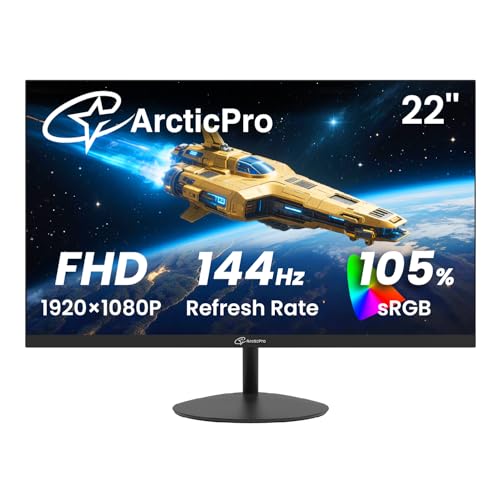 | ArcticPro AD22ZFA | Small screen with VGA | 22-inch 1080p VA | Up to 144Hz stated | HDMI 1.4 and VGA | 144Hz input not stated | Check Price on Amazon |
1. ASUS TUF Gaming VG277Q1A — Best 1080p 165Hz Gaming Features
ASUS’s user guide describes the TUF Gaming VG277Q1A as a 27-inch 1920 x 1080 monitor with a 165Hz maximum. The guide gives 350 cd/m2 typical brightness and a 3,000:1 contrast ratio, along with response figures of 4ms gray-to-gray and 1ms MPRT. The Amazon listing ties the 1ms MPRT figure to ASUS Extreme Low Motion Blur working together with Adaptive-Sync.
The refresh ceiling depends on the port you use. ASUS’s timing list shows 1080p at 165Hz only through DisplayPort, while the two HDMI 1.4 inputs reach 144Hz at that resolution. The Amazon listing names FreeSync Premium and Shadow Boost. It also says Adaptive-Sync works with NVIDIA GeForce GTX 10 series, GTX 16 series, RTX 20 series and newer cards.
For sound, ASUS lists two 2W speakers and an earphone output. The stand tilts from -5 to 23 degrees, and ASUS says it detaches and is designed for VESA wall mounting. The Amazon listing puts HDMI and DisplayPort cables in the box, but ASUS’s user guide marks both cables as optional.
Input limit: ASUS lists 165Hz over DisplayPort and up to 144Hz over HDMI at 1080p.Our Take Choose the VG277Q1A for a 27-inch 1080p screen with built-in speakers, and plan on DisplayPort if you want the full 165Hz.
- For the top speed, connect over DisplayPort, where ASUS lists 1080p at up to 165Hz.
- ASUS lists two 2W speakers for built-in sound, plus an earphone output.
- NVIDIA owners can check their card against the Amazon listing, and it also names FreeSync Premium and Shadow Boost.
- ASUS’s timing list stops both HDMI inputs at 144Hz for 1080p, below the monitor’s top rate.
- ASUS’s guide marks the HDMI and DisplayPort cables as optional, although the Amazon listing puts both in the box.
- ASUS gives you 1080p rather than 1440p resolution on a 27-inch screen.
2. Z-Edge UG27Q — Best Curved 1440p at 165Hz
Z-Edge builds the UG27Q around a 27-inch 2560 x 1440 VA panel with a 1500R curve. Z-Edge’s product page gives a 1ms MPRT response time and 178-degree viewing angles. The Amazon listing adds a 3,000:1 contrast ratio, FreeSync, and FPS and RTS game modes.
Z-Edge and the Amazon listing agree on speed limits of 165Hz through DisplayPort and 144Hz through HDMI. Z-Edge also notes that the computer’s graphics card needs to support 165Hz.
Z-Edge and the Amazon listing disagree on the port count. The Amazon listing names two HDMI 2.0 inputs and one DisplayPort 1.4 input. Z-Edge’s page names two HDMI 2.0 inputs, two DisplayPort 1.4 inputs and an audio port. If your desk depends on a second DisplayPort input, confirm the count with the seller.
For mounting, Z-Edge and the Amazon listing both give a 100 x 100mm wall mount pattern. Z-Edge says the wall mount itself is not included.
Port count: Amazon’s listing gives one DisplayPort input and Z-Edge’s page gives two.Our Take Pick the UG27Q when you want a curved 1440p screen and your computer can send 165Hz over DisplayPort.
- Buyers after a curved screen get a 27-inch 2560 x 1440 VA panel with a 1500R curve, according to Z-Edge.
- Z-Edge and the Amazon listing give DisplayPort up to 165Hz, and Z-Edge notes that your graphics card needs to support it.
- For FPS and RTS players, the Amazon listing includes game modes along with FreeSync.
- On HDMI, Z-Edge and the Amazon listing limit the UG27Q to 144Hz.
- The Amazon listing and Z-Edge’s page disagree on the number of DisplayPort inputs. Ask the seller if you need a second one.
- Z-Edge says the wall mount is not included. Budget for one if you want the screen on a wall.
3. Dell S2725DSM — Best 1440p Work and Gaming Mix
Dell’s S2725DSM is a 27-inch 2560 x 1440 IPS monitor with a 144Hz maximum. Dell lists 350 cd/m2 brightness, a 1,500:1 contrast ratio, 99% sRGB coverage and AMD FreeSync. Dell’s response figures are 1ms MPRT and, in Extreme mode, 4ms gray-to-gray.
For the stand, Dell lists up to 110mm of height adjustment, tilt from -5 to 21 degrees, swivel and a 90-degree pivot in either direction, plus a 100 x 100mm VESA mount. Dell also specifies two 3W speakers.
For inputs, Dell names one HDMI port that supports 2560 x 1440 at up to 144Hz and one DisplayPort 1.4 port. Dell does not give a separate refresh figure for DisplayPort. According to Dell, the box includes a power cable and a 1.8m HDMI 1.4 cable. The Amazon listing also cites a 4-star TÜV eye comfort certification.
Our Take Consider the S2725DSM for a shared work and gaming desk where 1440p, speakers and a movable stand count for more than reaching 165Hz.
- Your work and games get a 2560 x 1440 IPS panel that Dell lists at up to 144Hz.
- Dell lists height, tilt, swivel and pivot adjustment for setting the screen to suit your seat.
- Sound comes from the monitor itself through the two 3W speakers that Dell specifies.
- If 165Hz is your target, Dell’s stated maximum of 144Hz falls short.
- Plan your connections around only one HDMI port and one DisplayPort 1.4 port, the inputs Dell lists.
- Dell names an HDMI cable in the box and does not name a DisplayPort cable. Check your own cables before using DisplayPort.
4. Amazon Basics 27M2020GPNA — Best Basic 27-Inch 1080p Gaming
The Amazon listing describes model 27M2020GPNA as a 27-inch 1080p IPS monitor with 165Hz, adaptive sync and VESA compatibility. It states a 1ms response time without naming the measurement method.
Reaching 165Hz takes some setup. The listing says the computer’s ports and graphics card must support 1080p at 165Hz, asks for a DisplayPort 1.4 or HDMI 2.0 compatible cable, and says to select 165Hz in the advanced display settings. The listing also tells owners to remove the protective film with the date code from the panel before use.
The Amazon listing does not list the monitor’s ports, a refresh limit for each input, a VESA pattern size, stand adjustments or speakers. Check the ports and mounting holes against your cable and arm while the return window is open.
Our Take Consider the Amazon Basics monitor for a plain 27-inch 1080p gaming setup if you can confirm the ports and stand details the Amazon listing leaves out.
- The Amazon listing gives a 27-inch IPS panel at 1080p and 165Hz for a plain gaming setup.
- The Amazon listing names adaptive sync, along with VESA compatibility for mounting.
- To reach 165Hz, follow the cable and display setting advice that the Amazon listing spells out.
- The Amazon listing does not list a refresh limit for each input. Check the ports against your cable while you can return the monitor.
- The Amazon listing does not list stand adjustments or a VESA pattern size. Compare the mounting holes with your arm during the return window.
- The Amazon listing does not name the method behind its 1ms response figure.
5. Dell SE2426H — Best Smaller 144Hz Work and Play Display
Dell’s SE2426H is a 23.8-inch 1920 x 1080 IPS monitor at 144Hz. Dell lists 300 nits of brightness, a 1,000:1 contrast ratio, 72% NTSC color coverage, and response times of 1ms MPRT and 4ms gray-to-gray in Fast mode. The Amazon listing adds AMD FreeSync and a TÜV Rheinland 3-star eye comfort certification.
Both video inputs are HDMI. Dell specifies two HDMI 1.4 ports that support 1080p at up to 144Hz, and Dell’s port list does not name DisplayPort. According to Dell, a 1.8m HDMI 1.4 cable and a power cable come in the box.
The stand tilts from -5 to 21 degrees, and Dell lists a 100 x 100mm VESA mount. Dell gives the weight as 7.43 pounds with the stand and cables. Neither Dell’s page nor the Amazon listing lists speakers.
Our Take Choose the SE2426H if you want a 24-inch class screen for work and play, and an HDMI connection and a tilting stand are enough.
- A smaller desk gets a 23.8-inch IPS panel that Dell lists at 1080p and 144Hz.
- Dell specifies up to 144Hz on both HDMI ports, whichever one you connect.
- If you plan to add an arm, match it to the 100 x 100mm VESA mount that Dell lists.
- Check your laptop’s video output before buying, since Dell’s port list does not name DisplayPort.
- Dell lists tilt as the stand adjustment. Plan your chair and desk height around the stand.
- Neither Dell nor the Amazon listing lists speakers, a gap to weigh if you want sound from the screen.
6. ArcticPro AD22ZFA — Best Small 144Hz Screen With VGA
The Amazon listing presents the ArcticPro AD22ZFA as a 22-inch 1080p VA monitor with a maximum of 144Hz. The listing’s title claims 105% sRGB coverage, a 4,000:1 contrast ratio and a frameless design on three sides. The listing also gives 178-degree viewing angles.
The listing names HDMI 1.4 and VGA inputs. It does not state which input reaches 144Hz, so ask the seller about the connection you plan to use, and do not assume VGA carries the headline rate. The listing does not give a response time figure.
For the desk, the listing gives tilt angles of -5 and 15 degrees, each plus or minus 2 degrees, and a 75 x 75mm VESA wall mount pattern. It also says the monitor has no built-in speakers.
Our Take Consider the AD22ZFA when a 22-inch screen or a VGA input is the priority and you can confirm the high-refresh connection first.
- If you want a smaller screen, the Amazon listing gives a 22-inch 1080p VA panel at up to 144Hz.
- The Amazon listing names both HDMI 1.4 and VGA inputs, an option for a computer with VGA output.
- Check that your arm fits the 75 x 75mm VESA mount pattern on the Amazon listing.
- Sound has to come from another device, because the Amazon listing says there are no built-in speakers.
- The Amazon listing does not state which input achieves 144Hz. Ask the seller about your connection before ordering.
- The Amazon listing does not give a response time figure for the ArcticPro monitor.
Buying Guide: 144Hz and 165Hz Monitors
Check resolution and screen size
A 1080p panel has fewer pixels to draw than a 1440p panel, which can be relevant to a laptop’s graphics workload. ASUS lists 1080p for the 27-inch ASUS VG277Q1A, and Dell lists it for the 23.8-inch Dell SE2426H. The Amazon listings give 1080p for the 27-inch Amazon Basics 27M2020GPNA and the 22-inch ArcticPro AD22ZFA.
Z-Edge lists 2560 x 1440 for the 27-inch Z-Edge UG27Q, and Dell lists the same resolution for the 27-inch Dell S2725DSM. Both pack more pixels into the space than a 27-inch 1080p screen, so weigh the added detail against what your computer can drive.
Match the input to the refresh rate
ASUS documents 165Hz over DisplayPort and up to 144Hz over HDMI at 1080p for the ASUS VG277Q1A. Z-Edge states 165Hz through DisplayPort and 144Hz through HDMI for the Z-Edge UG27Q.
Dell states 144Hz over HDMI for the Dell SE2426H at 1080p and for the Dell S2725DSM at 1440p. The Amazon listings for the Amazon Basics 27M2020GPNA and the ArcticPro AD22ZFA do not give a limit for each input, so confirm the mode instead of judging by connector shape.
Check the laptop and adapter path
The computer’s graphics output must support the target resolution and refresh rate, and the cable, adapter or dock must carry the same mode. A USB-C-shaped port does not by itself establish video output or a particular refresh rate.
The Amazon listing for the Amazon Basics 27M2020GPNA asks for a compatible DisplayPort 1.4 or HDMI 2.0 cable and the 165Hz setting on the computer. Check the laptop documentation before buying a monitor for a specific mode.
Compare sync and response descriptions
FreeSync or adaptive sync can coordinate refresh behavior with a compatible graphics source. The Amazon listings name it for the ASUS VG277Q1A, the Z-Edge UG27Q, the Dell S2725DSM, the Dell SE2426H and the Amazon Basics 27M2020GPNA, though compatibility depends on the connection and system.
ASUS, Z-Edge and Dell label the 1ms figures MPRT for their monitors. ASUS also gives 4ms gray-to-gray for the ASUS VG277Q1A, and Dell gives 4ms gray-to-gray for the Dell S2725DSM in Extreme mode and for the Dell SE2426H in Fast mode. The Amazon Basics listing states 1ms without a method, and the ArcticPro listing does not give a figure.
Plan the stand and audio
Dell lists height, tilt, swivel and pivot adjustment for the Dell S2725DSM and tilt for the Dell SE2426H. ASUS lists tilt for the ASUS VG277Q1A, and the Amazon listing gives tilt angles for the ArcticPro AD22ZFA. For sound, ASUS lists two 2W speakers, and Dell lists two 3W speakers on the S2725DSM. The ArcticPro listing says its monitor has no built-in speakers.
For mounting, Z-Edge and Dell give 100 x 100mm patterns for the Z-Edge and both Dell monitors, while the ArcticPro listing gives 75 x 75mm. ASUS says its stand detaches for VESA wall mounting, and the Amazon Basics listing says VESA compatible. Check the hole spacing on either monitor before choosing an arm.
Frequently Asked Questions
Is 165Hz always available over HDMI?
No. The maximum depends on the monitor’s input and timing list as well as the source and cable. ASUS lists 165Hz over DisplayPort and up to 144Hz over HDMI for the ASUS VG277Q1A at 1080p.
Z-Edge also states a 144Hz HDMI limit and a 165Hz DisplayPort limit for the Z-Edge UG27Q. The Amazon Basics listing mentions an HDMI 2.0 or DisplayPort 1.4 cable for 165Hz but does not give a limit for each input on the Amazon Basics 27M2020GPNA.
Is 1440p always better for gaming than 1080p?
A 1440p screen has more pixels and can show more detail at a given size, but drawing more pixels can also increase the graphics workload. The better choice depends on the laptop and the game.
Z-Edge and Dell list 1440p for the 27-inch Z-Edge UG27Q and Dell S2725DSM. ASUS lists 1080p for the 27-inch ASUS VG277Q1A, as the Amazon listing does for the Amazon Basics 27M2020GPNA.
Will a USB-C laptop connect to these monitors?
Possibly, if its USB-C port supports an appropriate video output and the adapter or cable converts it to the monitor’s input. USB-C connector shape alone does not guarantee video support.
Verify the laptop, adapter and monitor input as one path. For 165Hz on the ASUS VG277Q1A or the Z-Edge UG27Q, ASUS and Z-Edge point to DisplayPort, so choose the adapter to match.
Does a 1ms listing mean every monitor responds the same way?
No. MPRT and gray-to-gray are different measurements. ASUS and Dell publish both for their monitors here, with 1ms as the MPRT figure and a higher gray-to-gray figure.
Use the stated method as context, and look for independent measurements if motion performance is central to the decision. The figures on this page come from ASUS, Z-Edge, Dell and Amazon listings, not from our own tests.
Which of these monitors include speakers?
ASUS lists two 2W speakers for the ASUS VG277Q1A, and Dell lists two 3W speakers for the Dell S2725DSM. The Amazon listing says the ArcticPro AD22ZFA has no built-in speakers.
Dell does not list speakers for the Dell SE2426H, Z-Edge does not list them for the Z-Edge UG27Q, and the Amazon listing does not list them for the Amazon Basics 27M2020GPNA. Z-Edge’s page does name an audio port on the UG27Q. Ask the seller about speakers if built-in sound is important to you.
How We Compared
For related desk options, see our comparisons of Dell monitors and monitors with built-in docking stations.