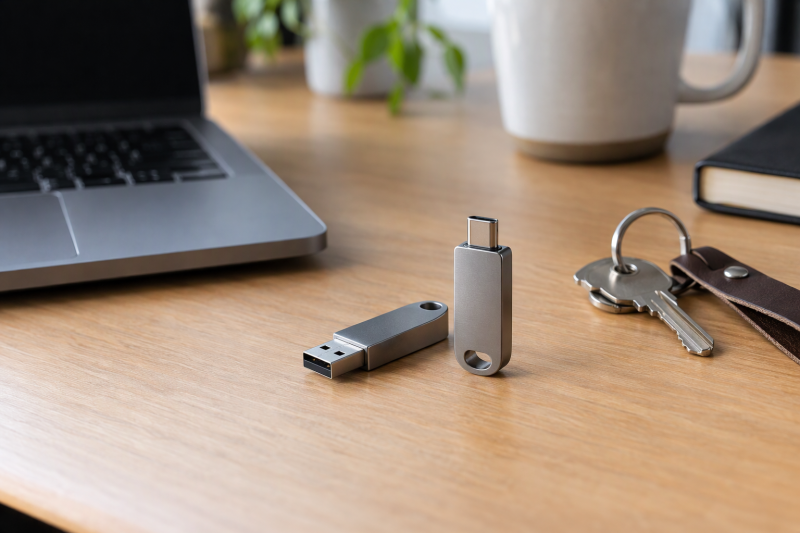
A metal shell and water protection are separate claims. The maker or the Amazon listing describes all six drives here as metal. The six come in different capacities and connector styles, and two of them are also sold with water protection.
Match the USB connector first, then check whether the drive’s maker or Amazon listing claims water protection.| Image | Product | Details | Check Price |
|---|---|---|---|
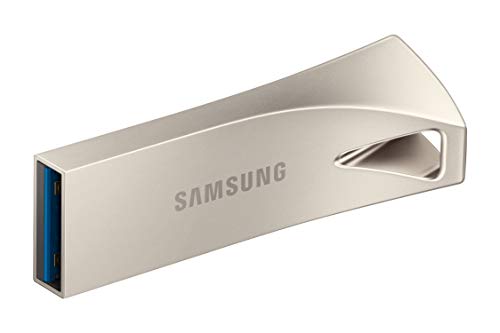 | Samsung BAR Plus 256GB | Best fit: Metal drive with documented water test Capacity: 256GB Connector: USB-A Stated speed: Samsung: up to 400MB/s read Water claim: Samsung: up to 72h at 1m, salt water | Check Price on Amazon |
 | Kingston DataTraveler Micro 256GB | Best fit: Small metal drive to leave plugged in Capacity: 256GB Connector: USB-A Stated speed: Kingston: up to 200MB/s read Water claim: Not listed | Check Price on Amazon |
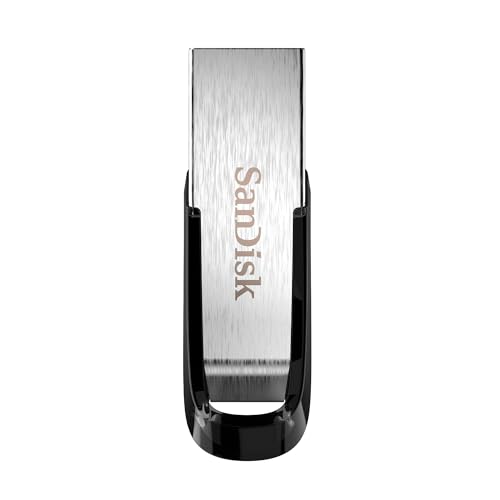 | SanDisk Ultra Flair 128GB | Best fit: 128GB drive with one USB-A plug Capacity: 128GB Connector: USB-A Stated speed: SanDisk: up to 150MB/s read Water claim: Not listed | Check Price on Amazon |
 | Vansuny 64GB Metal USB 3.0 Drive | Best fit: 64GB drive sold as waterproof Capacity: 64GB Connector: USB-A Stated speed: Read: Amazon 90Mb/s, Vansuny 60Mb/s Water claim: Claimed, depth and time not listed | Check Price on Amazon |
 | Lexar JumpDrive E31 64GB | Best fit: Capless metal keyring drive Capacity: 64GB Connector: USB-A Stated speed: Lexar: up to 100MB/s read Water claim: Not listed | Check Price on Amazon |
 | Lexar JumpDrive D40E 128GB | Best fit: USB-A and USB-C devices Capacity: 128GB Connector: USB-A and USB-C Stated speed: Lexar: up to 100MB/s Water claim: Not listed | Check Price on Amazon |
1. Samsung BAR Plus 256GB — Best Metal Drive With Documented Water Test
Samsung’s US product page names the 256GB BAR Plus as MUF-256BE3/AM. The Amazon listing describes a metal casing with a key ring to prevent loss, and its photos show a USB-A plug. Samsung’s datasheet rates the 256GB MUF-256BE3 at up to 400MB/s read and 110MB/s write in Samsung’s internal testing. The datasheet gives the interface as USB 3.2 Gen 1, while the Amazon listing calls it USB 3.1 with backward compatibility for USB 3.0 and 2.0.
Samsung describes its water test as up to 72 hours at up to 1 meter in 3% salt water. The datasheet also lists shock, temperature, magnetic and X-ray protection from lab testing. It says Samsung’s warranty program does not cover attempts to repeat those tests. Samsung gives the body size as 40.26 x 15.59 x 11.75mm and the weight as about 9.6g.
Water claim: Samsung specifies up to 72 hours at up to 1 meter in salt water for the BAR Plus.Our Take The BAR Plus is the pick for buyers who want a written water test on a keyring drive. If your computer has only USB-C ports, you need an adapter or hub for it.
- For a keyring drive with a written water test, Samsung publishes the depth, duration and salt content of the BAR Plus test.
- For comparing speed, Samsung rates the 256GB BAR Plus at up to 400MB/s read and 110MB/s write in its internal testing.
- The Amazon listing describes a metal BAR Plus casing, and its key ring is there to help prevent loss.
- Beyond water, Samsung’s datasheet lists shock, temperature, magnetic and X-ray protection for the drive, based on lab testing.
- The Amazon photos show a USB-A plug on the BAR Plus, and USB-C-only computers need an adapter or hub.
- If you plan to test the BAR Plus yourself, know that Samsung says its warranty program does not cover attempts to repeat the lab protection tests.
2. Kingston DataTraveler Micro 256GB — Best Small Metal USB-A Drive
Kingston’s DataTraveler Micro datasheet names the 256GB part DTMC3G2/256GB and describes an ultra-small, low-profile metal casing with a built-in key loop. The Amazon photos show a USB-A plug. Kingston gives the size as 24.95 x 12.2 x 4.5mm and designs the drive to stay in a USB port without interference. Kingston names computers, printers and gaming consoles as places to use it.
Kingston rates the drive at USB 3.2 Gen 1 and up to 200MB/s read, and notes that speed can vary with host hardware, software and use. Its datasheet lists Windows 11 and 10, macOS 12.7.6 or later, Linux 4.4 or later and ChromeOS as compatible systems. A datasheet footnote says writes are up to 15 times faster than standard 4MB/s USB 2.0 drives. Kingston’s datasheet and the Amazon listing do not name water protection.
Protection: Kingston states a metal casing. Neither Kingston nor the Amazon listing names water protection.Our Take Choose the DataTraveler Micro to add storage to a USB-A port that you plan to leave occupied. If wet conditions are likely, pick a drive with a stated water claim.
- For a port you plan to leave occupied, Kingston lists a 24.95mm long metal body for the 256GB DataTraveler Micro.
- To put the drive on your keys, use the built-in key loop that Kingston includes in its low-profile casing.
- When you copy files from the DataTraveler Micro, Kingston rates reads at up to 200MB/s over USB 3.2 Gen 1.
- For saving files, Kingston’s datasheet compares write speed with USB 2.0 drives. For wet conditions, the datasheet does not name water protection.
- On a computer with only USB-C, the USB-A plug on Kingston’s drive needs an adapter or hub.
3. SanDisk Ultra Flair 128GB — Best 128GB Drive With One USB-A Plug
SanDisk’s product page names the 128GB Ultra Flair part SDCZ73-128G-G46 and describes a durable metal casing made to handle knocks. SanDisk rates it at up to 150MB/s read and says in its family datasheet that write speeds are lower. The Amazon listing says a USB 3.0 port is required for the read rate. SanDisk gives the body as 43 x 13 x 7mm, the weight as 4.5g and the operating range as 0 to 35 degrees C.
The family datasheet describes password protection with 128-bit AES encryption on Windows 10 or later and macOS 12 or later, with a software download required. The Amazon listing instead names Windows 7, 8 and 10 and Mac OS X 10.9 or later, and mentions the download for Mac. SanDisk’s page and the Amazon listing do not name water protection.
Our Take The Ultra Flair suits a USB-A computer when you want 128GB, a metal casing and optional password protection. Before you put private files on it, confirm that the software supports your system.
- SanDisk describes a durable metal casing, made to handle knocks, on the 128GB Ultra Flair drive.
- SanDisk rates the Ultra Flair at up to 150MB/s read over USB 3.0, and the Amazon listing says the rate requires that port.
- For private files, SanDisk describes password protection with 128-bit AES encryption and a required software download.
- For carrying, SanDisk lists the Ultra Flair body at 43mm long with a 4.5g weight.
- Check your operating system against both sources, because SanDisk’s datasheet and the Amazon listing name different operating systems for password protection.
- SanDisk’s page and the Amazon listing do not name water protection for this drive, a gap if you want it.
4. Vansuny 64GB Metal USB 3.0 Drive — Best 64GB Drive Sold as Waterproof
According to the Amazon listing and Vansuny’s product page, Vansuny’s 64GB drive has a metal housing, USB 3.0 interface and keyring. The Amazon photos show a USB-A plug. The listing and the product page credit the water protection to the metal housing and a packaging method Vansuny calls UDP. They also say the drive can be used after drying if it falls into water. Vansuny’s page adds that you should wait until it is dry to avoid a short circuit.
Neither Vansuny nor the Amazon listing gives a water depth or duration. The speed figures disagree. The Amazon listing gives up to 90Mb/s read and 30Mb/s write, while Vansuny’s product bullets give 60Mb/s and 15Mb/s. A comparison chart on the same Vansuny page writes the second pair as 60MB/s and 15MB/s, a different unit. Vansuny lists the drive as 1.90 inches long and 0.48 inches wide. It ships formatted as exFAT, which Vansuny says you can change. The listed compatible systems are Windows, Linux and Mac OS versions.
Our Take Consider the Vansuny for a 64GB keyring drive with a general claim of surviving a fall into water. Do not choose it on transfer speed, because the published figures conflict.
- For a drive on your keys, Vansuny describes a metal housing with a keyring on its 64GB USB 3.0 model.
- Vansuny says the drive can be used after drying if it falls into water, and its page tells you to wait until it is dry.
- Vansuny ships the drive formatted as exFAT and says buyers can reformat it to change the file system.
- The water claim is general, because Vansuny and the Amazon listing do not give a water depth or test duration.
- Do not pick the Vansuny for speed, because the Amazon listing and Vansuny’s page give conflicting read and write figures.
- On a USB-C-only computer, the Vansuny USB-A plug needs an adapter or hub.
5. Lexar JumpDrive E31 64GB — Best Capless Metal Keyring Drive
Lexar describes the JumpDrive E31 as a capless metal drive with a key chain hole. Lexar offers it in 64GB, the size that Amazon sells as part LJDE031064G-BNJEU. Lexar rates the E31 at up to 100MB/s read, and the Amazon photos show a USB-A plug. Its page calls the interface USB 3.0, and the Amazon listing calls it USB 3.2 Gen 1 with USB 2.0 backward compatibility.
Lexar gives the size as 40.3 x 12.2 x 4.6mm, the weight as 5.3g and the operating range as 0 to 60 degrees C. Lexar also describes security software with 256-bit AES encryption that creates a password-protected safe for files. Lexar’s page and the Amazon listing do not name water protection.
Our Take If you need 64GB and would rather not track a cap, the E31 fits a keychain. A drive with a written water claim is the better choice around water.
- If you would rather not track a cap, Lexar describes a capless metal design with a key chain hole on the E31.
- Lexar rates the JumpDrive E31 at up to 100MB/s read over USB 3.0, a figure for copying files off the drive.
- To put files behind a password, Lexar describes 256-bit AES security software that creates a password-protected file safe.
- On your keys, plan for the 5.3g weight and 40.3mm body that Lexar lists for the E31.
- For use around water, note that Lexar’s page and the Amazon listing do not name water protection for the E31.
- The E31 uses USB-A, and you need an adapter or hub to use it on USB-C-only computers.
6. Lexar JumpDrive D40E 128GB — Best Metal Drive for USB-A and USB-C
The Lexar JumpDrive D40E, part LJDD40E128G-BNSNG on Amazon, puts USB-A and USB-C connectors on one 128GB drive. The Amazon listing describes a metal enclosure and a 360-degree swivel that switches between the connectors without a cap. It names USB-C phones, tablets and laptops, Macs and USB-A devices as compatible.
Lexar rates the D40E at up to 100MB/s and gives its size as 70.4 x 16.9 x 11.7mm, its weight as 26g and its operating range as 0 to 50 degrees C. The Amazon listing also mentions security software with 256-bit AES encryption. Lexar’s page and the Amazon listing do not name water protection.
Our Take Pick the D40E to move files between USB-A and USB-C devices without carrying an adapter. Lexar lists its length at 70.4mm, longer than the other five drives at the sizes their makers give.
- The Amazon listing shows USB-A and USB-C connectors on one 128GB D40E drive, and you use them to move files between both kinds of device without an adapter.
- To switch connectors on the D40E, you turn the 360-degree swivel that the Amazon listing describes, with no separate cap to lose.
- For file transfers, Lexar rates the D40E at up to 100MB/s.
- Even with the listed metal enclosure, Lexar’s page and the Amazon listing do not name water protection for the D40E.
- Lexar lists a 70.4mm length and 26g weight for the D40E, a longer body than the other five drives at the sizes their makers give.
Buying Guide: Metal and Water-Resistant Flash Drives
Separate metal from water protection
A metal casing is a statement about the outer construction, not a promise about water. Makers or Amazon listings describe the Kingston, SanDisk and Lexar drives as metal, and their maker pages and Amazon listings do not name water protection.
Samsung describes a test of up to 72 hours at up to 1 meter in 3% salt water for the BAR Plus. Vansuny says its 64GB drive can be used after drying, without giving a depth or duration.
Choose the connector
Five drives here have only a USB-A plug, including the BAR Plus and the small DataTraveler Micro. A laptop with only USB-C ports needs a compatible adapter or hub for those drives.
The Amazon listing for the Lexar D40E shows USB-A and USB-C on one swiveling drive. Besides the plug, check that your phone or computer supports USB storage and the drive’s file system.
Read speed figures carefully
Samsung rates the 256GB BAR Plus at up to 400MB/s read and 110MB/s write under its test conditions. Kingston gives up to 200MB/s read, SanDisk up to 150MB/s read, and Lexar up to 100MB/s read for the E31 and up to 100MB/s for the D40E.
The Amazon listing for the Vansuny gives 90 read and 30 write in Mb/s, while Vansuny’s page gives 60 and 15 in both Mb/s and MB/s. A megabyte is eight times a megabit, and the two units do not describe the same speed.
Pick a carry shape
Kingston gives the DataTraveler Micro a 24.95mm length and a key loop, while Samsung lists 40.26mm for the BAR Plus and Lexar lists 40.3mm for the E31. Pick a shape you can find easily and that leaves room for neighboring ports.
Lexar gives the D40E a 70.4mm length, a larger size that comes with carrying two connector types. SanDisk lists 43mm for the Ultra Flair, and Vansuny lists 1.90 inches for its drive.
Protect the files as well as the drive
SanDisk describes 128-bit AES password protection for the Ultra Flair, and Lexar describes 256-bit AES software for the E31. The Amazon listing names 256-bit AES software for the D40E. A metal shell alone does not encrypt files.
Keep a separate copy of important data. A water or knock claim covers the conditions its maker states, and it is not a backup of your files.
Frequently Asked Questions
Are all metal flash drives waterproof?
No. Metal describes the case, and water protection needs its own claim for the exact product. Four drives on this page do not have a water claim from their maker pages or Amazon listings.
Samsung publishes test conditions for the BAR Plus, while Vansuny makes a general claim for its drive. The two claims differ in how much detail they give.
Can I plug a USB-A flash drive into a USB-C laptop?
A USB-A drive needs a USB-C to USB-A adapter or hub when the computer does not have a USB-A port. Check that the adapter carries data, not only power.
According to the Amazon listing, the Lexar D40E has both connector types. Its USB-C end plugs into a compatible USB-C device without that adapter.
Do the listed read speeds apply to writing files?
No. Read speed describes copying data from the drive, and write speed describes saving data to it. The two figures can differ widely.
Samsung lists up to 400MB/s read but up to 110MB/s write for the 256GB BAR Plus. SanDisk says Ultra Flair write speeds are lower than its read rating.
Can I use a wet flash drive immediately?
Do not connect a wet drive. Vansuny’s page says to wait until its drive is dry to avoid a short circuit.
A water claim has limits, whether the maker states them or not. Keep a second copy of files you cannot afford to lose.
Does a metal flash drive encrypt my files?
A metal housing does not encrypt anything. SanDisk describes password protection using 128-bit AES for the Ultra Flair, with a software download.
Check which operating systems the software supports and follow the maker’s instructions. Keep a backup even when a drive is password protected.
How We Compared
For more options by connector, see our guide to USB-C flash drives and our comparison of USB 3.2 flash drives for laptops.