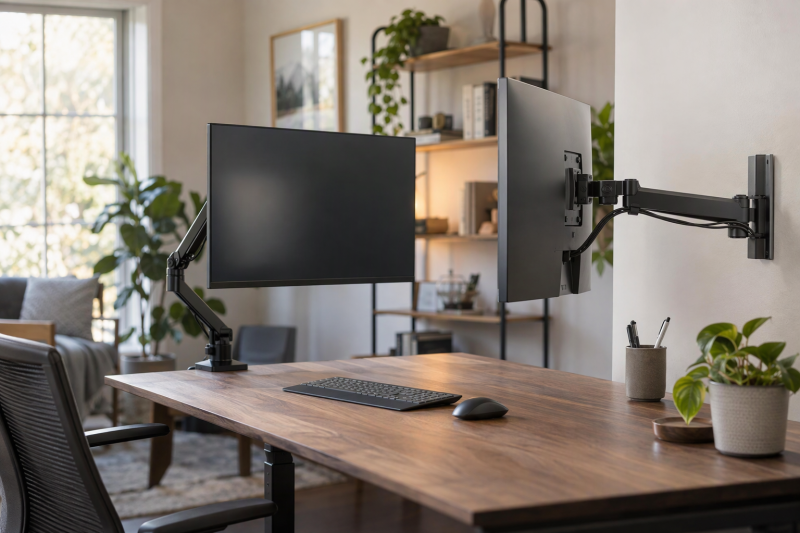
A desk arm, a wall mount and a VESA adapter solve different problems. The right choice depends on the screen’s weight without its original stand, its mounting pattern, the space around the desk and the structure carrying the load. The five products below are a single desk arm, a dual desk arm, a small wall mount, an ultrawide wall mount and a Dell adapter that needs a separate mount. VIVO’s page titles the STAND-V002 an adjustable stand, so the two desk arms are the stand options here. If you want a freestanding riser instead, see monitor risers with built-in USB hubs.
| Image | Product | Best fit | Attachment | Screen fit | Weight limit | VESA pattern | Check Price |
|---|---|---|---|---|---|---|---|
 | Amazon Basics DS-MA-E01 | One adjustable desk monitor | Clamp or grommet | 13-32 in; 38 in ultrawide | Up to 22 lb | 75 x 75 or 100 x 100 mm | Check Price on Amazon |
 | VIVO STAND-V002 Dual Monitor Desk Mount | Two desk screens | Clamp or grommet | Two 13-30 in screens | Up to 22 lb each | 75 x 75 or 100 x 100 mm | Check Price on Amazon |
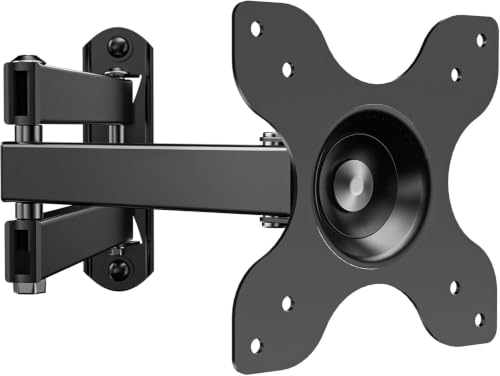 | WALI 1330LM Monitor Wall Mount | Small wall-mounted display | Wood stud, brick or concrete wall | 13-32 in flat displays | Up to 33 lb | 75 x 75 or 100 x 100 mm | Check Price on Amazon |
 | VIVO MOUNT-VW01M Ultrawide Wall Mount | Heavier ultrawide on a wall | Wood or concrete/brick wall | 13-49 in screens | Up to 44 lb | 75 x 75 or 100 x 100 mm | Check Price on Amazon |
 | HumanCentric Dell S and SE VESA Adapter | Certain Dell monitors without VESA holes | Adapter to a separate mount | Specific Dell S and SE models | Check separate mount capacity | 75 x 75 or 100 x 100 mm | Check Price on Amazon |
1. Amazon Basics DS-MA-E01 — Best for One Desk-Mounted Screen
The Amazon Basics DS-MA-E01 is a single-monitor desk arm. Its Amazon listing gives a 13 to 32 inch screen range, or 38 inches for an ultrawide, and a limit of 22 lb per arm. The listing names VESA 75 x 75 mm and 100 x 100 mm patterns, a tilt range of minus 45 to plus 90 degrees, plus or minus 90 degrees of swivel and 360-degree rotation. The arm extends up to 18.09 inches and reaches 16.75 inches high.
The base is a C-clamp with a grommet option for desks 0.39 to 4.25 inches thick, and the listing gives a grommet hole range of 0.51 to 2.36 inches. The listing also describes an integrated cable management system. Check the underside of the desk for clearance, and compare the screen’s weight without its original stand with the 22 lb limit.
Limit: The Amazon listing describes one arm with a 22 lb limit, so the DS-MA-E01 holds one screen.Our Take Choose the DS-MA-E01 for one screen on a desk that falls inside the listed clamp and grommet ranges.
- Amazon lists the DS-MA-E01 for up to 22 lb with 75 x 75 mm or 100 x 100 mm VESA patterns. Compare your screen’s weight without its original stand, and its hole pattern, with those figures.
- For angling and turning your screen, the Amazon listing gives a tilt range of minus 45 to plus 90 degrees and 360-degree rotation.
- You get a C-clamp base with a grommet option on the DS-MA-E01, for desks 0.39 to 4.25 inches thick.
- A pair of screens is too many for the DS-MA-E01, because the Amazon listing describes one arm that holds one monitor.
- Measure your desktop first, since the DS-MA-E01 needs a desk within the listed 0.39 to 4.25 inch thickness range.
2. VIVO STAND-V002 Dual Monitor Desk Mount — Best for Two Desk Screens
VIVO’s page for the STAND-V002 lists two screens of 13 to 30 inches, a 22 lb limit per monitor and 75 x 75 or 100 x 100 mm VESA plates. VIVO lists plus 90 to minus 90 degrees of tilt, 180-degree swivel and 360-degree rotation, with vertical or horizontal screen orientation, and says each VESA plate adjusts up or down by 0.5 inch. The same page lists a 13- to 32-inch STAND-V032 and a 13- to 38-inch STAND-V038, so your screens have to match the 30-inch size.
VIVO lists C-clamp and grommet mounting, with hardware included, for desktops up to 3.25 inches thick, and the Amazon listing gives the same thickness. VIVO lists a maximum extension of 16 inches, an arm span of 29 inches and 16 inches of screen height adjustment along a 17-inch pole. The 22 lb limit applies to each screen, so compare the weight of each screen without its stand against that limit. Also compare the two screens’ combined width with the desk edge.
Limit: VIVO’s 22 lb limit is per screen, and its 30-inch STAND-V002 is a separate size from the STAND-V032 and STAND-V038.Our Take Pick the STAND-V002 for two screens of 30 inches or less on a desk no thicker than 3.25 inches.
- VIVO lists the STAND-V002 for two screens of 13 to 30 inches, and its 22 lb limit per monitor is the figure to compare with your displays.
- On desks up to 3.25 inches thick, VIVO lists both C-clamp and grommet mounting, with the hardware included.
- VIVO lists 16 inches of screen height adjustment along the pole for setting your viewing height, plus vertical or horizontal screen orientation.
- Larger screens are outside the STAND-V002 range. VIVO limits it to screens of 13 to 30 inches and sells separate versions for 32 and 38 inches.
- Thick desktops get less allowance here, because VIVO lists a 3.25 inch maximum desktop thickness, below the 4.25 inches in the Amazon Basics DS-MA-E01 listing.
3. WALI 1330LM Monitor Wall Mount — Best for a Small Wall-Mounted Display
Start with the wall. WALI says the 5.9 by 1.6 inch wall plate of the 1330LM attaches to wood studs, brick or concrete walls, and that drywall alone is not supported. WALI’s package list names a mounting hardware kit and a user manual. Follow WALI’s instructions for the wall material, and identify any pipes or wires behind the wall before drilling.
WALI lists the 1330LM for most 13 to 32 inch flat displays up to 33 lb, with 75 x 75 and 100 x 100 mm mounting holes. WALI also lists plus or minus 15 degrees of tilt, 180-degree swivel and 360-degree rotation. The arm extends 15 inches from the wall and retracts to 2 inches. A size rating alone does not confirm that the display’s weight, hole pattern and wall suit the mount.
Limit: WALI states that drywall alone is not a supported mounting surface for the 1330LM.Our Take Choose the 1330LM for a display up to 32 inches and 33 lb on a wood stud, brick or concrete wall.
- Match your display by weight and hole pattern, since WALI lists the 1330LM for displays up to 33 lb with 75 x 75 and 100 x 100 mm VESA holes.
- For moving the screen out and back, WALI lists 15 inches of extension and a 2 inch retracted depth for the 1330LM.
- To angle and turn the display, you have the plus or minus 15 degrees of tilt, 180-degree swivel and 360-degree rotation that WALI lists.
- Plan on a wood stud, brick or concrete wall, because WALI states that drywall alone is not supported for the 1330LM.
- A larger screen is outside the mount’s range. WALI lists most 13 to 32 inch screens for the 1330LM, below the 49 inches in VIVO’s MOUNT-VW01M listing.
4. VIVO MOUNT-VW01M Ultrawide Wall Mount — Best for a Heavier Ultrawide
VIVO rates the MOUNT-VW01M for 13 to 49 inch screens, including ultrawides, at 44 lb, with 75 x 75 or 100 x 100 mm VESA mounting. VIVO’s page lists a profile of 2 to 10.5 inches from the wall, plus 5 to minus 12 degrees of tilt and plus or minus 45 degrees of swivel. The Amazon listing adds plus or minus 3 degrees of screen leveling and integrated cable management.
VIVO lists installation on a wood wall or concrete/brick wall and does not list drywall alone as a surface. Compare the display’s weight without its stand, plus any adapter, with the 44 lb VIVO lists. VIVO’s limit is above the 33 lb on WALI’s 1330LM page and the 22 lb in the DS-MA-E01 and STAND-V002 listings. The MOUNT-VW01M is the pick for a heavier ultrawide because of how those four listed limits compare.
Limit: VIVO lists wood and concrete/brick walls for the MOUNT-VW01M, so the wall must be one of those.Our Take Pick the MOUNT-VW01M for an ultrawide up to 49 inches and 44 lb on a wood or concrete/brick wall.
- For a larger ultrawide, VIVO lists 44 lb and screens up to 49 inches for the MOUNT-VW01M.
- For setting how far the mount stands from the wall, VIVO lists a profile of 2 to 10.5 inches.
- VIVO lists plus 5 to minus 12 degrees of tilt and plus or minus 45 degrees of swivel for aiming the screen.
- The choice of wall is narrow, because VIVO lists installation on wood or concrete/brick walls for the MOUNT-VW01M and does not list drywall alone.
- If you want the screen far out, compare the 10.5 inches of reach VIVO lists with the longer 15 inches WALI’s page gives for the 1330LM.
5. HumanCentric Dell S and SE VESA Adapter — Best for Certain Dell Monitors Without VESA Holes
HumanCentric’s page describes a VESA adapter for Dell S and SE series monitors and says it fits only the Dell models it lists, including SE2416HX, SE2717H and S2216M. The bracket adds 75 x 75 mm and 100 x 100 mm VESA hole patterns so a listed monitor can attach to a separate desk mount, articulating arm or wall mount. It is an adapter only, not a desk arm or a wall mount. HumanCentric says the only tool needed is a screwdriver that fits the screws that came with your VESA mount.
HumanCentric excludes SE2219, SE2419 and SE2719 monitors, and the Amazon listing says a model with 8 or 9 as the fourth digit will not work. The two lists are not identical, because the Amazon listing also names SE2216HM, SE2216HV, SE2417HGX and SE2717HC, which HumanCentric’s page does not list. Check your monitor’s full model against both lists, then confirm the separate mount supports the screen and adapter together.
Limit: HumanCentric says the bracket does not fit any other models or brands than the ones it lists.Our Take Choose the HumanCentric bracket only if your exact Dell monitor appears on HumanCentric’s list.
- With the bracket, a listed monitor gets the 75 x 75 mm and 100 x 100 mm VESA hole patterns that HumanCentric lists, ready for a separate mount.
- You have a list to check your monitor against, because HumanCentric lists the Dell S and SE models it fits and names SE2219, SE2419 and SE2719 as exclusions.
- To install the bracket, HumanCentric says a screwdriver that fits your VESA mount’s screws is the only tool needed.
- Owners of other screens are ruled out, because HumanCentric says the bracket does not fit any other Dell models or other brands.
- Check your model against both lists. The Amazon listing names four Dell models that HumanCentric’s own list does not.
Buying Guide: Choosing a Monitor Mount
Match the VESA pattern and display
Every product here lists 75 x 75 mm or 100 x 100 mm mounting patterns, but a matching hole pattern is only one part of fit. Check the monitor maker’s documentation for mounting instructions, screw requirements and whether the holes are recessed or need an included adapter. For the basics of the standard, read what VESA is.
Some displays lack standard holes. The HumanCentric adapter fits specific Dell S and SE models and connects them to a separate VESA mount. HumanCentric’s model list is narrow, so check the exact letters and numbers instead of choosing based only on the monitor brand.
Weigh the monitor without its stand
Compare the screen’s weight without its original stand with the mount’s full supported range. Include the weight of any added adapter or accessories that the mount must carry, and check the manufacturer’s instructions for how to calculate the total load.
VIVO lists the dual arm STAND-V002 at a 22 lb per-monitor limit. A combined weight below 44 lb does not make just any two displays suitable. Each screen must also fit the stated size and VESA requirements, and the desk must support the complete setup.
Choose desk attachment or wall attachment
A C-clamp needs a suitable edge and enough clearance beneath the desktop, and a grommet attachment needs a suitable hole and supporting material. The Amazon Basics listing gives a desktop range of 0.39 to 4.25 inches, while VIVO gives a maximum 3.25 inch thickness for the STAND-V002.
A wall mount frees the desktop but needs an appropriate supporting structure and the correct fasteners. WALI says drywall alone is not supported for the 1330LM, and VIVO lists wood or concrete/brick walls for the MOUNT-VW01M. Follow the product instructions and seek qualified help if the wall construction is uncertain. For wider screens, see ultrawide monitor mounts.
Measure reach and clearance
WALI lists up to 15 inches of extension and 2 inches when retracted for the 1330LM, while VIVO lists 2 to 10.5 inches for the MOUNT-VW01M. Compare the listed figures for each mount with the distance from the wall to your intended viewing position.
Desk arms also need clearance behind and beside the desk as they move. VIVO lists a 29-inch arm span for the STAND-V002, and the Amazon listing gives 18.09 inches of reach for the DS-MA-E01. Check the monitor’s width, the arm’s movement and the available cable length.
Consider the rest of the workstation
A monitor mount changes the position of the display, not the computer’s available video outputs. Before you arrange the desk, check the laptop, dock and cable for the monitor’s intended resolution and refresh rate.
For more on selecting the display, read how to choose a computer monitor. If two computers will share displays, compare dual-monitor KVM switches and check the video connections your setup requires.
Frequently Asked Questions
Will a VESA mount fit any monitor?
No. A monitor must have a compatible mounting pattern, or a suitable model-specific adapter, and its weight and dimensions must fit the mount. Recessed holes and screw lengths also need attention.
HumanCentric says its bracket is for the Dell S and SE models it lists, not every monitor without mounting holes. Check the exact model against HumanCentric’s list and use a compatible separate mount.
Can I attach a monitor wall mount to drywall?
WALI says drywall alone is not supported for the 1330LM and names wood studs, brick and concrete. VIVO lists wood and concrete/brick walls for the MOUNT-VW01M.
Follow the specific mount’s installation instructions for the supporting structure and fasteners. If you cannot identify the wall construction or the pipes and wires hidden behind it, ask a qualified installer to assess the wall before drilling.
Does the monitor stand count toward the weight limit?
Use the weight of the monitor without its original stand when the stand is removed for VESA mounting. The monitor’s specifications may list weights both with and without that stand.
Include any adapter or accessories carried by the arm when checking the supported load, and follow the mount maker’s directions. Each monitor on a dual arm must meet its own stated limit.
Is a VESA adapter the same as a monitor arm?
No. The HumanCentric product is an adapter bracket for certain Dell monitors. HumanCentric describes it as a way to mount a listed monitor to a separate desk mount, articulating arm or other VESA system, so it does not hold the display on a desk by itself.
A desk or wall mount supplies the supporting structure and movement. Check the adapter’s compatibility list and the separate mount’s load and pattern before combining them.
Can one dual mount hold two different monitors?
A dual mount can hold two different monitors if each screen meets the mount’s VESA, weight and size requirements. VIVO lists a 22 lb maximum per monitor and a 13- to 30-inch range for the STAND-V002.
Also measure the combined width and available arm travel against your desk. VIVO lists a 29-inch arm span for the STAND-V002.