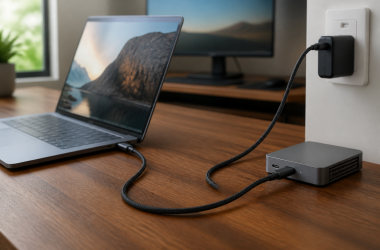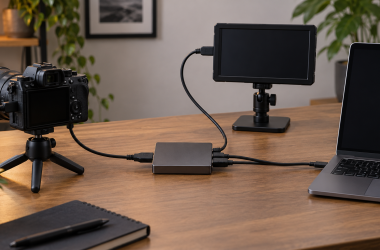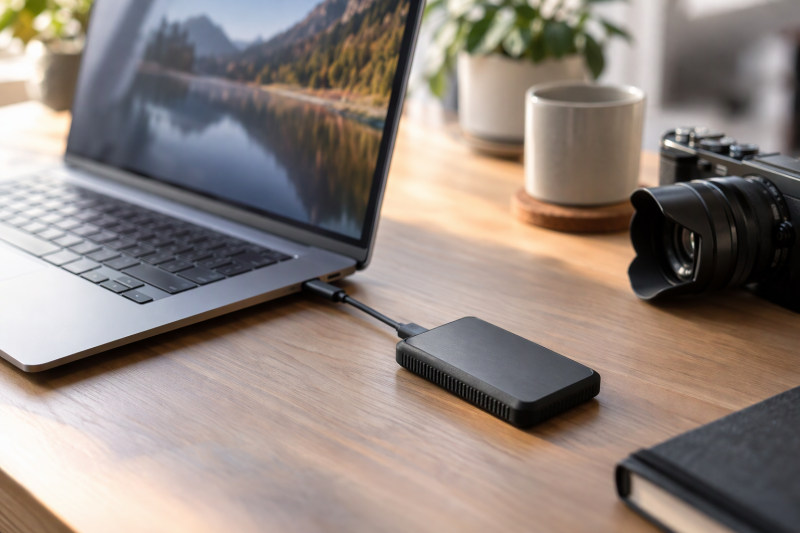
Lexar sells these six drives in three speed tiers and four ways to plug in. Lexar’s pages state up to 2000MB/s for the SL500 and ARMOR 700 over USB 3.2 Gen 2×2, and up to 1050MB/s for the two Go models and the ES3 over USB 3.2 Gen 2. The Amazon listing for the D500 Dual Drive says up to 390MB/s.
The connection differs as much as the speed. The SL500 and ARMOR 700 come with a cable, and the ES3 comes with one cable that has both USB-C and USB-A ends. The Go plugs straight into a port, and the D500 has both connectors built in. Check your computer’s port first, then pick the way you want to carry the drive.
Read the port on your computer and the connector on the drive before you compare capacity or speed.Lexar Portable SSDs Compared
| Image | Product | Details | Check Price |
|---|---|---|---|
 | Lexar SL500 1TB | Best fit: Fast USB 3.2 Gen 2x2 portable SSD Capacity: 1TB Interface and speed: USB 3.2 Gen 2x2; up to 2000MB/s read, 1800MB/s write Connection: USB-C to USB-C cable included Protection: IP54; 2-meter drop rating | Check Price on Amazon |
 | Lexar Professional Go 1TB with Hub | Best fit: Portable SSD with four-port USB-C hub Capacity: 1TB Interface and speed: USB 3.2 Gen 2; up to 1050MB/s read, 1000MB/s write Connection: Four-port USB-C hub, up to 30W power supply Protection: IP65 for the SSD; 1-meter drop rating | Check Price on Amazon |
 | Lexar Professional Go 1TB | Best fit: Cable-free direct USB-C portable SSD Capacity: 1TB Interface and speed: USB 3.2 Gen 2; up to 1050MB/s read, 1000MB/s write Connection: Built-in USB-C connector Protection: IP65; 1-meter drop rating | Check Price on Amazon |
 | Lexar ES3 2TB | Best fit: USB-C and USB-A laptop backup drive Capacity: 2TB Interface and speed: USB 3.2 Gen 2; up to 1050MB/s read, 1000MB/s write Connection: 2-in-1 USB-C and USB-A cable included Protection: 2-meter drop rating; no IP rating on Lexar's page | Check Price on Amazon |
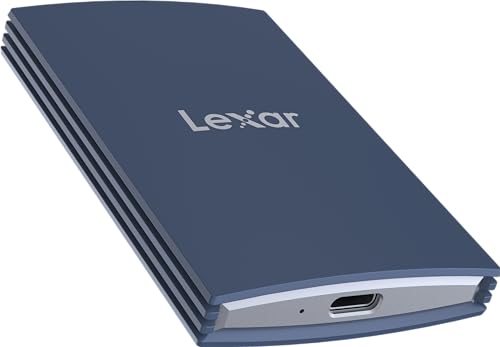 | Lexar ARMOR 700 2TB | Best fit: Rugged 2000MB/s portable SSD Capacity: 2TB Interface and speed: USB 3.2 Gen 2x2; up to 2000MB/s read and write Connection: USB-C cable and USB-A adapter included Protection: IP66; 3-meter drop rating | Check Price on Amazon |
 | Lexar Dual Drive D500 1TB | Best fit: Cable-free USB-C and USB-A file handoff Capacity: 1TB Interface and speed: USB 3.2; up to 390MB/s read Connection: Built-in USB-C and USB-A connectors Protection: Metal housing; no IP or drop rating listed | Check Price on Amazon |
1. Lexar SL500 1TB — Best Fast USB 3.2 Gen 2×2 Portable SSD
The SL500 is for a laptop with a USB 3.2 Gen 2×2 port and a bag where every gram counts. Lexar’s SL500 page states up to 2000MB/s read and 1800MB/s write for a solid aluminum body that is 4.8mm at its thinnest point and weighs 43g. A USB-C to USB-C cable comes in the box.
Lexar rates the drive IP54 for dust and water and 2 meters for drops, from its own testing. The IP54 rating is lower than the IP65 on the Go models and the IP66 on the ARMOR 700. Lexar’s page also lists DataShield software with 256-bit AES encryption, and the Amazon listing says the drive records Apple ProRes video from an iPhone 15 Pro or 15 Pro Max.
Our Take Buy the SL500 if your computer has a USB 3.2 Gen 2×2 port and you want a slim metal drive for the bag. Skip it for a drive that will get wet or dusty, because the ARMOR 700 carries a higher rating.
- Lexar states up to 2000MB/s read and 1800MB/s write for the SL500, and that speed belongs to a USB 3.2 Gen 2×2 connection.
- According to Lexar’s page, the SL500 comes with a USB-C to USB-C cable in the box.
- Lexar’s page lists DataShield software with 256-bit AES encryption for the SL500.
- Lexar rates the SL500 at IP54, below the IP65 Go models and the IP66 ARMOR 700.
- The SL500’s 2-meter drop rating is shorter than the ARMOR 700’s 3 meters on Lexar’s pages.
- Lexar warns that performance on a Mac or another system without USB 3.2 Gen 2×2 may be lower.
2. Lexar Professional Go 1TB with Hub — Best Portable SSD With Four-Port Hub
The Go with Hub is a kit built around an iPhone shoot. Lexar’s page describes a 1.71 by 0.98 by 0.32 inch SSD that weighs 13g and reads at up to 1050MB/s and writes at up to 1000MB/s. The kit adds a hub with four USB-C ports and up to 30W of power supply, and the Amazon listing names microphones, lights and power banks as accessories for those ports.
The box holds more than the two main parts. Lexar’s page lists a silicone case, a cold-shoe adapter, a USB-C male-to-female adapter and a USB-C male-to-male adapter. Lexar rates the SSD IP65 with a 1-meter drop rating, and its page gives the hub a transfer speed of up to 10Gbps.
The Amazon title says iPhone 15/16 (Not 17), and Lexar’s page says compatibility testing with iPhone 17 devices is in progress.Our Take Buy the Go with Hub if you shoot video from an iPhone Lexar names for the kit and want the SSD and the accessory ports in one kit. Skip it for a plain laptop backup, because the ES3 in this guide is the 2TB model on Amazon’s listing, and Lexar’s page lists a cable in the box.
- Lexar’s page lists a hub with four USB-C ports and up to 30W of power supply, and the Amazon listing names microphones, lights and power banks for those ports.
- The kit comes with a silicone case, a cold-shoe adapter and two USB-C adapters, according to Lexar.
- Lexar rates the 13g SSD at IP65 with a 1-meter drop rating.
- Lexar states up to 1050MB/s read for this SSD, below the 2000MB/s Lexar states for the SL500 and ARMOR 700.
- Lexar’s page says iPhone 17 compatibility testing is in progress, and the Amazon title says Not 17.
- Lexar gives the IP65 rating for the SSD, and its page lists no rating for the hub.
3. Lexar Professional Go 1TB — Best Cable-Free Direct USB-C Drive
The Go has no cable to lose. Its USB-C connector is built into the 13g body, and Lexar says it plugs straight into a phone, tablet or laptop. Lexar’s page also lists a USB-C male-to-female adapter in the box, along with a silicone case, a storage box and a strap.
Lexar gives the Go the same speed and size as the hub kit, with up to 1050MB/s read and 1000MB/s write, 1.71 by 0.98 by 0.32 inches, IP65 and a 1-meter drop rating. The Amazon listing names iPhones, iPads, Android phones and tablets, Macs, PCs and cameras with a USB Type-C port, and its title carries the same Not 17 note on iPhones.
Our Take Buy the Go if you move files between a phone and a laptop and want nothing to carry but the drive. Skip it if you need hub ports, which the Go with Hub includes.
- Amazon’s listing says the Go needs no dongle or cable, and Lexar’s page calls the design cable-free.
- Lexar gives the Go a 13g weight, with the USB-C connector built into the body.
- The box holds a silicone case and a USB-C male-to-female adapter, according to Lexar’s page.
- Lexar states up to 1050MB/s read for the Go, below the 2000MB/s Lexar states for the SL500 and ARMOR 700.
- The Amazon title says the Go is Not 17 for iPhones, and Lexar says iPhone 17 testing is in progress.
- Lexar built the USB-C connector into the Go body, and the drive plugs straight into the port with no cable between them.
4. Lexar ES3 2TB — Best USB-C and USB-A Laptop Backup Drive
The ES3 suits a home with a USB-C laptop and an older USB-A desktop that share one backup drive. The 2TB drive comes with a 2-in-1 cable that has a USB-C end and a USB-A end. Lexar’s ES3 page states up to 1050MB/s read and 1000MB/s write over USB 3.2 Gen 2, and says the drive is 9.5 times faster than standard hard drives.
Lexar’s page lists double-layer graphite sheets for heat, DataShield software with 256-bit AES encryption and the Lexar Recovery Tool, which Lexar says may not recover every deleted file. Lexar’s page also says iPhone 15 and 16 compatibility is limited to file transfers. The Amazon listing gives a 3-year limited warranty, shorter than the 5-year terms on the other five drives.
Our Take Buy the ES3 if you want 2TB of backup space and need to plug into both USB-C and USB-A computers. Skip it if the drive will face dust or water, and look at the Go or the ARMOR 700, which carry IP ratings.
- The Amazon listing sells the ES3 at 2TB, and Lexar states up to 1050MB/s read and 1000MB/s write for it.
- The ES3 comes with one cable that has both USB-C and USB-A ends, according to Lexar.
- Lexar’s page lists DataShield encryption and the Lexar Recovery Tool for the ES3.
- The Amazon listing gives the ES3 a 3-year limited warranty, against 5 years on the other five drives.
- Lexar’s page gives the ES3 a 2-meter drop rating and no dust or water rating.
- Lexar’s page limits iPhone use of the ES3 to file transfers.
5. Lexar ARMOR 700 2TB — Best Rugged 2000MB/s Portable SSD
The ARMOR 700 is the drive for a bag that gets rained on and dropped. Lexar’s page rates it IP66 with a 3-meter drop rating, both from its own testing, and states up to 2000MB/s read and write over USB 3.2 Gen 2×2. Lexar’s page gives the body as 3.39 by 2.14 by 0.52 inches and 0.176 pounds, nearly twice the SL500’s 43g.
Lexar’s page lists an 11.8-inch USB-C to USB-C cable rated at 20Gbps and a USB-C to USB-A adapter rated at 10Gbps. It also lists DataShield software with 256-bit AES encryption. Lexar’s page says damage from liquid, dust or drops is not covered by the warranty, and the Amazon listing notes that the magnetic ring for iPhone ProRes capture is sold separately.
Lexar rates the cable at 20Gbps and the USB-A adapter at 10Gbps, so use the cable for the drive’s top speed.Our Take Buy the ARMOR 700 if the drive travels in a bag and you want IP66, a 3-meter drop rating and 2TB. Skip it if the drive stays on a desk, because Lexar states the same 2000MB/s read speed for the lighter SL500, with lower protection ratings.
- Lexar rates the ARMOR 700 at IP66 with a 3-meter drop rating, the highest ratings in this guide.
- Lexar states up to 2000MB/s for both read and write on the ARMOR 700.
- The box holds a USB-C cable and a USB-A adapter, according to Lexar’s page.
- Lexar’s page lists DataShield software with 256-bit AES encryption.
- Lexar’s page gives the ARMOR 700 a weight of 0.176 pounds, nearly twice the SL500’s 43g.
- Lexar says its warranty does not cover damage from liquid, dust or drops.
- Lexar states the 2000MB/s figure for USB 3.2 Gen 2×2, and Lexar rates the USB-A adapter at 10Gbps.
6. Lexar Dual Drive D500 1TB — Best Cable-Free USB-C and USB-A File Handoff
The D500 is for passing files between a USB-A desktop and a USB-C laptop with nothing else to carry. The Amazon listing says the drive has USB-C and USB-A connectors built in, a metal housing that protects both connectors, and read speeds up to 390MB/s. The listing calls that speed four times faster than USB 3.0.
The listing adds a free Lexar App with photo backup for iOS and Android, and a 5-year limited warranty in its product details. The title names iPhone 15, 16 and 17, where the Go titles say Not 17. The listing says the D500 line goes up to 1TB, half the 2TB on the ES3 and ARMOR 700 listings here. It gives no dust, water or drop rating.
The 390MB/s read speed on the Amazon listing is just over a third of the 1050MB/s Lexar states for the Go models and the ES3.Our Take Buy the D500 if you hand photos and documents between USB-A and USB-C computers and want the drive to need no cable. Skip it for large backups or video work, where the ES3 states 1050MB/s at 2TB.
- The Amazon listing says the D500 has USB-C and USB-A connectors with no cable needed.
- The listing says the metal housing protects the USB-A and USB-C connectors.
- The Amazon listing says the D500 comes with the free Lexar App for photo backup on iOS and Android.
- The D500’s 390MB/s read speed on Amazon is the lowest of the six drives here.
- The listing says the D500 line goes up to 1TB, while the ES3 and ARMOR 700 listings here are 2TB.
- The Amazon listing gives the D500 no dust, water or drop rating.
Buying Guide
1. Match the drive’s interface to your computer’s port
Lexar names USB 3.2 Gen 2×2 for the SL500 and ARMOR 700, and USB 3.2 Gen 2 for the Go, the Go with Hub and the ES3. The D500 listing says USB 3.2 with read speeds up to 390MB/s. A USB-C port can carry different speeds, so look for the speed in your computer’s spec sheet before you buy the faster drive.
If the spec sheet does not name USB 3.2 Gen 2×2, the Go models and the ES3 are the drives Lexar states at 1050MB/s over USB 3.2 Gen 2, and Lexar’s SL500 page warns that a Mac may run that drive slower. The portable SSD brand comparison sets Lexar beside other makers, and the USB4 external SSD guide covers drives that need a faster port.
2. Pick the connection that fits how you carry the drive
Choose a cable if the port sits somewhere awkward. The SL500 comes with a USB-C to USB-C cable, the ARMOR 700 with a USB-C cable and a USB-A adapter, and the ES3 with one 2-in-1 USB-C and USB-A cable.
Choose a built-in connector if you want nothing else in the bag. The Go has a USB-C connector in the drive, and the D500 has USB-C and USB-A connectors in the drive, according to the Amazon listings. Both sit right at the port they plug into.
3. Read each protection rating as Lexar’s own test
Lexar’s pages give the SL500 IP54 and 2 meters, the Go models IP65 and 1 meter, the ES3 2 meters with no IP rating, and the ARMOR 700 IP66 and 3 meters. The D500 listing gives no rating.
Lexar says on the SL500 and ARMOR 700 pages that the ratings come from internal testing under controlled conditions and that damage from liquid, dust or drops is not covered by the warranty. The rugged portable SSD guide compares ratings across makers if you want a wider set. Keep a second copy of anything you cannot replace.
4. Decide whether you need the hub
Lexar lists a hub with four USB-C ports and up to 30W of power supply for the Go with Hub, around the same 13g SSD as the Go. According to Lexar’s page, it also adds a cold-shoe adapter and two USB-C adapters.
List the accessories you would plug into it before you pay for the kit. The Amazon listing names microphones, lights and power banks. If you only need storage for a phone or laptop, the plain Go carries the same 1050MB/s read figure from Lexar.
5. Choose capacity after speed and connection
The SL500, both Go models and the D500 are 1TB listings here, and the ES3 and ARMOR 700 are 2TB. Lexar’s pages list larger sizes for the SL500 and ARMOR 700, and the D500 listing says its line goes up to 1TB.
Size the drive to your largest project plus one full backup. The 2TB portable SSD guide compares 2TB drives from several makers if you need that much room.
FAQ
Why might the SL500 run below its listed speed on a laptop?
Lexar states up to 2000MB/s read and 1800MB/s write for a USB 3.2 Gen 2×2 connection, and Lexar says performance on a Mac or another system without Gen 2×2 may be lower.
Check your computer’s spec sheet for USB 3.2 Gen 2×2 before you pay for the SL500. If it names only USB 3.2 Gen 2, the Go models and the ES3 carry Lexar’s 1050MB/s read figure.
Which Lexar drive works with both USB-A and USB-C computers?
The ES3 comes with a 2-in-1 cable that has USB-C and USB-A ends, and the D500 has both connectors built into the drive, according to the Amazon listing. The ARMOR 700 comes with a USB-C cable and a USB-A adapter rated at 10Gbps, per Lexar’s page.
Pick the ES3 for a cable and 2TB, or the D500 for no cable and up to 390MB/s. The SL500 comes with a USB-C to USB-C cable only.
Is the Go with Hub the same drive as the Go?
Lexar’s page lists the same 13g SSD with up to 1050MB/s read and 1000MB/s write in both. The Go with Hub adds a hub with four USB-C ports and up to 30W of power supply.
Check the product title on the order page, because the two kits have different listings. The plain Go lists a built-in USB-C connector, and the Go with Hub lists the hub.
Does the ES3 have a dust and water rating?
Lexar’s ES3 page gives a 2-meter anti-drop rating and lists no dust or water rating. The Amazon title says Drop/Dust/Water Resistant, but the listing’s bullets and Lexar’s page give only the drop figure.
For a dust and water rating, look at the Go models at IP65 or the ARMOR 700 at IP66, both from Lexar’s pages.
Which Lexar drive is the fastest choice here?
Lexar’s pages state up to 2000MB/s read for the SL500 and ARMOR 700, with up to 1800MB/s write on the SL500 and 2000MB/s write on the ARMOR 700. Both need USB 3.2 Gen 2×2 for that speed.
The ARMOR 700 has the higher write figure and the higher protection ratings, and the SL500 is lighter. Lexar’s pages list up to 1050MB/s read for the Go models and the ES3, and the D500 listing says up to 390MB/s.
Bottom Line
The SL500 is the slim 2000MB/s choice for a computer with USB 3.2 Gen 2×2. The Go models are 13g drives that Lexar states at up to 1050MB/s, and the ES3 comes with a USB-C and USB-A cable at 2TB. The ARMOR 700 adds the IP66 and 3-meter ratings from Lexar’s page, and the D500 trades speed for built-in USB-C and USB-A connectors. Match the port and the connector to your computer first, then pick the capacity.