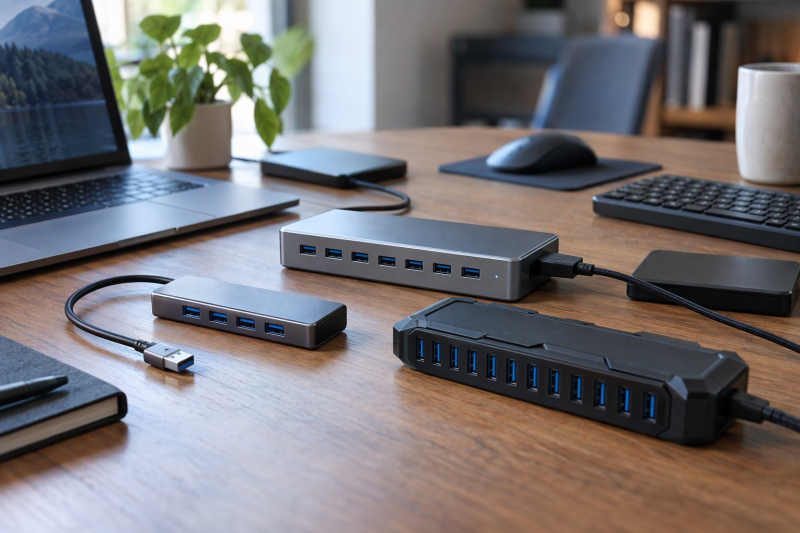
A USB-A hub gives a laptop with one or two USB-A ports room for a mouse, keyboard, flash drive, printer or external drive. The five hubs here have 4, 7 and 10 ports, and they differ in three ways that decide the purchase: whether the hub has its own power adapter, whether any port charges a phone, and which plug connects the hub to the laptop.
UGREEN and Anker make the two four-port hubs, and their listings give both a short attached cable. TP-Link and Plugable list seven-port hubs that run from a wall adapter, and StarTech lists a ten-port steel hub built for mounting. Plugable is the only maker of the five that names a USB-C host cable, and StarTech’s page lists no USB-C host connection.
A laptop with only USB-C ports can use Plugable’s cable, or can start from a USB-C hub such as the ones in the USB-C hubs with four or more USB-A ports guide.
USB-A Hubs Compared
| Image | Product | Details | Check Price |
|---|---|---|---|
 | UGREEN 4-Port USB 3.0 Hub | Best fit: Small 5Gbps USB-A expansion Ports: 4x USB-A Speed: Up to 5Gbps Power: No adapter listed Limit: 0.5-foot cable | Check Price on Amazon |
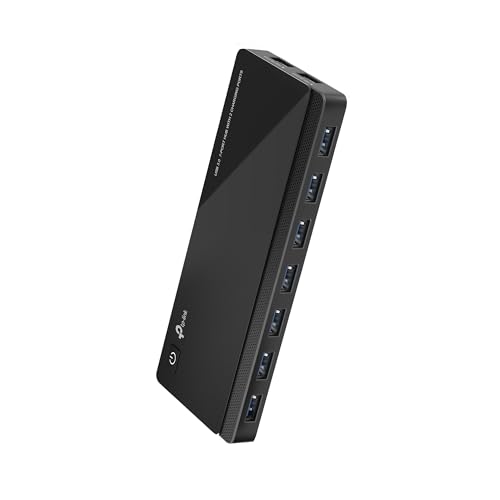 | TP-Link UH720 | Best fit: Powered 7-port hub with charging Ports: 7x USB 3.0 plus 2 charging Speed: Up to 5Gbps Power: Wall adapter, 12V Limit: Adapter amps differ by source | Check Price on Amazon |
 | Plugable 7-Port USB 3.0 Hub | Best fit: Seven ports with a USB-C host cable Ports: 7x USB-A 3.0 Speed: USB 3.0 Power: 36W adapter Limit: No Gbps figure stated | Check Price on Amazon |
 | StarTech 10-Port Industrial Hub | Best fit: Mounted industrial 10-port hub Ports: 10x USB-A Speed: Up to 5Gbps Power: 65W adapter, 50W to devices Limit: No USB-C host connection | Check Price on Amazon |
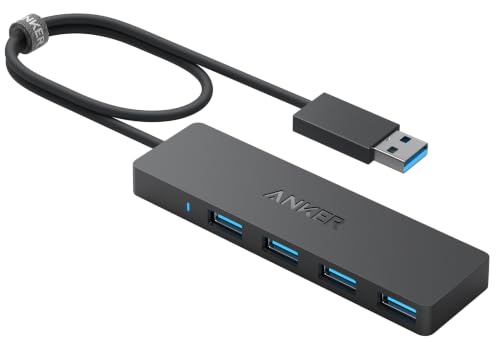 | Anker 4-Port USB-A Hub | Best fit: Simple four-port data hub Ports: 4x USB-A Speed: Up to 5Gbps Power: No charging Limit: 900 mA total advised | Check Price on Amazon |
1. UGREEN 4-Port USB 3.0 Hub — Best for Small 5Gbps USB-A Expansion
UGREEN’s 25851 turns one USB-A port into four. UGREEN lists a maximum transfer speed of 5Gbps and says no driver or software is needed on Windows, macOS, Linux and Chrome OS. The Amazon listing adds Xbox Series, PS5 and car systems with a USB-A port to the supported hosts, so the hub is not limited to laptops.
UGREEN states the body is 0.4 inches thick and weighs 33 grams, and the Amazon title gives the cable as 0.5 feet. UGREEN lists no power adapter and states no amperage limit for the four ports. The Amazon listing shows a 24-month UGREEN warranty.
Cable length: UGREEN’s Amazon title gives a 0.5-foot cable, a quarter of the length of the 2-foot cable Anker lists. Our Take Pick it for a mouse, keyboard and flash drive when the hub can sit within half a foot of the laptop’s USB-A port.- UGREEN lists four USB-A ports and a maximum transfer speed of 5Gbps.
- UGREEN says laptops running Windows, macOS, Linux or Chrome OS need no driver or software for the hub.
- UGREEN gives the hub’s thickness as 0.4 inches and its weight as 33 grams.
- UGREEN’s Amazon title gives a 0.5-foot cable, shorter than the 2-foot cable Anker lists, so the hub has to sit within half a foot of the laptop’s port.
- UGREEN lists no power adapter and states no amperage limit for the four ports.
2. TP-Link UH720 — Best for Powered 7-Port Hub With Charging
TP-Link’s UH720 pairs seven USB 3.0 Standard-A data ports with two extra 5V/2.4A charging ports, and it runs from a wall adapter and has a power button. TP-Link says the data ports reach up to 5Gbps, that the actual speed depends on the connected device, and that the hub is backward compatible with USB 2.0 and 1.1.
TP-Link’s page lists the hub’s width, depth and height as 6.5 by 2.6 by 0.7 inches. The host input is a USB 3.0 Micro-B port, and the box holds a 1.0-meter USB 3.0 cable. TP-Link lists protection against over-heating, overload, over-voltage and short circuits, plus a built-in surge protector and hot swapping while the computer is running.
The two sources disagree on the adapter. The Amazon title names a 12V/4A adapter, while TP-Link’s page lists 12V and 3.3A, so the label on the adapter in the box is the figure to trust.
Charging ports: seven data ports plus two 5V/2.4A charging ports on one hub. Our Take Choose it when a phone and a tablet need charging at the same desk where seven peripherals use the data ports.- TP-Link lists seven USB 3.0 data ports and two 5V/2.4A charging ports.
- TP-Link lists over-heating, overload, over-voltage and short-circuit protection.
- TP-Link says the hub supports hot swapping while the computer is running.
- TP-Link’s page lists a 12V and 3.3A adapter, while the Amazon title says 12V/4A, so the label on the adapter in the box is the figure to trust.
- TP-Link’s page does not state the plug on the computer end of its 1.0-meter cable.
3. Plugable 7-Port USB 3.0 Hub — Best for Seven Ports With a USB-C Host Cable Included
Plugable’s USB3-HUB7C adds seven USB-A 3.0 ports, and Plugable says the box includes a USB-B to USB-C host cable for modern USB-C computers. Plugable’s product photos also show a USB-B to USB-A cable, so the hub connects to either kind of laptop port.
Power comes from a 36W UL-certified adapter. Plugable says ports 1 and 7 carry BC 1.2 charging signals for up to 1.5A, and it compares that with the standard 900 mA of a USB 3.0 port. The hub also has per-port status lights, a rear power button, hot swapping and USB overload protection.
Plugable gives two cautions. Devices such as the Apple SuperDrive may not work through any USB hub, and Plugable does not recommend this hub for USB 3.0 PCI-E add-on cards in older Mac Pro systems. Plugable states a 2-year warranty and lifetime support. Neither its page nor the Amazon listing gives a Gbps figure beyond USB 3.0.
- Plugable says the hub includes a USB-B to USB-C host cable for USB-C computers.
- Plugable lists a 36W UL-certified adapter and a rear power button.
- Plugable says ports 1 and 7 support BC 1.2 charging up to 1.5A.
- Plugable and the Amazon listing give USB 3.0 for the seven ports but no Gbps figure.
- Plugable does not recommend the hub for USB 3.0 PCI-E add-on cards in older Mac Pro systems.
4. StarTech 10-Port Industrial Hub — Best for Mounted Industrial 10-Port Hub
StarTech’s HB30A10AME has ten USB-A ports at 5Gbps in a steel housing. StarTech rates the ESD protection at 15kV by air and 8kV by contact, lists 350W surge protection, and gives an operating range of 0 to 70 degrees Celsius.
Mounting is the other difference. Built-in mounting ears fix the hub under a desk or to a wall, and StarTech includes two DIN rail brackets and four mounting screws. StarTech’s product specifications list the length, width and height as 7.8 by 2.2 by 1.2 inches and the weight as 12.4 ounces.
StarTech’s page says the 65W adapter supports a 50W total for downstream devices. It also says BC 1.2 charging reaches up to 2.4A on any port within that total, while the Amazon bullet says up to 2.4A (12W) on any four ports based on available power. StarTech’s page says the hub also accepts 7 to 24V DC through a terminal block.
The hub’s host side is a USB-B port with an included USB 3.0 cable, 6 feet long on the Amazon listing, and StarTech’s page lists no USB-C host connection.
Mounting: steel housing with desk, wall and DIN rail mounting. Our Take Pick it for a fixed station that needs ten ports, wall or rail mounting and protection against static and surges.- StarTech lists ten USB-A ports and a 5Gbps maximum data rate.
- StarTech lists 15kV air and 8kV contact ESD protection and 350W surge protection.
- StarTech includes two DIN rail brackets and four mounting screws with the hub.
- StarTech’s page lists the USB-C host connection as No.
- StarTech’s page gives 12.4 ounces, against the 1.23 ounces Anker’s page gives for its 2-foot hub.
5. Anker 4-Port USB-A Hub — Best for Simple Four-Port Data Hub
Anker’s Ultra Slim hub has four USB 3.0 ports at up to 5Gbps and a 2-foot attached cable. Anker’s page gives 1.23 ounces and 0.39 inches of thickness for the 2-foot version and also sells a 0.75-foot version, and the Amazon listing is the 2-foot one.
Anker is plain about power. The hub does not support charging, and Anker advises keeping the total draw at or below 900 mA for a stable connection. Anker’s typical ratings are 100 mA for a mouse or flash drive, 300 mA for a camera, 500 mA for a keyboard and 900 mA for an external hard drive, so one hard drive uses the whole limit.
Anker also says 2.4 GHz wireless devices, such as wireless keyboards and mice, and some USB 3.0 devices may not work in close proximity to the hub. The Amazon listing shows an 18-month warranty.
- Anker lists four USB 3.0 ports and a 5Gbps maximum data rate.
- Anker lists a 2-foot cable on the version sold on Amazon.
- Anker gives typical draw ratings for a mouse, keyboard, camera and hard drive.
- Anker says the hub does not support charging.
- Anker advises keeping the total draw at 900 mA or less.
- Anker says 2.4 GHz wireless devices may not work close to the hub.
Buying Guide
1. Count data ports before buying
Four ports suit a laptop-side cluster, seven suit a desk, and ten suit a fixed station. UGREEN and Anker make the four-port hubs, TP-Link and Plugable make the seven-port hubs, and StarTech makes the ten-port hub. A port count says nothing about charging or power, and the next sections cover both.
Count the devices that stay plugged in and leave a spare. A keyboard, a mouse, a flash drive and a printer fill four ports, and a seven-port hub leaves room for an external drive and a charger cable. For a wider look at wall-powered hubs, see the best powered USB hubs guide.
2. Separate data ports from charging ports
Only some of these hubs charge anything. TP-Link lists two 5V/2.4A charging ports, Plugable lists ports 1 and 7 at up to 1.5A, and StarTech lists BC 1.2 charging up to 2.4A within a 50W total. Anker says its hub does not support charging, and UGREEN’s listing makes no charging claim.
A charging port is not extra bandwidth. TP-Link places its two charging ports beside the seven data ports, while Plugable’s charging ports are two of its seven data ports. Decide which port takes the phone cable before the desk is set up.
3. Match the host connector and the cable
The hub connects to the laptop through one cable, and the plug on that cable decides what a USB-C laptop needs. The Amazon listings give UGREEN and Anker a USB-A connection, through cables of 0.5 foot and 2 feet. Plugable lists a USB-B to USB-C host cable. TP-Link’s page lists a Micro-B input and a 1.0-meter cable, and StarTech’s page lists a USB-B host port, no USB-C host connection and a 6-foot cable on Amazon.
A laptop with only USB-C ports needs Plugable’s included cable or a separate adapter. Hubs that start from a USB-C port are covered in the USB-C hubs guide.
The laptop’s own port also sets the ceiling. StarTech says performance may be limited on a USB 2.0 host port, and the other hubs cannot exceed what the port supplies.
4. Leave power headroom for drives
Anker gives the clearest budget, 900 mA across all four ports, with a keyboard at 500 mA, a camera at 300 mA and an external hard drive at 900 mA. UGREEN lists no adapter and no amperage figure, so the same arithmetic is the safer guide for it.
A wall adapter changes the budget. StarTech states 50W total for downstream devices, Plugable lists a 36W adapter, and TP-Link includes an adapter that its page rates at 12V and 3.3A while the Amazon title says 12V/4A. Read the label on the adapter in the box before connecting several drives.
FAQ
Can a USB-A hub charge every connected device?
No. TP-Link, Plugable and StarTech each state charging ports or BC 1.2 charging, with the ratings above. Anker says its hub does not support charging, and UGREEN’s listing makes no charging claim.
Charge a phone only from the ports a maker names for charging.
Is a 10-port hub automatically better?
No. StarTech’s page lists the ten-port hub as steel at 12.4 ounces, mounting on a desk, wall or DIN rail, while Anker’s page gives 1.23 ounces for its four-port hub. A four-port hub travels in a laptop bag, and the ten-port hub stays where it is mounted.
Choose the smallest port count that covers the devices that stay plugged in.
Will these hubs work with a laptop that has only USB-C ports?
Plugable lists a USB-B to USB-C host cable with its hub, so it connects to a USB-C port directly. StarTech’s page lists no USB-C host connection, UGREEN and Anker list USB-A connections, and TP-Link’s page does not state the plug on the computer end of its cable.
Check the host plug before buying, or pick a hub that starts from a USB-C port.
Do these hubs add monitor outputs?
No. None of the five lists a video output. They add USB-A data ports for accessories and drives.
Use a USB-C or Thunderbolt dock when the job includes monitors.
Does USB 3.0 mean every device runs at 5Gbps?
No. UGREEN, TP-Link, StarTech and Anker state up to 5Gbps, and Plugable states USB 3.0 without a Gbps figure. TP-Link says the actual speed depends on the connected device and lists USB 2.0 and 1.1 backward compatibility, and StarTech says the hub works with older USB devices.
Treat 5Gbps as the ceiling for the hubs that state it. A printer, keyboard or mouse needs far less bandwidth than an external storage drive.
Bottom Line
By the makers’ listed figures, choose UGREEN for the shortest four-port hub, Anker for a 2-foot cable and a stated 900 mA budget, TP-Link for seven data ports plus two charging ports, Plugable for seven ports with a USB-C host cable, and StarTech for a mounted ten-port station.