A monitor with built-in speakers puts picture and sound on one desk. Dell, Sceptre and ViewSonic rate the speakers on these six screens at 2W or 3W per channel, while the Amazon listing for the Amazon Basics monitor does not list a wattage. Screen size, resolution, refresh rate and ports differ across the six, so the sections below give each maker’s own figures.
Choose the screen and connection first, then check the speaker specification and your audio needs.| Image | Product | Details | Check Price |
|---|---|---|---|
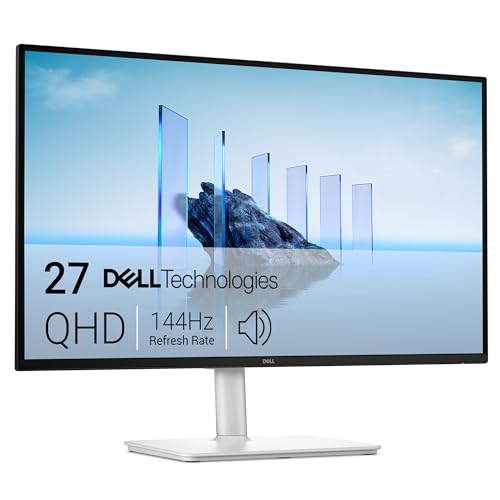 | Dell S2725DC | Best fit: QHD USB-C laptop desk Display: 27 in, 2560 x 1440, 144Hz Speakers: 2 x 3W (Dell) Inputs: USB-C up to 65W, HDMI, DisplayPort 1.4 Limit: Compare 65W with your charger | Check Price on Amazon |
 | ViewSonic VX2776-4K-MHDU | Best fit: 4K and USB-C charging Display: 27 in, 3840 x 2160, 60Hz Speakers: 2 x 2W (ViewSonic) Inputs: USB-C 65W, HDMI 2.0, DisplayPort Limit: 60Hz maximum | Check Price on Amazon |
 | ViewSonic VX2716A | Best fit: Full HD gaming, USB-C video only Display: 27 in, 1920 x 1080, 120Hz OC Speakers: 2 x 2W (ViewSonic) Inputs: USB-C DP Alt mode only, HDMI 1.4, DisplayPort Limit: ViewSonic: USB-C is signal only | Check Price on Amazon |
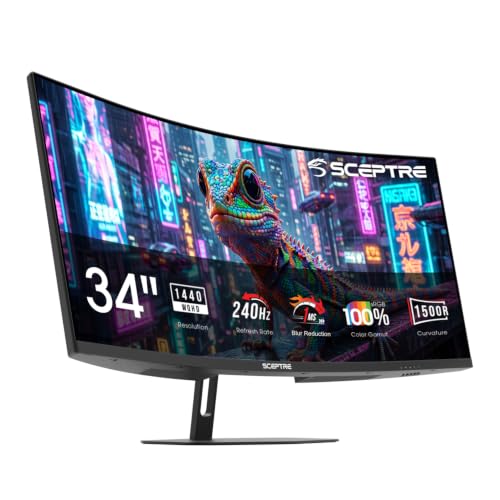 | Sceptre C345B-QU240T | Best fit: Curved ultrawide gaming Display: 34 in, 3440 x 1440, 240Hz Speakers: 2 x 3W (Sceptre) Inputs: 2 HDMI 2.0, 2 DisplayPort 1.4, headphone out Limit: 31.8 in wide with stand | Check Price on Amazon |
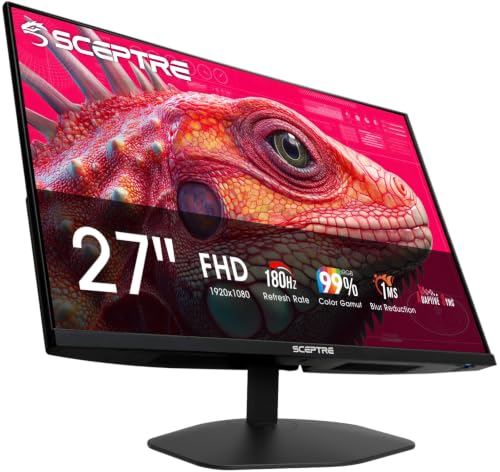 | Sceptre E275B-FW180T | Best fit: Several Full HD sources Display: 27 in, 1920 x 1080, 180Hz Speakers: 2 x 2W (Sceptre) Inputs: 2 HDMI 2.0, 2 DisplayPort 1.2, headphone out Limit: Does not list USB-C | Check Price on Amazon |
 | Amazon Basics 27-Inch Monitor | Best fit: Office display with USB ports Display: 27 in, 1920 x 1080, 100Hz max Speakers: Integrated (Amazon listing) Inputs: 4 USB ports, VESA mount Limit: Does not list wattage or USB-C | Check Price on Amazon |
1. Dell S2725DC — Best QHD Laptop Desk Monitor
Dell’s S2725DC is a 27-inch QHD IPS monitor at 2560 x 1440 with a 144Hz refresh rate and two 3W speakers, according to Dell’s product page. Dell also lists five preset sound profiles, with room to create your own.
Dell lists a USB-C upstream port with DisplayPort 1.4 Alt Mode and Power Delivery up to 65W, plus one HDMI and one DisplayPort 1.4 input. A pop-out USB-C downstream port supplies up to 15W, with a USB-A 5Gbps downstream port beside it. Dell gives the stand a 4.33-inch height range, tilt from -5 to 21 degrees, 30 degrees of swivel each way and 90 degrees of pivot each way.
USB-C power: Dell lists up to 65W on the USB-C port that carries video, and up to 15W on the pop-out USB-C port.Our Take Choose the S2725DC for a QHD desk with up to 65W USB-C and two 3W speakers, and for a stand that adjusts four ways.
- Dell lists two 3W speakers and five preset sound profiles, with room to create your own.
- Dell specifies 2560 x 1440 on a 27-inch IPS panel at 144Hz, the QHD resolution this pick is named for.
- Dell lists Power Delivery up to 65W on the USB-C upstream port, the port that carries video.
- Dell lists a pop-out USB-C downstream port with up to 15W and a USB-A downstream port beside it.
- Dell lists height, tilt, swivel and pivot adjustment, four ways to position the screen on its stand.
- Dell lists up to 65W on the USB-C port, a figure to compare with your laptop charger’s rating.
- Dell lists 2560 x 1440, which is fewer pixels than the 3840 x 2160 ViewSonic lists for the VX2776-4K-MHDU.
2. ViewSonic VX2776-4K-MHDU — Best 4K USB-C Screen
ViewSonic’s VX2776-4K-MHDU is a 27-inch 4K IPS monitor at 3840 x 2160, with two 2W internal speakers, a 60Hz refresh rate and 350 cd/m2 brightness, according to ViewSonic’s product page. ViewSonic also lists HDR10 content support and names the screen a thin-bezel monitor.
ViewSonic states that the USB-C port carries video, audio and data with 65W of charging over one cable. It lists HDMI 2.0, DisplayPort and a 3.5mm audio output. It also lists a 100 x 100 mm VESA wall-mount pattern and, in the package, a USB-C cable, an HDMI cable and a power cable.
Our Take Pick the VX2776-4K-MHDU for a 4K laptop desk where ViewSonic’s 65W USB-C figure fits your laptop charger.
- ViewSonic lists a 3840 x 2160 IPS panel at 27 inches, the resolution this pick is named for.
- ViewSonic lists two 2W internal speakers and a 3.5mm audio output.
- ViewSonic states that USB-C carries video, audio and data with 65W of charging over one cable.
- ViewSonic lists a USB-C cable and an HDMI cable in the package, so the laptop connection starts with a cable ViewSonic supplies.
- ViewSonic lists 60Hz, below the 100Hz maximum the Amazon listing gives for the Amazon Basics monitor.
- ViewSonic’s 65W USB-C figure is the number to compare with your laptop charger’s rating.
3. ViewSonic VX2716A — Best Full HD Screen With Signal-Only USB-C
ViewSonic’s VX2716A is a 27-inch Full HD IPS monitor at 1920 x 1080. ViewSonic’s product page lists a 120Hz refresh rate with 1ms MPRT response, AMD FreeSync, 300 cd/m2 brightness and two 2W internal speakers. The Amazon listing and ViewSonic’s spec sheet label the 120Hz figure an overclock (OC) rate.
ViewSonic lists HDMI 1.4, DisplayPort and a 3.5mm audio output next to the USB-C port. ViewSonic’s product page describes that USB-C port as DisplayPort Alt mode only and its spec sheet says signal only, while the Amazon listing says it transfers video, audio and data. The two sources disagree, so plan around ViewSonic’s wording. ViewSonic does not list USB-C charging or a USB hub for this model.
Our Take Consider the VX2716A for Full HD gaming at 120Hz overclock with two 2W speakers when you do not need the monitor to charge the laptop.
- ViewSonic lists two 2W internal speakers and a 3.5mm audio output.
- ViewSonic lists a 27-inch 1920 x 1080 IPS panel with AMD FreeSync.
- The Amazon listing gives 120Hz overclock with 1ms MPRT, and ViewSonic’s page gives 120Hz with 1ms MPRT.
- ViewSonic lists HDMI 1.4, DisplayPort and USB-C ports on this monitor.
- ViewSonic describes the USB-C port as DisplayPort Alt mode only, which is narrower than the video, audio and data wording in the Amazon listing.
- ViewSonic’s 1920 x 1080 is fewer pixels than the 2560 x 1440 Dell lists for the S2725DC.
4. Sceptre C345B-QU240T — Best Curved Ultrawide Gaming Screen
Sceptre’s C345B-QU240T pairs a 34-inch curved 3440 x 1440 VA panel with two 3W speakers. Sceptre’s sheet lists a 1500R curve, a 21:9 aspect ratio, 100% sRGB, HDR support and a 1ms response time with blur reduction.
Sceptre lists two HDMI 2.0 ports and two DisplayPort 1.4 ports, each rated up to 3440 x 1440 at 240Hz, plus a 3.5mm headphone output. The sheet gives 15 degrees of backward tilt, 5 degrees of forward tilt and a 75 x 75 mm VESA pattern. Neither Sceptre’s sheet nor the Amazon listing lists a USB-C port.
Desk width: Sceptre’s sheet gives 31.8 inches wide with the stand, wider than the 24.07 inches the Dell listing gives for the S2725DC.Our Take Choose the curved Sceptre when a 21:9 workspace and Sceptre’s up to 240Hz rating come before USB-C charging.
- Sceptre lists 3440 x 1440 at 21:9 on a 34-inch 1500R curved panel, the curved ultrawide shape this pick is named for.
- Sceptre lists two 3W speakers and a 3.5mm headphone output.
- Sceptre lists two HDMI 2.0 and two DisplayPort 1.4 inputs on this monitor.
- Sceptre rates the HDMI and DisplayPort inputs up to 240Hz at 3440 x 1440, the rating behind this pick’s curved ultrawide gaming label.
- Sceptre lists 100% sRGB and HDR support on its sheet.
- Sceptre gives 31.8 inches wide with the stand, wider than the 24.07 inches the Dell listing gives for the S2725DC.
- Neither Sceptre’s sheet nor the Amazon listing lists USB-C for a laptop connection.
5. Sceptre E275B-FW180T — Best Full HD Screen With Four Video Inputs
Sceptre’s E275B-FW180T is a 27-inch Full HD VA monitor at 1920 x 1080 with two 2W speakers and a 3.5mm headphone output, according to Sceptre’s sheet. The sheet also lists a 16:9 aspect ratio, a 1ms GtG response time with blur reduction and 99% sRGB.
Sceptre lists two HDMI 2.0 and two DisplayPort 1.2 inputs, each supporting up to 1920 x 1080 at 180Hz. The Amazon listing describes a nearly bezel-free design for a dual-monitor arrangement and names FPS and RTS gaming modes. Sceptre’s sheet gives 24.23 inches wide with the stand, against the 31.8 inches it gives for the C345B-QU240T.
Our Take Pick this Sceptre for several HDMI or DisplayPort sources on a 27-inch Full HD screen with two 2W speakers.
- Sceptre lists two 2W speakers and a 3.5mm headphone output on its sheet.
- Sceptre lists two HDMI 2.0 and two DisplayPort 1.2 inputs, the four video inputs this pick is named for.
- Sceptre rates all four inputs up to 180Hz at 1920 x 1080.
- The Amazon listing names FPS and RTS gaming modes for this monitor.
- Sceptre’s 1920 x 1080 is fewer pixels than the 2560 x 1440 Dell lists for the S2725DC.
- Neither Sceptre’s sheet nor the Amazon listing lists USB-C.
6. Amazon Basics 27-Inch Monitor — Best for Basic Office Use
The Amazon Basics monitor is a 27-inch Full HD IPS display with a 100Hz maximum refresh rate and integrated speakers, according to the Amazon listing. The listing describes it for document editing, web browsing and multimedia, and says the speakers remove the need for external speakers during video calls and media playback.
The listing names four built-in USB ports for a keyboard, mouse and other peripherals, a VESA-compatible design for wall or arm mounting, and dimensions of 24.07 x 17.96 x 9.05 inches. The Amazon listing does not list speaker wattage or a USB-C port, so confirm how your computer connects before setting up the desk.
Our Take Choose Amazon Basics for a Full HD office display with integrated speakers and four USB ports, after checking how your computer connects.
- The Amazon listing gives a 27-inch 1080p IPS screen for office productivity and entertainment.
- The Amazon listing says the integrated speakers remove the need for external speakers during video calls and media playback.
- The Amazon listing names four built-in USB ports for peripherals such as a keyboard and mouse.
- The Amazon listing describes a VESA-compatible design for wall or arm mounting.
- The Amazon listing does not list speaker wattage or a USB-C port.
- The Amazon listing gives a 100Hz maximum, below the 144Hz Dell lists for the S2725DC.
Buying Guide: Choosing a Monitor With Speakers
Start with the screen size and resolution
Dell lists the S2725DC at 27-inch QHD (2560 x 1440), ViewSonic lists the VX2776-4K-MHDU at 3840 x 2160 on a 27-inch panel, and the Amazon listing gives the Amazon Basics monitor 27-inch Full HD. ViewSonic lists 1920 x 1080 for the VX2716A, and Sceptre lists the same for the E275B-FW180T.
Sceptre lists the C345B-QU240T as a 34-inch 21:9 panel at 3440 x 1440, 31.8 inches wide with the stand. Measure your desk against that width before choosing a curved screen, because the Dell listing gives 24.07 inches for the S2725DC.
Check the speaker description
Dell and Sceptre list two 3W speakers for the S2725DC and the C345B-QU240T. ViewSonic lists two 2W speakers for the VX2776-4K-MHDU and the VX2716A, and Sceptre lists two 2W speakers for the E275B-FW180T.
The Amazon listing for the Amazon Basics monitor says integrated speakers and does not list wattage. A wattage figure is the rating each maker states, and it says nothing on its own about clarity, bass or volume. Dell also lists five preset sound profiles for the S2725DC.
Separate USB-C video from charging
Dell and ViewSonic each list up to 65W USB-C power, for the S2725DC and the VX2776-4K-MHDU. Compare that figure with your laptop charger’s rating, and check that the laptop’s USB-C port supports video output, since Dell lists DisplayPort 1.4 Alt Mode on its USB-C port.
ViewSonic’s page calls the VX2716A USB-C port DisplayPort Alt mode only and its sheet says signal only, although the Amazon listing says video, audio and data. Sceptre’s sheets and the Amazon listings do not list USB-C for the C345B-QU240T, the E275B-FW180T or the Amazon Basics monitor, so plan a separate laptop charger for those three.
Compare refresh rates with the source
Sceptre rates the C345B-QU240T up to 240Hz and the E275B-FW180T up to 180Hz on their HDMI and DisplayPort inputs. Dell lists 144Hz for the S2725DC, and ViewSonic’s page gives 120Hz for the VX2716A, which the Amazon listing and ViewSonic’s sheet label an overclock.
ViewSonic lists 60Hz for the 4K VX2776-4K-MHDU, and the Amazon listing gives the Amazon Basics monitor a 100Hz maximum. Sceptre ties its figures to each screen’s native resolution, so confirm the cable, input and resolution you will use before relying on a maximum.
Count the inputs and mounting needs
Sceptre lists two HDMI and two DisplayPort inputs on both the C345B-QU240T and the E275B-FW180T. Dell lists one HDMI and one DisplayPort 1.4 input beside the USB-C port of the S2725DC, and ViewSonic lists HDMI 2.0 and DisplayPort beside the USB-C port of the VX2776-4K-MHDU.
The Amazon listing gives the Amazon Basics monitor VESA compatibility and four USB ports. Sceptre’s sheets list a 75 x 75 mm VESA pattern for the C345B-QU240T and 100 x 100 mm for the E275B-FW180T, and Dell lists height, tilt, swivel and pivot adjustment for the S2725DC, so compare each stand and mount with your desk.
FAQ
Do all six monitors have speakers built in?
Yes. The Amazon listings for all six name built-in or integrated speakers, and Dell, ViewSonic and Sceptre list speaker wattage on their own pages for the five monitors they make.
Dell lists two 3W speakers for the S2725DC and Sceptre for the C345B-QU240T. ViewSonic lists two 2W speakers for the VX2776-4K-MHDU and the VX2716A, and Sceptre lists two 2W speakers for the E275B-FW180T. The Amazon listing for the Amazon Basics monitor does not list a wattage.
Which monitor can charge a laptop over USB-C?
Dell lists Power Delivery up to 65W on the USB-C upstream port of the S2725DC, and ViewSonic lists 65W USB-C charging for the VX2776-4K-MHDU. The laptop also needs video output over USB-C for the display connection.
ViewSonic’s page calls the USB-C port on the VX2716A DisplayPort Alt mode only. Sceptre’s sheets and the Amazon listings for the two Sceptre screens and the Amazon Basics monitor do not list USB-C, so those three need a separate laptop charger.
Is the 4K monitor better for gaming than the ultrawide?
ViewSonic lists the VX2776-4K-MHDU at 3840 x 2160 and 60Hz. Sceptre lists the C345B-QU240T at 3440 x 1440 and up to 240Hz.
The two sets of figures point to different uses, with ViewSonic’s page giving the higher pixel count and Sceptre’s sheet the higher refresh ceiling. Choose by which of the two your games and graphics card can use, and confirm that the cable and input support it.
Can I connect headphones or external speakers?
Sceptre lists a 3.5mm headphone output on the C345B-QU240T and the E275B-FW180T, and ViewSonic lists a 3.5mm audio output on the VX2776-4K-MHDU and the VX2716A. Dell’s page for the S2725DC and the Amazon listing for the Amazon Basics monitor do not list one.
Check the output type and the connected audio device’s requirements before buying. The listings treat built-in speakers and an audio output as separate features.
Are the speakers enough for calls and media?
The Amazon listing says the Amazon Basics speakers remove the need for external speakers during video calls and media playback. The 2W or 3W per channel that the other makers list says nothing about how a speaker sounds in your room.
Dell lists five preset sound profiles for the S2725DC, and four of the six listings give a 3.5mm output for external audio. If sound quality is central to your work, plan a separate audio device through one of those outputs.
Bottom Line
Choose Dell’s S2725DC for QHD with up to 65W USB-C, ViewSonic’s VX2776-4K-MHDU for 4K with 65W USB-C, or Sceptre’s C345B-QU240T for a 34-inch curved screen rated up to 240Hz. The VX2716A, E275B-FW180T and Amazon Basics are the Full HD choices: ViewSonic’s with a DisplayPort Alt mode USB-C port, Sceptre’s with four video inputs, and Amazon’s with four USB ports.
For additional laptop connections, see the docking monitor guide and the Dell monitor comparison. The ViewSonic USB-C monitor guide covers more models from that maker.