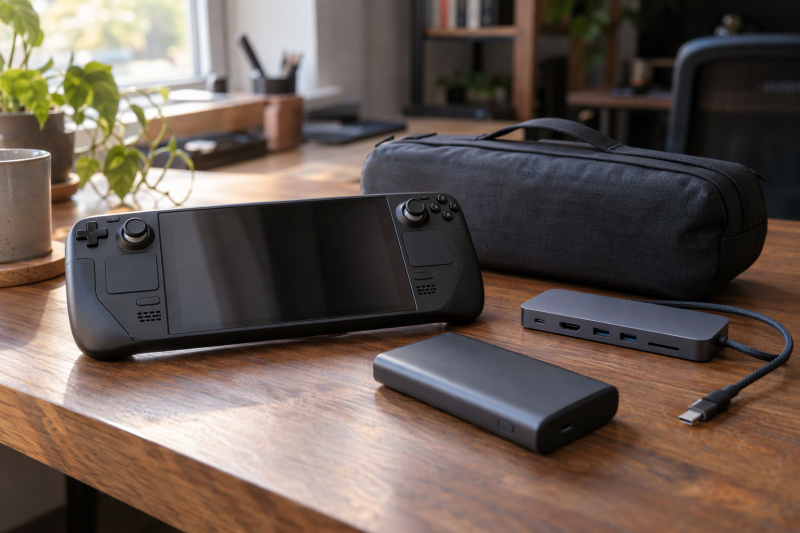
Steam Deck OLED accessories do different jobs. A dock adds ports, a battery bank adds portable power, a screen protector covers the display, a case or bag handles grip and travel, and thumb grips change the sticks. The makers and the Amazon listings below state limits that rule out some pairs of products on this page, so check the combinations as well as the individual specs.
Steam Deck OLED Accessories Compared
| Image | Product | Best fit | Product type | Key specs | Compatibility | Watch-outs | Check Price |
|---|---|---|---|---|---|---|---|
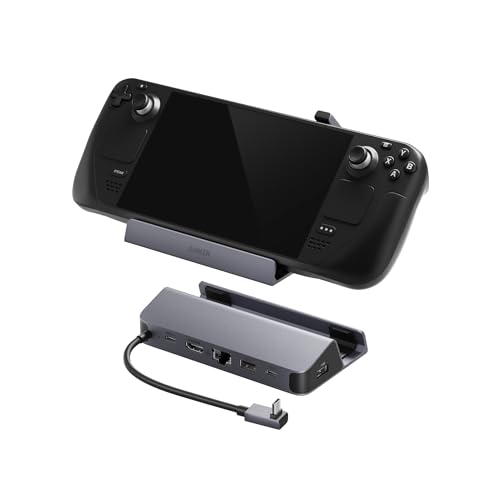 | Anker 6-in-1 Steam Deck Dock | A desktop dock with HDMI, Ethernet and data ports | 6-in-1 USB-C handheld dock | 4K at 60Hz HDMI, 1Gbps Ethernet, three 5Gbps ports, 100W PD input | Steam Deck and Steam Deck OLED | Anker says the USB-C data port does not support screen mirroring and the dock is not compatible with kickstand cases | Check Price on Amazon |
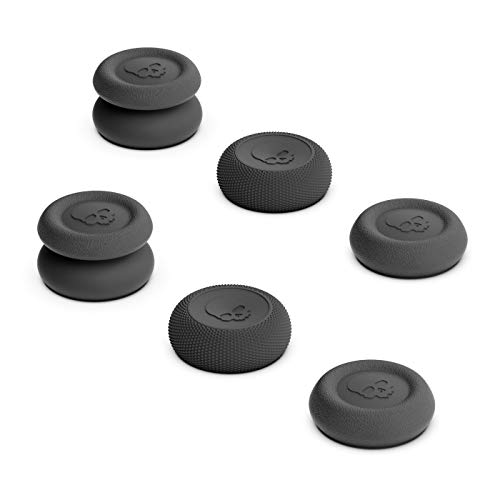 | Skull & Co. Thumb Grips Set | Six replacement grips with different stick-height options | Six-piece concave TPE thumb-grip set | CQC adds 3mm and 20% active radius; FPS adds 7mm and 42% | Steam Deck and Steam Deck OLED | It intentionally changes stick height and active radius | Check Price on Amazon |
 | NEWQ 20,000mAh Battery Bank and Stand | A combined stand and external USB-C power bank | Clip-on power bank with stand | 20,000mAh, up to 65W PD, two USB-C cables and clips | Steam Deck and Steam Deck OLED | NEWQ says it is not suitable for a case | Check Price on Amazon |
 | Spigen GLAS.tR EZ Fit | A screen protector with an alignment tray | 7-inch tempered-glass screen protector | 9H glass, oleophobic coating, EZ FIT auto-alignment tray | Steam Deck OLED and Steam Deck LCD | One protector is listed in the package | Check Price on Amazon |
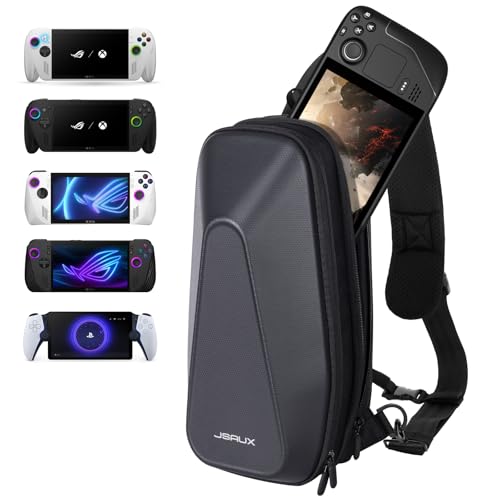 | JSAUX BG0105 Sling Bag | A travel bag for a Deck, dock and accessories | Double-layer EVA hard-shell sling bag | Separate Deck compartment plus dock, power-bank, adapter and cable storage | Steam Deck and Steam Deck OLED are named | JSAUX lists it at 960g and about 350mm by 140mm by 130mm | Check Price on Amazon |
 | JSAUX PC0105 Kickstand Case | A protective case with four adjustable viewing angles | TPU protective case with a kickstand | 35, 45, 55 and 65 degree angles, textured grips and rear vent openings | Steam Deck/OLED in the Amazon title | The listing says it is not compatible with JSAUX or the official dock | Check Price on Amazon |
1. Anker 6-in-1 Steam Deck Dock — Best for a Desk and TV Setup
Anker’s Amazon listing for the A83S1 lists 4K at 60Hz HDMI, 1Gbps Ethernet, two USB-A ports and one USB-C port at 5Gbps each, and a 100W PD-IN port for charging. Anker’s own page for the A83S1 lists the same ports and says 4K at 60Hz needs an HDMI to HDMI cable rated 2.0 or 2.1, no longer than 15 feet.
Anker’s Amazon listing says the USB-C data port does not support screen mirroring. Anker’s own page says the dock is not compatible with cases that have a kickstand, and that case thickness should not exceed 2mm. The same page recommends a power adapter of 45W and above while the Deck is connected, yet the Amazon listing does not list a charger in the package, only the hub, an 8.66-inch (220mm) built-in USB-C cable and a welcome guide.
Decision point: use it for HDMI, Ethernet, and three 5Gbps data ports at a desk, with the Deck out of any kickstand case. Our TakeAnker’s dock is the only product here with video and network ports. Read two limits before buying. The USB-C data port does not support screen mirroring, and the dock is not compatible with kickstand cases.
- Anker lists 4K at 60Hz HDMI and 1Gbps Ethernet, so a desk or TV setup gets both a display and a wired network.
- Anker lists two USB-A ports and one USB-C port at 5Gbps each, which gives the dock three data ports.
- Anker’s Amazon listing gives the dock a 100W PD-IN port for fast charging.
- Anker’s Amazon listing says the USB-C data port does not support screen mirroring.
- Anker’s page says the dock is not compatible with kickstand cases and that case thickness should not exceed 2mm, so the Deck should be out of any kickstand case when docked.
- Anker’s Amazon listing does not list a charger in the package, so the power adapter that Anker’s page recommends is not part of the listed package.
2. Skull & Co. Thumb Grips Set — Best for Changing Stick Feel
Skull & Co. sells the SDTG-BK as three pairs of grips: Skin, CQC Elite and FPS Master. Amazon’s size field calls the set Concave-6pcs, and the maker’s Steam Deck grip page lists the same SDTG-BK code. Skull & Co. says CQC Elite raises stick height by 3mm and active radius by 20%, while FPS Master raises them by 7mm and 42%. It describes the Skin grip as ultra-thin, meant to keep the original sense of control.
The grips are TPE, which Skull & Co. calls non-capacitive. On Steam Deck, it says, the gyroscope cannot be triggered through the joystick with the grips fitted. Amazon’s listing adds that the TPE protects the original caps from corrosion and spalling, and it describes the Skin grip as protecting the sticks from abrasion.
The set covers three profiles, from the ultra-thin Skin grip to the 7mm FPS Master. Skull & Co.’s gyroscope note is the limit to read before buying.
- Skull & Co. supplies one pair each of Skin, CQC Elite and FPS Master grips, so the set covers three profiles.
- Skull & Co. says CQC Elite raises stick height by 3mm and active radius by 20%.
- Skull & Co. says FPS Master raises stick height by 7mm and active radius by 42%.
- Amazon’s listing says the TPE protects the original stick caps from corrosion and spalling.
- Skull & Co. calls the TPE grips non-capacitive and says that on Steam Deck the gyroscope cannot be triggered through the joystick with the grips fitted.
- Skull & Co. says CQC Elite and FPS Master change the original stick height and active radius, and it describes the ultra-thin Skin grip as meant to keep the original sense of control.
3. NEWQ 20,000mAh Battery Bank and Stand — Best for Powered Tabletop Play
According to the Amazon packing list, NEWQ’s NQ-SD-02 comes in one package with a 20,000mAh power bank, a stand, two power bank clips and two USB-C cables (15cm and 60cm). The listing states 65W maximum output and PD3.0, names Steam Deck and Steam Deck OLED in its title, and gives an item weight of 0.56 pounds.
NEWQ’s title says the unit is not suitable for a case. Its bullets say a case is not recommended because case sizes vary, and add that the maker may optimize this later. The listing also claims the bank increases Steam Deck usage time by 2 times, and it does not name a test or a game.
Decision point: use this for 20,000mAh and 65W portable power only when no case will stay on the Deck. Our TakeNEWQ puts power and a tabletop stand in one product. Its title and its bullets both rule out a case, which is the first thing to check.
- NEWQ lists 20,000mAh capacity and 65W maximum output for portable power.
- NEWQ’s packing list includes a stand, two clips, and 15cm and 60cm USB-C cables, so power and a tabletop stand come in one product.
- NEWQ’s title names Steam Deck and Steam Deck OLED.
- NEWQ’s title says the bank is not suitable for a case, and its bullets say a case is not recommended, so the Deck should have no case on it with this bank.
- NEWQ’s listing claims 2 times the usage time and does not name a test or game.
4. Spigen GLAS.tR EZ Fit — Best for an Alignment-Tray Screen Protector
Spigen’s AGL05600 is a 7-inch tempered-glass protector. Spigen’s own page for the GLAS.tR EZ Fit lists SKU AGL05600, tempered glass, 9H hardness, an oleophobic coating and an auto-alignment installation tray. The page also lists compatibility with Steam Deck LCD and Steam Deck OLED. Amazon’s listing adds the 7-inch size and an edge-inset cut that it says prevents lifting with Spigen’s Steam Deck cases and most third-party cases.
Amazon’s package list names one protector, one EZ FIT tray, dust removal stickers and a microfiber cleaning cloth. Spigen’s page lists a 2 Year Manufacturing Warranty. The AGL05600 covers the display only.
Decision point: choose it for the auto-alignment tray and the stated 7-inch fit for Steam Deck OLED and LCD. Our TakeSpigen’s page and Amazon’s listing agree on the model code, the glass, the coating and the tray. The edge-inset cut is the case detail to check if a case will stay on.
- Spigen’s page lists SKU AGL05600 as compatible with Steam Deck LCD and Steam Deck OLED.
- Spigen’s page lists tempered glass with 9H hardness and an oleophobic coating.
- Spigen’s page lists an auto-alignment installation tray, and Amazon says it positions the protector in under 60 seconds.
- Amazon’s listing says the edge-inset cut prevents lifting with Spigen’s cases and most third-party cases, so it is the case detail to check if a case will stay on.
- Spigen’s page lists a 2 Year Manufacturing Warranty.
- Spigen’s Amazon bullets contain unfilled template text, “[Model]” and “[1]”.
- Spigen’s listing covers the display only and does not list shell or port protection.
5. JSAUX BG0105 Sling Bag — Best for Carrying a Deck and Dock Together
JSAUX’s Amazon listing calls the BG0105 a crossbody travel case with double-layer storage and an EVA hard shell. JSAUX’s own page calls it a shoulder bag, lists it as BG0105X, and gives Oxford fabric, Jiaji cloth and EVA, about 350mm by 140mm by 130mm, and 960g. The page counts one Steam Deck and ROG Ally compartment, four other compartments, a side hidden compartment and a net pocket that can hold a Switch.
The Amazon listing names room for a JSAUX dock, power bank, AC adapter, cellphone and USB-C cables, and says an anti-sloshing belt keeps the bag close to the body while a two-side resistance band keeps items from pouring out when it opens. JSAUX’s FAQ says its protective cases, such as the PC0105, can go into the bag, and that joystick covers thinner than 4mm can be put into it.
JSAUX’s page answers two fit questions: its cases, including the PC0105, can go inside, and joystick covers thinner than 4mm can stay on. Its size and weight figures are the ones to compare with your luggage.
- JSAUX lists a separate Steam Deck and ROG Ally compartment, four more compartments, a side hidden compartment and a net pocket that can hold a Switch.
- JSAUX’s Amazon listing names room for a dock, power bank, adapter, and USB-C cables, the items that travel with the Deck.
- JSAUX’s FAQ says its protective cases, such as the PC0105, can go into the bag.
- JSAUX lists Oxford fabric, Jiaji cloth and an EVA hard shell.
- JSAUX lists the bag at 960g and about 350mm by 140mm by 130mm, so compare both figures with your luggage.
- JSAUX’s FAQ names joystick covers thinner than 4mm and does not say whether thicker covers fit.
6. JSAUX PC0105 Kickstand Case — Best for Adjustable Viewing Angles
JSAUX’s Amazon listing for the PC0105 gives four stand angles: 35, 45, 55, and 65 degrees. The title says Steam Deck/OLED while the bullets say Valve Steam Deck, and JSAUX’s own site has no PC0105 page, so the OLED fit rests on the Amazon title. The case is TPU, with textured sides, precise cutouts, and rear openings that JSAUX says address heat dissipation.
JSAUX says the PC0105 is not compatible with JSAUX or official docking stations, and that the case will not fit perfectly with a protective skin decal attached. Anker’s page separately says its A83S1 dock is not compatible with kickstand cases. The PC0105 gives a stand and a shell, and JSAUX’s listing does not list HDMI, Ethernet or data ports.
JSAUX says the PC0105 is not compatible with JSAUX or official docking stations, and Anker’s page rules out kickstand cases on its own dock. Choose the PC0105 for handheld viewing.
- JSAUX specifies four stand positions at 35, 45, 55, and 65 degrees for handheld viewing.
- JSAUX’s listing names TPU construction, textured sides and precise cutouts.
- JSAUX says the rear openings address heat dissipation.
- JSAUX’s BG0105 page names the PC0105 among the protective cases that fit in the bag.
- JSAUX says the PC0105 is not compatible with JSAUX or official docking stations, so it suits handheld use rather than a docked setup.
- JSAUX says the case will not fit perfectly with a protective skin decal attached.
Buying Guide: Match the Accessory to the Setup
Choose ports before buying a stand
Anker lists 4K at 60Hz HDMI, 1Gbps Ethernet, and 5Gbps USB ports on the A83S1, and none of the other five products on this page lists ports like these. The dock suits a desk or TV setup with a display, controllers, a keyboard or a wired network. Anker’s page says 4K at 60Hz needs an HDMI 2.0 or 2.1 cable connected HDMI to HDMI.
Anker’s listing says the USB-C data port does not support screen mirroring, so the HDMI port is the video connection. The site’s Steam Deck OLED dock guide covers display timing when that is the deciding concern.
Keep external power and case fit together
NEWQ lists 20,000mAh and 65W maximum output with an attached stand, which makes it the portable-power product here. Anker’s page recommends a power adapter of 45W and above while the Deck is connected to the dock, and its Amazon listing does not list a charger.
NEWQ says its bank is not suitable for a case, and the PC0105 is a case, so the case-free battery arrangement and the JSAUX shell are alternatives. Anker’s page rules out kickstand cases, and the PC0105 is a kickstand case.
Treat display, shell, and bag protection as separate layers
Spigen’s page lists tempered glass with 9H hardness for the display. The PC0105 is a TPU shell with rear openings, and the BG0105 is an EVA hard-shell bag. Each covers a different surface.
Two statements link the layers. JSAUX’s FAQ says its protective cases, including the PC0105, can go into the BG0105, and Amazon’s listing for the Spigen glass says its edge-inset cut prevents lifting with Spigen’s cases and most third-party cases.
Pick a grip set for stick height, not general protection
Skull & Co. lists 3mm and 7mm of added stick height, with 20% and 42% more active radius, on its CQC Elite and FPS Master grips. The Skin grip is the ultra-thin option. The set changes how the sticks feel, and none of the other accessories on this page does.
Skull & Co. says the TPE grips are non-capacitive and the Steam Deck gyroscope cannot be triggered through the joystick while they are fitted. JSAUX’s BG0105 FAQ says joystick covers thinner than 4mm can be put into the bag with the Deck.
Check stated incompatibilities before combining accessories
Three stated limits rule out pairs on this page. Anker’s listing says the USB-C data port does not support screen mirroring, NEWQ says its bank is not suitable for a case, and JSAUX says the PC0105 is not compatible with JSAUX or official docking stations. Anker’s page adds that kickstand cases are not compatible with its dock.
Pick the main use first: dock for a desk, battery for portable power, bag for carrying several items, or the PC0105 for an attached shell with a stand. Then add the glass or the grips.
FAQ
Does a Steam Deck OLED need a dock?
A dock is for HDMI, Ethernet or extra USB ports. Anker’s A83S1 lists 4K at 60Hz HDMI, 1Gbps Ethernet and three 5Gbps data ports.
NEWQ’s bank and JSAUX’s PC0105 do different jobs. NEWQ lists a stand and 65W maximum output, and JSAUX lists four stand angles, but neither lists HDMI or Ethernet.
Can I use a case with the NEWQ battery bank?
NEWQ’s title says the bank is not suitable for a case, and its bullets say a case is not recommended because case sizes vary. Treat its clips as a case-free setup. The site’s handheld gaming power bank guide covers other charging choices.
The PC0105 is a case, so JSAUX’s shell and NEWQ’s bank are alternatives. Pick NEWQ for attached power, or the PC0105 for a fitted case with four stand angles.
Which item protects the Steam Deck OLED screen?
Spigen’s GLAS.tR EZ Fit is the display-specific product here. Spigen’s page lists tempered glass, an oleophobic coating, an auto-alignment tray, and compatibility with Steam Deck LCD and Steam Deck OLED.
JSAUX’s listing says the BG0105 has an individually protected Steam Deck compartment, and the PC0105 is a TPU shell, but neither is glass over the display. Spigen’s Amazon listing says the glass has an edge-inset cut that prevents lifting with most third-party cases.
Does the PC0105 case work with the official dock?
JSAUX says the PC0105 is not compatible with JSAUX or official docking stations. Anker’s page separately says its A83S1 dock is not compatible with kickstand cases.
Use the PC0105 for handheld viewing at one of its four stated angles, and leave it off the Deck for docked use.
What fits in the JSAUX Sling Bag?
JSAUX’s Amazon listing names a protected Steam Deck compartment and separate space for a JSAUX dock, power bank, AC adapter, cellphone and USB-C cables. JSAUX’s page lists the bag at about 350mm by 140mm by 130mm.
JSAUX’s FAQ says its protective cases, such as the PC0105, can go into the bag, and that joystick covers thinner than 4mm can stay on the Deck. The page names a net pocket that can hold a Switch, and it does not list dimensions for third-party docks or power banks.