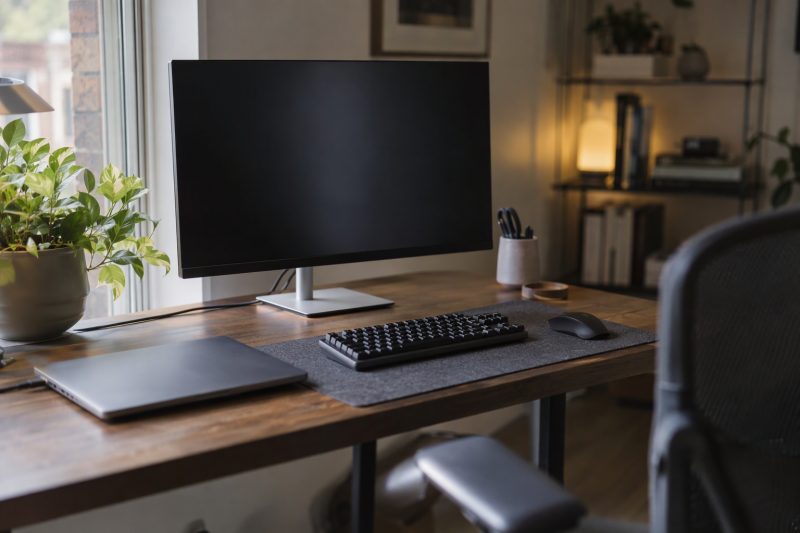
A compact monitor earns its place when desk width and viewing distance rule out a larger panel. Each maker or Amazon listing gives 1920 x 1080 for all six monitors here, so the buying differences are refresh rate, inputs, stand movement, speakers and USB ports. Two listings disagree with their makers on a spec, and the ViewSonic and Westinghouse sections below say which figures conflict. Match the monitor’s inputs to the computer or dock output first, then choose the feature the desk lacks.
Small desk monitors compared
| Image | Product | Details | Check Price |
|---|---|---|---|
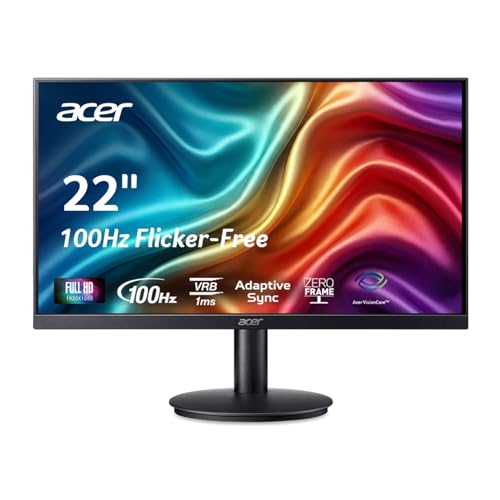 | Acer KB220Q H2bi | Best fit: Simple 21.5-inch office desk Panel and resolution: 21.5-inch VA, 1920 x 1080 Refresh rate: 100Hz over HDMI, 75Hz over VGA Inputs: 1 HDMI, 1 VGA Stand and extras: Tilt only, VESA 75 x 75 | Check Price on Amazon |
 | Sceptre E225W-FW144G | Best fit: High refresh rate on a small desk Panel and resolution: 21.5-inch viewable, 1920 x 1080 Refresh rate: Up to 144Hz Inputs: 2 HDMI, 1 DisplayPort Stand and extras: Tilt only, speakers (Amazon) | Check Price on Amazon |
 | Samsung S40GD 22-inch | Best fit: Adjustable 100Hz IPS screen Panel and resolution: 22-inch class IPS, 1920 x 1080 Refresh rate: 100Hz Inputs: 2 HDMI, 1 DisplayPort Stand and extras: Height and pivot, 2-port USB 2.0 hub | Check Price on Amazon |
 | ViewSonic VX2267-MHD | Best fit: Three video inputs on one screen Panel and resolution: 22-inch MVA, 1920 x 1080 Refresh rate: Up to 75Hz (ViewSonic), 100Hz (Amazon) Inputs: HDMI, DisplayPort, VGA Stand and extras: Speakers (Amazon), 100 x 100 mm mount | Check Price on Amazon |
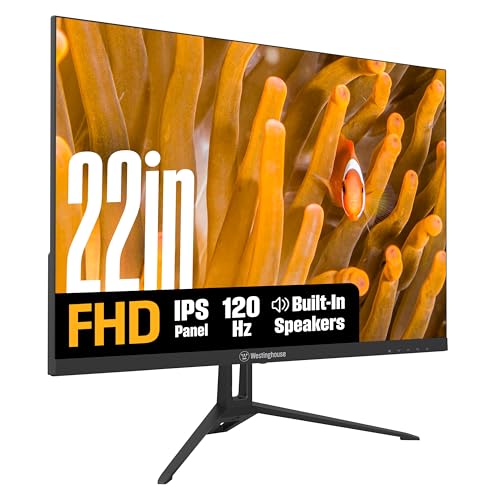 | Westinghouse WH22FA9600 | Best fit: IPS screen with speakers Panel and resolution: 21.5-inch IPS, 1920 x 1080, 300 nits Refresh rate: 100Hz (table), 120Hz (text, Amazon) Inputs: HDMI, VGA (DisplayPort on Amazon only) Stand and extras: Speakers 1W x 2, tilt only | Check Price on Amazon |
 | Dell P2222H | Best fit: Adjustable office panel with USB ports Panel and resolution: 21.5-inch IPS, 1920 x 1080 Refresh rate: 60Hz Inputs: HDMI, DisplayPort, VGA Stand and extras: Height and pivot, 4 USB 3.2 ports | Check Price on Amazon |
1. Acer KB220Q H2bi — Best for a Simple 21.5-inch Office Desk
Acer’s specification page for the KB220Q H2bi lists a 21.5-inch viewable VA panel at 1920 x 1080, with 100Hz over HDMI and 1920 x 1080 at 75Hz over VGA. The page also gives 300 nits, 99% sRGB and a 1ms VRB response time (5ms GTG). The Amazon listing also states AdaptiveSync, a blue-light filter, flickerless technology and a near bezel-less design.
Acer lists a short set of ports, one HDMI 1.4 port and one VGA port, and includes an HDMI cable in the box. The stand tilts from -5 to 15 degrees, and Acer lists no pivot, no height adjustment and a 75 x 75 mm VESA pattern. Neither Acer’s page nor the Amazon listing mentions DisplayPort or speakers.
Limit: Acer lists 100Hz over HDMI only, and the stand tilts without rising or pivoting.Our Take Choose the Acer for a laptop with HDMI, or an older desktop with VGA, on a desk where tilt is enough. Move to the Samsung or Dell when the screen must change height, or to the ViewSonic when the computer outputs DisplayPort.
- Acer lists 100Hz over HDMI, a higher figure than the 60Hz Dell lists for the P2222H.
- Acer lists 300 nits, the same top brightness figure Westinghouse’s page lists.
- Acer includes an HDMI cable in the box for the one HDMI port it lists.
- Over VGA, Acer lists 75Hz, below the 100Hz it lists over HDMI.
- Acer’s page lists tilt but no pivot and no height adjustment.
- Acer’s page lists only one HDMI input and one VGA input, with no DisplayPort.
2. Sceptre E225W-FW144G — Best for 144Hz in a Compact Class
Sceptre’s specification sheet for the E225W-FW144G lists a 21.5-inch viewable 1920 x 1080 panel with up to 144Hz, and it states that both HDMI and DisplayPort carry 1920 x 1080 at 144Hz. The sheet lists two HDMI 1.4 ports and one DisplayPort 1.2 port, plus a 3.5mm audio input and a headphone jack. Amazon titles the monitor 22-inch, while Sceptre’s sheet gives a viewable diagonal of 21.5 inches, so the 22-inch label is a size class.
Sceptre lists 250 cd/m2 typical brightness, a 5ms GTG response time with overdrive, 105% sRGB coverage and 6-bit color depth (Hi-FRC). The stand tilts 15 degrees back and 5 forward, the neck and base detach, and the VESA pattern is 75 x 75 mm. Amazon’s listing states built-in speakers, while the sheet itself gives no speaker detail.
Limit: Sceptre lists 250 cd/m2 typical brightness and a stand that only tilts.Our Take Pick the Sceptre when the computer can output 144Hz over HDMI or DisplayPort and you want two HDMI inputs beside a DisplayPort. Pick the Samsung instead when height and pivot are the bigger need.
- Sceptre lists up to 144Hz, the highest refresh rate among these six monitors.
- Sceptre states 144Hz over both HDMI and DisplayPort.
- Sceptre lists two HDMI 1.4 inputs and one DisplayPort 1.2 input.
- Amazon’s listing states built-in speakers for the E225W-FW144G, although Sceptre’s sheet gives no speaker detail.
- Sceptre lists 250 cd/m2 typical brightness, below the 300 nits Acer and Westinghouse list.
- Sceptre’s sheet lists tilt only, with no height adjustment or pivot.
- Sceptre’s sheet lists no VGA input for an older desktop.
3. Samsung S40GD 22-inch — Best for 100Hz IPS with Height and Pivot
Samsung’s page for the LS22D402GANXGO lists a 22-class IPS panel at 1920 x 1080 with a 100Hz maximum, 250 cd/m2 typical brightness and a 5ms GTG response time. Samsung gives the size as a 22-inch class. Samsung also lists Eye Saver Mode and flicker-free operation, and the Amazon listing names Game Picture Mode.
Samsung’s table lists two HDMI 1.4 ports, one DisplayPort 1.2 port, a headphone output and a USB hub with two USB 2.0 ports and one upstream USB-B port. It lists no USB-C and no speakers. The stand is where the Samsung differs from the Acer, Sceptre and Westinghouse. Samsung lists 105mm of height travel, pivot of about 92 degrees each way, swivel of 45 degrees each way and tilt from -3 to 25 degrees, and the Amazon listing also states height adjustment and pivot.
Limit: Samsung lists two USB 2.0 hub ports, no speakers, no USB-C and no VGA input.Our Take Choose the S40GD for a 100Hz IPS screen on a stand that raises and rotates, with two HDMI inputs and a DisplayPort. Choose the Dell instead when VGA and USB 3.2 hub ports count for more than 100Hz.
- Samsung lists 105mm of height travel and pivot, while Acer, Sceptre and Westinghouse list tilt only.
- Samsung lists an IPS panel at 100Hz and 250 cd/m2 typical brightness.
- Samsung lists two HDMI inputs and one DisplayPort input.
- Samsung lists a USB hub with two USB 2.0 downstream ports.
- Samsung’s 100Hz maximum is below the 144Hz Sceptre lists.
- Samsung’s table lists no speakers.
- Samsung lists no VGA input and no USB-C port.
4. ViewSonic VX2267-MHD — Best for Three Video Inputs
The Amazon listing for the ViewSonic VX2267-MHD states a 22-inch 1920 x 1080 MVA panel at 100Hz, with a 1ms MPRT figure, FreeSync, flicker-free technology and a blue-light filter. Amazon’s title names HDMI, DisplayPort, VGA and speakers. ViewSonic’s own specification manual confirms the 22-inch 1920 x 1080 panel and lists D-Sub, HDMI and DisplayPort inputs, an anti-glare surface with 3H hard coating and a 100 x 100 mm wall-mount pattern.
The two sources disagree on refresh rate. ViewSonic’s manual lists 1920 x 1080 at 50, 60 and 75Hz and no 100Hz mode, so the Amazon figure for this model is unconfirmed by the maker. Confirm the refresh rate with ViewSonic or the seller before ordering if 100Hz is the goal. Neither source states a height-adjustable or pivoting stand.
Our Take Choose the ViewSonic when HDMI, DisplayPort and VGA on one screen are the requirement and 75Hz is enough. Choose the Sceptre or Samsung when the refresh rate itself is the reason to buy.
- ViewSonic’s manual lists D-Sub, HDMI and DisplayPort inputs.
- Amazon’s title names built-in speakers for the VX2267-MHD.
- Amazon’s listing states FreeSync, flicker-free technology and a blue-light filter.
- ViewSonic’s manual lists a 100 x 100 mm wall-mount pattern.
- ViewSonic’s manual lists 75Hz at most, below the 100Hz Amazon states.
- Neither ViewSonic’s manual nor Amazon’s listing states height adjustment or pivot.
- Amazon’s listing describes an MVA panel, where Samsung, Westinghouse and Dell list IPS.
5. Westinghouse WH22FA9600 — Best for IPS with Built-in Speakers
Westinghouse’s page for the WH22FA9600 lists a 21.5-inch IPS 1920 x 1080 panel at 300 cd/m2, with 178-degree viewing angles, 99% sRGB, HDR support, a 1ms MPRT response time and speakers rated 1W x 2. The Amazon listing is sold by Westinghouse Electronics and also states Adaptive Sync, anti-glare treatment and a low-blue mode. The stand tilts from -5 to 15 degrees, Westinghouse marks height adjustment N/A, and the VESA pattern is 75 x 75 mm.
Westinghouse’s page and the Amazon listing disagree on two points. The Amazon title and bullets state 120Hz and a DisplayPort input. Westinghouse’s own spec table lists 100Hz and one HDMI plus one VGA input, with DP marked N/A, although the text above that table says 120Hz. Confirm the refresh rate and the DisplayPort input with the seller before relying on either.
Our Take Choose the Westinghouse for an IPS panel with built-in speakers and 300 nits on an HDMI or VGA connection. When the computer only outputs DisplayPort, choose the Sceptre, Samsung, Dell or ViewSonic, which all list that input.
- Westinghouse lists 300 cd/m2, matching Acer and above the 250 Sceptre, Samsung and Dell list.
- Westinghouse lists an IPS panel with 178-degree viewing angles.
- Westinghouse lists built-in speakers rated 1W x 2.
- Westinghouse lists a 75 x 75 mm VESA pattern, the same pattern Acer and Sceptre list.
- Westinghouse’s spec table marks DisplayPort N/A, which conflicts with the Amazon title.
- Westinghouse’s table lists 100Hz while its text and the Amazon listing say 120Hz.
- Westinghouse marks height adjustment N/A, and its page lists tilt but no pivot.
6. Dell P2222H — Best for Port-Heavy 21.5-inch Office Use
Dell’s product page for the P2222H lists a 21.5-inch viewable IPS panel at 1920 x 1080 and 60Hz, with 250 cd/m2, a 5ms fast-mode response time (8ms normal), 99% sRGB and an anti-glare finish. Dell lists DisplayPort 1.2, HDMI and VGA inputs plus a USB 3.2 Gen 1 hub with one upstream and four downstream ports. Dell lists power, VGA, DisplayPort and USB upstream cables in the box.
Dell’s stand moves more than most here. Dell lists 150mm of height adjustment, pivot of 90 degrees each way, swivel of 45 degrees each way, tilt from -5 to 21 degrees and a 100 x 100 mm VESA pattern. The Amazon listing has no feature bullets, and its title states the IPS panel, 60Hz, 250 nits, the three inputs and four USB ports.
The P2222H is an older Dell model. Amazon shows the offer as New and names DeluxeDeals as the seller, not Amazon or Dell, so DeluxeDeals’ return terms apply. Confirm Dell’s own warranty terms for a unit from that seller before buying.
Our Take Pick the Dell for an office desk that needs height and pivot, three video inputs and four USB 3.2 ports at 60Hz. Pick another screen when 100Hz or more is the priority.
- Dell lists 150mm of height adjustment and pivot of 90 degrees each way.
- Dell lists DisplayPort 1.2, HDMI and VGA inputs.
- Dell lists a USB 3.2 Gen 1 hub with four downstream ports.
- Dell includes VGA, DisplayPort and USB upstream cables in the box.
- Dell lists 60Hz, below every other monitor on this page.
- Dell’s page does not list built-in speakers.
- Amazon names DeluxeDeals, not Amazon or Dell, as the seller of the New offer.
Buying Guide
1. Measure the usable screen, desk and arm together
Acer, Dell, Westinghouse and Sceptre each list 21.5 inches viewable, while Samsung’s page and ViewSonic’s manual give a 22-inch size. The 21.5-inch and 22-inch labels are the same size class on a small desk, and the width with stand is close across the group, at about 19.2 to 19.5 inches by each maker’s figures.
Depth and height differ more. Westinghouse’s page gives a 6.69-inch stand depth, Sceptre’s sheet 7.02 inches, Acer’s page 7.91 inches and Samsung’s Amazon listing 8.62 inches. Check the stand depth against the desk, and allow for height on the two adjustable stands. Samsung’s Amazon listing gives 18.47 inches with stand and Dell’s page gives 48.2 cm, while the others list about 14.6 to 15.0 inches.
2. Match monitor inputs to the computer’s output
Dell’s page and ViewSonic’s manual both list HDMI, DisplayPort and VGA. Acer lists one HDMI and one VGA port, while Sceptre and Samsung each list two HDMI ports and one DisplayPort. Westinghouse’s Amazon title names HDMI, DP and VGA, but its own spec table lists HDMI and VGA with DP marked N/A.
Choose the monitor around the output the laptop, desktop or dock already has. An adapter does not add a display mode, and Acer’s figures show why. Acer’s 100Hz applies over HDMI, and Acer lists 75Hz over VGA. Confirm the output type and the refresh rate it carries before counting ports.
3. Choose refresh rate from movement, not the badge
Dell lists 60Hz, Samsung 100Hz and Acer 100Hz over HDMI. Westinghouse’s table lists 100Hz while its text and Amazon say 120Hz, and ViewSonic’s manual lists up to 75Hz against Amazon’s 100Hz. Sceptre lists up to 144Hz, over both HDMI and DisplayPort.
Each figure is the maker’s or the listing’s display limit, and the computer and cable must support it. For scrolling, video or games, a higher rate may help. For documents and calls, stand movement, panel type and inputs can decide more, so check the computer’s output before paying for a rate it cannot send.
4. Separate stand movement from VESA mounting
Samsung and Dell are the two that list height adjustment and pivot. Samsung lists 105mm of height travel and Dell 150mm. Acer lists no height or pivot, Sceptre lists tilt only, Westinghouse marks height adjustment N/A, and neither ViewSonic source states either.
VESA is a separate question from stand movement. Dell, Samsung and ViewSonic list a 100 x 100 mm pattern, while Acer, Sceptre and Westinghouse list 75 x 75 mm. Match the arm’s pattern, weight rating and the monitor’s size together before building a desk around an arm.
5. Treat speakers and USB as specific simplifiers
Sceptre and ViewSonic have built-in speakers in their Amazon listings, and Westinghouse lists them on its own page at 1W x 2. Samsung’s table lists no speakers. Dell lists a hub with four downstream USB 3.2 Gen 1 ports, and Samsung lists two USB 2.0 ports.
None of these pages compares sound quality or lists laptop charging. Use speakers and USB to remove a specific cable or device, e.g., a desktop speaker pair, and treat them as conveniences rather than quality upgrades. Dell lists one upstream port and includes a USB upstream cable for the hub.
FAQ
Is 21.5 inches too small for a laptop desk?
No. Acer, Dell, Westinghouse and Sceptre each list 21.5 inches viewable, and Samsung and ViewSonic give a 22-inch size. At 1920 x 1080, these monitors suit a desk with limited width or depth.
The tradeoff is less room on the screen than a larger monitor offers. Measure the desk and the viewing distance before deciding whether compact placement or large side-by-side windows come first.
Which monitor has the most listed inputs?
Dell’s page and ViewSonic’s manual list HDMI, DisplayPort and VGA. Sceptre and Samsung list three ports each, two HDMI and one DisplayPort, but no VGA. Westinghouse’s Amazon listing names all three types, while its own table lists only HDMI and VGA.
Dell also lists four USB 3.2 Gen 1 downstream ports. Start from the computer or dock output, then choose the input that matches it rather than assuming an adapter adds a mode.
Is 144Hz automatically better for office work?
No. Sceptre lists up to 144Hz, while the other pages list 60Hz to 120Hz. A higher rate can help with fast motion and games.
For office work, stand adjustment, inputs and physical fit can decide more. A higher refresh rate does not add the ports or the height and pivot movement the desk may require.
Which one has a height-adjustable stand?
Samsung and Dell. Samsung lists 105mm of height travel and Dell lists 150mm, and both list pivot. Samsung’s Amazon listing states height adjustment and pivot, and Dell’s own page lists them.
Acer, Sceptre and Westinghouse list tilt only, and neither ViewSonic source states movement. VESA support can hold a separate arm, but you have to choose the arm to suit the monitor and the desk.
Do built-in speakers replace desktop speakers?
Sceptre and ViewSonic list speakers on Amazon, and Westinghouse lists speakers rated 1W x 2 on its page.
None of the pages compares sound against external speakers. Treat the speakers as a convenience, and check them against the audio the desk needs for music, editing or meetings.
Bottom Line
Choose Samsung S40GD for a 100Hz IPS screen with the 105mm height travel and pivot Samsung lists. Choose Sceptre E225W-FW144G for the up to 144Hz Sceptre lists over HDMI or DisplayPort. Choose Dell P2222H for the height, pivot, three video inputs and four USB 3.2 ports Dell lists at 60Hz. Choose ViewSonic VX2267-MHD for the HDMI, DisplayPort and VGA inputs ViewSonic’s manual lists, when its 75Hz maximum is enough. Check the refresh rate and input notes in the Westinghouse and ViewSonic sections before buying either.
The OLED monitor guide covers a different, larger-panel decision, while the portable 4K monitor guide covers travel displays. Choose this compact group when desk space and straightforward 1080p placement come first.