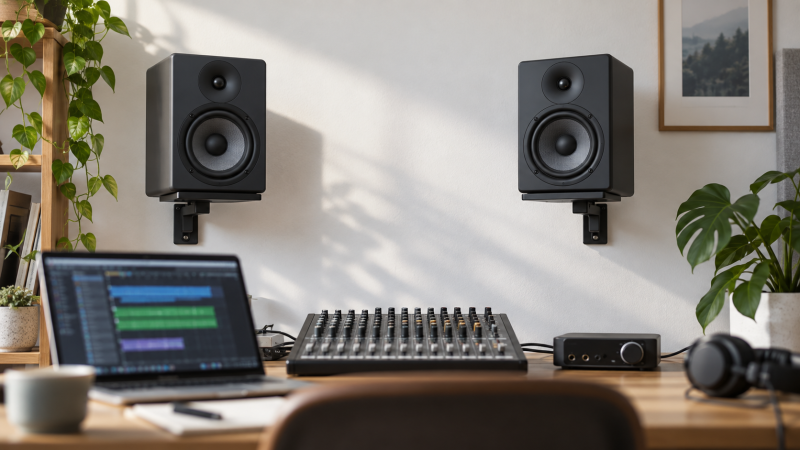
Wall mounts can free a small mixing desk from speaker stands, wide bases, and cable loops. The useful limits are the monitor’s measured width and depth, its listed weight, the wall surface, and the mount’s clamp range. A bracket can be adjustable and still be the wrong size for the cabinet it is meant to hold.
All six pairs here list up to 55 pounds of support, but their clamp widths, tilt range, swivel travel, and specific compatibility claims differ. Measure the speaker cabinet before choosing a mount, then decide whether the desk needs a small aiming adjustment, a wide swivel range, or a model-specific bracket. A desktop speaker guide and a studio subwoofer guide cover separate speaker-buying decisions.
A wall mount changes where a monitor sits. It does not replace checking the cabinet dimensions, rear clearance, and wall material before installation.Studio Monitor Wall Mounts Compared
| Image | Product | Details | Check Price |
|---|---|---|---|
 | Aiweiwa Genelec Speaker Wall Mount 2-Pack | Best fit: Specified Genelec monitors Fit: Genelec G1/G2/G3 and listed 80xx/83xx models Tilt: 0-80 degrees Rotation: Up to 120 degrees Pack: 2 | Check Price on Amazon |
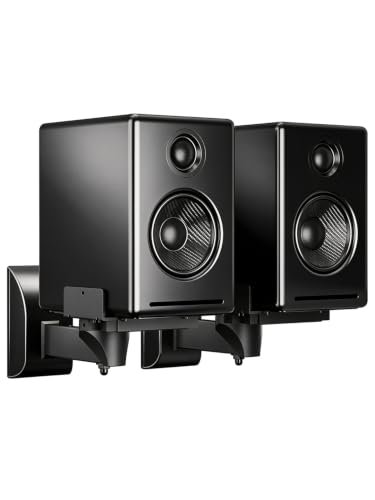 | suptek SPM201 Speaker Wall Mounts | Best fit: Bookshelf speakers with cable routing Width: 5.5-11 inches Capacity: 55 lb each Tilt: ±7.5 degrees Swivel: 45 degrees each side | Check Price on Amazon |
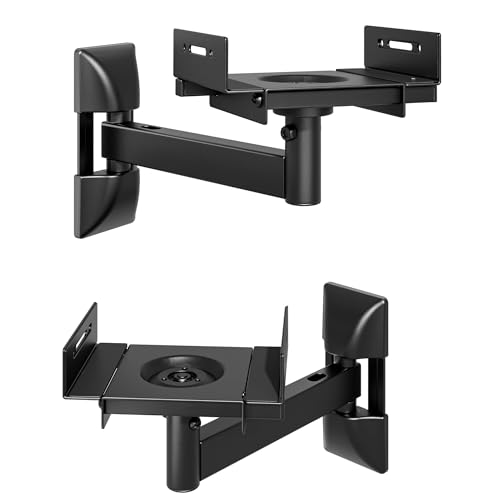 | PEGZONE Speaker Wall Mounts | Best fit: Broad clamp-width range Width: 5.1-11.2 inches Capacity: 55 lb each Tilt: ±10 degrees Rotation: 360 degrees | Check Price on Amazon |
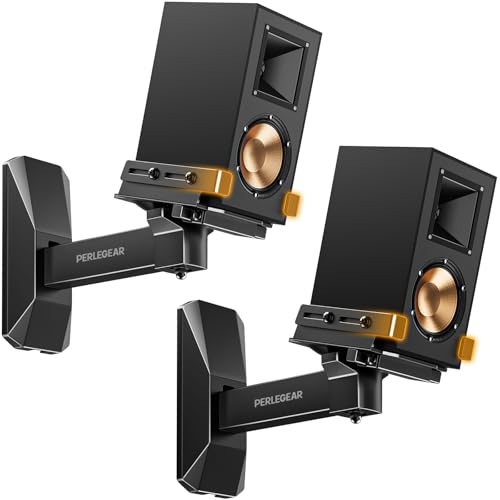 | Perlegear PGSM06B Speaker Wall Mounts | Best fit: Deep bookshelf speakers Width: 5.12-11.81 inches Depth: Up to 13.78 inches Capacity: 55 lb Tilt: ±15 degrees | Check Price on Amazon |
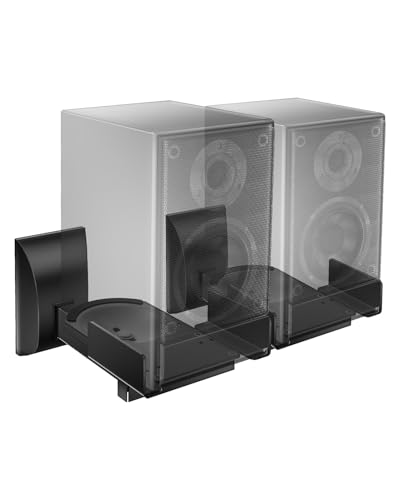 | WALI SWM201 Speaker Wall Mounts | Best fit: Basic adjustable pair Width: 5.5-11 inches Capacity: 55 lb Tilt: ±7.5 degrees Swivel: 45 degrees each side | Check Price on Amazon |
 | Mount-It! MI-SB37 Bookshelf Speaker Wall Mounts | Best fit: Wide side-clamp spacing Width: 5.38-11.13 inches Capacity: 55 lb Tilt: 7.5 degrees down Swivel: 180 degrees | Check Price on Amazon |
1. Aiweiwa Genelec Speaker Wall Mount 2-Pack — Best for Specified Genelec Monitors
Aiweiwa is the focused option when the monitors are among the Genelec models named in its listing: G1, G2, G3, 8010, 8020, 8030, 8320, or 8330. That stated compatibility is more useful than assuming an ordinary clamp range will fit a particular cabinet, because this bracket is designed around a named monitor group.
The two-pack lists 0-to-80-degree vertical tilt and up to 120 degrees of horizontal rotation. Those figures give a wide stated aiming range, but the first check remains the exact speaker model. The listing also says screws, wall anchors, and instructions are included with the mounting kit.
Our Take Buy Aiweiwa only when the Genelec model is explicitly named on its compatibility list and wide tilt or rotation is useful. Perlegear and Mount-It! are broader clamp-style alternatives for monitors that do not match the named Genelec list.
- The listing names Genelec G1, G2, G3, 8010, 8020, 8030, 8320, and 8330 models.
- A stated 0-to-80-degree tilt range gives substantial vertical aiming adjustment for the listed speakers.
- Up to 120 degrees of horizontal rotation helps aim the named monitors toward the desk position.
- Its stated fit is model-specific, so a different monitor needs a separate compatibility check first.
- The broad tilt range does not replace confirming the wall and supplied hardware suit installation.
2. suptek SPM201 Speaker Wall Mounts — Best for Bookshelf Speakers with Cable Routing
suptek’s SPM201 is a clamp-style pair for bookshelf speakers between 5.5 and 11 inches wide, with a listed 55-pound capacity per mount. It provides ±7.5 degrees of tilt and 45 degrees of left or right swivel, enough adjustment for a desk where the speakers need minor aiming rather than a dramatic reposition.
The listing also names cable management and installation to wood studs, concrete, brick, or stone. Those stated surface types are a reminder that the wall is part of the buying decision. A speaker’s width and the installation surface both need to match the actual room.
Our Take Buy suptek for a common bookshelf-monitor width, modest tilt and swivel, and listed cable routing. Perlegear gives more stated tilt and a deeper cabinet allowance, while WALI covers a similar width range with nearly the same basic adjustment figures.
- The 5.5-to-11-inch width range covers many compact bookshelf-style monitor cabinets on a desk.
- ±7.5 degrees of tilt and 45-degree side swivel support modest listening-position adjustment.
- Listed cable management can keep speaker wiring from hanging visibly below the mounted cabinets.
- The listing gives no maximum cabinet depth, so deep monitors need a separate clearance check.
- Its modest tilt range offers less vertical movement than Aiweiwa or Perlegear’s listed adjustment.
3. PEGZONE Speaker Wall Mounts — Best for Broad Clamp-Width Range
PEGZONE is the mount to consider when the cabinet falls near the edge of other mounts’ clamp ranges. Its listing covers 5.1 to 11.2 inches wide and says each mount supports up to 55 pounds. Protective pads are also listed for side-clamping a finished monitor cabinet.
It lists ±10 degrees of tilt, 360-degree rotation, and ±45 degrees of swivel. Those figures describe possible bracket movement. They don’t call for placing every speaker at an extreme angle. The useful choice is a mount that reaches the intended listening position while leaving the cabinet secure and accessible.
Our Take Buy PEGZONE when its 5.1-inch minimum or 11.2-inch maximum width fits the measured cabinet better than the other clamp pairs. Perlegear supports a slightly wider stated maximum and adds a stated depth limit, which can settle a deeper-monitor decision.
- A 5.1-to-11.2-inch clamp range accommodates cabinets narrower than several competing listed pairs.
- The listing names 55 pounds per mount, protective pads, and a clamp design for cabinet protection.
- ±10-degree tilt, 360-degree rotation, and ±45-degree swivel allow flexible stated aiming movement.
- No maximum cabinet depth is listed, so width alone cannot establish that a monitor will fit.
- Wide adjustment figures still require checking rear cables and wall clearance before final placement.
4. Perlegear PGSM06B Speaker Wall Mounts — Best for Deep Bookshelf Speakers
Perlegear gives the clearest cabinet envelope on this page: 5.12 to 11.81 inches wide and up to 13.78 inches deep, with a 55-pound capacity. That depth figure makes it the first mount to measure against when a nearfield monitor extends farther from front to back than a small bookshelf speaker.
The PGSM06B also lists ±15 degrees of tilt and ±90 degrees of swivel, plus cable management and rubber padding. It says the mount is for concrete, wood studs, and brick walls, and specifically says not to install it on drywall alone. That limitation should be read before choosing a mounting location.
Our Take Buy Perlegear when the monitor has a known depth, because it states an allowance up to 13.78 inches, alongside a broad 11.81-inch width maximum. It still needs the wall surface and actual monitor dimensions checked before installation.
- A stated 13.78-inch depth allowance helps evaluate deeper nearfield monitors before buying the bracket.
- The 5.12-to-11.81-inch width range is the broadest stated clamp maximum on this page.
- ±15-degree tilt and ±90-degree swivel provide substantial listed aiming adjustment around a small desk.
- The listing says not to install on drywall alone, limiting where this pair can be used.
- Its 55-pound figure does not override the speaker manufacturer’s own mounting and weight guidance.
5. WALI SWM201 Speaker Wall Mounts — Best for Basic Adjustable Pair
WALI is a simple adjustable pair for speakers from 5.5 to 11 inches wide and up to 55 pounds. Its listing specifies ±7.5 degrees of tilt and 45 degrees of side swivel, alongside anti-slip pads and cable routing. It is a straightforward option when the monitor sits comfortably inside that clamp range.
Its listed mounting surfaces are studs, concrete, brick, or stone walls. It does not fit soundbars. The feature set is familiar rather than specialized, which can suit a small studio that needs two matching clamp mounts without buying unusually broad or model-specific hardware.
Our Take Buy WALI for a basic pair when the cabinet falls between 5.5 and 11 inches wide and only modest aiming is needed. suptek has nearly the same quoted range and adjustment, while Mount-It! swings farther left and right for a more open layout.
- The 5.5-to-11-inch listed width range suits many compact bookshelf and surround-style speaker cabinets.
- Anti-slip pads and integrated cable routing are stated features for protecting cabinets and organizing wires.
- ±7.5-degree tilt and 45-degree swivel provide basic aiming adjustment without a complicated mount system.
- The listing excludes soundbars, so buyers should not treat its clamp range as universal compatibility.
- No depth limit is stated, making a deep monitor harder to confirm than with Perlegear.
6. Mount-It! MI-SB37 Bookshelf Speaker Wall Mounts — Best for Wide Side-Clamp Spacing
Mount-It!’s MI-SB37 fits speaker widths from 5.38 to 11.13 inches and lists a 55-pound capacity. Its side clamps, padded curved base, and cable management are the relevant physical details for a bookshelf or nearfield cabinet. The listing says the pair places speakers 11 inches from the wall, a useful clearance figure for rear-panel access.
It lists 7.5 degrees of downward tilt and 180 degrees of left/right swivel. That wide swivel figure is useful where the desk is not centered between the wall mounts, but the chosen angle still has to leave room for the monitor’s rear connections and the wall itself.
Our Take Buy Mount-It! when the 5.38-to-11.13-inch clamp range fits and a listed 11-inch wall offset or wide side swivel helps the desk layout. Perlegear is the better first comparison for a deep cabinet with a stated depth measurement.
- The 5.38-to-11.13-inch side-clamp range fits many compact bookshelf and studio monitor cabinet widths.
- An 11-inch stated wall offset can leave useful rear-panel and cable clearance behind the speaker.
- Listed 180-degree left/right swivel gives broad aiming movement where the desk is not centered.
- Its listed tilt is only 7.5 degrees down, less vertical movement than several competing mounts.
- The listing gives no maximum cabinet depth, so rear clearance must be checked from the actual speaker.
Buying Guide: Choosing a Studio Monitor Wall Mount
Measure width, depth, and weight before comparing adjustments
PEGZONE lists 5.1 to 11.2 inches wide, Perlegear lists 5.12 to 11.81 inches, and Mount-It! lists 5.38 to 11.13 inches. Measure the widest part of the monitor cabinet, not only the front baffle, before treating a clamp range as a match.
Perlegear is the only listing here with a maximum depth, 13.78 inches. All six products list 55 pounds in some form, but use the speaker’s actual listed weight and dimensions together, since one number cannot show that a cabinet fits a particular clamping arrangement.
Match the mount to the wall surface you actually have
suptek, WALI, and Perlegear name wood studs, concrete, brick, or stone as installation surfaces. Perlegear also says not to install on drywall alone. The wall material is a compatibility condition, so check it before settling on a clamp range.
Aiweiwa says its pair includes screws, anchors, and instructions, but included hardware does not establish that it suits every wall. Choose the position only after identifying the wall structure and reading the mount’s listed surface guidance.
Use tilt and swivel to solve an actual placement problem
Aiweiwa lists 0-to-80-degree tilt and up to 120-degree rotation for its named Genelec models. Perlegear lists ±15-degree tilt and ±90-degree swivel, while suptek and WALI list ±7.5-degree tilt with 45-degree swivel. More adjustment is useful only when it reaches the actual listening position.
Start with the desk and chair location, then decide whether the mounts need small inward turns or a wider reposition. An extreme angle that blocks cable access or crowds the wall is not a better placement.
Decide between a named-model bracket and a clamp mount
Aiweiwa names Genelec G1, G2, G3, 8010, 8020, 8030, 8320, and 8330 models. A stated model match is stronger evidence than assuming a generic bracket will fit by appearance.
For a monitor outside that list, compare the cabinet measurements against Perlegear, PEGZONE, suptek, WALI, or Mount-It! instead. A clamp pair gives broader fit ranges, while a bracket built for named models can be the more direct route for the exact supported speaker.
Plan cable and rear-panel clearance before drilling
suptek, Perlegear, WALI, and Mount-It! mention cable management, while Mount-It! also states an 11-inch wall offset. Leave enough clearance for the monitor’s power and audio connectors, rather than setting the cabinet so close to the wall that a plug must bend sharply.
Cable management can keep wires tidier, but it does not change the connector position. Mock up the cabinet depth and cable route before drilling, because the chosen mount needs room for both the speaker and the connections behind it.
Frequently Asked Questions
Can I choose a mount from its 55-pound capacity alone?
No. Every mount here lists a 55-pound capacity, but the clamp range and cabinet dimensions differ. Perlegear names 5.12 to 11.81 inches wide and up to 13.78 inches deep, while PEGZONE lists 5.1 to 11.2 inches wide.
A capacity rating does not establish that a cabinet fits the clamps or leaves room for rear cables. Check the monitor’s listed weight, width, and depth against the individual mount.
Which mount has the widest stated cabinet range?
Perlegear lists the widest maximum width at 11.81 inches and is the only mount here with a stated 13.78-inch depth limit. PEGZONE starts slightly narrower at 5.1 inches, while Mount-It! lists 5.38 to 11.13 inches.
A smaller stated minimum can count for as much as the largest maximum, especially for compact nearfield monitors that sit near the bottom of a clamp range.
Are these wall mounts for every studio monitor?
No. Aiweiwa lists specific Genelec models, while the clamp-style mounts list width ranges. WALI explicitly says its pair does not fit soundbars. The actual speaker model and cabinet measurements decide which listings can be considered.
A wall mount should not be selected by the broad label studio monitor alone, because speaker enclosures and mounting provisions vary.
How much adjustment does a small mixing desk need?
suptek and WALI list ±7.5 degrees of tilt and 45 degrees of swivel, Perlegear lists ±15 degrees and ±90 degrees, and Mount-It! lists 180 degrees of side swivel. The needed amount depends on where the desk and chair sit.
Choose enough adjustment to aim the speakers toward the listening position while keeping rear connections accessible. The most flexible bracket is not automatically the best one.
What wall surfaces do the listings support?
suptek, WALI, and Perlegear name wood studs, concrete, brick, or stone. Perlegear states that it should not be installed on drywall alone. Aiweiwa says its kit includes screws and wall anchors for the named Genelec bracket.
The wall is part of the load-bearing system, so confirm its actual construction and the mount instructions before choosing an installation point.
Bottom Line
For a small mixing desk, Perlegear is the clearest clamp-style choice for a deep cabinet, Mount-It! gives a useful stated wall offset and wide side swivel, and PEGZONE reaches the narrowest listed cabinet width. Aiweiwa is specialized for the Genelec models its listing names.