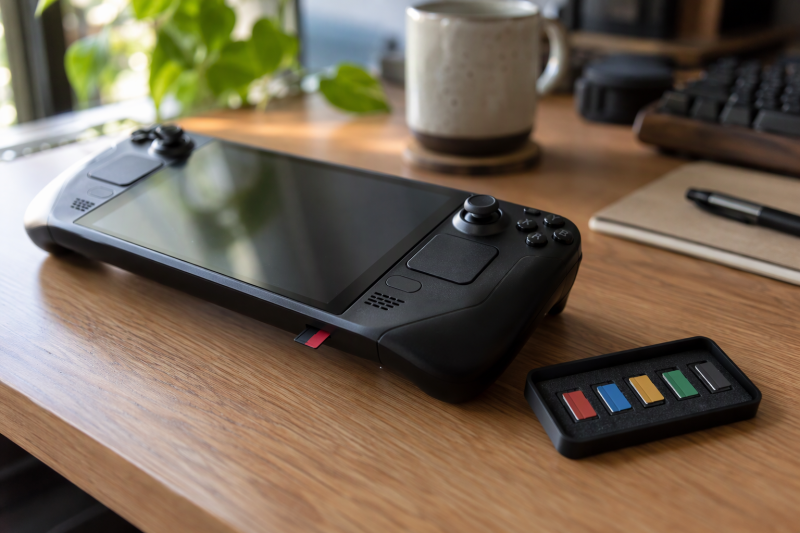
How much of a card’s speed figure a handheld can use depends on its slot, and the three makers describe their slots in different terms. Lexar, Samsung and Transcend sell UHS-I cards, which is the interface Valve names for the Steam Deck. addlink and Lufasnd sell microSD Express cards, and each says in its Amazon listing that older hosts get UHS-I speeds or the host’s own maximum, so an Express label alone does not raise a handheld’s speed.
| Image | Product | Details | Check Price |
|---|---|---|---|
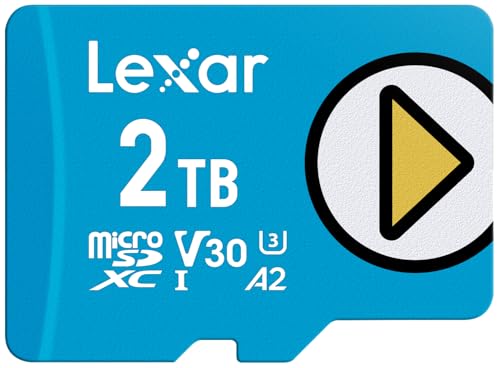 | Lexar PLAY Blue 2TB | Best fit: Biggest game library Capacity: 2TB Interface: UHS-I Listed speed: Up to 160MB/s read Handheld wording: Steam Deck and ROG Ally (Amazon title) | Check Price on Amazon |
 | Samsung T7 1TB | Best fit: 1TB on a UHS-I card Capacity: 1TB Interface: UHS-I Listed speed: Up to 170MB/s read Handheld wording: Handheld gaming consoles (Amazon bullet) | Check Price on Amazon |
 | Transcend USD300S 128GB | Best fit: Listing names all three handhelds Capacity: 128GB Interface: UHS-I Listed speed: Up to 100MB/s read, 35MB/s write Handheld wording: Steam Deck, ROG Ally and Legion Go | Check Price on Amazon |
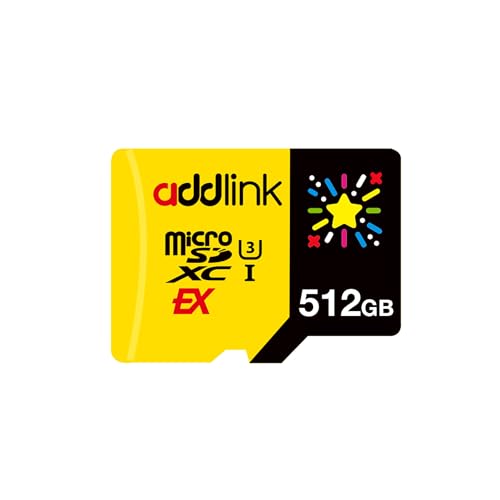 | addlink Gaming Express 512GB | Best fit: 512GB with an Express interface Capacity: 512GB Interface: microSD Express Listed speed: Up to 880MB/s read, 750MB/s write Handheld wording: Steam Deck and ROG Ally | Check Price on Amazon |
 | Lufasnd NS-TF02 256GB | Best fit: 256GB with an Express interface Capacity: 256GB Interface: microSD Express Listed speed: Up to 880MB/s read, 600MB/s write Handheld wording: Steam Deck and ROG Ally | Check Price on Amazon |
1. Lexar PLAY Blue 2TB — Best for the biggest game library
Lexar’s PLAY Blue page lists 512GB, 1TB and 2TB versions. The 2TB part number LMSPLBL002T-BNNNU matches the model field on Amazon. Lexar rates the card as microSDXC UHS-I with V30 and A2 classes and up to 160MB/s read, and states a 5-year limited warranty. Lexar’s own page names Nintendo Switch, smartphones and tablets but not Steam Deck or ROG Ally. Only the Amazon title names those two.
Lexar’s footnote says the full 160MB/s read figure comes only with its Multi-Card 2-in-1 USB 3.1 Reader or Professional Multi-Card 3-in-1 USB 3.1 Reader marked Rev B, and that the card is engineered to read beyond the 104MB/s UHS-I specification. Lexar gives no speed for any handheld, so the 160MB/s figure is for the card in Lexar’s readers. The Amazon bullets add that the card is not compatible with Nintendo Switch 2.
Lexar’s page lists 2TB as the top PLAY Blue capacity, the largest of the five cards in this guide.Our Take Pick the PLAY Blue for the biggest library on a Steam Deck or ROG Ally, whose slots Valve and ASUS describe. Lexar’s page does not name the Legion Go, and Lenovo’s Legion Go sheet does not name the PLAY Blue, so a Legion Go owner has no stated match from either maker.
- Lexar’s page lists the PLAY Blue at 2TB, the largest capacity among the five cards here, for the biggest game library.
- Lexar’s own page, not only the Amazon listing, rates the microSDXC card UHS-I with V30 and A2 classes.
- Lexar’s page states a 5-year limited warranty on the PLAY Blue.
- Lexar’s Amazon bullets say the PLAY Blue is not compatible with Nintendo Switch 2, while the Amazon title names Steam Deck and ROG Ally.
- Lexar’s page ties the 160MB/s read figure to its USB 3.1 readers and gives no speed for any handheld.
- Lexar’s own page does not name Steam Deck, ROG Ally or Legion Go, and the Amazon title names only the first two.
2. Samsung T7 1TB — Best for 1TB on a UHS-I card
Samsung’s T7 page lists MB-MB1T0T/AM as a 1TB microSDXC card with a UHS-I interface, Class U3, transfer speeds up to 170MB/s read and a 3-year limited warranty. Samsung’s Amazon bullets add V30 and A2 ratings, give a 128GB to 1TB range, and say the card works with cameras, laptops, handheld gaming consoles and Android smartphones.
Samsung does not name Steam Deck, ROG Ally or Legion Go on its page or in its bullets. The T7’s UHS-I interface does match the slot Valve lists for the Steam Deck, but Samsung states no handheld speed, so the 170MB/s figure is a ceiling for the card.
Samsung’s T7 page lists UHS-I and Class U3 for the 1TB card, and its Amazon bullets add V30 and A2.Our Take Take the T7 for 1TB on a Steam Deck when the matching UHS-I interface is the priority. ROG Ally and Legion Go owners get only Samsung’s general wording about handheld gaming consoles.
- Samsung’s page lists UHS-I and Class U3 for the 1TB MB-MB1T0T/AM, and the UHS-I interface matches the slot Valve lists for the Steam Deck.
- Samsung’s Amazon bullets add V30 and A2 ratings for the T7.
- Samsung’s page states a 3-year limited warranty on the card.
- Samsung’s Amazon bullets list handheld gaming consoles among the devices the card works with, though they name no handheld model.
- Samsung does not name Steam Deck, ROG Ally or Legion Go on its page or in its Amazon bullets, so ROG Ally and Legion Go owners get only its general wording about handheld gaming consoles.
- Samsung lists 170MB/s read and gives no handheld speed figure, so the number is a ceiling for the card.
3. Transcend USD300S 128GB — Best for a listing that names all three handhelds
Transcend’s Amazon title identifies TS128GUSD300S as a 128GB microSDXC UHS-I card with 100MB/s read, U3, V30 and A1, for Nintendo Switch, Steam Deck, ROG Ally and MSI Claw. The title leaves out the Legion Go, but a feature bullet lists Nintendo Switch, Steam Deck, ROG Ally and Legion Go as compatible devices.
The bullets give up to 100MB/s read and 35MB/s write, describe V30 as a minimum sustained write of 30MB/s, and give A1 as 1500 IOPS random read and 500 IOPS random write. Every figure here comes from Transcend’s Amazon listing, not from a Transcend product page, and Transcend sells the card itself under its own seller name.
Our Take Pick the USD300S when a Legion Go is in the household and you want the name on the listing, and accept 128GB. Lenovo’s sheet lists a microSD card reader with no UHS class, so Lenovo states no interface to compare against Transcend’s UHS-I label.
- Transcend’s Amazon bullet names Steam Deck, ROG Ally and Legion Go as compatible devices, the only listing among the five cards that names the Legion Go.
- Transcend’s Amazon listing gives up to 100MB/s read and 35MB/s write, with U3, V30 and A1 labels.
- Transcend’s bullets spell out A1 as 1500 IOPS random read and 500 IOPS random write.
- Transcend’s Amazon listing gives the USD300S 128GB, the smallest capacity among the five cards here.
- Transcend’s Amazon title names MSI Claw but omits the Legion Go, which only a feature bullet names.
4. addlink Gaming microSD Express 512GB — Best for 512GB with an Express interface
addlink’s Amazon title identifies ad512GBMSXEX as a 512GB microSD Express card for Nintendo Switch 2, ROG Ally and Steam Deck, with read and write speeds of 880 and 750MB/s, U3 and V30. A bullet says the card is backwards compatible with UHS-I and UHS-II host devices at UHS-I speeds.
ASUS lists the ROG Ally RC71L with a UHS-II microSD card reader, and Valve lists the Steam Deck slot as UHS-I. By addlink’s wording, both run this card at UHS-I speeds. Another bullet says read and write speed depend on the device, interface, usage and other factors, so actual performance may be lower. addlink Technology LLC sells the card, and every addlink figure here comes from the Amazon listing, not from an addlink product page.
Our Take Pick it for 512GB on a Steam Deck or ROG Ally when you also own a device with a microSD Express slot. Do not buy it for the 880MB/s figure on either handheld.
- addlink’s Amazon title names Steam Deck and ROG Ally and lists the card at 512GB.
- addlink’s Amazon bullet says the card is backwards compatible with UHS-I and UHS-II host devices, the interfaces Valve and ASUS list for the Steam Deck and ROG Ally.
- addlink’s Amazon title lists U3 and V30 labels with 880MB/s read and 750MB/s write.
- addlink says UHS-I and UHS-II hosts run the card at UHS-I speeds, so 880MB/s read does not apply to the UHS-I Steam Deck slot Valve lists.
- addlink says actual speeds depend on the device, interface, usage and other factors, and may be lower.
- addlink’s Amazon listing does not name the Legion Go, though its title names ROG Ally and Steam Deck.
5. Lufasnd NS-TF02 256GB — Best for 256GB with an Express interface
Lufasnd’s Amazon title identifies NS-TF02 as a 256GB microSD Express card with up to 880MB/s read and 600MB/s write, for Nintendo Switch 2, ROG Ally and Steam Deck. A bullet says the card is backward compatible with standard microSD UHS-I slots and that data is accessible at the host device’s maximum supported speed.
The listing gives Shenzhen Nandstor Technology Co., Ltd as the manufacturer, while Lufasnd is both the brand and the seller. A bullet lists 256GB and 512GB variants, and this listing is the 256GB card. The title and bullets give no U3, V30 or A-class label, and every Lufasnd figure here comes from the Amazon listing, not from a Lufasnd product page.
Our Take Pick the NS-TF02 for 256GB when the listing’s Steam Deck and ROG Ally names are enough and you do not need a class label to compare. Lufasnd’s listing has no Legion Go wording either.
- Lufasnd’s Amazon title names ROG Ally and Steam Deck and lists the card at 256GB.
- Lufasnd’s Amazon bullet says the card is backward compatible with standard microSD UHS-I slots, the interface Valve lists for the Steam Deck.
- Lufasnd’s Amazon title gives up to 880MB/s read and 600MB/s write for the Express card.
- Lufasnd’s Amazon title and bullets give no U3, V30 or A-class label to compare with the other four cards.
- Lufasnd’s bullet says the host sets the maximum speed, so 880MB/s read does not apply to the UHS-I slot Valve lists.
Buying Guide
What each handheld’s microSD slot supports
Valve lists the Steam Deck’s expansion as microSD UHS-I supporting SD, SDXC and SDHC. ASUS lists the ROG Ally RC71L with one UHS-II microSD card reader that supports SD, SDXC and SDHC. Lenovo’s Legion Go 8APU1 spec sheet lists a microSD card reader and gives no UHS class.
A UHS-I card matches the interface Valve states for the Steam Deck. Lexar, Samsung and Transcend list UHS-I cards, which is the interface Valve names for the Steam Deck. For the Legion Go, Lenovo states no interface, and Transcend’s Amazon bullet is the only listing among these five that names the Legion Go.
Choose capacity before speed
Capacity is the clearest difference between these cards. Lexar’s page lists up to 2TB, Samsung’s page lists up to 1TB, addlink’s Amazon title lists 512GB, Lufasnd’s lists 256GB and Transcend’s lists 128GB. Valve’s Steam Deck tech specs, ASUS’s ROG Ally RC71L specs and Lenovo’s Legion Go spec sheet do not state a maximum microSD size.
Keep a size option separate from the card you are buying. Lufasnd’s bullet mentions 256GB and 512GB variants, but this listing is 256GB, and Samsung’s bullets give a range from 128GB to 1TB for a card that is 1TB here. Check the size field on the product box before ordering.
Read UHS-I, Express and class labels together
Class labels differ from card to card. Lexar’s page lists V30 and A2, Samsung’s page lists Class U3 and its Amazon bullets add V30 and A2, and Transcend’s title lists U3, V30 and A1. addlink’s title lists U3 and V30, and Lufasnd’s listing gives no class label.
Express is an interface label, not a handheld speed. addlink says UHS-I and UHS-II hosts run its card at UHS-I speeds, and Lufasnd says the host sets its maximum speed. By addlink’s wording, its card runs at UHS-I speeds in both the Steam Deck slot Valve lists as UHS-I and the ROG Ally slot ASUS lists as UHS-II.
Treat each stated speed as a ceiling
Each maker or listing attaches a condition to its fastest figure. Lexar ties 160MB/s read to its USB 3.1 readers. addlink says actual speed depends on device, interface and usage. Lufasnd says the host sets the maximum. Samsung lists 170MB/s read and Transcend lists 100MB/s read and 35MB/s write, with no handheld result from either.
Compare cards on the figures the slot can use. Valve lists the Steam Deck slot as UHS-I, the same interface the Lexar, Samsung and Transcend cards list. The 880MB/s figures from addlink and Lufasnd are for an Express interface, not the UHS-I interface Valve lists.
Check the second device before sharing a card
Lexar’s Amazon bullets say the PLAY Blue is not compatible with Nintendo Switch 2. Its title names Steam Deck and ROG Ally, so the same card does not cover a Switch 2 in the same household. addlink and Lufasnd name Nintendo Switch 2 in their titles.
Read each device’s own line before sharing one card. A card that a listing names for a handheld PC does not carry a Switch 2 claim, and the reverse holds too. Check the exact wording for each device you own.
Keep internal storage and microSD roles separate
A microSD card is removable storage, not an internal SSD upgrade. The 2230 SSD guide covers the internal drive decision, while this page covers cards listed for handheld gaming.
A dock solves a different expansion problem. The ROG Ally dock guide covers external ports and display connections, so pick the card on capacity, interface and the slot limit and the dock on ports.
FAQ
Is a microSD Express card automatically faster in a Steam Deck or ROG Ally?
No. addlink lists up to 880MB/s read and 750MB/s write, then says UHS-I and UHS-II hosts run the card at UHS-I speeds. Lufasnd also lists up to 880MB/s read and says the host sets the maximum supported speed.
Valve lists the Steam Deck slot as UHS-I and ASUS lists the ROG Ally slot as UHS-II, so by addlink’s wording both run the card at UHS-I speeds. Choose an Express card for its capacity or for another device, not for a handheld speed gain.
Which card names Steam Deck, ROG Ally and Legion Go?
Transcend’s Amazon bullet lists Steam Deck, ROG Ally and Legion Go as compatible devices for the 128GB USD300S. Its Amazon listing also gives U3, V30 and A1 with up to 100MB/s read and 35MB/s write.
Lexar, Samsung, addlink and Lufasnd do not name the Legion Go. Lenovo’s sheet lists a microSD card reader with no UHS class, so the Legion Go has no stated interface to match against.
Is 2TB better than 1TB for a handheld PC?
Lexar’s page lists 2TB for PLAY Blue, and Samsung’s page lists 1TB for the T7. The larger card holds more games, but Lexar ties its 160MB/s read figure to its USB 3.1 readers and Samsung lists 170MB/s without a handheld result.
Valve’s tech specs, ASUS’s RC71L specs and Lenovo’s Legion Go sheet do not state a maximum microSD size. Pick the capacity from the games you keep installed, and pick the interface from the slot.
What do U3, V30, A1 and A2 mean on these cards?
They are class labels from each maker or listing. Lexar’s page lists V30 and A2, Samsung’s page lists Class U3 with V30 and A2 in its Amazon bullets, and Transcend’s title lists U3, V30 and A1.
Transcend’s bullets describe V30 as a minimum sustained write of 30MB/s and A1 as 1500 IOPS random read and 500 IOPS random write. Lufasnd’s listing gives no class label, so compare it on capacity and interface only.
Can one card cover a Steam Deck and a Nintendo Switch 2?
Not every card here claims that. Lexar’s Amazon bullets say the PLAY Blue is not compatible with Nintendo Switch 2, while addlink and Lufasnd name Nintendo Switch 2 in their titles.
Read each device’s line in the listing before sharing a card. Samsung’s and Transcend’s Amazon listings do not name Nintendo Switch 2.
Bottom Line
Choose Lexar PLAY Blue 2TB for the biggest library, Samsung T7 1TB for a UHS-I card that matches the interface Valve lists for the Steam Deck, or Transcend USD300S 128GB when a listing naming Steam Deck, ROG Ally and Legion Go ranks above capacity. Choose addlink or Lufasnd only for capacity or a second Express device, because each listing says UHS-I hosts run the card at UHS-I speeds or the host’s own maximum.