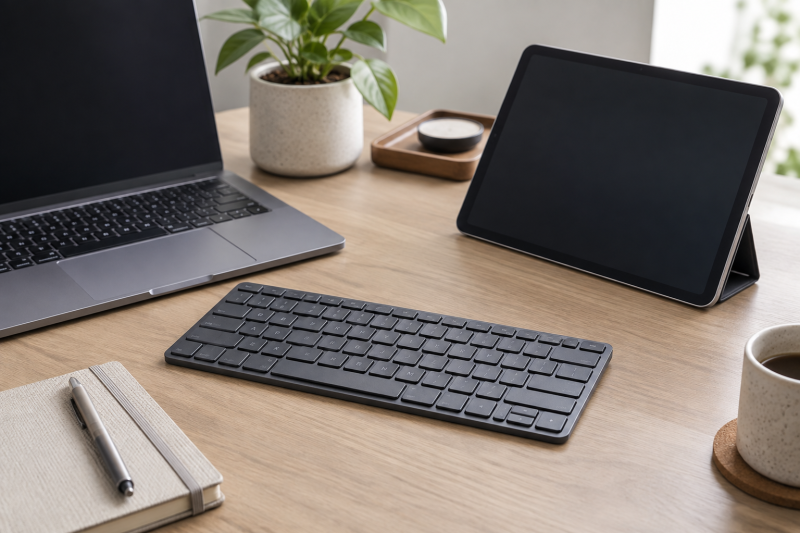
A multi-device Bluetooth keyboard is useful when one desk alternates between a laptop, tablet and phone. The key detail is how it changes hosts. A dedicated switch, a dial or a stated multi-device mode is more useful than Bluetooth alone.
Check the operating systems and the number of devices you actually use. A keyboard that works with several platforms still needs a reliable switching routine for the laptop and tablet on your desk.
Pair the keyboard with every intended device before depending on it for a meeting or editing session. Keep a cable or spare input method nearby for first-time setup.Multi-Device Keyboards Compared
| Image | Product | Details | Check Price |
|---|---|---|---|
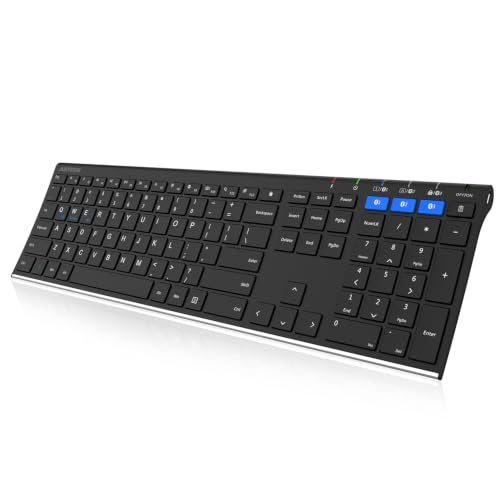 | Arteck HB192 | Best fit: Full-size multi-platform Layout: Full-size Platforms: Windows, iOS, Android Power: Rechargeable | Check Price on Amazon |
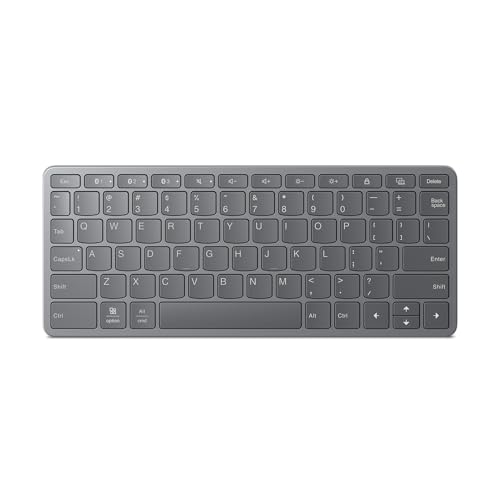 | Lenovo Multi-Device Keyboard | Best fit: Simple laptop-tablet pair Connection: Bluetooth Type: Standalone keyboard Color: Iron Grey | Check Price on Amazon |
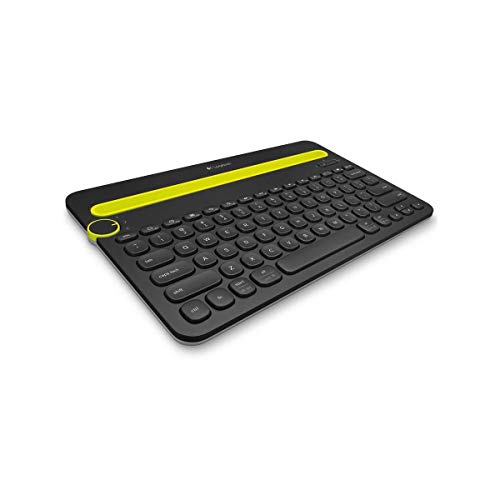 | Logitech K480 | Best fit: Device-switch dial Layout: Compact Platforms: Windows, macOS, iPadOS, Android, ChromeOS Connection: Bluetooth | Check Price on Amazon |
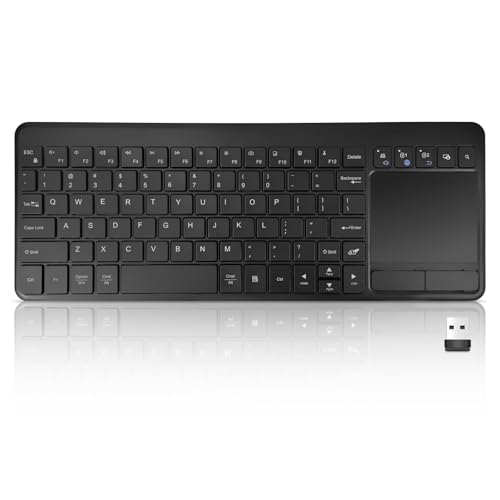 | Bluetooth Touchpad Keyboard | Best fit: Keyboard-touchpad pair Bluetooth: Two connections USB: One connection listed Pointing: Integrated touchpad | Check Price on Amazon |
 | seenda SKM64-3 | Best fit: Keyboard-mouse combo Bundle: Keyboard and mouse Platforms: Windows and Mac Connection: Wireless Bluetooth | Check Price on Amazon |
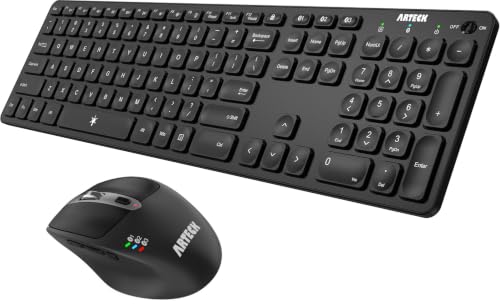 | Arteck Keyboard and Mouse | Best fit: Full-size bundle Bundle: Keyboard and ergonomic mouse Layout: Full-size Platforms: Windows, iOS, Android | Check Price on Amazon |
1. Arteck HB192 — Best Full-Size Multi-Platform Pick
Arteck lists the HB192 as a full-size rechargeable Bluetooth keyboard for Windows, iOS and Android devices. It suits a desk that needs a conventional number pad while moving between a computer and tablet.
The stainless-steel description and full-size format do not settle the desk fit. Check the tablet stand, laptop position and mouse room before selecting a larger board.
Our Take Buy the Arteck HB192 if a full-size layout and broad platform list count for more than a small portable keyboard.
- Full-size layout listed.
- Windows, iOS and Android listed.
- Uses more desk width.
- Check switching workflow.
2. Lenovo Multi-Device Keyboard — Best Simple Laptop-Tablet Pair
Lenovo lists this as a multi-device wireless Bluetooth keyboard. It suits someone who wants one dedicated keyboard for a laptop and tablet without adding a keyboard-and-mouse bundle.
Confirm the intended devices and layout before buying. A multi-device description is useful only when it matches the number of devices and operating systems on the actual desk.
Our Take Buy the Lenovo if you want a simple setup for a laptop and a tablet and have already chosen a separate mouse.
- Multi-device Bluetooth title.
- Standalone keyboard.
- Check layout details.
- Separate mouse required.
3. Logitech K480 — Best Device-Switch Dial
Logitech lists the K480 as a compact multi-device Bluetooth keyboard for Windows, macOS, iPadOS, Android and Chrome OS. It is useful for a mixed-platform desk because of its stated device-switching role.
The compact layout is practical for a tablet beside a laptop, but it gives up the width of a conventional full-size board. Check whether the desk work needs a number pad.
Our Take Buy the Logitech K480 if changing between several operating systems is your main reason for choosing a keyboard.
- Multiple operating systems listed.
- Compact device-switching role.
- Compact layout.
- No number pad.
4. Bluetooth Touchpad Keyboard — Best Keyboard-and-Touchpad Pair
This keyboard lists one USB connection and two Bluetooth connections with an integrated touchpad. It suits a tablet or laptop desk where carrying a separate mouse is inconvenient.
An integrated touchpad changes the typing layout and may not suit detailed editing work. Treat it as a compact way to point and click, not a replacement for every pointing-device workflow.
Our Take Buy the Bluetooth Touchpad Keyboard if a tablet desk benefits more from a built-in touchpad than from a separate mouse.
- Touchpad included.
- Two Bluetooth connections listed.
- Touchpad layout tradeoff.
- Check USB connection type.
5. seenda SKM64-3 — Best Keyboard-Mouse Combo
seenda lists the SKM64-3 as a wireless Bluetooth keyboard and mouse combo for Windows and Mac. It makes sense for a desk that needs both input devices to travel together between a laptop and another computer.
The bundle is only useful when both included devices fit the desk. Check mouse size, keyboard layout and the planned device switches before choosing a combo over separate peripherals.
Our Take Buy the seenda if one bundled keyboard and mouse is simpler than selecting separate devices.
- Keyboard and mouse included.
- Windows and Mac listed.
- Both devices must fit.
- Check switching method.
6. Arteck Keyboard and Mouse — Best Full-Size Bundle
Arteck lists a full-size multi-device Bluetooth keyboard and ergonomic mouse set for Windows, iOS and Android. It is for someone who wants a familiar keyboard with a bundled pointing device across several platforms.
The full-size board needs more desk width than a compact tablet keyboard. Confirm that the mouse and number pad are more helpful than the space they occupy.
Our Take Buy the Arteck set if a full-size keyboard and matching mouse are both needed for a multi-platform desk.
- Keyboard and mouse bundle.
- Several platforms listed.
- Full-size desk footprint.
- Check ergonomic fit.
Buying Guide
Count the devices before comparing extras
A multi-device keyboard needs a stated way to change hosts. Some models use Bluetooth pairing, a switch or a dial, while others combine Bluetooth with USB. Write down the laptop, tablet and phone you need before choosing one.
Platform support counts for as much as connection count. A keyboard can pair to several devices but still have a layout or shortcut behavior that is awkward on one operating system. Check Windows, macOS, iPadOS, Android or ChromeOS support against the actual desk.
Pair every device before you start working. A first connection can require permissions, a code or a particular key combination. Test the switching sequence while a fallback input method is still close by.
Match layout to the desk and work
Compact keyboards leave room for a tablet stand and mouse. A compact layout can suit travel or a narrow desk, but it usually sacrifices a number pad. Choose it when portability or desk space comes first.
Full-size boards make numeric entry easier. They also move the mouse farther to the right and occupy more desk width. On a shared desk, measure the available working surface before buying.
An integrated touchpad is a different compromise. It can reduce the number of devices carried with a tablet, while a separate mouse remains better suited to detailed pointing. Match the keyboard to the kind of work, not just the device count.
Plan the connection path
Bluetooth is convenient when ports are scarce. With Bluetooth you also have charging, pairing and radio connection decisions. A wired or USB-receiver option can be simpler for a fixed computer.
A USB-C dock can add ports, but it does not change the keyboard’s pairing behavior. Use it for the physical desk setup while confirming the keyboard’s own supported modes.
Keep one ordinary input path ready and write down the active host during setup. With a laptop keyboard or spare mouse, you can recover from a pairing mistake. A keyboard can appear unresponsive when it is connected to the tablet while the laptop has focus. A small label beside a tablet stand can make switching easier.
Keep charging and accessories separate
Rechargeable keyboards need a predictable charging routine. Charge before a mobile workday or keep the supplied cable accessible at the desk. Do not wait for a low-battery warning during a presentation or a time-sensitive edit.
A bundled mouse is not automatically the best pointing device. It can simplify packing, while an existing mouse may fit the desk, hand and editing work better. Compare the bundle against the hardware already in use.
Protect the tablet position from the keyboard footprint. A device-switching keyboard can be compact, but a stand, mouse and charging cable still need working space. Arrange the physical desk before deciding whether a compact or full-size layout is more practical.
Frequently Asked Questions
Can one Bluetooth keyboard work with a laptop and tablet?
Yes, when the keyboard lists both platforms and provides a practical way to change devices. Pair the laptop and tablet separately, then test the exact switching action before relying on it.
The physical layout still counts. A keyboard can connect to a tablet while feeling too large for its stand or desk. Check the space, shortcuts and number-entry needs together.
Keep a fallback during initial pairing. Bluetooth setup can need a code or system permission. A built-in laptop keyboard helps if the new keyboard is not immediately recognized.
Is a keyboard-and-mouse bundle better for a tablet desk?
It can be when both devices move together and the included mouse fits the work. A bundle reduces separate purchasing decisions and can make a simple travel desk easier to pack.
A touchpad keyboard is another option. It reduces the number of objects on the desk, though it changes the typing layout and may be less precise for detailed pointing work.
Choose from the actual pointing task. Editing, spreadsheets and presentations can have different needs. The best multi-device setup is the one that switches reliably and leaves enough working space.
Bottom Line
Choose Logitech K480 for compact multi-platform switching, Arteck HB192 for a full-size keyboard or seenda for a bundled input pair. Set up every intended device before depending on the desk.