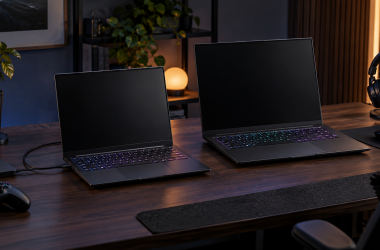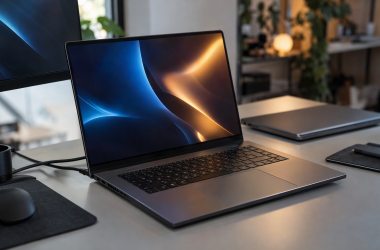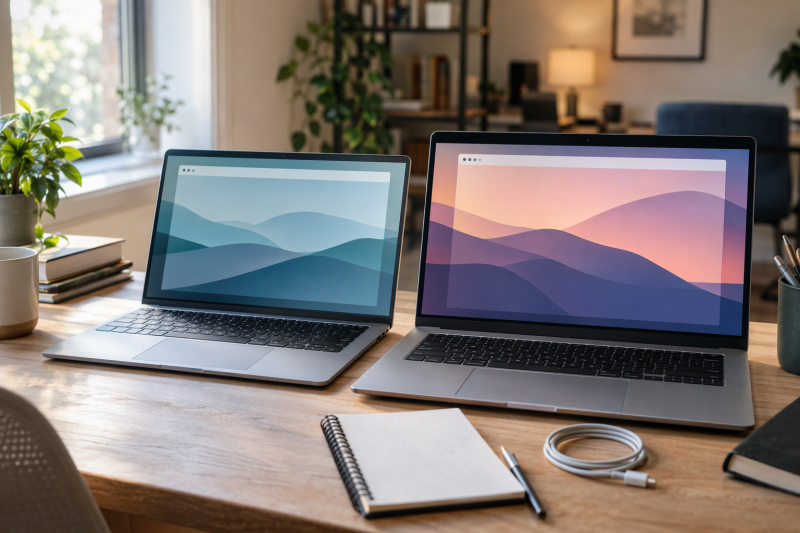
Screen size splits large Chromebooks into three groups. The Amazon listings and maker pages give the ASUS CM15, Acer Chromebook 315 and Acer Chromebook Plus 515 15.6-inch 1920 x 1080 screens, the two Lenovo listings 15.3-inch 1920 x 1200 screens, and the Acer Chromebook Plus 516 a 16-inch 1920 x 1200 screen. The stated weights run from 3.26 to 3.75 pounds, while the ports, touch support and storage vary from model to model.
Each section below says whether a fact comes from the Amazon listing or from the maker’s own page. Where a listing gives no part number, the maker page was matched by screen, processor, memory and storage, and the section says so.
Six Large-Screen Chromebooks Compared
| Image | Product | Details | Check Price |
|---|---|---|---|
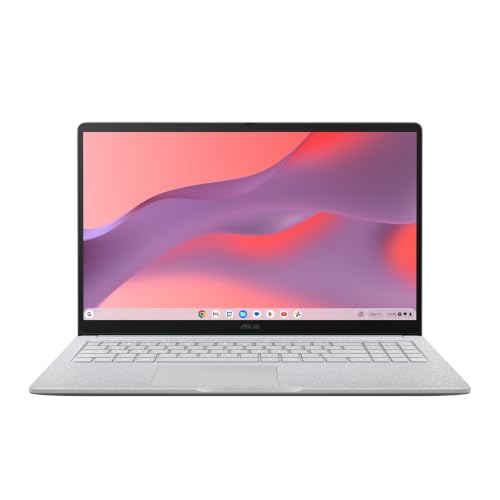 | ASUS Chromebook CM15 | Best fit: A 15.6-inch screen with HDMI and two USB-C ports Screen: 15.6-inch 1920 x 1080 Processor: MediaTek Kompanio 540 Memory and storage: 8GB and 128GB Ports: 2x USB-C, USB-A, HDMI 1.4 | Check Price on Amazon |
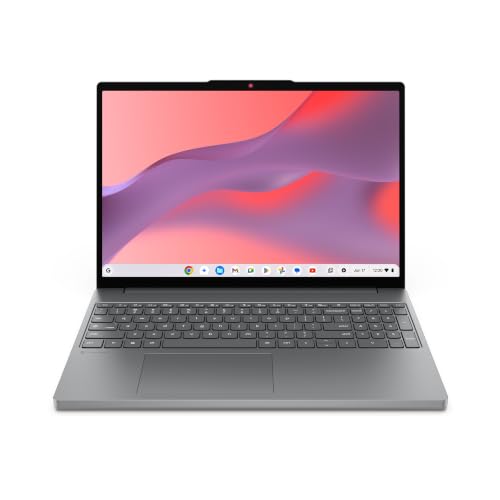 | Lenovo Chromebook m 15 | Best fit: A 15.3-inch 400-nit screen without touch Screen: 15.3-inch 1920 x 1200, non-touch Processor: MediaTek Kompanio 540 Memory and storage: 8GB and 128GB UFS Ports: 2x USB-C, 2x USB-A, HDMI 1.4b (Lenovo page) | Check Price on Amazon |
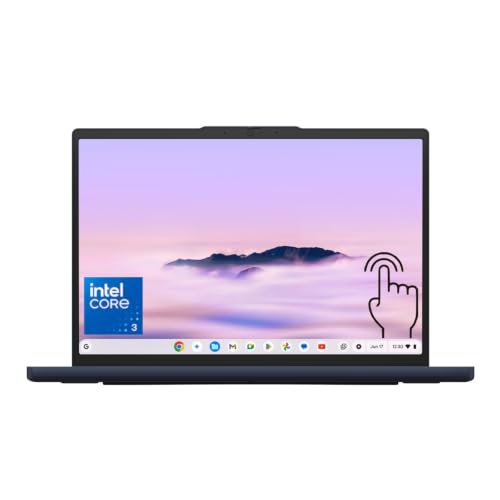 | Lenovo Chromebook Plus 15.3 | Best fit: A 15.3-inch touchscreen at 120Hz Screen: 15.3-inch 1920 x 1200 touch, 120Hz Processor: Intel Core 3 N355 Memory and storage: 8GB and 128GB UFS Ports: 2x USB-C, USB-A, HDMI 1.4b, microSD | Check Price on Amazon |
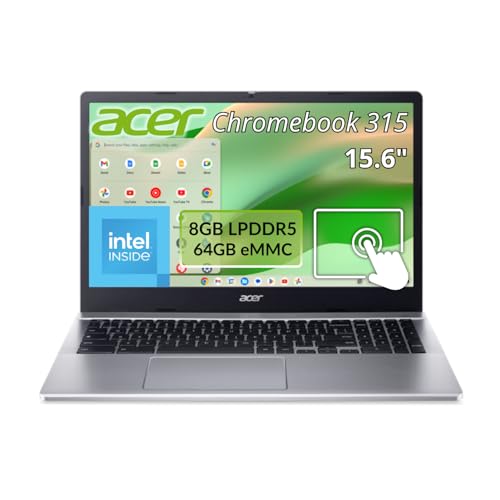 | Acer Chromebook 315 | Best fit: Cloud-based work on a 15.6-inch touchscreen Screen: 15.6-inch 1920 x 1080 touch Processor: Intel N100 Memory and storage: 8GB and 64GB flash Ports: 2x USB-C, 2x USB-A, microSD; no HDMI listed | Check Price on Amazon |
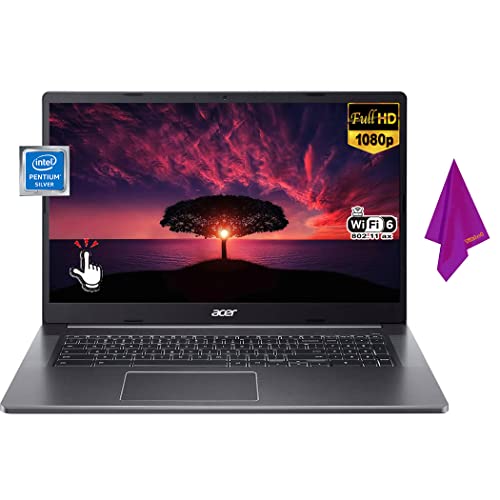 | Acer Chromebook Plus 515 | Best fit: A 15.6-inch touchscreen with 256GB of storage Screen: 15.6-inch 1920 x 1080 touch Processor: Intel Core i3-1305U Memory and storage: 8GB and 256GB SSD Ports: 2x USB-C, USB-A, HDMI (Acer page) | Check Price on Amazon |
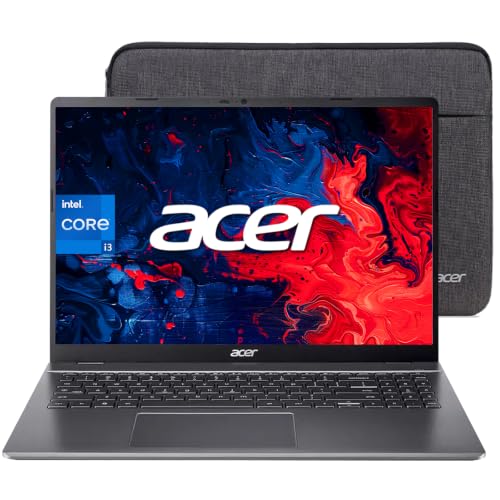 | Acer Chromebook Plus 516 | Best fit: The largest screen at 16 inches Screen: 16-inch 1920 x 1200, non-touch Processor: Intel Core i3-1315U Memory and storage: 8GB and 128GB UFS Ports: 2x USB-C, 2x USB-A, HDMI (Acer page) | Check Price on Amazon |
1. ASUS Chromebook CM15 — Best for a 15.6-Inch Screen With HDMI and Two USB-C Ports
Amazon.com sells the CM1505CM4A-AS88 version of the ASUS Chromebook CM15 as a New item. Its bullets state a 15.6-inch 1920 x 1080 display with an 87% screen-to-body ratio, a MediaTek Kompanio 540 processor, 8GB of memory and 128GB of storage. The bullets give a weight of 3.26 pounds, the lowest stated weight of the six. They add MIL-STD 810H testing and a Titan C2 security chip.
ASUS’s page for the CM15 lists HDMI, two USB 3.2 Gen 1 Type-C ports, one Type-A port and a 3.5 mm combo jack, all on the upper left side of the chassis. ASUS says that placement leaves room for a mouse and other accessories. The Amazon bullets add that the two USB-C ports support display and power delivery, and that the HDMI port is version 1.4.
Neither the Amazon bullets nor ASUS’s page describes a touchscreen, and the bullets do not mention a webcam or a privacy shutter. Neither source calls the CM15 a Chromebook Plus.
Our Take Pick the CM15 for a lighter 15.6-inch Chromebook with a full port list and Amazon.com as the seller. Look at the Lenovo Plus 15.3 or the Acer 315 and 515 if the screen needs to take touch.
- ASUS and the Amazon bullets both state two USB 3.2 Gen 1 Type-C ports, one Type-A port and HDMI, and ASUS says their placement leaves room for a mouse.
- The Amazon bullets give the CM15 a weight of 3.26 pounds, the lowest of the six.
- Amazon.com, not a third-party seller, is the seller of the New CM15 offer.
- A buyer who needs touch should look at other models, since neither the Amazon bullets nor ASUS’s page describes a CM15 touchscreen.
- The CM15’s 1920 x 1080 panel has 120 fewer pixel rows than the 1920 x 1200 panels that the Lenovo listings and Acer’s page for the 516 list.
2. Lenovo Chromebook m 15 — Best for a 15.3-Inch 400-Nit Screen Without Touch
HotDeal Express is the default seller on the Chromebook m 15 page, and Amazon.com also lists a New offer for it. The Amazon title states a 15.3-inch WUXGA IPS display, a MediaTek Kompanio 540, 8GB of memory and 128GB of UFS storage. The bullets add a 16:10 shape, a 400-nit panel, Wi-Fi 6E and a weight of 3.44 pounds.
Lenovo’s page for the Chromebook m (15-inch MediaTek) lists the same 15.3-inch 400-nit panel as non-touch, and it gives the port map the Amazon bullets leave out. The map is two USB-C ports (USB 5Gbps, with USB PD 45-65W and DisplayPort 2.1), two USB-A ports, HDMI 1.4b and a headphone and microphone combo jack. Lenovo also lists a webcam shutter and two 2W speakers. The Amazon listing gives no part number, so the match to Lenovo’s page rests on the screen, processor and weight.
Our Take Choose the m 15 when brightness and the taller 16:10 shape come before touch. Lenovo’s page lists DisplayPort 2.1 on its USB-C ports and an HDMI 1.4b port.
- Lenovo’s page lists two USB-C ports, two USB-A ports and HDMI 1.4b, a port map that the Amazon bullets leave out.
- A buyer who wants a webcam cover has two sources, since Lenovo states a physical webcam shutter and the Amazon bullets repeat it.
- Lenovo’s page lists the same brightness that the Amazon bullets state for the 400-nit 16:10 panel, so the panel claim does not rest on the listing alone.
- Lenovo’s page lists the display as non-touch, so this Lenovo does not suit a buyer who needs a touchscreen.
- HotDeal Express is the default seller on the page, not Lenovo or Amazon.com, although Amazon.com also lists a New offer.
3. Lenovo Chromebook Plus 15.3 — Best for a 15.3-Inch Touchscreen at 120Hz
EA Tech LLC’s bullets state a 15.3-inch 1920 x 1200 IPS touchscreen at 400 nits with 100% sRGB and a 120Hz refresh rate. The bullets give an Intel Core 3 N355 processor, 8GB of soldered memory and 128GB of UFS storage on the system board. The bullets also name a fingerprint reader, Wi-Fi 6E, Bluetooth 5.3, two USB-C ports with DisplayPort 1.4 and USB Power Delivery, HDMI 1.4b and a microSD reader.
Lenovo’s datasheet for the Chromebook Plus i (15 inch, Gen 10) lists the same N355. It lists the 15.3-inch 400-nit panel with 100% sRGB, 120Hz and touch as options, and it lists two USB-C ports at 10Gbps, HDMI 1.4b, a microSD slot and a 3.44-pound weight. The datasheet gives one USB-A port, while the Amazon bullets say two. Ask the seller for the USB-A count before ordering.
The title and the last bullet add an “EAT 128GB 5Gbps M.2 NGFF SSD” and an “EAT 128GB SD Card”. Both are seller-added accessories. The bullet gives the computer’s own storage as the 128GB of UFS.
Our Take Choose this Lenovo for a touchscreen on the 15.3-inch size. Confirm the USB-A count and the accessory contents with EA Tech LLC first.
- A buyer who wants touch gets a 120Hz touchscreen at 400 nits and 100% sRGB from the Amazon bullets, and Lenovo’s datasheet lists the same panel options.
- Lenovo’s datasheet lists two USB-C ports at 10Gbps, HDMI 1.4b and a microSD slot, and the Amazon bullets name the same ports apart from the USB-A count.
- The Amazon bullets name a fingerprint reader, and Lenovo’s datasheet for the Chromebook Plus i 15 lists a fingerprint reader as a feature.
- EA Tech LLC adds a 128GB M.2 SSD and a 128GB SD card to the listing, and neither is part of the computer’s 128GB of UFS.
- The Amazon bullets say two USB-A ports while Lenovo’s datasheet lists one, so the USB-A count needs a check with EA Tech LLC.
4. Acer Chromebook 315 — Best for Cloud-Based Work on a 15.6-Inch Touchscreen
HotDeal Express sells the Acer Chromebook 315 under model CB315-5HT-C66N, the same model and NX.KRMAA.002 part number that Acer’s own page carries. The Amazon bullets and Acer’s page agree on a 15.6-inch 1920 x 1080 IPS touchscreen with a matte ComfyView finish, an Intel N100, 8GB of memory and 64GB of flash storage.
Acer’s page lists two USB-A ports and two USB-C ports (USB 3.2 Gen 1), a microSD slot, Wi-Fi 6E, a 1080p webcam with a camera shutter and a 12-hour battery rating. It lists a weight of 3.73 pounds and no HDMI port. Amazon’s listing does not call the 315 a Chromebook Plus, and Acer’s page names it Chromebook 315.
Our Take Choose the 315 for touch on the 15.6-inch size when documents and files live in the cloud. Amazon and Acer both state 64GB, the smallest storage of the six.
- The Amazon listing and Acer’s page give the same model and part number, so the two match directly.
- Acer’s page lists a microSD slot as well as two USB-C ports and two USB-A ports.
- Acer rates the battery at up to 12 hours on its page, so the runtime figure comes from the maker.
- Acer and Amazon state 64GB of flash storage, the smallest of the six.
- Acer’s page lists no HDMI port for the 315, while the other five models list HDMI.
5. Acer Chromebook Plus 515 — Best for a 15.6-Inch Touchscreen With 256GB of Storage
Happy Ranger’s listing for the Acer Chromebook Plus 515 states a 15.6-inch Full HD IPS touchscreen, an Intel Core i3-1305U, 8GB of memory and a 256GB PCIe SSD. The bullets add Wi-Fi 6E, a 1080p webcam, two USB-C ports, HDMI, a weight of 3.69 pounds and a battery of up to 10 hours.
The listing gives no part number. Acer’s page for model CB515-2HT-33M4 matches the processor, the 15.6-inch touchscreen, the 256GB NVMe SSD and the 10-hour rating, and it adds one USB-A port, a camera shutter and a weight of 3.70 pounds.
The title and the first bullet add a stylus pen and Google AI Pro with 5TB of cloud storage. Both are bundle items in Happy Ranger’s offer.
Our Take Pick the 515 for a 15.6-inch touchscreen with 256GB of local storage. Confirm the stylus and cloud-storage terms with Happy Ranger before counting on them.
- The Amazon bullets and Acer’s page both state a 256GB SSD, the largest local storage of the six.
- Acer’s page lists two USB-C ports, one USB-A port and HDMI, and the Amazon bullets name two USB-C ports and HDMI as well.
- The Amazon bullets state a 1080p webcam, and Acer’s page adds a camera shutter that the bullets do not mention.
- Happy Ranger’s stylus and Google AI Pro wording applies to its own offer, not to Acer’s page, so those items depend on Happy Ranger’s terms.
- Happy Ranger, not Acer or Amazon.com, is the seller of the offer.
6. Acer Chromebook Plus 516 — Best for the Largest Screen at 16 Inches
Midland Electronics LLC lists the Acer Chromebook Plus 516 with a 16-inch 1920 x 1200 WUXGA IPS display in a 16:10 shape. The bullets state an Intel Core i3-1315U, 8GB of LPDDR5 memory, 128GB of UFS storage, Wi-Fi 6E, an FHD webcam, HDMI, USB-A and USB-C ports, and a weight of about 3.75 pounds.
The listing gives no part number. Acer’s page for model CB516-1H-31UE matches the 16-inch panel, the i3-1315U, the 8GB and the 128GB. It adds two USB-C ports (USB 3.2 Gen 2), two USB-A ports, HDMI, a 1080p webcam with a camera shutter, a 10-hour battery rating and a non-touch 60Hz display. Acer shows that unit in Iron while the Amazon listing says Steel Gray, so the match is by configuration.
Our Take Choose the 516 when screen area comes first. Acer’s page lists a non-touch display, and the listing states 128GB of storage, less than the largest of the six. The 516 gives up touch for size.
- The Amazon bullets and Acer’s page state a 16-inch 1920 x 1200 panel, the largest of the six.
- Acer’s page lists four USB ports, two USB-C ports at USB 3.2 Gen 2 and two USB-A ports, along with HDMI.
- Acer’s page lists a 1080p webcam with a camera shutter, and the Amazon bullets do not mention the shutter.
- Acer’s page lists a non-touch display, so a buyer who needs touch input should choose another model.
- Acer lists a weight of 3.75 pounds for the largest screen, the heaviest of the six.
Buying Guide
Pick the screen size and shape first
The listings give sizes of 15.3, 15.6 and 16 inches. The two Lenovo listings are 15.3 inches, the ASUS CM15, Acer 315 and Acer 515 are 15.6 inches, and the Acer 516 is 16 inches. The listings and maker pages give the three 15.6-inch screens 1920 x 1080, while the Lenovo screens and the 516 are 1920 x 1200 in a 16:10 shape.
Weight runs from 3.26 to 3.75 pounds. Amazon states 3.26 pounds for the CM15, Lenovo lists 3.44 pounds for the m 15 and the Plus 15.3, and Acer’s pages list 3.70 pounds for the 515, 3.73 for the 315 and 3.75 for the 516. The 16-inch 516 is the heaviest, but only by 0.02 pounds over the 315.
Match the ports to what you plug in
Each of the six lists two USB-C ports on its maker page or Amazon listing, and the Lenovo Plus 15.3 and the Acer 516 list the faster ones, at 10Gbps and USB 3.2 Gen 2. Lenovo’s page lists the m 15’s USB-C ports at USB 5Gbps, and the CM15, 315 and 515 list USB 3.2 Gen 1.
HDMI is listed on every Chromebook here except the Acer 315. Acer’s page for the 315 lists no HDMI port. For display output over USB-C, the CM15 listing states display support, Lenovo’s page lists DisplayPort 2.1 on the m 15, and the Plus 15.3 listing states DisplayPort 1.4.
Compare storage by what the maker or listing states
The 315 states 64GB. The CM15, m 15, Plus 15.3 and 516 state 128GB, and the 515 states 256GB. The Lenovo listings and the 516 listing state UFS storage, and Acer’s page describes the 515’s drive as a PCIe NVMe M.2 SSD. Lenovo’s datasheet and the Plus 15.3 listing show a microSD slot, as does Acer’s page for the 315.
Seller-added storage is separate from the computer’s own. EA Tech LLC adds a 128GB M.2 SSD and a 128GB SD card to the Plus 15.3 listing, and its bullet gives the computer’s storage as 128GB of UFS. Read each title for accessory wording before treating a number as built-in capacity.
Check touch, the webcam and the Chromebook Plus name
Touch is stated on the Lenovo Plus 15.3, the Acer 315 and the Acer 515. Lenovo’s page lists the m 15 as non-touch, Acer’s page lists the 516 as non-touch, and the CM15 sources describe no touchscreen. Choose the 15.3-inch size for a Lenovo touchscreen and the 15.6-inch size for an Acer one.
The Chromebook Plus name appears on the Lenovo Plus 15.3, Acer 515 and Acer 516 listings. The Chromebook Plus listings name the Intel Core 3 N355, i3-1305U and i3-1315U, while the CM15 and m 15 listings name a Kompanio 540 and the 315 listing names an N100. Webcam shutters are listed for the m 15, 315, 515 and 516 and in Lenovo’s Plus datasheet, but the CM15 bullets mention no webcam.
Check the seller and condition at checkout
Only the CM15 is sold by Amazon.com as the default offer. HotDeal Express is the default seller for the m 15 and the 315, EA Tech LLC for the Plus 15.3, Happy Ranger for the 515 and Midland Electronics LLC for the 516. Amazon also shows Used offers on the CM15, m 15 and 315 pages, so pick the New one.
Check the update end date before buying. ASUS’s page says each Chromebook has an auto update expiration date and encourages buyers to check it before purchase. None of the six Amazon listings gives a date, and this page does not either.
FAQ
Which Chromebook here has the biggest screen?
Acer lists the Chromebook Plus 516 with the 16-inch 1920 x 1200 panel, the largest of the six. Acer’s page lists it as non-touch with a 60Hz refresh rate.
The 516 states 128GB of storage, while the 15.6-inch Acer 515 states 256GB. Choose between the two by whether screen area or local storage comes first.
Which of these Chromebooks have a touchscreen?
The Lenovo Plus 15.3, Acer 315 and Acer 515 state touch input. The Lenovo Plus listing adds 120Hz, 400 nits and 100% sRGB.
Lenovo’s page lists the m 15 as non-touch, and Acer’s page lists the 516 as non-touch. Neither the Amazon bullets nor ASUS’s page describes touch on the CM15.
Does a bigger screen mean a wider laptop?
Not by the makers’ figures. Lenovo lists the 15.3-inch m 15 at 13.54 inches wide and the Plus 15.3 at 344 mm, while Acer lists the 15.6-inch 315 at 14.4 inches and the 15.6-inch 515 at 14.2 inches.
Acer lists the 16-inch 516 at 14.1 inches wide and 10 inches deep, narrower than the 315. Compare the listed width and depth if desk or bag space limits the choice.
Which of these Chromebooks list HDMI?
The CM15, m 15, Plus 15.3, Acer 515 and Acer 516 list HDMI. The CM15 and Plus 15.3 state HDMI 1.4 and 1.4b in the Amazon bullets, and Lenovo’s page states 1.4b for the m 15.
Acer’s page for the 315 lists two USB-C and two USB-A ports and no HDMI. Check the port list for any connection you rely on before ordering a model whose source is silent.
Is 64GB enough for a large Chromebook?
The Acer 315 states 64GB of flash storage, half the 128GB that the CM15, m 15, Plus 15.3 and 516 state. It suits work that lives in the browser and the cloud.
Local downloads, offline files and Android apps use that space. Compare the 315 with the 515’s 256GB if those need more room.
Bottom Line
Choose by screen size first. The ASUS Chromebook CM15 is the 15.6-inch pick with the lowest weight Amazon states and an Amazon.com offer. The Lenovo Chromebook Plus 15.3 is the 15.3-inch touchscreen, and the Acer Chromebook Plus 516 is the 16-inch option. For brand and school comparisons, see the Chromebook Plus guide, the Acer Chromebook guide and the school Chromebook guide.