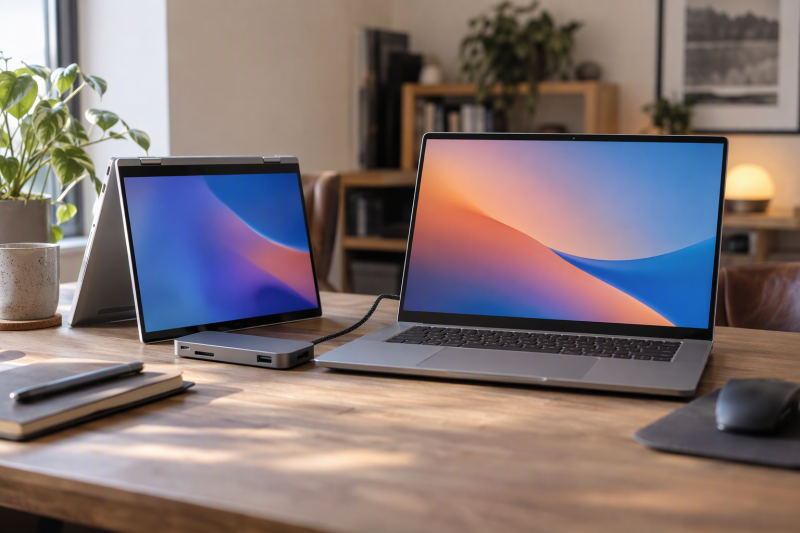
These five Vivobooks differ by hinge, screen and ports. The Vivobook 14 Flip is the 360-degree OLED convertible with a listed Thunderbolt 4 port, the Vivobook 14 is the entry-level Core i3 model, the Vivobook 16 has a number pad, and the S14 and S16 pair OLED panels with Core Ultra and Ryzen AI processors.
Amazon’s listings give each model’s processor, display, memory, storage and ports, and ASUS’s product pages add port details for four of them. Check the model code and seller before ordering.
Choose the hinge, screen size and port layout first, then confirm memory and storage on the order page.ASUS Vivobook Laptops Compared
| Image | Product | Details | Check Price |
|---|---|---|---|
 | ASUS Vivobook 14 Flip TP3407 | Best fit: 360-degree hinge and Thunderbolt 4 Display: 14-inch WUXGA OLED touch Processor: Core Ultra 9 386H Ports and limits: TB4, USB-C, USB-A, HDMI, microSD Memory and storage: 32GB, 1TB SSD | Check Price on Amazon |
 | ASUS Vivobook S14 S3407 | Best fit: 14-inch OLED clamshell Display: 14-inch WUXGA OLED Processor: Core Ultra 7 355 Ports and limits: 2x USB-C, 2x USB-A, HDMI; no TB stated Memory and storage: 32GB, 1TB SSD | Check Price on Amazon |
 | ASUS Vivobook S16 M3607 | Best fit: 16-inch OLED workspace Display: 16-inch WUXGA OLED Processor: Ryzen AI 7 445 Ports and limits: 2x USB-C, 2x USB-A, HDMI; no TB stated Memory and storage: 32GB, 1TB SSD | Check Price on Amazon |
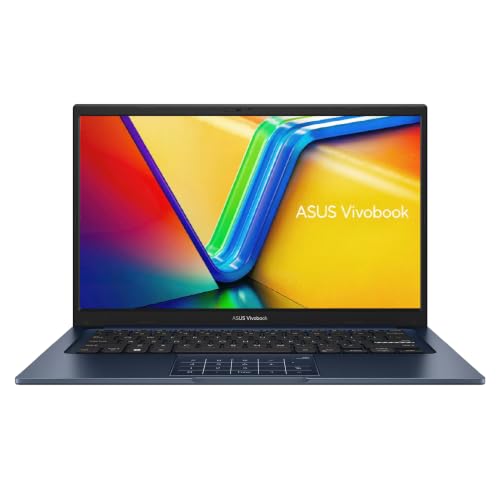 | ASUS Vivobook 14 X1404 | Best fit: Compact i3 laptop Display: 14-inch FHD anti-glare Processor: Core i3-1315U Ports and limits: USB-C, 3x USB-A, HDMI; no TB stated Memory and storage: 8GB, 128GB SSD | Check Price on Amazon |
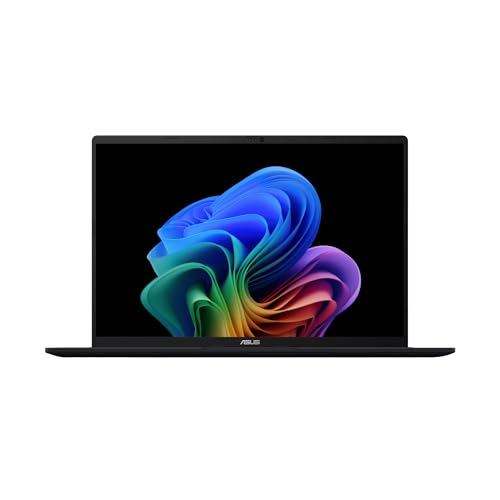 | ASUS Vivobook 16 M1607 | Best fit: 16-inch number pad Display: 16-inch WUXGA 60Hz Processor: Ryzen AI 5 340 Ports and limits: ASUS page: 2x USB-C, 2x USB-A, HDMI; no TB stated Memory and storage: 16GB, 512GB SSD | Check Price on Amazon |
1. ASUS Vivobook 14 Flip TP3407 — Best for a 360-Degree Hinge
The 14 Flip is the only convertible here. Amazon’s bullets describe a 360-degree hinge that moves between laptop, tablet, stand and tent modes, and they list a 14-inch 16:10 WUXGA OLED touchscreen, a Core Ultra 9 386H, 32GB of memory and a 1TB SSD. Amazon’s model field reads TP3407AA-DS96T, and its item details give a weight of 3.46 pounds, against 3.09 pounds for the S14.
The listing names one Thunderbolt 4 port, one USB 3.2 Gen 2 Type-C port, one USB 3.2 Gen 1 Type-A port, HDMI 2.1 TMDS, a microSD card reader and a 3.5mm combo jack. The 14 Flip therefore has three data ports, against four on the S14 and S16. ASUS’s TP3407 page says the Thunderbolt 4 port supports up to 40Gbps transfers and charging. Amazon also lists Wi-Fi 7 and a 70Wh battery with up to 38 hours of battery life, a figure it says varies with usage.
Our Take Choose the 14 Flip if you want to fold an OLED touchscreen into tablet, stand or tent mode. Skip it if a standard laptop is enough, since the S14 lists a 14-inch OLED panel at a lower weight.
- Amazon lists a 360-degree hinge with laptop, tablet, stand and tent modes, and no other model here is a convertible.
- Amazon lists one Thunderbolt 4 port, one USB-C port, one USB-A port, HDMI 2.1 TMDS and a microSD reader, and no other listing here names a Thunderbolt port or a microSD reader.
- Amazon lists 32GB of memory and a 1TB SSD for model TP3407AA-DS96T.
- Amazon’s item details give 3.46 pounds, heavier than the 3.09 pounds the S14 listing states.
- Amazon lists three data ports for the 14 Flip, against four USB ports on the S14 and S16.
2. ASUS Vivobook S14 S3407 — Best for a 14-Inch OLED Screen
The S14 is a 14-inch OLED laptop at 3.09 pounds. Amazon’s bullets give that weight and a 0.7-inch profile, a 16:10 WUXGA OLED display, a Core Ultra 7 355, 32GB of memory and a 1TB SSD, and the model field reads S3407AA-DS77.
The port bullet names two USB 3.2 Gen 1 Type-C ports, two USB 3.2 Gen 1 Type-A ports, HDMI 2.1 TMDS and a 3.5mm audio jack, alongside Wi-Fi 6, Bluetooth 5.4 and a 70Wh battery that Amazon rates at up to 29 hours. ASUS’s S3407 page adds that the Type-C ports support DisplayPort 1.2 and Power Delivery 3.0. Neither Amazon nor ASUS calls either Type-C port Thunderbolt.
Port limit: Neither Amazon nor ASUS names a Thunderbolt port on the S14, so use the 14 Flip for a listed Thunderbolt 4 port.Our Take Buy the S14 for a 14-inch OLED laptop with two Type-C and two Type-A ports. Look at the 14 Flip instead if you want a listed Thunderbolt 4 port, a microSD reader or a touch convertible.
- Amazon lists a 14-inch 16:10 WUXGA OLED display and a Core Ultra 7 355 for the S14, a compact OLED laptop.
- Amazon lists 32GB of memory and a 1TB SSD for model S3407AA-DS77.
- Amazon lists two USB-C ports and two USB-A ports on the S14, along with HDMI 2.1 TMDS and a 3.5mm audio jack.
- Amazon lists the S14 at 3.09 pounds and a 0.7-inch profile, a compact body for an OLED panel.
- Neither Amazon nor ASUS names a Thunderbolt port for the S14, so a buyer who wants one needs a different model.
- Amazon lists Wi-Fi 6 for the S14, while the 14 Flip lists Wi-Fi 7.
3. ASUS Vivobook S16 M3607 — Best for a 16-Inch OLED Screen
The S16 has the largest OLED screen in the group. Amazon lists a 16-inch 16:10 WUXGA (1920×1200) OLED display, a Ryzen AI 7 445, 32GB of memory and a 1TB SSD under model M3607GA-DS79, at 3.75 pounds and 0.63 inches thick.
Amazon names two USB 3.2 Gen 1 Type-C ports, two USB 3.2 Gen 1 Type-A ports, HDMI 2.1 TMDS and a 3.5mm audio jack, and ASUS’s M3607 page adds DisplayPort 1.2 and Power Delivery 3.0 on the Type-C ports. Amazon rates the 70Wh battery at up to 21 hours, against up to 29 hours for the S14. Neither Amazon nor ASUS calls any port Thunderbolt.
The tradeoff: The S16 has a 16-inch OLED panel, but neither Amazon nor ASUS lists Thunderbolt for it.Our Take Choose the S16 for the biggest OLED screen here with two Type-C and two Type-A ports. Skip it if you need a listed Thunderbolt 4 port or prefer the 14-inch S14, which Amazon lists at 3.09 pounds.
- Amazon lists a 16-inch WUXGA OLED display with a 16:10 aspect ratio, the largest OLED screen in the group.
- Amazon lists a Ryzen AI 7 445, 32GB of memory and a 1TB SSD for model M3607GA-DS79.
- Amazon and ASUS both name two Type-C ports, two Type-A ports, HDMI and audio for the S16, and ASUS adds DisplayPort and Power Delivery on the Type-C ports.
- Neither Amazon nor ASUS names a Thunderbolt port for the S16, so a buyer who needs one should skip it.
- Amazon lists 3.75 pounds for the S16, against 3.09 pounds for the S14.
- Amazon lists up to 21 hours of battery life for the S16, against up to 29 hours for the S14.
4. ASUS Vivobook 14 X1404 — Best for a Compact i3 Laptop
The Vivobook 14 is the entry-level model here. Amazon lists model X1404VA-I38128 with a Core i3-1315U, 8GB of DDR4 memory, a 128GB NVMe SSD and a 14-inch 1920×1080 anti-glare display at 250 nits and 60Hz. The 16:9 screen is the only one on this page that is not 16:10.
The port bullet lists one USB 3.2 Gen 1 Type-C port, two USB 3.2 Gen 1 Type-A ports, one USB 2.0 Type-A port, HDMI 1.4 and a headphone and microphone combo jack. It does not say whether the Type-C port supports charging, DisplayPort or Thunderbolt. Amazon also lists a 42Wh three-cell battery with up to 6 hours of battery life, against 70Wh on the 14 Flip, S14 and S16. GS Electronics sells this offer.
Our Take Buy the Vivobook 14 for a basic i3 laptop with USB-A, USB-C and HDMI. Skip it if 128GB of storage, a 250-nit screen or a 42Wh battery is too little for your use.
- Amazon lists a Core i3-1315U with 8GB of DDR4 memory and a 128GB NVMe SSD, and the X1404 is the entry-level model here.
- Amazon lists a 14-inch 1920×1080 anti-glare display at 250 nits.
- Amazon lists three USB-A ports, one USB-C port, HDMI 1.4 and a combo audio jack.
- Amazon’s model field gives X1404VA-I38128, a specific configuration code.
- Amazon lists 128GB of storage, against 512GB for the Vivobook 16 and 1TB for the other three.
- Amazon does not state Thunderbolt, USB-C charging or DisplayPort for the Type-C port.
- Amazon lists a 42Wh battery with up to 6 hours of battery life, against 70Wh on the 14 Flip, S14 and S16.
5. ASUS Vivobook 16 M1607 — Best for a Number Pad
The Vivobook 16 is the only listing here that mentions a number pad. Amazon’s bullets name a backlit keyboard with a numeric keypad, a 16-inch 1920×1200 WUXGA display at 300 nits and 60Hz, a Ryzen AI 5 340, 16GB of memory and a 512GB SSD under model M1607KA-DS54.
Amazon gives Wi-Fi 6, Bluetooth 5.3 and up to 8 hours of battery life, but no port list. ASUS’s M1607 page names two USB 3.2 Gen 1 Type-C ports with Power Delivery and DisplayPort, two USB 3.2 Gen 1 Type-A ports, HDMI and an audio combo jack. ASUS also describes M1607 versions with up to 32GB of memory and a 1TB SSD, which is more than this offer lists. HotDeal Express sells this offer.
Our Take Choose the Vivobook 16 for a 16-inch 1920×1200 screen with a number pad. Skip it if you want OLED, or if you need Amazon itself to list the ports, since only ASUS’s page does.
- Amazon lists a 16-inch 1920×1200 WUXGA display at 300 nits and a backlit keyboard with a numeric keypad.
- Amazon lists a Ryzen AI 5 340 with 16GB of memory and a 512GB SSD.
- ASUS names two Type-C ports with Power Delivery and DisplayPort, two Type-A ports, HDMI and audio for the M1607, and the port list comes from ASUS because Amazon gives none.
- Amazon’s bullets do not list the physical ports for this offer, so only ASUS’s page describes them.
- Amazon lists the M1607 display at 60Hz and does not name OLED, while the S16 listing does.
- ASUS names up to 32GB and 1TB for the M1607, above the 16GB and 512GB Amazon lists.
- Neither Amazon nor ASUS names a Thunderbolt port for the M1607.
Buying Guide
1. Choose the chassis before the processor
Only the 14 Flip lists a 360-degree hinge. Amazon names laptop, tablet, stand and tent modes for the 14 Flip, and the other four listings describe no tablet or tent mode.
Then pick a screen size. The 14 Flip, S14 and Vivobook 14 use 14-inch screens, while the S16 and Vivobook 16 use 16-inch screens. Amazon lists 3.09 pounds for the S14 and 3.75 pounds for the S16, so the two OLED sizes differ by weight as well.
2. Read OLED, resolution and brightness separately
Three listings name OLED panels. The 14 Flip lists a 14-inch WUXGA OLED touchscreen, and the S14 and S16 list 14-inch and 16-inch WUXGA OLED displays. The Vivobook 14 lists a 1920×1080 anti-glare display and the Vivobook 16 a 1920×1200 WUXGA display, with no OLED named for either.
Only two Amazon listings give a brightness figure. Amazon states 250 nits and a 45 percent NTSC color gamut for the Vivobook 14, and 300 nits for the Vivobook 16. The Amazon bullets for the OLED models give no brightness or color coverage figure, so compare panel size, aspect ratio and listed resolution rather than treating a screen label as a quality score.
3. Separate Thunderbolt from a Type-C shape
Only the 14 Flip lists Thunderbolt 4. Amazon names one Thunderbolt 4 port for it, and ASUS says the port supports up to 40Gbps transfers. The S14 and S16 list Type-C ports, and ASUS gives DisplayPort 1.2 and Power Delivery 3.0 for both, but neither source calls one Thunderbolt.
Read each Type-C port as its own listing states it. The Vivobook 14 lists one USB-C port with no charging, DisplayPort or Thunderbolt detail, and the Vivobook 16 offer gives no port list, so only ASUS’s M1607 page describes its ports. When a dock is part of the plan, compare the Thunderbolt 4 dock guide with the laptop’s own port documentation.
4. Treat memory and storage as offer-specific
The offers carry different capacities. Amazon lists 32GB of memory and a 1TB SSD for the 14 Flip, S14 and S16, 8GB and 128GB for the Vivobook 14, and 16GB and 512GB for the Vivobook 16. GS Electronics and HotDeal Express sell the last two, so confirm the configuration on the order page.
ASUS names larger M1607 options. ASUS describes M1607 versions with up to 32GB of memory and a 1TB SSD, while the Amazon offer lists 16GB and 512GB. Read the listing for the configuration in your cart rather than the ASUS maximum.
5. Keep the Vivobook decision separate from broader ASUS shopping
The page compares five Vivobook models. The 14 Flip, 14, 16, S14 and S16 differ by hinge, screen, processor and ports. It does not compare gaming, Zenbook or business laptops, which have their own product documentation.
Use a broader guide after choosing the line. The budget laptop guide fits when the port requirement leads the purchase, and the Thunderbolt laptop picks give a wider cross-brand shortlist when one listed Thunderbolt 4 port is not enough.
FAQ
Which Vivobook here lists Thunderbolt 4?
The Vivobook 14 Flip is the only one. Amazon names a Thunderbolt 4 port, and ASUS says the port supports up to 40Gbps transfers.
Amazon lists USB-C ports for the S14 and S16 without calling them Thunderbolt, and ASUS gives DisplayPort 1.2 and Power Delivery 3.0 for both. The Vivobook 14 lists one USB-C port with no further detail, and neither source names Thunderbolt for the Vivobook 16.
Is the Vivobook 14 Flip a touchscreen laptop?
Yes. Amazon lists a 14-inch 16:10 WUXGA OLED touchscreen and a 360-degree hinge with four modes.
The other four Amazon listings do not mention touch input. The S14 and S16 list OLED displays, the Vivobook 14 lists an anti-glare display, and the Vivobook 16 lists a 60Hz WUXGA display.
Which model has the largest OLED screen?
The Vivobook S16 has the largest OLED screen, a 16-inch 16:10 WUXGA panel, and Amazon lists it at 3.75 pounds.
The S14 and 14 Flip list 14-inch OLED panels. The Vivobook 14 and Vivobook 16 name no OLED, with 1920×1080 and 1920×1200 resolutions.
Does the standard Vivobook 14 have HDMI?
Yes. Amazon’s port bullet for X1404VA-I38128 lists HDMI 1.4 with one USB-C port, two USB 3.2 Gen 1 Type-A ports, one USB 2.0 Type-A port and a combo audio jack.
The bullet does not state Thunderbolt, Type-C charging or DisplayPort, so check the port documentation before buying if a display or dock depends on one of those. The Vivobook 16 gives no port list on Amazon, though ASUS names HDMI for the M1607.
Are the M1607 memory and storage figures fixed across every Vivobook 16?
No. The Vivobook 16 offer lists 16GB of memory and a 512GB SSD, while ASUS describes M1607 versions with up to 32GB and 1TB.
The same applies across the page. The 14 Flip, S14 and S16 offers list 32GB and 1TB, and the Vivobook 14 lists 8GB and 128GB. Compare each listing’s bullets before treating a capacity as a line-wide spec.
Bottom Line
Choose the 14 Flip for a 360-degree OLED touchscreen with a listed Thunderbolt 4 port, the S14 for a 3.09-pound 14-inch OLED laptop, the S16 for a 16-inch OLED screen, the Vivobook 14 for a basic i3 laptop with a 128GB SSD, and the Vivobook 16 for a number pad on a 16-inch screen.