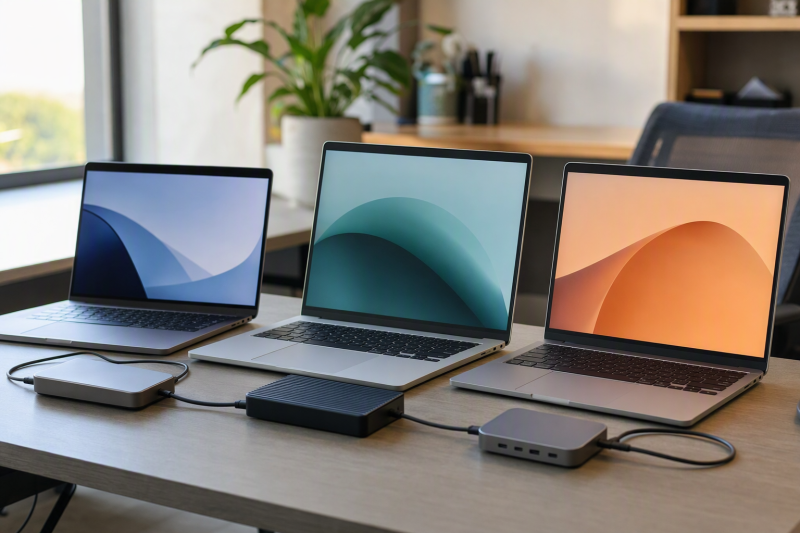
Within this frozen group, the Acer Swift Go 14 SFG14-63T-R1F4 is the best budget laptop with USB4. Its exact Ryzen 7 configuration carries two USB-C ports that Acer documents with USB4, DisplayPort, and USB charging. From there the slate splits by need: ASUS Vivobook S 14 OLED is the one-port 40Gbps alternative, Lenovo IdeaPad Pro 5 is the two-port 40Gbps choice, Samsung Galaxy Book4 Edge is the 15.6-inch Windows on Arm option, and Microsoft Surface Laptop 7th Edition is the smaller Snapdragon alternative.
“Budget” here is a relative cutoff value screen from the manager’s August 2 offer review. It is no permanent price tier, no fixed spending limit, and no claim that one model is always cheapest, so compare available offers and configurations before buying. USB4 also qualifies the interface rather than the whole laptop. It proves nothing about measured storage speed, gaming performance, Thunderbolt certification, eGPU support, a universal dock result, or a particular display count. Read our USB4 explainer if those protocol boundaries are new to you.
Quick picks
- Acer Swift Go 14 SFG14-63T-R1F4: Best overall relative-value pick with two USB4 ports.
- ASUS Vivobook S 14 OLED M5406WA-DS76: Best one-port 40Gbps OLED option.
- Lenovo IdeaPad Pro 5 16AKP10 83JN0019US: Best two-port 40Gbps choice.
- Samsung Galaxy Book4 Edge NP754XQA-KB2US: Best 15.6-inch Arm option.
- Microsoft Surface Laptop 7th Edition ZGP-00001: Best compact Arm alternative.
Compare budget laptops with USB4
| Image | Product | Details | Check Price |
|---|---|---|---|
 | Acer Swift Go 14 SFG14-63T-R1F4 | USB4 ports: Two; speed unspecified Documented path: DisplayPort and USB charging Configuration: Ryzen 7, 16GB, 1TB, 14-inch touch Value screen: Relative cutoff pick; compare current offer Buyer check: No tunneling or simultaneous ceiling is proved | Check Price on Amazon |
 | ASUS Vivobook S 14 OLED M5406WA-DS76 | USB4 ports: One; up to 40Gbps Documented path: Exact M5406 family USB4 row Configuration: M5406WA-DS76 OLED laptop Value screen: Compare current offer and exact suffix Buyer check: Display, charging and tunneling need exact proof | Check Price on Amazon |
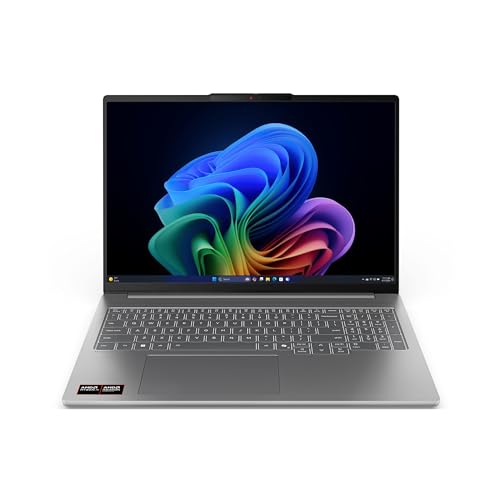 | Lenovo IdeaPad Pro 5 16AKP10 83JN0019US | USB4 ports: Two; 40Gbps Documented path: DisplayPort 2.1 and USB PD Configuration: Exact machine type 83JN0019US Value screen: Compare current offer Buyer check: Power input and simultaneous topology stay separate | Check Price on Amazon |
 | Samsung Galaxy Book4 Edge NP754XQA-KB2US | USB4 ports: Two; speed unspecified Documented path: Samsung 15.6-inch family matrix Configuration: Snapdragon X Plus, 512GB, 15.6-inch FHD Value screen: Compare current offer after Arm checks Buyer check: Windows on Arm apps and drivers | Check Price on Amazon |
 | Microsoft Surface Laptop 7th Edition ZGP-00001 | USB4 ports: Two; speed unspecified Documented path: Surface Laptop 7th Edition support page Configuration: Snapdragon X Elite, 16GB, 512GB, 13.8-inch touch Value screen: Compare current offer after Arm checks Buyer check: Display, charging and drivers are not inferred | Check Price on Amazon |
1. Acer Swift Go 14 SFG14-63T-R1F4 — best overall value

The exact selected configuration is SFG14-63T-R1F4 with an AMD Ryzen 7 8845HS, 16GB LPDDR5X memory, 1TB SSD, and 14-inch touch display. Acer’s tightly scoped SFG14-63 and SFG14-63T material says both USB-C ports support USB4, DisplayPort, and USB charging. That exact-family statement is what qualifies the laptop, not the processor name.
Acer attaches no 20Gbps or 40Gbps rate to the retained Swift Go wording, so speed stays unspecified. Two ports genuinely help with placement and let a charger occupy one while another device uses the second, and the documentation proves nothing about two independent controllers, a simultaneous two-device ceiling, PCIe tunneling, an external-display count, or eGPU support.
For value shoppers this makes the best starting point, because the frozen offer paired a useful exact configuration with two documented USB4 connections. Recheck its offer against the other four instead of treating that cutoff judgment as permanent.
Our Take
Choose the Swift Go 14 when compact touch hardware and two explicit USB4 ports outweigh a published port rate. Where a maker-stated ceiling is a hard requirement, take a 40Gbps model instead.
- Two USB4 ports in Acer’s scoped record
- DisplayPort and USB charging stated
- Exact 14-inch Ryzen 7 touch configuration
- USB4 speed is unspecified
- Optional PCIe tunneling and simultaneous behavior are unproved
2. ASUS Vivobook S 14 OLED M5406WA-DS76 — best one-port 40Gbps option

The exact selected offer is M5406WA-DS76 in ASUS’s Vivobook S 14 OLED M5406 family, and ASUS documents one USB4 port with an up-to-40Gbps data ceiling. Want an explicit link rate and an OLED format without moving to the two-port Lenovo? This is the pick.
With one USB4 port, placement and connector identity start to matter. Never assume every Type-C socket on the laptop carries the same data rate or optional features, and check ASUS’s exact port diagram before attaching a bandwidth-sensitive dock or SSD. The 40Gbps label is a link ceiling rather than a file-copy benchmark, and every device behind a dock shares the host connection.
Display output and charging still answer to the exact port, host implementation, cable, and peripheral. The frozen gate authorizes no universal external-display count, accepted charging wattage, eGPU path, or Thunderbolt certification. Let an offer comparison also settle whether the OLED format earns its position on your value shortlist.
Our Take
Pick this Vivobook when one maker-stated 40Gbps USB4 port covers the desk and the OLED format earns its keep. Where two USB4 ports or proved optional tunneling are mandatory, skip it.
- Exact M5406WA-DS76 identity
- One USB4 port up to 40Gbps
- Clear one-port decision
- Only one port is documented as USB4
- Display count, charging ceiling, and tunneling are not proved
3. Lenovo IdeaPad Pro 5 16AKP10 83JN0019US — best two-port 40Gbps choice
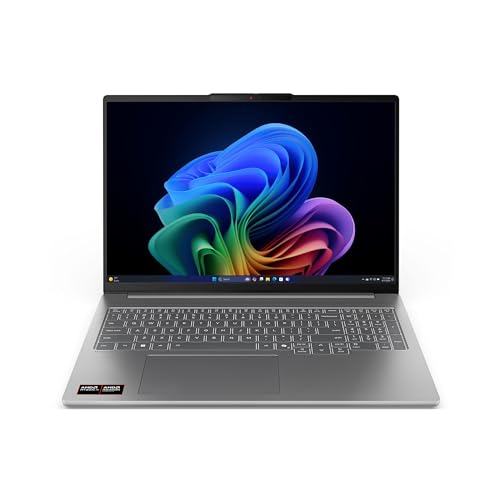
Lenovo’s exact PSREF for IdeaPad Pro 5 16AKP10 covers the selected machine type 83JN0019US and documents two USB4 ports at 40Gbps, along with DisplayPort 2.1 and USB Power Delivery support for those connections. Because both count and rate are explicit, this is the strongest port specification in the budget slate.
Read those labels carefully. DisplayPort 2.1 support promises no particular pair of monitors, resolution, refresh rate, HDR mode, or simultaneous path, since the GPU, internal panel, laptop routing, dock, cable, and displays decide the result. USB PD support can describe negotiated input or output behavior, while the laptop’s implemented power input stays the ceiling. Keep the supplied adapter to hand where Lenovo requires it for full operation.
Two 40Gbps ports also prove neither 80Gbps of combined application bandwidth nor separate controllers, and optional PCIe tunneling and eGPU support stay unproved. Buy it for the documented flexible I/O, never for a capability Lenovo did not state.
Our Take
Choose 83JN0019US when two explicit 40Gbps ports with DP 2.1 and USB PD deserve top billing. Verify relative value along with the exact display and power route for your accessories.
- Two USB4 ports at 40Gbps
- DisplayPort 2.1 and USB PD documented
- Exact machine type tied to Lenovo PSREF
- Two ports do not prove independent controllers
- Exact display and charging result remains configuration dependent
4. Samsung Galaxy Book4 Edge NP754XQA-KB2US — best 15.6-inch Arm option

Samsung and the frozen offer both expose the exact US identifier NP754XQA-KB2US. The configuration pairs Qualcomm Snapdragon X Plus with 512GB storage and a 15.6-inch Full HD anti-glare display, and Samsung’s 15.6-inch family matrix documents two USB 4.0 ports.
In the retained pages, Samsung attaches no data rate, charging wattage, display count, PCIe-tunneling promise, or Thunderbolt certification to those ports, so each field stays unspecified. Two USB4 labels make the laptop a candidate for supported storage and docks, and they establish neither simultaneous-port behavior nor universal accessory compatibility.
Windows on Arm is the bigger decision here. Check every required application, driver, VPN, security tool, printer, audio device, capture device, dock utility, game, and anti-cheat component against the exact environment, because no USB4 connection fixes an unsupported Arm driver. Compare the offer only once that compatibility screen passes.
Our Take
Choose the Galaxy Book4 Edge when its 15.6-inch format, relative value, and two explicit USB4 ports suit an Arm-compatible workload. With a critical x86 driver or game still unverified, avoid it.
- Exact NP754XQA-KB2US identity
- Two documented USB 4.0 ports
- 15.6-inch anti-glare display
- USB4 speed, display scope, and charging are unspecified
- Windows on Arm apps and drivers need exact checks
5. Microsoft Surface Laptop 7th Edition ZGP-00001 — best compact Arm alternative
Microsoft’s store maps ZGP-00001 to the Platinum 13.8-inch Surface Laptop 7th Edition with Snapdragon X Elite 12-core, 16GB RAM, and 512GB SSD, and the Amazon model field matches the same identifier. Microsoft’s tightly scoped support page documents two USB-C / USB4 ports for the 7th Edition family.
The retained sources state no USB4 speed, charging direction or wattage, display capability or count, optional PCIe tunneling, eGPU support, or Thunderbolt certification, and none is inferred. Where a dock or monitor is essential, match its exact Windows on Arm support, video requirements, power path, and cable before ordering.
This is a Windows on Arm machine too. Run the same application and driver audit the Samsung demands, specialist peripherals and game components included. Its relative-value position came from a dated offer review and can move, so decide between the two Arm systems on exact software fit, screen format, configuration, and available offer rather than the USB4 count alone.
Our Take
Pick ZGP-00001 when the exact SKU trace, compact touchscreen format, and two USB4 ports suit an Arm-ready workload. Never buy it on an assumed 40Gbps, display, or eGPU capability.
- Exact Microsoft and Amazon identifier match
- Two documented USB4 ports
- Compact 13.8-inch touch configuration
- USB4 speed, display, and charging scope are unspecified
- Windows on Arm compatibility must be checked
How to choose a lower-cost USB4 laptop
Compare configurations, not family names
Match the full suffix: SFG14-63T-R1F4, M5406WA-DS76, 83JN0019US, NP754XQA-KB2US, or ZGP-00001. Memory, storage, screen, port rows, region, and operating-system architecture can all shift within one family. A cheaper sibling stops being a bargain the moment it drops the required port or changes the configuration.
Treat budget as a moving value test
This list’s order reflects the frozen manager cutoff rather than permanent retail positioning. Compare available offers without carrying a past price into the decision, and count in any needed charger, dock, cable, adapter, or application replacement. A laptop with the lower offer can end up the costlier system once it forces accessory changes.
Decide whether a published 40Gbps ceiling matters
ASUS and Lenovo publish 40Gbps for their named USB4 ports, while Acer, Samsung, and Microsoft say USB4 without a rate in the retained sources. Either way, the label is a link ceiling and not measured throughput. For ordinary input devices the distinction may never surface; for fast storage or a busy dock, a maker-stated rate gives a firmer qualification point. See our USB4 hubs and docks guide once the host is chosen.
Audit x86 versus Windows on Arm
Acer, ASUS, and Lenovo are the conventional x86 choices here, while Samsung and Microsoft call for a Windows on Arm check. Confirm must-have software, drivers, VPN, security, printers, audio devices, and games. Compatibility changes over time, and the frozen evidence authorizes no universal result.
Keep optional features separate
USB4 on its own proves no PCIe tunneling, eGPU path, display count, charging wattage, or Thunderbolt certification. Where an external GPU is the goal, work through the USB4 eGPU compatibility guide and gather exact host evidence. For charging and displays, read the laptop manual and the accessory requirements together.
Final recommendation
Acer Swift Go 14 SFG14-63T-R1F4 is the best overall relative-value pick because its exact configuration carries two maker-documented USB4 ports with display and charging support. After that, one requirement selects each alternative: Vivobook for a single stated 40Gbps connection, IdeaPad for two stated 40Gbps ports, Galaxy Book4 Edge for a 15.6-inch Arm system, Surface Laptop for a compact Arm alternative. Recheck available offers, and hold every speed, display, power, software, driver, and optional-tunneling boundary in place before buying.