ASUS sells Zenbooks with AMD, Intel and Qualcomm processors in 14-inch and 16-inch bodies. The five models below differ more in screen size, processor maker and USB-C wording than the shared name suggests. Pick the screen size first, then check the processor, ports and touch support on the offer you plan to buy.
Only the Zenbook S14 is listed with Thunderbolt 4. The 14 OLED, A14, S16 and A16 are listed with USB4, USB-C 4.0, USB-C 4 or USB 4.0 wording.Zenbook Models Compared
| Image | Product | Details | Check Price |
|---|---|---|---|
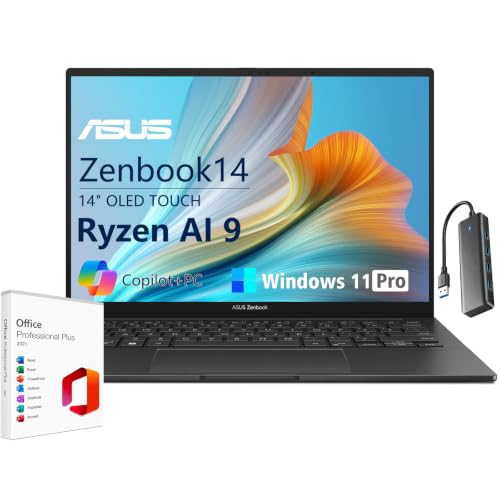 | ASUS Zenbook 14 OLED | Best fit: 14-inch AMD option with USB4 Screen: 14-inch 1920 x 1200 OLED touch Processor: Ryzen AI 9 465 Ports: 40Gbps USB4 Type-C, HDMI 2.1, 3.5mm jack Configuration: 16GB / 1TB in Amazon bullets | Check Price on Amazon |
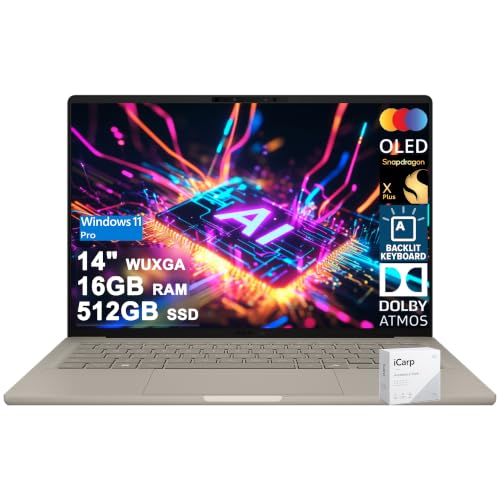 | ASUS Zenbook A14 | Best fit: Snapdragon 14-inch OLED option Screen: 14-inch WUXGA OLED Processor: Snapdragon X Plus, 8-core Ports: 2x USB-C 4.0, USB-A 3.2, HDMI 2.1 Configuration: 16GB / 512GB in Amazon bullets | Check Price on Amazon |
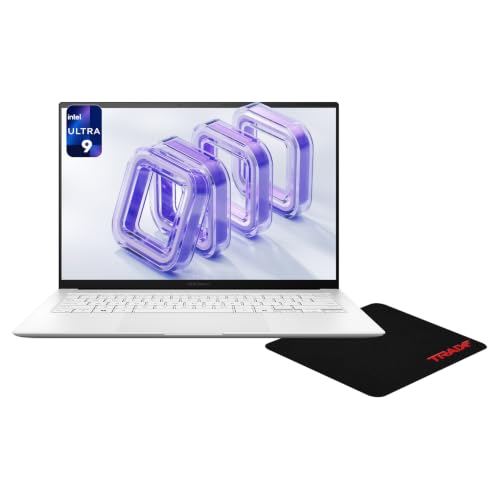 | ASUS Zenbook S14 | Best fit: 14-inch option with Thunderbolt 4 Screen: 14-inch 2880 x 1800 OLED touch, 120Hz Processor: Core Ultra 9 386H Ports: 2x Thunderbolt 4, USB-A, HDMI 2.1 Configuration: 32GB / 1TB in Amazon title | Check Price on Amazon |
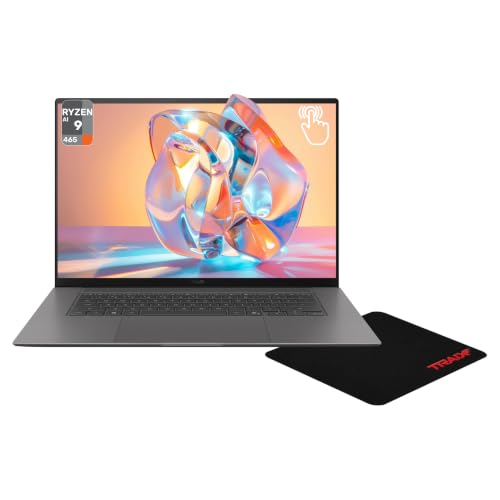 | ASUS Zenbook S16 | Best fit: Large AMD screen with card reader Screen: 16-inch 2880 x 1800 OLED touch, 120Hz Processor: Ryzen AI 9 465 Ports: 2x USB-C 4, USB-A, HDMI 2.1, card reader Configuration: 32GB / 1TB in Amazon title | Check Price on Amazon |
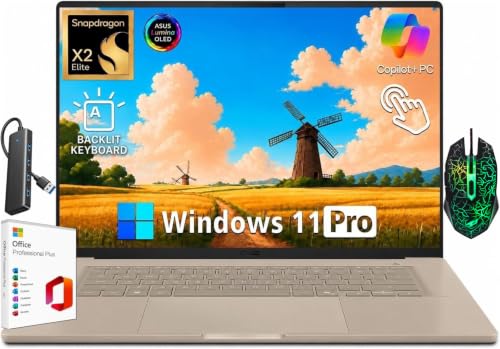 | ASUS Zenbook A16 | Best fit: 16-inch Snapdragon X2 option Screen: 16-inch 2880 x 1800 OLED, 120Hz Processor: Snapdragon X2 Elite Extreme Ports: 2x USB 4, USB-A, HDMI 2.1, SD reader Configuration: 48GB / 1TB in Amazon bullets | Check Price on Amazon |
1. ASUS Zenbook 14 OLED — Best 14-Inch AMD Option With USB4
Amazon lists the Zenbook 14 OLED, model UM3405GA, with a 1920 by 1200 OLED touchscreen in a 16:10 shape at 60Hz and 500 nits. The processor is a Ryzen AI 9 465 with 10 cores, 20 threads, up to 5GHz boost and an NPU rated up to 50 TOPS. ASUS’s US page for the Zenbook 14 OLED (UM3406) lists Ryzen 7 8840HS, Ryzen AI 7 350 and Ryzen AI 7 445, and does not list the UM3405GA or the Ryzen AI 9 465, so the processor comes from Amazon alone.
Amazon names a 40Gbps USB4 Type-C port, HDMI 2.1 and a 3.5mm jack. Its bullets give no port count and do not name USB-A. It also lists a 75Wh battery, an IR webcam with a privacy shutter, Dolby-tuned speakers with Smart Amp, and Windows 11 Pro as a Copilot+ PC. The item details give 2.82 pounds and 0.62 inch thick. The 16GB LPDDR5X memory and 1TB SSD appear in the title and the feature bullets.
What stands out: Among the three 14-inch models, only the Zenbook 14 OLED listing states a battery capacity, 75Wh.Our Take Choose this model for a 14-inch AMD touchscreen with a 40Gbps USB4 port. Confirm the port count and the processor before ordering, because Amazon gives no count and ASUS’s page does not list the Ryzen AI 9 465.
- The UM3405GA is the AMD pick with a touchscreen, and Amazon lists it at 1920 by 1200 with 500-nit brightness and 60Hz.
- Amazon gives the UM3405GA a 10-core, 20-thread Ryzen AI 9 465 and an NPU rated up to 50 TOPS.
- Amazon states a 75Wh battery and a weight of 2.82 pounds for the UM3405GA.
- Amazon names a 40Gbps USB4 Type-C port without a port count, while the Zenbook S14 listing names two Thunderbolt 4 ports, so confirm the count before ordering.
- Amazon lists the UM3405GA panel at 60Hz, while the S14, S16 and A16 listings give 120Hz.
- ASUS’s UM3406 page does not list the UM3405GA or the Ryzen AI 9 465 that Amazon names for this Zenbook 14 OLED, so the processor comes from Amazon alone.
2. ASUS Zenbook A14 — Best Snapdragon Option With a 14-Inch OLED Screen
Amazon lists the Zenbook A14 with an eight-core Snapdragon X Plus processor and a 14-inch WUXGA OLED screen with 600-nit HDR brightness, 100% DCI-P3 color and VESA True Black 600 certification. Amazon does not call the screen a touchscreen, and ASUS’s UX3407 page lists a non-touch screen for every A14 model, unlike the Zenbook 14 OLED, S14 and S16.
Amazon lists two USB-C 4.0 ports, USB-A 3.2 and HDMI 2.1, plus Wi-Fi 6E, an FHD IR camera, a backlit keyboard and a weight of 2.4 pounds. The 16GB memory and 512GB SSD appear in the feature bullets. ASUS lists A14 models with 16GB or 32GB memory and 512GB or 1TB storage, so read the capacity on the offer.
Our Take Choose the A14 for the lightest body and a Snapdragon X Plus processor, and only if the software you use supports Snapdragon. Amazon labels its ports USB-C 4.0, so match that wording against any dock or drive you plan to attach.
- Amazon lists the A14 with an eight-core Snapdragon X Plus processor and a 14-inch OLED at 600-nit HDR brightness, and the processor suits you if your software supports Snapdragon.
- Amazon lists two USB-C 4.0 ports, USB-A 3.2 and HDMI 2.1 on the A14, so match that wording against any dock or drive you plan to attach.
- At 2.4 pounds on Amazon’s listing, the A14 is the lightest of the five Zenbooks here.
- Amazon labels the A14 ports USB-C 4.0 and does not call them Thunderbolt 4.
- The A14’s WUXGA panel has fewer pixels than the 2880 by 1800 panels on the S14, S16 and A16.
- ASUS’s UX3407 page lists a non-touch screen for every A14 model.
3. ASUS Zenbook S14 — Best 14-Inch Option With Two Thunderbolt 4 Ports
Amazon lists the Zenbook S14 with an Intel Core Ultra 9 386H, a 14-inch 2880 by 1800 OLED touchscreen at 120Hz and 1100 nits of peak brightness. The listing gives the processor 16 cores and an NPU rated up to 50 TOPS. ASUS’s UX5406 page lists the 386H, a 3K touch panel and a weight of 2.65 pounds, and Amazon lists 2.76 pounds.
Amazon lists two Thunderbolt 4 ports, USB-A 3.2, HDMI 2.1 and a combo audio jack, along with Wi-Fi 7, a 1080p camera with facial recognition and Dolby Atmos audio. It says the storage can be expanded to a maximum of 2TB. The title and size field name 32GB memory and a 1TB SSD, which the feature bullets do not repeat, and ASUS’s UX5406 page lists 32GB and 1TB for both S14 models. The title also adds a mousepad and names Windows 11 Home.
The S14 is the only model here that Amazon lists with Thunderbolt 4 ports.Our Take Choose the S14 when two Thunderbolt 4 ports decide the purchase and you want a 14-inch 3K touchscreen. Compare the memory and storage on the offer with the 32GB and 1TB in the title.
- The S14 is the one Zenbook here that Amazon lists with two Thunderbolt 4 ports, alongside USB-A 3.2, HDMI 2.1 and a combo audio jack.
- Amazon lists the S14 with a 14-inch 2880 by 1800 OLED touchscreen, 120Hz refresh and 1100-nit peak brightness.
- The S14 listing says storage can be expanded to a maximum of 2TB.
- The S14 feature bullets give no memory or storage capacity, and Amazon names 32GB and 1TB only in the title and size field, so compare them with the offer.
- At 2.76 pounds on Amazon, the S14 weighs more than the A14 at 2.4 pounds.
4. ASUS Zenbook S16 — Best Large AMD Screen With Two USB-C 4 Ports
Amazon lists the Zenbook S16 with a 16-inch 2880 by 1800 OLED touchscreen at 120Hz and 500 nits, driven by a 10-core, 20-thread Ryzen AI 9 465 with an NPU rated up to 50 TOPS. ASUS’s UM5606 page lists the Ryzen AI 9 465 and a 16-inch 3K touch panel with 1100-nit HDR peak brightness.
Amazon lists two USB-C 4 ports, USB-A 3.2, HDMI 2.1, a headphone jack and a media card reader, plus Wi-Fi 7 and a 1080p camera with facial recognition. It gives the weight as 3.42 pounds, where ASUS lists 3.31 pounds. The title and size field name 32GB memory and a 1TB SSD without repeating them in the bullets, and ASUS’s UM5606 page lists 32GB and 24GB memory options with 1TB storage. The title also adds a mousepad.
Our Take Choose the S16 for a large AMD touchscreen with a card reader when you do not need Thunderbolt 4. Check the memory and storage on the offer against the 32GB and 1TB in the title.
- Amazon lists the S16 with a 16-inch 2880 by 1800 OLED touchscreen, 120Hz refresh and 500-nit brightness.
- The S16 has a media card reader, and Amazon also lists two USB-C 4 ports, USB-A 3.2, HDMI 2.1 and a headphone jack.
- The S16 listing gives a 10-core, 20-thread Ryzen AI 9 465 and an NPU rated up to 50 TOPS, and ASUS’s page agrees on the processor.
- Amazon labels the S16 ports USB-C 4 and does not call them Thunderbolt 4.
- At 3.42 pounds on Amazon, the S16 is the heaviest of the five Zenbooks here.
- The S16 bullets give no memory or storage capacity, and Amazon names 32GB and 1TB only in the title and size field, so check them on the offer.
5. ASUS Zenbook A16 — Best 16-Inch Snapdragon X2 Option
Amazon lists the Zenbook A16, part number UX3607OA-ZB/A16_X0A, with an 18-core Snapdragon X2 Elite Extreme X2E94100, an NPU rated up to 80 TOPS, 48GB LPDDR5X memory and a 1TB PCIe 4.0 SSD. The 16-inch 2880 by 1800 OLED screen runs at 120Hz with 500 nits and up to 1100 nits of HDR peak brightness. ASUS’s UX3607 page lists the X2E94100 with 48GB of memory.
Amazon lists two USB 4.0 Type-C ports, USB-A 3.2, HDMI 2.1, an SD card reader and a 3.5mm audio jack, plus Wi-Fi 7 and a 1080p camera with facial recognition. It adds a 70Wh battery, a weight of 2.87 pounds, six speakers with Dolby Atmos and MIL-STD 810H durability. ASUS lists the A16 ports as USB 4.0 Gen 3 Type-C with display and power delivery.
Our Take Choose the A16 for the largest memory here, 48GB, with a 16-inch 3K OLED screen and two USB 4.0 Type-C ports. Confirm touch support before ordering.
- Amazon lists the A16 with an 18-core Snapdragon X2 Elite Extreme and an NPU rated up to 80 TOPS.
- The A16 listing gives 48GB LPDDR5X memory and a 1TB PCIe 4.0 SSD, and ASUS’s UX3607 page lists 48GB, the largest memory here.
- The A16 has an SD card reader alongside two USB 4.0 Type-C ports, USB-A 3.2 and HDMI 2.1, as Amazon lists it.
- Amazon calls the A16 panel a touchscreen, while ASUS lists both touch and non-touch 3K options, so confirm touch support with the seller.
- Amazon and ASUS both label the A16 ports USB 4.0, and neither calls them Thunderbolt 4.
Buying Guide
1. Start with the screen size and panel description
Three models are 14-inch: the Zenbook 14 OLED at 1920 by 1200 and 60Hz, the A14 at the same resolution, and the S14 at 2880 by 1800 with 120Hz. The S16 and A16 are 16-inch models with 2880 by 1800 OLED screens at 120Hz. Amazon lists the A14 at 2.4 pounds and the S16 at 3.42 pounds.
Touch is the easiest difference to miss. Amazon describes touchscreens on the Zenbook 14 OLED, S14, S16 and A16, and ASUS lists the A14 as non-touch and the A16 with both touch and non-touch 3K options. The 14-inch laptop guide compares more 14-inch models.
2. Match the processor maker to the software you use
The Zenbook 14 OLED and S16 are listed with AMD Ryzen AI 9 465, the S14 with Intel Core Ultra 9 386H, and the A14 and A16 with Qualcomm Snapdragon processors. Snapdragon, AMD and Intel are different processor lines, so check which of them your key applications support before choosing.
Amazon lists the NPU at up to 50 TOPS on the Zenbook 14 OLED, S14 and S16, 45 TOPS on the A14 and 80 TOPS on the A16. ASUS’s A14 page lists the Snapdragon X Plus at 8 cores and up to 3.2GHz, and its A16 page lists the X2E94100 at 18 cores. If your work depends on a particular application, ask its maker which Windows and processor types it supports.
3. Read the USB-C label, then count the other ports
The S14 is the only model listed with two Thunderbolt 4 ports. Amazon names a 40Gbps USB4 Type-C port for the Zenbook 14 OLED, without a count. The A14 is listed with two USB-C 4.0 ports, the S16 with two USB-C 4 ports and the A16 with two USB 4.0 Type-C ports. ASUS lists the A14, S16 and A16 ports as USB 4.0 Gen 3 Type-C at up to 40Gbps, and the S14 ports as Thunderbolt 4.
Amazon lists HDMI 2.1 on all five and USB-A on the A14, S14, S16 and A16, with a card reader on the S16 and A16. ASUS lists that USB-A port as USB 3.2 Gen 2. The ASUS laptop comparison helps when the connection type decides your purchase.
4. Check memory and storage on the offer
Amazon’s feature bullets state 16GB and 1TB for the Zenbook 14 OLED, 16GB and 512GB for the A14, and 48GB and 1TB for the A16. ASUS lists A14 models with 16GB or 32GB memory and 512GB or 1TB storage, so read the capacity on the offer you are buying.
The S14 and S16 titles and size fields name 32GB and 1TB, and their bullets give no capacity. ASUS’s UX5406 page lists 32GB and 1TB for the S14, and its UM5606 page lists 32GB or 24GB with 1TB for the S16. The laptops with 32GB RAM guide covers that memory tier across brands.
5. Keep display and connection limits separate
A high-resolution screen does not set an external display limit, and a USB-C port does not show which dock modes it supports. Neither the Amazon listings nor ASUS’s pages give an external monitor limit for these Zenbooks. Use the laptop’s port label as the starting point, then read the dock and monitor specifications separately.
The S14 lists two Thunderbolt 4 ports, the Zenbook 14 OLED names a USB4 port, and ASUS lists display and power delivery on the USB 4.0 ports of the A14, S16 and A16. Compare the laptop with the Thunderbolt 4 dock guide and the monitor’s resolution and refresh rate before buying either.
FAQ
Is the Zenbook A14 the same kind of laptop as the Zenbook S14?
No. The A14 is listed with an eight-core Snapdragon X Plus processor, USB-C 4.0 ports and, per ASUS, a non-touch screen. The S14 is listed with an Intel Core Ultra 9 386H, two Thunderbolt 4 ports and a touchscreen.
Both have 14-inch OLED screens, but the processor, ports and touch support differ. Check those three before choosing by screen size.
Which Zenbook here has Thunderbolt 4?
Only the Zenbook S14. Amazon lists two Thunderbolt 4 ports and ASUS’s UX5406 page lists two Thunderbolt 4 ports. The other four use USB4, USB 4.0, USB-C 4.0 or USB-C 4 wording.
If you plan to attach a Thunderbolt 4 dock or drive, read the accessory maker’s compatibility notes along with the port wording on the Zenbook offer.
Does the Zenbook A16 have a touchscreen?
Amazon’s title and feature bullets call the A16 screen a touchscreen. ASUS’s UX3607 page lists one 3K OLED option as touch and another as non-touch.
If touch is required, get confirmation from the seller for the exact part number before ordering.
Are the 32GB and 1TB in the S14 and S16 listings confirmed by ASUS?
ASUS’s UX5406 page lists 32GB memory and 1TB storage for the S14, and its UM5606 page lists 32GB and 24GB memory options with 1TB storage for the S16. Amazon names 32GB and 1TB in the titles and size fields of both, but the feature bullets give no capacity.
Read the title and item details at checkout, and compare them with the memory and storage you need.
Which models have a 16-inch screen?
The Zenbook S16 and Zenbook A16. Both listings give 2880 by 1800 OLED panels at 120Hz. The S16 has a Ryzen AI 9 465 and the A16 has a Snapdragon X2 Elite Extreme.
Amazon lists the S16 at 3.42 pounds and the A16 at 2.87 pounds. Amazon calls both screens touchscreens, but ASUS lists non-touch 3K options for the A16.
Bottom Line
Choose the S14 when two Thunderbolt 4 ports and a 14-inch 3K touchscreen are the priority. Choose the Zenbook 14 OLED for an AMD touchscreen with a USB4 port, the A14 for the lowest listed weight with a Snapdragon X Plus, the S16 for a large AMD screen with a card reader, or the A16 for a Snapdragon X2 Elite Extreme with 48GB of memory. Confirm the processor, touch support and memory on the offer you are buying.