Dell sells XPS laptops in 13-inch, 14-inch, 15-inch and 16-inch sizes, and some carry a Dell Premium label. Dell’s support site lists the DA14250 as XPS 14 (Dell 14 Premium) and the DA16250 as XPS 16 (Dell 16 Premium), and a Dell blog post says the Dell Premium name will be retired in favor of XPS. The Amazon title for the 16-inch laptop reads “Dell Premium 16 (Previously XPS 16).”
The guide compares five Amazon listings, which are two XPS 13 models with different processors, the XPS 14, the XPS 15 and the Premium 16. Each had a New offer in stock on the Amazon listing. The choice depends on screen size, processor, ports, and whether the bullets or only the title state the memory and storage sizes.
Match the model number first, because the two XPS 13 listings use different processor platforms and the XPS 15 is a model Dell has discontinued.Dell XPS and Premium Models Compared
The table lists screen, processor and graphics, ports, and memory and storage for each laptop. Ports come from the Amazon bullets where they state them and from Dell’s manuals where they do not.
| Image | Product | Details | Check Price |
|---|---|---|---|
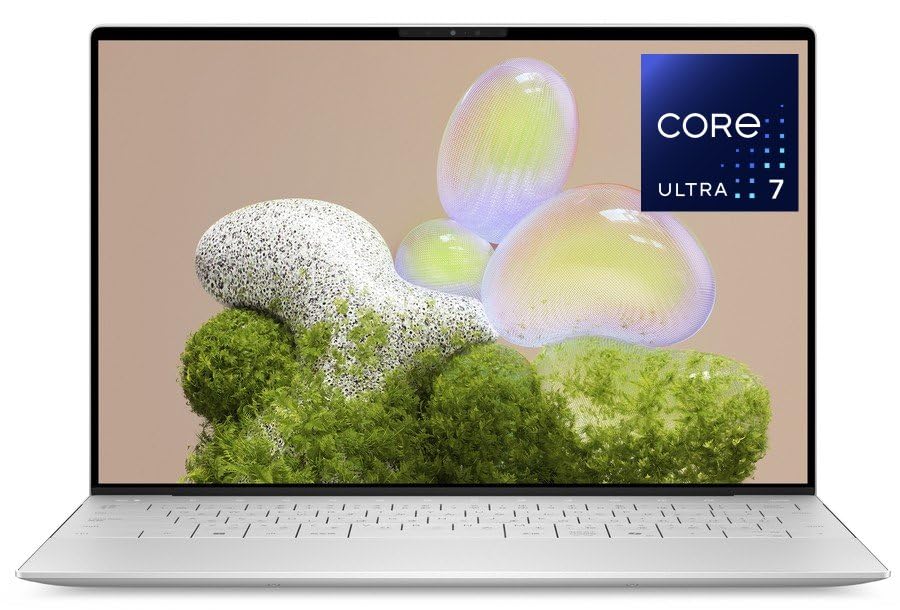 | Dell XPS 13 9350 | Best fit: XPS 13 with Core Ultra 7 256V and two Thunderbolt 4 ports Screen: 13.4-inch FHD+, 30-120Hz, 500 nits Processor and graphics: Intel Core Ultra 7 256V Ports: 2x Thunderbolt 4 (Amazon) Memory and storage: 16GB and 512GB (title only, possibly seller configuration) | Check Price on Amazon |
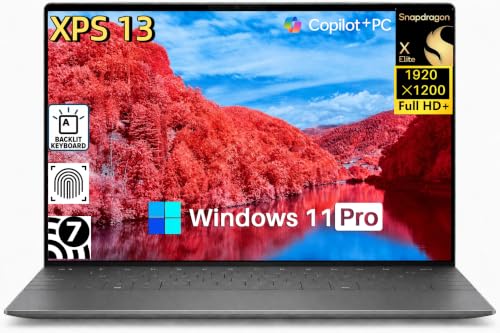 | Dell XPS 13 9345 | Best fit: XPS 13 with Snapdragon X Elite and 32GB Screen: 13.4-inch 2K IPS, 30-120Hz, 500 nits, non-touch Processor and graphics: Qualcomm Snapdragon X Elite X1E-80-100 Ports: 2x USB4 (Amazon) Memory and storage: 32GB LPDDR5X and 1TB SSD | Check Price on Amazon |
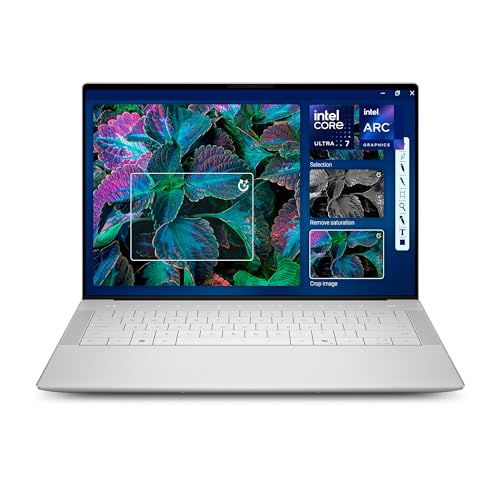 | Dell XPS 14 Premium DA14250 | Best fit: XPS 14 with OLED touch and three Thunderbolt 4 ports Screen: 14.5-inch 3.2K OLED touch, 48-120Hz Processor and graphics: Intel Core Ultra 7 255H Ports: 3x Thunderbolt 4 (Dell) Memory and storage: 32GB and 1TB (title only, possibly seller configuration) | Check Price on Amazon |
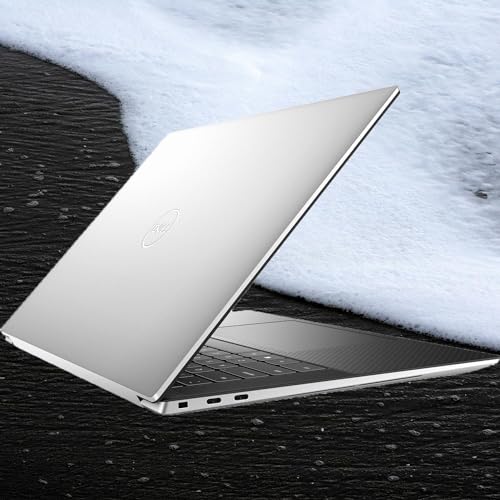 | Dell XPS 15 9530 | Best fit: XPS 15 with two Thunderbolt 4 ports Screen: 15.6-inch 1920 x 1200 Processor and graphics: Intel Core i7-13700H Ports: 2x Thunderbolt 4 and 1x USB 3.2 Gen 2 USB-C (Dell) Memory and storage: 16GB DDR5 and 1TB SSD | Check Price on Amazon |
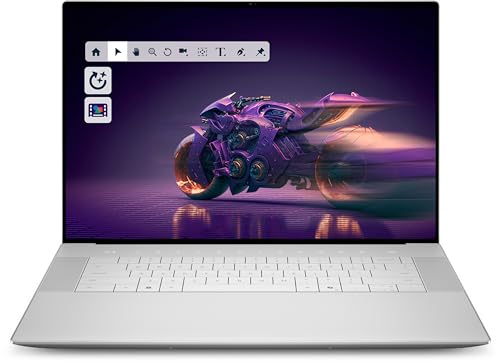 | Dell Premium 16 | Best fit: Large screen with RTX 5050 graphics Screen: 16.3-inch 2K IPS, 30-120Hz, 500 nits, non-touch Processor and graphics: Intel Core Ultra 7 255H and NVIDIA GeForce RTX 5050 Ports: 3x Thunderbolt 4 (Dell) Memory and storage: 32GB LPDDR5X and 1TB SSD | Check Price on Amazon |
1. Dell XPS 13 9350 — Best XPS 13 With Core Ultra 7 256V and Thunderbolt 4
Amazon lists the Dell XPS 13 9350 with a 13.4-inch FHD+ (1920 x 1200) anti-glare display at 30 to 120Hz, with 500 nits of brightness and 100% sRGB coverage. The processor is an Intel Core Ultra 7 256V with 8 cores at up to 4.8GHz and an Intel AI Boost NPU. Dell’s XPS 13 9350 manual lists the 256V among the processors the laptop supports.
The listing states two Thunderbolt 4 USB-C ports with Power Delivery and DisplayPort, and a weight of 2.6 pounds. It also lists Killer Wi-Fi 7, Bluetooth, a backlit keyboard, a webcam with Windows Hello, and Windows 11 Home. The Amazon title adds 16GB of DDR5 RAM and a 512GB NVMe SSD, but no bullet repeats those sizes, so they are possibly a seller configuration.
Amazon lists two Thunderbolt 4 ports for the XPS 13 9350, while it lists USB4 for the XPS 13 9345.Our Take Choose the XPS 13 9350 for an Intel-based XPS 13 with two Thunderbolt 4 ports and Wi-Fi 7. Confirm the memory and storage with the seller, because only the title states them.
- Amazon lists two Thunderbolt 4 USB-C ports with Power Delivery and DisplayPort on the XPS 13 9350, so the listing uses the Thunderbolt name where Amazon uses USB4 for the Snapdragon model.
- Dell’s XPS 13 9350 manual lists the Core Ultra 7 256V that Amazon names, with 8 cores at up to 4.8GHz.
- The XPS 13 9350 listing on Amazon gives a 13.4-inch FHD+ display at 500 nits and 100% sRGB, and a weight of 2.6 pounds.
- Only the Amazon title states 16GB of RAM and a 512GB SSD for the XPS 13 9350, so the sizes are possibly a seller configuration to confirm with the seller.
2. Dell XPS 13 9345 — Best XPS 13 With Snapdragon X Elite and 32GB
Amazon lists the Dell XPS 13 9345 with a Qualcomm Snapdragon X Elite X1E-80-100, 32GB of LPDDR5X memory, and a 1TB SSD, all stated in the bullets. Dell’s XPS 13 9345 manual lists the X1E-80-100 with 12 cores, speeds up to 4GHz, and an NPU of up to 45 TOPS. The display is a 13.4-inch 2K IPS panel that Amazon describes as non-touch and anti-glare, at 30 to 120Hz and up to 500 nits.
The listing states two USB4 Type-C ports with DisplayPort and Power Delivery, Wi-Fi 7 with Bluetooth 5.4, and Windows 11 Pro. It also lists a 55Wh battery, a 60W USB-C adapter, a fingerprint reader, and quad speakers. Amazon gives 2.62 pounds and 0.60 inches thick for the FHD+ configuration, while the display on this listing is 2K.
Our Take Choose the XPS 13 9345 for a 13.4-inch XPS with a Snapdragon X Elite chip, 32GB of memory, and a 1TB SSD. Check that the apps you rely on run on a Snapdragon processor before ordering.
- Amazon’s bullets state 32GB of LPDDR5X memory and a 1TB SSD for the XPS 13 9345, so the sizes do not rest on the title.
- Dell’s XPS 13 9345 manual lists the X1E-80-100 with 12 cores, speeds up to 4GHz, and an NPU of up to 45 TOPS, the figures for the Snapdragon chip that Amazon names.
- Amazon lists the XPS 13 9345 with two USB4 Type-C ports for DisplayPort and Power Delivery, and it also lists a 55Wh battery and a 60W USB-C adapter.
- Amazon gives the XPS 13 9345 weight of 2.62 pounds and thickness of 0.60 inches for the FHD+ configuration, but the display on this listing is 2K.
- Amazon lists USB4 for the XPS 13 9345 ports and does not state Thunderbolt 4, so a buyer should check a dock’s USB4 support before pairing it.
3. Dell XPS 14 Premium DA14250 — Best XPS 14 With OLED and Three Thunderbolt 4 Ports
The Amazon title names the Dell XPS 14 Premium DA14250 with a 14.5-inch touch 3.2K OLED display at 48 to 120Hz, an Intel Core Ultra 7 255H, and Intel Arc graphics. Dell’s support site lists this model as XPS 14 (Dell 14 Premium) DA14250. Dell’s manual lists a 14.5-inch 3.2K OLED option at 3200 x 2000 with touch, 400 nits typical brightness, and 100% DCI-P3, and lists the 255H with 16 cores at up to 5.1GHz.
Dell’s manual lists three Thunderbolt 4 USB-C ports with Power Delivery 3.1 and DisplayPort 2.1, one headset jack, and a microSDXC card reader. It says to connect the power adapter to only one of the three USB-C ports, and it gives 3.79 to 4.03 pounds for versions with the OLED display. The Amazon bullets add machined aluminum with Gorilla Glass 3 and Windows Copilot. The title names 32GB of memory and a 1TB SSD, and no bullet repeats them, so they are possibly a seller configuration.
Our Take Choose the XPS 14 for an OLED touchscreen with three Thunderbolt 4 ports in a 14.5-inch laptop. Confirm the memory and storage with the seller, because only the title states them.
- Dell’s manual lists three Thunderbolt 4 USB-C ports with Power Delivery 3.1 and DisplayPort 2.1 for the XPS 14 DA14250, the highest port count in this guide, shared with one other laptop.
- Dell’s manual lists a 14.5-inch 3.2K OLED option with touch and 100% DCI-P3 for the XPS 14, and the Amazon title names the same display type.
- For XPS 14 versions with the OLED display, Dell’s manual lists 3.79 to 4.03 pounds, depending on configuration.
- Only the Amazon title states 32GB of memory and a 1TB SSD for the XPS 14 Premium DA14250, so the sizes are possibly a seller configuration to confirm with the seller.
4. Dell XPS 15 9530 — Best XPS 15 With Two Thunderbolt 4 Ports
Amazon lists the Dell XPS 15 9530 with a 15.6-inch display at 1920 x 1200, 16GB of DDR5 memory, and a 1TB SSD, all stated in the bullets. The title names an Intel Core i7-13700H with 14 cores on the Intel Evo platform. Amazon’s listing names no graphics card.
Dell’s XPS 15 9530 manual lists two Thunderbolt 4 USB-C ports with Power Delivery and one USB 3.2 Gen 2 USB-C port with DisplayPort and Power Delivery, plus a universal audio jack and an SD-card slot. Dell’s own product page for the XPS 15 9530 says the product is discontinued and no longer available from Dell.
Dell’s product page marks the XPS 15 9530 as discontinued, and the New offer on Amazon comes from the seller Cen Power PC.Our Take Choose the XPS 15 9530 for a 15.6-inch XPS with 16GB of memory, a 1TB SSD, and two Thunderbolt 4 ports. Compare it with the 14.5-inch and 16.3-inch models in this guide, because Dell has discontinued it.
- Amazon’s bullets state 16GB of DDR5 memory and a 1TB SSD for the XPS 15 9530, so the sizes do not rest on the title.
- A buyer gets two Thunderbolt 4 USB-C ports and one USB 3.2 Gen 2 USB-C port, all with Power Delivery, according to Dell’s XPS 15 9530 manual.
- For the XPS 15 9530, the Amazon title names a 14-core Intel Core i7-13700H on the Intel Evo platform.
- Dell’s product page for the XPS 15 9530 says the product is discontinued and no longer available from Dell, so a buyer should compare it with the other models in this guide.
- Amazon names no graphics card in the listing for the XPS 15 9530.
5. Dell Premium 16 — Best Large Screen With RTX 5050 Graphics
Amazon lists the Dell Premium 16 with a 16.3-inch 2K IPS display at 30 to 120Hz and 500 nits, non-touch, and an Intel Core Ultra 7 255H with 16 cores at up to 5.10GHz. The bullets state 32GB of LPDDR5X memory at 7467MT/s, a 1TB PCIe SSD, and an NVIDIA GeForce RTX 5050 with 8GB of GDDR7. Amazon lists Windows 11 Home and a fingerprint reader. The title says “Previously XPS 16,” and Amazon’s model field reads “Dell 16 Premium.”
Amazon’s bullets give no port list. Dell’s manual for the XPS 16 (Dell 16 Premium) DA16250 lists three Thunderbolt 4 USB-C ports for computers with an RTX 5050, a headset jack, and a microSDXC card reader. Dell gives 4.56 to 5.06 pounds for versions with the 2K display, depending on configuration, against 3.79 to 4.03 pounds for XPS 14 versions with the OLED display.
Our Take Choose the Premium 16 for a 16.3-inch laptop with an RTX 5050 and 32GB of memory. Confirm the model and port list with the seller, because the listing gives no ports.
- Amazon’s bullets state an NVIDIA GeForce RTX 5050 with 8GB of GDDR7 for the Premium 16, so the graphics card does not rest on the title.
- Amazon’s bullets for the Premium 16 state 32GB of LPDDR5X memory and a 1TB PCIe SSD.
- Dell’s DA16250 manual lists three Thunderbolt 4 USB-C ports for computers with an RTX 5050, the graphics card that Amazon names for this listing.
- Amazon’s bullets for the Premium 16 give no port list, and the three Thunderbolt 4 ports come from Dell’s DA16250 manual, so the model and port list need confirming with the seller.
- Dell gives 4.56 to 5.06 pounds for DA16250 versions with the 2K display, which is heavier than the 3.79 to 4.03 pounds Dell gives for XPS 14 versions with the OLED display.
Buying Guide
1. Choose the screen size before the model
Amazon lists a 13.4-inch display for both XPS 13 models, 14.5 inches for the XPS 14, 15.6 inches for the XPS 15, and 16.3 inches for the Premium 16. Amazon lists FHD+ for the XPS 13 9350 and 2K for the XPS 13 9345, both at 30 to 120Hz and up to 500 nits.
The XPS 14 is the only listing that names an OLED panel, with touch and 48 to 120Hz in its title. The XPS 13 9345 and the Premium 16 are described as non-touch, and the XPS 13 9350 and XPS 15 listings do not say whether the screen is touch. Check the panel type and touch support in the cart before you order.
2. Compare the processors by platform
The XPS 13 9350 uses an Intel Core Ultra 7 256V, and the XPS 13 9345 uses a Qualcomm Snapdragon X Elite X1E-80-100. Dell’s manuals list both chips for those models, with 8 cores at up to 4.8GHz for the 256V and 12 cores at up to 4GHz for the X1E-80-100.
The XPS 14 and Premium 16 both list an Intel Core Ultra 7 255H, and Dell lists 16 cores at up to 5.1GHz for it. The XPS 15 lists a Core i7-13700H, and the Premium 16 is the only listing that names a discrete graphics card. Pick a chip platform that matches the software you run, since the Snapdragon and Intel models are different platforms.
3. Count the ports before you buy a dock
Dell lists three Thunderbolt 4 ports for the XPS 14 and for Premium 16 computers with an RTX 5050. Dell lists two Thunderbolt 4 ports and one USB 3.2 Gen 2 USB-C port for the XPS 15, and Amazon lists two Thunderbolt 4 ports for the XPS 13 9350 and two USB4 ports for the XPS 13 9345.
The Thunderbolt 4 docking station guide, the Dell docking station guide, and the USB4 hubs and docks guide cover dock types. The laptop, dock, cable, and monitors work as one setup, so check the dock’s manual for its display and charging modes.
4. Treat title-only memory and storage as the seller’s configuration
Amazon’s bullets state the memory and storage for the XPS 13 9345, XPS 15, and Premium 16. The XPS 13 9350 and XPS 14 name their sizes only in the title, so those sizes are possibly a seller configuration. Three listings name 32GB of memory (the XPS 13 9345, XPS 14, and Premium 16), and the XPS 13 9350 names the smallest SSD at 512GB.
Read the memory and storage in the cart before paying, and compare them with the title and the bullets for the same listing.
5. Check which name the listing uses
Dell’s support site names the DA14250 as XPS 14 (Dell 14 Premium) and the DA16250 as XPS 16 (Dell 16 Premium). A Dell blog post says the Dell Premium name will be retired in favor of XPS, so a listing may use either name for the same machine.
Match the model code or the number in the title, and do not rely on the name alone. The Thunderbolt laptop list and the USB4 laptop list compare more models. Dell lists the XPS 15 9530 as discontinued, so confirm the seller’s return terms for that one.
FAQ
Is the Dell 14 Premium the same laptop as the XPS 14?
Yes for the DA14250, according to Dell’s support site, which lists it as XPS 14 (Dell 14 Premium) DA14250. The Amazon title uses XPS 14 Premium with the DA14250 model code.
The Premium 16 follows the same pattern. Dell lists its DA16250 as XPS 16 (Dell 16 Premium), and the Amazon title says “Previously XPS 16.”
Which laptop here has the most Thunderbolt 4 ports?
The XPS 14 and the Premium 16 tie at three, both from Dell’s manuals. The XPS 13 9350 and XPS 15 each list two Thunderbolt 4 ports.
The XPS 13 9345 lists two USB4 ports. The XPS 15 adds one USB 3.2 Gen 2 USB-C port, and the Premium 16 count applies to computers with an RTX 5050.
Which laptops have 32GB of memory?
Amazon lists 32GB for the XPS 13 9345, XPS 14 and Premium 16. The XPS 13 9345 and Premium 16 state it in the bullets, and the XPS 14 states it only in the title.
Amazon lists 16GB for the XPS 13 9350 and XPS 15, and the XPS 13 9350 states it only in the title.
Does Dell sell the XPS 15 9530?
Dell’s product page for the XPS 15 9530 says the product is discontinued and no longer available from Dell. The Amazon offer for it is a New listing from a third-party seller.
Amazon lists no graphics card for it, and the Premium 16 is the only listing here that names one.
Which laptop has a discrete graphics card?
The Premium 16 lists an NVIDIA GeForce RTX 5050 with 8GB of GDDR7. No other listing here names a discrete graphics card.
The XPS 13 9350 and XPS 14 titles name Intel Arc graphics, and the XPS 13 9345 title names Adreno graphics.
Bottom Line
Choose the XPS 14 Premium DA14250 for an OLED touchscreen with three Thunderbolt 4 ports, the XPS 13 9350 for an Intel XPS 13 with two Thunderbolt 4 ports, or the Premium 16 for RTX 5050 graphics. The XPS 13 9345 fits a buyer who wants a Snapdragon chip and 32GB that the bullets state, and the XPS 15 9530 is the 15.6-inch option that Dell has discontinued.