ASUS sells very different laptops under the Zenbook, Vivobook, and ROG names. The badge is a poor guide. The screen shape, processor, graphics hardware, and port list in each Amazon listing separate these five laptops far better. Every listing below states Thunderbolt 4, but the screens, memory, graphics, and Windows editions differ a lot.
The Thunderbolt laptop list and USB4 laptop list cover a wider model search. The page narrows the choice to five listings. Three of them say a reseller upgraded the memory or storage, so check the model or part number and the seller before ordering.
ASUS Laptops Compared
| Image | Product | Details | Check Price |
|---|---|---|---|
 | ASUS Zenbook Duo UX8406 | Best fit: Dual-screen work Screen: Two 14-inch 120Hz OLED touch Processor: Intel Ultra 9 185H Ports: 2x Thunderbolt 4, HDMI 2.1 Memory and storage: 32GB LPDDR5X, 1TB SSD | Check Price on Amazon |
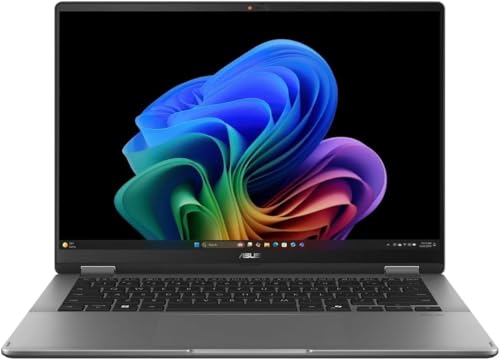 | ASUS Vivobook Flip 14 TP3407SA | Best fit: Single-screen OLED touch Screen: 14-inch OLED touch, 60Hz Processor: Core Ultra 7 256V Ports: Thunderbolt 4, count not stated Memory and storage: 16GB LPDDR5X, 1TB SSD | Check Price on Amazon |
 | ASUS Vivobook S 15 OLED K5504VA | Best fit: Large OLED screen Screen: 15.6-inch 2.8K 120Hz OLED Processor: Core i9-13900H Ports: 1x Thunderbolt 4, USB-A, HDMI 1.4 Memory and storage: 16GB LPDDR5, 1TB SSD | Check Price on Amazon |
 | ASUS Zenbook A14 UX3407QA | Best fit: Windows on ARM Screen: 14-inch 1920x1200, 60Hz Processor: Snapdragon X Plus Ports: 2x Thunderbolt 4, HDMI 2.1 Memory and storage: 16GB, 1TB SSD | Check Price on Amazon |
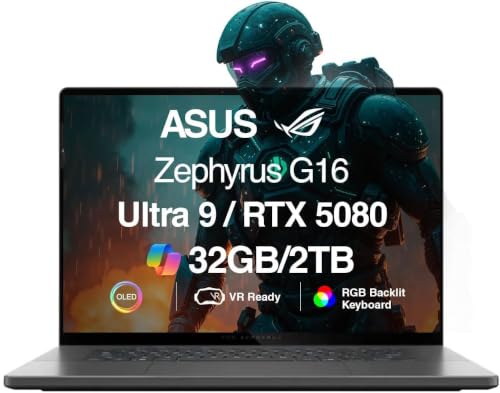 | ASUS ROG Zephyrus G16 GU605CW | Best fit: Gaming and graphics work Screen: 16-inch 2.5K 240Hz OLED Processor: Intel Ultra 9-285H Ports: 1x Thunderbolt 4, HDMI 2.1, 3x USB 3.2 Memory and storage: 32GB LPDDR5X, 2TB SSD | Check Price on Amazon |
1. ASUS Zenbook Duo UX8406 — Best Dual-Screen Pick
Amazon’s title lists the Zenbook Duo UX8406 with two 14-inch 120Hz OLED touch displays, an Intel Ultra 9 185H processor, 32GB of LPDDR5X memory, a 1TB SSD, and Intel Arc graphics. A feature bullet gives the panel resolution as 2880×1800. The listing also names an active pen, Wi-Fi 6E, and Windows 11 Home. The two screens are the reason to pick it, because no other laptop here has a second display.
The title and a feature bullet both state two Thunderbolt 4 ports, and the bullet adds one HDMI 2.1 port and a headphone and microphone jack. The listing says the seller, GreatPriceTech, professionally upgraded the laptop and backs it with a one-year warranty. It also says a Dockztorm USB hub comes in the box.
Our Take Choose the Zenbook Duo when two 14-inch OLED touch screens and two Thunderbolt 4 ports outweigh the single-screen designs, and read the seller’s upgrade and warranty notes first.
- Amazon’s title gives the Zenbook Duo two 14-inch 120Hz OLED touch displays, a second screen no other laptop here has, and a feature bullet adds an active pen.
- The Zenbook Duo listing pairs an Ultra 9 185H processor with 32GB of LPDDR5X memory and a 1TB SSD.
- Amazon’s title and feature bullet agree on two Thunderbolt 4 ports for the Zenbook Duo.
- Amazon lists the Zenbook Duo with Windows 11 Home, not Windows 11 Pro.
- The Zenbook Duo listing says GreatPriceTech professionally upgraded the laptop and backs it with a one-year warranty from that seller.
2. ASUS Vivobook Flip 14 TP3407SA — Best Single-Screen OLED Touch Pick
Amazon lists the Vivobook Flip 14 TP3407SA as a 14-inch OLED touchscreen 2-in-1 with a Core Ultra 7 256V processor, 16GB of LPDDR5X memory, a 1TB SSD, a backlit keyboard, and Copilot+ PC branding. A feature bullet gives the screen as 1920×1200 at 60Hz. The listing also names Wi-Fi 7, Bluetooth 5.4, and Windows 11 Home. Its model field reads TP3407SA, its part number reads TP3407SA-DS74T, and its warranty field reads one year from the manufacturer.
Amazon’s title states Thunderbolt 4, but neither the title nor the bullets say how many ports there are. A buyer who plans to connect a dock and a second fast device should confirm the count with the seller before ordering.
Our Take Choose the Vivobook Flip 14 for a single 14-inch OLED touchscreen with a Core Ultra 7 processor and 1TB of storage, and confirm the Thunderbolt port count before buying a dock.
- Amazon lists the TP3407SA as a 14-inch OLED touchscreen with a Core Ultra 7 256V processor and a 1TB SSD.
- Amazon’s model field and part number for the TP3407SA read TP3407SA and TP3407SA-DS74T, and its warranty field gives one year from the manufacturer.
- Amazon’s title for the TP3407SA states both Copilot+ PC branding and Thunderbolt 4.
- The TP3407SA title states Thunderbolt 4, yet neither Amazon’s title nor its bullets give a port count.
- Amazon lists the TP3407SA screen at 60Hz, while the Zenbook Duo and Vivobook S 15 list 120Hz.
3. ASUS Vivobook S 15 OLED K5504VA — Best 15-Inch OLED Pick
Amazon lists the Vivobook S 15 OLED K5504VA-ES96 with a 15.6-inch 2.8K 120Hz OLED display, a Core i9-13900H processor, Intel Iris Xe graphics, 16GB of LPDDR5 memory, and a 1TB SSD. The screen is larger than the two 14-inch options above and keeps a 120Hz refresh rate. The model field reads K5504VA-ES96, and Amazon lists a March 2023 release date.
A feature bullet lists one Thunderbolt 4 port with display and power-delivery support, one USB 3.2 Gen 1 Type-A port, one USB 2.0 Type-A port, HDMI 1.4, and a 3.5mm audio jack. The bullet also lists Wi-Fi 6E. The Zenbook Duo lists two Thunderbolt 4 ports, so the S 15 has one fewer.
Our Take Choose the Vivobook S 15 when a 15.6-inch 2.8K 120Hz OLED screen and a Core i9-13900H outweigh a second Thunderbolt 4 port.
- Amazon lists the K5504VA with a 15.6-inch 2.8K 120Hz OLED display and a Core i9-13900H processor.
- Amazon’s bullet gives the K5504VA one Thunderbolt 4 port with display and power-delivery support.
- The K5504VA listing adds a 1TB SSD, 16GB of memory, USB-A ports, HDMI 1.4, and Wi-Fi 6E.
- The K5504VA has one Thunderbolt 4 port in Amazon’s bullet, while the Zenbook Duo and Zenbook A14 each list two.
- Amazon lists Intel Iris Xe graphics for the K5504VA and names no separate graphics chip.
4. ASUS Zenbook A14 UX3407QA — Best Snapdragon X Plus Pick
Amazon lists the Zenbook A14 UX3407QA-X1P512-CTO, part number 90NB1501-M00R50, with a Qualcomm Snapdragon X Plus X1P-42-100 processor, 16GB of memory, a 1TB SSD, Windows 11 Pro, and a 14-inch 1920×1200 display at 60Hz. The listing title calls the laptop a Zenbook 14 OLED, but the display bullet describes an LCD. Confirm the panel type with the seller if OLED is a requirement.
A feature bullet lists two Thunderbolt 4 / USB4 40Gbps Type-C ports with power delivery and DisplayPort, plus one 10Gbps USB-A port, one HDMI 2.1 port, and a headphone and microphone jack. The same bullet labels the 16GB, 1TB SSD, and Windows 11 Pro as a customization, so the seller set up that configuration. The listing also says a 32GB USB drive comes in the box.
Our Take Choose the Zenbook A14 when Snapdragon X Plus, two Thunderbolt 4 ports, and Windows 11 Pro in a 14-inch ASUS laptop fit your software, and check the panel type first.
- Amazon lists the Zenbook A14 with a Snapdragon X Plus X1P-42-100 processor, 16GB of memory, and a 1TB SSD.
- Amazon’s bullet gives the Zenbook A14 two Thunderbolt 4 / USB4 40Gbps Type-C ports with power delivery and DisplayPort.
- Amazon lists the Zenbook A14 with Windows 11 Pro and the UX3407QA-X1P512-CTO model.
- Amazon’s title calls the Zenbook A14 an OLED model, yet its display bullet describes a 1920×1200 LCD at 60Hz.
- The seller set up the Zenbook A14 configuration, because Amazon’s bullet labels the 16GB memory, 1TB SSD, and Windows 11 Pro a customization.
5. ASUS ROG Zephyrus G16 GU605CW — Best Gaming and Graphics Pick
Amazon lists the ROG Zephyrus G16 GU605CW-G16.U95080 with a 16-inch 2.5K OLED display at 240Hz, an Ultra 9-285H processor, GeForce RTX 5080 graphics with 16GB of GDDR7, 32GB of LPDDR5X memory, and a 2TB SSD. It also lists Wi-Fi 7 and Windows 11 Home. No other laptop here lists a separate graphics chip.
Amazon’s bullets list one Thunderbolt 4 port, one HDMI 2.1 port, one USB 3.2 port, two more USB 3.2 ports, and a headphone and microphone jack. The brand field names the reseller ME2 MichaelElectronics2, not ASUS.
The listing says that seller professionally opened the laptop to install the RAM and SSD, backs those parts with a three-year warranty, and gives the rest of the hardware a one-year warranty.Our Take Choose the Zephyrus G16 when RTX 5080 graphics, 32GB of memory, a 2TB SSD, and a 240Hz OLED panel suit a gaming or graphics configuration, and read the seller’s upgrade and warranty terms first.
- Amazon lists the Zephyrus G16 with a 16-inch 2.5K OLED panel at 240Hz and RTX 5080 graphics.
- Amazon’s listing gives the Zephyrus G16 32GB of LPDDR5X memory and a 2TB SSD.
- Amazon’s bullets for the Zephyrus G16 list Thunderbolt 4, HDMI 2.1, and three USB 3.2 connections.
- Amazon’s bullets give the Zephyrus G16 a single Thunderbolt 4 port, and the Zenbook Duo and Zenbook A14 list two.
- Amazon’s brand field names the reseller ME2 MichaelElectronics2 instead of ASUS, and the listing says that seller opened the laptop to install the RAM and SSD.
Buying Guide
1. Choose the screen layout before the processor
The Zenbook Duo is the only listing with two 14-inch OLED touch displays. The other four laptops use one panel, from 14 inches to 16 inches. The Duo is a layout decision first. The Vivobook S 15 and Zephyrus G16 are the larger single-screen options.
The Duo, Flip 14, S 15, and G16 state OLED, and the Zenbook A14 is unclear. The A14 title says OLED but its display bullet says LCD. The G16 lists the highest refresh rate at 240Hz, the Duo and S 15 list 120Hz, and the Flip 14 and A14 list 60Hz. Check size, resolution, and refresh rate as separate facts, because an ASUS OLED label alone does not describe the panel.
2. Count ports instead of assuming the connector layout
Amazon states two Thunderbolt 4 ports for the Zenbook Duo and the Zenbook A14, and one for the Vivobook S 15 and Zephyrus G16. The Vivobook Flip 14 has a Thunderbolt 4 label and no port count. A dock plan should begin with that count and the HDMI and USB ports beside it.
The Thunderbolt 4 docking-station guide explains dock categories, but it cannot add a port a listing does not state. Confirm the port count with the seller before planning a monitor or storage layout around the Flip 14.
3. Match the processor platform to the software you use
The Zenbook A14 lists Qualcomm Snapdragon X Plus, while the other four listings state Intel processors. The Vivobook S 15 lists a Core i9-13900H, the Duo an Ultra 9 185H, the Flip 14 a Core Ultra 7 256V, and the Zephyrus G16 an Ultra 9-285H.
The processor name does not describe a workload on its own. Treat the Snapdragon configuration as a platform choice, and check that your applications and peripherals support Windows on ARM before buying it.
4. Separate listed graphics from display quality
Amazon lists Intel Arc graphics for the Zenbook Duo, Intel Iris Xe for the Vivobook S 15, Adreno for the Zenbook A14, and RTX 5080 for the Zephyrus G16. The Vivobook Flip 14 listing names no graphics chip. The G16 is the only listing that pairs a separate graphics chip with a 240Hz OLED display.
For a graphics-first purchase, write down the GPU, memory, and storage in the listing you choose. The G16 seller says it opened the laptop to install the RAM and SSD, so the listing is the source for that configuration.
5. Check memory, storage, Windows edition, and seller together
The Zenbook Duo and Zephyrus G16 list 32GB of memory, and the other three list 16GB. The Duo, Flip 14, S 15, and A14 list a 1TB SSD, and the G16 lists a 2TB SSD. The Duo, A14, and G16 listings say a seller upgraded or customized the configuration, so same-name listings from other sellers can differ.
Amazon lists Windows 11 Pro only for the Zenbook A14. The Duo, Flip 14, S 15, and G16 list Windows 11 Home. Check the Windows edition and the seller before buying, particularly if you need a business or management feature.
FAQ
Which ASUS laptops here state two Thunderbolt 4 ports?
The Zenbook Duo and the Zenbook A14 each state two Thunderbolt 4 ports. The Duo listing also names two 14-inch OLED touch displays, 32GB of LPDDR5X memory, and a 1TB SSD.
The A14 bullet lists two Thunderbolt 4 / USB4 40Gbps Type-C ports. The Vivobook S 15 and Zephyrus G16 each state one Thunderbolt 4 port, and Amazon gives the Vivobook Flip 14 no port count.
Which pick has the largest stated OLED screen?
The ROG Zephyrus G16 lists a 16-inch 2.5K OLED panel at 240Hz. The Vivobook S 15 lists a 15.6-inch 2.8K OLED panel at 120Hz, and the Zenbook Duo lists two 14-inch OLED touch displays.
The Vivobook Flip 14 lists a 14-inch OLED touchscreen. The Zenbook A14 title says OLED while its display bullet describes a 14-inch LCD.
Which model lists a Snapdragon processor?
The Zenbook A14 lists a Qualcomm Snapdragon X Plus X1P-42-100 processor. Its model is UX3407QA-X1P512-CTO and its part number is 90NB1501-M00R50.
It also lists 16GB of memory, a 1TB SSD, two Thunderbolt 4 ports, Wi-Fi 6E, a backlit keyboard, and Windows 11 Pro. Check application and peripheral requirements for Windows on ARM before choosing it.
Which ASUS laptop here lists RTX 5080 graphics?
The ROG Zephyrus G16 lists RTX 5080 graphics with 16GB of GDDR7, an Ultra 9-285H processor, 32GB of LPDDR5X memory, and a 2TB SSD. Amazon also lists a 16-inch 2.5K OLED display at 240Hz.
Its bullets list one Thunderbolt 4 port, one HDMI 2.1 port, and three USB 3.2 ports. The seller says it opened the laptop to install the RAM and SSD, so read the warranty terms in the listing.
Which models list Windows 11 Pro?
The Zenbook A14 is the only one of the five that lists Windows 11 Pro. The Zenbook Duo, Vivobook Flip 14, Vivobook S 15, and ROG Zephyrus G16 list Windows 11 Home.
Check the Windows edition in the listing you choose, because a seller can configure a same-name laptop differently.
Bottom Line
Choose the Zenbook Duo for two Thunderbolt 4 ports and dual 14-inch OLED touch displays. Choose the Vivobook Flip 14 for a single 14-inch OLED touchscreen and a 1TB SSD. Choose the Vivobook S 15 for a 15.6-inch 120Hz OLED screen. Choose the Zenbook A14 for Snapdragon X Plus, two Thunderbolt 4 ports, and Windows 11 Pro. Choose the ROG Zephyrus G16 for RTX 5080 graphics and a 240Hz OLED panel. Confirm the model, port count, memory, storage, and seller before ordering.