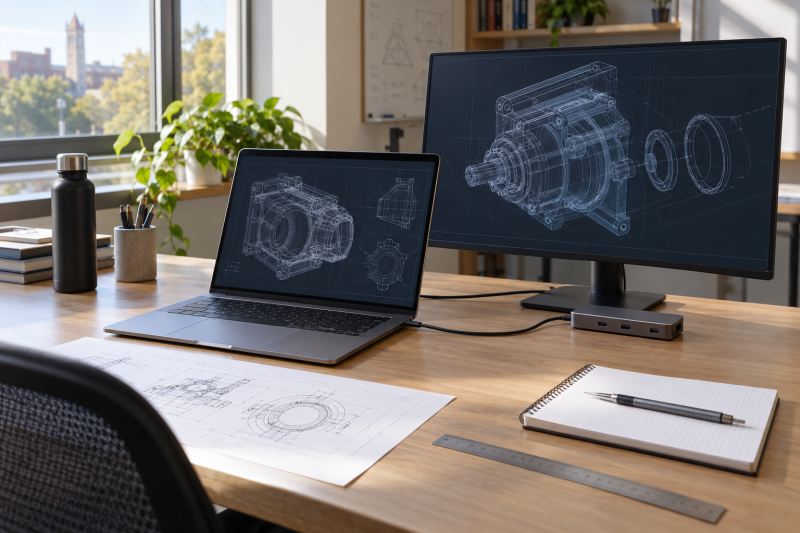
Engineering coursework can mix notes and code with CAD, simulations, lab files, and a shared monitor at home. Thunderbolt 4 gives a laptop a fast connection to a dock, but it says nothing about graphics, memory, or weight. Start with the software list from your department, then pick the graphics, screen size, and carry weight that fit it.
The six laptops below are all listed on Amazon as mobile workstations with two Thunderbolt 4 ports. They range from 3.18 to 5.9 pounds, and two list discrete RTX graphics. A Thunderbolt 4 docking-station guide covers the desk side, but a dock does not change the laptop’s own graphics.
Check the course software and graphics requirement first, then weight and ports.| Image | Product | Details | Check Price |
|---|---|---|---|
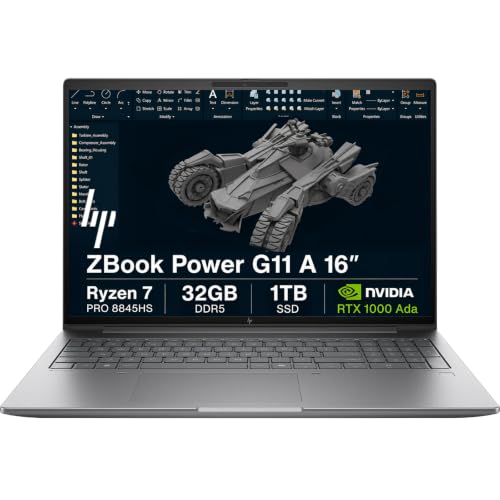 | HP ZBook Power G11 A | Best fit: 16-inch screen with RTX 1000 Ada Graphics: NVIDIA RTX 1000 Ada, 6GB (listing) Thunderbolt 4 ports: 2 (listing) Memory and storage: 32GB, 1TB (SSD upgraded by seller) Weight: 4.5 lb (listing) | Check Price on Amazon |
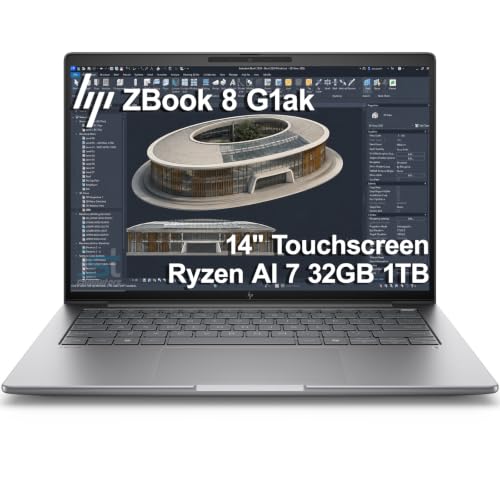 | HP ZBook 8 G1ak | Best fit: 14-inch touchscreen at the lowest weight Graphics: Integrated Radeon 860M (listing) Thunderbolt 4 ports: 2 (listing) Memory and storage: 32GB, 1TB (upgraded by seller) Weight: 3.18 lb (listing) | Check Price on Amazon |
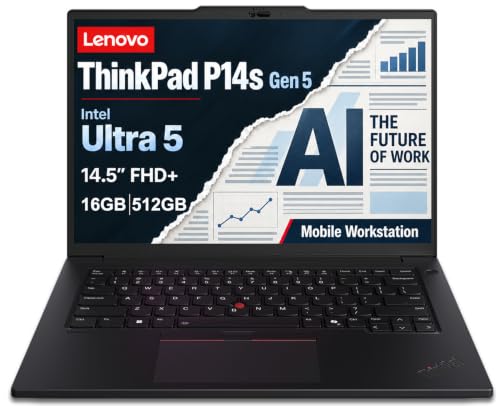 | Lenovo ThinkPad P14s Gen 5 | Best fit: 14.5-inch ThinkPad at 3.55 lb Graphics: Intel graphics (listing) Thunderbolt 4 ports: 2 (listing) Memory and storage: 16GB, 512GB (system upgraded by seller) Weight: 3.55 lb (listing and Lenovo) | Check Price on Amazon |
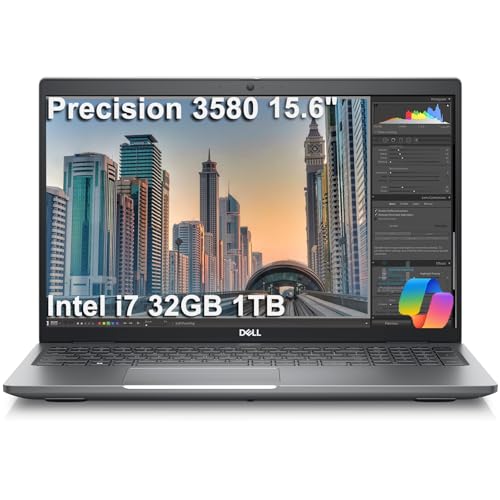 | Dell Precision 3580 | Best fit: 15.6-inch screen at 3.56 lb Graphics: Integrated Intel (listing) Thunderbolt 4 ports: 2 (listing) Memory and storage: 32GB, 1TB (SSD upgraded by seller) Weight: 3.56 lb (listing) | Check Price on Amazon |
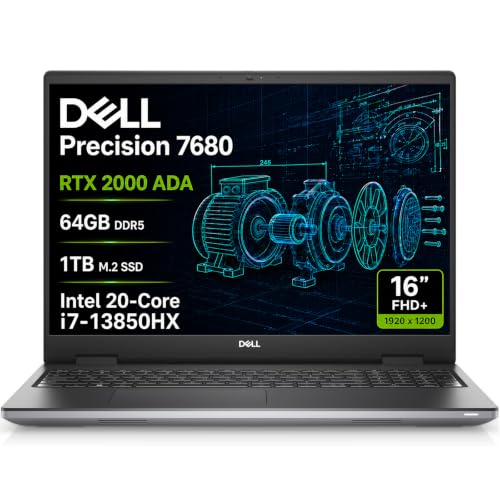 | Dell Precision 7680 | Best fit: RTX 2000 Ada and 64GB memory Graphics: NVIDIA RTX 2000 Ada, 8GB (listing) Thunderbolt 4 ports: 2 (listing) Memory and storage: 64GB, 1TB (original from Dell, per listing) Weight: 5.9 lb (listing) | Check Price on Amazon |
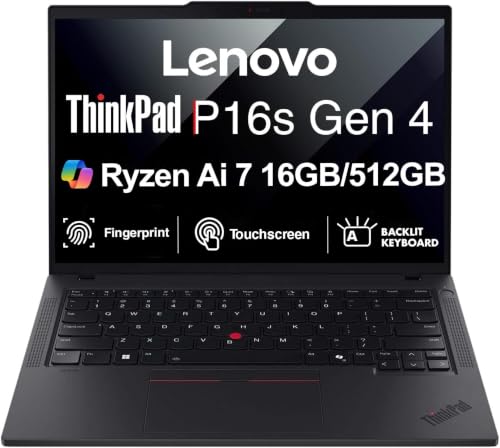 | Lenovo ThinkPad P16s Gen 4 | Best fit: 16-inch 4K OLED touchscreen Graphics: Integrated Radeon 860M (listing) Thunderbolt 4 ports: 2 (listing) Memory and storage: 16GB, 512GB (upgraded by seller) Weight: 4.0 lb (listing), 3.77 lb (Lenovo) | Check Price on Amazon |
1. HP ZBook Power G11 A — Best 16-Inch With RTX 1000 Ada Graphics
The HP ZBook Power G11 A has a 16-inch screen and RTX 1000 Ada graphics, so it is the first laptop to compare when course software asks for a discrete GPU. The Amazon listing gives an AMD Ryzen 7 PRO 8845HS, 6GB of dedicated graphics memory, 32GB of DDR5 memory, a 1TB SSD, and a 16-inch 1920×1200 anti-glare screen at 400 nits. It lists two Thunderbolt 4 ports, two USB-A ports, RJ-45 Ethernet, HDMI 2.1, and a numeric keypad, and it states native triple-display support with up to 8K at 60Hz through Thunderbolt 4 and HDMI 2.1.
The listing names ISV certifications and apps such as AutoCAD, SolidWorks, Revit, ANSYS, and MATLAB, but software approval and license terms belong to your school. The listing gives 4.5 pounds, the second heaviest of the six. The seller upgraded the SSD and gives a three-year seller warranty on it. The warranty line names Lenovo for the remaining parts, although the laptop is an HP model, so ask the seller to confirm the terms. The title also names an Intel Ultra 7 165H, while the bullets give only the Ryzen processor.
Our Take A student whose courses call for a discrete GPU gets a defined RTX 1000 Ada configuration here, with two Thunderbolt 4 ports for a dock. Check that 4.5 pounds suits your daily carry.
- Amazon’s ZBook Power G11 A listing states RTX 1000 Ada graphics with 6GB of dedicated memory, a discrete configuration.
- The ZBook Power G11 A listing names two Thunderbolt 4 ports plus HDMI 2.1 and RJ-45 Ethernet.
- Native triple-display support, with up to 8K at 60Hz through Thunderbolt 4 and HDMI 2.1, is stated on the ZBook Power G11 A listing.
- Amazon lists 4.5 pounds for the ZBook Power G11 A, heavier than every other laptop here except the Dell Precision 7680.
- The seller upgraded the SSD in the ZBook Power G11 A, and the listing’s warranty line names Lenovo for the remaining parts of an HP laptop.
- The ZBook Power G11 A listing title names an Intel Ultra 7 165H, while its bullets give only the Ryzen 7 PRO 8845HS.
2. HP ZBook 8 G1ak — Best 14-Inch Touchscreen at 3.18 Pounds
The HP ZBook 8 G1ak is a 14-inch touchscreen workstation that Amazon lists at 3.18 pounds, the lowest weight of the six. The listing gives an AMD Ryzen AI 7 PRO 350, integrated Radeon 860M graphics, 32GB of DDR5 memory, a 1TB SSD, and a 14-inch 1920×1200 screen at 300 nits. Its ports are two Thunderbolt 4, one USB-C 3.2 Gen 2, one USB-A, HDMI 2.1, and RJ-45 Ethernet.
The listing says the laptop can drive four external monitors at up to 4K at 60Hz without a dock, through HDMI, USB-C, or Thunderbolt 4. It names the same ISV apps as the ZBook Power G11 A. Integrated graphics are a different hardware class from the RTX 1000 Ada in the ZBook Power G11 A, so check whether your course software specifies a discrete GPU. The seller upgraded the memory and SSD and gives a three-year seller warranty on those parts, with a one-year HP warranty on the rest.
Our Take A student who carries the laptop all day gets the lowest weight here and two Thunderbolt 4 ports for a dock, in exchange for integrated graphics. Pick it when the course software does not call for a discrete GPU.
- Amazon lists the ZBook 8 G1ak at 3.18 pounds, the lowest weight of the six.
- In a 14-inch body, the G1ak listing names two Thunderbolt 4 ports, HDMI 2.1, and RJ-45 Ethernet.
- The G1ak listing says the laptop can drive four external monitors at up to 4K at 60Hz without a dock.
- The G1ak listing gives integrated Radeon 860M graphics, not the discrete RTX 1000 Ada of the ZBook Power G11 A.
- The seller upgraded the memory and SSD, so the one-year HP warranty covers only the remaining parts.
3. Lenovo ThinkPad P14s Gen 5 — Best 14.5-Inch ThinkPad at 3.55 Pounds
The Lenovo ThinkPad P14s Gen 5 is a 14.5-inch ThinkPad that Amazon lists at 3.55 pounds, and Lenovo lists a starting weight of 3.55 pounds. The Amazon listing gives an Intel Core Ultra 5 125H, Intel graphics, 16GB of DDR5 memory, a 512GB SSD, a 75Wh battery that charges up to 80% in one hour, and a 14.5-inch 1920×1200 anti-glare screen at 300 nits. It lists two Thunderbolt 4 ports, USB-A, and HDMI 2.1, and says three external monitors can run at up to 4K at 60Hz without a dock.
Lenovo’s specification sheet for the P14s Gen 5 (Intel) also lists a gigabit RJ-45 Ethernet port, which the Amazon bullets do not mention. The listing names ISV certifications and apps such as AutoCAD, CREO, SolidWorks, ANSYS, and MATLAB. The listed graphics are integrated, so check whether your course software specifies a discrete GPU. The seller resealed the laptop to upgrade the system without saying which parts, and gives a one-year Lenovo warranty on the remaining components.
Amazon and Lenovo both list 3.55 pounds for the P14s Gen 5, with two Thunderbolt 4 ports.Our Take Choose it for a light carry between classes when a 75Wh battery and two Thunderbolt 4 ports count for more than discrete graphics.
- Amazon and Lenovo both list the P14s Gen 5 at 3.55 pounds.
- The ThinkPad P14s listing states a 75Wh battery that charges up to 80% in one hour.
- Lenovo’s sheet lists a gigabit RJ-45 Ethernet port, and the Amazon listing names two Thunderbolt 4 ports and HDMI 2.1.
- The ThinkPad P14s listing gives Intel graphics, not a discrete GPU.
- The listing says the seller upgraded the system without saying which parts, and gives a one-year Lenovo warranty on the remaining components.
4. Dell Precision 3580 — Best 15.6-Inch Pick at 3.56 Pounds
The Dell Precision 3580 is a 15.6-inch workstation that Amazon lists at 3.56 pounds. The listing gives an Intel Core i7-1355U vPro, integrated Intel graphics, 32GB of DDR4 memory, a 1TB SSD, and a 15.6-inch FHD anti-glare screen at 400 nits. Its ports are two Thunderbolt 4, two USB-A, HDMI 2.0, RJ-45 Ethernet, and a MicroSD reader, and the listing says three external monitors can run at up to 4K at 60Hz without a dock.
The listing mentions ISV certifications without naming applications. The seller upgraded the SSD and gives a three-year seller warranty on it. The listing says Dell ProSupport with Next Business Day on-site service covers the remaining components until November 2028.
Our Take A student who wants a larger screen than the ZBook 8 G1ak’s 14 inches gets nearly the same listed weight as the 14.5-inch P14s Gen 5, plus wired Ethernet and two Thunderbolt 4 ports. Confirm that the course software runs without a discrete GPU.
- Amazon lists the Precision 3580 at 3.56 pounds with a 15.6-inch screen.
- The Dell Precision listing names two Thunderbolt 4 ports, HDMI 2.0, RJ-45 Ethernet, and a MicroSD reader.
- According to the listing, Dell ProSupport with Next Business Day on-site service covers the remaining components until November 2028.
- The Precision listing gives integrated Intel graphics and names no engineering applications.
- The seller upgraded the SSD in the Precision laptop, and the three-year seller warranty covers that SSD alone.
5. Dell Precision 7680 — Best RTX 2000 Ada and 64GB Memory
The Dell Precision 7680 is the only laptop here with RTX 2000 Ada graphics and 64GB of memory. The Amazon listing gives an Intel Core i7-13850HX vPro, 8GB of graphics memory, 64GB of DDR5 CAMM memory, a 1TB SSD, and a 16-inch 1920×1200 anti-glare screen. It lists two Thunderbolt 4 ports, one USB-C, two USB-A, HDMI, RJ-45 Ethernet, and a full-size keyboard with a numeric keypad, and it says four external monitors can run at 4K at 60Hz without a dock.
The listing describes the laptop for CAD design, 3D rendering, and simulation, and names ISV certifications without naming applications. Graphics memory is one difference from the ZBook Power G11 A, at 8GB here against 6GB there. Amazon lists 5.9 pounds, the heaviest of the six. The listing says the hardware is original from Dell, with Dell support until February 2029. The listing title also names an Intel Ultra 9 185H, while the bullets give only the Core i7-13850HX.
Our Take Choose it when a course asks for more graphics memory and 64GB of system memory, and you can carry 5.9 pounds or work mostly at a desk.
- The Precision listing states RTX 2000 Ada graphics with 8GB, against 6GB on the ZBook Power G11 A listing.
- The Precision listing states 64GB of DDR5 memory, the most of the six.
- The Precision listing says the hardware is original from Dell, with Dell support until February 2029.
- Amazon lists 5.9 pounds for the Precision 7680, the heaviest of the six, against 3.18 pounds for the ZBook 8 G1ak.
- The Precision listing title names an Intel Ultra 9 185H, while its bullets give only the Core i7-13850HX.
6. Lenovo ThinkPad P16s Gen 4 — Best 4K OLED Touchscreen
The Lenovo ThinkPad P16s Gen 4 has the only OLED screen here. The Amazon listing gives a 16-inch 3840×2400 touchscreen at 400 nits with 100% DCI-P3 and X-Rite factory color calibration, an AMD Ryzen AI 7 350, shared integrated Radeon 860M graphics, 16GB of DDR5 memory, a 512GB SSD, and an 86Wh battery, and Lenovo lists 86Wh as one of two battery options. It lists two Thunderbolt 4 ports, HDMI, RJ-45 Ethernet, and a numeric keypad.
Amazon lists 4.0 pounds, while Lenovo lists a starting weight of 3.77 pounds and calls its figures approximate. The listing calls it built for complex data analysis and engineering tasks and names no software. The seller upgraded the memory and SSD, replaced the manufacturer’s warranty with a three-year seller warranty on those parts, and gives a one-year seller warranty on all other hardware.
Our Take Pick it for a larger, sharper screen for drawings and code, with two Thunderbolt 4 ports for a dock, when a discrete GPU is not on the course requirements.
- The P16s listing states a 16-inch 4K OLED touchscreen with 100% DCI-P3 and X-Rite factory color calibration.
- The ThinkPad P16s listing names two Thunderbolt 4 ports, HDMI, and RJ-45 Ethernet.
- Amazon’s listing states an 86Wh battery, and Lenovo lists 86Wh as one of two battery options.
- The P16s listing gives shared integrated Radeon 860M graphics, not a discrete GPU.
- The seller of the P16s replaced the manufacturer’s warranty with its own, three years on the upgraded memory and SSD and one year on the rest.
Buying Guide
1. Start with the course software, not the laptop category
The department’s software version and graphics requirement should decide the shortlist. The HP ZBook Power G11 A and Dell Precision 7680 list RTX 1000 Ada and RTX 2000 Ada graphics, while the other four list integrated graphics. The two groups are different hardware classes, even though every listing calls its laptop a mobile workstation.
Some departments provide remote desktops or lab computers for heavy applications. Ask whether the course needs a discrete GPU, a minimum memory amount, or Windows-only software before buying. All six listings state Windows 11 Pro, so a macOS-only program rules out every laptop here.
2. Separate graphics needs from screen and portability needs
Amazon lists the ZBook 8 G1ak at 3.18 pounds, the P14s Gen 5 at 3.55, the Precision 3580 at 3.56, the P16s Gen 4 at 4.0, the ZBook Power G11 A at 4.5, and the Precision 7680 at 5.9. Lenovo lists starting weights of 3.55 pounds for the P14s Gen 5 and 3.77 for the P16s Gen 4, and calls them approximate.
The two RTX laptops are the two heaviest, so the choice is between graphics and carry weight. A 16-inch screen can make dense drawings or code easier to view, but it also changes the daily bag and desk plan. The 15.6-inch Precision 3580 comes in at 3.56 pounds, close to the 14.5-inch P14s Gen 5.
3. Treat memory, storage, and warranty as part of the purchase
The listings state 16GB, 32GB, or 64GB of memory and a 512GB or 1TB SSD. Only the Precision 7680 lists 64GB, and only the two Lenovo laptops list 16GB and 512GB.
Five of the six listings disclose a seller upgrade, and only the Precision 7680 says its hardware is original from Dell. The ZBook Power G11 A and Precision 3580 list a seller-upgraded SSD, the ZBook 8 G1ak and P16s Gen 4 list upgraded memory and SSD, and the P14s Gen 5 lists an upgraded system without details. Match the title, processor, graphics, memory, storage, and warranty terms on the Amazon page before ordering.
4. Build the desk around the full connection chain
All six listings state two Thunderbolt 4 ports, but that is only the laptop side of the connection. The dock, cable, monitor, and the laptop’s graphics decide what a desk setup can do. The USB4 hubs and docks guide covers accessory types, while the laptop and dock manuals settle the finished combination.
The listings state display limits without a dock, with four external monitors for the ZBook 8 G1ak and Precision 7680 and three for the P14s Gen 5 and Precision 3580. The ZBook Power G11 A listing states native triple-display support, and the P16s Gen 4 listing gives no figure, while Lenovo’s sheet lists three external monitors for it. All six list HDMI, and every listing except the P14s Gen 5 names RJ-45 Ethernet, which Lenovo’s sheet lists for that model too.
5. Keep the engineering workload in perspective
A workstation label tells you how a product is positioned, not what it will finish for a particular class. The HP listings and the P14s Gen 5 listing name software such as AutoCAD, SolidWorks, Revit, ANSYS, MATLAB, or CREO, but that wording does not replace a check against your course. A first-year coding workload may need a different balance from a later CAD or simulation workload.
Build a short question list for the department or a lab instructor. Ask about operating system, GPU class, minimum memory, remote-lab availability, and external-display needs. The answers show whether a compact laptop is enough.
FAQ
Does an engineering student need a workstation laptop?
Not necessarily. The right choice depends on the applications the student will use and whether the program supplies labs or remote systems for demanding tasks.
Check the required operating system, graphics class, memory, and software version first. A compact integrated-graphics laptop may fit general coursework, while a CAD or simulation class may specify a different configuration.
Is a discrete GPU better for CAD coursework?
A discrete GPU can be relevant when the course or application specifically calls for it. The HP ZBook Power G11 A lists RTX 1000 Ada graphics with 6GB of dedicated memory, and the Dell Precision 7680 lists RTX 2000 Ada graphics with 8GB.
The other four list integrated graphics, which is a different buying decision and not an automatic failure. Do not infer that a project will run well from a GPU name alone.
Can a Thunderbolt 4 dock run two monitors for classwork?
It can, if the laptop, dock, cable, and monitors all support the arrangement. All six laptops list two Thunderbolt 4 ports, which gives a connection path but says nothing about how many displays a dock supports or at what refresh rate.
Use the how to identify a Thunderbolt port guide with the dock and monitor documentation. Confirm the complete chain before buying a dock around a monitor arrangement.
Are seller-upgraded memory and SSD configurations safe to buy?
They can be a reasonable purchase if the configuration, warranty, and return terms are clear. Only the Precision 7680 says its hardware is original from Dell.
Check who backs the upgraded parts and who backs the rest. The P16s Gen 4 listing replaces the manufacturer’s warranty with the seller’s, while the ZBook 8 G1ak, P14s Gen 5, and Precision 3580 listings state a maker warranty on the remaining components.
Which engineering laptop here is easiest to carry?
The HP ZBook 8 G1ak is lightest at 3.18 pounds on Amazon, followed by the Lenovo ThinkPad P14s Gen 5 at 3.55 and the Dell Precision 3580 at 3.56. The P16s Gen 4 lists 4.0 pounds, and the two RTX laptops list 4.5 and 5.9.
Start with the required software, then choose the lightest laptop that satisfies it.
Bottom Line
The HP ZBook Power G11 A is the starting point for a student whose courses specify a discrete GPU at 16 inches, with RTX 1000 Ada graphics and two Thunderbolt 4 ports at 4.5 pounds on its listing. Choose the Dell Precision 7680 for RTX 2000 Ada and 64GB at 5.9 pounds, or the HP ZBook 8 G1ak for 3.18 pounds with integrated graphics.
Before you buy, confirm the course software, the seller’s warranty, and the dock, cable, and monitor you plan to use. A Thunderbolt laptop list gives broader context.