A built-in card reader helps only when it takes the card you carry, and a fast USB-C port helps only when the laptop’s maker lists it as Thunderbolt or USB4. The list below separates SDXC, SD Express, UHS-II SD, and microSD readers so you can buy for the card in your camera or recorder instead of adding an adapter.
Every laptop below has a built-in card reader and at least one Thunderbolt or USB4 port. Apple, Lenovo, ASUS, Razer, and HP list SD readers, and Acer lists a microSD reader.
Choose the card slot first, then count the Thunderbolt or USB4 ports against the storage, display, or dock you plan to connect.Laptops with SD Card Readers and Thunderbolt or USB4 Compared
| Image | Product | Details | Check Price |
|---|---|---|---|
 | Apple MacBook Pro 14-inch with M5 | Best fit: Mac with an SDXC slot and three Thunderbolt 4 ports Card slot: SDXC Processor: Apple M5 Memory: 16GB (Amazon listing); Apple lists 16GB, 24GB, or 32GB Thunderbolt or USB4 ports: 3x Thunderbolt 4, USB4 up to 40Gb/s | Check Price on Amazon |
 | Lenovo ThinkPad P16 Gen 3 | Best fit: SD Express reader with two Thunderbolt 5 ports Card slot: SD Express 8.0 Processor: Core Ultra 7 255HX Memory: 32GB (Amazon listing) Thunderbolt or USB4 ports: 2x Thunderbolt 5 and 1x Thunderbolt 4 | Check Price on Amazon |
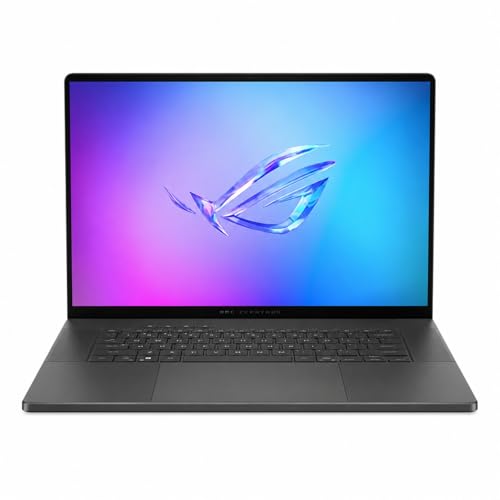 | ASUS ROG Zephyrus G16 GU605 | Best fit: UHS-II SD reader with one Thunderbolt 4 port Card slot: SD, UHS-II, 312MB/s Processor: Core Ultra 9 285H Memory: 16GB LPDDR5X, on board Thunderbolt or USB4 ports: 1x Thunderbolt 4 | Check Price on Amazon |
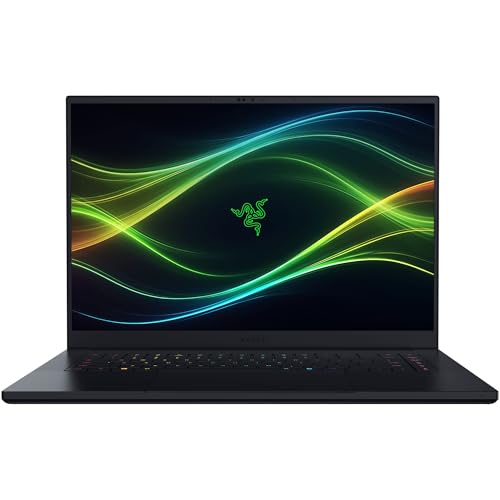 | Razer Blade 16 RZ09-05819EN9-R3U1 | Best fit: UHS-II SD reader with Thunderbolt 5 and Thunderbolt 4 Card slot: SD, UHS-II, 312MB/s Processor: Core Ultra 9 386H Memory: 64GB LPDDR5X, soldered Thunderbolt or USB4 ports: 1x Thunderbolt 5 and 1x Thunderbolt 4 | Check Price on Amazon |
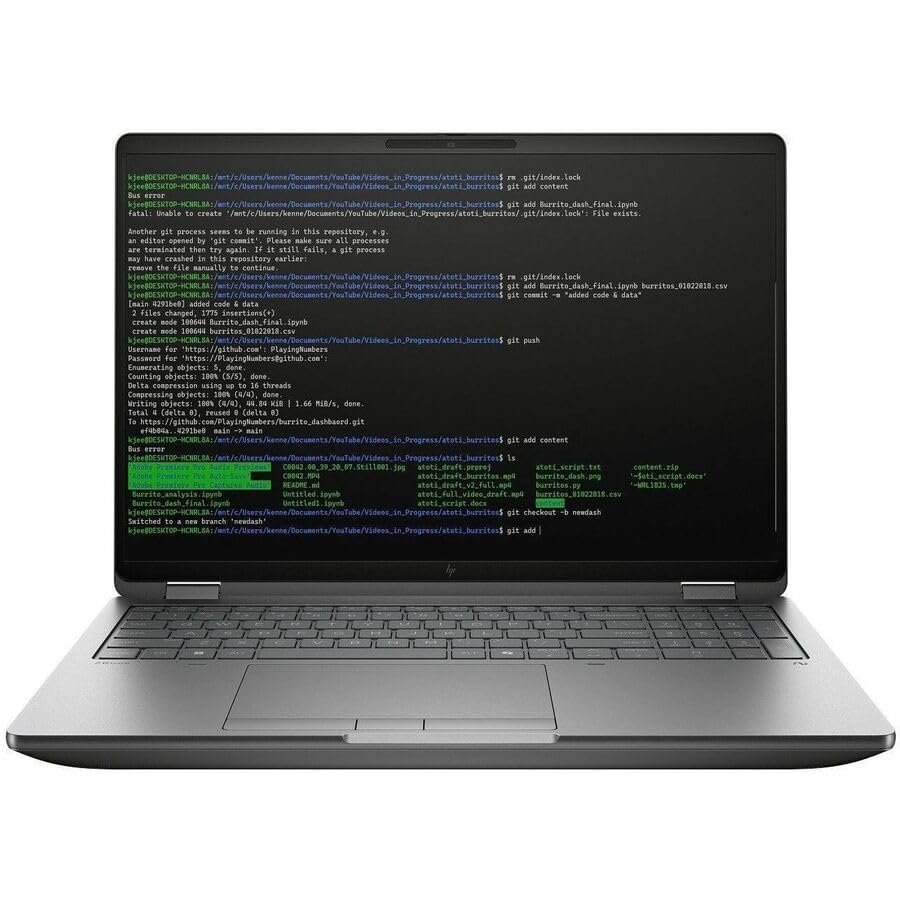 | HP ZBook Fury G1i 16 C94F9UT#ABA | Best fit: SD reader with three Thunderbolt ports Card slot: SD card reader Processor: Core Ultra 7 255HX Memory: 32GB DDR5-5600 Thunderbolt or USB4 ports: 2x Thunderbolt 5 and 1x Thunderbolt 4 | Check Price on Amazon |
 | Acer Swift Go 14 SFG14-72T-718K | Best fit: microSD reader with USB4 and Thunderbolt 4 Card slot: microSD Processor: Core Ultra 7 155H (Amazon listing) Memory: 16GB LPDDR5X (Amazon listing) Thunderbolt or USB4 ports: USB-C with USB4 and Thunderbolt 4 (Amazon lists 2, Acer's manual shows 1) | Check Price on Amazon |
1. Apple MacBook Pro 14-inch with M5 — Best Mac with an SDXC Slot
The 14-inch MacBook Pro with M5 has an SDXC card slot and three Thunderbolt 4 ports. Apple lists the slot separately from the ports and rates each Thunderbolt 4 port at up to 40Gb/s, with USB4 at the same speed.
The Amazon listing for this model has 16GB of unified memory and a 1TB SSD. Apple’s page lists 16GB, 24GB, or 32GB of memory and 512GB or 1TB of storage for the 14-inch M5, plus an HDMI port, a headphone jack, and a MagSafe 3 port. A microSD card would need an SD adapter in the slot.
Our Take Choose the MacBook Pro when you work in macOS, the only operating system Apple lists, and your cards are SD size. Choose a Windows laptop below when your software needs Windows or your reader must be SD Express.
- Apple lists the SDXC card slot as its own item, separate from the ports.
- Apple rates each of the three Thunderbolt 4 ports at up to 40Gb/s, with USB4 at the same speed.
- Apple lists 16GB, 24GB, or 32GB of unified memory, and the Amazon listing for this laptop has 16GB.
- Apple lists macOS as the only operating system for this laptop.
- Apple’s SDXC slot takes SD cards, and a microSD card needs an adapter.
2. Lenovo ThinkPad P16 Gen 3 — Best Laptop with an SD Express Reader
Lenovo lists a 1x SD Express 8.0 card reader on the ThinkPad P16 Gen 3, beside two Thunderbolt 5 ports and one Thunderbolt 4 port. Each Thunderbolt port is listed with DisplayPort 2.1 and USB PD 3.1, and Lenovo rates Thunderbolt 5 at 80 Gbit/s each way and Thunderbolt 4 at 40 Gbit/s.
Lenovo’s spec sheet lists the Core Ultra 7 255HX, four SODIMM memory slots, an HDMI 2.1 port, and 2.5GbE. The Amazon listing for this model has 32GB of RAM and a 1TB SSD. Lenovo’s weight starts at 2.54 kg (5.6 lbs).
Our Take Pick the ThinkPad P16 Gen 3 when your cards use SD Express and you want two Thunderbolt 5 ports on the desk. Pick a lighter laptop when weight is the priority.
- Lenovo lists an SD Express 8.0 card reader for this laptop.
- Lenovo rates the two Thunderbolt 5 ports at 80 Gbit/s each way.
- Lenovo rates the one Thunderbolt 4 port at 40 Gbit/s.
- Lenovo lists four SODIMM memory slots, and the Amazon listing for this laptop has 32GB of RAM.
- Lenovo lists the weight as starting at 2.54 kg (5.6 lbs).
- Lenovo lists the reader only as SD Express 8.0 and names no other SD card types for it.
3. ASUS ROG Zephyrus G16 GU605 — Best UHS-II SD Laptop with Thunderbolt 4
ASUS lists a UHS-II SD card reader rated at 312MB/s on one configuration of the ROG Zephyrus G16 GU605, plus one Thunderbolt 4 port with DisplayPort and power delivery at up to 40Gbps. The Amazon listing for this model names an SD card reader and a Thunderbolt 4 Type-C port.
ASUS lists the Core Ultra 9 285H and 16GB of LPDDR5X memory on the RTX 5070 versions, with the memory on board and no expansion possible. The Amazon listing has the same processor and memory plus a 1TB SSD.
Our Take Choose the Zephyrus G16 when a UHS-II SD reader and one Thunderbolt 4 port cover your desk. Choose the Razer Blade 16 or the Lenovo or HP workstation when you want a second Thunderbolt port.
- ASUS lists a UHS-II SD card reader rated at 312MB/s on one GU605 configuration.
- ASUS lists a Thunderbolt 4 port with DisplayPort and power delivery at up to 40Gbps.
- ASUS lists the Core Ultra 9 285H and 16GB of LPDDR5X memory on the RTX 5070 versions.
- ASUS lists one Thunderbolt 4 port, fewer than the Apple, Lenovo, Razer, and HP laptops list.
- ASUS lists the memory as on board with no expansion possible.
4. Razer Blade 16 RZ09-05819EN9-R3U1 — Best UHS-II SD Laptop with Thunderbolt 5
Razer lists a UHS-II SD card reader rated at 312MB/s, one Thunderbolt 5 port, and one Thunderbolt 4 port for the Blade 16 RZ09-05819EN9-R3U1, with DisplayPort and power delivery on both Thunderbolt ports.
Razer lists the Intel Core Ultra 9 386H and 64GB of LPDDR5X memory for this model, soldered and not upgradeable, with a 2TB SSD and two M.2 NVMe slots. It also lists three USB-A ports and HDMI 2.1. The Amazon listing has the same 64GB and 2TB.
Our Take Choose the Blade 16 when you want an SD reader, both Thunderbolt 5 and Thunderbolt 4, and 64GB of memory in a 16-inch laptop. Choose the Swift Go 14 when your cards are microSD.
- Razer lists a UHS-II SD reader rated at 312MB/s for this model.
- Razer lists one Thunderbolt 5 port and one Thunderbolt 4 port, each with DisplayPort and power delivery.
- Razer lists 64GB of LPDDR5X memory, a 2TB SSD, and two M.2 NVMe slots.
- Razer lists the memory as soldered and not upgradeable.
- Razer lists one Thunderbolt 5 port, while Lenovo and HP list two.
5. HP ZBook Fury G1i 16 C94F9UT#ABA — Best SD Workstation with Three Thunderbolt Ports
HP lists an SD card reader, two Thunderbolt 5 ports, and one Thunderbolt 4 port on the ZBook Fury G1i 16. HP rates the Thunderbolt 5 ports at an 80 Gbps signaling rate and the Thunderbolt 4 port at 40 Gbps, each with USB Power Delivery and DisplayPort 2.1. HP names no reader standard.
HP publishes these figures for a ZBook Fury G1i with the same Core Ultra 7 255HX. The Amazon listing is model C94F9UT#ABA with 32GB of memory and a 1TB SSD, so confirm the card reader with the seller. HP lists the memory as 32GB DDR5-5600 in one module of four SODIMM slots, and its weight starts at 2.43 kg.
HP lists the SD reader beside two Thunderbolt 5 ports and one Thunderbolt 4 port.Our Take Pick the ZBook Fury G1i 16 when you want an SD reader and three Thunderbolt ports in a workstation with four memory slots. Pick the ThinkPad P16 Gen 3 when the reader must be SD Express.
- HP lists an SD card reader as its own item.
- HP rates the two Thunderbolt 5 ports at an 80 Gbps signaling rate and the one Thunderbolt 4 port at 40 Gbps.
- HP lists four SODIMM slots with one 32GB module installed.
- HP names no reader standard on its page.
- HP lists the weight as starting at 2.43 kg.
6. Acer Swift Go 14 SFG14-72T-718K — Best microSD Laptop with USB4
Acer’s manual lists a microSD card reader that accepts one microSD card, and a USB Type-C port it calls compatible with Thunderbolt 4 and USB4. Acer also states that its Type-C ports support up to USB4 at 40 Gbps, and the same port takes the power adapter.
The manual shows one Type-C port, while the Amazon listing says two USB-C ports with USB4 and Thunderbolt 4. The Amazon listing also has the Core Ultra 7 155H, 16GB of LPDDR5X memory, a 512GB SSD, two USB-A ports, and HDMI 2.1.
Acer’s manual lists a microSD reader.Our Take Choose the Swift Go 14 when your cards are microSD and you want USB4 and Thunderbolt 4 on a Windows laptop. Choose one of the SD readers above when you carry standard-size SD cards.
- Acer’s manual lists a microSD reader that accepts one card.
- Acer’s manual calls its Type-C port compatible with Thunderbolt 4 and USB4.
- The Amazon listing says two USB-C ports with USB4 and Thunderbolt 4.
- The reader takes microSD only, and a standard-size SD card does not fit it.
- Acer’s manual shows one Type-C port that also takes the power adapter, while the Amazon listing says two.
Buying Guide
1. Start with the card each laptop takes
SD and microSD are different sizes, so the reader is the first filter. Apple lists an SDXC slot, Lenovo an SD Express 8.0 reader, and ASUS, Razer, and HP list SD readers. Razer’s page labels the reader on its older Blade 16 as MicroSD and the reader on this one as SD.
Only the Swift Go 14 lists microSD. A microSD card in any of the other five needs an SD adapter, and a standard-size SD card cannot go into that laptop at all.
2. Read the reader name before you assume a result
Each name is a format, not a benchmark. ASUS and Razer rate their UHS-II readers at 312MB/s, and ASUS shows its rating on one GU605 configuration. Lenovo names its reader SD Express 8.0. No maker here gives a transfer result for a specific card.
Match the label on your own card to the label each maker prints. Apple’s slot is SDXC, Acer’s accepts one microSD card, and HP’s plain SD label is the least specific of the six.
3. Count the fast USB-C ports separately from the reader
Every maker lists the reader as its own item, not as one of the Thunderbolt or USB4 ports. The MacBook Pro, ThinkPad P16 Gen 3, and ZBook Fury G1i 16 list three Thunderbolt ports each, the Razer Blade 16 lists two, the Zephyrus G16 lists one, and the Amazon listing for the Swift Go 14 names two USB-C ports with USB4 and Thunderbolt 4. Lenovo rates Thunderbolt 5 at 80 Gbit/s and HP at an 80 Gbps signaling rate, and both rate Thunderbolt 4 at 40. Apple rates its Thunderbolt 4 ports at up to 40Gb/s.
A port count does not settle a desk setup. The Thunderbolt laptops list and USB4 laptops list cover more models, but the dock, cable, display, and operating system decide the result. Count the connections first, then check the whole chain.
4. Check memory before you order
Memory is fixed on some of these laptops and replaceable on others. Razer lists its 64GB as soldered and not upgradeable, and ASUS lists its 16GB as on board with no expansion. Lenovo and HP list four SODIMM slots each, and the Amazon listings for both carry 32GB.
The processor and memory in a listing belong to that configuration. The listings name the Core Ultra 9 285H, Core Ultra 9 386H, Core Ultra 7 255HX for Lenovo and HP, and Core Ultra 7 155H for Acer, and Apple lists 16GB, 24GB, or 32GB for the M5. Compare the memory and storage in the listing you buy.
5. Plan docks and external storage as their own purchase
The ThinkPad P16 Gen 3 and ZBook Fury G1i 16 are the two laptops with two Thunderbolt 5 ports and one Thunderbolt 4 port. The MacBook Pro‘s three Thunderbolt 4 ports and the Razer Blade 16‘s one Thunderbolt 5 and one Thunderbolt 4 port give other mixes, so pick by how many fast devices you connect at once.
A dock needs its own host and display check. The Thunderbolt 4 docking-stations guide and Thunderbolt port identification guide narrow the category, but the dock’s manual states what it needs from the laptop. Confirm the computer, cable, displays, and charging as one setup.
FAQ
Do I need an SD reader or a microSD reader?
Match the reader to the card in your camera. Five of the six laptops list SD readers: SDXC on the MacBook Pro, SD Express 8.0 on the ThinkPad P16 Gen 3, UHS-II SD on the Zephyrus G16 and Razer Blade 16, and a plain SD reader on the ZBook Fury G1i 16.
Only the Swift Go 14 lists microSD. Acer’s manual says the reader accepts one microSD card, and a standard-size SD card does not fit it.
Is SDXC the same thing as SD Express?
No. Apple names an SDXC slot on the MacBook Pro, while Lenovo names an SD Express 8.0 reader on the ThinkPad P16 Gen 3. The two labels name different formats, and each maker’s page lists them separately.
Use the card’s own label and the laptop’s spec sheet together. A reader label names the format the reader supports, and no maker here gives a result for a particular card.
How many Thunderbolt or USB4 ports should I look for?
Count the fast devices you plan to connect at the same time. The ThinkPad P16 Gen 3 and ZBook Fury G1i 16 list two Thunderbolt 5 ports and one Thunderbolt 4 port, the MacBook Pro lists three Thunderbolt 4 ports, and the Razer Blade 16 lists one of each.
One port covers a simple desk. The Zephyrus G16 lists one Thunderbolt 4 port, and the Amazon listing for the Swift Go 14 names two USB-C ports with USB4 and Thunderbolt 4. The right count depends on your dock, drive, display, and cable.
Can I use a Thunderbolt dock and the built-in card reader together?
Yes. Each maker lists the card reader as its own item, separate from the Thunderbolt or USB4 ports. The MacBook Pro lists its SDXC slot beside three Thunderbolt 4 ports, and the ThinkPad P16 Gen 3 lists its SD Express reader beside two Thunderbolt 5 ports and one Thunderbolt 4 port.
A dock needs its own check. Confirm the dock’s host requirements, the cable, the displays, and charging before you plan a desk around it.
Which laptop takes microSD cards?
The Swift Go 14 is the only one of the six whose maker lists microSD. Acer’s manual says the reader accepts one microSD card, and it calls the Type-C port compatible with Thunderbolt 4 and USB4.
The Razer Blade 16 here lists an SD reader, not microSD.
Bottom Line
The MacBook Pro 14-inch with M5 is the SDXC pick with three Thunderbolt 4 ports, and the ThinkPad P16 Gen 3 is the SD Express pick. The Zephyrus G16 and Razer Blade 16 are the UHS-II SD picks, with one Thunderbolt 4 port on the first and one Thunderbolt 5 plus one Thunderbolt 4 port on the second. The ZBook Fury G1i 16 adds an SD reader to two Thunderbolt 5 ports and one Thunderbolt 4 port, and the Swift Go 14 is the microSD pick.