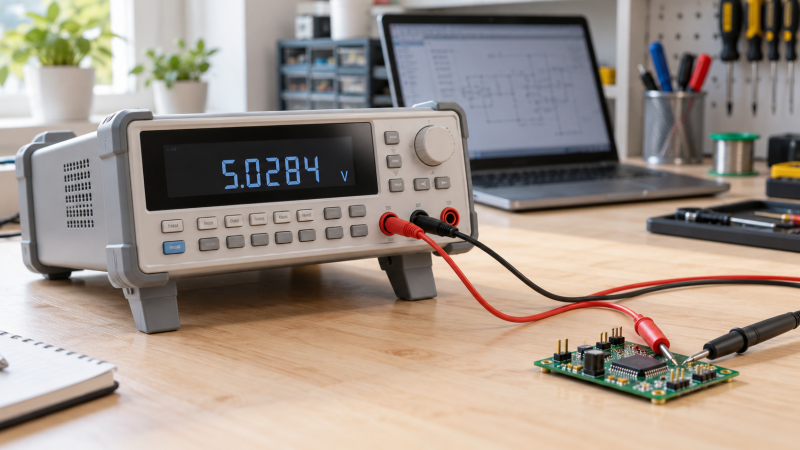
A desktop digital multimeter earns a permanent place on an electronics bench when its display, measurement modes, and connection options fit repeat checks. True-RMS capability is useful for AC work, but resolution, display layout, desktop footprint, and computer connection can change the better choice.
The Crenova is the value pick for USB data management and a 30,000-count display. Rigol and Siglent provide 5.5-digit benchtop options, while the OWON combines a 55,000-count desktop display with stated internal records and SCPI support.
Choose the meter by the measurement workflow first, then compare display resolution, connection type, and bench footprint.Best True-RMS Desktop Digital Multimeters Compared
| Image | Product | Details | Check Price |
|---|---|---|---|
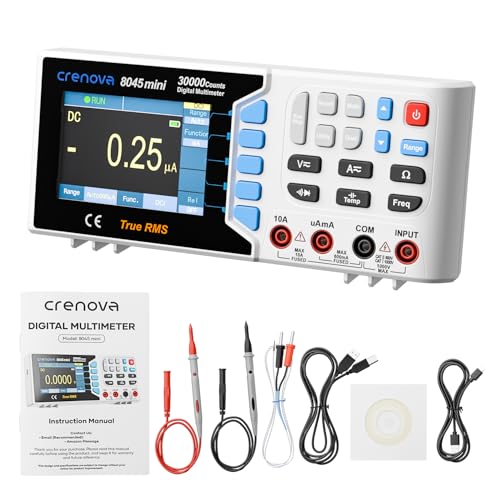 | Crenova 30000-Count Desktop Bench Multimeter | Best fit: Value desktop USB logging Display: 30,000 counts True RMS: Yes Connection: USB data logging Safety category: CAT II 600V | Check Price on Amazon |
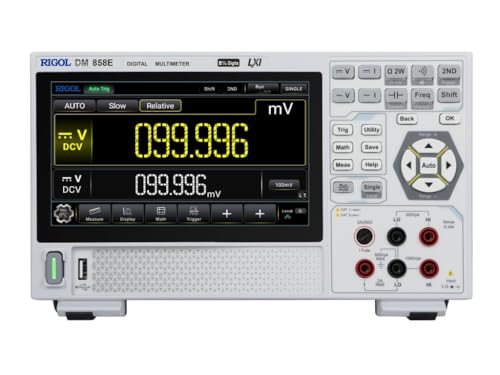 | Rigol DM858E | Best fit: Compact bench measurement Display: Not stated True RMS: Yes Connection: Not stated Form: Compact benchtop | Check Price on Amazon |
 | Siglent SDM3055 | Best fit: 5.5-digit lab bench Display: 5.5 digits True RMS: Yes Storage: 1 Gb NAND flash Form: Benchtop | Check Price on Amazon |
 | Rigol DM3058E | Best fit: USB-equipped 5.5-digit bench Display: 123,000 counts, 5.5 digits True RMS: Yes Connection: USB, RS-232 Display mode: Dual display | Check Price on Amazon |
 | OWON XDM1041 | Best fit: 55,000-count desktop meter Display: 55,000 counts, 3.5-inch LCD True RMS: Yes Functions: Voltage, current, temperature Form: Desktop | Check Price on Amazon |
1. Crenova 30000-Count Desktop Bench Multimeter — Best for Value Desktop USB Logging
Choose the Crenova when you want to record measurements and review them on a computer over USB. Crenova specifies a 30,000-count 3.5-inch display, true-RMS measurement, USB data logging, and a CAT II 600V safety category in a compact meter made for a desktop.
Crenova also names automatic or manual ranging, a dual display, and voltage, current, resistance, capacitance, temperature, frequency, duty cycle, continuity, and diode testing. The stated rechargeable 5000mAh battery makes it more portable than a conventional bench meter that runs on line power alone, which helps if you move between a workbench and nearby equipment.
Our Take Buy the Crenova when USB data management and a broad stated function set are more useful than 5.5-digit bench resolution. Skip it if you want a meter dedicated to a fixed bench, because the rechargeable battery makes it less specialized than the Rigol and Siglent bench instruments.
Pros
- A stated 30,000-count display gives repeat bench checks more visible resolution than a basic handheld meter.
- USB data logging and computer control let you review readings beyond the meter screen.
- The stated CAT II 600V rating identifies the safety category for the intended measurement environment.
Cons
- The 3.5-inch display is smaller than the Rigol DM858E’s stated seven-inch color touchscreen.
- Its stated rechargeable 5000mAh battery makes it more portable, but less dedicated to a fixed bench role.
2. Rigol DM858E — Best for a Compact Connected Bench
The DM858E fits a bench that needs 5.5-digit resolution without giving up much physical space. Rigol describes a 10.5 by 6.5 by 3.1-inch footprint, a seven-inch color touchscreen with dual measurement results, and true-RMS operation.
Rigol also states standard USB and LAN interfaces with Web Control remote access. The USB and LAN combination is useful when the instrument must sit close to a prototype while still being reachable from another computer. The stated USB-C power option gives a separate path for use in the field.
Its compact footprint and stated USB plus LAN interfaces suit a lab bench that needs local visibility and remote access.Our Take Choose the DM858E for a compact 5.5-digit bench meter with a larger touchscreen and stated USB/LAN connectivity. Buyers focused on a conventional USB and RS-232 interface mix should compare the DM3058E.
Pros
- Stated 5.5-digit resolution suits a buyer moving beyond a simple low-count desktop display.
- The seven-inch color touchscreen shows dual measurement results for a more visible bench readout.
- USB and LAN with Web Control provide stated remote-access options without requiring a separate interface purchase.
Cons
- Its compact 10.5-inch width leaves less panel area than a larger conventional bench instrument.
- The stated USB-C power option adds flexibility, but the listing does not state a separate LXI interface.
- A seven-inch touchscreen may be unnecessary for a buyer who only wants a fixed numeric readout.
3. Siglent SDM3055 — Best for a 5.5-Digit Lab Bench
The Siglent SDM3055 is the straightforward choice for a buyer who wants a traditional benchtop form with 5.5 digits and a wide stated measurement set. Siglent names voltage, current, resistance, capacitance, temperature, continuity, frequency, and diode test functions alongside true-RMS capability.
Siglent also states 240,000 display counts and 1Gb NAND flash. The product attributes say autorange is not included, so this model suits a buyer who accepts manual range selection as part of a more deliberate workflow at the bench.
Its stated autorange value is no, so confirm that manual range selection fits the measurements you perform most often.Our Take Buy the SDM3055 for a 5.5-digit true-RMS benchtop meter with a broad named function set and internal flash. Skip it when automatic ranging is a required part of the bench routine.
Pros
- The stated 5.5-digit display suits a dedicated bench measurement role rather than a compact field meter.
- Listed 240,000 counts give the buyer a higher stated display count for detailed numeric work.
- A named 1Gb NAND flash capacity supports internal data storage without assuming a computer connection.
Cons
- The product attributes state autorange is not included, requiring a buyer to accept manual range selection.
- A 5.5-digit bench instrument may be more than a quick continuity or household-check workflow needs.
4. Rigol DM3058E — Best for USB-Equipped 5.5-Digit Bench Work
The DM3058E suits a bench where the interface choice is as important as the display. Rigol calls it a 5.5-digit, 123,000-count true-RMS bench multimeter with a dual display, plus USB and RS-232 connections for a more established instrument-control path.
Those stated interfaces give a buyer several ways to connect the meter to existing equipment or a measurement computer. The 123,000-count figure is lower than Siglent’s stated 240,000 counts, so choose the interface combination and workflow rather than treating one count number as a universal ranking.
Our Take Choose the DM3058E when USB and RS-232 are useful on the same 5.5-digit bench meter. Its stated 123,000 counts may not be the priority for a buyer focused on the Siglent’s larger count figure.
Pros
- Stated USB and RS-232 interfaces give a lab conventional wired paths for existing equipment.
- A 5.5-digit, 123,000-count display suits deliberate repeat measurements on a permanent bench.
- The named dual display can keep two stated measurement results visible without changing screens.
Cons
- The stated 123,000 counts are lower than the Siglent SDM3055’s listed 240,000 counts.
- USB and RS-232 are useful only when the buyer has a reason to integrate the extra interface.
- Its dedicated bench profile is less portable than the Crenova’s stated battery-powered design.
5. OWON XDM1041 — Best for a 55,000-Count Desktop Meter
The OWON XDM1041 fits a buyer who wants a desktop meter with a clear stated display and records you retrieve on a computer. OWON specifies a 3.5-inch 55,000-count LCD, true-RMS AC voltage and current measurement, a dual-line display, and a 1,000-point logging length.
Its stated data record function covers internal storage, later computer retrieval, and chart mode, and OWON adds SCPI support. OWON also names up to 65 readings per second and voltage, current, resistance, capacitance, temperature, continuity, diode, and frequency functions. Together they make a detailed desktop feature set that does not assume 5.5-digit resolution.
A 55,000-count dual-line display and stated SCPI support fit a buyer who wants desktop records without moving to a larger bench instrument.Our Take Buy the XDM1041 for its stated 55,000-count desktop display, internal records, computer retrieval, and SCPI support. Choose one of the 5.5-digit models when that resolution class is the defining requirement.
Pros
- The stated 55,000-count LCD gives a desktop bench more visible detail than a basic low-count meter.
- A listed 1,000-point logging length supports stored measurement records for later review.
- Stated SCPI support suits buyers whose computer workflow expects instrument-control commands.
Cons
- The 3.5-inch LCD provides less stated screen area than the Rigol DM858E’s seven-inch touchscreen.
- Its 55,000 counts do not replace the 5.5-digit display class named by the Rigol and Siglent meters.
Buying Guide
1. Choose a display class before chasing every extra function
Display resolution changes how finely a reading is presented, but the larger number is not automatically the better fit for every bench. The Rigol DM858E, Rigol DM3058E, and Siglent SDM3055 each state 5.5-digit resolution, while the Crenova and OWON use 30,000-count and 55,000-count desktop displays.
Choose the display that makes repeated work readable from the actual bench position. The DM858E states a seven-inch touchscreen, whereas the Crenova and OWON state 3.5-inch displays, so screen size and layout belong beside the resolution decision.
2. Separate computer connection from internal storage
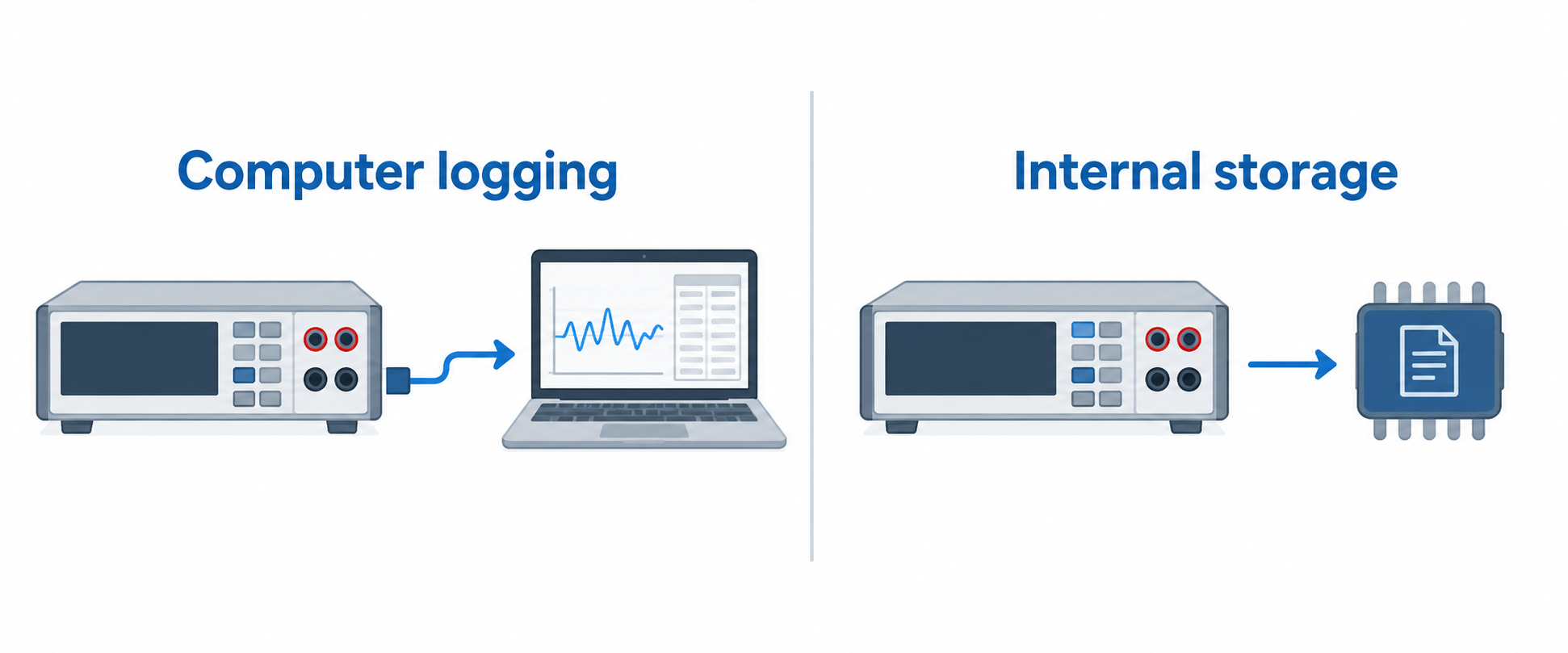
Some buyers need to export or control readings from a computer, while others only need the meter to retain a record locally. The Crenova specifies USB data logging and computer control, the DM858E names USB and LAN with Web Control, and the DM3058E lists USB and RS-232.
Internal retention is a separate capability. The Siglent states 1Gb NAND flash, while OWON specifies internal data records, computer retrieval, chart mode, and a 1,000-point logging length. Select the path that fits the existing bench instead of assuming every USB connector serves the same role.
3. Confirm the measurement functions you will use
All five picks cover the core job of measuring electrical quantities, but their stated feature sets are not identical. The Crenova names 11 measurement functions, while the Siglent explicitly lists voltage, current, resistance, capacitance, temperature, continuity, frequency, and diode testing.
Do not treat a general function list as proof of every range, accuracy, or measurement condition. Start with the circuit and component work you perform, then choose the model whose stated functions and display approach fit that routine.
4. Decide whether automatic ranging belongs in the workflow
Automatic ranging can reduce a front-panel decision, but not every bench instrument uses it. The Siglent’s stated autorange value is no, so it suits a buyer who accepts selecting a range before a measurement rather than expecting automatic behavior.
The Crenova explicitly states automatic or manual ranging, so it is the clearer option when you need that flexibility. Ranging is a workflow choice, not a blanket quality judgment, because a bench with repeat known ranges can prioritize other display or connection characteristics.
5. Match the meter’s physical role to the bench
A permanent desktop meter and a portable device can serve related jobs without having the same physical fit. The Rigol DM858E specifies a 10.5 by 6.5 by 3.1-inch footprint, which helps a buyer reserve actual desk space before purchasing.
The Crenova’s stated 5000mAh rechargeable battery and USB-C power option make it the more flexible pick for moving around a workspace. A fixed bench with a networked instrument role may instead benefit from the Rigol or OWON connection features. See the related bench power supply guide when the meter must work beside a regulated supply.
FAQ
What does true RMS mean on a desktop multimeter?
True RMS describes an AC measurement capability stated by every meter in this comparison. The true-RMS label is useful when evaluating AC voltage or current work, but the measurement conditions and limits still belong in the product documentation.
True-RMS capability does not make every desktop meter equivalent. Display resolution, functions, records, interface options, and physical layout still determine whether the Crenova, Rigol, Siglent, or OWON better matches a particular bench.
Is a 5.5-digit bench meter better than a 55,000-count desktop meter?
Neither display style is universally better, because digits and counts are different ways of stating display resolution. The Rigol DM858E, DM3058E, and Siglent SDM3055 use 5.5 digits, while OWON specifies 55,000 counts and Crenova specifies 30,000 counts.
Choose from the measurements and workflow you need, not a single headline. A buyer who needs USB data logging may favor the Crenova, while a buyer who needs multiple stated instrument interfaces may favor the DM3058E.
Can I log readings to a computer with these meters?
Several picks state a computer or remote-control path, but their interfaces differ. The Crenova lists USB data logging, the DM858E lists USB and LAN with Web Control, the DM3058E lists USB and RS-232, and OWON states computer retrieval with SCPI support.
Check the connection type against the computer, network, cable, and control method you already use. The Siglent SDM3055 states 1Gb NAND flash, so its internal storage should not be assumed to match another model’s computer workflow.
Why does autorange matter on a bench meter?
Autorange helps when the measurement routine changes ranges often and the operator prefers the meter to select one. The Crenova states automatic or manual ranging, while the Siglent product attributes state autorange is not included.
Manual range selection can still suit repeat checks with known conditions. The decision is practical. Choose the process that avoids unnecessary front-panel adjustments without assuming an automatic feature is required for every electronics bench.
Do I need a network connection for a small electronics lab?
Network access is useful only when a lab has a reason to reach the meter through its existing network or a compatible control setup. The DM858E states LAN and Web Control, while the DM3058E uses USB and RS-232 for its stated wired connections.
A single personal repair desk may be well served by USB data logging or local records instead. Buyers building a broader instrument setup can compare these meter connections with their other gear, including a multi-gig network switch, before choosing an interface path.
Bottom Line
Choose the Crenova for the strongest stated value in USB logging, a 30,000-count display, and a broad measurement list. The Rigol DM858E suits a compact connected bench with a seven-inch touchscreen. The DM3058E offers USB and RS-232. The Siglent supplies 5.5 digits with 240,000 counts and internal flash. OWON combines a 55,000-count desktop display with stated records and SCPI support.