The Short Version
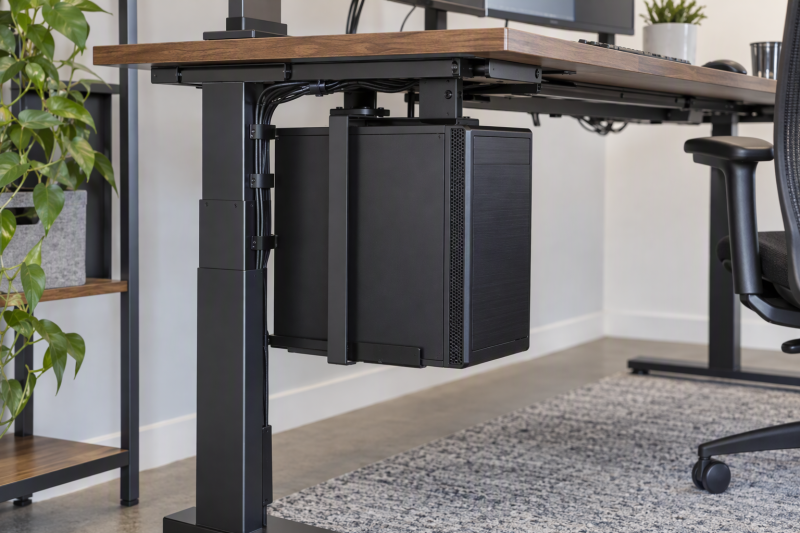
An under-desk CPU holder moves a desktop tower off the floor while keeping it near a standing desk. Measure the case height and width, tower weight, actual desk leg or edge, mounting method, and cable travel before choosing a holder, because each holder has different limits and mounting geometry.
Choose the Mount-It! MI-7159 for a stated capacity of 66 pounds and a case range of 16.1 to 25.6 inches high by 7.1 to 11.8 inches wide. Choose the Desky Heavy Duty PC Mount for a lighter tower that needs sliding track access and 360-degree swivel. The JOY worker EF06-B2 is the explicit inverted-leg choice.
Every product here is listed as an under-desk or desk-leg holder. Some use a no-drill clamp, while Desky lists attachment to the underside of a desk. For every product, verify the desk structure, tower dimensions, cable slack, and clearance through the desk’s full up-and-down travel.
Quick Picks
- Best heavy tower mount: Mount-It! MI-7159 for 66 pounds and broad stated case dimensions.
- Best access mount: Desky Heavy Duty PC Mount for sliding track and 360-degree swivel.
- Best narrow tower holder: VIVO MOUNT-PC01C for case widths of 3.5 to 7.8 inches.
- Best flat-edge clamp: TooCust Clamp-On PC Mount for up to 2.5-inch edges.
How We Picked
The listings explicitly name an under-desk, desk-leg, clamp-on, or no-drill tower holder. The comparison uses capacity, adjustable height and width, mounting method, slide or swivel access, standing-desk suitability, and stated desk-leg limits. Fixed wall brackets are excluded.
These holders are neither rolling computer tower stands nor a standing desk converter. The tower moves with the desk, which is the main advantage, but only when the mount, desktop, and cable routing are compatible.
Under-Desk CPU Holders Compared
| Image | Product | Details | Check Price |
|---|---|---|---|
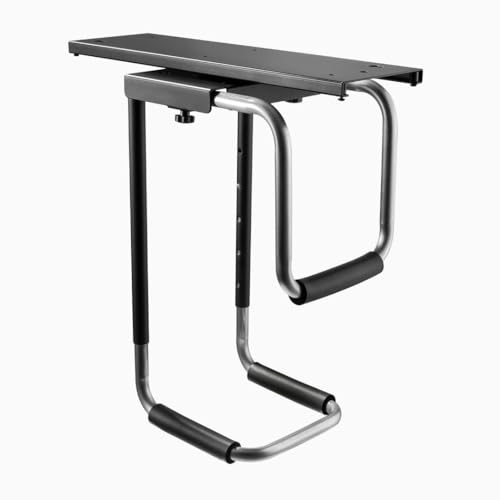 | Desky Heavy Duty PC Mount | Best fit: Sliding and swiveling light tower Capacity: 22 lb Access: Sliding track, 360-degree swivel Material: Steel Mount: Under desk | Check Price on Amazon |
 | Mount-It! MI-7159 | Best fit: Heavy full-tower no-drill mount Capacity: 66 lb Case range: 16.1–25.6H, 7.1–11.8W Clamp: 0.59–2.4 inches Access: Slides out | Check Price on Amazon |
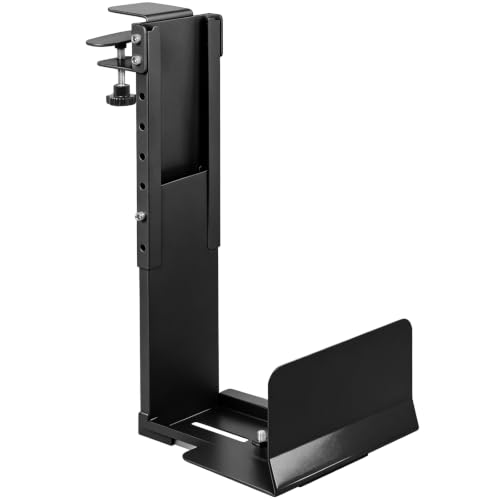 | TooCust Clamp-On PC Mount | Best fit: 50 lb flat-edge clamp Capacity: 50 lb Case range: 14.5–22.4H, 5.5–9.8W Clamp: Up to 2.5 inches Material: Steel | Check Price on Amazon |
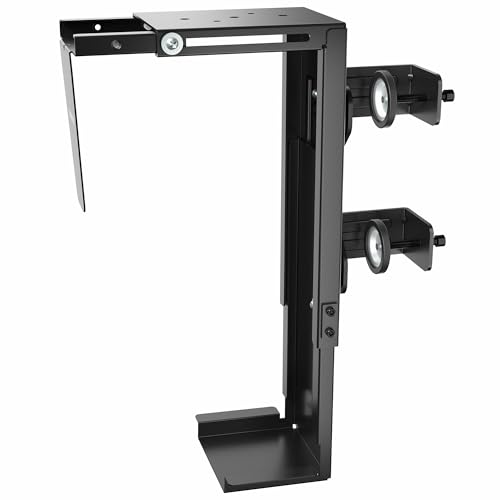 | VIVO MOUNT-PC01C | Best fit: Narrow desk-leg tower Capacity: 22 lb Case range: 11.5–20.5H, 3.5–7.8W Mount: Tool-free leg clamp Desk: Height-adjustable listed | Check Price on Amazon |
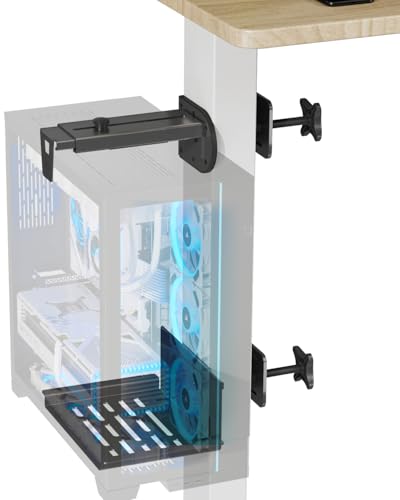 | JOY worker EF06-B2 | Best fit: Inverted standing-desk leg Capacity: 44 lb Case width: 5.9–9.8 inches Mount: No-drill leg clamp Note: Not for round legs | Check Price on Amazon |
1. Desky Heavy Duty PC Mount — Best for Sliding and Swiveling Access
Desky lists a steel under-desk holder with a 22-pound limit, adjustable tower fit, a sliding track, and 360-degree swivel. It is the access-focused option for a lighter desktop tower when you reach the rear ports and cable connections regularly.
Pros
- You can bring rear ports and cables forward on the listed sliding track for access.
- The 360-degree swivel helps you reposition a supported tower for maintenance and cable work.
- Steel construction and adjustable fit suit a lighter tower that needs under-desk clearance.
Cons
- Its 22-pound rating excludes heavier workstations supported by 44- and 66-pound mounts.
- The listing does not state the detailed case-dimension range given by Mount-It!.
2. Mount-It! MI-7159 — Best for Heavy Full-Tower No-Drill Mounting
Mount-It! lists a no-drill steel holder rated for 66 pounds, cases 16.1 to 25.6 inches high and 7.1 to 11.8 inches wide, plus a clamp for desktops 0.59 to 2.4 inches thick. The horizontal holder slides the tower out for maintenance without loosening the clamp.
Pros
- The 66-pound capacity directly suits heavy mid- and full-tower workstation builds.
- You can check the stated case and clamp ranges against your tower and desk before mounting.
- You can slide the tower out for maintenance without releasing the no-drill clamp.
Cons
- The clamp range of 0.59 to 2.4 inches needs a compatible desk edge or leg structure.
- Its larger steel holder may be more than a compact lightweight tower needs.
3. TooCust Clamp-On PC Mount — Best for a 50-Pound Flat-Edge Clamp
TooCust lists a thickened steel no-drill clamp mount that fits flat desk edges up to 2.5 inches thick and holds up to 50 pounds. Its stated case range is 14.5 to 22.4 inches high and 5.5 to 9.8 inches wide, so it is a middle-capacity fit for many standard towers.
Pros
- A 50-pound limit sits between lightweight leg clamps and 66-pound heavy-duty holders.
- You can check the flat-edge clamp fit of up to 2.5 inches against your desk.
- The listed range of 14.5 to 22.4 inches high and 5.5 to 9.8 inches wide helps you match the case.
Cons
- It requires a flat desk edge, unlike holders specifically described around desk legs.
- Its 50-pound limit is below Mount-It!’s 66-pound rating.
4. VIVO MOUNT-PC01C — Best for Narrow Desk-Leg Towers
VIVO lists a tool-free side clamp for a desk leg, a 22-pound limit, and adjustable support for cases 11.5 to 20.5 inches high and 3.5 to 7.8 inches wide. It is the narrow-case pick for a standing desk where the leg geometry supports the mount and no drilling is acceptable.
Pros
- The listed width range of 3.5 to 7.8 inches is aimed at narrower desktop tower cases.
- The tool-free desk-leg clamp keeps the stated no-drill installation simple.
- The listing supports height-adjustable desks, so the mount fits a desk that moves.
Cons
- Its 22-pound maximum does not suit many heavy gaming or workstation towers.
- Desk-leg clamp geometry must be checked separately from the computer case dimensions.
5. JOY worker EF06-B2 — Best for an Inverted Standing-Desk Leg
JOY worker lists a no-drill clamp-on leg holder rated for 44 pounds and case widths from 5.9 to 9.8 inches. It works best with inverted legs and is not compatible with round legs, so desk geometry is the first filter.
Pros
- The 44-pound capacity gives more tower margin than the 22-pound Desky and VIVO mounts.
- The width range of 5.9 to 9.8 inches suits many conventional mid-tower case widths.
- The listed silicone gaskets are meant to hold a stable clamp position during standing-desk movement.
Cons
- It is not compatible with round legs, so a desk with round legs rules it out.
- The listing does not state a height range, so you need to check the case height with extra care.
Buying Guide: Choosing an Under-Desk CPU Holder
Weigh the tower before choosing capacity
Desky and VIVO list 22 pounds, JOY worker lists 44 pounds, TooCust lists 50 pounds, and Mount-It! lists 66 pounds. The tower’s complete weight includes installed drives, graphics card, power supply, and any accessories that remain attached.
Use the listed capacity as a hard filter. Do not estimate from case size alone, because two similarly sized towers can weigh very differently. Select a holder with capacity that covers the complete configured computer.
Match case dimensions and desk geometry separately
Mount-It! lists heights of 16.1 to 25.6 inches and widths of 7.1 to 11.8 inches. TooCust lists 14.5 to 22.4 inches by 5.5 to 9.8 inches, while VIVO targets narrow cases 3.5 to 7.8 inches wide. JOY worker specifies width and inverted leg type instead.
The tower and desk are separate fits. A case can fall within the holder’s size range while the desk edge, leg shape, cable tray, or crossbar makes the clamp impossible. Measure both before ordering.
Decide whether maintenance access needs slide or swivel
Desky lists a sliding track and 360-degree swivel. Mount-It! says its holder slides the tower out without loosening the clamp. The other models are described around fixed mounting and case adjustment, and their listings do not explicitly name access hardware.
Choose access hardware when rear I/O, drive work, or cable swaps happen often. For a tower that stays connected for months, capacity and geometry can count for more than a sliding track.
Test the full standing-desk travel before final tightening
VIVO explicitly names height-adjustable desk use, while Mount-It! describes stability through desk movement. A desk-mounted tower should move with the desk without pulling on power, display, network, USB, or audio cables.
Leave cable slack for the entire desk travel, not only seated height. Raise and lower the desk slowly after mounting, and check that every cable clears the frame and that the tower does not meet drawers, walls, or other under-desk equipment.
Keep airflow and clearances in the plan
Moving a tower off the floor can free space, but it also changes where intake and exhaust face. The holder should not cover a ventilation area or press the case against a drawer, panel, or desk leg. Any under-desk mount needs clear space above and beside the case.
Protect airflow clearance before treating the holder as a cable-management solution. Check the tower’s vents and leave room for maintenance, dust removal, and normal desk movement rather than filling every remaining gap under the work surface.
Frequently Asked Questions
Can an under-desk CPU holder support a full tower?
Some can. Mount-It! lists 66-pound capacity plus heights of 16.1 to 25.6 inches and widths of 7.1 to 11.8 inches. TooCust lists 50 pounds and a smaller case range. The actual tower still needs measuring and weighing.
Use case dimensions and weight together. A full tower that fits dimensionally can still exceed the holder’s rated capacity, while a heavy compact workstation can also rule out a 22-pound holder.
Do these mounts need drilling?
Not always. Mount-It!, TooCust, VIVO, and JOY worker specifically state no-drill or clamp installation. Desky instead lists an under-desk mount that attaches to the underside of the desk and includes mounting hardware.
No-drill does not mean universal fit. Check clamp thickness, flat-edge requirement, leg shape, and obstructions under the desk before assuming the mount can attach safely.
Will the tower move with a standing desk?
Moving with the desk is the intended role of these desk-mounted holders. VIVO explicitly frames its holder for height-adjustable desks, and JOY worker describes clamping to a standing desk leg to reduce cable strain when raised.
The essential condition is cable travel. Mount the tower, then test the desk from lowest to highest position with all power, display, network, and USB connections attached before relying on it during daily use.
What desk legs work with under-desk CPU holders?
It varies. TooCust requires a flat desk edge, VIVO uses a side clamp on a desk leg, and JOY worker works best with inverted legs while excluding round legs. Mount-It! lists desktop clamp thickness from 0.59 to 2.4 inches.
Treat the leg profile as a product-specific requirement. Look beneath the desk for tapering, rounded sections, cable trays, crossbars, and hardware that may prevent a clamp from sitting flat.
Is sliding access worth it?
Sliding access is valuable when you change ports or cables frequently. Desky lists a sliding track and 360-degree swivel, and Mount-It! says its horizontal holder slides out for maintenance without loosening the clamp.
For a fixed workstation, capacity and fit are usually more important. A tower that rarely needs rear access may be better served by a simple heavy-duty holder with the correct desk and case measurements.
Bottom Line
Choose the Mount-It! MI-7159 for 66-pound heavy-tower support and slide-out access, the Desky Heavy Duty PC Mount for a lighter tower needing slide and swivel access, or the JOY worker EF06-B2 for a 44-pound inverted-leg clamp setup.