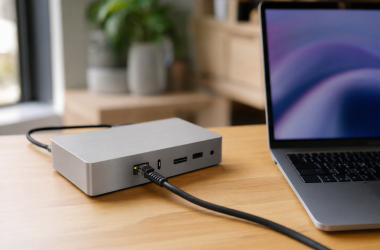
A travel plug adapter with USB-C charging can replace a separate laptop brick only when its USB output, plug coverage, and voltage limits match the trip. The adapter changes the wall-plug shape. It does not convert voltage for a device that only accepts one mains voltage.
These six Amazon US adapters list up to 100W USB-C charging for laptops. Check the laptop’s required USB-C power, the countries on your itinerary, the adapter’s total-output sharing rules, and whether each device accepts 100 to 240V input.
A universal plug shape is not a voltage converter, and a 100W label may apply only to a specific USB-C port or charging mode.Travel Plug Adapters Compared

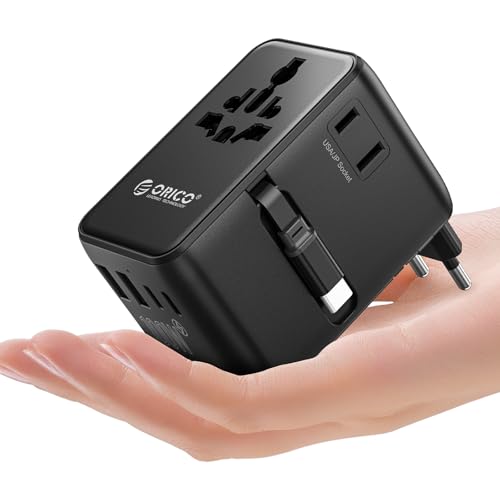
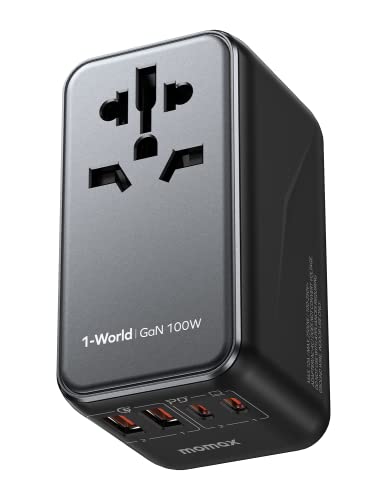
1. MOMAX UA23 — Two AC Outlets
MOMAX lists the UA23 as a 100W USB-C PD travel adapter with Type A, C, G, and I plugs. It has two AC outlets, two USB-C ports, and two USB-A ports, for a stated six-device layout.
The listing says it does not convert voltage and calls for devices that accept 100 to 250V. The warning is essential for travel appliances, since a plug adapter can fit the outlet while still being unsuitable for a single-voltage device.
Our Take Buy the UA23 if two AC outlets are useful alongside laptop charging. Check the laptop’s charging behavior and every device’s input-voltage label before relying on one travel adapter.
- Lists two AC outlets and four USB ports.
- Lists 100W USB-C PD output.
- Does not convert voltage.
- Combined charging needs checking.
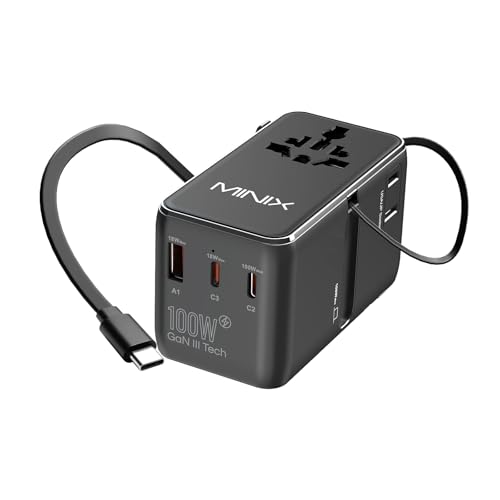
2. MINIX 100W Travel Adapter — Retractable USB-C Cable
MINIX lists this GaN III adapter with three USB-C ports, one USB-A port, and a retractable USB-C cable. The integrated cable is listed at 63cm, which can reduce the number of separate items needed for a laptop charging setup.
Its listing gives combined-output examples for two USB-C ports and says the plug set covers more than 180 countries, excluding South Africa and India. The stated regional exceptions are a reason to check each destination rather than assuming “worldwide” covers every socket.
Our Take Buy the MINIX if you value a built-in USB-C cable. It is less compelling if you need more than one AC outlet or a destination outside its stated coverage.
- Built-in 63cm USB-C cable is listed.
- Three USB-C ports plus USB-A.
- Lists country exclusions.
- Port sharing changes available power.
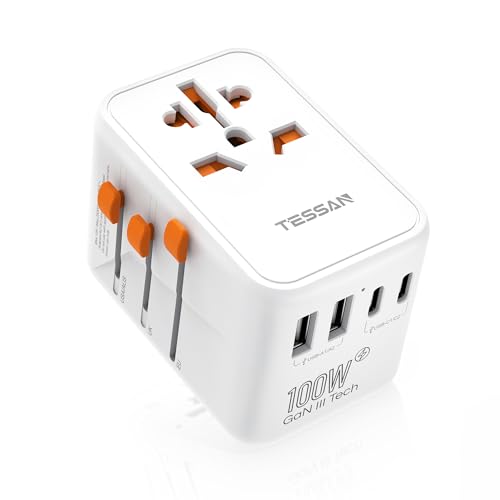
3. TESSAN 100W GaN — Five USB Port Layout
TESSAN lists a universal AC outlet and five USB ports, including one USB-C port rated up to 100W. Its description also calls out USB-C1 and USB-C2 at 15W, so it counts which port the laptop uses when several devices share the adapter.
It lists Type A, C, G, and I coverage and says it works only with 100 to 240V wide-voltage devices. The compact, cord-free form may suit carry-on travel, but the input-voltage check remains separate from plug compatibility.
Our Take Buy the TESSAN if a lot of small devices share one adapter and you can reserve the correct USB-C port for the laptop. Do not assume every USB-C socket supplies the listed maximum.
- Five USB ports are listed.
- One USB-C port lists up to 100W.
- Only one listed USB-C port reaches 100W.
- Not a voltage converter.
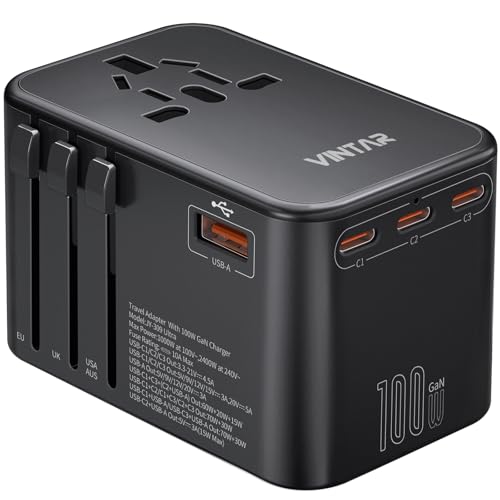
4. VINTAR 100W GaN — Three USB-C Ports
VINTAR lists three USB-C PD ports, two USB-A ports, and one universal AC outlet in a 100W GaN adapter. Its listing says the single USB-C PD port can reach 100W and specifies a maximum AC power of 1000W at 100Vac or 2400W at 240Vac.
Those AC numbers are not laptop USB charging output, and they do not remove the voltage limitation. Treat the AC socket as a plug-format convenience for compatible devices, then check each device’s own power label.
Our Take Buy the VINTAR if you want a multi-port adapter for a laptop plus phone and camera. Separate USB-C charging capability from the AC-through rating when deciding whether it fits your equipment.
- Lists three USB-C ports.
- Lists a universal AC outlet.
- AC rating is not USB-C output.
- Not a voltage converter.
5. ORICO UAX100-2A2U3C — Seven-Device Layout
ORICO lists a 100W USB output adapter with two AC outlets, three USB-C ports, two USB-A ports, and a 27.5-inch retractable USB-C cable. That seven-device layout is aimed at a traveler charging a laptop alongside several smaller devices.
The listing says it supports A, C, G, and I plug outputs and explicitly says it cannot convert 220V to 110V or the reverse. It is best for wide-voltage electronics, not a workaround for a regional-voltage appliance.
Our Take Buy the ORICO if two AC outlets and several USB ports fit what you are packing. The larger port count makes total-output allocation more important to check.
- Lists two AC outlets and five USB ports.
- Includes a retractable USB-C cable.
- Does not convert voltage.
- Seven-device use shares power.
6. MOMAX GA100 — Five-Device GaN Option
MOMAX lists the GA100 with two USB-C PD ports, two USB-A ports, one AC outlet, and a total USB output up to 100W. The listing says the slide mechanism changes among UK, EU, AU, and US plugs.
It also says this is not a voltage converter and gives a 1250W AC output figure. That separate AC figure does not establish the USB-C power available when multiple ports are active, so a laptop should be tested on the intended USB-C port.
Our Take Buy the GA100 if you want a simpler MOMAX option for a laptop plus several small devices. It makes sense when one AC outlet is enough and its plug set matches the itinerary.
- Lists 100W total USB output.
- Two USB-C and two USB-A ports.
- One AC outlet only.
- Not a voltage converter.
Buying Guide
Confirm laptop charging before plug coverage
Check which USB-C port delivers the laptop’s required power. Several adapters list up to 100W, but their individual ports and combined-output rules differ. Reserve the stated high-output port for the laptop before attaching phones and accessories.
Use the original laptop charger as the reference point. If the laptop needs more power than the travel adapter can supply, it may charge slowly or not keep up under load. A travel adapter replaces the laptop charger only when its USB-C output fits what the laptop needs.
Treat plug shape and voltage as separate checks
Universal adapters change plug formats, not device voltage. MOMAX, TESSAN, and ORICO all state that their adapters are not voltage converters. Check the label on every connected device for its supported input range.
Check the country list and exclusions. A, C, G, and I plug sets cover many destinations, but the MINIX listing names exclusions. Verify the exact itinerary, including hotel or airport socket type, before packing one adapter as the only charging plan.
Plan shared charging realistically
Total output is shared across connected devices. More ports are convenient for a phone, camera, and laptop, but they do not mean every port receives the maximum rating at once. Read the allocation notes for the exact ports you intend to use.
AC outlets have their own limits. An AC-through rating is distinct from USB-C charging output and does not make an appliance voltage-compatible. Keep high-draw heated appliances out of the plan unless their voltage and the adapter’s limits are explicitly suitable.
Frequently Asked Questions
Can a travel plug adapter replace my laptop charger?
It can only when the USB-C port supplies enough power for the laptop and the laptop accepts USB-C charging. Confirm the device requirement and the adapter’s single-port or combined-output specification.
Also verify the laptop’s power adapter label or charging input range for the destination voltage. The plug adapter changes the connection shape. It does not make an incompatible mains voltage safe.
Do these travel adapters convert voltage?
No. The listings for several products here explicitly say they are not voltage converters. They are intended for devices that already support the destination voltage, commonly 100 to 240V electronics.
Check hair tools and other appliances especially carefully. A universal socket can accept a plug while the appliance remains unsuitable for the local mains supply.
Will a 100W adapter charge several devices at full speed?
Not necessarily. 100W may be a single-port maximum or a total shared output, depending on the product and which ports are in use. The TESSAN and MINIX listings give examples that distinguish high-output USB-C ports from lower-output or shared modes.
Plan the laptop as the priority device, then add phones and accessories. If simultaneous full-speed charging is important, verify the exact port-combination table before leaving.
Bottom Line
The best travel adapter is the one whose laptop USB-C output, plug coverage, and port-sharing rules match your actual trip. MOMAX UA23 works well when you need two AC outlets, MINIX reduces cable clutter, and TESSAN is useful for many USB devices. None should be treated as a voltage converter.
Source boundary
Product identity, stated plug coverage, USB ports, output labels, cables, AC outlets, and voltage-conversion warnings come from the Amazon US listings in data/topic-bank-2026-10-01.json. This guide does not claim independently tested charging speed, country fit, or voltage compatibility.