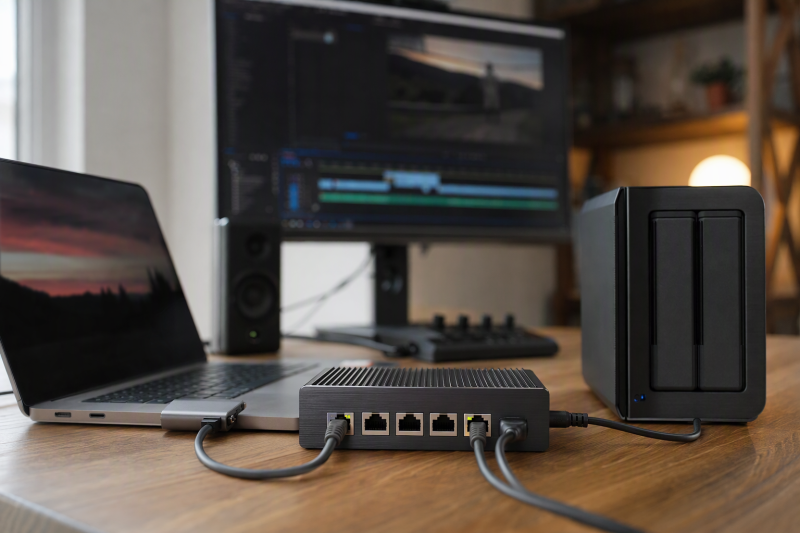
Moving a large project between an editing workstation and a NAS can make a Gigabit link feel slow. A 2.5GbE switch is one piece of the upgrade, but it cannot improve a path whose laptop adapter, NAS port, cable, or storage remains at 1Gbps or below. The useful question is which devices need to talk at 2.5Gbps at the same time, and whether five ports leave enough room after the uplink.
These six unmanaged switches feature 2.5GbE copper ports. The Zyxel adds a manufacturer-documented 10Gb SFP+ uplink option. Transfer speed, heat, acoustic output, and power consumption were not independently measured. A stated 25-Gbps switching capacity is an aggregate design figure, not a 25-Gbps file-copy rate.
Check both endpoints first. You need 2.5GbE on the editing computer and NAS, a suitable cable, and storage fast enough to feed the link.Unmanaged 2.5GbE Switches Compared
| Image | Product | Details | Check Price |
|---|---|---|---|
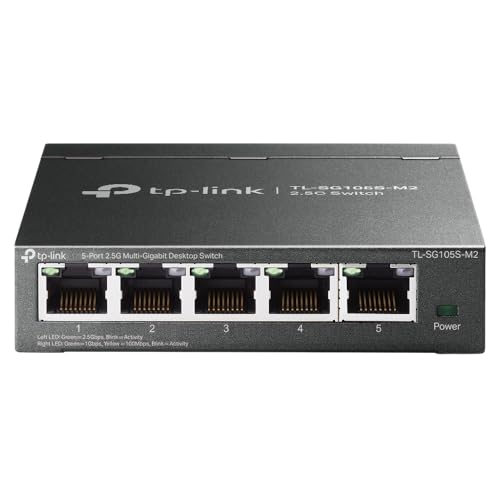 | TP-Link TL-SG105S-M2 | Copper: 5 x 2.5GbE Uplink: One copper port Body: Fanless metal Best fit: Five-port baseline | Check Price on Amazon |
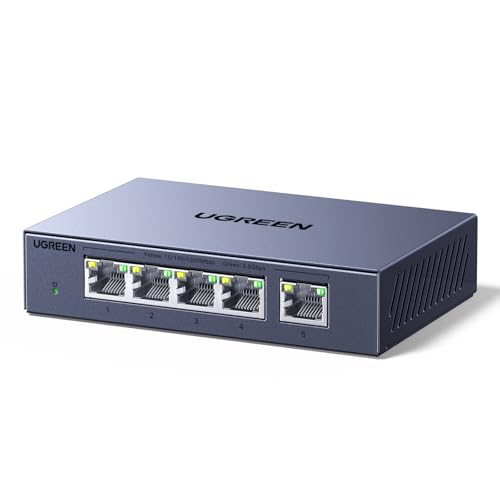 | UGREEN 5-port 2.5G | Copper: 5 x 2.5GbE Uplink: One copper port Body: Ventilated fanless metal Best fit: Desk alternative | Check Price on Amazon |
 | NETGEAR MS308 | Copper: 8 x 2.5GbE Uplink: One copper port Body: Fanless metal Best fit: More editors/devices | Check Price on Amazon |
 | BrosTrend 5-port 2.5G | Copper: 5 x 2.5GbE Uplink: One copper port Body: Fanless Best fit: Plain RJ45 expansion | Check Price on Amazon |
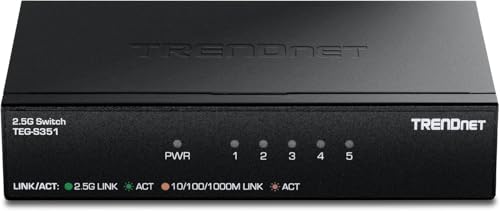 | TRENDnet TEG-S351 | Copper: 5 x 2.5GbE Uplink: One copper port Body: 4.76 x 2.95 x 1 in. metal Best fit: Documented compact case | Check Price on Amazon |
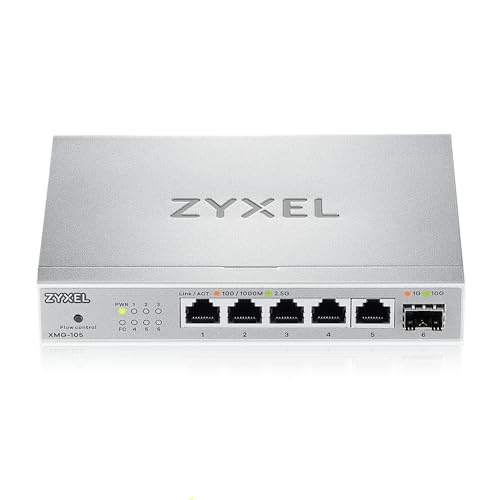 | Zyxel XMG-105 | Copper: 5 x 2.5GbE Uplink: Separate 1G/10G SFP+ Body: Fanless metal Best fit: Compatible 10G storage link | Check Price on Amazon |
1. TP-Link TL-SG105S-M2 — Best Five-Port Baseline
The exact TL-SG105S-M2 has five ports that negotiate among 100Mbps, 1Gbps, and 2.5Gbps. TP-Link’s documentation also describes a fanless metal case, wall or desktop mounting, and loop prevention. For one editing workstation, one NAS, a router uplink, and a spare device, it supplies the relevant speeds without a management interface. The published 25-Gbps switching capacity is aggregate duplex bandwidth, not a 25-Gbps port.
Do not confuse this model with TL-SG105-M2, a different TP-Link model with its own dimensions and revisions. The Amazon bullet’s size figure is oddly tall for a flat desktop switch, so check the exact model’s datasheet and the physical space before ordering. This switch needs an external adapter. It offers neither a 10G uplink nor a PoE power budget, and one of five copper ports usually goes to the upstream network.
Our Take Choose the TL-SG105S-M2 if you want a simple five-port starting point for a 2.5GbE desk. Confirm the exact S-model name before ordering, because the broad “multi-gig” label doesn’t identify it.
- Five 2.5GbE-capable copper ports.
- Fanless metal body with documented loop prevention.
- No 10G uplink.
- Listing dimensions need model-specific confirmation.
2. UGREEN Five-Port 2.5G — Best Ventilated Metal Desk Unit
UGREEN lists five 2.5Gbps RJ45 ports in a fanless metal case with vents, heatsinks, and thermal pads. Desk and wall placement are described. At a warm editing workstation beside an external drive and NAS, the ventilated layout may matter, although temperature and comparative cooling were not independently measured. The switch auto-negotiates 100M, 1G, or 2.5G and needs no software setup.
The product title calls all five ports “uplink,” but an unmanaged switch does not reserve five separate Internet uplinks. You choose one port for the upstream network if needed, leaving four local copper connections. It has no stated SFP+ socket or PoE output. The listing gives no comparative noise measurement. Fanless means there is no switch fan, not that the entire editing desk becomes silent.
Our Take Choose UGREEN if you want a basic five-port switch with an explicitly described thermal layout. Its ports do not bypass the single upstream connection’s limits.
- Five multi-gig copper ports.
- Ventilated metal, fanless housing.
- No separate 10G uplink stated.
- Thermal benefit unmeasured here.
3. NETGEAR MS308 — Best Eight-Port Headroom
MS308 offers eight auto-negotiating 2.5GbE ports rather than five. NETGEAR documents a metal enclosure, desktop or wall placement, and a fanless design. For two editing machines, a NAS, a network printer, an access point, and an upstream router, those extra sockets may remove the need for a second small switch. NETGEAR lists 40-Gbps aggregate switching capacity, not a 40-Gbps speed on one copper port.
The listing says the product is made for use in the US and Canada. Verify the adapter before using it elsewhere. It does not add management or 10G SFP+ just because it has more ports. Buy eight only when the cable plan needs the spare connections.
Our Take Choose the MS308 if a busy editing bench needs more than five ports. Its eight ports add capacity, while the same 2.5Gbps per-port ceiling remains.
- Eight 2.5GbE ports.
- Metal fanless design.
- Desk or wall placement.
- US/Canada regional warning.
4. BrosTrend Five-Port 2.5G — Best Plain Copper Expansion
BrosTrend’s listing emphasizes five 2.5Gbps copper ports without optical SFP sockets. Five ports are enough for a single workstation and NAS that already use RJ45. It claims 25-Gbps aggregate switching capacity and fanless operation. No configuration is required. Connect the power adapter, the endpoints, and an upstream router if one is part of the network. Slower devices connect at their own speed through auto-negotiation.
Skipping SFP+ simplifies purchasing if you do not own a NAS with a fiber port, but it also caps the uplink at 2.5Gbps. Two editors simultaneously pulling from one NAS can share the NAS link rather than each seeing a full 2.5Gbps. The “2.5 times faster” marketing figure compares nominal link rates with 1Gbps. Actual file-copy time depends on storage and protocol overhead. Transfer speed was not independently tested.
Our Take Choose BrosTrend if you want a plain copper-only route to five 2.5GbE ports on a simple RJ45 plan. Don’t assume a 2.5-times workflow gain from the switch alone.
- Five 2.5GbE RJ45 connections.
- Fanless plug-and-play design.
- No separate high-speed uplink.
- Real transfer gain not measured.
5. TRENDnet TEG-S351 — Best Documented Small Metal Switch
TRENDnet’s exact TEG-S351 has five 100M/1G/2.5G copper ports, a fanless metal body, and wall mounting. Its manufacturer page gives about 4.76 by 2.95 by 1 inch and a 12-V, 1-A external adapter for version V1. Those concrete dimensions help fit it beside a NAS or under a monitor shelf. TRENDnet also lists link LEDs and a 10KB jumbo-frame capability, though jumbo frames need end-to-end network configuration to help.
The switch’s published 25-Gbps capacity is aggregate. It does not give a 10Gbps port or power a PoE device. Manufacturer “lifetime protection” and TAA/NDAA language have region-specific terms. Do not treat them as performance guarantees. This model is most useful when a small, documented, copper-only box is preferable to a less clearly specified alternative.
Our Take Choose the TEG-S351 if you want a switch whose power and size are easier to plan than many listings suggest. It is a conventional five-port 2.5GbE switch, not a hidden 10G upgrade.
- Maker publishes dimensions and adapter rating.
- Fanless metal case and link LEDs.
- No 10G uplink or PoE output.
6. Zyxel XMG-105 — Best 10G SFP Uplink
Zyxel’s XMG-105 pairs five 2.5GbE copper ports with a separate 1G/10G SFP+ uplink slot, according to its manufacturer guide. The separate slot suits an editing room whose NAS or backbone can use a matching SFP+ transceiver or DAC. The uplink does not consume one of the five RJ45 ports, so five local copper devices can connect while the 10G slot links upstream. Zyxel documents loop detection, a fanless metal body, and an external adapter.
An SFP+ cage is not a 10G RJ45 socket. You need a supported optical transceiver, DAC, or appropriate module and matching equipment at the far end, which may add cost. Do not buy it only because a NAS advertises 10GbE over copper without planning the physical connection. The ordinary XMG-105 is not the PoE++ XMG-105HP variant. It does not supply PoE power to endpoints.
Our Take Choose the XMG-105 if your desk already has, or is planning, a compatible 10G SFP+ path. On an all-RJ45 network, its extra slot may sit unused.
- Five 2.5GbE ports plus separate 10G SFP+.
- Maker documents loop detection and exact model behavior.
- Uplink leaves five copper ports for devices.
- Needs compatible SFP+ media at both ends.
- No PoE on this non-HP model.
Buying Guide: Find the Real Bottleneck
Check every link between editor and storage
For a local NAS workflow, the computer adapter, switch port, NAS port, and cable all have to negotiate 2.5Gbps for that link rate. A laptop with a 1GbE USB dongle remains at 1GbE when plugged into a new switch. A NAS with only one 1GbE port imposes the same limit from its end. Check the operating system’s reported link speed on both devices before blaming the switch. Our USB-C docking station guide covers desk connections, but verify a dock’s actual Ethernet speed rather than assuming USB-C implies 2.5GbE.
TP-Link and TRENDnet say their 2.5G products can use existing Cat5e or better cable under suitable conditions. Their statement is not a guarantee for every old wall run, damaged patch lead, or bad termination. Start with a known-good cable and check the negotiated speed. If transfers still disappoint, measure storage read/write behavior and protocol overhead. A 2.5Gbps link has a theoretical payload ceiling below its raw line rate. The link cannot force a slow hard drive or busy NAS to deliver data faster.
Size ports for concurrent editors and uplink needs
Five copper ports can connect four local devices plus one copper uplink in a conventional layout. NETGEAR’s MS308 adds eight ports for a growing desk or shared room. If several editors access one NAS at once, the NAS-facing uplink may become the shared bottleneck even if each editor has a 2.5GbE port. More switch ports and more upstream capacity are therefore separate decisions.
Zyxel’s XMG-105 has a separate 10G SFP+ slot that can carry an uplink without consuming a 2.5GbE copper port. The slot is useful only if the NAS or backbone has a compatible link. SFP+ optics and DACs are not interchangeable with bare RJ45. The ordinary five-port copper-only switches are enough for a simple one-editor, one-NAS desk. Do not pay for an unused higher-speed uplink just because the label sounds future-proof.
Understand unmanaged operation, cooling, and PoE
Unmanaged switches are plug-and-play forwarding devices. They do not give you configurable VLANs, detailed traffic charts, or advanced access rules. Loop prevention on a documented model can help prevent an accidental cable loop, but avoid making loops in the first place. A switch is also not a router. It will not perform Internet sharing or assign IP addresses without upstream services. For a desk built around a laptop, our USB-C hub guide addresses the separate adapter choice.
All six selected listings describe fanless designs, useful near microphones and editing monitors. Fanless does not mean cool to the touch. Leave ventilation space and follow the maker’s mounting guidance. No PoE power budget is established for these non-PoE models, including Zyxel XMG-105 without the HP suffix. If an access point or camera needs PoE, select a switch or injector explicitly rated for its standard and power budget.
Frequently Asked Questions
Will a 2.5GbE switch make video editing from a NAS smooth?
It may remove a 1GbE network bottleneck, but how well it works depends on the media codec, number of simultaneous streams, NAS disks, CPU, protocol, and client adapter. A 2.5Gbps link is a nominal network rate, not a guaranteed editing throughput or timeline responsiveness. Editing and file-copy benchmarks were not run on these switches.
Check the negotiated rate and measure transfers from a known-good local file before changing the network again. If storage or decoding is the actual constraint, a faster switch alone will not fix it. Proxies or local working media may still be useful for demanding projects.
Can Cat5e cabling carry 2.5GbE?
Manufacturers of several switches here say 2.5GbE can use suitable existing Cat5e cable. Actual success depends on cable length, quality, termination, interference, and endpoint support. A short known-good patch lead is a reasonable first test when upgrading an editing desk.
If a wall run negotiates only 1Gbps or drops packets, inspect both terminations and test the cable. Do not infer the cable is compliant from its printing alone. The switch auto-negotiates a working speed with the devices it sees. It cannot repair poor copper.
Do I need the Zyxel SFP+ port for a 10GbE NAS?
You need it only if the NAS or a network device in between has a compatible 10G SFP+ path. The XMG-105 supplies a cage for an appropriate module or DAC, not a native 10GBASE-T RJ45 jack. A copper-only 10GbE NAS may need a suitable converter or an entirely different switch.
If your NAS is presently 2.5GbE, a plain five-port switch can be enough for one editor. If several editors will share fast storage, plan the NAS-side port and physical media before selecting the switch. A 10G uplink is useful only when the rest of the chain can use it.
Bottom Line
TP-Link TL-SG105S-M2 is the uncomplicated five-port start. NETGEAR MS308 gives a larger room extra ports, and Zyxel XMG-105 adds a separate 10G SFP+ uplink for compatible storage. Verify the entire editor-to-NAS path before buying. The fastest switch port cannot outrun the slowest link or disk.