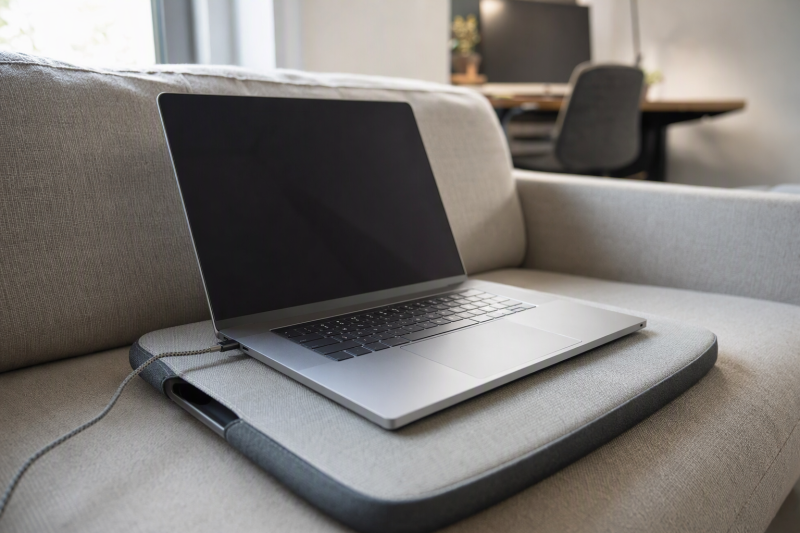
A sofa can be a fine place to answer messages or read a document, but balancing a warm laptop directly on your legs makes longer work awkward. A cushioned lap desk adds a firm top and a softer underside. The useful differences are surface width, room for a mouse, laptop fit, and how the cushion rests on your legs. A pretty board that is too narrow for your actual setup will not help much.
These six exact Amazon US lap desks have cushions beneath the working surface. None was independently tested with a laptop, so seller descriptions of comfort and airflow remain claims. If a full sofa workstation is your goal, a USB-C hub can add ports, but it does not make a small lap surface wider.
Measure the laptop’s width and the space you need beside it. A “fits 15.6-inch” label usually names screen diagonal, not spare mouse room.Cushioned Lap Desks Compared
| Image | Product | Details | Check Price |
|---|---|---|---|
 | LAPGEAR Home Office Pro | Laptop fit claim: Up to 15.6 in Top claim: 21.1 x 14.1 in Cushion / extra: Dual bolster; mouse pad and phone slot Best fit: Mouse-first sofa work | Check Price on Amazon |
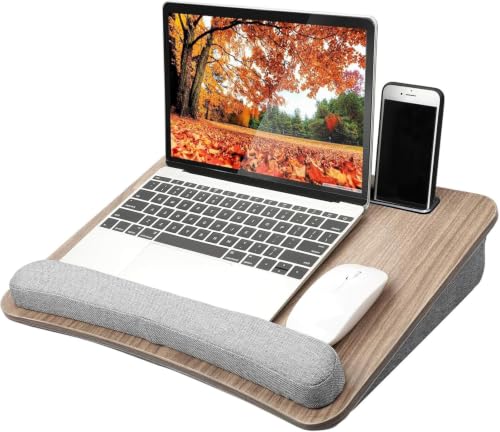 | HUANUO cushioned lap desk | Laptop fit claim: Up to 15.6 in Top claim: 16.54 x 12.6 in Cushion / extra: Foam pillow; wrist pad Best fit: Compact laptop-only setup | Check Price on Amazon |
 | LAPGEAR Original 17-inch | Laptop fit claim: Up to 17 in Top claim: 17.9 x 13 in Cushion / extra: Dual bolster; pencil tray Best fit: Simple larger-laptop platform | Check Price on Amazon |
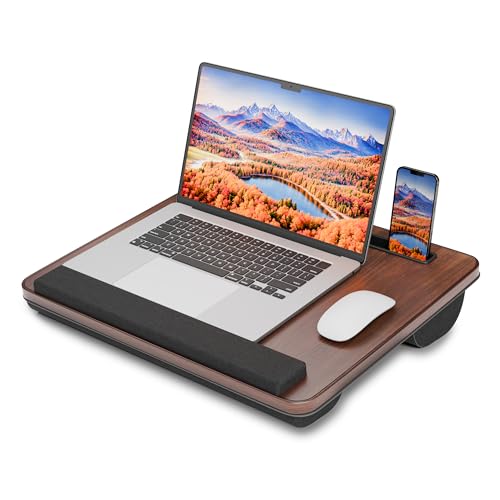 | HETTHI lap desk | Laptop fit claim: Up to 15.6 in title Top claim: 15.55 x 12.79 in Cushion / extra: Pellet cushion; phone slot Best fit: Small top with device slot | Check Price on Amazon |
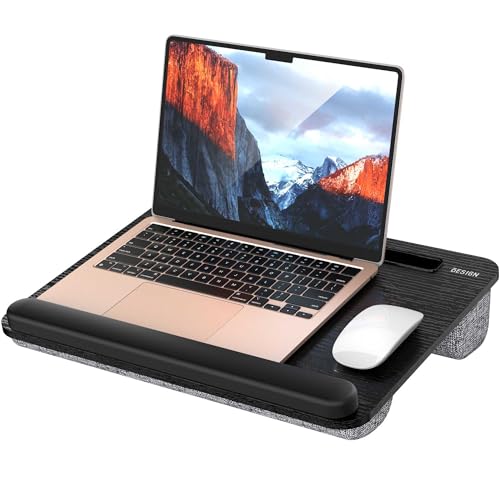 | BESIGN LT08 | Laptop fit claim: 10-14 in Top claim: 16.7 x 12.6 in Cushion / extra: Dual pillows; anti-slip strip Best fit: Small laptop or tablet | Check Price on Amazon |
 | SAIJI lap desk pillow | Laptop fit claim: Up to 17 in Top claim: 21.3 x 12.6 in Cushion / extra: Washable cover; silicone rails Best fit: Lightweight larger surface | Check Price on Amazon |
1. LAPGEAR Home Office Pro — Best Built-In Mouse Area
The Home Office Pro lists a 21.1-by-14.1-inch top sized for laptops up to 15.6 inches. It gives a mouse a dedicated 5-by-9-inch tracking area, plus a phone slot and a cushioned wrist rest. The mouse area is useful if you use a separate mouse while answering messages on the sofa. With a wide laptop, check the exact chassis width against the remaining usable surface. The screen diagonal alone does not determine it.
Underneath, LAPGEAR describes a dual-bolster cushion and an integrated handle. The seller says the lap desk weighs 2.8 pounds before the laptop is added. Cushion spacing may leave some air between the board and your legs, but it does not prove the notebook stays cool. Its own intake and exhaust positions also affect how well it cools. Comfort and thermal behavior were not independently tested. A USB-C docking station belongs at a stationary desk, not loose beside you on the cushion.
Our Take Start with this LAPGEAR if a mouse is part of your sofa workflow. Check that your laptop leaves enough room on the 21.1-inch board, and treat the padded wrist edge as a fit detail rather than a medical benefit.
- 5-by-9-inch mouse area is stated.
- Phone slot and carry handle are listed.
- Wide top dimensions are given.
- 15.6-inch laptop fit is not a guarantee of mouse clearance.
- 2.8-pound board adds to the lap load.
2. HUANUO Cushioned Lap Desk — Best Compact Laptop-Only Setup
HUANUO lists a 16.54-by-12.6-inch top and support for laptops up to 15.6 inches. The listing is unusually clear that its spare mouse space applies only with laptops 14 inches or smaller. That limitation is more useful than a broad “fits 15.6” promise. If you own a larger laptop and need a mouse, move to a wider board. The model has a foam cushion and a wrist pad along the front.
The seller also lists a tablet holder and a small pocket that doubles as a carrying grip. The smaller footprint may be easier to set down beside a sofa, but make sure the laptop’s feet sit fully on the hard surface and the cushion does not bunch up. Whether its front pad blocks a specific laptop’s touchpad or front ports remains unverified. A firm top can separate the computer from fabric, yet it does not establish safe operating temperature.
Our Take HUANUO is a straightforward compact choice for laptop-only work. Its own mouse-space caveat should decide the purchase if you use a 15-inch class machine.
- Listing distinguishes laptop fit from mouse room.
- Foam cushion, wrist edge and tablet slot are described.
- Little separate mouse space with a larger laptop.
- Wrist pad may interfere with certain front-edge layouts.
3. LAPGEAR Original 17-Inch — Best Simple Large-Laptop Board
The Original 17-inch version lists a 17.9-by-13-inch work surface, dual-bolster cushion, pencil tray, and device ledge. The selected model is the specific larger size, not the smaller 14-inch variant in the same product family. The appeal is a plain firm platform that supports a larger laptop without dedicating top space to a built-in mouse pad. The ledge can help keep a device from moving, but check whether it touches the laptop’s front edge awkwardly.
The built-in handle helps move and store the board beside furniture. Do not infer generous mouse room just because the listing says it fits a 17-inch laptop. Measure the chassis width plus the desired tracking area. For work needing a separate display, a home-office monitor is better on a fixed desk rather than a cushion balanced on your legs. Whether the bolster shape suits an individual seating posture was not independently tested.
The selected 17-inch Original is a different size from LAPGEAR’s compact version; check the exact listing before buying.Our Take Choose the Original for a simple platform for a larger laptop, not for a setup built around a mouse. It trades extras for a plain surface and a stated 17-inch fit.
- 17-inch version has stated top dimensions.
- Dual-bolster cushion and carry handle are listed.
- No dedicated mouse area is described.
- Front ledge needs checking against laptop shape.
4. HETTHI Lap Desk — Best Small Top with Device Slot
HETTHI lists a 15.55-by-12.79-inch top and a 2.5-pound board. The product title says it fits laptops up to 15.6 inches, but its top is the narrowest hard surface among these picks. Check the actual chassis footprint, especially if feet sit near the board’s edge. The listing adds a phone or tablet slot and a wrist pad that also acts as a device stop.
Its hollow-bottom pellet cushion differs from a flat foam pillow. Whether it shapes comfortably around your legs depends on the user and remains unverified. There is also a fabric handle for carrying the board to another room. No meaningful separate mouse area is specified, so the HETTHI suits a laptop and phone rather than serving as a miniature substitute for a wide desk. Seller statements that the underside improves ventilation do not measure laptop temperature.
Our Take HETTHI works on paper for a small sofa setup when a device slot is a priority. Measure your laptop against the 15.55-inch width instead of relying on its screen-size label alone.
- Board dimensions and weight are stated.
- Phone slot and carry handle are listed.
- 15.55-inch top leaves little space beside many laptops.
- Pellet-cushion comfort is personal and untested here.
5. BESIGN LT08 — Best for a 14-Inch Laptop
BESIGN states 10-14-inch laptop compatibility and a 16.7-by-12.6-inch top. That narrower compatibility claim makes it easier to screen out an oversize machine. A dual-pillow underside and front anti-slip strip are listed, along with a carry handle. The strip may help prevent sliding while seated, but do not lift or carry the board with an open laptop on it.
The listing also shows it used on a table or bed, yet a cushioned underside is primarily useful on a lap. Check that its pillows sit evenly across your thighs and that the laptop’s rear vents are not blocked. Stability on a sloping sofa cushion remains unverified. If you need to type for many hours, take breaks or move to a stable desk. No lap desk is a tested ergonomic treatment.
Our Take BESIGN is easiest to shortlist for a small 14-inch-or-less laptop. The explicit size limit is more valuable than a generic “one size fits all” claim.
- 10-14-inch range is explicit.
- Dual cushions and anti-slip strip are listed.
- Not the listed fit for larger laptops.
- No separate mouse area is claimed.
6. SAIJI Lap Desk Pillow — Best Lightweight Wide Top
SAIJI describes a 21.3-by-12.6-inch working surface and a claimed 480-gram board weight. It is marketed for up to a 17-inch laptop with room for a mouse, though mouse room depends on actual chassis width. The pillow-style cushion cover is zippered and described as removable for washing. Confirm the care instructions before laundering the cover. The hard platform and internal padding should not be washed together.
Silicone rails are said to raise the device slightly. The raised position may create a gap below part of a laptop, but it does not prove cooling performance. Check that the rails contact solid areas of the notebook, not vents or an unstable edge. A lightweight board can be pleasant to carry yet still needs a stable lap position when typing. The claimed weight and sofa wobble were not independently measured.
A wide listed surface and removable cover are tangible differences; cooling claims are not independently tested.Our Take SAIJI is the pick for a wide top and a washable cushion cover. Verify mouse clearance with your exact laptop and follow the maker’s cover-care directions.
- 21.3-inch listed width leaves room to investigate mouse fit.
- Removable cover and carry handle are described.
- 480-gram claimed weight is relatively low.
- Actual mouse space still depends on laptop width.
- Silicone rails are not proof of thermal performance.
Buying Guide
1. Match the Laptop Footprint to the Board
Measure the laptop chassis, not only its screen diagonal. A “15.6-inch laptop” label refers to a screen class. Bezel and body widths differ. Place a tape measure across the hard work surface dimensions listed for the exact product. Leave room for the power plug and for the laptop feet to land fully on the board.
If you use a mouse, add its full movement area. HUANUO explicitly limits spare mouse room to laptops of 14 inches or less, despite accepting larger laptops on the top. LAPGEAR Home Office Pro names a dedicated 5-by-9-inch pad, while SAIJI offers a wider general surface. A mouse area is only useful if the laptop leaves it exposed.
2. Check Cushion Shape and Sofa Position
A dual-bolster, foam, or pellet cushion will distribute weight differently across your legs. Sofa cushions can slope toward the armrest and make a lap desk feel uneven. If possible, try the board with your own chair or sofa and normal posture before committing to extended sessions. A seller’s comfort adjective is not a medical or ergonomic result.
Remember the combined weight of board and computer. A 2.8-pound board plus a heavy laptop feels different from a claimed 480-gram SAIJI platform. Keep drinks and other loose objects off the lap surface, particularly when standing up. The handle is for the board. It is not a reason to carry the open laptop on it.
3. Leave Laptop Vents Clear
A hard top can keep fabric away from the computer’s base, but vent placement is laptop-specific. Check underside intakes, side exhausts, and the maker’s operating guidance. Do not treat cushion spacing, silicone rails, or a marketing “heat shield” as proof that the machine cannot overheat. Check the laptop during a normal workload.
Front stops and wrist pads are also a fit question. A raised edge must not block vents, ports, or comfortable typing. If the notebook slips or the surface flexes excessively, stop using that pairing. A lap desk is a portable support, not a substitute for a stable fixed workstation when heavier peripherals are involved.
FAQ
Will a cushioned lap desk keep my laptop cool?
Not by itself. The hard top separates the laptop from upholstery, but cooling depends on where the computer draws and expels air. Some listings claim airflow or heat protection. None of these exact pairings was temperature-tested here.
Check the laptop manufacturer’s guidance and avoid covering its vents. If the machine becomes unusually hot or slows under a normal workload, move it to a better-ventilated stable surface rather than assuming the cushion solves the issue.
Is a 17-inch lap desk automatically better for a mouse?
No. A 17-inch fit claim says a laptop can sit on the board, not that a separate mouse fits beside it. The laptop’s physical width and where the board allocates space both affect mouse room. LAPGEAR Original 17-inch is a simple platform. The Home Office Pro names a dedicated mouse pad.
Measure both devices together. If the mouse would hang over an edge, choose a wider top or use the laptop touchpad instead of treating the screen-size label as a workspace measurement.
Can I use these lap desks in bed as well as on a sofa?
Most are marketed for both, but a soft mattress changes the support angle and may make the board rock. Test its position before placing an open laptop on it. Keep blankets away from the computer’s vents and avoid falling asleep with the laptop running on bedding.
A legged bed tray is a different product category. These six were selected because their cushion rests on your lap, and none was assessed as a rigid table spanning the bed.
Bottom Line
Choose by measured space first. LAPGEAR Home Office Pro makes mouse room explicit, LAPGEAR Original gives a simple board for a larger laptop, and HUANUO suits a more compact setup built around the laptop. SAIJI adds a light, wide option with a pillow cushion. None should be bought on a cooling or comfort promise alone.